WPS Office Scan to PDF

Scan to PDF

Turn paper, receipts, and phone photos into a clean PDF. Scan to PDF with your camera or a desktop scanner, then OCR, search, and share—inside free WPS Office.

0 Monthly Active Users Phone camera · PC scanner Scan to PDF · OCR · Local files
WPS Office · Scan to PDF Scanning…
Service Agreement

This Agreement is entered into as of August 18, 2026 between Northwind Supplies and the Client.

Payment due within thirty (30) days.

Confidential information shall remain on the local device and is not uploaded.

Searchable PDF Ready ✨

Contract-Scan.pdf

Page 2 of 4 · saved
Capture PDF OCR
Pain → Solution

Stop Sending Crooked Photos. Scan to PDF in WPS Office Instead

Phone pictures and image-only scans are hard to share. WPS scan to PDF crops the page, exports PDF, then lets you search and edit in the same suite.

Messy Camera Photos

Pain

Receipts and contracts shot in Gallery look skewed, glare-heavy, and unprofessional in email.

WPS Solution

Scan to PDF — SnapReader auto-crops edges and exports a clean multi-page PDF.

Phone Camera

Image-Only PDFs

Pain

A scan that is just a picture cannot be searched, copied, or lightly edited without retyping.

WPS Solution

Built-in OCR — after you scan to PDF, unlock searchable text on the same device.

Searchable PDF

Scanner-App Watermarks

Pain

Standalone scanner apps add ads, page limits, or watermarks unless you pay another subscription.

WPS Solution

One office suite — scan to PDF, then edit Word, Excel, and PDF without a second scanner SKU.

All-in-One

Risky Upload Sites

Pain

Web “scan to PDF” tools ask you to upload IDs, leases, and invoices to unknown servers.

WPS Solution

Local capture — paper can stay on your phone or PC after you scan to PDF.

Private Files

Built Into WPS Office

Scan to PDF Free — Get WPS Office

One installer is your scan to PDF toolkit: capture pages with a phone camera or PC scanner, export PDF, then OCR and edit without leaving WPS.

Scan to PDF Phone + PC Local OCR
Download WPS App Free

Lightweight Installer (< 50MB) · 100% Safe & Secure
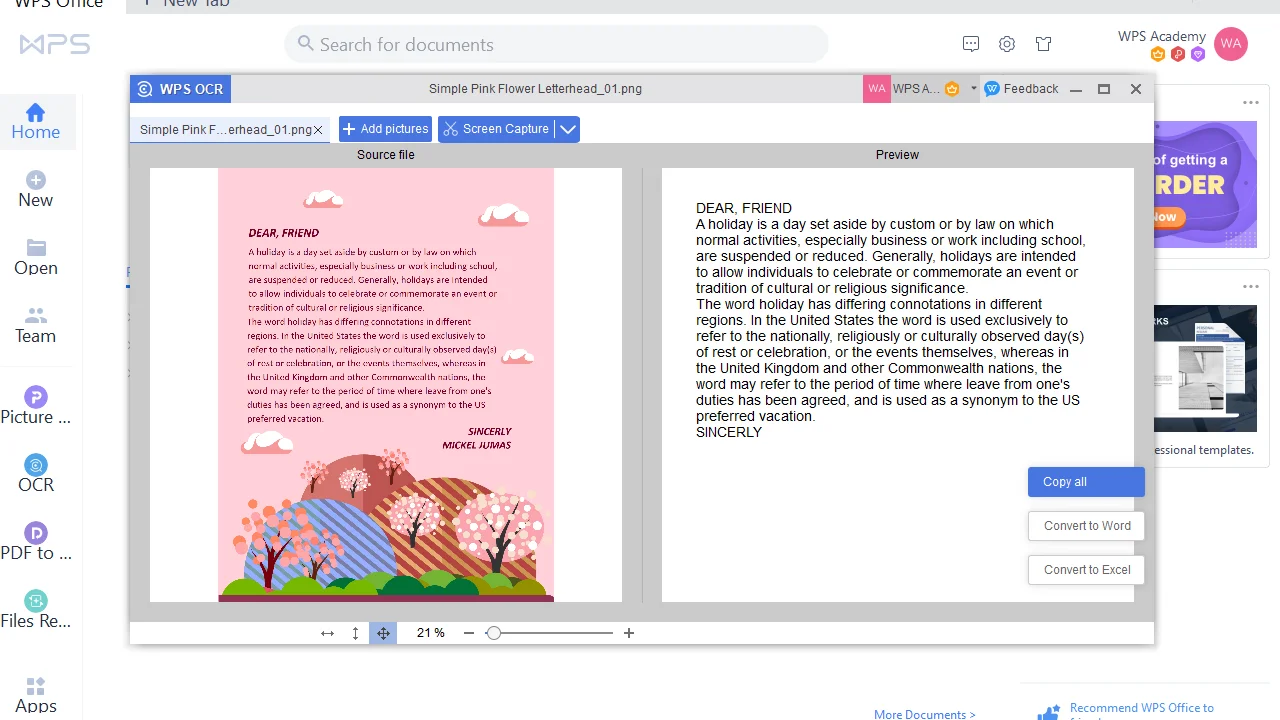
WPS scan to PDF on desktop

WPS scan to PDF on desktop

What You Can Do with Scan to PDF

Capture, enhance, recognize, and share—Scan to PDF covers the full journey from paper to professional digital documents.
Multi-Source Capture

  • Use your phone camera to snap paper, receipts, ID cards, or whiteboard notes—WPS captures them in high resolution and turns them into polished PDFs in seconds.
  • Connect a desktop scanner via WIA or TWAIN directly inside WPS PDF—no separate driver utility or third-party scanner app required.
  • Already have photos or saved images? Import them directly and merge multiple files into a single, neatly organized PDF.
  • Continuous shooting mode lets you capture multi-page documents without leaving the scanner—ideal for contracts, manuals, and presentations.
WPS Office — Scan to PDF
WPS scan to PDF interface

Smart Auto-Crop & Image Enhancer

  • Intelligent edge detection automatically identifies page boundaries, crops out backgrounds, and delivers a clean, well-framed scan.
  • Perspective correction straightens tilted or skewed pages so every scan looks as if it were taken flat on a scanner bed.
  • One-tap shadow removal and brightness adjustment eliminate uneven lighting caused by overhead lamps or phone flash.
  • Choose from black-and-white, grayscale, or color filters plus sharpening and contrast tools to make every document crisp and legible.
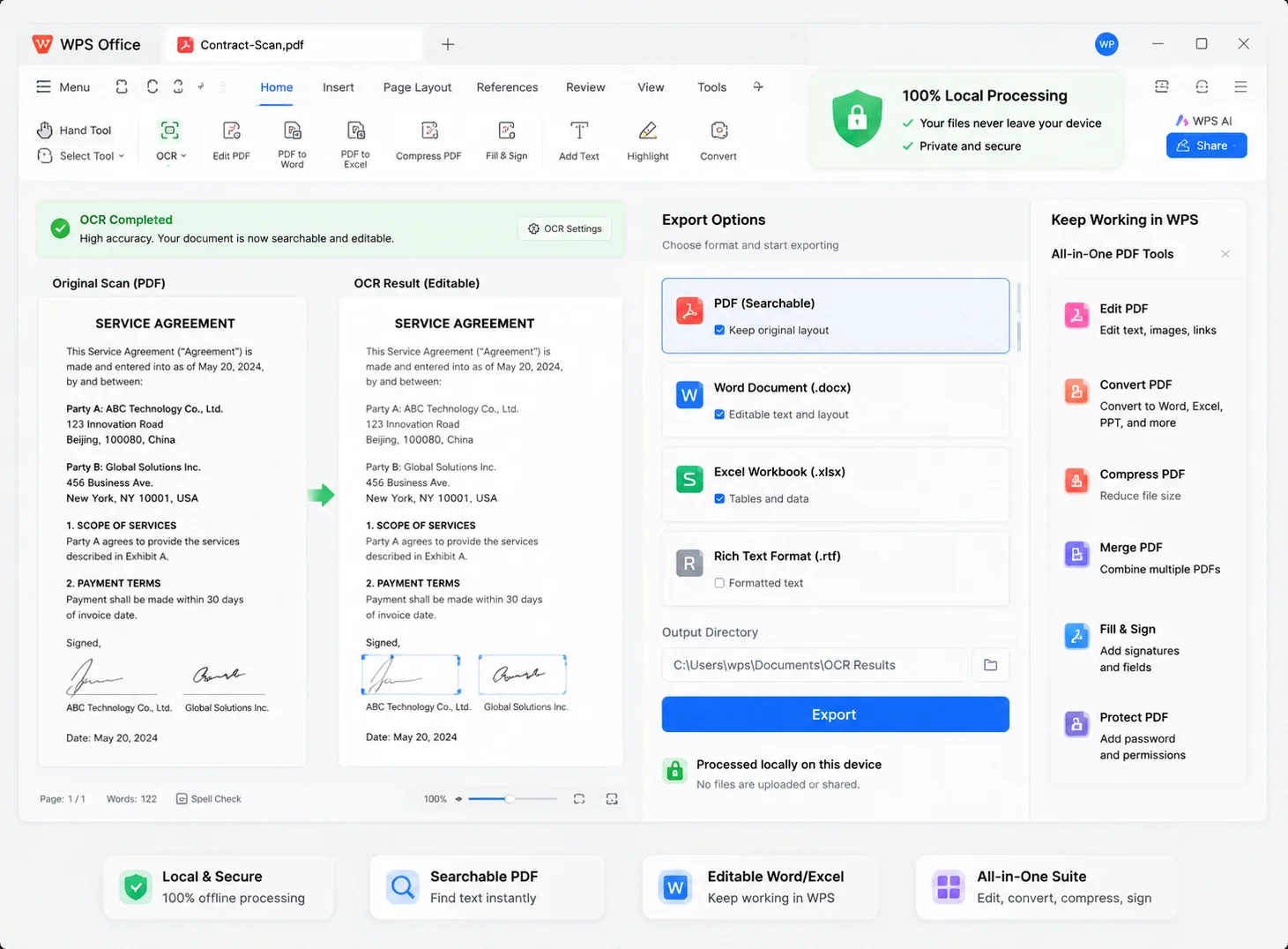
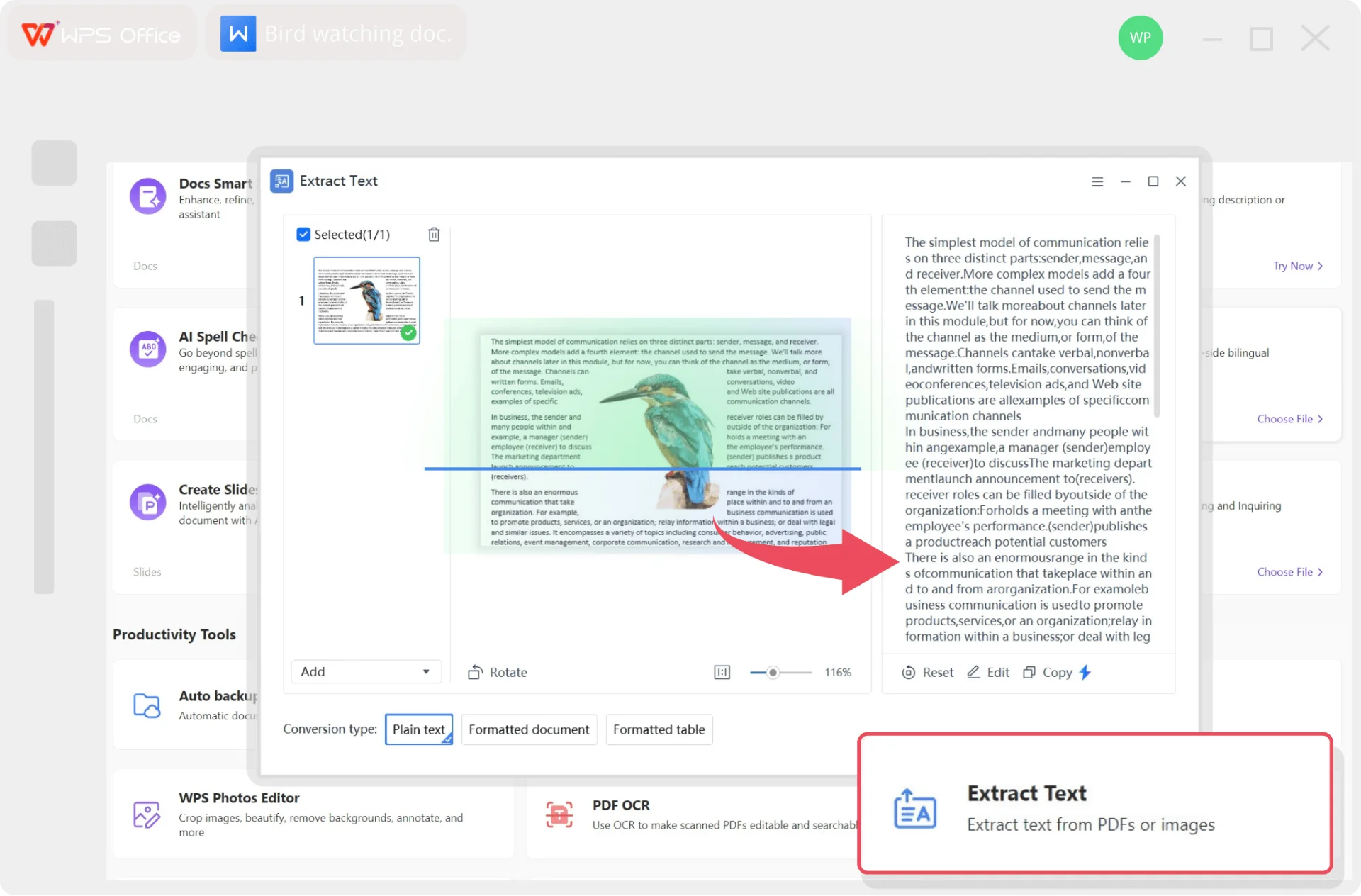
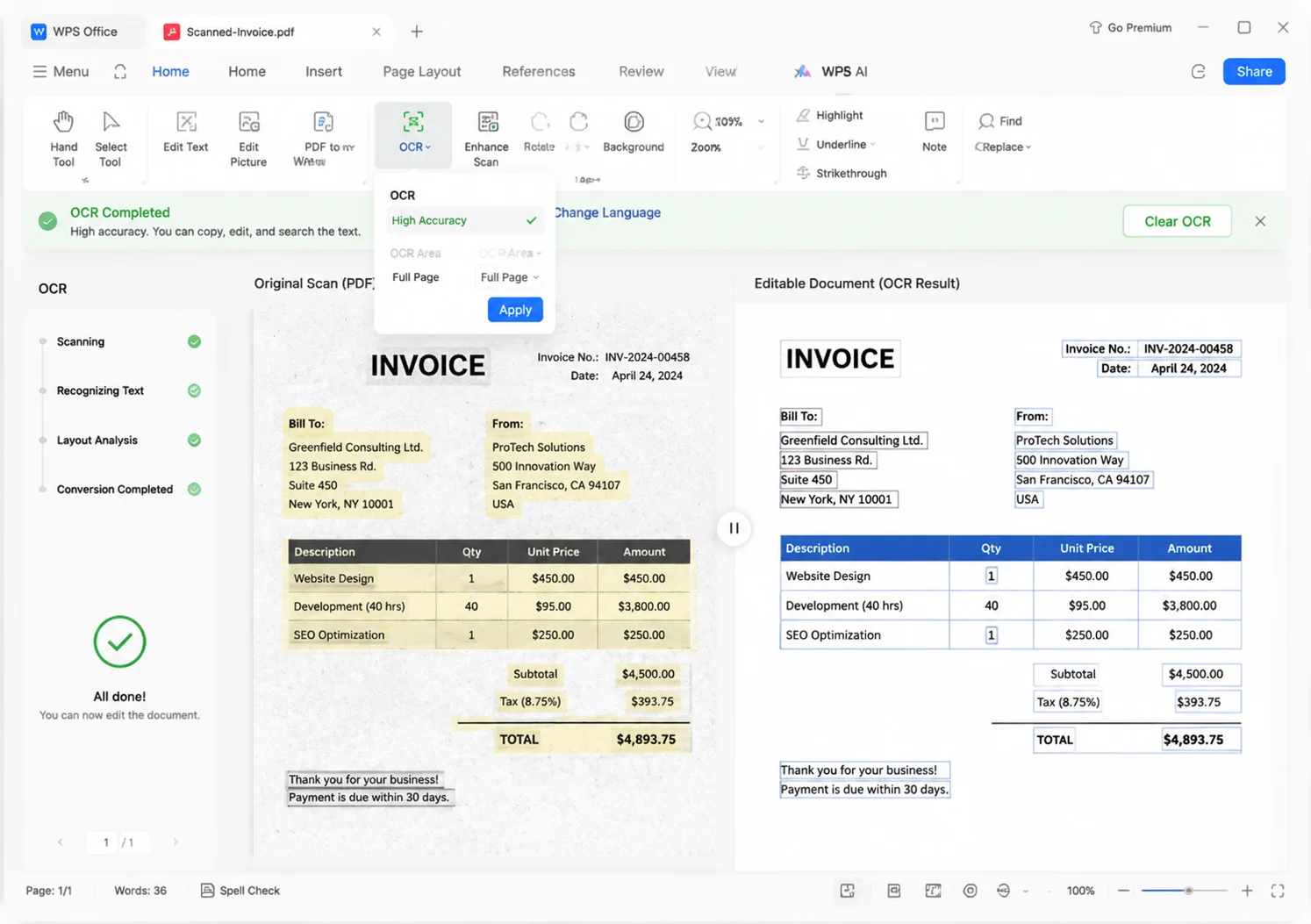
WPS PDF — AI OCR
WPS AI OCR scanned text AI OCR

Advanced OCR & Searchable PDF

  • AI-powered OCR extracts text from scanned images, photos, and PDFs with multi-language precision—supporting English, Chinese, Spanish, and more.
  • Turn image-only scans into searchable PDFs so you can instantly find keywords with Ctrl+F instead of flipping through pages.
  • Export recognized text directly to editable Word or Excel files—reuse invoices, forms, and tables without retyping a single line.
  • OCR processing stays on your device—sensitive HR files, contracts, and IDs never leave your local machine.
Export · Scan to Word
Scan PDF to editable Word

Local Safety & Easy Sharing

  • All scan processing happens on your device—no images are uploaded to external servers, keeping confidential documents completely private.
  • Share scanned PDFs instantly via link, email, or social platforms—send a contract to a client or a receipt to your accountant in one click.
  • Optional password protection and permission settings let you control who can view, edit, or print the shared PDF.
  • Save scans to WPS Cloud and access them from any device—your phone, tablet, or another computer—without emailing yourself large files.
PDF tools · Cloud sync
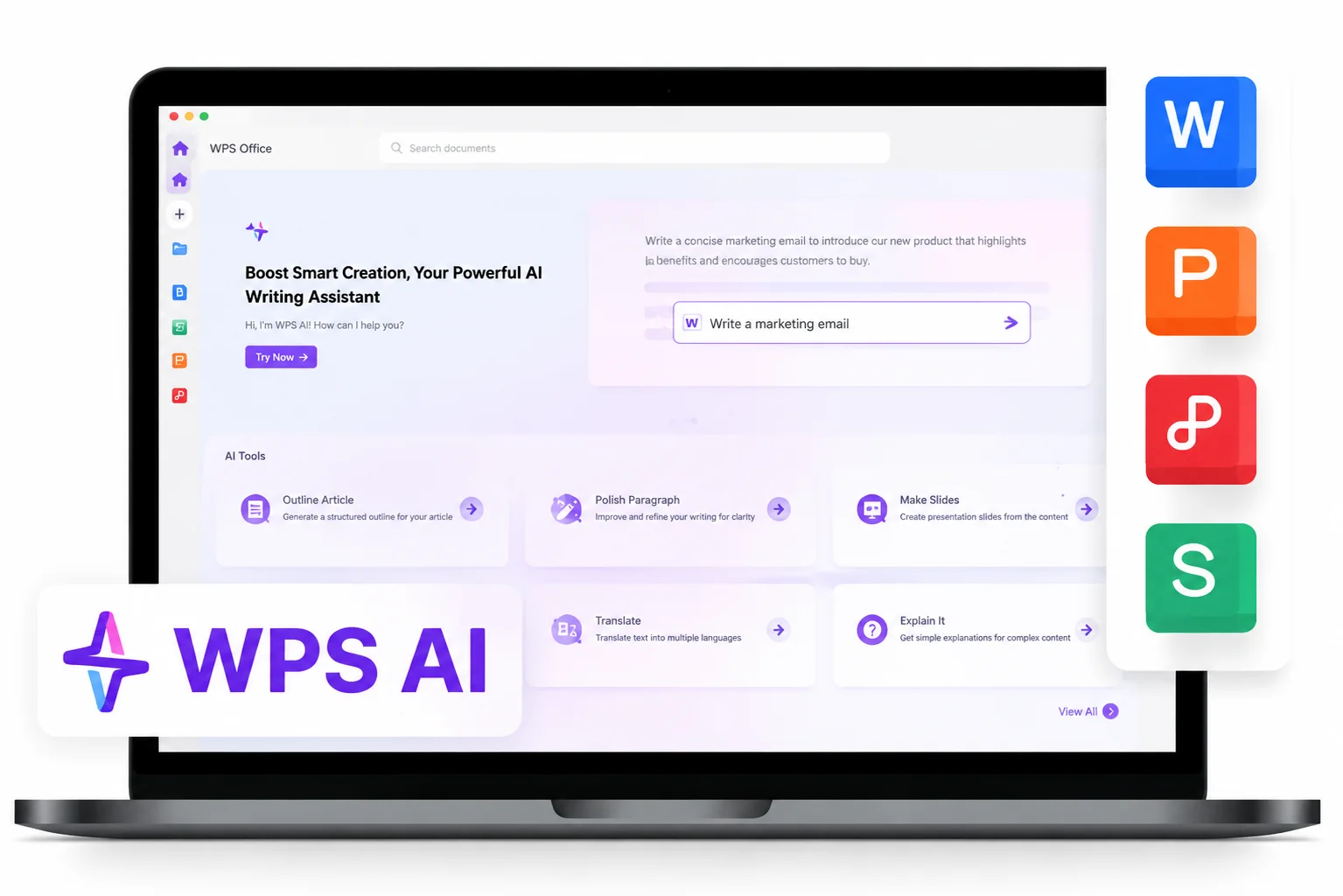
WPS PDF tools and sync
WPS Template Center

Pair Scan to PDF with Free PDF Templates

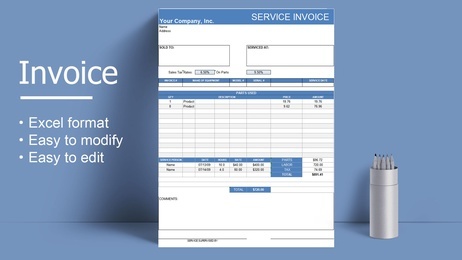
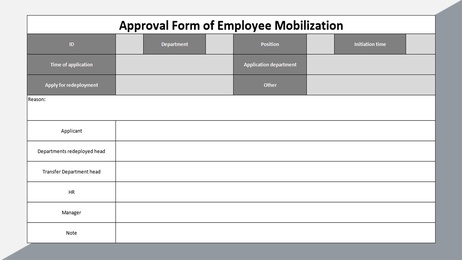
After you scan to PDF, drop details into invoices, receipts, and forms from the official WPS library—then export a clean file to share.

Explore All Templates →

After You Scan to PDF

Paper In, Template Out

Scan receipts or handwritten notes to PDF, then copy totals into a ready invoice or form instead of rebuilding layout.

Invoices, Receipts, Forms

Filter the hub by the files people digitize most—then open the template in WPS on phone or desktop.

OCR + Fill

Run OCR on the scan, then drop clean text into Word, Excel, or PDF templates without retyping the page.

Scan to PDF, then finish invoices and forms in the same WPS suite.

Free Download WPS

REAL USERS · WPS OFFICE

Ready to Scan to PDF Without Another App?

Install WPS Office and scan to PDF from your phone or PC—then OCR, edit, and share in the same suite.

0

Global MAU

Local

Scan + OCR

4-in-1

Office Suite

Download WPS Office Free

Free to start · Compatible with Windows, Mac, iOS, Android & Linux

★★★★★

"I scan receipts on my phone, export one PDF, and finish the invoice in WPS—no CamScanner watermark."

MR

Maya R.

Small Business Owner

3 Steps

How to Use WPS Office Scan to PDF in 3 Steps

From paper to a shareable file — a simple path to WPS Office Scan to PDF on phone or desktop.

  1. Download WPS Office

    Install free WPS Office on Windows, Mac, iOS, or Android. Scan to PDF is inside the suite—you do not need a second scanner app.

  2. Capture the Page

    On mobile, tap + and open Scanner or SnapReader. On PC, open WPS PDF → New PDF → New from scanner. Crop, retake, or add pages.

  3. Export to PDF, Then OCR

    Choose Export to PDF to finish scan to PDF. Run Tools → OCR if you need searchable text, then merge, sign, or convert to Word.

FAQ

Frequently Asked Questions

FREE DOWNLOAD · ALL PLATFORMS

Unlock Paper Docs with the WPS Office Scan to PDF

Download WPS Office free and scan to PDF from your phone or PC, then OCR, convert, and share—without a second scanner app.

  • Scan to PDF with camera, desktop scanner, or Image to PDF
  • OCR, Word / Excel export, and PDF tools in one suite
  • Trusted by 600M+ users worldwide
Free Download WPS Office

One installer · Writer + Spreadsheet + Presentation + PDF
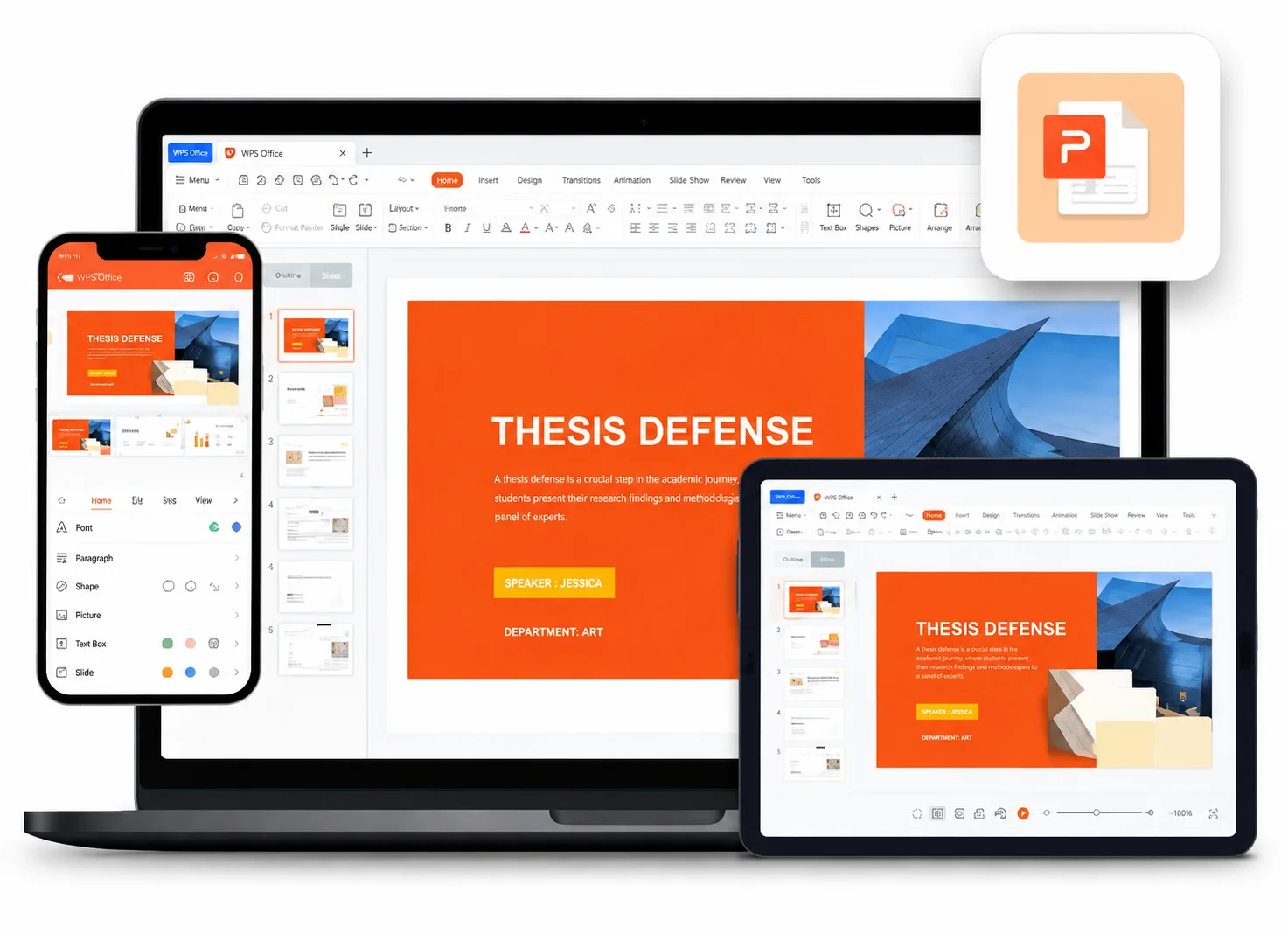
WPS Office on every device