4.8/5 Rating Trusted by 600M+ Users Worldwide

Free Word Online Editor

100% Native DOCX Compatibility & Zero Layout Shift. Edit, format, and convert Word documents seamlessly without losing complex layouts or fonts.

  • 100% Perfect Microsoft Word Layout Preservation
  • Built-in AI Assistant & 10,000+ Rich Templates
  • All-in-One Suite: Convert to PDF, Excel, & Slides in 1-Click
  • Free Word Online
  • 600M+ users worldwide
  • Edit DOCX in browser
  • Real-time co-editing
  • Windows · Mac · Linux
  • Android · iOS
  • Installer matches your device
Pain → Solution

Why People Move Their Drafts to Word Online

Desktop files, email attachments, and free editors that break your layout all slow a document down. Word Online in WPS Office keeps the file, the formatting, and the whole team in one place.

Your Document Is on Another Computer

Pain

You need to write now, but the draft only exists on one laptop and the desktop app is not installed here.

WPS Solution

Open in any browser — start or upload a file and edit Word Online in seconds, no install required.

Browser-first

Twelve Copies of the Same Draft

Pain

report-final-v7 is emailed back and forth and nobody is sure which version reviewers actually approved.

WPS Solution

One live link — everyone edits the same Word document online, with version history that shows what changed.

Single source of truth

Formatting Breaks in Free Editors

Pain

Basic online editors mangle margins, tables, and headers the moment a Microsoft Word user opens your file.

WPS Solution

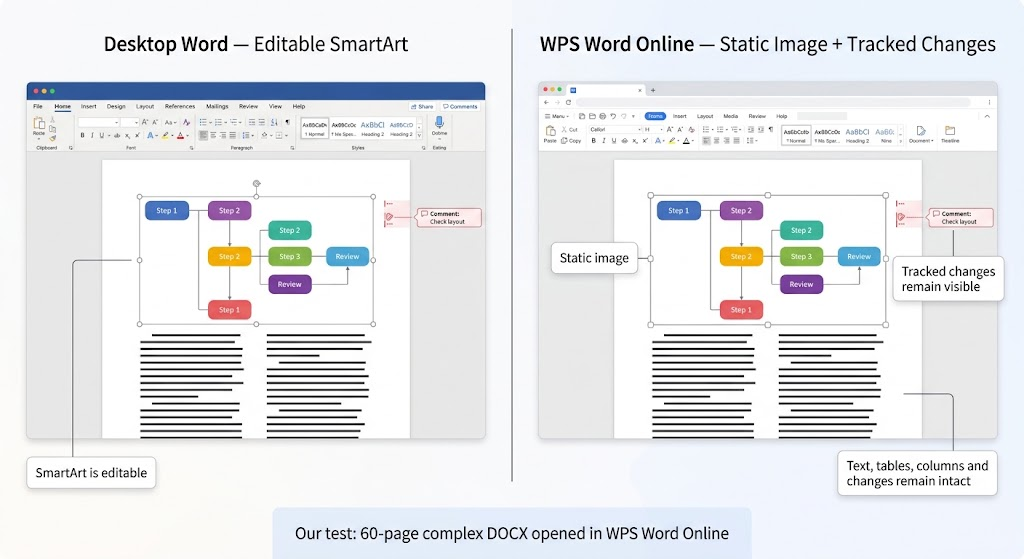
DOCX fidelity — Word Online keeps .doc and .docx layout intact in both directions.

MS Word compatible

Work Trapped on One Device

Pain

The battery dies on the train, the phone has nothing, and the notes you made this morning are stranded offline.

WPS Solution

Cloud auto-save — every change syncs, so you can pick the same document back up anywhere.

Any device

Built Into WPS Office

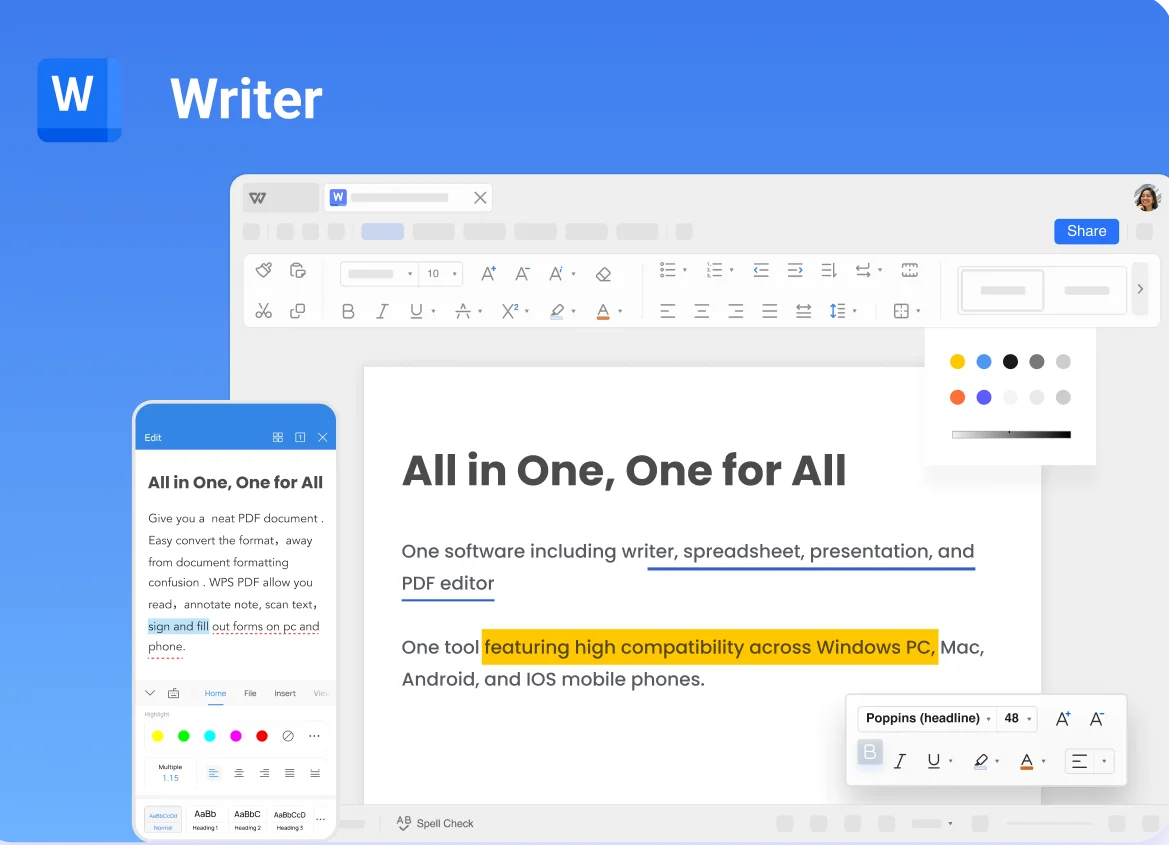
Word Online — Create and Edit Word Documents Free

Skip the install queue and the broken free editors. Open Word Online in WPS Office, start from a blank page or a real template, invite your team, and export a Word-compatible DOCX when the draft is done.

edit word online Real-time co-editing Cloud auto-save
Download WPS App Free

One installer · Writer + Spreadsheet + Presentation + PDF

Word Online start screen in WPS

Why Choose WPS for Word Online

Everything you need to create a Word document online inside WPS Office—live collaboration, any-device editing, and AI writing help in one browser tab.

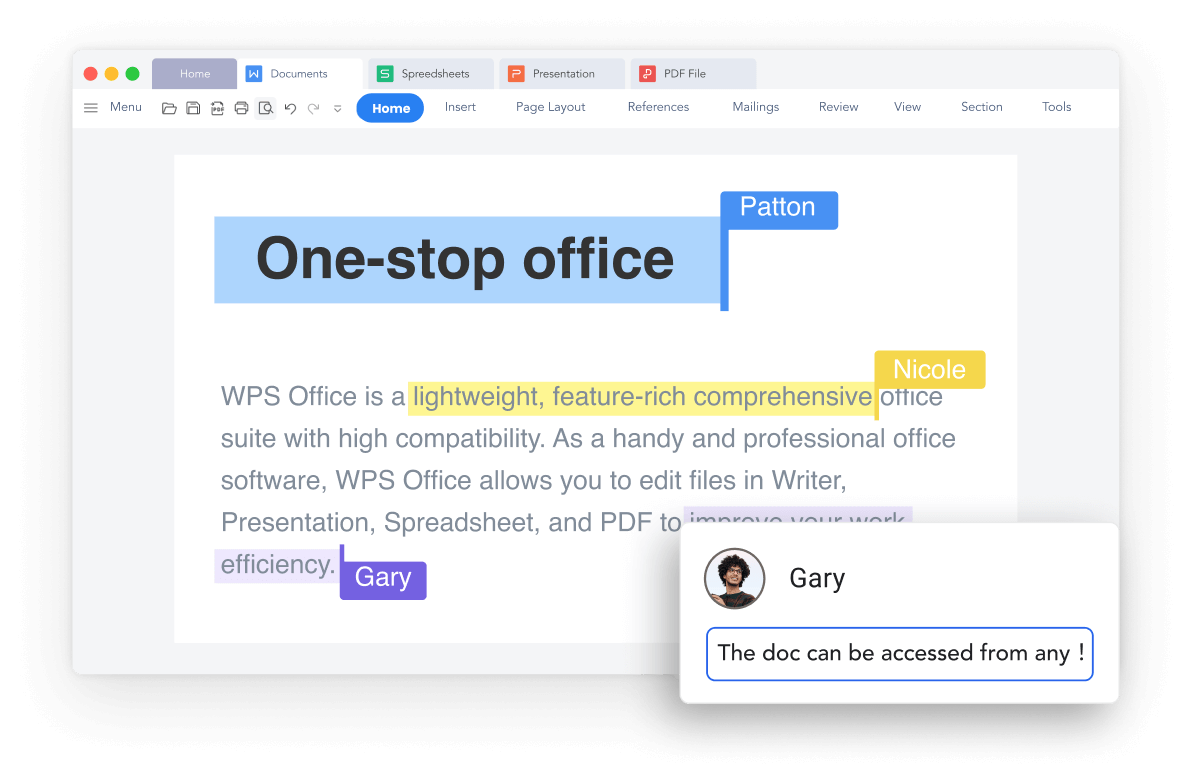
Edit Word Online with Real-Time Collaboration

Work on the same online Word document with your team simultaneously—no attachment, no merge, no "which copy is current".

  • Co-edit seamlessly across Windows, Mac, and Linux with zero re-formatting.
  • Keep complex tables, headers, and custom fonts 100% intact during team edits.
  • Eliminate file version confusion with live cursors, comments, and clear permissions.
Live cursors Comments Permissions
Get Word Online Collaboration
WPS · 2 editors online
Real-time Word Online collaboration

Real-time Word Online collaboration

WPS · Saved to cloud
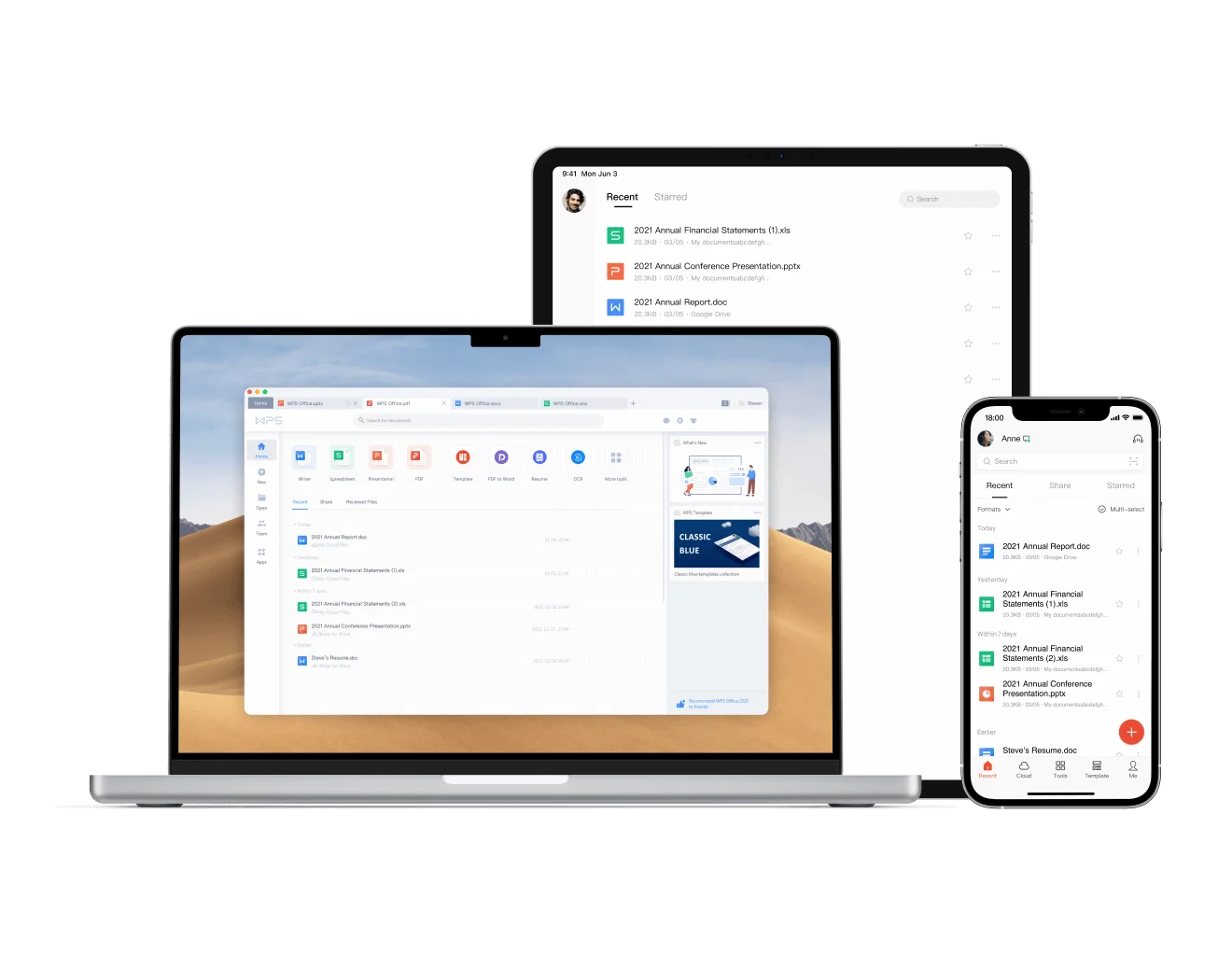
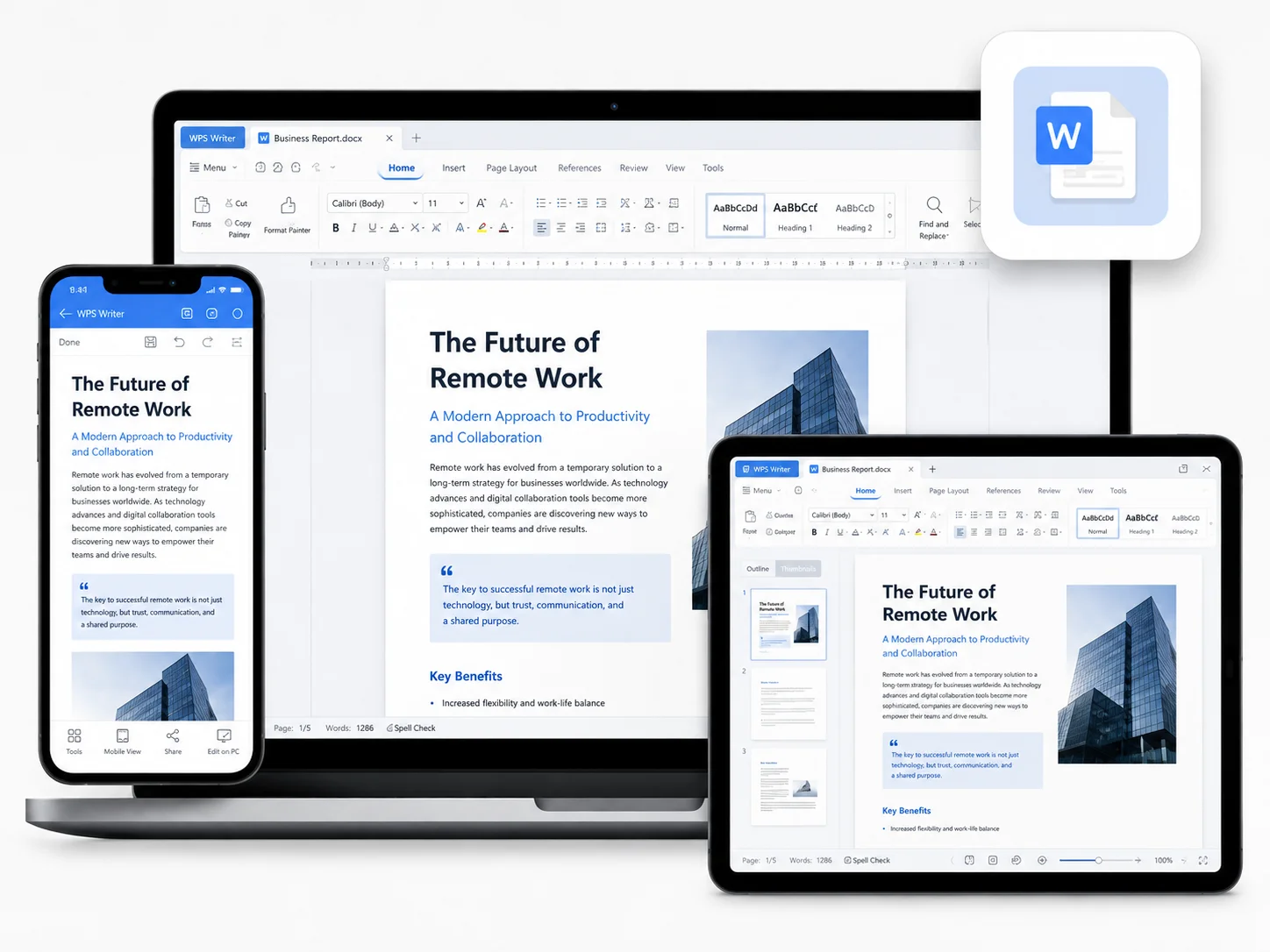
Edit online Word across devices

Edit online Word across devices

Edit Across Devices with Online Word

Create and edit documents online anytime in your browser, then continue the same file in WPS Office on desktop or mobile.

  • Open a DOCX in the browser and keep every paragraph where you left it.
  • Files auto-save to the cloud and sync across all your devices.
  • Reopen and recover a document anywhere without losing progress.
Auto-save Cloud sync 5 platforms
Get WPS on Every Device

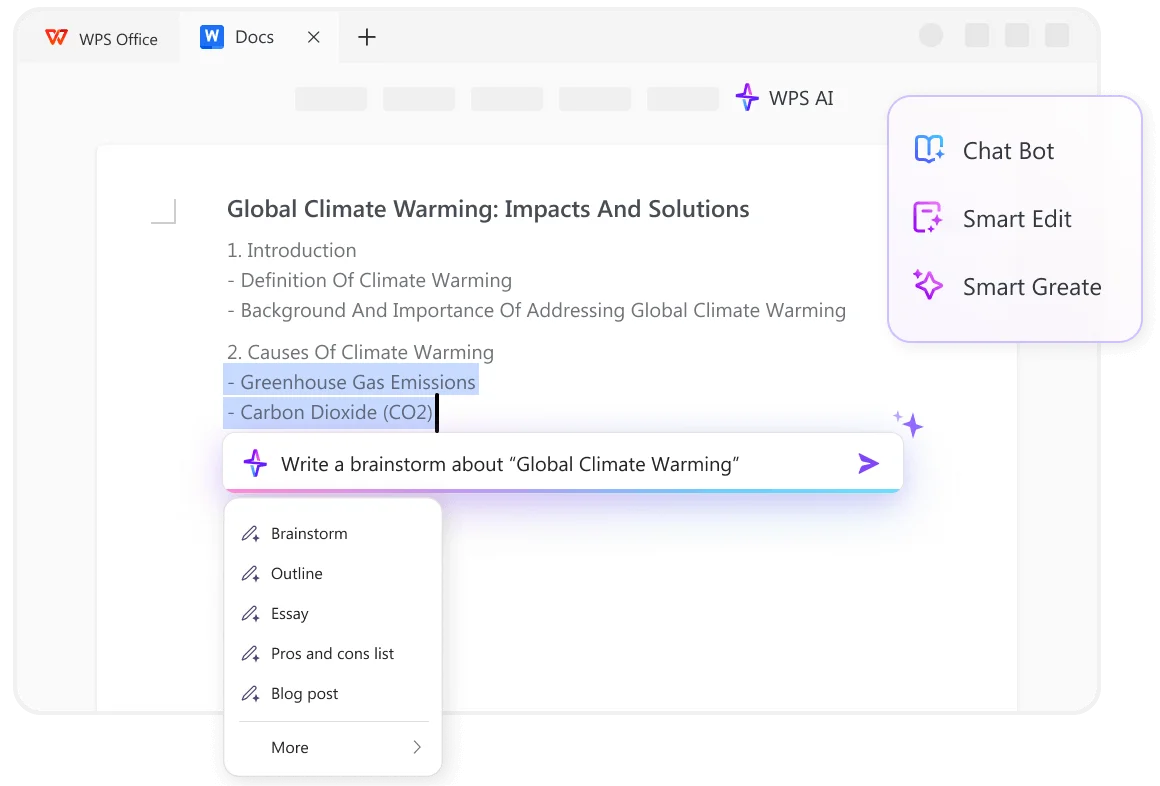
AI-Powered Online Word File Editor

A writing assistant that lives inside the page: draft, rewrite, and summarize without copying text into another chatbot.

  • Generate creative drafts, outlines, and paragraphs from a simple prompt.
  • Improve clarity and style with AI rewriting and rephrasing tools.
  • Check grammar, spelling, and punctuation, then summarize long documents.
AI writer Rewrite Summarize
Get WPS AI Writing Free
WPS AI · writing assistant
AI writing help in Word Online

AI writing help in Word Online

REAL USERS · WPS OFFICE

Students, Teams, and Writers
Work in Word Online

From group assignments and proposals to blog drafts and resumes, people use the free online Word editor in WPS Office to write, review, and share in one place.

0

Max online file

5

Platforms

4.5★

1,800+ reviews

Rating stats as of Sep 2026 · Capterra 4.5 (1,535) · G2 4.4 (310) · combined 1,800+ on Capterra & G2

Free Download

Windows · Mac · Linux · Android · iOS

★★★★★
Students

"Our thesis group of five co-edited a 28-page literature review the week before submission. Live cursors caught overlapping edits early, and the professor's tracked comments survived every export. The only hiccup: one teammate's custom heading style fell back to Calibri until we reapplied the style once."

Illustrative profile photo for Maya Patel G2

Maya Patel

Graduate Student · Research Methods

Using Word Online for 18 months

How to Create Word Document Online?

Get up and running with our intuitive online word processor in just a few simple steps.

INDEPENDENT RATINGS

Trusted by Users Around the World

See how people rate WPS Office across leading review platforms and app stores.

GetApp 4.5/5 Software reviews
Capterra 4.5/5 Software reviews
G2 4.4/5 Software reviews
App Store 4.8/5 iPhone & iPad · US
Google Play 4.6/5 Android · Nigeria

Ratings are for WPS Office, including its mobile apps, not Word Online alone. Sources checked September 21, 2026; ratings vary by region and may change.

Industry Awards & Recognition

  • G2 High PerformerG2High PerformerSpring 2021
  • 2016 Gold Winner Best AppGolden Bridge AwardsGold Winner · Best App2016
  • 2015 Best AppGoogle PlayBest App2015
  • 2022 Users' PickUptodownUsers’ Pick2022
  • Top App for Oversea MarketApp AnnieTop App for Overseas Market2018
  • 2016 ExcellentCNET Editors’ RatingExcellent2016

Selected WPS Office awards, as listed on the WPS official website. Years shown refer to the original recognition.

FAQ

FAQ about Word Online

FREE DOWNLOAD · ALL PLATFORMS

Edit Anywhere with WPS Office

Download WPS Office free and carry the same Word Online document from browser to desktop to phone—with templates and AI tools ready whenever you need them.

  • Create a Word document online free, then edit offline in the desktop app
  • Keep DOCX formatting, share a link, and sync across five platforms
  • Trusted by 600M+ users worldwide
Free Download WPS Office

One installer · Writer + Spreadsheet + Presentation + PDF

Word Online on WPS across devices

Word Online on WPS across devices

More Than Just a Word Processor

Explore the integrated suite of AI-powered tools that enhance your writing within our Word maker online.

AI Writer

Generate high-quality content instantly—from sentences to complete articles.

Learn more

Advanced Spell Check

Go beyond basic spell checking with AI that understands context to catch even tricky errors.

Learn more

Intelligent Grammar Check

Improve sentence structure, punctuation, and flow with real-time, AI-driven suggestions.

Learn more

AI Content Polisher

Refine your text to sound more professional, creative, or natural for your target audience.

Learn more

Sentence Rewriter

Rephrase sentences in multiple ways to improve clarity, vary your vocabulary, and avoid repetition.

Learn more

Paraphrasing Tool

Rewrite entire paragraphs to communicate your ideas in a fresh, original way while keeping the core meaning.

Learn more