
Free Profit and Loss Statement Templates for Excel
Master your business finances with our professionally designed Profit and Loss (P&L) statement templates for Excel. Track income, manage expenses, and gain clear insights into your company's financial health. Download for free and start making smarter business decisions today.
From 10,000+ happy users
Find the Perfect P&L Template for Your Business
Browse our collection of free profit and loss statement templates. Each template is fully customizable in WPS Spreadsheet or Microsoft Excel to fit your specific business needs.
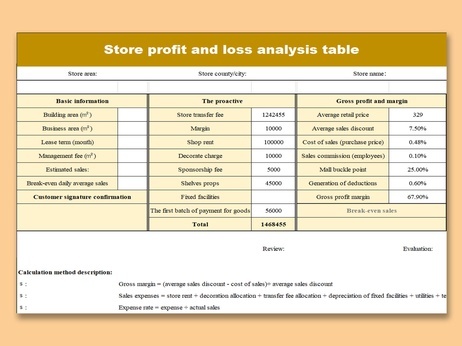
Store Profit and Loss Analysis Table.xlsx.xlsx
Excel Template

Income and Expenditure List
Excel Template

Revenue and Expenditure List
Excel Template

Profit and Profit Distribution Table
Excel Template

Blue Cost Profit Budget
Excel Template

Revenue and Expenditure list
Excel Template

Household Income and Expenditure List
Excel Template

Household Income and Expenditure List
Excel Template
Get Started in 3 Simple Steps
Using our P&L templates is quick and easy. Follow these steps to take control of your financial reporting.
Choose Your P&L Template
Browse our collection and select the profit and loss statement template that best suits your business model and reporting style.
Download and Customize
Download the template for free and open it in WPS Spreadsheet or Microsoft Excel. Customize the fields, add your company logo, and tailor it to your needs.
Input Data & Analyze
Enter your revenue and expense data for the period. The template will automatically calculate your net profit or loss, giving you a clear financial overview.
Frequently Asked Questions
Have questions? We've got answers. Here’s everything you need to know about our Excel P&L templates.
A profit and loss (P&L) statement, also known as an income statement, is a financial report that summarizes a company's revenues, costs, and expenses during a specific period. It shows the company's ability to generate profit by increasing revenue, reducing costs, or both.
Yes! All our templates are in .xlsx format, making them fully compatible with both Microsoft Excel and WPS Office Spreadsheet. You can download and edit them on your preferred platform without any issues.
Absolutely. We offer these templates completely free to help businesses and individuals manage their finances effectively. There are no hidden charges or subscriptions required to download and use them.
Once you download the template, you can easily customize it. You can change categories, add new line items for specific income sources or expenses, input your company name, and adjust the date ranges. The formulas are pre-set, but you can modify them if needed.