
Best AI Pitch Deck Generator Picks: Top 5 Free Tools
Looking for the best AI pitch deck generator? Compare five leading free and freemium AI pitch deck makers and builders—see real limits, pricing, and step-by-step guides to generate pitch decks with AI for funding, sales, or startup storytelling.
Compare the top AI pitch deck generators
These five tools are ranked AI pitch deck generator options we tested side by side—jump to full reviews below.
Pick your AI pitch deck generator
Use this quick board to jump to Gamma, Slide Bean, Pitch.com, Beautiful.ai, or WPS AI Slides—five leading AI pitch deck makers in one place.
In-depth AI pitch deck generator reviews
Each AI pitch deck builder below includes features, pricing, limits, and how-tos so you can generate a pitch deck with AI that fits your workflow.
1. Gamma
A browser-first AI presentation tool that turns prompts, notes, or files into narrative-style pitch decks quickly, with polished layouts and shareable web output.

What stood out
Gamma builds a structured narrative almost instantly, which makes it strong for early pitch drafts and internal storytelling.
Editing flexibility
You can refine themes, rewrite sections with AI, and adjust card layouts without rebuilding the deck from scratch.
Why it helps
Gamma is ideal when you need momentum first: describe your startup, audience, and goal, then let AI shape the deck flow.
Pros
- Extremely fast slide creation from prompts, notes, or uploaded files.
- Simple interface that beginners can learn in minutes.
- Strong for quick pitch drafts, web sharing, and narrative-style decks.
Cons
- PowerPoint export and advanced AI usage are limited on the free plan.
- Design control is lighter than structured tools built for formal business decks.
How to use Gamma
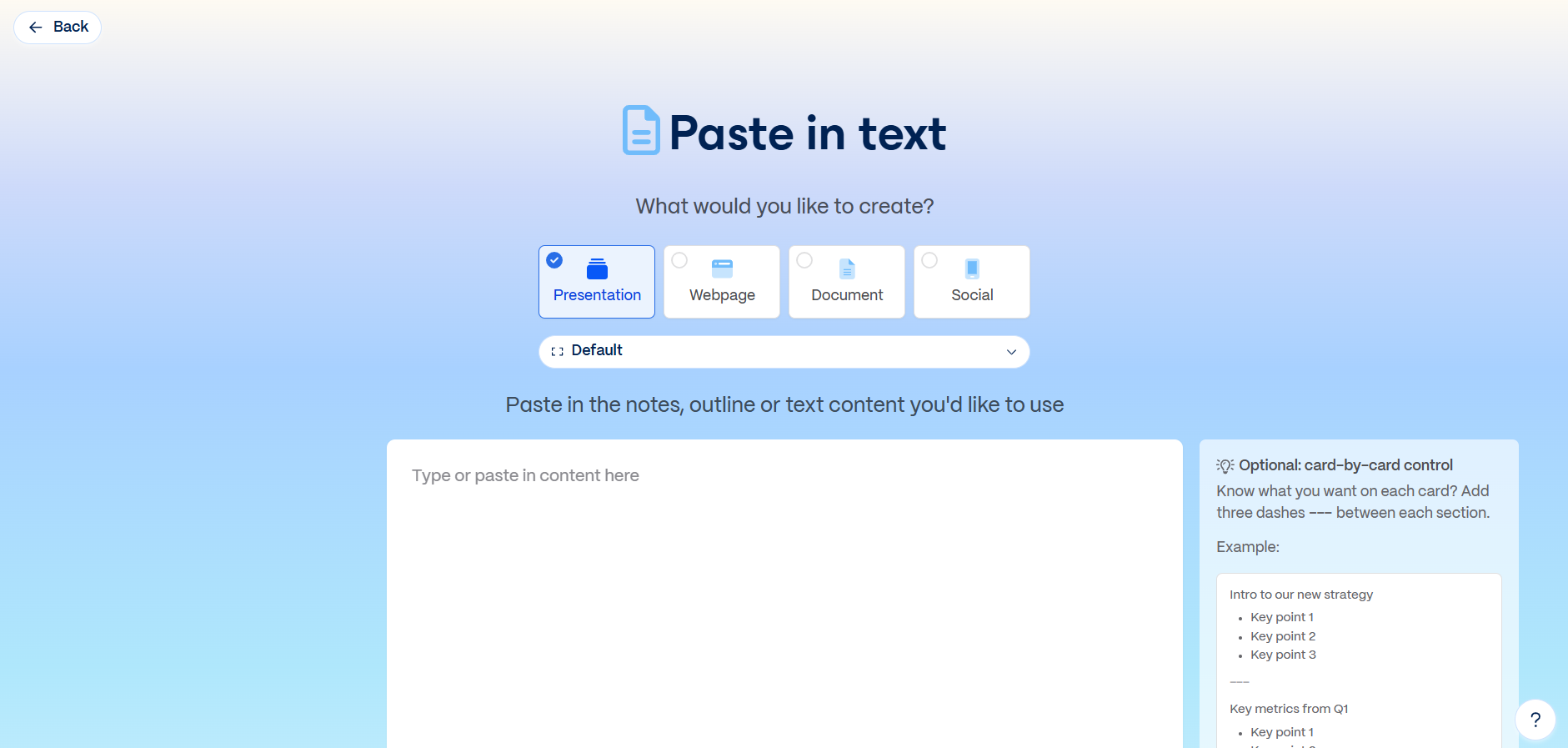
Step 1. Write your prompt
Open Gamma AI in your browser and enter a detailed prompt describing the presentation you want.
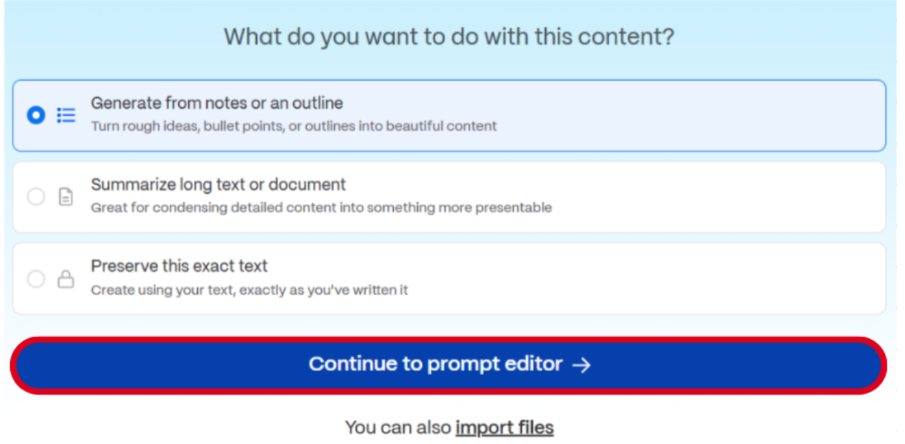
Step 2. Choose the action
Select the action Gamma should take based on your prompt, then continue to the prompt editor.
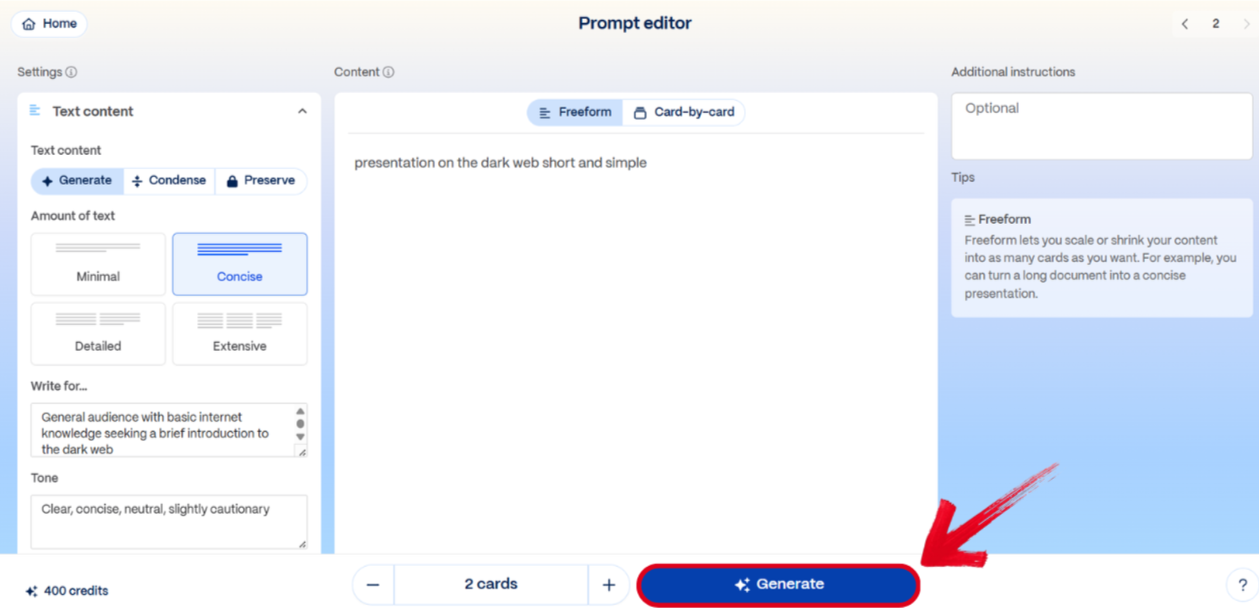
Step 3. Adjust the prompt editor
Customize the settings in the prompt editor window and press Generate.
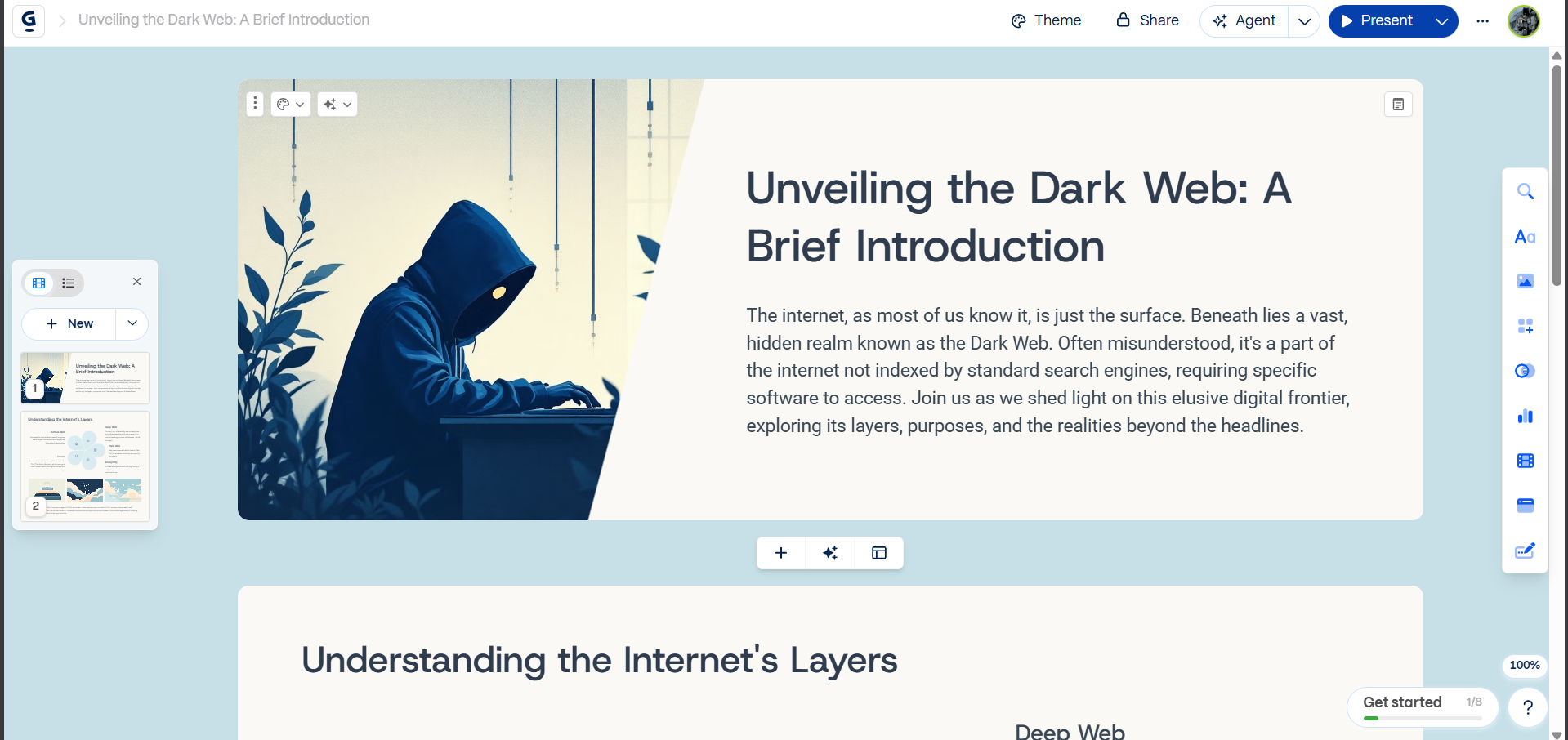
Step 4. Edit the generated deck
Once the presentation is ready, edit the existing content or add new details to finalize the design.
Price
- Free plan includes starter credits with limits on exports and advanced AI.
- Paid Plus and Pro plans unlock more cards per prompt, branding controls, and premium models.
- Paid plans typically start around $10/mo with annual discounts.
2. Slide Bean
A startup-focused platform that can generate a pitch deck from your company website, but the free version feels limited once you need templates, collaboration, or export.

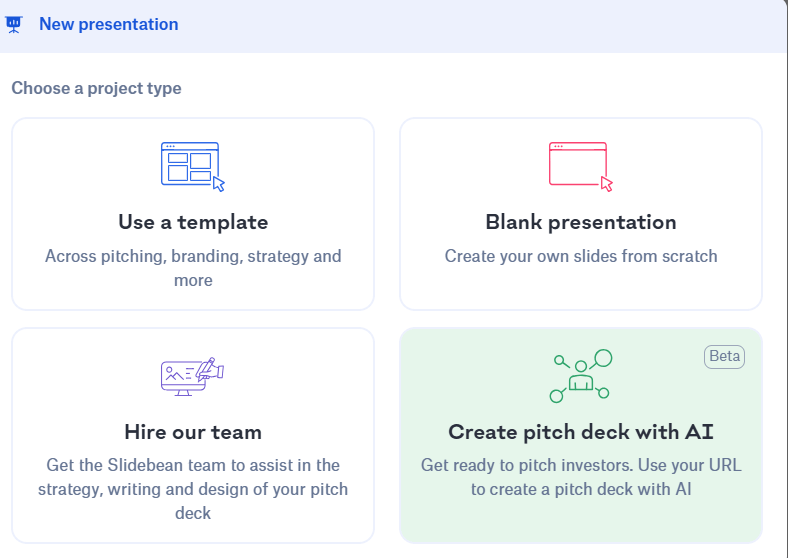
- It is easy to start: sign up, click “Create New,” and choose “Create pitch deck with AI.”
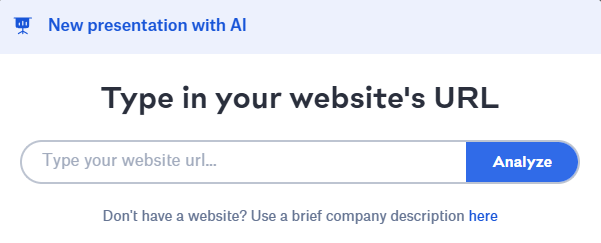
- If you have a company website, Slide Bean can analyze it and use that as input.
- The generated 16-page deck is functional, but the layouts may feel too plain without extra refinement.
How to use Slide Bean
Step 1. Create a new AI pitch deck
After signing up, the main action is choosing the AI pitch deck creation path from the dashboard.
Step 2. Add a website or company details
If you have a website, Slide Bean may analyze it. If not, you can enter the business details manually instead.
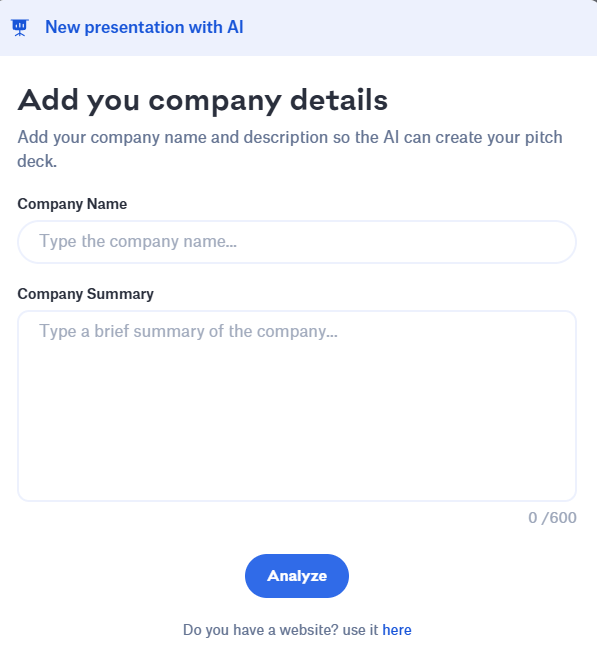
Step 3. Fill in the prompt details
The tool asks for business information before generating the pitch deck draft.
Step 4. Review the generated free-version deck
The result comes quickly, but it may need extra design work to feel polished and presentation-ready.

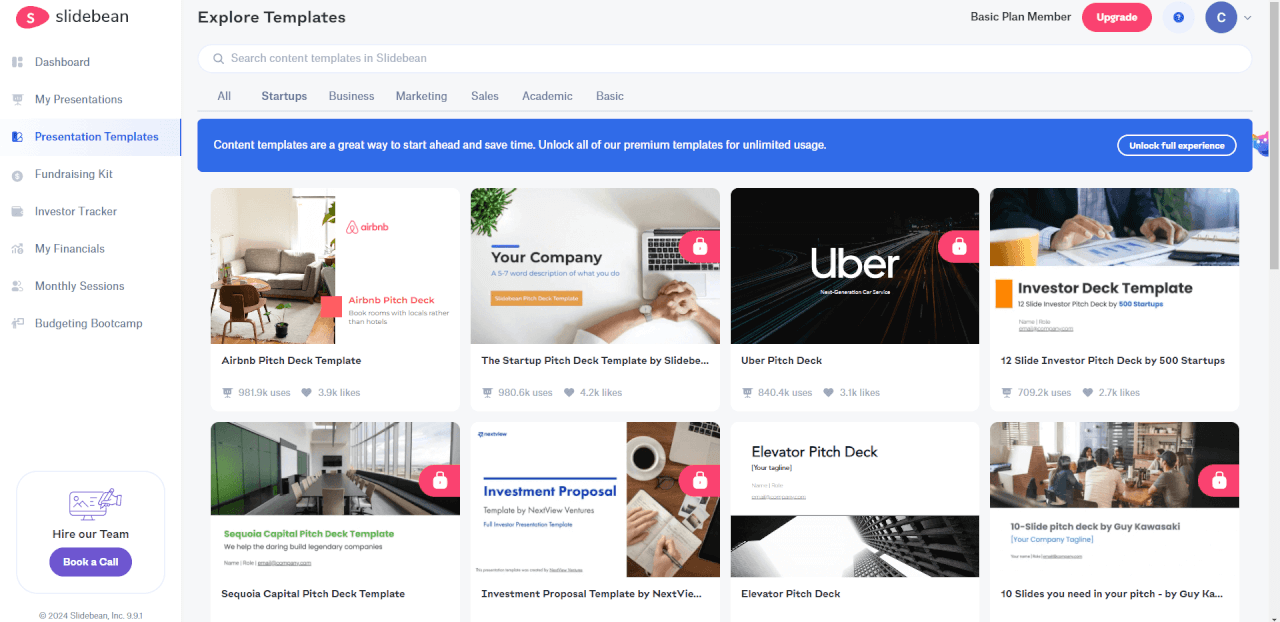
Step 5. Compare with the template library
Even the template options did not feel dramatically better than the free version in this test.
Pros
- Can generate a deck according to your company website.
- User-friendly interface and simple setup.
Cons
- Images may not be relevant to the topic.
- Templates, collaboration, and export require the premium version.
Price
- Free to create a pitch deck with AI.
- Premium features like team cooperation, templates, and export require a subscription.
- Monthly subscription fee: $12.
3. Pitch.com
A clean online tool with real-time collaboration and interactive features, though template choice is limited and export sits behind the paid plan.
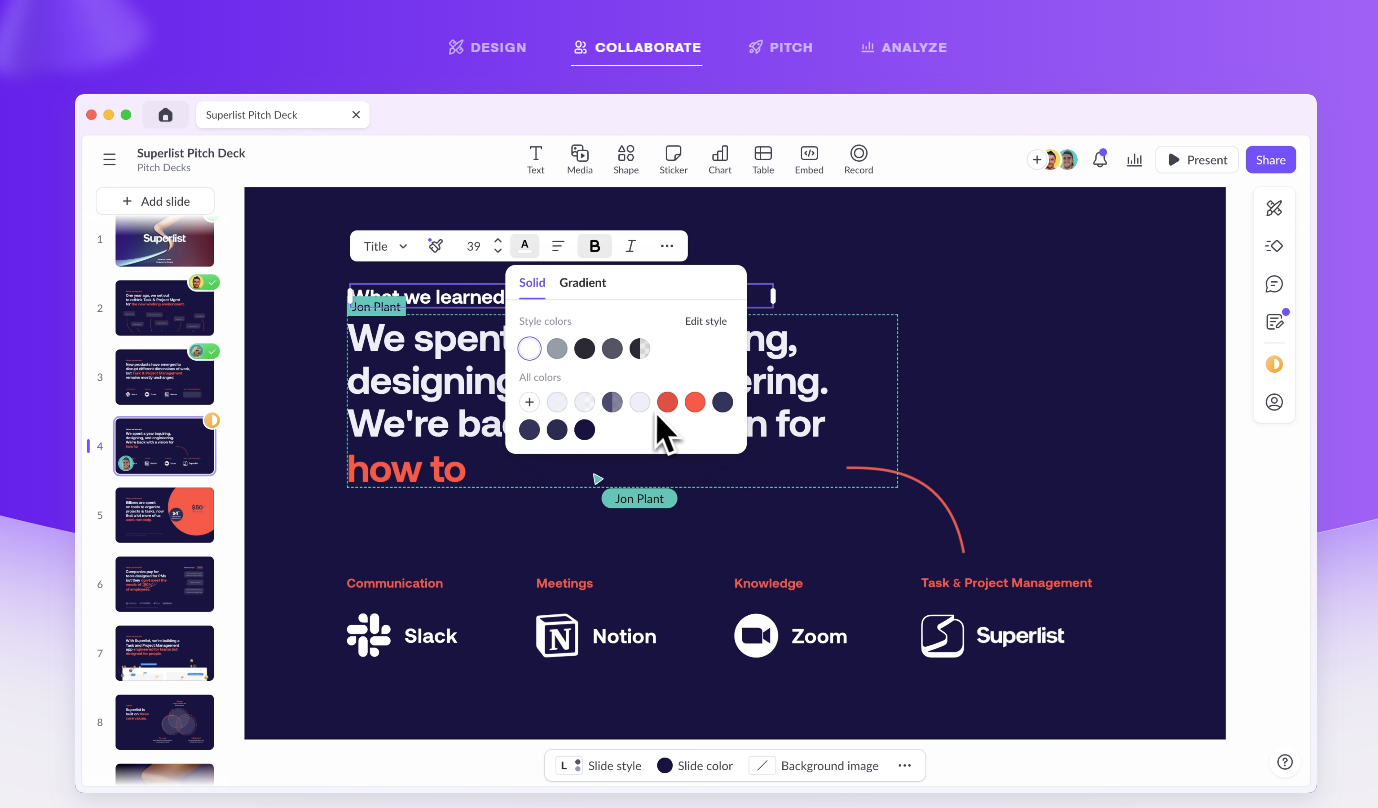
- You can start with AI after a short video guide and generate a complete deck within seconds.
- The platform lets you choose color palettes and fonts, but not full templates like some competitors.
- The interface is clear for beginners, and collaboration tools are one of its strongest points.
How to use Pitch.com
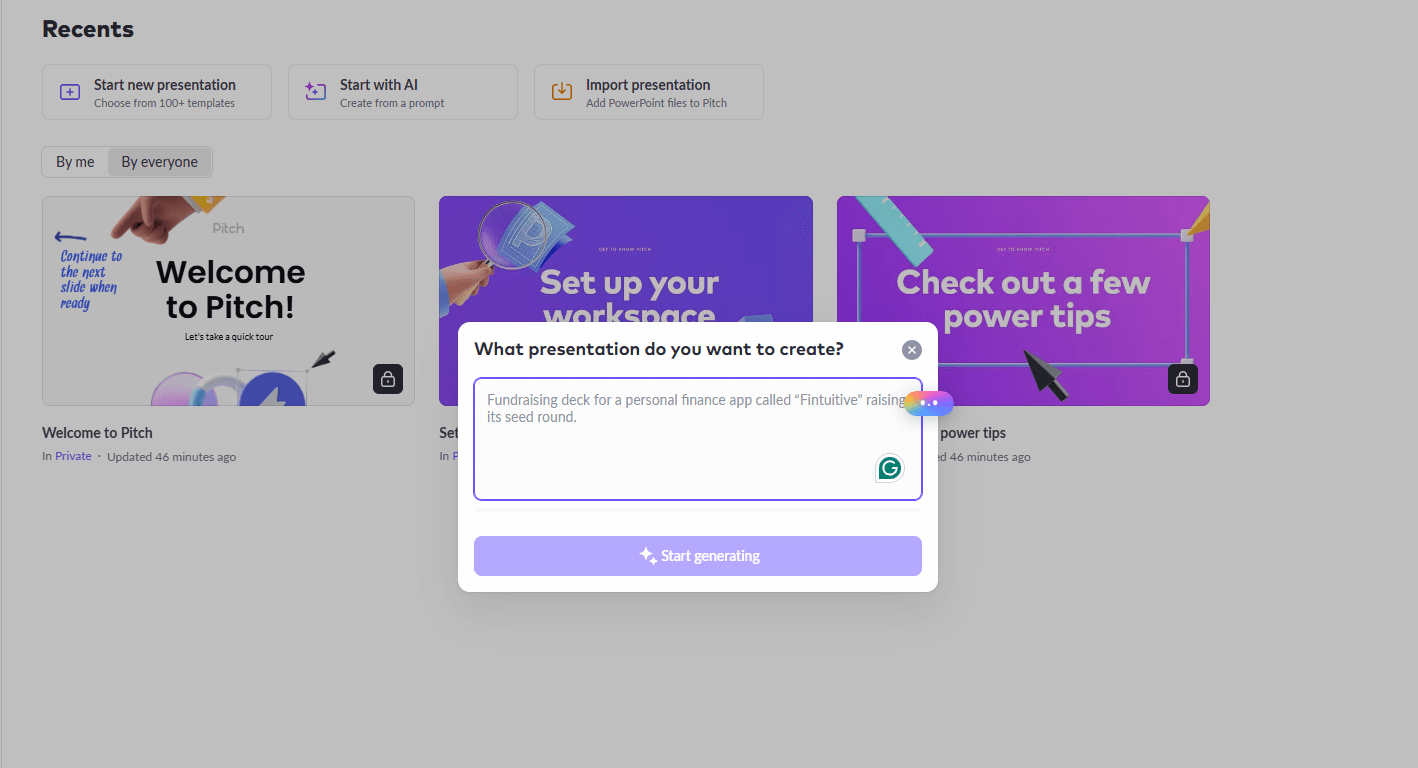
Step 1. Start with AI
After reviewing the guide, you can enter a topic and let Pitch.com generate the first draft automatically.
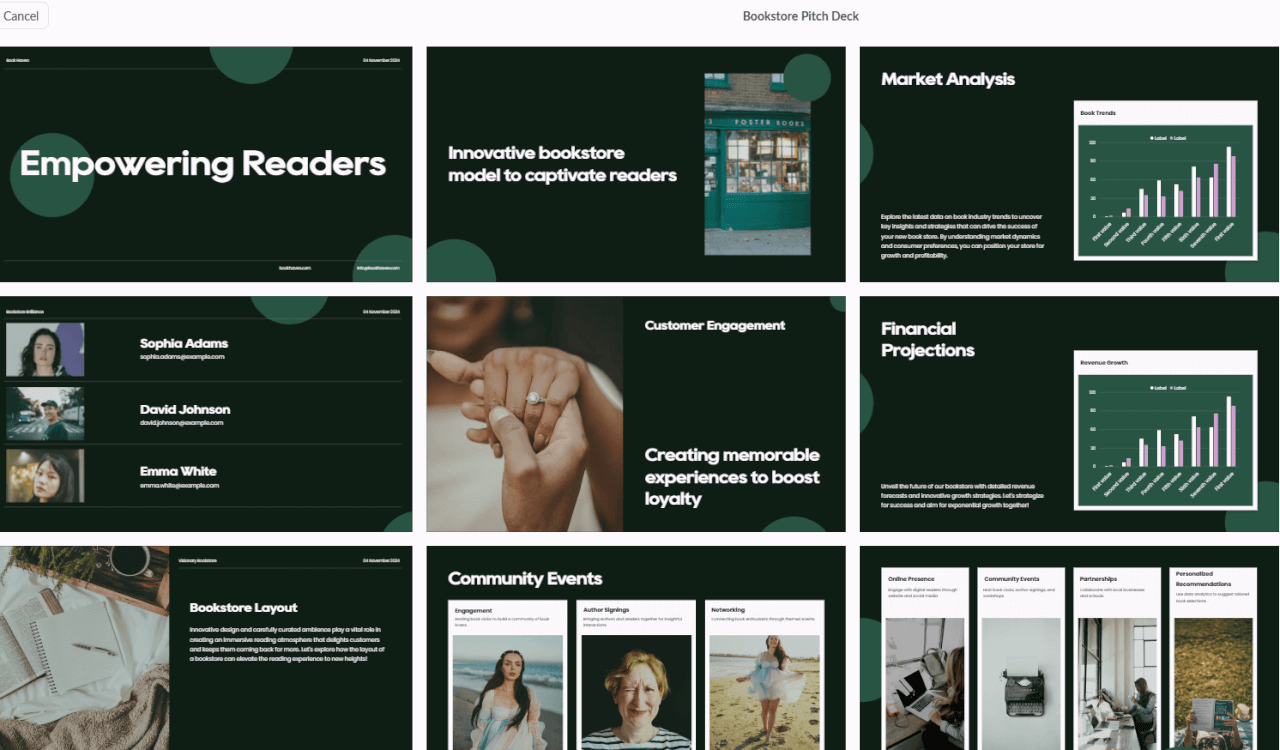
Step 2. Review the generated deck
The tool creates a full presentation quickly, giving you a usable starting point in just a few seconds.
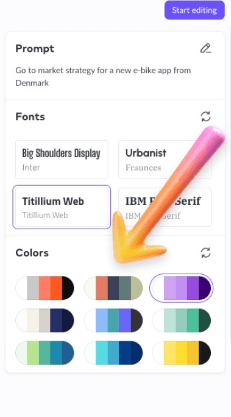
Step 3. Choose colors and fonts
Pitch.com offers style controls for palettes and typography, even though it does not provide a full template library.
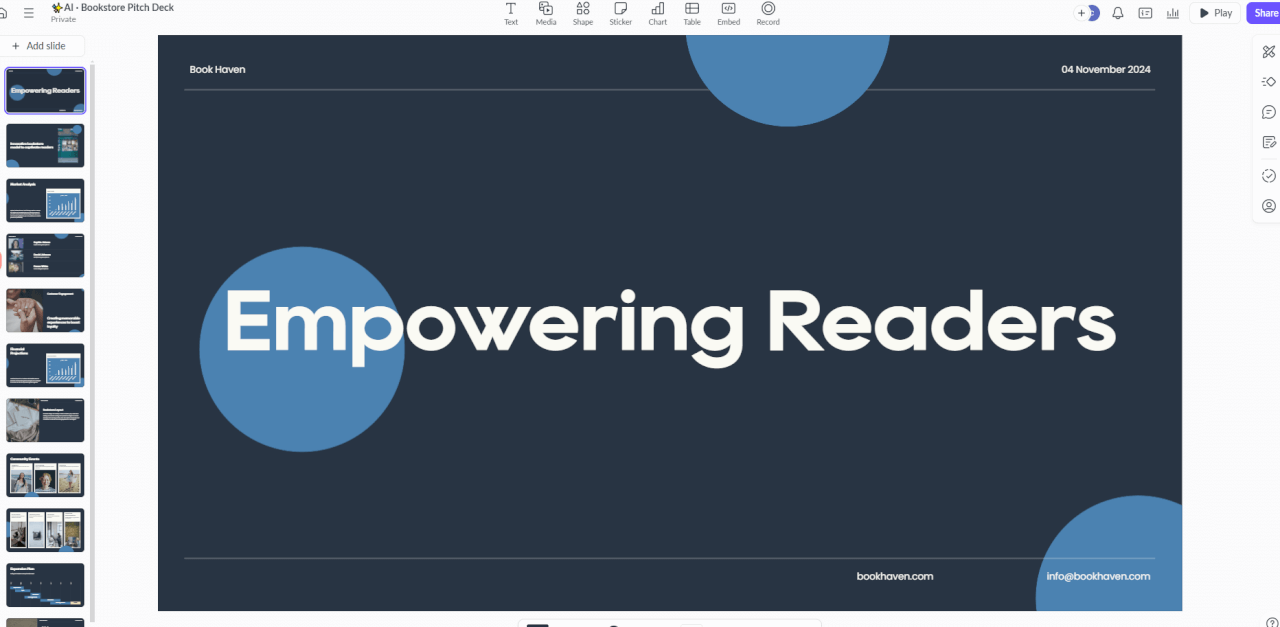
Step 4. Start editing
The editor is easy for new users to understand and supports collaborative work inside the same deck.
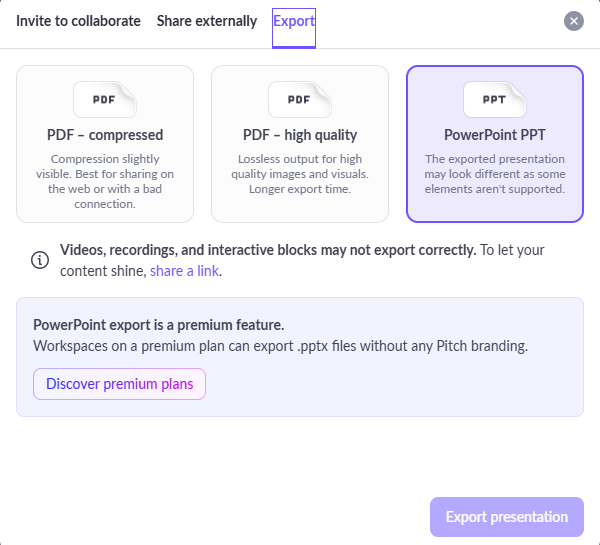
Step 5. Check export access
Export is available, but it is a premium function, so free users need to watch that limitation carefully.
Price
- Free version includes essential features.
- Advanced functionality requires a subscription.
- Monthly subscription fee: $25.
Pros
- Easy to access online and simple to start using.
- Clear interface and helpful guidance for beginners.
Cons
- Subscription pricing is higher than the other tools listed here.
- There is no template base for users to choose from.
4. Beautiful.ai
A polished cloud-based presentation platform with smart slide design, editable AI output, and a notably strong AI image generator.
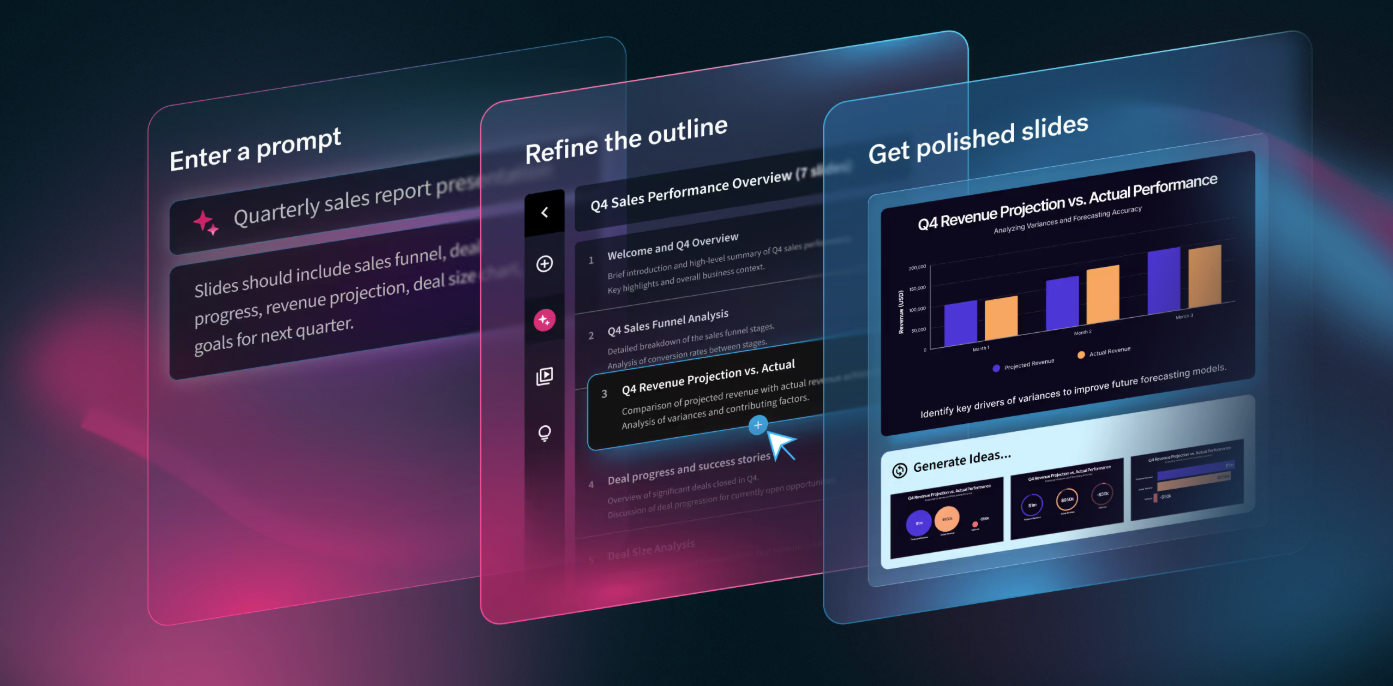
- It starts with helpful video tutorials that explain the basics and key features clearly.
- The generated deck is solid, and editing text, themes, slides, and visuals feels fast.
- The AI image generator is one of the most impressive parts of the experience.
How to use Beautiful.ai
Step 1. Review the onboarding tutorials
The platform opens with short tutorials that help new users understand the workflow before generating slides.

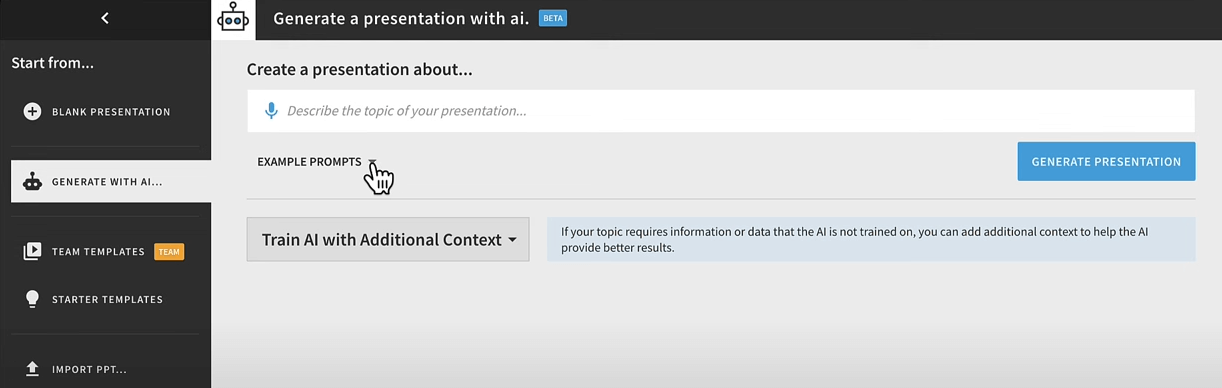
Step 2. Generate with AI
Enter your topic information and let the platform build the first version of the pitch deck.
Step 3. Refine the deck layout
You can switch themes, trim text, adjust font sizes, remove slides, and add visuals without much friction.
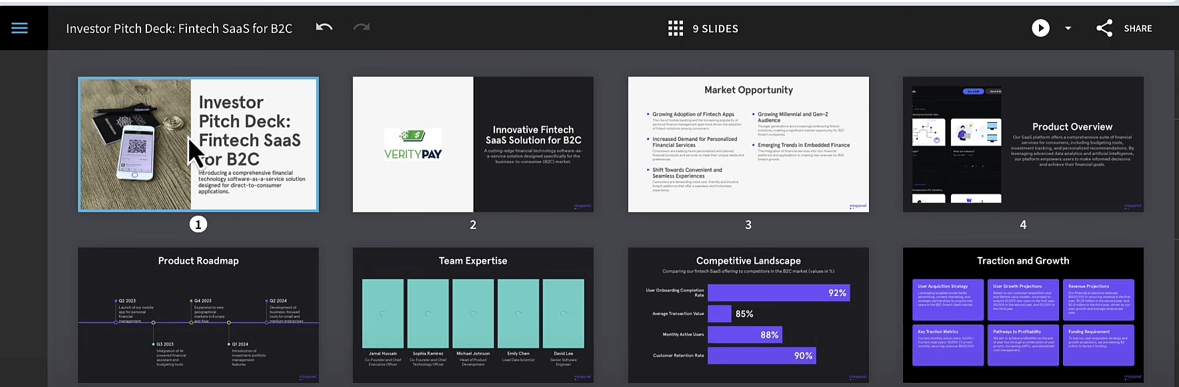
Step 4. Generate AI images
Type a prompt and Beautiful.ai creates multiple AI images that can go directly into your slides.

Price
- Free 14-day trial of the AI generator.
- You need to cancel the trial to avoid charges.
- Monthly subscription fee for individuals: $12.
Pros
- Smart features help anyone create visually strong presentations.
- Large image library and useful AI image generation for slide visuals.
Cons
- Customization options are still limited in some areas.
- Advanced features and software integrations are not as deep as some users may want.
5. WPS AI Slides
A familiar option for anyone already using WPS Office, with fast deck generation, editable outlines, template switching, and export support inside the suite.
What stood out
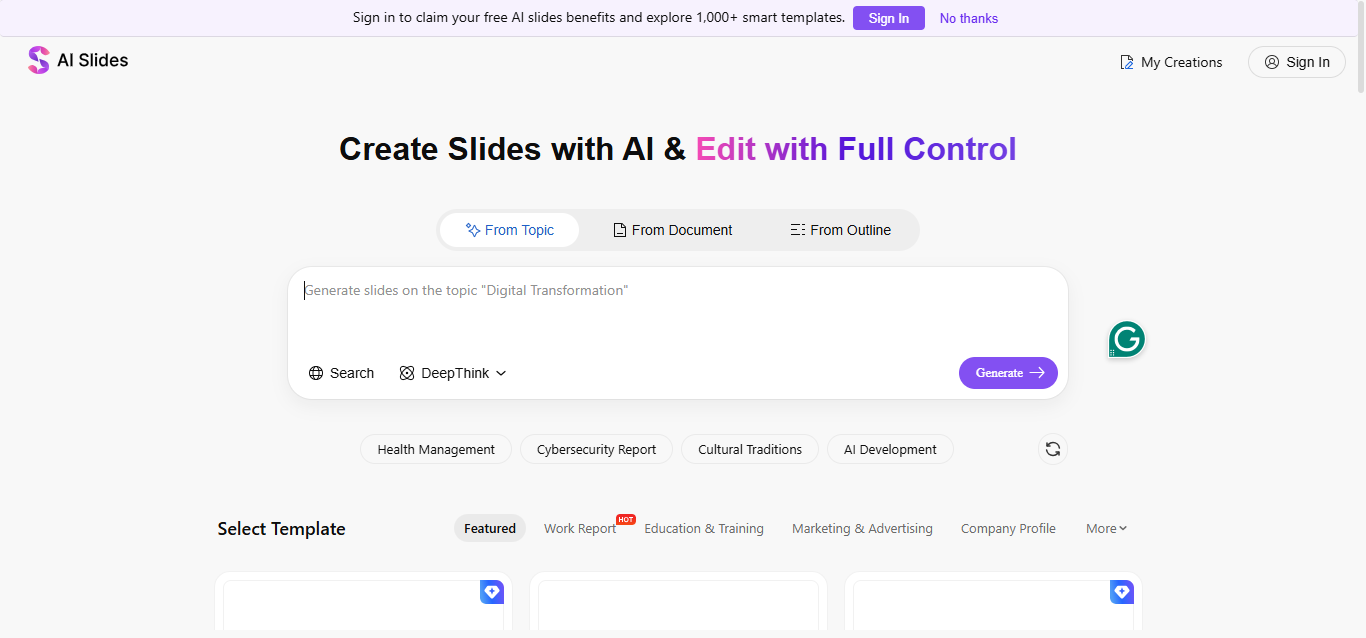
It generated a complete pitch deck in under a minute and the content quality felt strong right away.
Editing flexibility
You can edit the outline, choose from multiple templates, and even regenerate for a shorter deck length.
Why it helps
WPS AI Slides can summarize documents, analyze data, and create a pitch deck directly from a file.
Pros
- Integrates seamlessly with WPS Office suite.
- Supports templates, design tools, collaboration, and broad format compatibility.
- Easy to customize for last-minute slide changes.
Cons
- The online version does not support AI functions.
- You need to download WPS Office first to use the AI workflow.
How to use WPS AI Slides
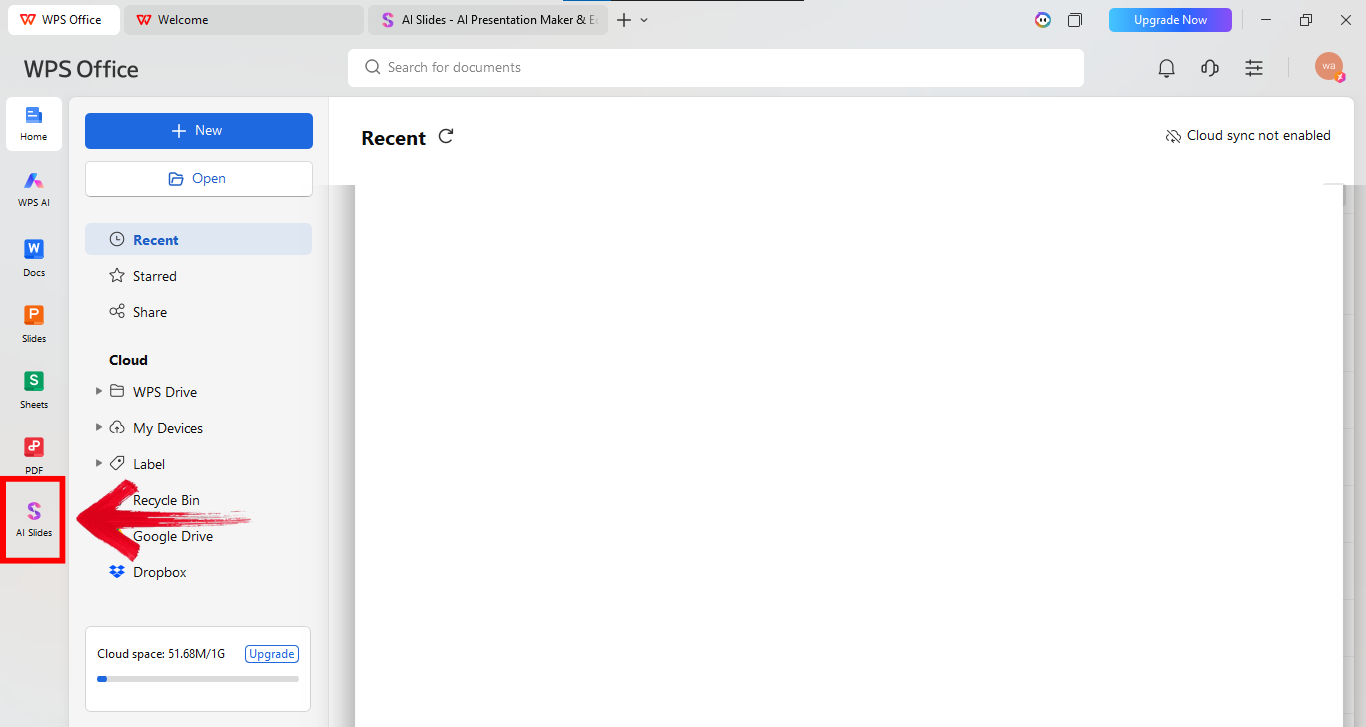
Step 1. Open AI Slides in WPS Office
Open WPS Office and select AI Slides from the left panel to start the Smart Create workflow.
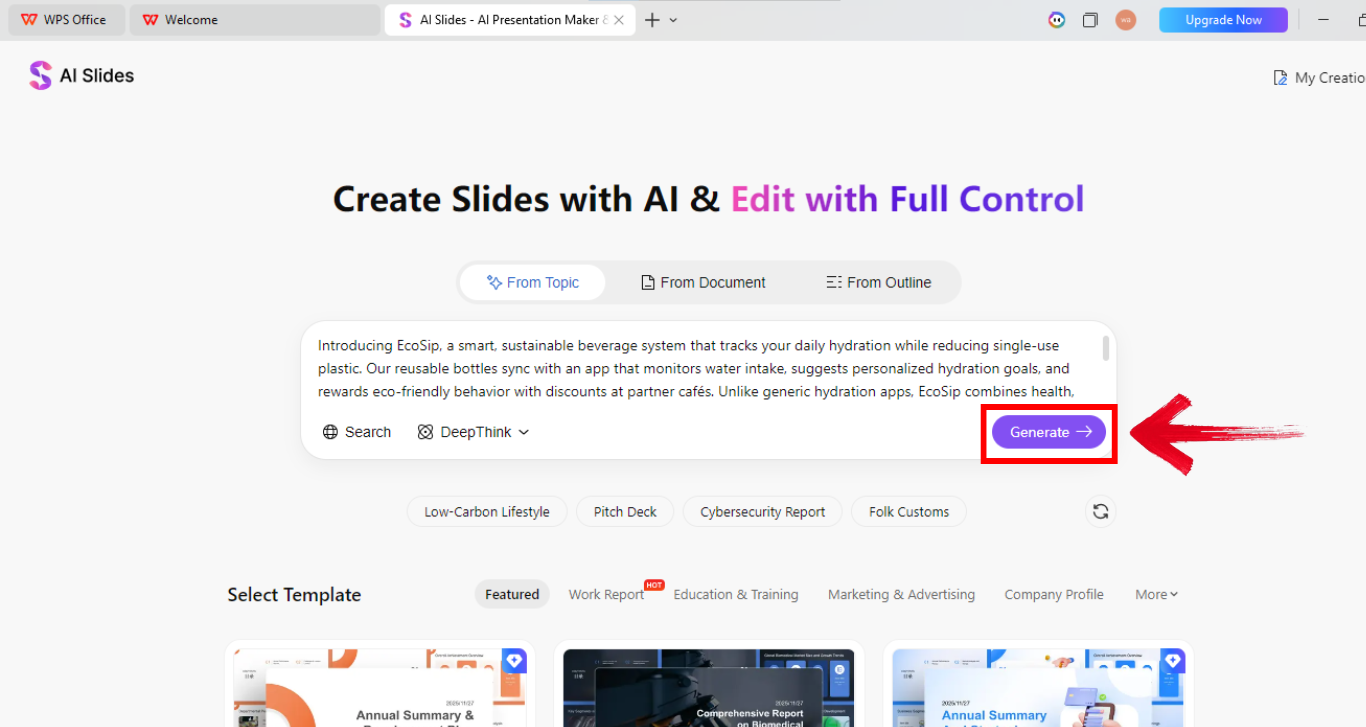
Step 2. Describe your pitch idea
Explain your startup, audience, and goal in the prompt box. Longer prompts usually produce stronger outlines.
Step 3. Customize and export
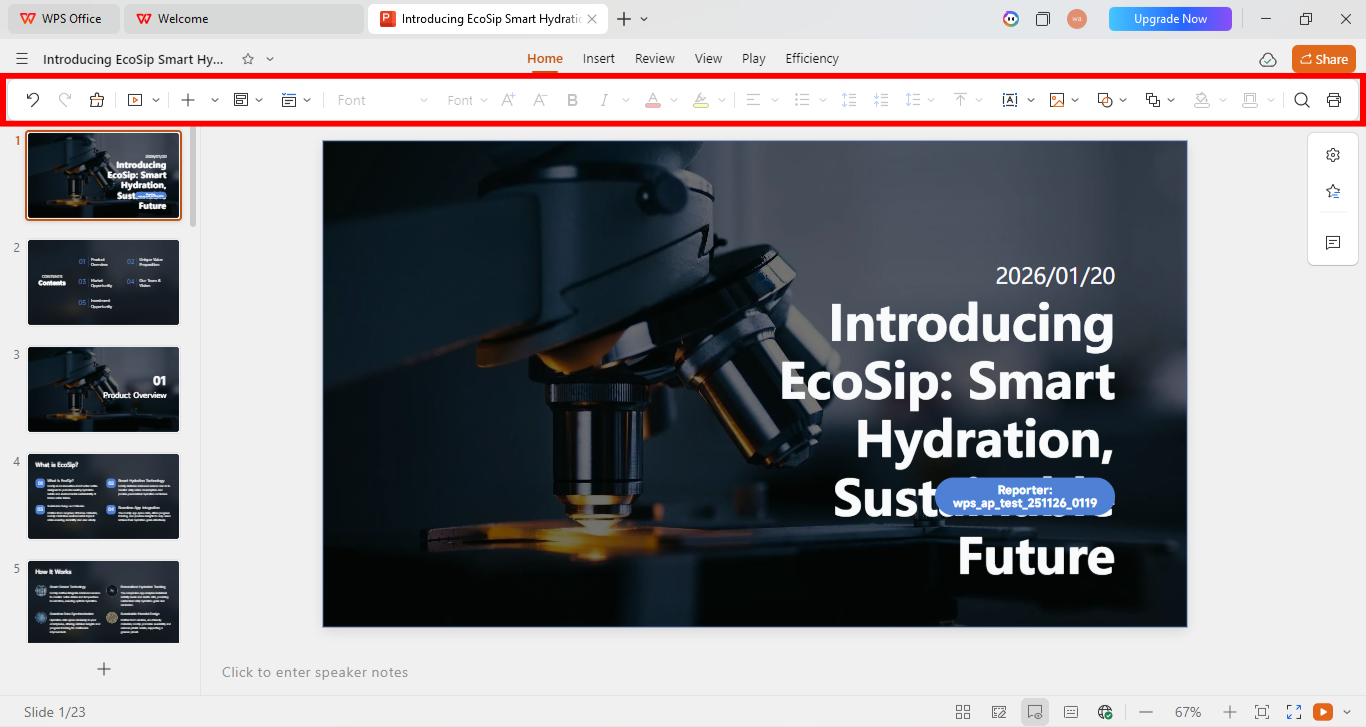
Edit slides with the toolbar, then export as PPT, PDF, or other formats when the deck is ready.
Price
- WPS Office Suite is free to download and use.
- WPS AI Slides offers a free trial plan for limited days.
- Monthly subscription fee: $9.99.
What the best AI pitch deck generators really offer
There is no truly unlimited free AI pitch deck generator here. Every AI pitch deck builder is either limited by trial days, export restrictions, or premium-only features—compare them before you commit.
| Tool | Features | Limitations | Price |
|---|---|---|---|
| Gamma | Use online to turn prompts, notes, or files into narrative-style decks with AI layouts and web-native sharing. | PowerPoint export and advanced AI usage are limited on the free plan; design control is lighter than structured slide builders. | Free plan with credits; paid plans from about $10/mo |
| Slide Bean | Use online and create from the website. | Images may be irrelevant, complex operations are limited, and export is premium-only. | Free version; premium version: $12/mo |
| Pitch.com | Use online with real-time collaboration and interactive polls. | No template base, and export is limited to the premium version. | Free version; premium version: $25/mo |
| Beautiful.ai | Use online with a huge image base. | Limited advanced features and fewer integrations with other software tools. | Free trial plan (limited days); formal subscription fee: $12/mo |
| WPS AI Slides | Use offline for more privacy, integrates with WPS Office Suite, summarizes documents, and creates decks from files. | AI works only in the offline version, so users need to download WPS Office first. | Free trial plan (limited days); formal subscription fee: $9.99/mo |
Privacy vs convenience
Gamma leads for fast browser-based drafts, while WPS AI Slides stands out when you need offline editing and PowerPoint-compatible exports.
Exports matter
Several tools look free at first, but exporting the finished deck often requires a paid plan.
Best fit depends on workflow
Choosing an AI pitch deck generator depends on speed, exports, collaboration, and how much editing control you need after you generate a pitch deck with AI.
Common questions about AI pitch deck generators
Answers to common questions about AI pitch deck generators, pricing, and what to expect before you choose an AI pitch deck maker or builder.
Which AI pitch deck generator fits you best?
Picking the right AI pitch deck generator comes down to speed versus control. Gamma is the fastest way to draft a narrative-style pitch deck in the browser. If you need editable PowerPoint files, offline privacy, and deep WPS Office integration, WPS AI Slides remains the strongest AI pitch deck builder—especially for teams already using the suite.
Create faster with the best AI pitch deck generator
Use the best AI pitch deck generator for your stage: start with Gamma when you want a fast web draft, then finish in WPS AI Slides if you need full editing freedom, PPT export, and seamless WPS Office integration for your final investor-ready deck.
