
10 Best Presentation Software in 2026

I tested 20+ presentation tools and ranked the 10 best presentation software picks that held up in real deck work, not polished demos.
Free DownloadHow I test
Hands-on deck builds
Every finalist had to rebuild the same 10-slide quarterly update from scratch. I timed structure, visual cleanup, stakeholder revisions, and PPTX export, because the best presentation software should stay usable after slide three, not just on the opening title.
Workflow scoring
My scoring sheet covered editing friction, co-authoring, brand lock-in, import/export fidelity, and whether the presentation app still felt stable once the deck grew past a first draft. A tool that only shines on templates did not make the cut.
Review cross-checks
Before locking the order, I compared my notes against G2, Capterra, and Trustpilot to see where real users hit reliability issues, surprise paywalls, or collaboration dead ends, patterns I did not want to miss in a top presentation software roundup.
The reviews below walk through each finalist in ranking order, from the presentation software I would reach for first to the specialized tools I keep for specific jobs. Every section reflects hands-on testing, not aggregated spec data.
Gamma
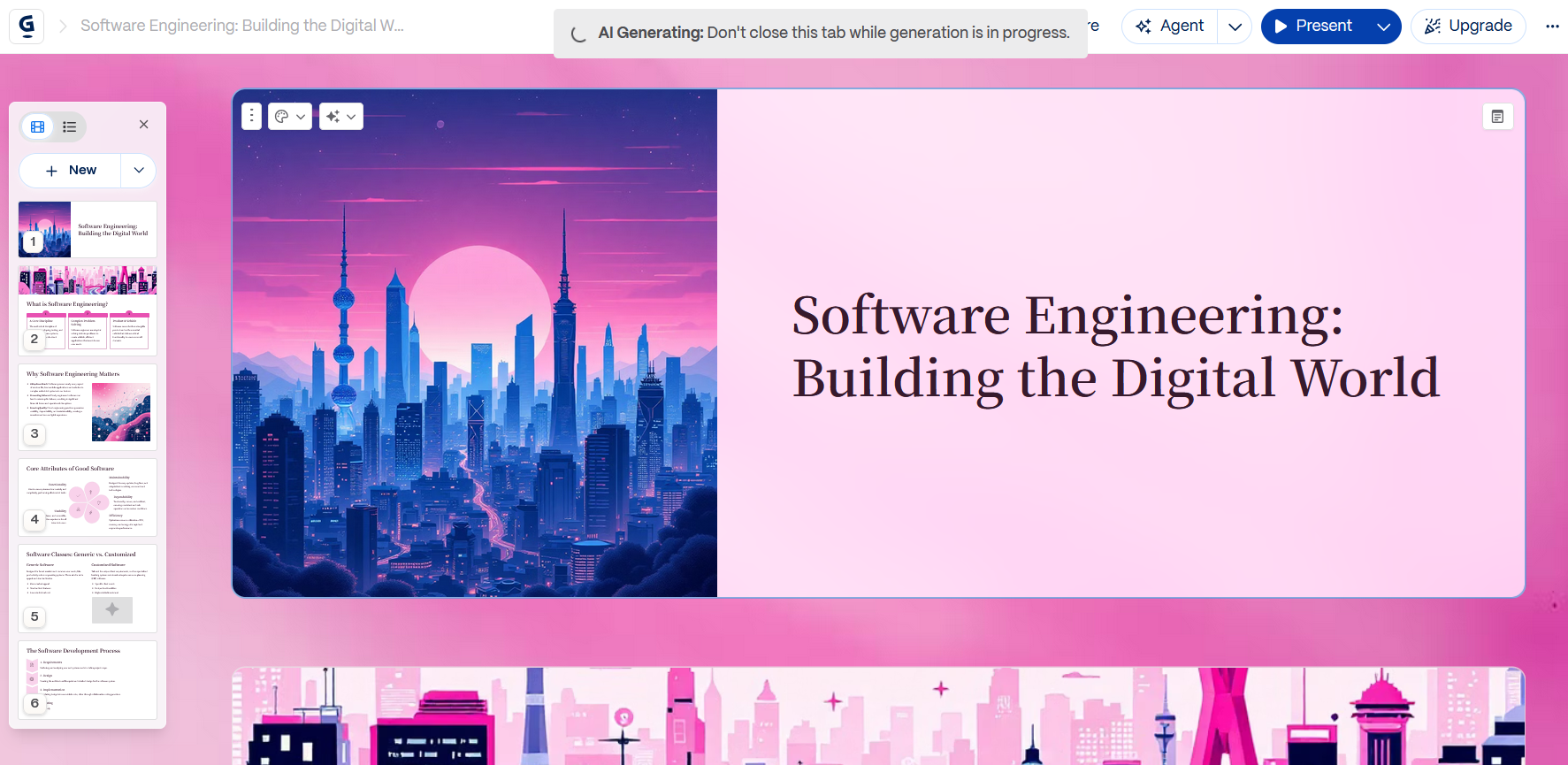
Gamma is my top choice when the main goal is turning an outline, brief, or source material into a presentable first draft quickly. Its web-native, card-based approach is different from traditional slide software, but that trade-off can be useful when speed matters more than pixel-level control.
Best for
Startup founders, sales teams, marketers, and anyone who needs a presentable first draft quickly.
What stands out
- Fast transition from outline to presentation
- Web-native sharing
- Strong first-draft structure
- Minimal formatting work for non-designers
- Useful for internal updates, sales materials, and lightweight client decks
Limitations
- Less precise than PowerPoint for complex slide layouts
- Traditional PPT workflows may require additional cleanup
- Print-ready and offline workflows are not its strongest use cases
Pricing
Free plan available; paid tiers run about $8–20/month, with team plans from roughly $20/user/month.
Freemium to team plans. The free tier covered my quick-draft tests; paid tiers add branding and higher usage limits.
Pros
- Fastest first-draft workflow in my entire presentation software comparison
- Shareable web-style output without extra hosting setup
- Minimal formatting labor for non-designers
Cons
- Slide-level precision lags behind PowerPoint when I need custom chart layouts
- Offline presenting and print-ready exports are not its strength
Microsoft PowerPoint
PowerPoint remains the benchmark when a presentation needs precise slide-by-slide editing, complex charts, animations, branded templates, or reliable compatibility with existing business workflows.
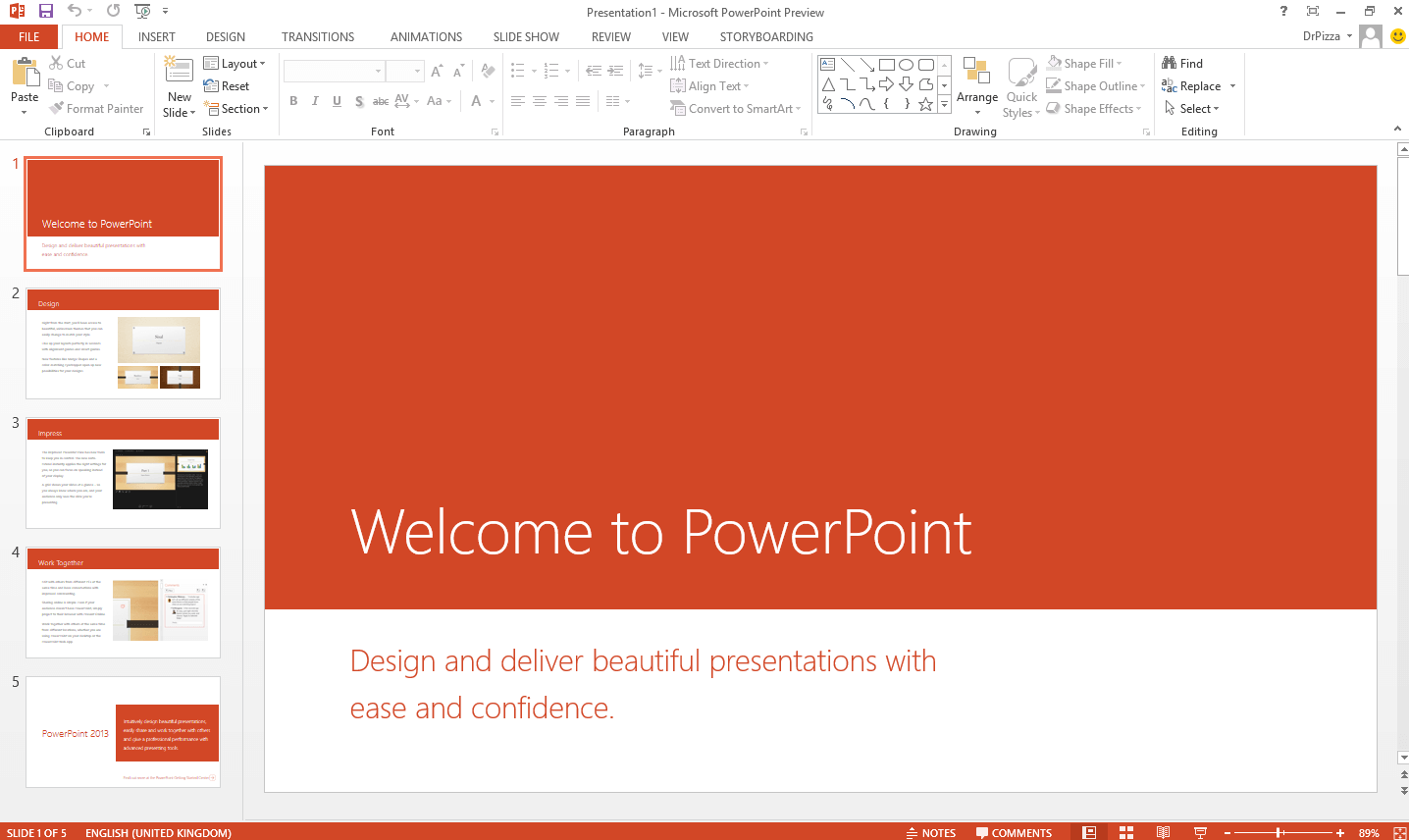
Excel-linked charts updated cleanly, slide masters kept branding consistent across 40+ slides, and add-ins filled gaps other presentation tools simply do not address. Designer and Copilot helped with layout suggestions, but the real win was control: when a stakeholder asked for one chart rescaled and one animation retimed, PowerPoint let me do it without rebuilding the deck.
Best for
Enterprise teams, finance presenters, and anyone whose presentation software must handle complex charts, offline delivery, and Microsoft 365 handoffs.
What stands out
- No other tool in this roundup gave me the same slide-by-slide precision.
- SharePoint, Teams, and OneDrive integration removed friction in Microsoft-first companies.
- Charting, animation paths, and add-ins handled the messy decks other presentation apps struggled with.
Pricing
Standalone plans run $9–13/month for individuals; Microsoft 365 business tiers land around $6–22/user/month depending on bundle.
Personal and business tiers. Most teams already pay for it through Microsoft 365, which changes the real cost math.
Pros
- Deepest formatting and animation toolkit among mainstream presentation software
- Reliable offline presenting, which is critical for conference rooms with weak Wi-Fi
- Native fit inside Microsoft 365 document workflows
Cons
- First-draft speed trails lighter presentation makers like Gamma
- Slide masters and animation lanes take time to learn properly
Google Slides
Among browser-based presentation software, Google Slides was the most dependable for live teamwork. Three editors, two comment threads, one shared Drive link. That workflow felt native, not bolted on, which is why it stays high on my best presentation software list for distributed teams.

I would not choose it for a design-forward keynote, but for weekly team updates, shared planning decks, and quick stakeholder reviews it was the least painful presentation tool to keep current. Simplicity is the product, and for many teams that is exactly the point.
Best for
Remote teams already on Google Workspace who want a free, browser-native presentation app with reliable co-editing.
What stands out
- Live multi-user editing felt smoother here than in most desktop presentation software I tested.
- Docs, Sheets, and Drive links made handoffs between documents and slides natural.
- Low learning curve. New teammates were editing within minutes, not days.
Pricing
Free for personal Google accounts; Google Workspace business plans start around $6/user/month.
Free plus business plans. Hard to beat on price if your team already lives in Google Workspace.
Pros
- Best-in-class browser collaboration for everyday presentation workflows
- Sharing via link is frictionless for mixed technical teams
- Free tier is genuinely usable for small-team presentation software needs
Cons
- Design controls feel shallow next to PowerPoint or Canva on complex decks
- Offline mode exists but desktop presentation tools still handle disconnected work better
WPS Presentation
WPS Presentation is a strong choice when you want PowerPoint-style presentation editing without committing to a paid desktop presentation suite. It supports common Office presentation workflows and sits inside WPS Office, so users can move between presentations, documents, spreadsheets, and PDFs without switching applications.
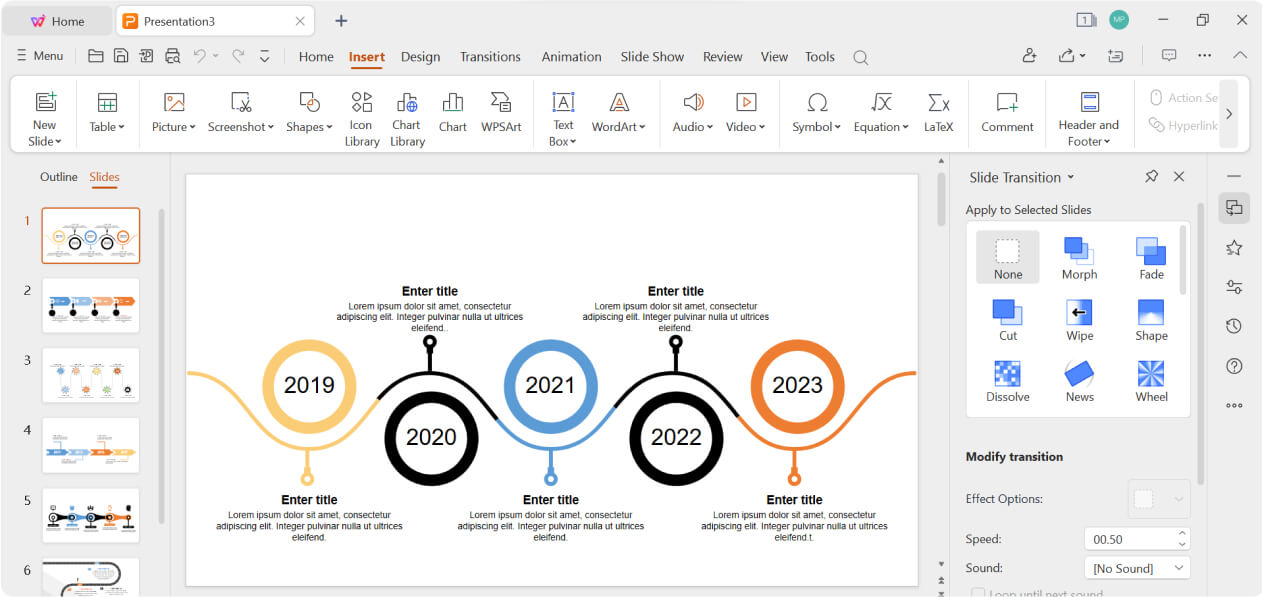
Beyond standard slide editing, I tested PPTX round-trips against a client template, ran animations on a training deck, and used the drafting feature on a product overview. Each workflow held up. Sitting inside WPS Office also meant I could pull data from Spreadsheet and drop screenshots from PDF without juggling subscriptions across multiple presentation tools.
Best for
Students, freelancers, small businesses, and professionals who need affordable presentation software with strong Office-file compatibility.
What stands out
- PowerPoint-compatible presentation editing
- Familiar Office-style workflow
- WPS Office integration
- Templates and presentation resources
- AI-assisted presentation features
- Support for working with documents, spreadsheets, and PDFs alongside presentations
Pricing
Free download for core presentation features; premium plans unlock advanced tools and cloud extras.
Free plus premium tiers. This was the only ranked tool where I completed full deck workflows without paying upfront.
Pros
- Strong value for users looking for free presentation software
- Familiar workflow for PowerPoint users
- Useful all-in-one Office environment
- PPT/PPTX workflow support
- AI tools can reduce first-draft work
Cons
- Advanced features depend on the current plan
- Complex presentation work is still easier on a larger screen
- Users deeply invested in Microsoft 365 may prefer Microsoft's ecosystem
Canva
Canva is particularly useful when presentation design is as important as slide editing. Its templates, visual assets, brand tools, and drag-and-drop workflow make it easy for non-designers to produce polished slides quickly. Gamma prioritizes speed and structure; Canva prioritizes visual control and design assets.
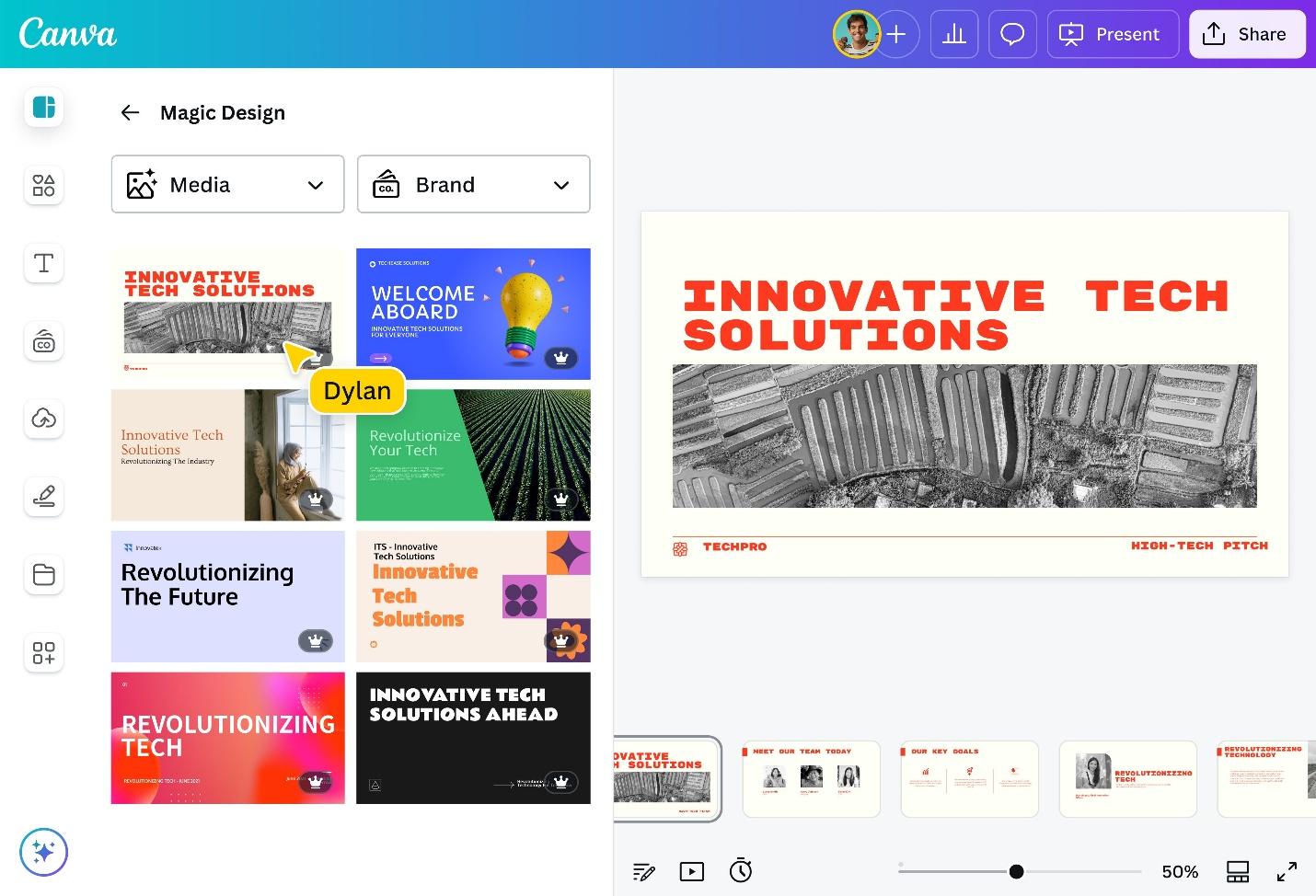
Brand Kits kept colors and fonts locked, team folders stopped version chaos, and template locking prevented accidental off-brand edits, small details that matter when five people touch the same quarterly presentation. It is not the deepest presentation tool here, but for visual consistency at speed, it delivers.
Best for
Marketing and brand teams that need a presentation maker focused on visual polish, not slide-master engineering.
What stands out
- Non-designers on my test team produced credible slides within their first session.
- Brand Kits solved the 'off-color logo' problem that plagues shared presentation software.
- Template volume and stock assets cut my production time on campaign decks noticeably.
Pricing
Free plan available; Canva Pro runs about $12–13/month; team pricing varies by seat count.
Freemium model. Pro is worth it once Brand Kits and premium assets become part of your weekly workflow.
Pros
- Lowest skill barrier among visual-first presentation tools tested
- Brand governance without a dedicated design ops team
- Fastest route to polished marketing slides in this list
Cons
- Chart customization and precise layouts trail PowerPoint
- Dense financial or technical decks still need a more traditional presentation app
Visme
Visme earns its place when a presentation needs more than conventional slides. Its combination of charts, infographics, interactive elements, and visual content tools makes it useful for marketing reports, data storytelling, and information-heavy presentations.
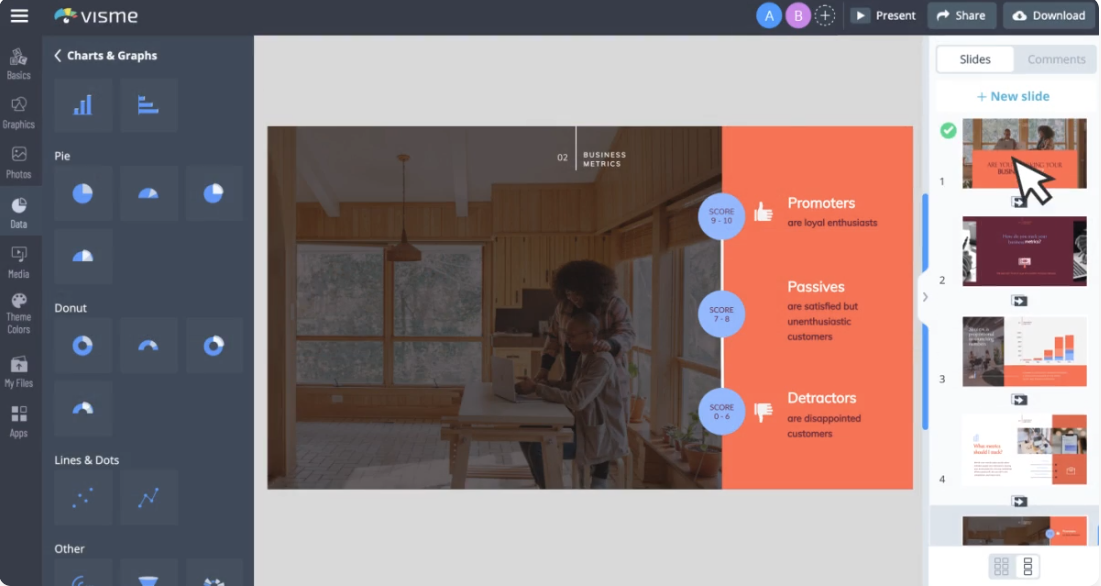
The learning curve is real: I spent extra time on my first dashboard-style deck. But once the chart blocks and animation layers clicked, quarterly metrics presentations looked sharper than anything I built in a basic slide editor, and I did not have to bounce between a presentation app and a separate charting tool.
Best for
Data-heavy teams that want one presentation tool for slides, infographics, and interactive visuals.
What stands out
- Chart and dashboard blocks handled metrics-heavy decks better than general presentation software.
- One platform covered slides, infographics, and social visuals, with fewer export hops.
- Branded data storytelling was the clear use case where Visme outperformed simpler presentation makers.
Pricing
Free tier for basic use; paid plans from about $12/month; business pricing is custom.
Freemium to business. Interactive charts and analytics features pushed me toward paid tiers faster than simpler slide tools.
Pros
- Best chart and interactive visual depth in this presentation software roundup
- Multi-format output reduces tool sprawl for visual teams
- Strong fit for quarterly metrics and training content
Cons
- Overkill for a 6-slide status update. Lighter presentation tools are faster there
- Interactive and analytics features often require paid tiers
Pitch
Pitch is the presentation software I wish more startups had discovered earlier. Version history saved me during a last-minute investor edit, inline comments replaced scattered Slack screenshots, and the template library kept seed-round decks looking intentional instead of improvised.
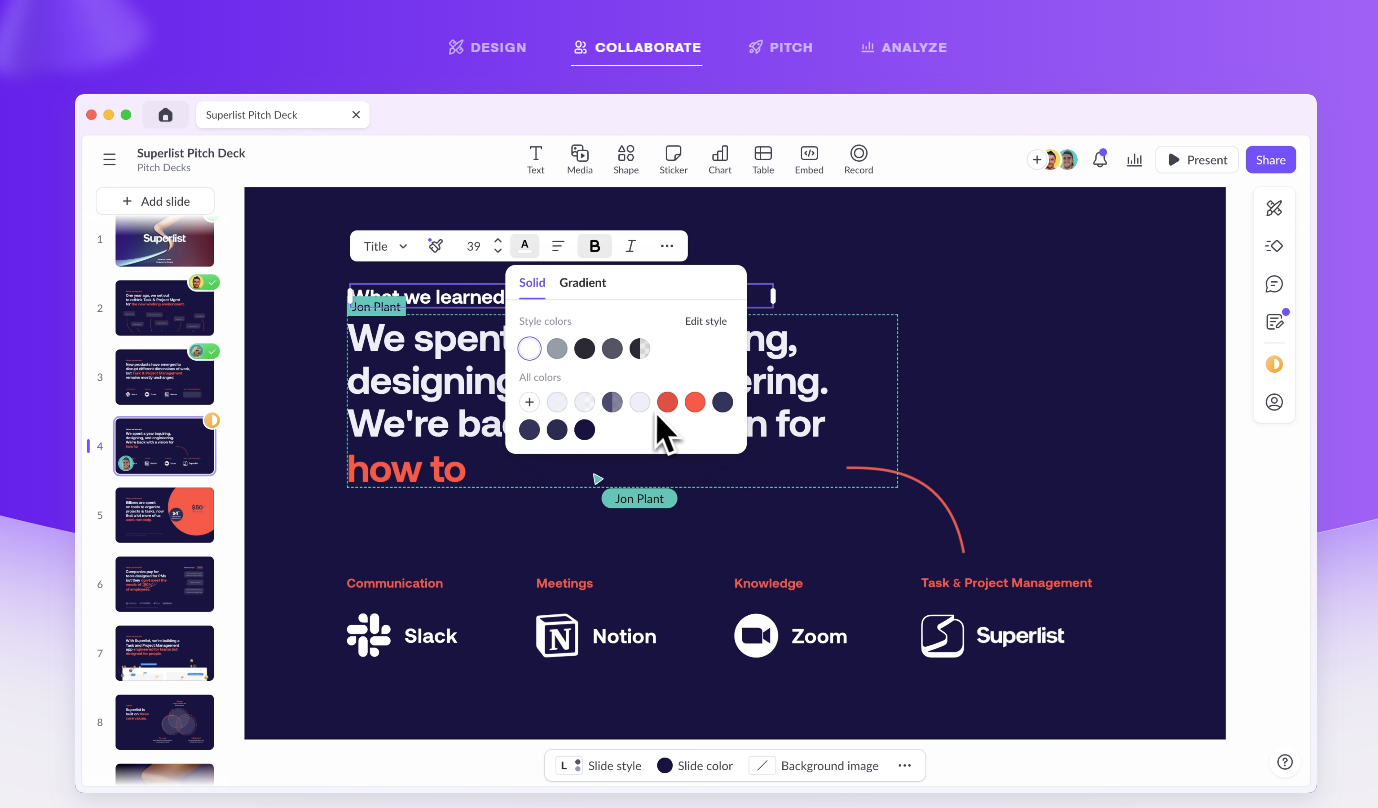
Where older presentation tools feel like file editors, Pitch feels like a shared workspace. Product managers dropped comments directly on slides, founders approved copy in-browser, and I never exported a PDF just to collect feedback. Exactly the workflow modern presentation software should support.
Best for
Startup and product teams that treat presentation software as a collaborative workspace, not a solo authoring tool.
What stands out
- Version history and comments removed the 'which file is final?' problem from my review loop.
- Templates gave junior teammates a credible starting point without design support.
- The UI feels closer to Notion-era productivity software than legacy presentation apps.
Pricing
Free plan for solo use; team plans around $10/user/month; enterprise pricing is custom.
Freemium to enterprise. The free tier works for solo drafting, but collaboration features sit behind team plans.
Pros
- Smoothest review-and-approve loop among browser presentation tools tested
- Templates tuned for modern startup storytelling
- Purpose-built for teams that iterate decks daily
Cons
- Pixel-perfect custom layouts still belong in PowerPoint or Canva
- Animation depth and chart control are not the selling point here
Zoho Show
Zoho Show will not win a beauty contest against Canva, but context matters: if your CRM, mail, and docs already live in Zoho, this presentation software removes an entire category of login-and-export friction. That ecosystem fit alone kept it on my best presentation software shortlist.
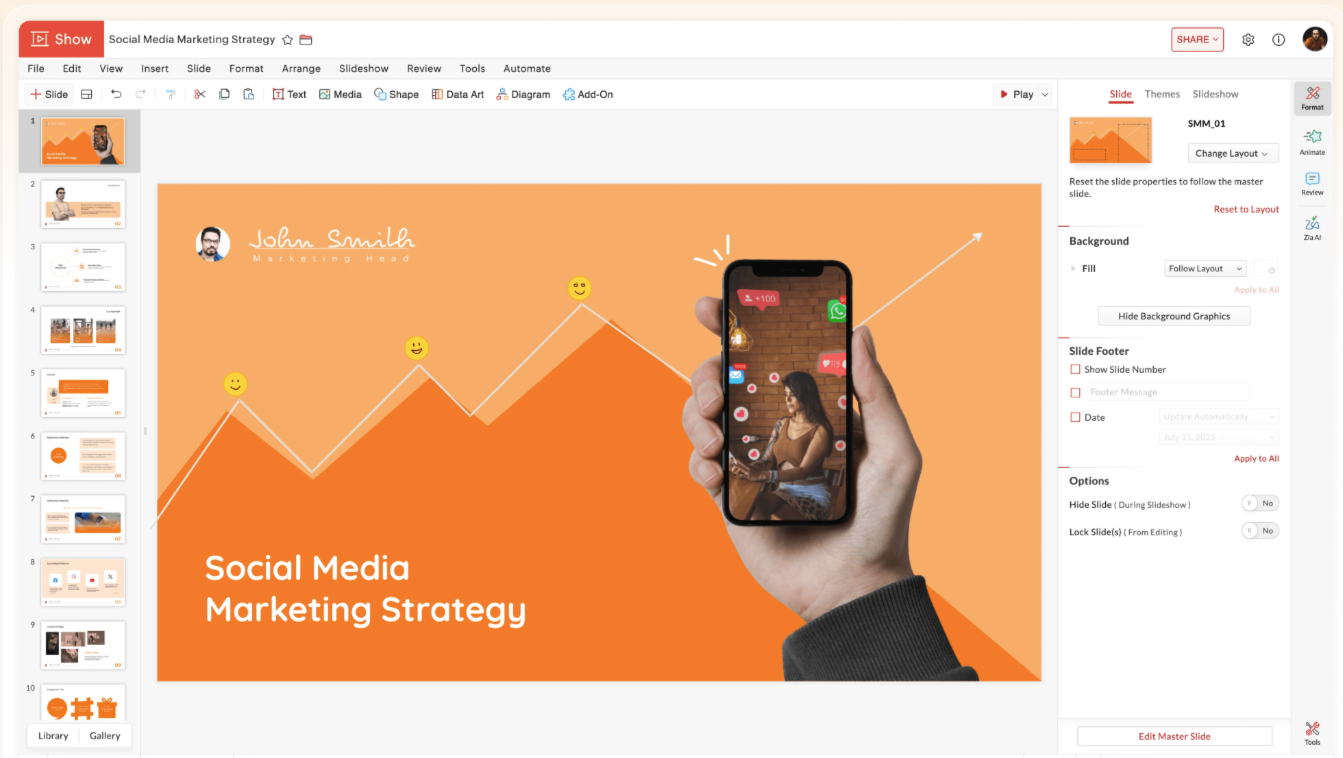
I tested it alongside Zoho Writer and Zoho CRM handoffs, pulling customer data into a QBR deck without leaving the suite. The slides themselves are straightforward; the value is continuity. For teams buying presentation software as part of a broader business stack, that continuity counts.
Best for
Zoho-native organizations that want presentation software bundled into an existing business platform.
What stands out
- CRM-to-deck workflows were smoother inside Zoho than with an external presentation app.
- Feature set is intentionally practical, with no visual gimmicks, just usable slides.
- Browser access and sharing covered everyday team needs without desktop installs.
Pricing
Free for individuals; Zoho business bundles from about $9/user/month include Show.
Free plus business plans. Best value when you are already paying for the broader Zoho stack.
Pros
- Best presentation software choice for teams already standardized on Zoho
- Low complexity for everyday business decks
- Browser collaboration without desktop dependency
Cons
- Standalone value drops sharply if you are not already in Zoho
- Visual polish trails Canva by a clear margin
Prezi
Prezi breaks the slide-by-slide mold entirely, which is either refreshing or disorienting depending on your audience. I used it for a training session that jumped between macro strategy and tactical detail. The zoomable canvas let me show relationships that a standard presentation software timeline would have flattened.

Audience engagement was visibly higher in my training test: the motion between topics held attention in a way static slides did not. I would not default to Prezi for a boardroom financial review, but for teaching and narrative-led sessions it offers a presentation style no linear slide software replicates.
Best for
Trainers, educators, and storytellers who want a non-linear presentation format, not another traditional slide app.
What stands out
- Zoom transitions created spatial context that linear presentation software cannot match.
- Energy and movement kept training audiences engaged longer in my session tests.
- Narrative-first structure suits workshops more than quarterly business reviews.
Pricing
Free basic tier available; paid plans from about $15/month for full presentation features.
Freemium. The free tier is fine for experimenting with the canvas format; serious presenting needs a paid plan.
Pros
- Most distinctive presentation format in this entire software roundup
- High engagement for narrative and educational content
- Memorable alternative to slide-fatigued audiences
Cons
- Steep learning curve compared with conventional presentation tools
- Structured corporate and financial decks are better served elsewhere
Storydoc
Storydoc rethinks what presentation software means for outbound sales: instead of emailing a PPTX and hoping someone opens it, I shared a scrollable link and tracked which sections held attention. That alone justified its place on this best presentation software list for async revenue teams.

The analytics panel changed my follow-up calls. I knew which pricing section prospects lingered on and which case study they skipped. Dynamic fields let me personalize investor outreach at scale, and the built-in templates covered the sales scenarios where I would otherwise rebuild the same presentation structure from scratch.
Best for
Revenue teams sending async decks who need engagement data, not just another slide presentation tool.
What stands out
- Scrollable, web-native format feels more natural for email and LinkedIn follow-ups than PPTX attachments.
- Section-level analytics gave me actionable follow-up context after every send.
- Dynamic personalization scales outbound without rebuilding each deck manually.
Pricing
Paid plans from about $17/month; team and enterprise tiers are custom-priced.
Paid business tool. No meaningful free path, but analytics and personalization justify the cost for outbound sales teams.
Pros
- Best async presentation software for sales follow-up intelligence
- Engagement data improves the next conversation, not just the deck
- Purpose-built for outbound revenue workflows
Cons
- Live conference presenting still favors traditional slide software
- Per-seat pricing can sting for very small teams
How I tested and evaluated these tools
My goal was simple: identify the best presentation software for real teams, not demo-day screenshots. I started with 20+ tools, ran each through the same deck scenarios, and cut anything that cracked under revision, export, or collaboration pressure.
Hands-on review
Every finalist got the same client-style scenarios: a quarterly metrics review, a product walkthrough, and a last-minute revision pass. That is how I separate presentation software that feels fast on day one from tools that still work on day five.
Review cross-checks
Hands-on testing only tells part of the story. I cross-referenced my friction points with G2, Capterra, and Trustpilot to catch recurring complaints such as export bugs, billing surprises, and collaboration limits that do not show up in a single afternoon of testing.
Practical focus
The ranking is deliberately practical: collaboration quality, design control, file compatibility, total cost, and fit inside a normal business week mattered more than feature count or launch headlines.
My criteria for choosing the best presentation software
These are the exact criteria I use when a team asks me to pick presentation software for the year ahead, grounded in workflow reality, not vendor spec sheets.
Ease of use
The best presentation software should not require a training week. I watched how quickly a new teammate could add a slide, swap an image, and export. If the basics felt clumsy, the tool dropped in my ranking regardless of its feature list.
Design flexibility
Some teams need pixel control; others need templates that do the heavy lifting. I rated each presentation tool on whether it could handle both a quick internal update and a chart-heavy client deck without fighting the layout engine.
Personalization
Off-brand slides are a silent credibility killer. I checked how easily each presentation maker locked colors, fonts, logos, and reusable layouts so the fifth deck looked as consistent as the first.
Collaboration
Most decks I test are not solo projects. I ran simultaneous edits, comment threads, and version reviews to see which presentation software still felt coherent when three people touched the same file.
Compatibility
A presentation app that breaks on PPTX import fails the real-world test. I stress-tested imports, exports, and handoffs with PowerPoint, Google Workspace, and common client templates before assigning a rank.
Pricing and advanced features
A generous free tier can beat an expensive presentation tool with locked exports. I weighed what you actually get before paying: brand controls, analytics, interactive formats, and per-seat math at team scale.
Pricing at a glance
Sticker price rarely tells the full story. I logged free-tier limits, per-seat team costs, and business-tier gates for every presentation tool here so the ranking reflects what you will actually pay, not the boldest number on a pricing page.
| Software | Typical pricing | Plan signal |
|---|---|---|
| Gamma | Free plan; about $8–20/month; teams from about $20/user/month | Freemium to team plans |
| Microsoft PowerPoint | $9–13/month for individuals; $6–22/user/month for business | Personal and business tiers |
| Google Slides | Free for personal use; business plans from about $6/user/month | Free plus business plans |
| WPS Presentation | Free download; premium plans available | Free plus premium tiers |
| Canva | Free plan; Pro about $12–13/month; team pricing varies | Freemium |
| Visme | Free tier; paid plans from about $12/month; business pricing custom | Freemium to business |
| Pitch | Free plan; teams about $10/user/month; enterprise custom | Freemium to enterprise |
| Zoho Show | Free for individuals; business plans from about $9/user/month | Free plus business plans |
| Prezi | Free basic tier; paid plans from about $15/month | Freemium |
| Storydoc | Paid plans from about $17/month; team and enterprise custom | Paid business tool |
How I would choose presentation software for a team
When someone asks me to narrow a long list of presentation software to one recommendation, I start with workflow, not logos. The questions below are the same ones I used to build this ranked guide.
Match the tool to the job
- Need a shareable first draft by end of day? Gamma was the fastest presentation maker in my tests.
- Need chart-heavy control or client PPTX handoffs? Default to PowerPoint, Google Slides, or free WPS Presentation.
- Need marketing-grade visuals without a designer? Canva and Visme cover different depths of visual storytelling.
- Need the format to carry the message? Prezi and Storydoc rethink what a presentation can look like.
Match the tool to your stack
- Sales team sending async follow-ups? Storydoc added analytics I never got from a static slide export.
- Need data-heavy visuals inside one platform? Visme handles charts and infographics better than a basic slide editor.
- Browser-first and collaboration-heavy? Pitch for startups, Zoho Show if you already pay for Zoho.
- Training or workshop decks that need motion? Prezi offers a non-linear format static slides cannot match.
My final take after testing these tools
- No single entry on a best presentation software list can cover every team. My top pick for a sales outbound workflow is not the same as my top pick for a finance QBR.
- Start with the deck you build most often, then shortlist two presentation tools and run the same brief through both before committing a team license.
- Narrow-use tools like Beautiful.ai, Synthesia, Decktopus, and Mentimeter can still be the right answer. I focused this guide on general-purpose presentation software most teams reach for weekly.
My verdict: the best presentation software depends on how your team actually works
After weeks of side-by-side testing, Gamma is my top pick for fast first-draft decks, PowerPoint remains the deepest presentation software for customization, and Google Slides is still the smoothest collaboration choice. WPS Presentation is the free presentation tool I recommend when PPTX compatibility matters. For visual storytelling, Canva, Visme, Prezi, and Storydoc each solved a different modern use case that traditional slide software handles awkwardly.
If you want a cleaner deck workflow, start here
If you want one free install that covers everyday presentation software needs (editing, PPTX compatibility, and built-in drafting). WPS Presentation is where I would start after testing all 10 tools on this list.
