Top 12 Essential AI Tools for Small Business to Save Your Time
Did you know that 82% of small businesses are leveraging AI tools in 2026, yet most owners can’t tell which ones genuinely save time and cut costs?
When I launched my own fashion brand, I thought my biggest hurdle would be finding customers. But I quickly realized the real enemy was lack of time. Half my days were spent back-to-back in meetings; I wrote every blog post, edited all video footage, and built my website single-handedly — and I wasted so many precious hours in the process.
After testing more than 30 AI tools for small businesses, I discovered that the right AI software does not replace entrepreneurs—it gives us more time to focus on growth. In this guide, I’ll share the 12 essential AI tools for small businesses that helped me reduce repetitive work, improve productivity, and run my business more efficiently.
Quick Answer
The best AI tools for small businesses are the ones that solve everyday problems: creating content, managing customers, analyzing data, organizing workflows, and improving productivity.
My top picks include Jasper for AI writing, Canva for design, WPS Office for all-in-one AI productivity, HubSpot for customer management, Otter.ai for meetings, and ClickUp for project management.
Why Small Businesses Should Use AI Tools
Save Time on Daily Tasks
Running a small business means handling many repetitive tasks. AI can automate things like writing emails, summarizing documents, creating reports, and organizing information, giving entrepreneurs more time for important decisions.
Make Smarter Decisions
Small businesses often have valuable data but lack the time to analyze it. AI can identify trends, summarize customer feedback, and help owners make faster decisions based on real information.
Improve Customer Service
Customers expect quick answers and personalized experiences. AI chatbots and assistants help small teams respond faster, handle common questions, and maintain better customer relationships.
Reduce Business Costs
Hiring specialists for every task is expensive. AI allows small teams to handle marketing, design, administration, and content creation without constantly increasing operating costs.
Create More Marketing Content
Consistent content is important but difficult for small teams. AI helps businesses create blog ideas, social media posts, images, and videos faster while maintaining a professional quality.
12 Essential AI Tools for Small Businesses
Small teams often have limited time, tight budgets, and fewer resources than larger competitors. Affordable AI tools can help close that gap by improving productivity, automating routine work, and supporting better customer and team communication.
1.Motion—AI Scheduling and Productivity Tool

Running a small business means juggling deadlines, customer calls, and product launches all at once, and I often felt behind before using Motion. The app automatically schedules tasks based on priorities and deadlines, and it adapts when things change, keeping my day organized. Each morning, I can see a clear plan for the day, ensuring nothing is missed.
Motion includes task management, calendar integration, and priority-based scheduling. You can drag tasks to adjust times, assign them to team members, and view daily or weekly agendas. It is perfect for small teams who need a dynamic schedule without hiring additional staff.
Occasionally, tasks can be misplaced if priorities aren’t clearly defined, and complex projects require some manual adjustments, but it still saves me hours each week.
💚 What I like
- Automatically plans your day
- Reduces scheduling stress
- Helps entrepreneurs stay focused
🎯 Best For
Task scheduling and calendar management when priorities shift during the day.
2.Otter.ai—AI Meeting Assistant

In my tiny brand, meetings used to take up more time than the actual discussions because I had to write notes constantly. Otter.ai records conversations, transcribes them in real time, and generates searchable summaries with highlighted action items, which I can export to emails or spreadsheets for follow-up.
The app supports live transcription, AI summaries, keyword search, and speaker tagging. It also integrates with Zoom or Google Meet, so small businesses can capture everything in client calls, team meetings, or supplier discussions without missing key points.
Transcriptions aren’t always perfect with strong accents or technical terms, so minor corrections are sometimes needed, but overall it has significantly reduced administrative overhead.
💚 What I like
- Automatic meeting notes
- Finds important discussion points quickly
- Saves administrative time
🎯 Best For
Meeting transcription, summaries, and action items for busy teams.
3.WPS Office—All-in-One AI Office Tool for Small Businesses

In running my small business, I constantly switch between Word, Excel, PowerPoint, and PDF tools. WPS Office keeps everything in one workspace, with AI features that assist writing, presentations, spreadsheets, and PDF editing.
For small businesses, it reduces workflow friction and helps teams manage documents more efficiently with limited resources. I use AI Writer when drafting content, AI Slides for presentations, and AI Spreadsheet features for analyzing data or creating formulas. Chat PDF is also extremely useful for quickly understanding long reports or business documents. Everything stays inside one workflow without constantly moving files or worrying about formatting issues.
💚 What I like
- AI writing, slides, spreadsheets, and PDF tools in one place
- Great Microsoft Office compatibility
- Helps small teams work faster without expensive software stacks
🎯 Best For
Entrepreneurs who want documents, spreadsheets, presentations, PDFs, and AI assistance in one workflow.
4.Canva—AI Design Tool for Small Businesses

Creating marketing visuals was always time-consuming for my small team because design isn’t our strength. Canva allows me to use templates, drag-and-drop images, and AI-powered tools to generate images, remove backgrounds, or resize designs automatically. I can quickly adapt a single social media post for Instagram, my website, and email campaigns.
Canva offers templates for social media, presentations, print, and marketing materials. Its AI features include image generation, background removal, auto-resizing, and design suggestions, letting tiny brands produce professional visuals without hiring a designer.
The AI sometimes needs minor tweaks to match brand style, and advanced features require a paid plan, but it lets me create high-quality content efficiently.
💚 What I like
- Easy for non-designers
- Thousands of templates
- Fast AI-powered editing
🎯 Best For
Social media graphics, presentations, and marketing visuals for teams without dedicated designers.
5.Wix AI Website Builder—AI Website Creation Tool

Managing an online presence was a challenge for my small business until I tried Wix AI. It generates suggested layouts, placeholder content, and design recommendations based on my business description, so I could get a professional-looking website live in a few hours.
The app provides drag-and-drop editing, AI-generated layouts, pre-built templates, SEO optimization, and color palette suggestions. Small businesses can add e-commerce features, blogs, and contact forms without coding knowledge.
Although custom functionality is somewhat limited and larger stores may outgrow it, Wix AI is extremely helpful for tiny brands needing a quick and polished online presence.
💚 What I like
- Faster website creation
- Beginner-friendly
- Reduces design decisions
🎯 Best For
Small businesses that need a practical website starting point without technical skills.
6.HubSpot Breeze—AI CRM Tool for Small Businesses

Keeping track of customer interactions was a constant challenge for my small team. Breeze AI summarizes customer records, drafts follow-up emails, and prioritizes leads, which helps me respond faster and maintain consistent relationships.
HubSpot CRM provides contact management, pipeline tracking, automated emails, lead scoring, and AI-powered insights. Small businesses can track all interactions across email, calls, and forms in one dashboard, ensuring no customer falls through the cracks.
Some advanced analytics and AI recommendations require paid tiers, which can be costly for tiny brands, but the free CRM covers essential functionality for most small businesses.
💚 What I like
- Combines sales, marketing, and customer service
- Easy for beginners
- Helpful AI summaries
🎯 Best For
Customer relationship management, sales follow-up, and marketing workflows.
7.Tidio—AI Chatbot for Customer Support

Handling repetitive customer questions was slowing down my small business. Tidio automates FAQs, order tracking, and product information, letting customers get instant answers while my team focuses on more complex tasks.
The app combines live chat, AI chatbot, automation flows, and email integration. Small teams can provide 24/7 support without hiring additional staff, capture leads automatically, and improve response speed.
Complex inquiries still require human attention, and initial setup of conversational flows may take time to design effectively.
💚 What I like
- Easy chatbot setup
- Handles repetitive questions
- Improves response speed
🎯 Best For
Website chat support, FAQs, and repetitive customer questions.
8.DeepL—AI Translation Tool for Global Businesses

Communicating with international clients was difficult for my small team due to language barriers. DeepL provides accurate translations while preserving context and tone, which I use for contracts, marketing materials, and emails.
DeepL includes text and document translation, glossary management, and side-by-side comparison. Tiny brands can translate business materials quickly without hiring professional translators, saving time and cost.
Although highly accurate, industry-specific terminology sometimes requires manual review to ensure precision.
💚 What I like
- High-quality translations
- Good understanding of context
- Useful for global teams
🎯 Best For
Business translation and multilingual documents that need stronger context retention.
9.Synthesia—AI Video Creation Tool for Small Businesses

Producing video content for marketing or training was always challenging for my small business. Synthesia generates AI-driven videos from scripts with avatars and voiceovers, making tutorials, product demos, or training videos easy to create.
The app includes AI avatars, voice generation, script-based video creation, multilingual support, and pre-made templates. Small teams can produce professional-looking videos without cameras, lighting, or editing expertise.
Video styles are generic, and brand-specific customization may require additional editing outside the app.
💚 What I like
- No camera or filming equipment needed
- Fast video production
- Good for business training content
🎯 Best For
Training videos, product demos, and business onboarding content.
10.ElevenLabs—AI Voice Tool for Content Creation

Recording voiceovers for social media or marketing videos was a tedious task for my small team. ElevenLabs allows me to generate natural-sounding AI voices in multiple languages, which I can export directly for videos or podcasts.
It supports text-to-speech, multilingual output, voice cloning, and customization options. Tiny brands can produce professional audio content quickly without hiring voice actors or renting recording studios.
Subtle emotional nuances can sometimes feel artificial, making it less ideal for highly emotive presentations.
💚 What I like
- Very realistic AI voices
- Saves recording time
- Useful for global businesses
🎯 Best For
Voiceovers, marketing videos, and multilingual audio content.
11.Jasper AI—AI Writing Tool for Marketing Content

Writing product descriptions, blog posts, and marketing copy manually was consuming hours for my small business. Jasper AI helps me generate drafts quickly while maintaining consistent brand tone across all content.
The tool provides AI content generation, templates, tone adjustment, and content variations. Small teams can create professional marketing content efficiently and maintain a consistent voice without hiring additional writers.
For complex technical topics or niche products, AI outputs may need manual editing to ensure accuracy and relevance.
💚 What I like
- Great for marketing teams and entrepreneurs
- Helps maintain consistent brand tone
- Speeds up content creation
🎯 Best For
Marketing copy, blog content, and product descriptions that need a more consistent brand voice.
12.Legiit Dashboard—AI Data Analysis Tool for Business Reports

Tracking metrics across multiple spreadsheets was overwhelming for my tiny brand. Legiit Dashboard consolidates marketing, SEO, and sales data into a single dashboard, making it easy to monitor campaigns and optimize performance.
It provides data visualization, report generation, and filtering tools. Small businesses can quickly understand key performance indicators and identify trends without hiring a full-time analyst.
Some customization requires paid plans, and first-time setup can be confusing for beginners, but it saves significant time in ongoing data analysis.
💚 What I like
- Makes complex data easier to understand
- Helps identify business trends
- Reduces manual reporting work
🎯 Best For
Marketing reports, SEO data, and business dashboards that need clearer insights.
AI tools can create huge productivity gains, but small businesses should also understand the risks before using them.
What risks come with AI tools for small business
AI Accuracy Problems
AI-generated content still needs human review. Incorrect information, inappropriate wording, or inaccurate business advice can damage customer trust.
Over-Reliance on Automation
AI should support employees, not completely replace human judgment. Important decisions, customer complaints, and sensitive communications still require human involvement.
Intellectual Property Concerns
Businesses should review AI-generated content carefully to avoid copyright issues or using materials that do not match their brand standards.
Information Security and Data Privacy
This is the biggest concern for many businesses. Uploading confidential documents, customer information, or company data into unknown AI tools may create security risks.
How to Choose the Right AI Tools for Your Small Business
After testing dozens of AI tools, I found that the best AI solution is not the one with the most features—it is the one that fits your workflow and creates real business value.
Here are the four things I check before choosing an AI tool:
1. ROI and Cost Efficiency
A good AI tool should save time, reduce costs, or improve productivity. WPS Office helps small businesses reduce the need for multiple subscriptions by combining AI writing, spreadsheets, presentations, and PDF tools in one platform.
2. Workflow Integration
The best AI tools should work smoothly with your daily tasks. With WPS Office, you can create documents, analyze data, prepare presentations, and edit PDFs in one workspace without constantly switching between apps.
3. Security and Data Protection
Businesses should always consider how AI tools handle sensitive information. WPS Office provides a secure office environment where users can manage important business documents with confidence.
4. Scalability
A useful AI tool should grow with your business. From simple documents to complex reports and presentations, WPS Office supports different business needs as your team expands.
With AI writing assistance, AI presentations, spreadsheet support, PDF editing, document analysis, and a complete office environment, WPS helps small businesses handle everyday work faster and more efficiently.
For entrepreneurs who want to spend less time managing tools and more time building their business, choosing the right AI-powered workspace can make a real difference.
Why I Recommend WPS Office for Small Business Workflows
After testing many AI tools, I noticed one major problem: too many separate tools create another productivity problem.
You may use one tool for writing, another for spreadsheets, another for PDFs, and another for presentations. Eventually, you spend time moving files between platforms and fixing formatting issues.
This is where WPS Office became different for me.
WPS combines the tools small businesses use every day:
AI Writing Assistant
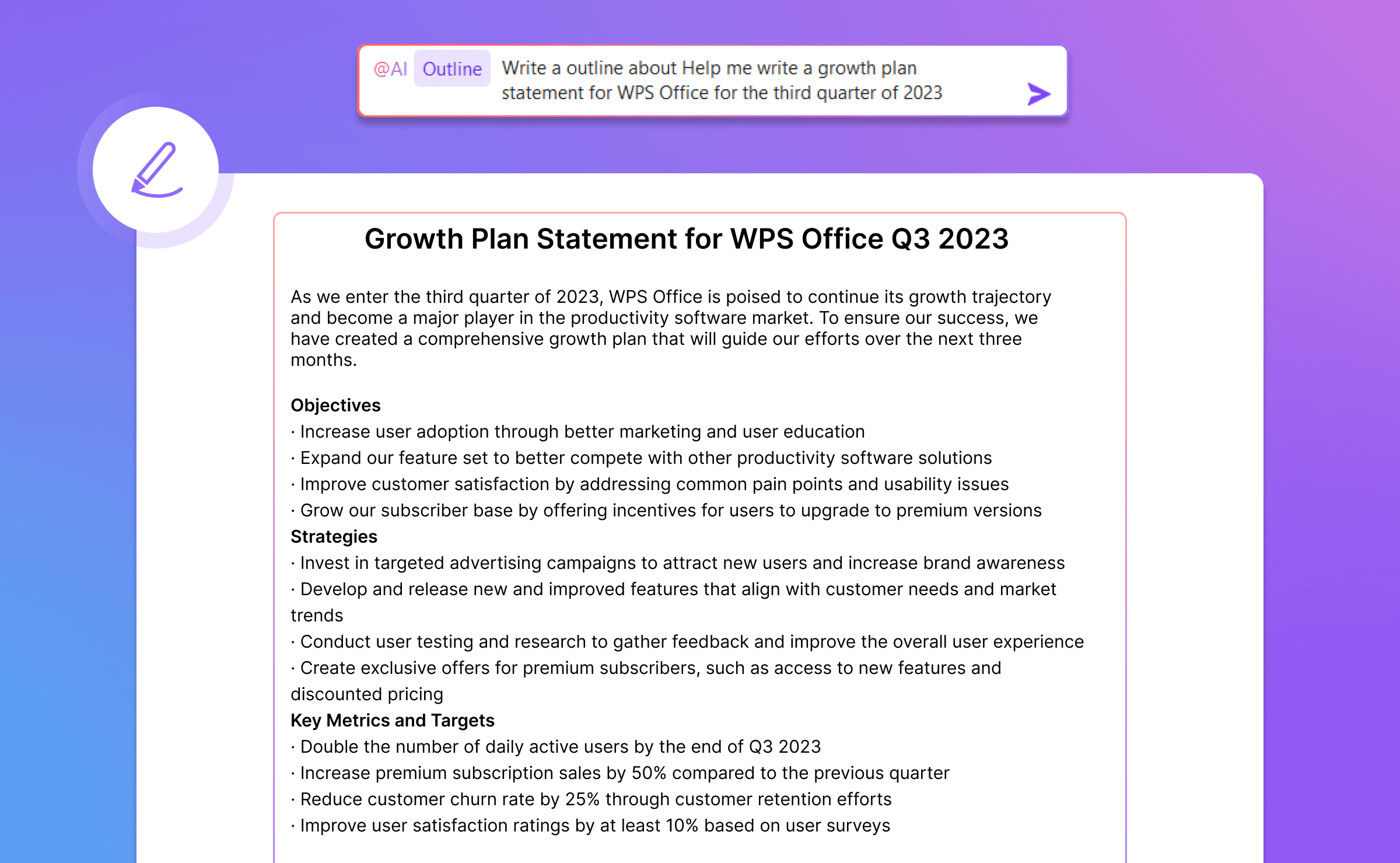
When I need to create business plans, reports, or marketing drafts, AI Writer helps generate ideas, improve wording, and make documents more professional.
AI Presentation Creation
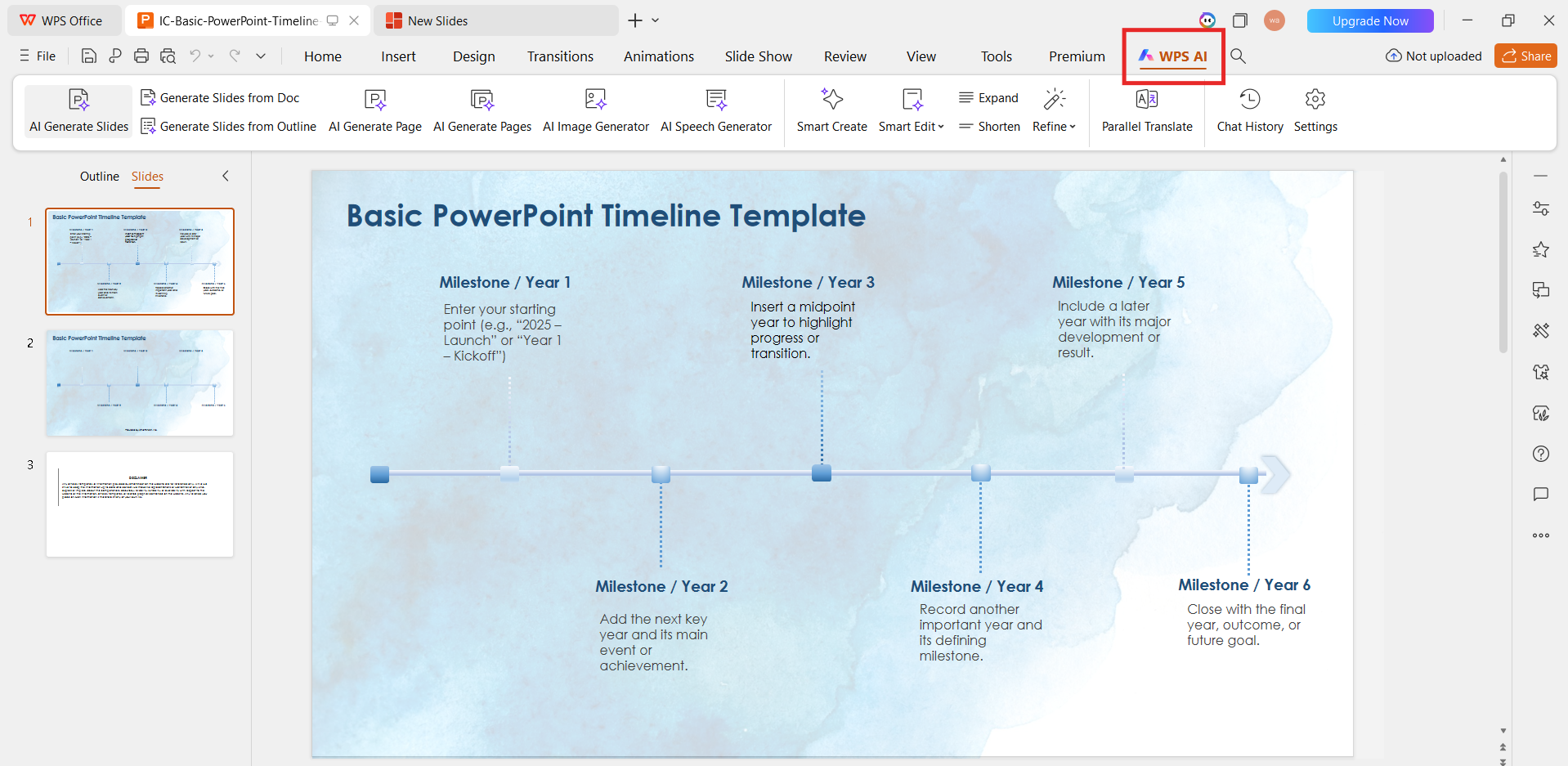
Instead of starting every presentation from a blank page, AI Slides helps turn ideas or documents into structured presentations with suitable layouts.
AI Spreadsheet Assistance
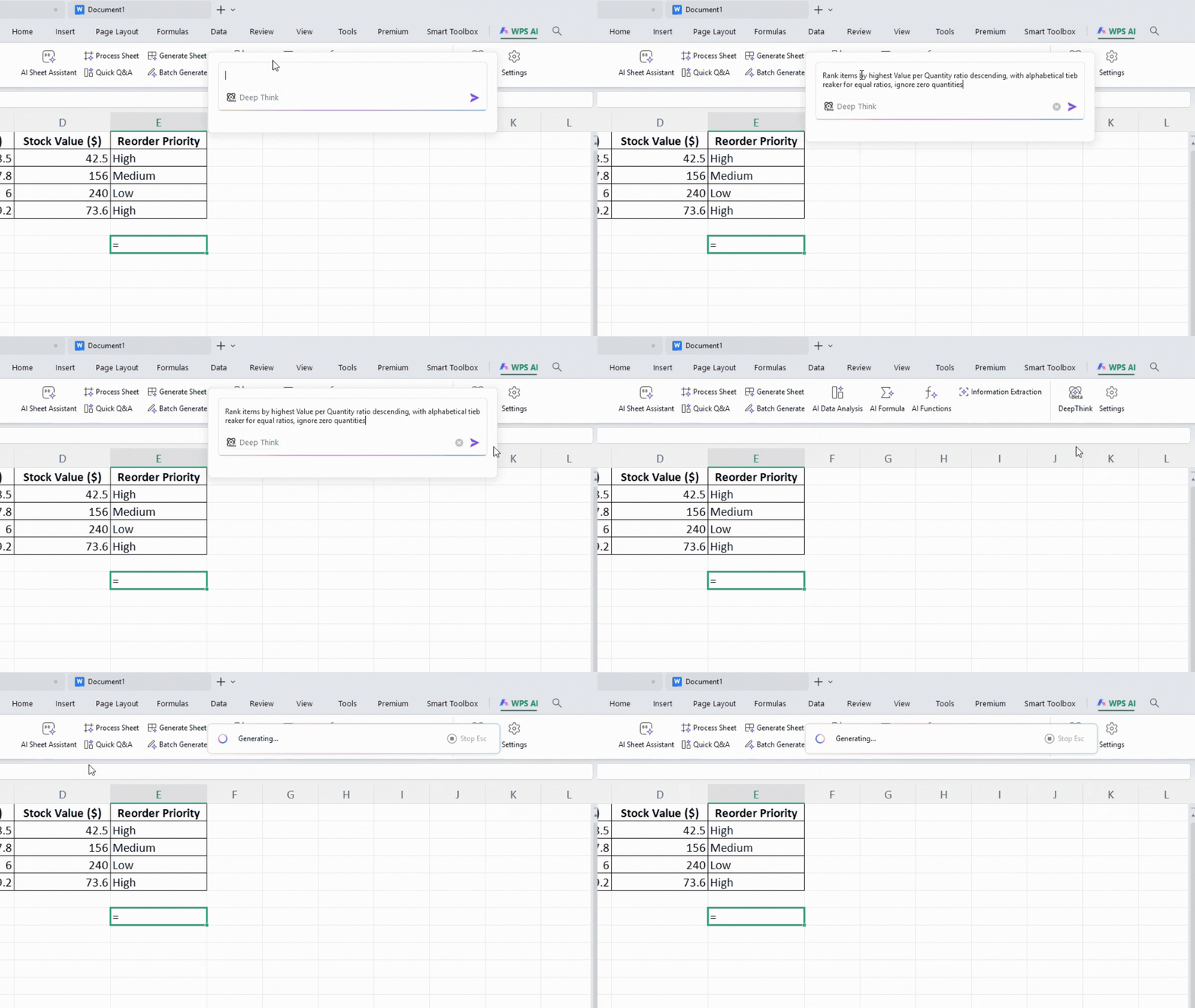
Business owners often avoid spreadsheets because formulas and data analysis feel complicated. WPS AI helps explain formulas, analyze information, and make spreadsheet work easier.
Smart PDF Workflow
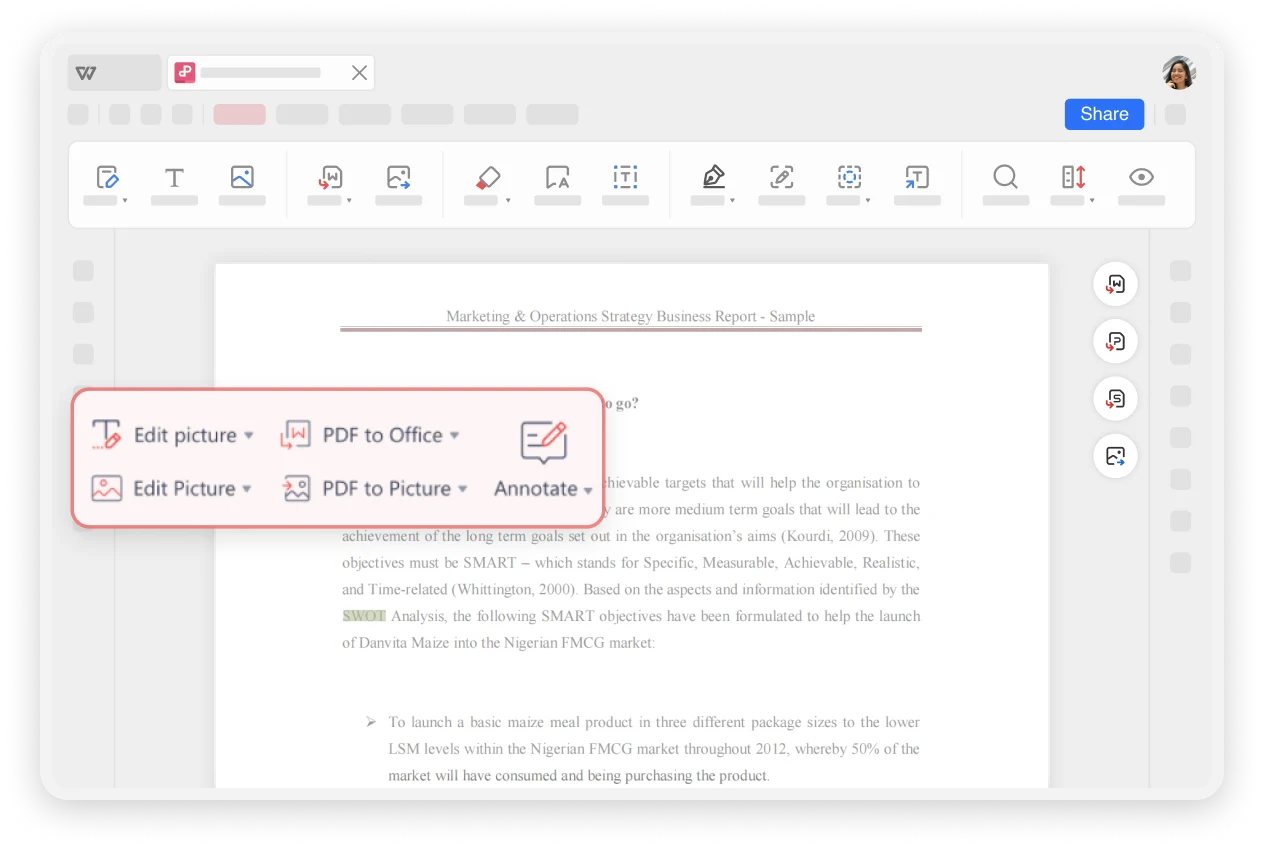
Many businesses still work with contracts, reports, invoices, and documents in PDF format. WPS allows me to edit, convert, summarize, and manage PDFs without switching to another tool.
AI Chat and Document Assistance
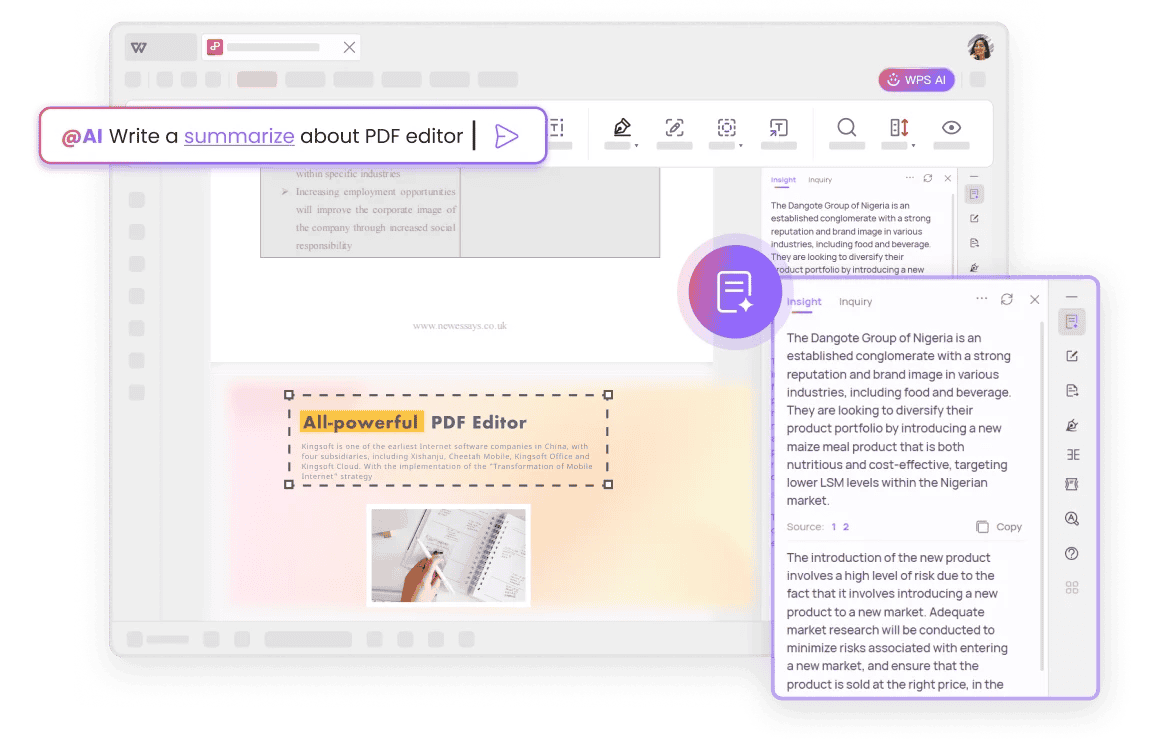
When dealing with long documents, I can ask AI questions, summarize information, and quickly find important details.
For me, the biggest advantage is simple: WPS helps me manage more business tasks inside one secure workspace instead of connecting dozens of separate tools.
100% Security Check
FAQ
Frequently Asked Questions
1. How do I know if my small business needs AI tools?
A simple way to decide is to look at where you spend the most time every week. If you repeatedly write similar emails, create the same types of content, organize customer information, analyze reports, or manage documents manually, AI can probably help.
You do not need to automate everything at once. Start with one painful workflow, measure the time saved, and expand gradually.
2. What should small businesses consider before using AI?
Small businesses should evaluate AI tools based on usefulness, security, and cost—not just the number of AI features.
Before adopting a tool, check whether it integrates with your current workflow, protects your business data, produces reliable results, and provides enough value to justify the investment.
3. What are the best free AI tools for small businesses?
Many powerful AI tools offer free versions, including Canva for design, WPS Office for document productivity, HubSpot for CRM, Otter.ai for meeting notes, and Tidio for customer support.
However, free tools often come with limits. The best choice depends on your business needs and whether the tool can grow with your company.
4. How can businesses measure AI return on investment (ROI)?
The easiest way is to compare the time and cost before and after using AI.
For example:
- How many hours does AI save on document creation?
- How much faster can customer questions be answered?
- How many marketing materials can your team create each month?
- Does AI reduce the need for additional software or outsourcing?
A good AI tool should create measurable improvements, not just look impressive.
The smartest small-business stack starts with the right workflow fit
If you need focused tools, Jasper, Canva, HubSpot Breeze, Otter.ai, and Motion each solve a clear business problem. If you want one practical workspace for everyday documents, spreadsheets, slides, PDFs, and AI help, WPS Office stands out as the most efficient recommendation.
Ready to simplify your small business workflow?
Choose the tools that match your daily work, and keep your core documents, spreadsheets, slides, and PDFs moving faster with WPS Office.