
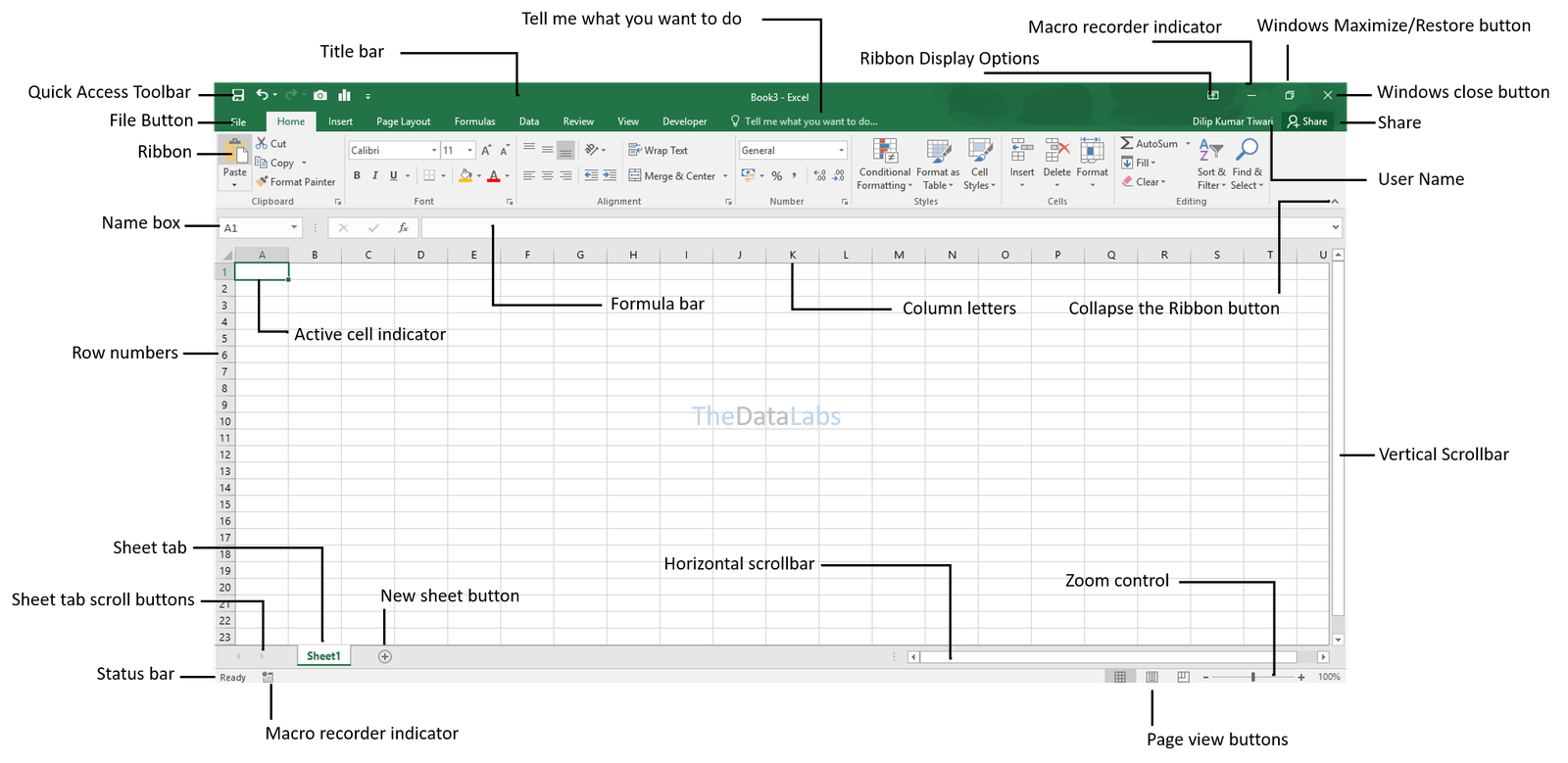
![Microsoft Excel 2019 Free Download [Full Version]](https://res-academy.cache.wpscdn.com/upload/seo-engine-admin/2026-03-06/362ed588339e1cc11aa4ee6db1ac8d06.png)
Feb 15, 2026
Microsoft Excel 2019 Free Download [Full Version]Get Excel 2019 free download on Windows or Mac with this step-by-step guide. Discover legal methods, safe tips, and free modern alternatives.
Read more
Download the official the Microsoft Excel 2019 free download offline installer (IMG/ISO). This is the last perpetual release with powerful features like Dynamic Arrays and XLOOKUP. Important: Full activation requires a valid Excel 2019 product key. If you don't have a license, we recommend downloading the free WPS Spreadsheets, a powerful and compatible alternative.
Opens .xlsx files seamlessly. The best free Excel alternative.
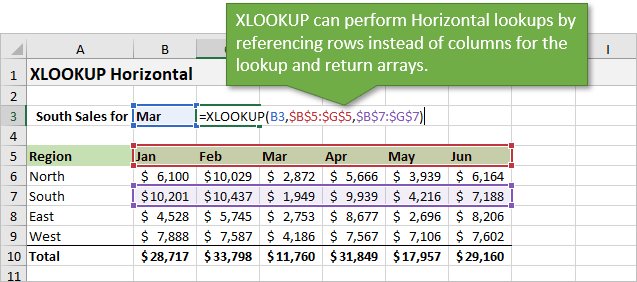
Microsoft Excel 2019 is the standalone, perpetual license version of the world's leading spreadsheet software. It was released alongside Office 2019 and includes significant improvements over previous versions, such as new functions like XLOOKUP, CONCAT, and IFS, new chart types, and enhancements to Power Pivot and Power Query.
As a one-time purchase, the Excel 2019 free download does not receive ongoing feature updates like the Microsoft 365 version, but it continues to get security updates. It's an excellent choice for users and businesses who prefer a fixed, offline-first tool without subscription fees. However, activation requires a purchased product key. For a powerful and cost-free alternative, consider downloading the free WPS Spreadsheets. To compare all Excel download options, visit Microsoft Excel Free Download for a complete guide across all versions and platforms.
No recurring subscription fees; own the software outright.
Misses out on the latest functions and tools added to M365.
Includes advanced features like Power Query and XLOOKUP.
Requires a significant initial investment for a license key.
Downloading Microsoft Excel 2019 gives you access to a highly capable and stable version of the industry-standard spreadsheet application. It is the final "perpetual license" version before Microsoft fully shifted its focus to the subscription-based Microsoft 365. This makes it a popular choice for users who want to make a one-time purchase and own their software.
While Excel 2019 is fully supported on Windows 10 and Windows 11 with security updates, it requires a significant financial investment for a product key. It also lacks the collaborative and AI-powered features that define modern productivity. For users seeking a powerful spreadsheet tool without the high cost, the free and fully compatible WPS Spreadsheets is the smartest alternative.
When searching for Office 2019 keys, I discovered a few that seemed to surface everywhere from random forums to YouTube video descriptions. Most are listed as part of Office 2019 Pro Plus packages and promise full activation, but don't expect long-term reliability as some keys activate for a while, others throw up error codes right away. Still, here are a few of the more commonly shared ones:
| # | Product Key |
|---|---|
| 1 | W9WC2-JN9W2-H4CBV-24QR7-M4HB8 |
| 2 | 6F4BB-YCB3T-WK763-3P6YJ-BVH24 |
| 3 | TX9XD-98N7V-6WMQ6-BX7FG-H8Q99 |
If you're trying these, just keep in mind that public keys like these often get blocked quickly by Microsoft, and using them comes with risks, both in terms of legality and system security.
While Microsoft Excel 2019 remains the industry standard for advanced data modeling, WPS Spreadsheet matched up well for campaign budgeting, SEO tracking, and basic automation — booting faster and consuming fewer system resources.
| Feature | Microsoft Excel 2019 | WPS Spreadsheet |
|---|---|---|
| Price | Paid (One-time License) | Free |
| Compatibility | Windows/Mac only | Windows, Mac, Linux, Web |
| Templates | Limited | Extensive Free Templates |
| Online Support | Minimal | Full Cloud Integration |
| Security Updates | Ended in 2023 | Active and Regular |
| File Format Support | .xls, .xlsx | .xls, .xlsx, .csv, more |
| Performance | Can lag on low-end PCs | Lightweight & Fast |
Verdict: While the Excel 2019 free download still has the edge in advanced features and legacy integrations, WPS Spreadsheet delivers everything most users need without the cost or system strain — a pleasantly effective option for data organization, budget management, and online collaboration.
After configuring the Office Deployment Tool, follow these steps to install and activate Excel 2019.
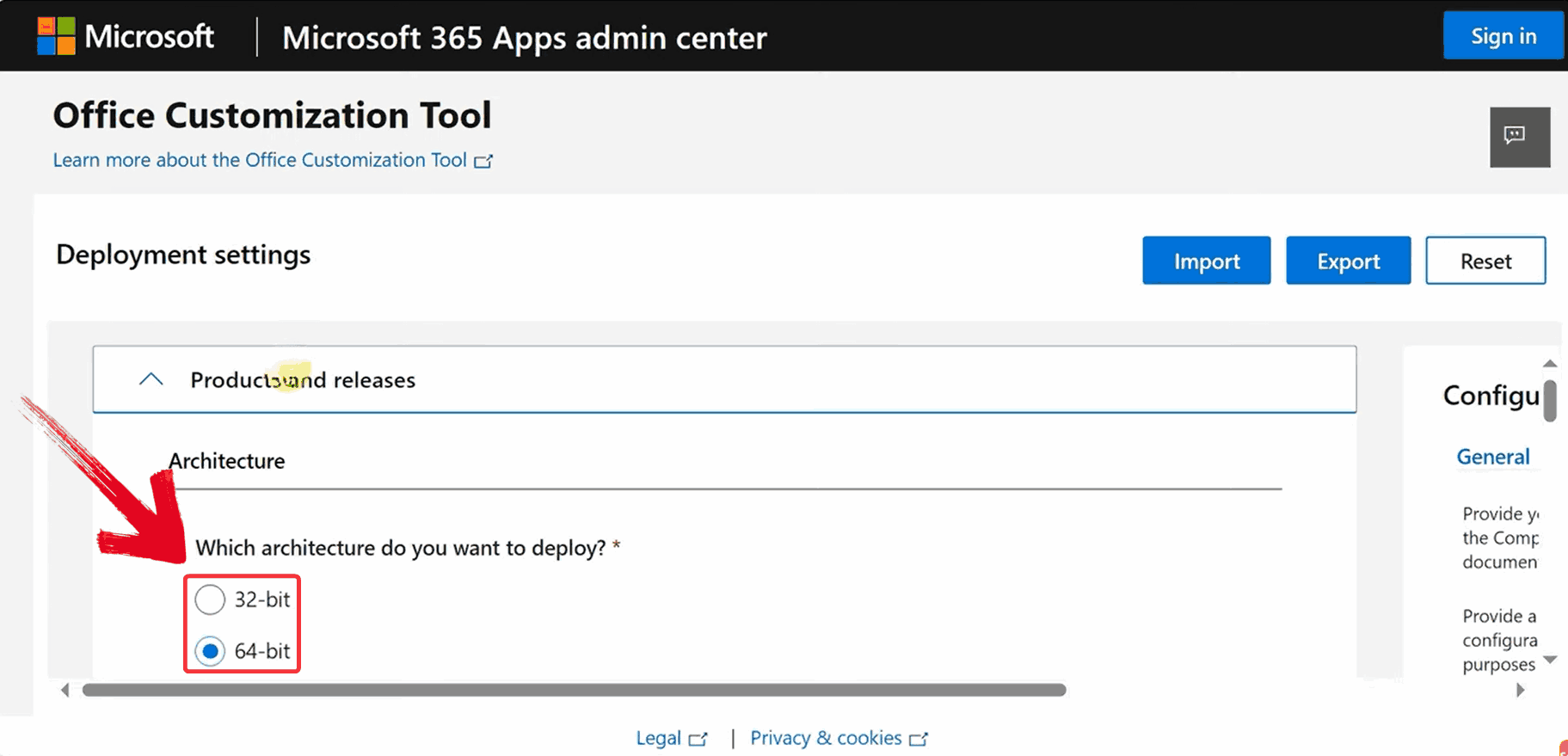
Go to Microsoft Office Customization Tool and select your system architecture under the "Architecture" section — x64 for most modern 64-bit systems, or x32 for older 32-bit systems.
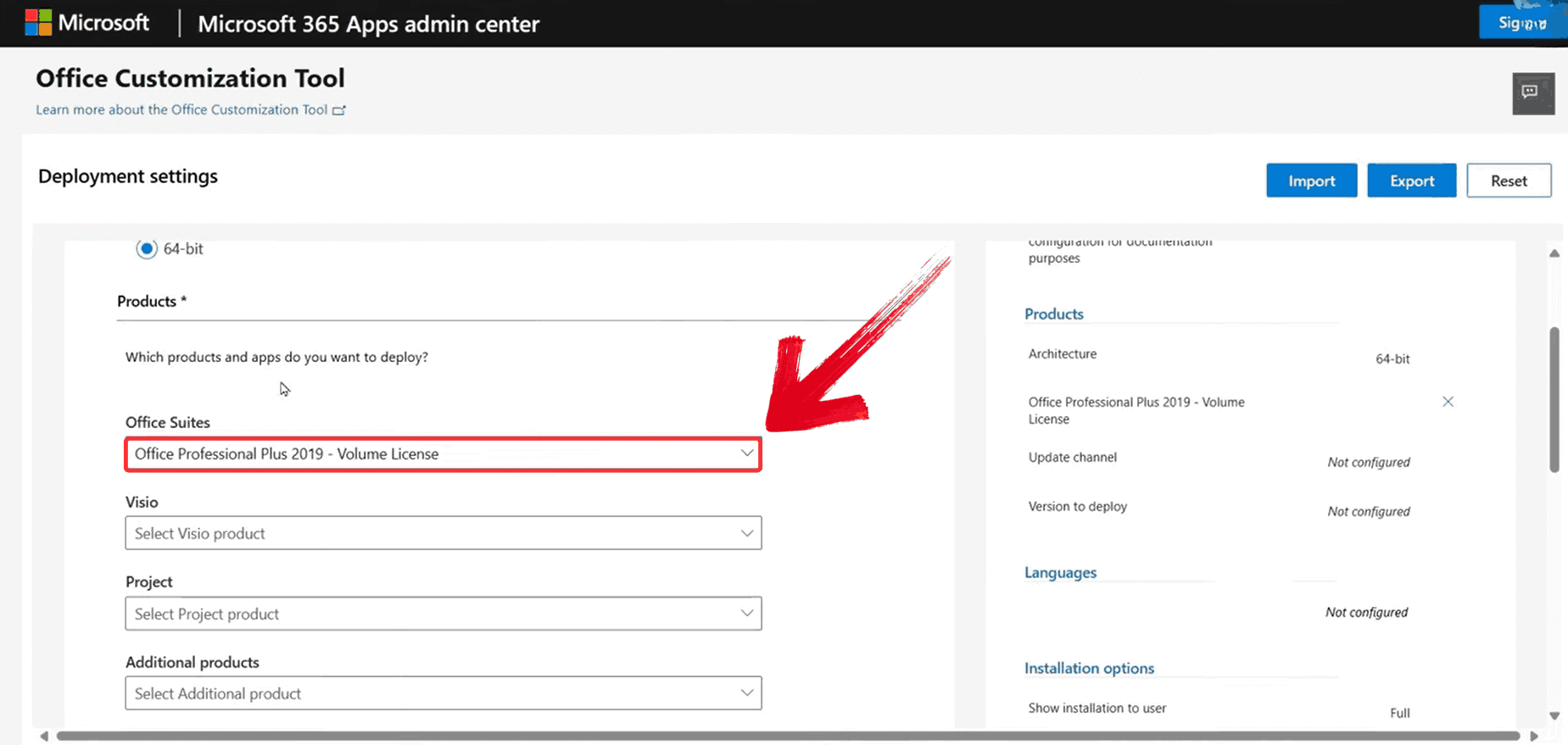
Scroll down to the "Product and Release" section and select Office Suite as "Office Professional Plus 2019 – Volume License". This version includes Excel 2019 and other core Office apps.
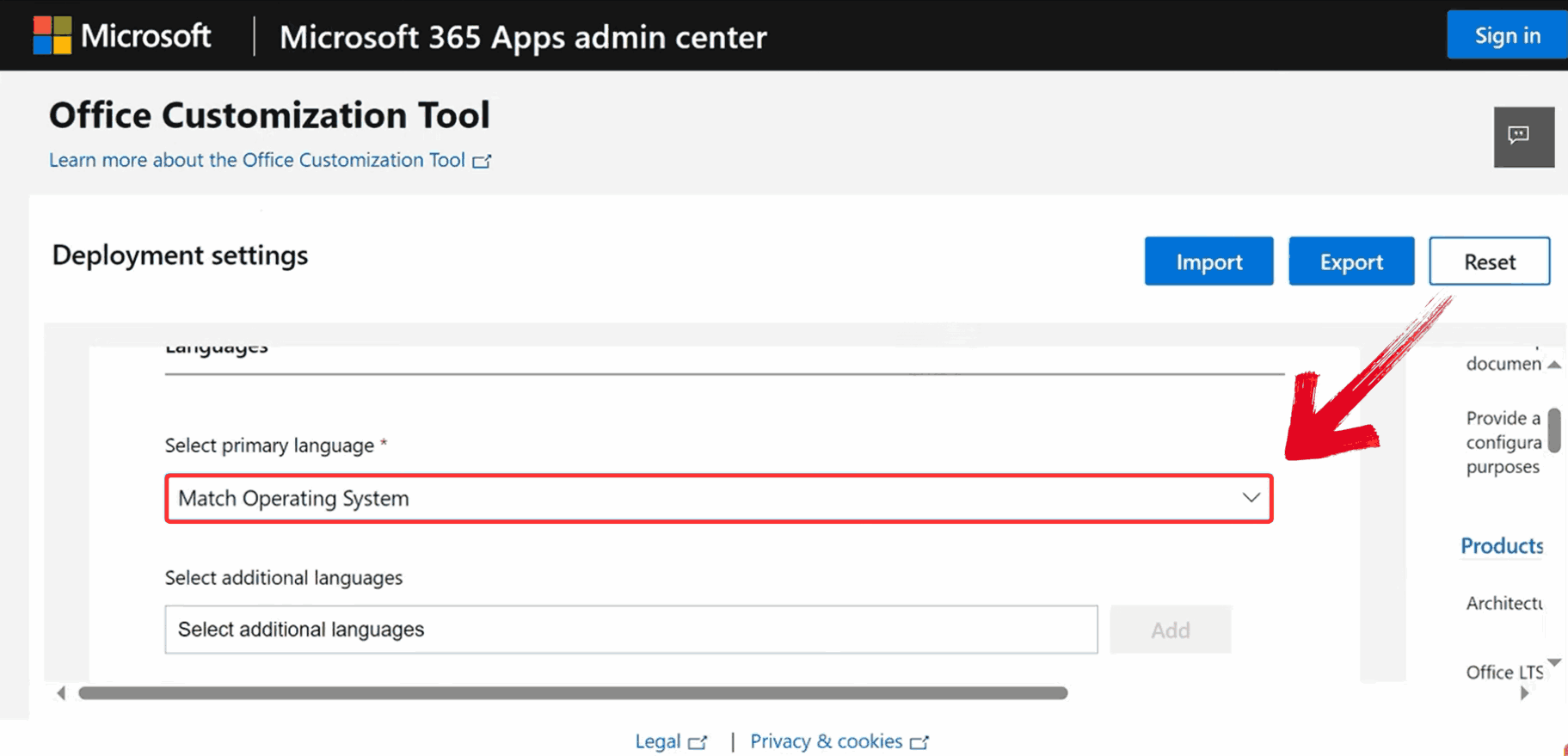
Move to the "Language" settings and select "Match Operating System" as the default option to ensure Excel 2019 matches your system's language settings.
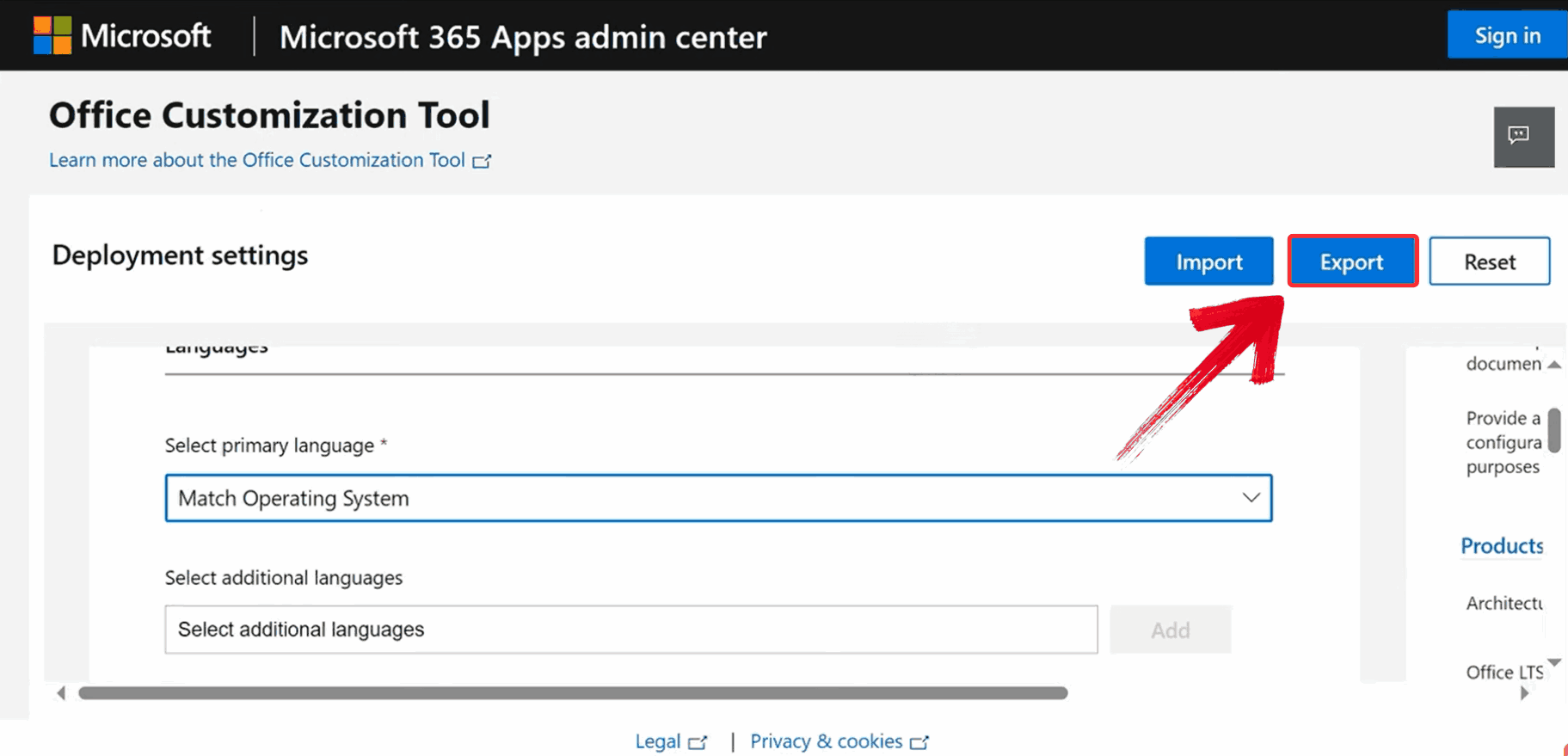
Once all settings are in place, click the blue "Export" button in the upper-right corner to download the configuration file for installation.
Head over to the official Microsoft Office Deployment Tool download page and click "Download".
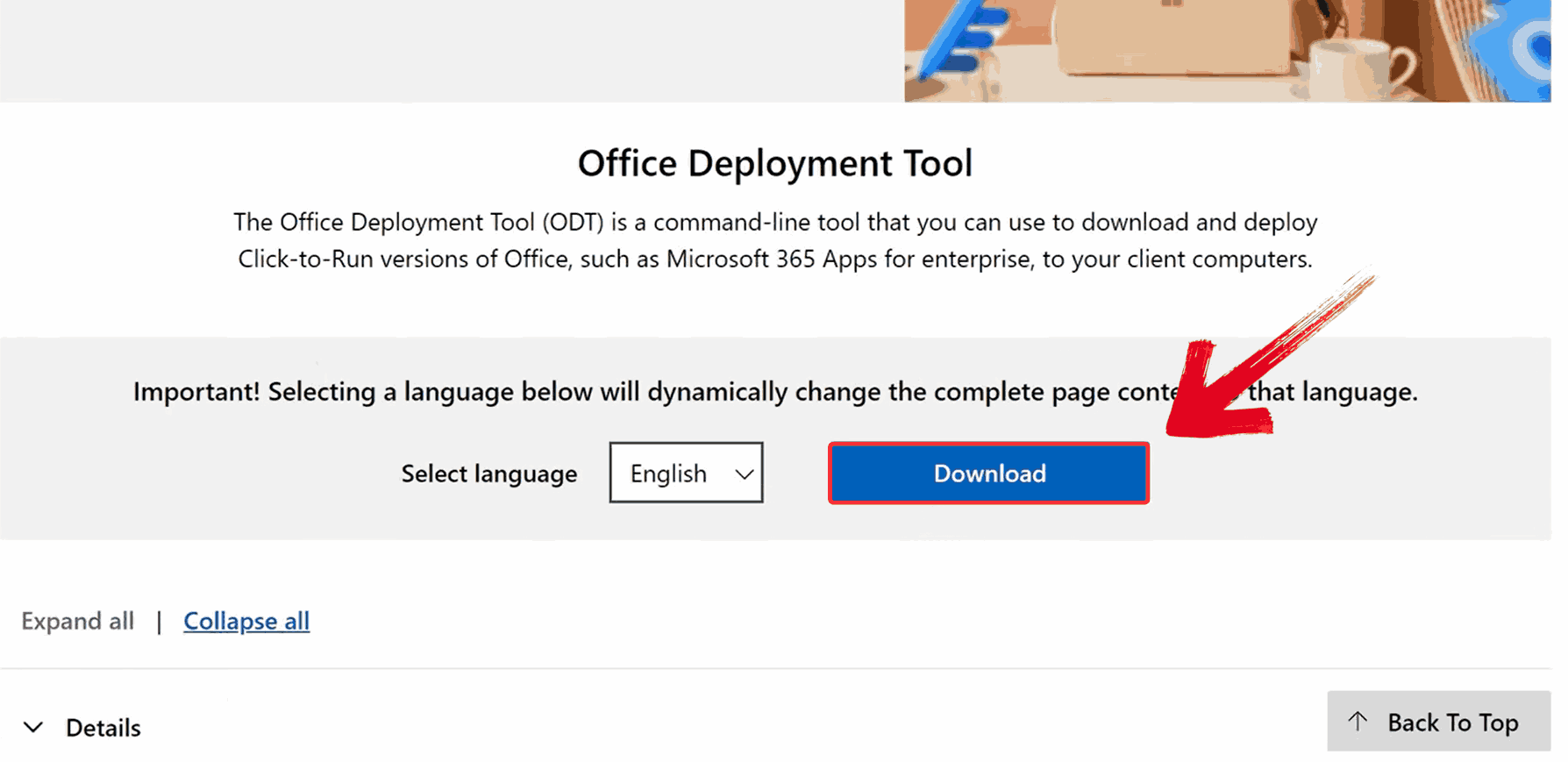
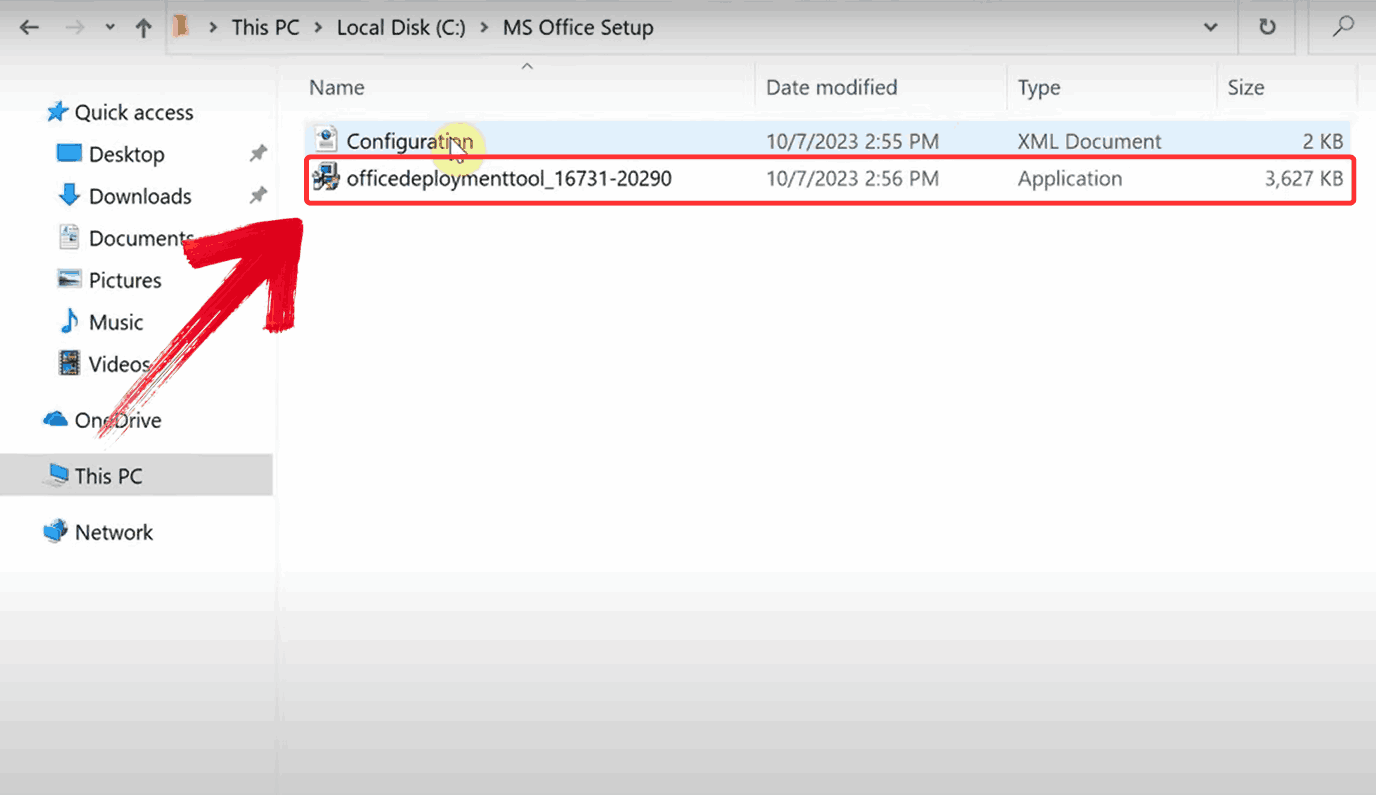
Run the officedeploymenttool file you just downloaded to extract the tool's files.
Click the search bar in the taskbar, type Command Prompt, right-click it, and select "Run as Administrator" to open with elevated permissions.

In Command Prompt, type the following command and press Enter to download and install Excel 2019:
setup.exe /configure Configuration.xml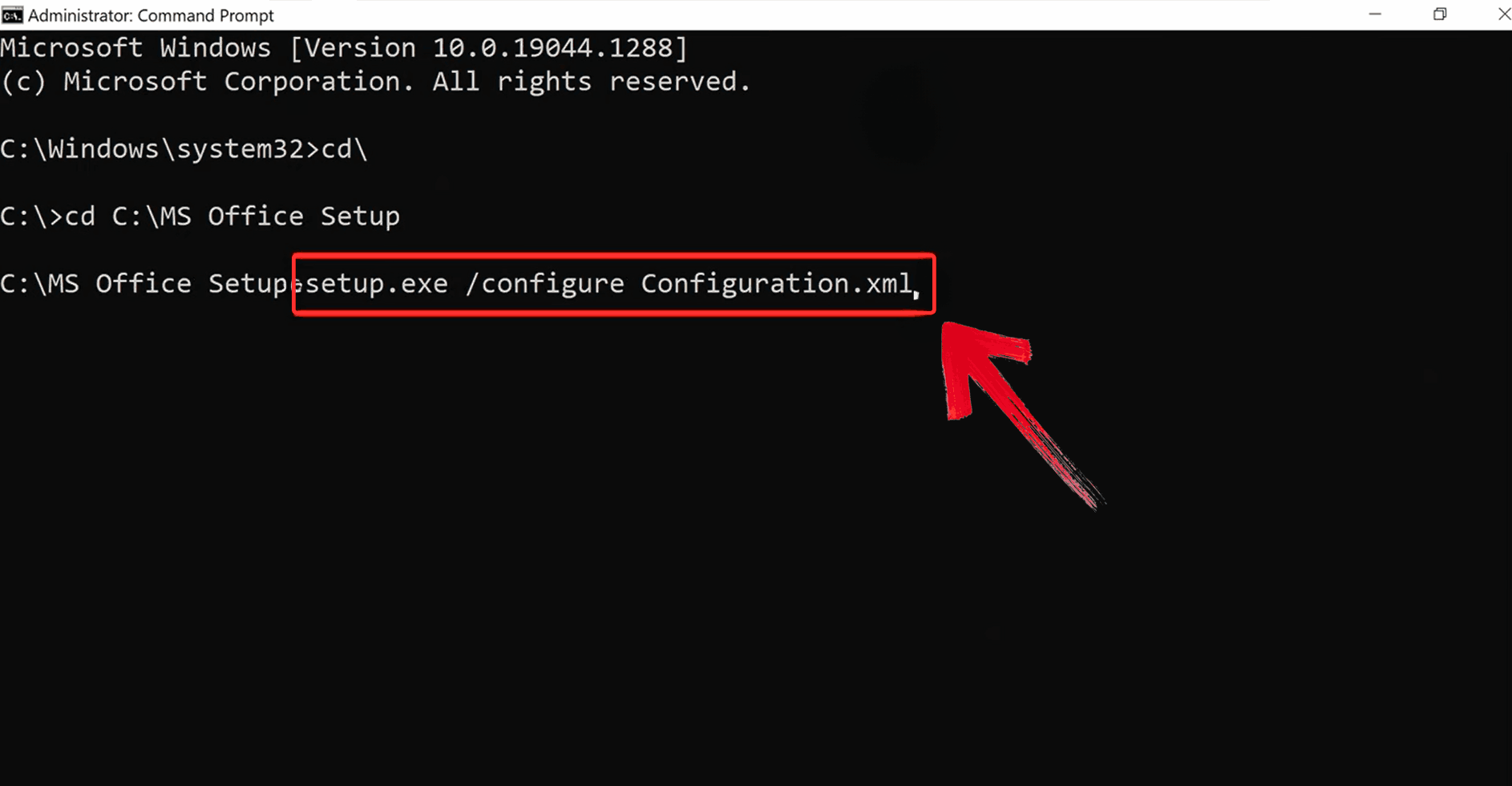
After installation, open Excel and select the option that says "Enter product key instead".
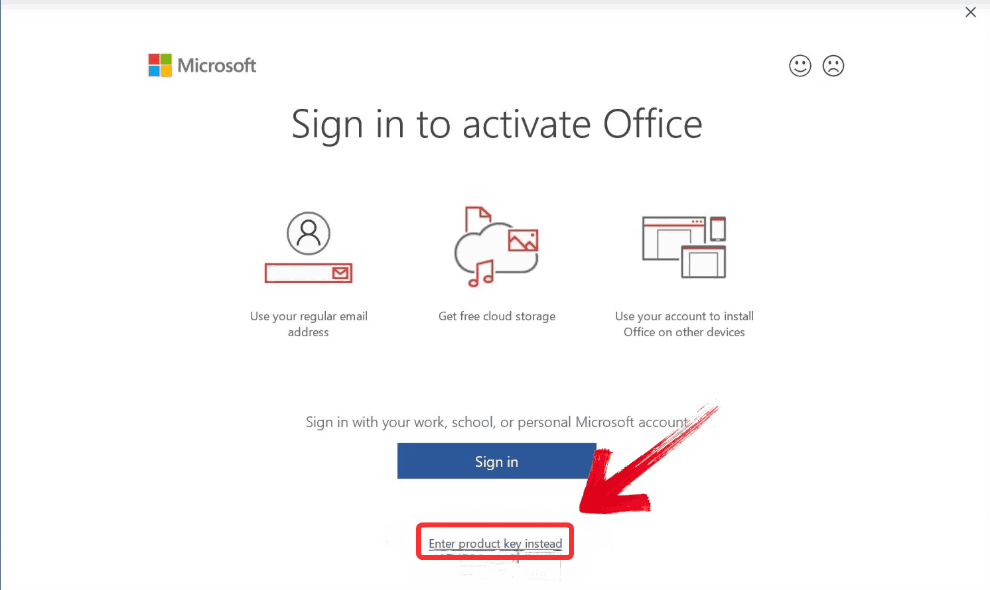
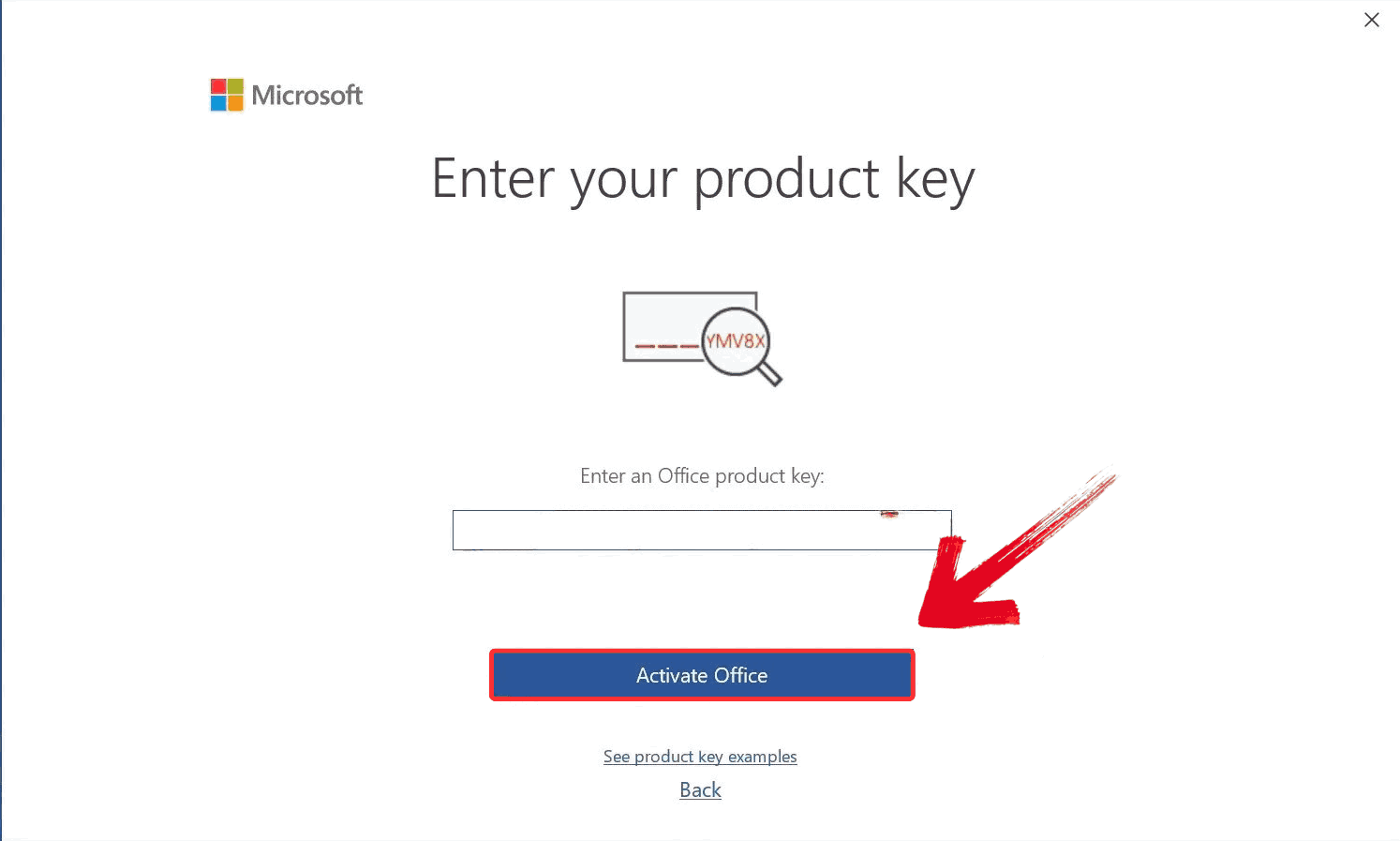
After carefully entering your free product key, hit "Activate". If the key is valid, you'll see a success message and Excel will be ready to use.
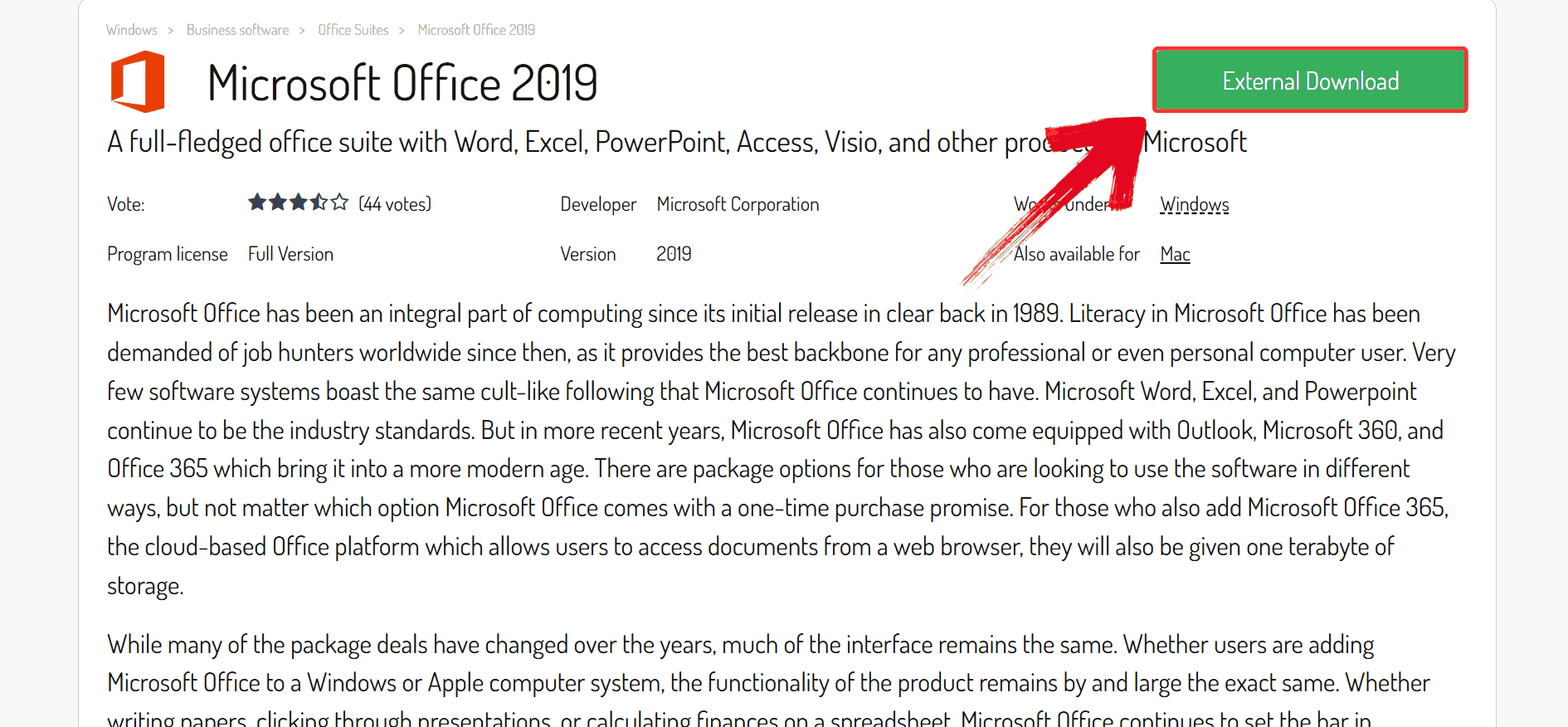
After hitting the usual paywall on Microsoft's official site, some users turn to third-party sources. This route is risky and inconsistent — proceed with caution and always scan downloads.
Go to Download.it's official website and click on the green "External Download" button to begin downloading the ISO file for Microsoft Office 2019.
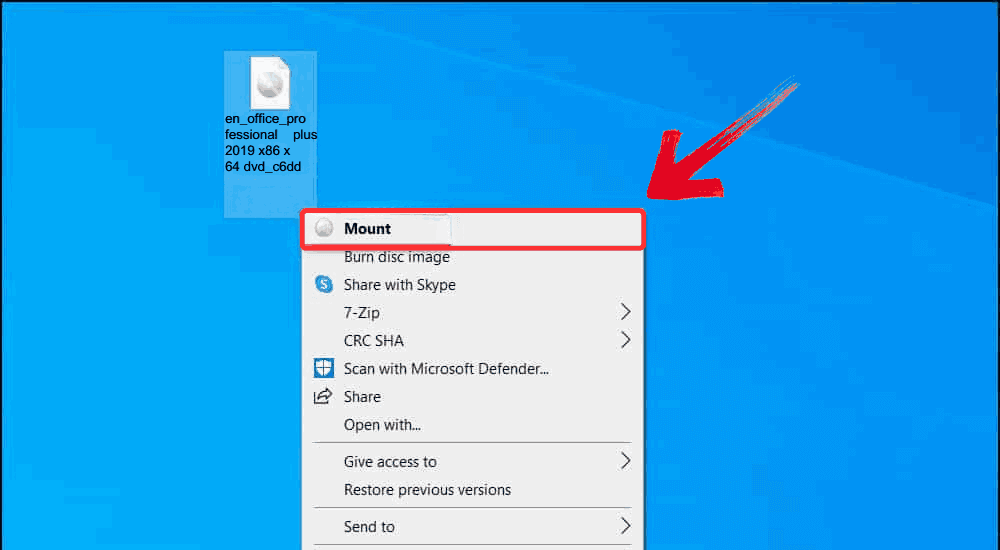
Once the ISO file finishes downloading, right-click on the file and select "Mount" from the context menu. This creates a virtual drive and lets you access the ISO contents without burning a disc.
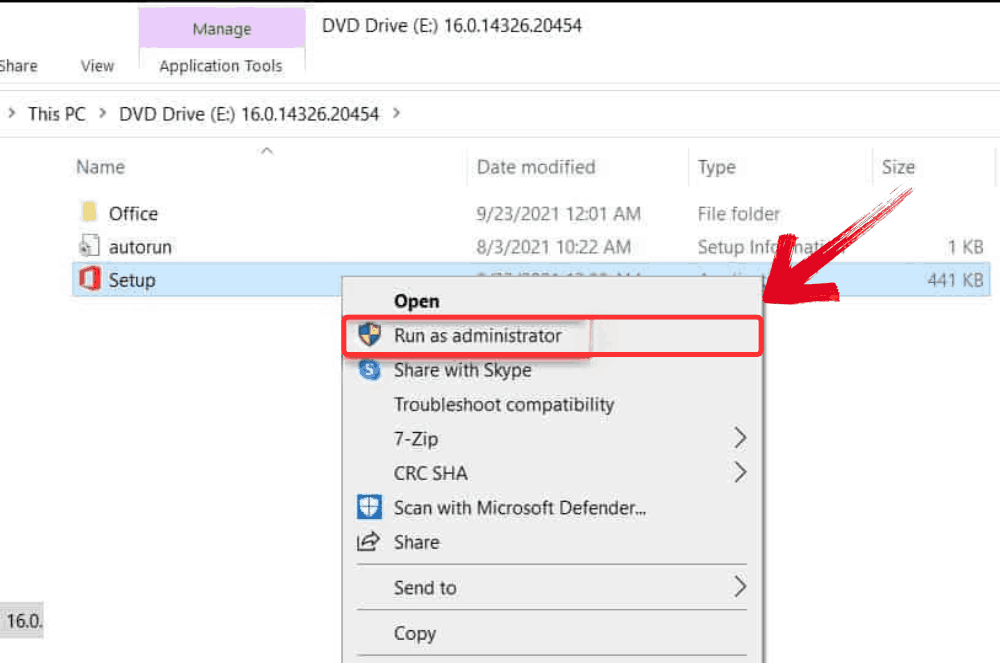
Inside the mounted drive, right-click the "Setup" file and select "Run as administrator". The installation process will begin, and within a few minutes, Microsoft Excel 2019 should be ready to use.
You can download the official installer for Excel 2019, but it is not free software. Full functionality requires a valid 25-character product key, which must be purchased. For a completely free and powerful alternative, we recommend WPS Spreadsheets.
Excel 2019 is a powerful and stable application for users who prefer a one-time purchase. However, it no longer receives feature updates, unlike subscription-based versions like Microsoft 365 or constantly evolving free software like WPS Office.
Excel 2019 is a perpetual license with a fixed feature set. Excel in Microsoft 365 is a subscription service that receives regular feature updates, cloud collaboration tools, and more advanced AI features.
WPS Spreadsheets is widely considered the best free alternative to Excel 2019. It offers high compatibility with .xlsx files, a familiar user interface, cross-platform availability, and includes advanced features for free.

7+ years in productivity tech. I test and review the latest tools to simplify your workflow. Follow for honest app comparisons, practical guides, and curated tech picks to boost efficiency.

Avoid high license costs. Use WPS Spreadsheets for free. It's fully compatible, modern, and powerful.
The perpetual license spreadsheet tool.
Best free, modern alternative to Excel.
The subscription-based, always-updated Excel.
The classic word processor from the same suite.
All-in-one suite: Writer, Spreadsheets, Presentation.
A popular cloud-based spreadsheet application.
Get Excel 2019 free download on Windows or Mac with this step-by-step guide. Discover legal methods, safe tips, and free modern alternatives.
Read more![Free Download Microsoft Excel 2016 [Step-by-step Guide]](https://res-academy.cache.wpscdn.com/upload/seo-engine-admin/2026-03-06/ab15d8fae75fffd54402b172d5853669.png)
Here is a step-by-step guide to Microsoft Excel 2016 free download. We have also given details about some best alternatives to Microsoft Excel 2016.
Read more
Get the Microsoft Excel 2021 free download with this updated 2025 guide. Learn how to install it safely or explore the best free alternative.
Read moreWhy pay for a static license? Get a complete, modern office suite that's fully compatible with all Microsoft formats for free. Experience a lightweight, powerful, and secure solution.
* Basic components (Writer, Spreadsheets, Presentation) are permanently free.
Open, edit, and save .xls and .xlsx files seamlessly with full feature support.