
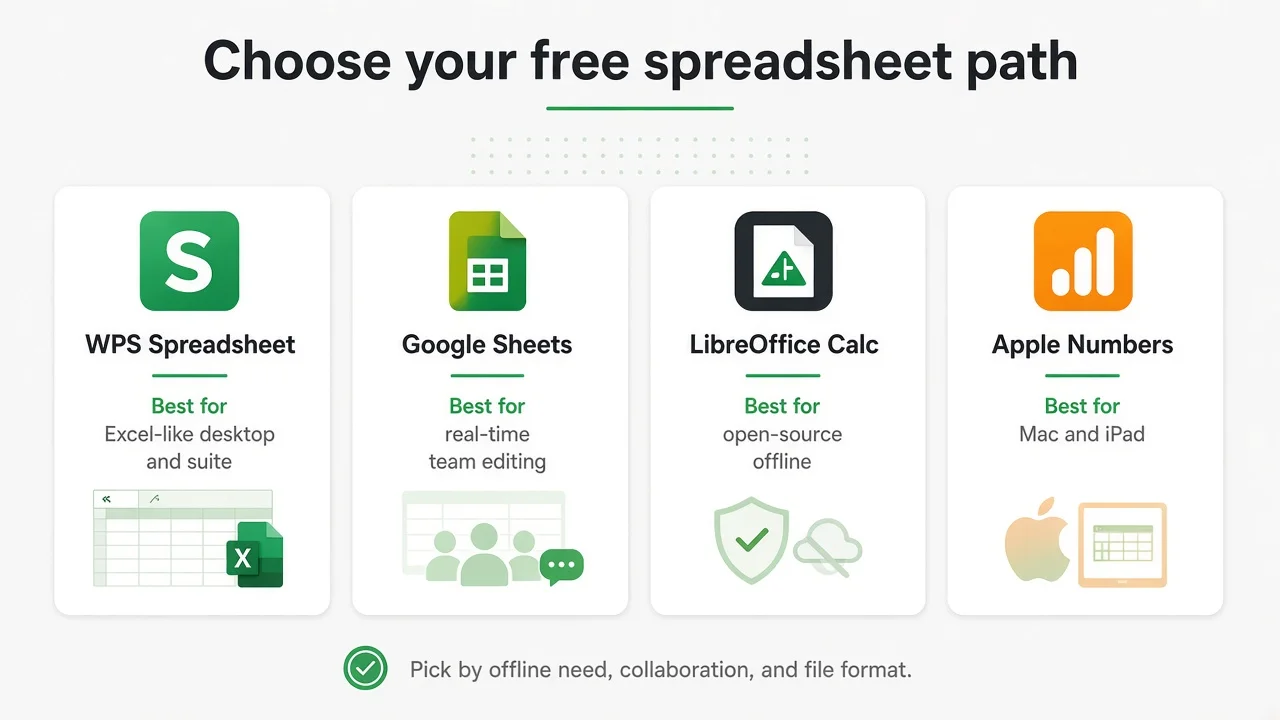
Excel-like desktop + suite
WPS Spreadsheet
.xlsx, formulas, charts, and pivots, plus Writer, Presentation, and PDF in one free install.
DetailsCompare seven free spreadsheet apps by offline work, live collaboration, .xlsx files, and platform. This guide covers who each tool is for, where it falls short, and how to pick without guessing.
Start here
No universal winner. Pick the app that matches how you actually work.
Excel-like desktop + suite
.xlsx, formulas, charts, and pivots, plus Writer, Presentation, and PDF in one free install.
DetailsLive collaboration
Fastest free path for link sharing and editing the same sheet together in a browser.
DetailsOpen-source offline
Desktop Calc with no ads and no account. Best when local files and open-source policy matter.
Details.xlsx-focused editor
Modern free spreadsheet with strong Microsoft format focus for personal or self-hosted setups.
DetailsMac and iPad
Clean layouts and Apple sync. Export when sharing with Windows Excel users.
DetailsBusiness web sheets
Browser collaboration with templates for teams already in Zoho or similar web workflows.
DetailsFree Microsoft web path
Light browser Excel with a Microsoft account. Handy for OneDrive sharing, not a full offline desktop Excel replacement.
DetailsSide by side
Use this table after the best-for cards. It compresses the decision into offline access, live collaboration, everyday .xlsx fidelity, and what “free” actually costs you in ads, accounts, or plan limits.
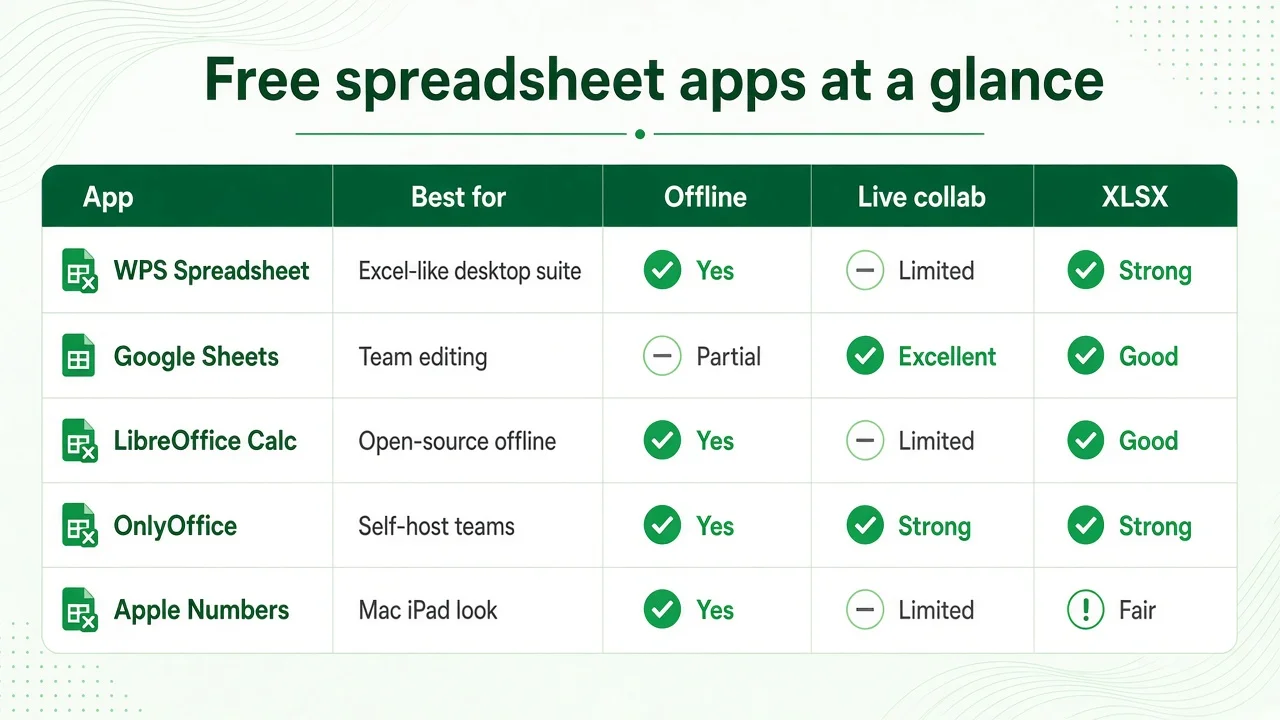
| App | Best for | Offline | Collab | .xlsx | Free note |
|---|---|---|---|---|---|
| WPS Spreadsheet | Desktop + suite | Yes | Cloud features | Strong everyday | Ads possible |
| Google Sheets | Team editing | Limited | Excellent | Good import | Google account |
| LibreOffice Calc | Open-source | Yes | Limited | Good (verify) | No ads |
| OnlyOffice | .xlsx focus | Yes | Strong setups | Strong | Personal free |
| Apple Numbers | Mac / iPad | Yes | iCloud | Fair export | Free on Apple |
| Zoho Sheet | Business web | Browser | Strong | Good | Plan limits |
| Excel for the web | Light MS edits | No desktop | OneDrive | Native | MS account |
Open one real workbook before you standardize. Everyday sheets travel well; unusual charts and macros still need a check.
Decision path
Answer these before you compare brand names.
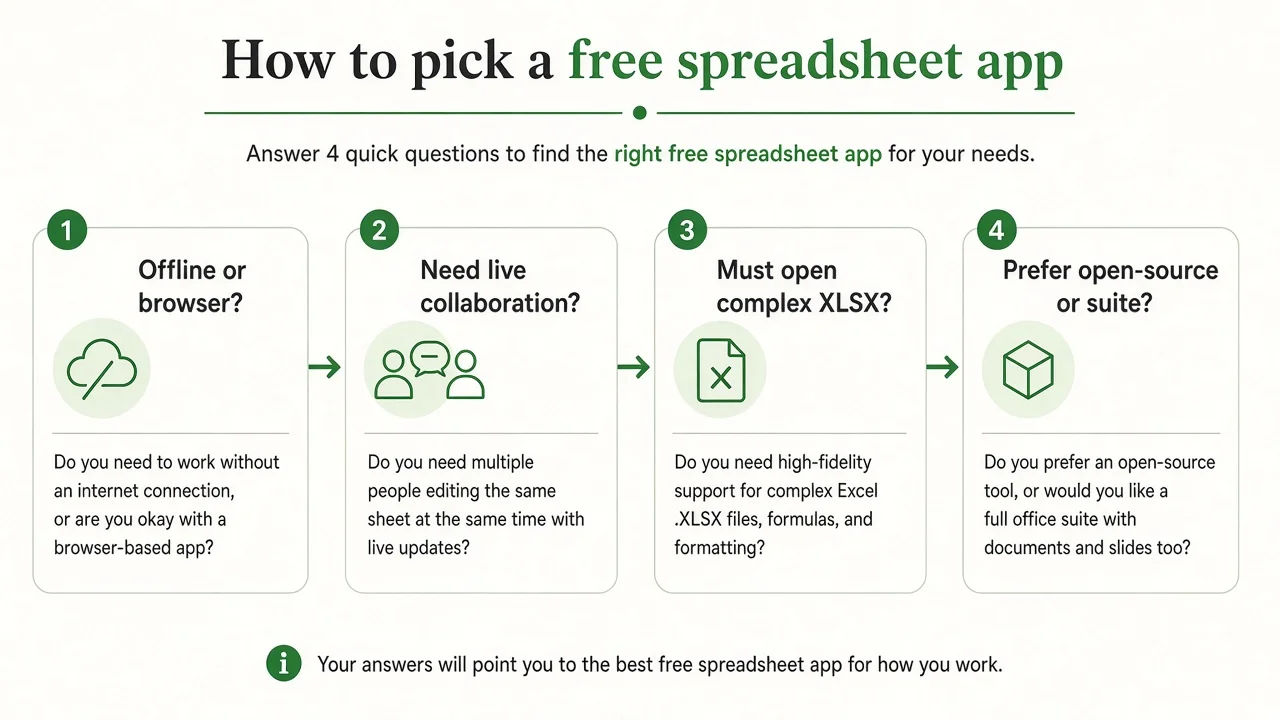
If files must stay on the computer, or the network is unreliable, start with a desktop app: WPS Spreadsheet, LibreOffice Calc, or OnlyOffice. If you always work online and share by link, Google Sheets, Zoho Sheet, or Excel for the web are simpler.
Offline does not only mean “no Wi‑Fi.” It also means opening a file without waiting on an account sync.
If several people must edit the same workbook at once, browser sheets still win for most free users. Google Sheets is the usual default. Zoho Sheet and Excel for the web also support shared editing, with different account ecosystems.
Desktop suites can share files by email or cloud folders, but that is version-passing, not the same as live cursors in one sheet.
Budgets, class sheets, and simple sales trackers travel well almost everywhere. Heavy pivot layouts, unusual charts, add-ins, and macros need a real file check before you standardize.
If your main job is leaving Microsoft Excel with .xlsx fidelity in mind, use our deeper free Excel alternative guide after you shortlist here.
LibreOffice fits open-source policy and local-only preference. Numbers fits Mac and iPad polish. WPS fits people who want spreadsheets plus documents, slides, and PDF tools without buying Microsoft 365.
OnlyOffice sits between “modern .xlsx editor” and optional self-hosted team setups. Zoho fits teams already living in Zoho apps.
Before you download
Free almost never means “identical to paid Microsoft 365 with zero limits.” In practice it means one of these models:
The shortlist
What each one is good at, and where it stops.
WPS Spreadsheet
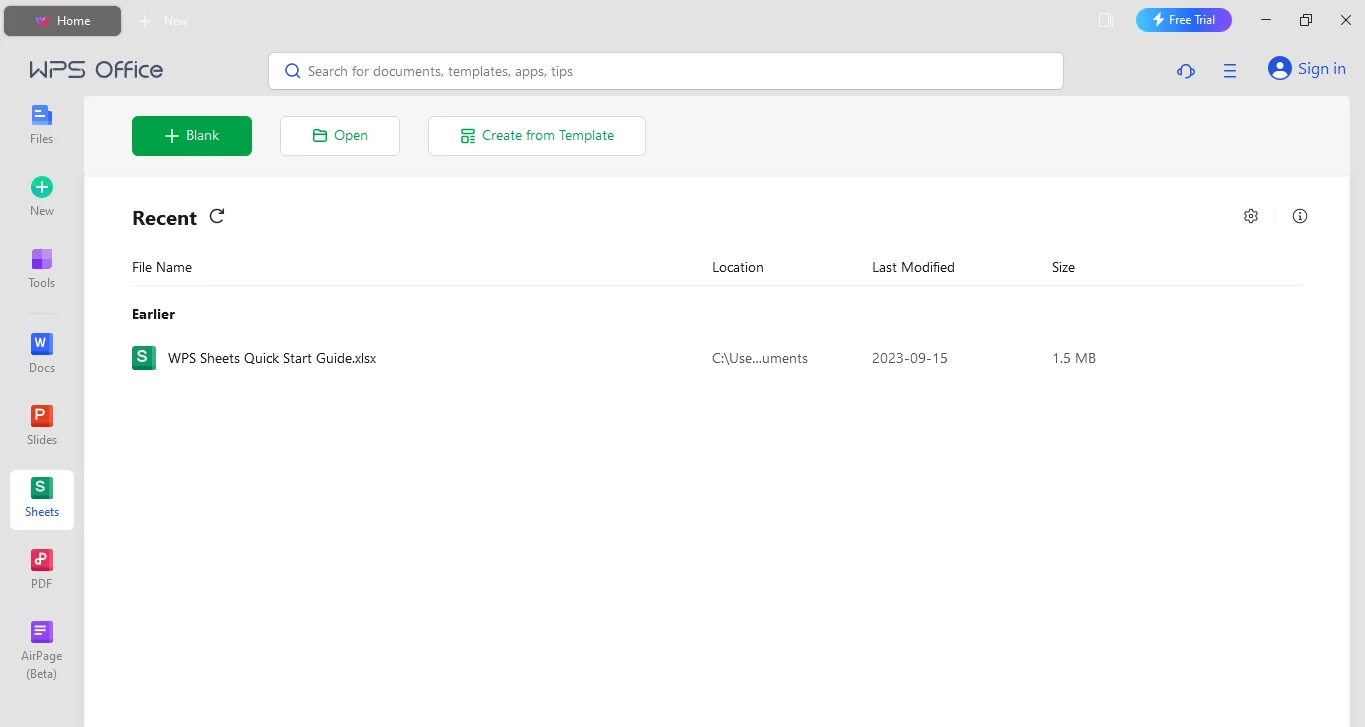
WPS Spreadsheet opens common .xlsx, .xls, and .csv files, handles everyday formulas, charts, and pivots, and installs with Writer, Presentation, and PDF. That suite bundle is the main edge versus sheet-only free apps. It is a practical default when you want Excel-like desktop habits without paying for Microsoft 365, and you still need documents and PDFs in the same install.
Choose WPS when
Watch for
Google Sheets
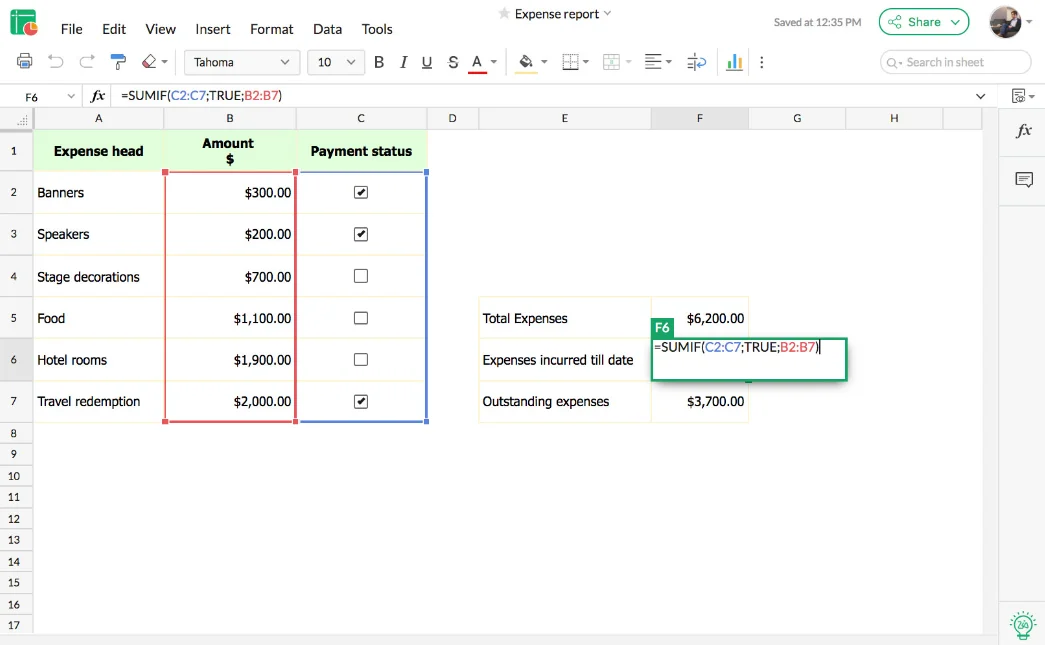
Sheets wins when sharing a link and editing together matters more than a desktop ribbon. Import .xlsx when needed; expect complex Excel layouts to need cleanup. For classrooms, remote teams, and lightweight business trackers, it remains the fastest free collaborative spreadsheet.
Choose Sheets when
Watch for
LibreOffice Calc
LibreOffice Calc is a full desktop spreadsheet inside a free open-source office suite. It runs without a subscription and without forcing a cloud account. That makes it a strong pick for students, nonprofits, Linux users, and anyone who wants files to stay local. It is not a cloud spreadsheet product, even though people sometimes confuse it with browser tools.
Strengths
Limits
Best for: offline open-source work and local-only files. Note: OpenOffice Calc is an older related project. Most new users should start with LibreOffice instead.
OnlyOffice Spreadsheet
OnlyOffice appears often in independent free spreadsheet roundups beside WPS and LibreOffice. Its pitch is a cleaner modern editor with careful Microsoft format handling. Individuals can use the free desktop apps. Teams that want self-hosted collaboration can grow into OnlyOffice Docs later. That path is useful when you care about .xlsx round-trips more than Google-style browser defaults.
Strengths
Limits
Best for: people who want a modern free .xlsx editor, or teams evaluating self-hosted document collaboration later.
Apple Numbers
Numbers is free on Apple devices and strong when visual layout matters: dashboards, school projects, and presentation-ready tables. It syncs through iCloud and feels native on Mac, iPad, and iPhone. The trade-off appears when files leave Apple. Windows Excel users may see layout shifts, so export to Excel or CSV when sharing outside the Apple ecosystem.
Strengths
Limits
Best for: Apple-only or Apple-first users who care about design and device sync more than Windows Excel parity.
Zoho Sheet
Zoho Sheet is a browser spreadsheet aimed at work teams: collaboration, templates, comments, and automation-friendly workflows. It is especially practical if you already use Zoho CRM, Mail, or other Zoho apps. Compared with Google Sheets, it is less of a default consumer habit and more of a business-suite choice. Always read the current free-plan limits for storage, users, and advanced features before you standardize.
Strengths
Limits
Best for: small businesses and Zoho users who want collaborative web sheets without jumping to Microsoft 365.
Excel for the web
Excel for the web is the free Microsoft option for light spreadsheet work in a browser with a Microsoft account. It is useful when partners already live in OneDrive or Outlook, and you need familiar Excel labels without paying for desktop Microsoft 365. It is not the same as full desktop Excel. Power Query, deep offline modeling, and many advanced desktop features remain on the paid desktop side.
Strengths
Limits
Best for: light Microsoft-ecosystem edits. If your real goal is leaving paid Excel for offline desktop work, continue with the free Excel alternative comparison for .xlsx, pivots, and macro trade-offs.
Quick pick
Main trade-off: collaboration versus offline control. Browser sheets win shared editing. Desktop suites win local files and Microsoft-format habits.
Free to start. Ads may appear on the free tier.
FAQ
Offline sheets plus documents and PDFs without Microsoft 365. Install WPS and validate one real workbook.
Free Download WPS SpreadsheetWindows · Mac · Linux · Android · iOS