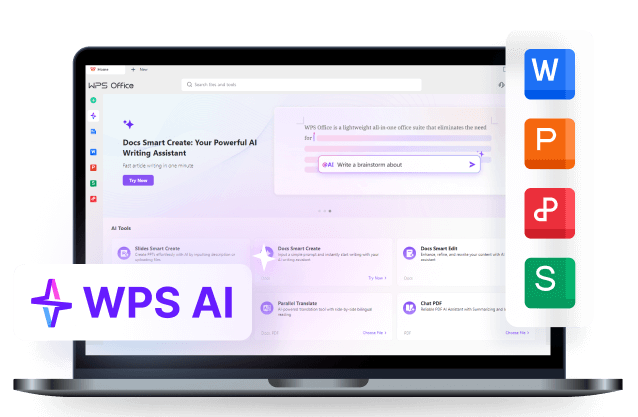
Good case · Step 1
Original HTML slide
Full CSS layout in the browser — grids, gradients, and brand colors intact.
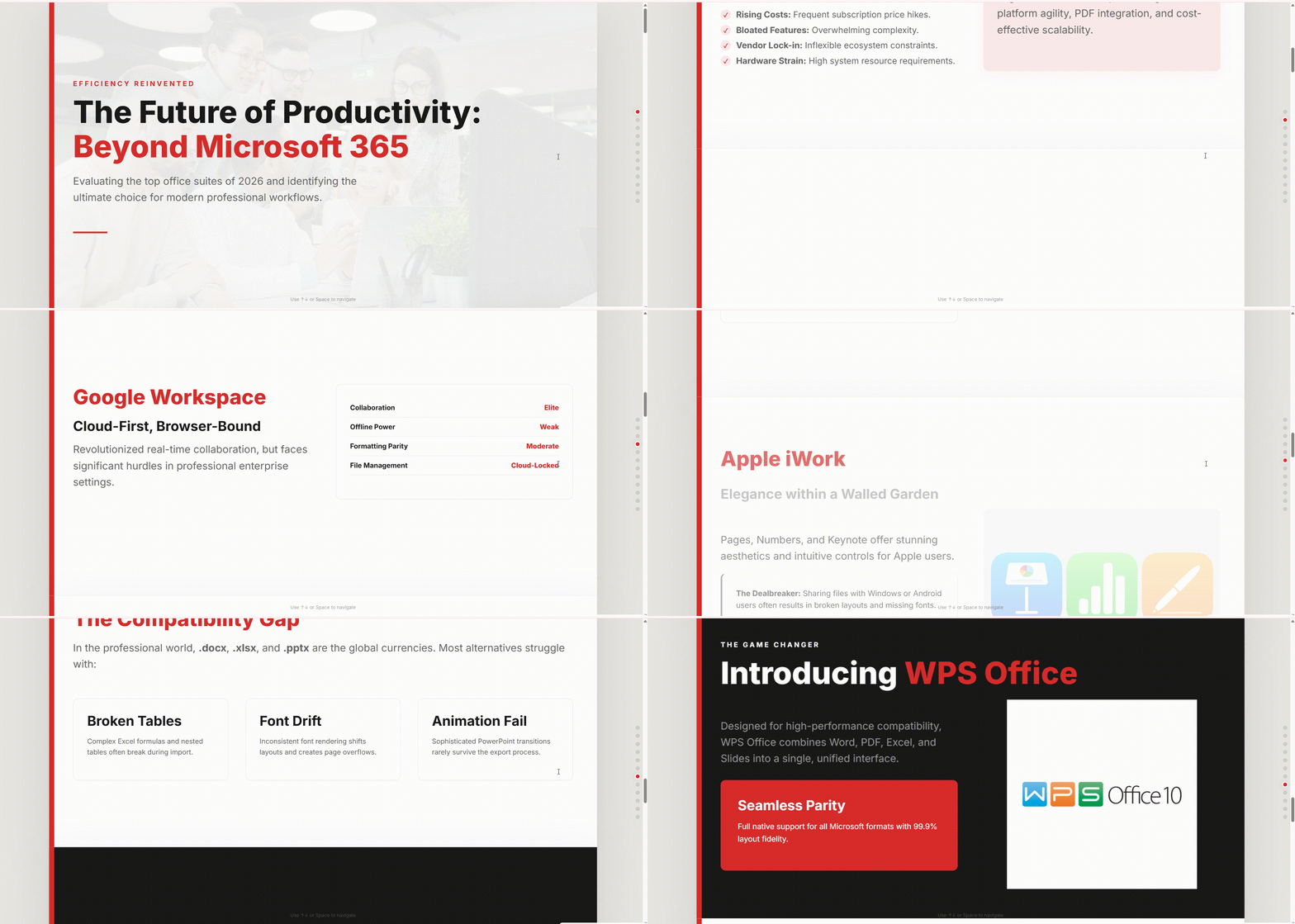
HTML/CSS decks are fast to build — but teams still need real PowerPoint. Two proven workflows keep your layout while unlocking native, editable slides.
One slide deck, four screenshots. See why free online converters fail — and what the workflows below actually deliver.
Original HTML slide
Full CSS layout in the browser — grids, gradients, and brand colors intact.
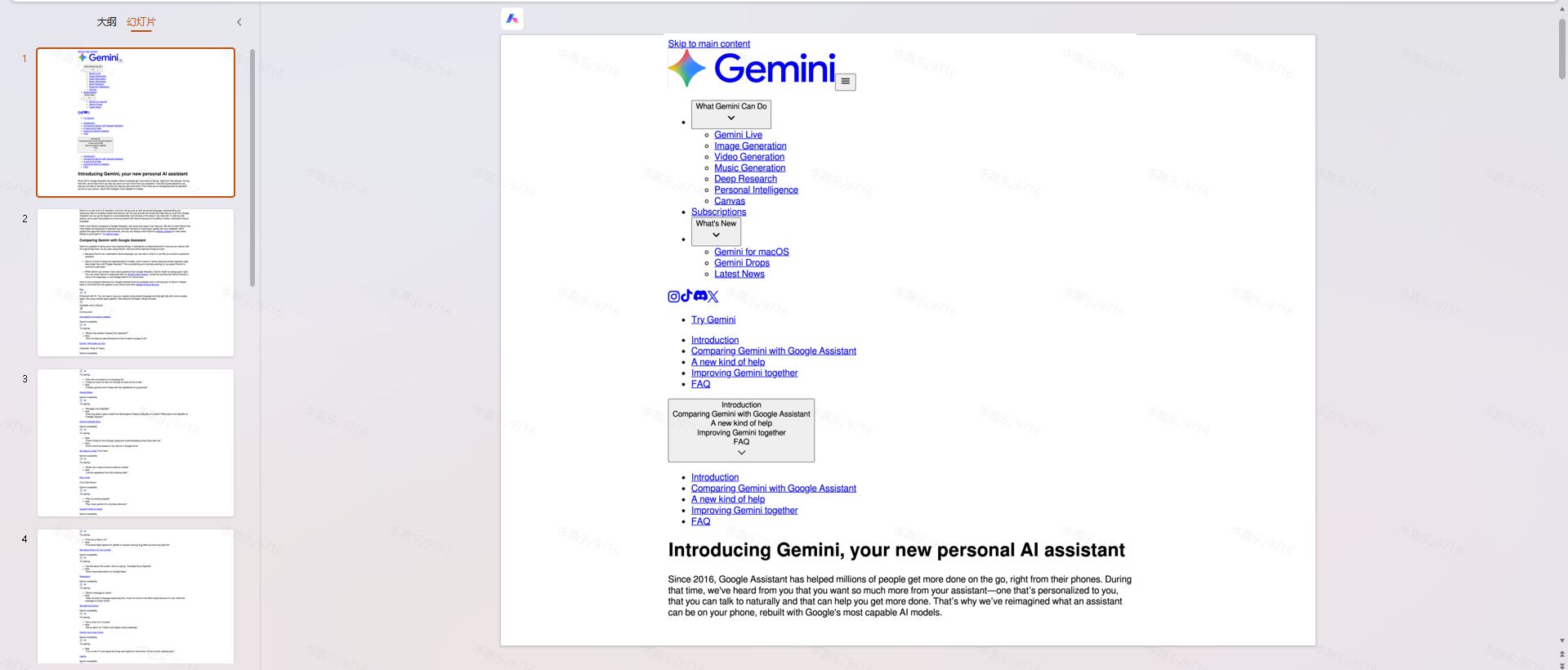
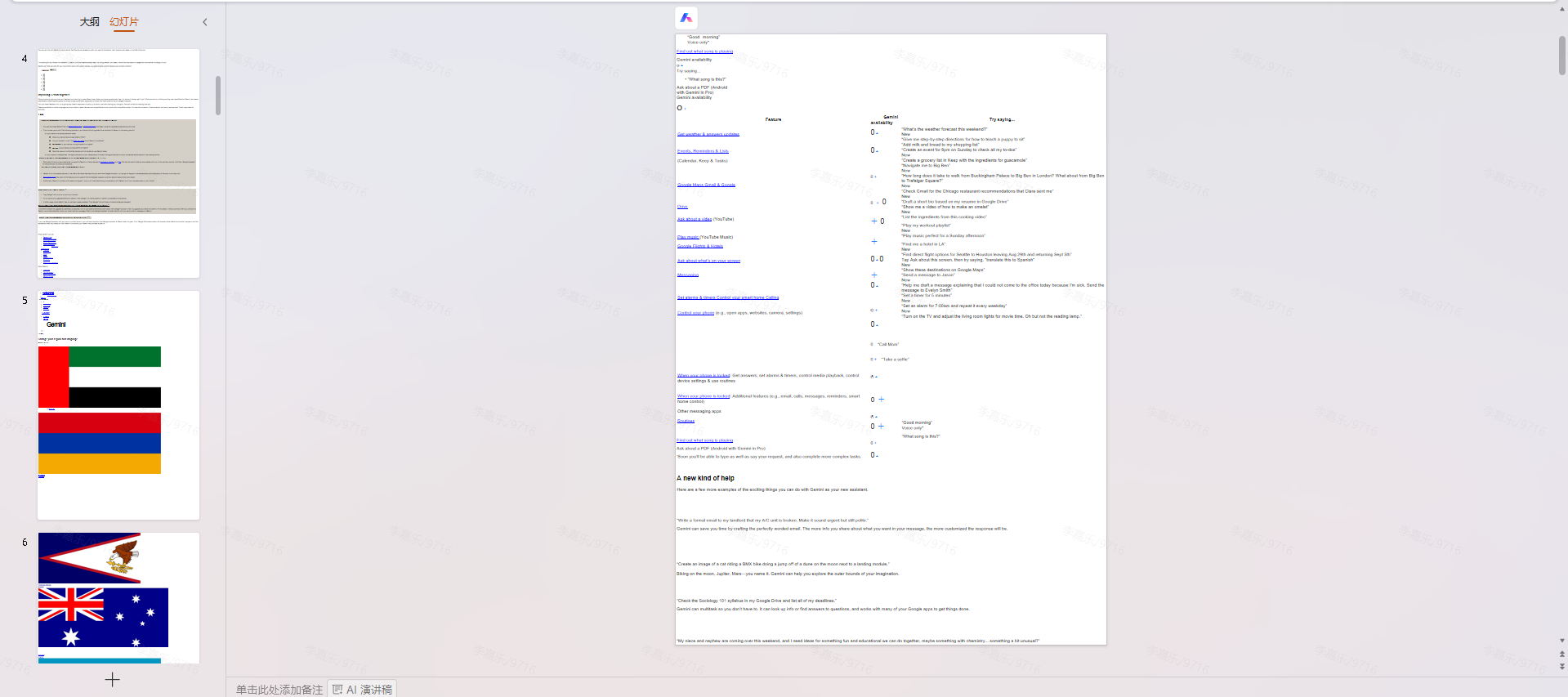
Free online converters
Layout collapses, styles strip out — output is not a usable editable deck.
This guide's methods
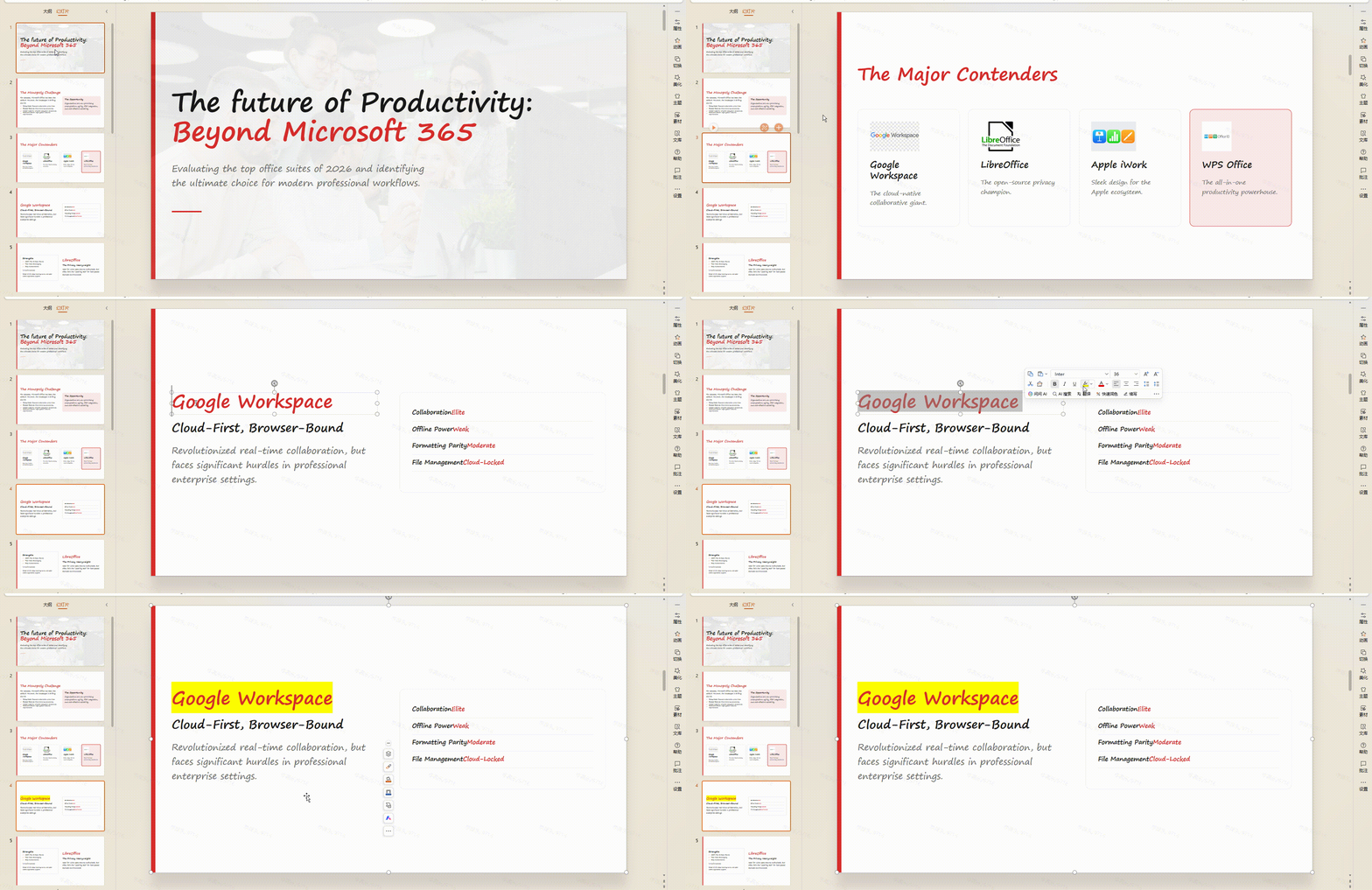
PDF + WPS or dom-to-pptx — native text boxes and shapes you can edit in PowerPoint.
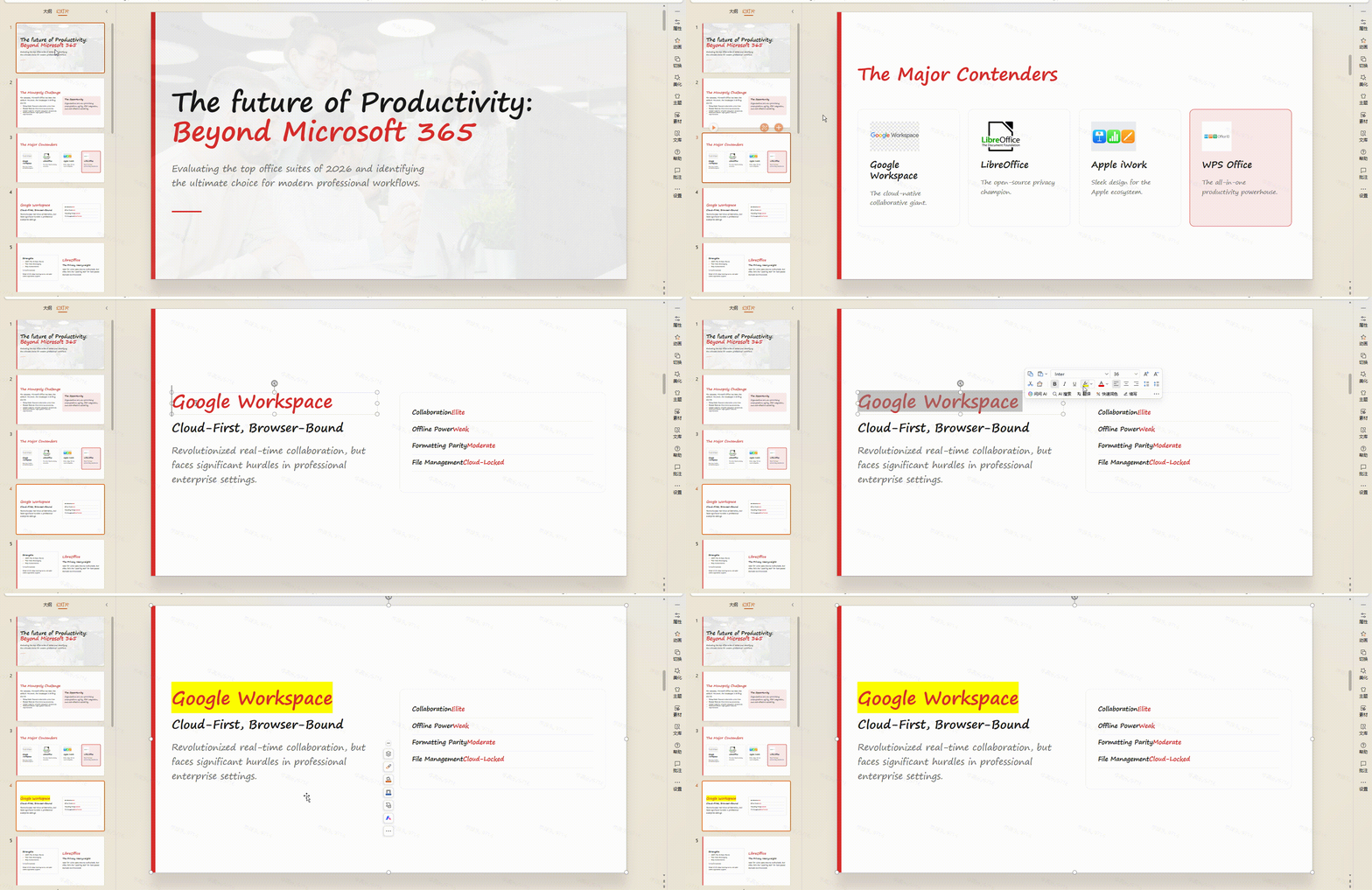
Bottom line: You need layout-faithful, editable PPT — not a text scrape. The workflows below are built for that.
See working methodsIdeal for non-developers: freeze your HTML layout with the browser print engine, then let WPS rebuild editable PowerPoint objects.
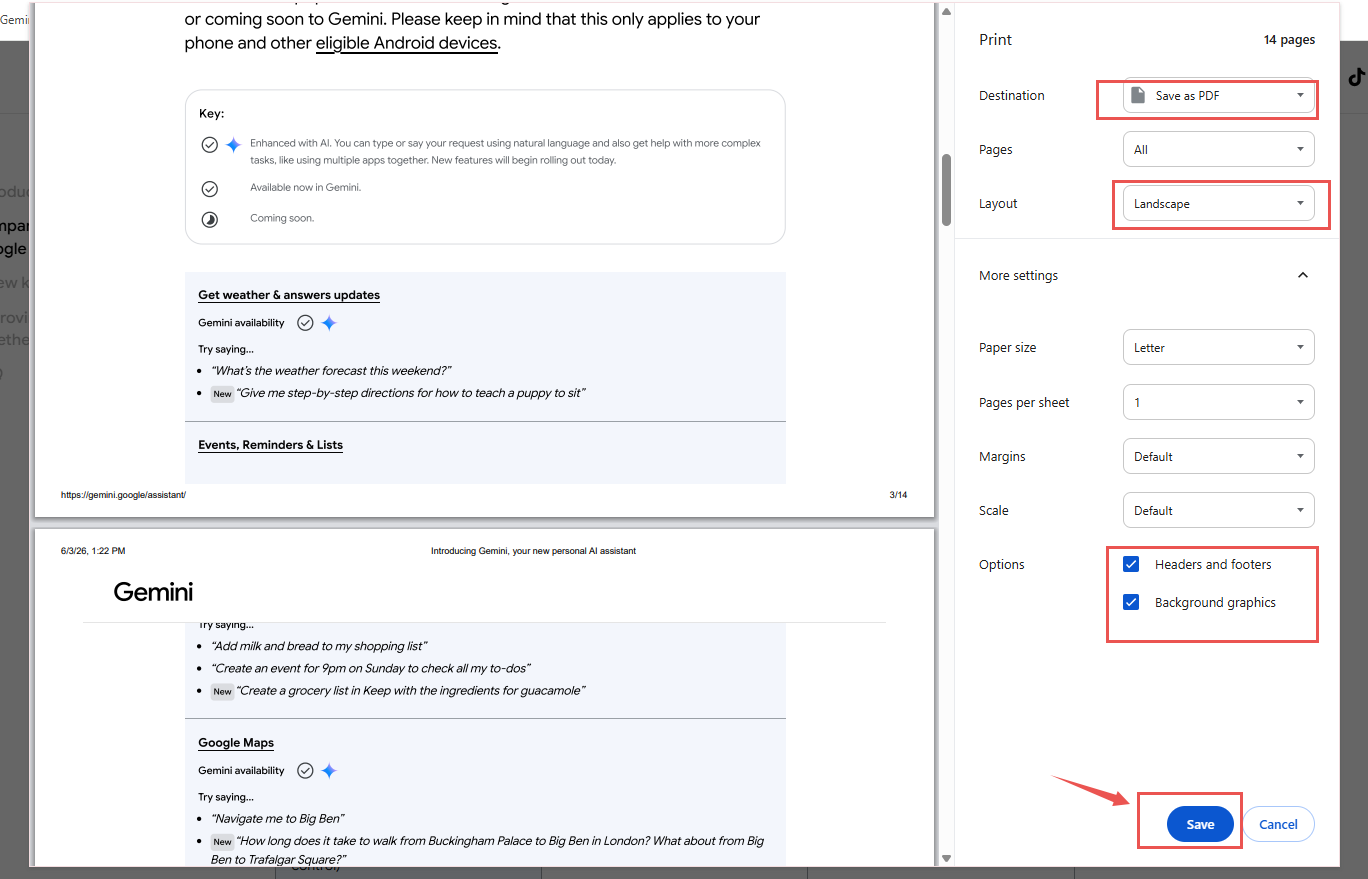
Open your HTML slide file in Chrome, Edge, or Safari, then use the browser's Print dialog to save a PDF to your computer.
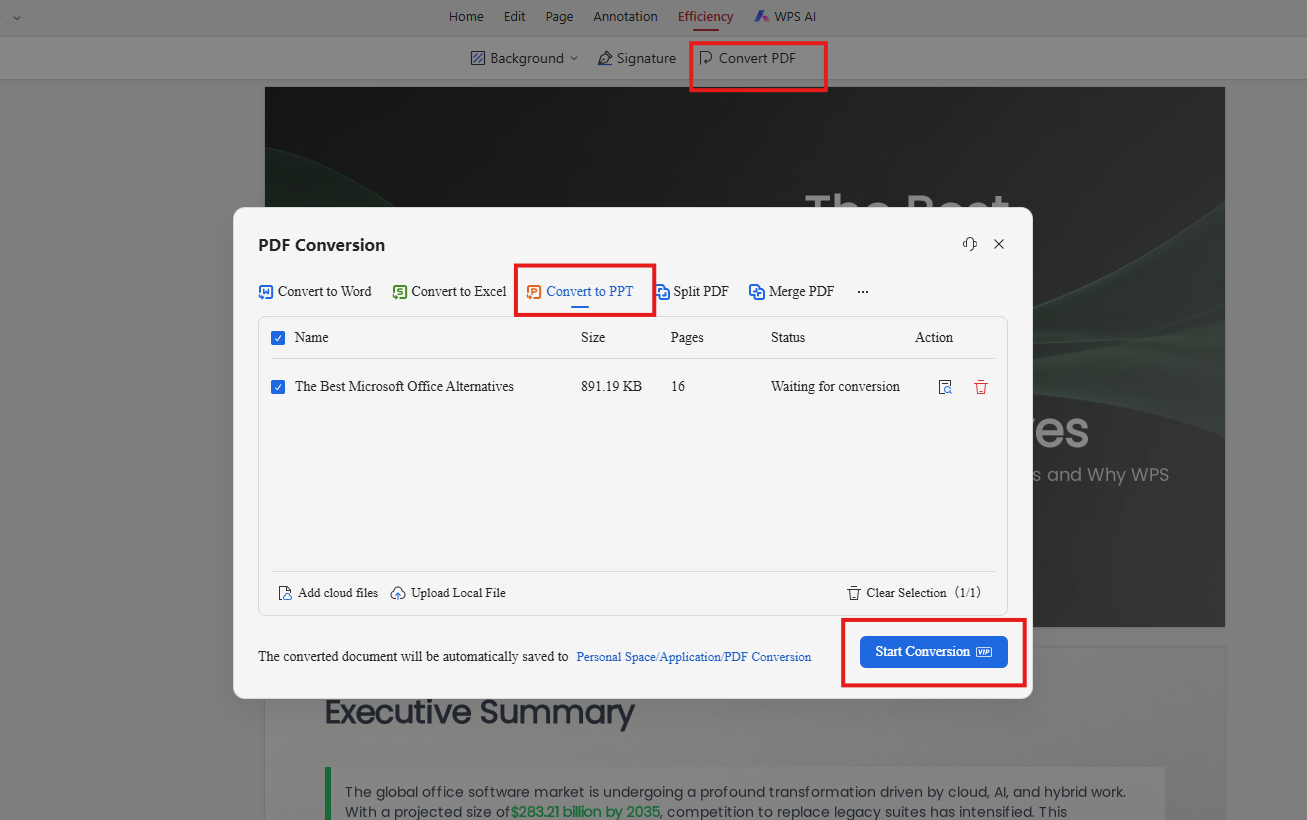
Open WPS Office on your desktop.
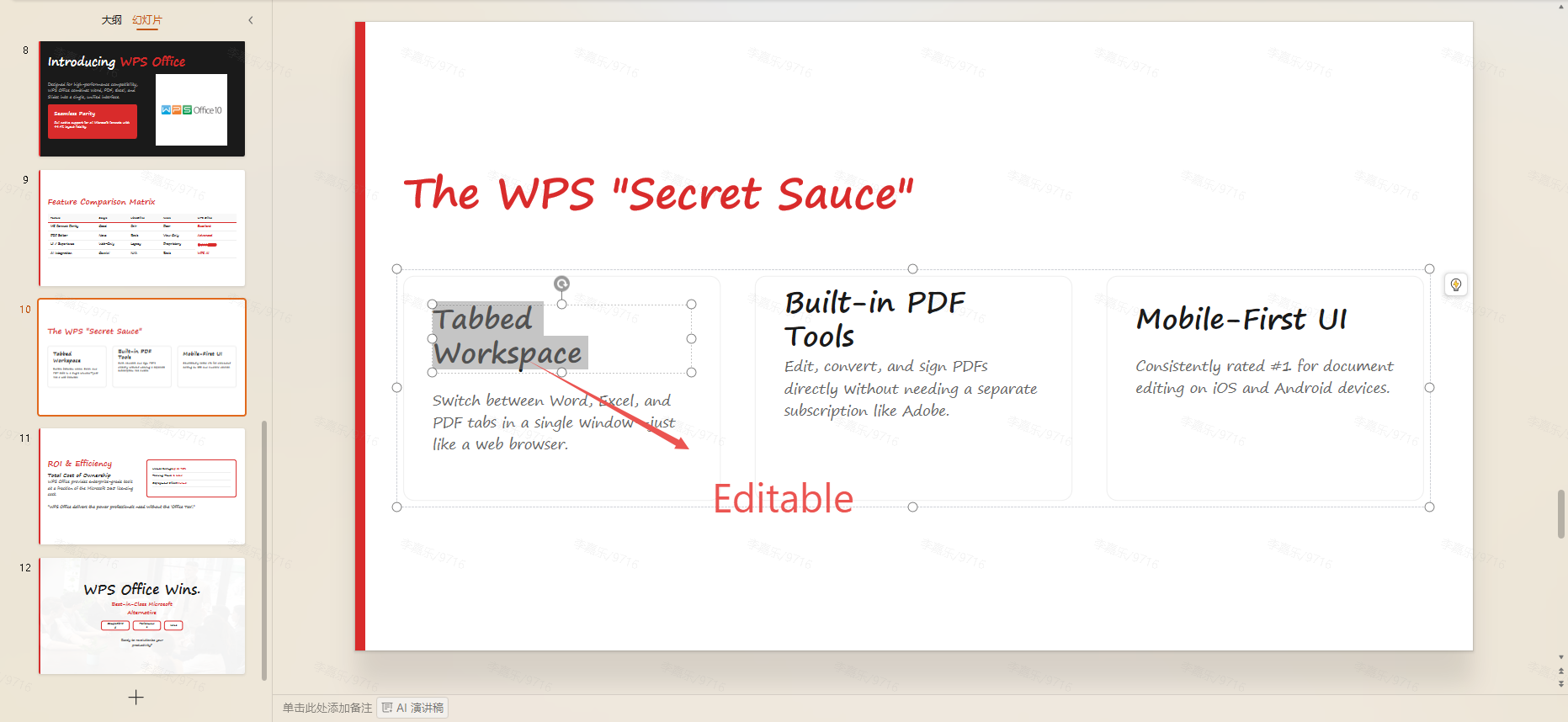
Browser print can nudge text margins; complex web fonts may substitute to Arial and shift word wrapping. Visual structure stays strong — verify headings on a few slides before presenting.
If you build slides with Vibe Coding (Cursor, Roo Code, Claude Code), use dom-to-pptx so your agent scrapes DOM coordinates into native PPT objects.

In one line: This skill teaches your AI coding agent to turn HTML slide markup into editable, native PowerPoint objects—reading real DOM layout instead of scraping broken plain text.
In Cursor, Codex, or your AI coding agent, paste and send this prompt:
Use skill-installer to install the Skill from this GitHub link:
https://github.com/atharva9167j/dom-to-pptx/tree/master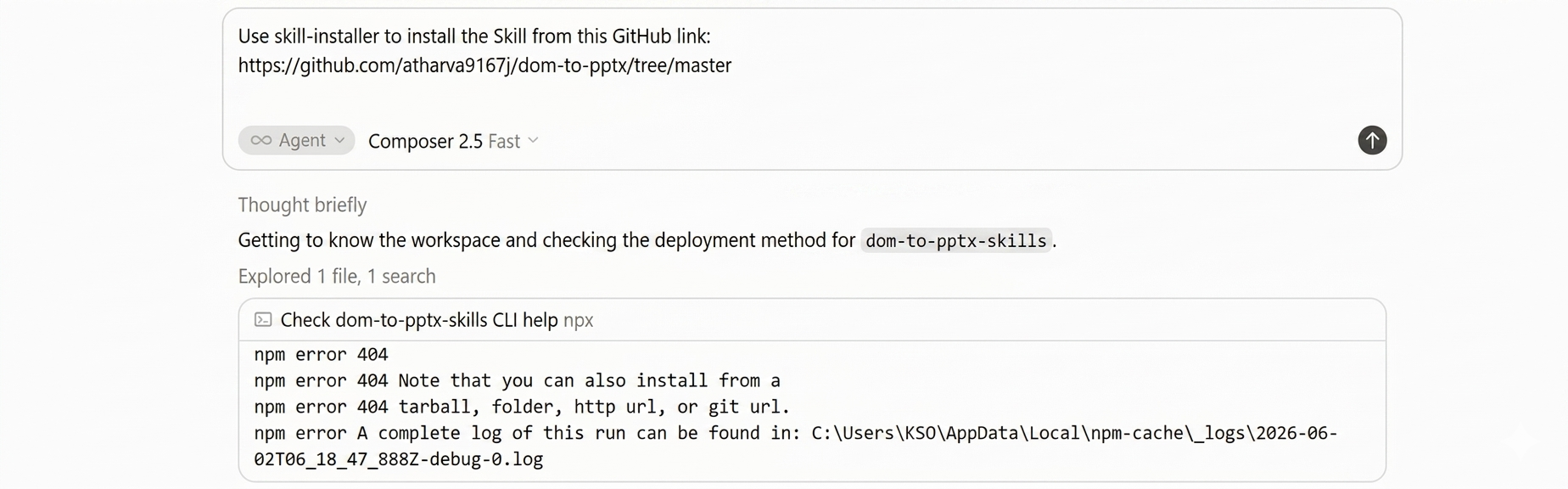
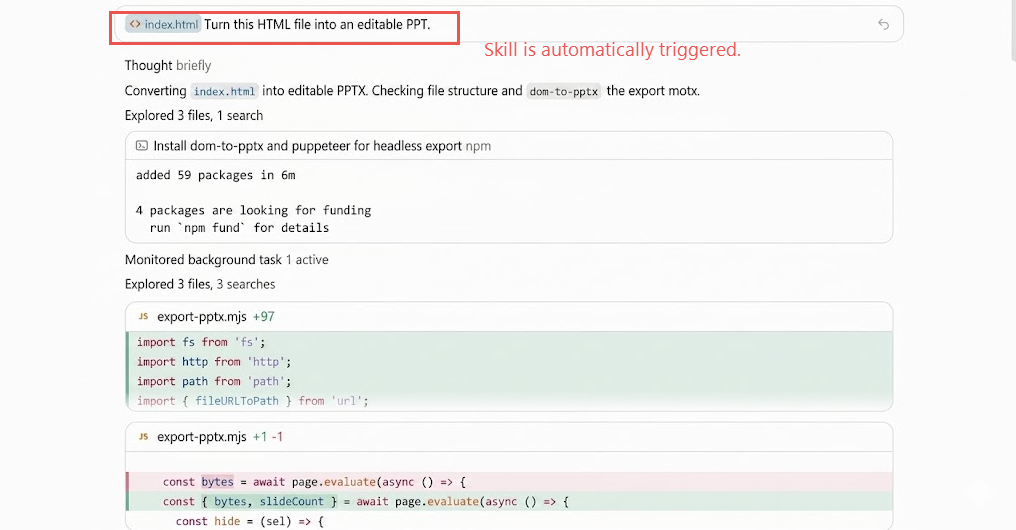
After Step 1, the skill is internalized in your workspace. Open Cursor, Codex, Roo, or Claude Code and describe what you want in plain language — no CLI commands needed.
Natural language · Chat
The agent recognizes dom-to-pptx from context and runs the export. Example prompts:
“Turn this HTML file into an editable PPT.”
“Export my slide deck to .pptx using dom-to-pptx.”
Point the agent at your main slide container · HTML markup tips
After Method 01 & 02
Both workflows above help — but they share the same ceiling. Browsers flow text; PowerPoint locks objects. Shifts and drift are structural, not just bad luck.
The pain
Layout slips, hierarchy breaks, typography wraps early — even when conversion "succeeds."
If you must convert HTML
Fixed 16:9 canvas, absolute placement, clean DOM, CSS-first graphics — shifts stay smaller, never zero.
16:9 canvas
Absolute coords
Clean DOM
CSS graphics
Starting fresh? Skip HTML entirely — turn a brief or outline into native, editable slides.
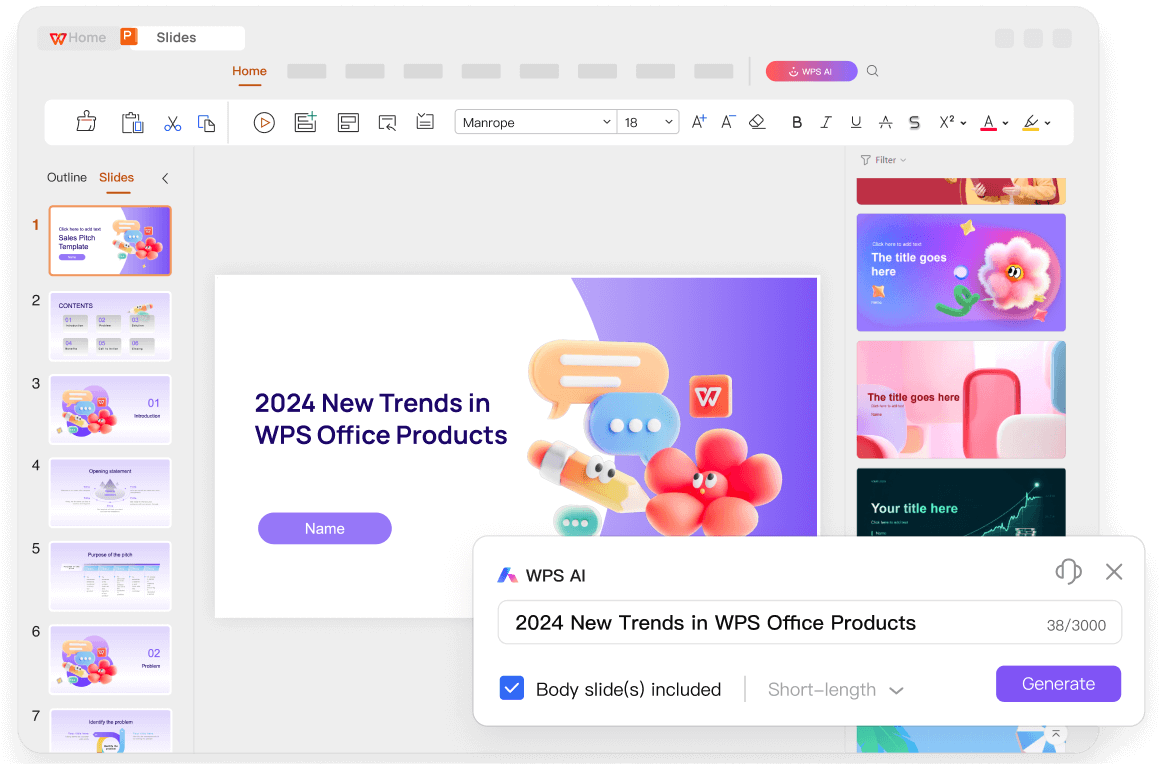
No print-to-PDF, no DOM export, no cleanup pass. Describe your topic, refine the AI outline, and generate a .pptx you can edit, present, and share — layout and copy under your control from slide one.
In WPS Presentation, open the AI PPT entry from the start screen or toolbar — you are building inside PowerPoint from day one, not converting from HTML.
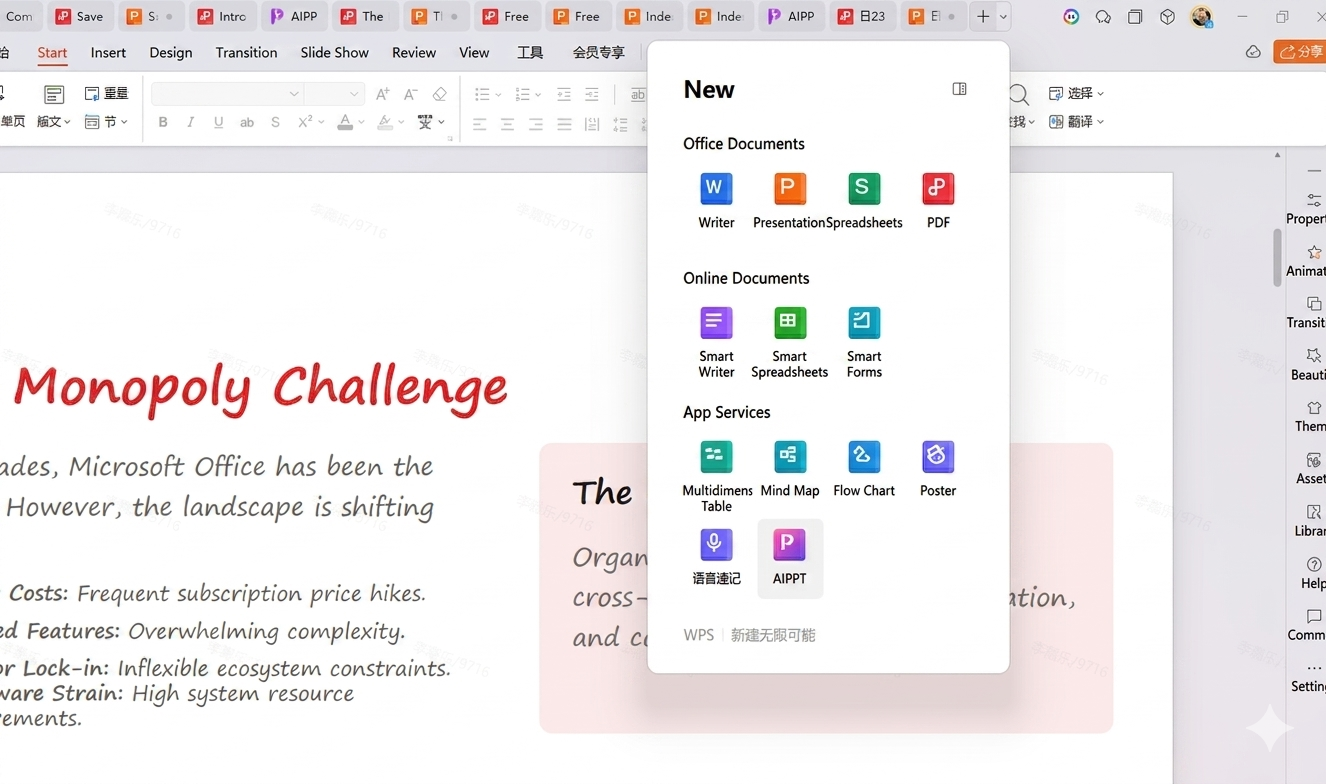
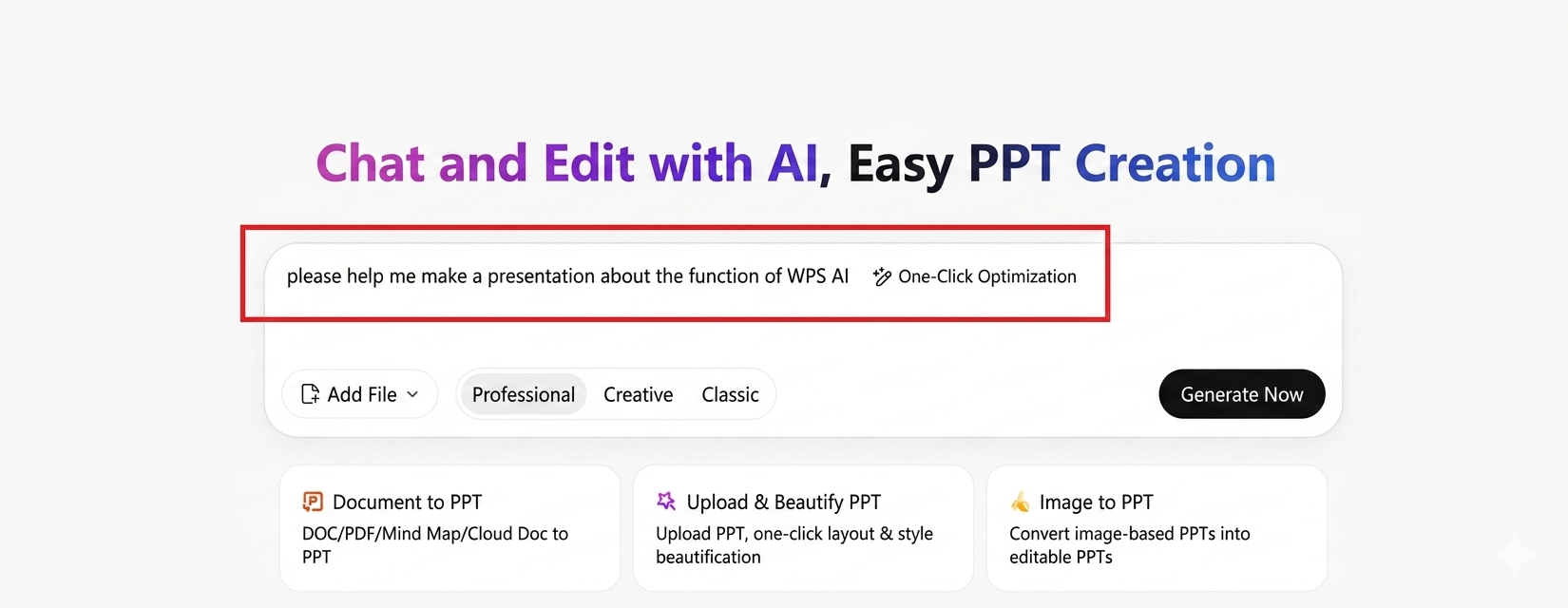
In the input panel, type your topic, audience, and key points — or upload a local outline file. Send it once; AI parses your intent instead of reverse-engineering HTML layout.
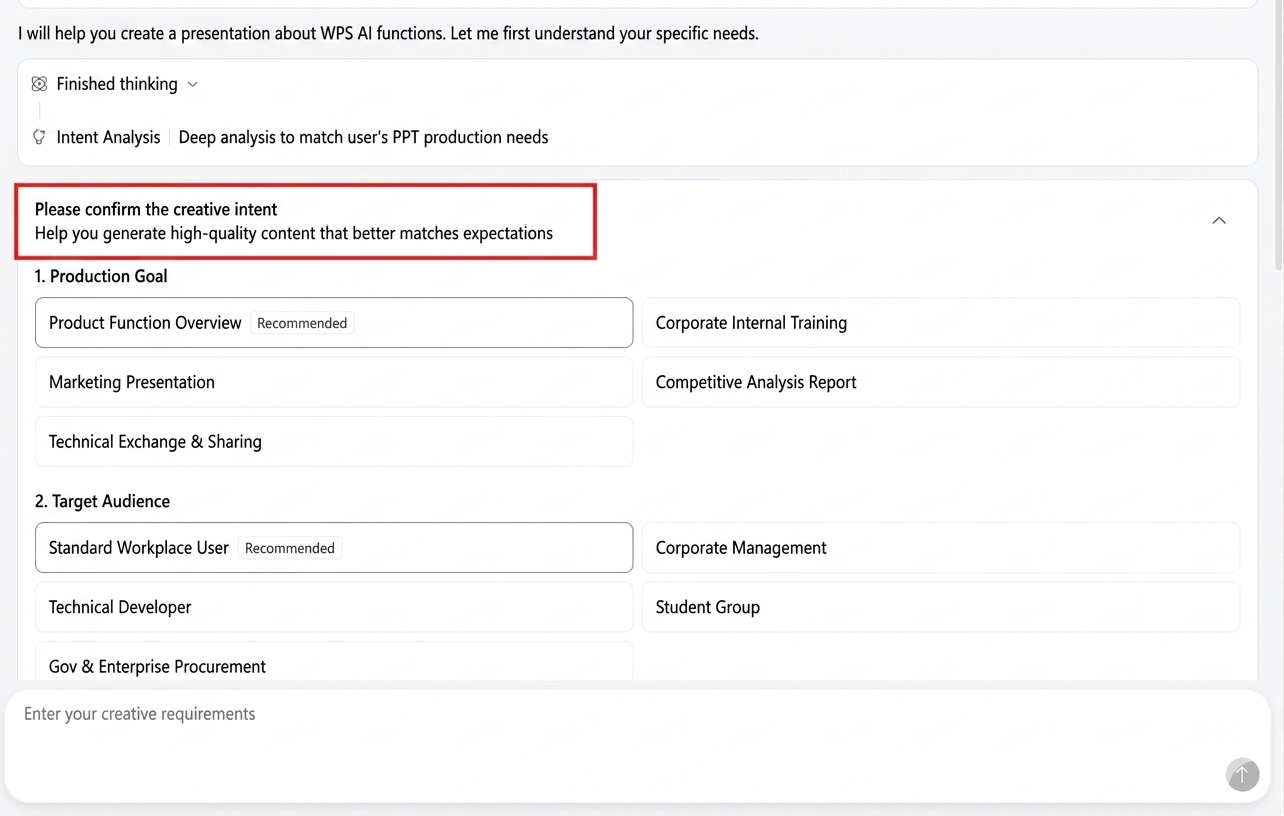
AI may ask about goals, audience, slide count, and extra notes. Pick the options that match your brief — no CSS debugging required.
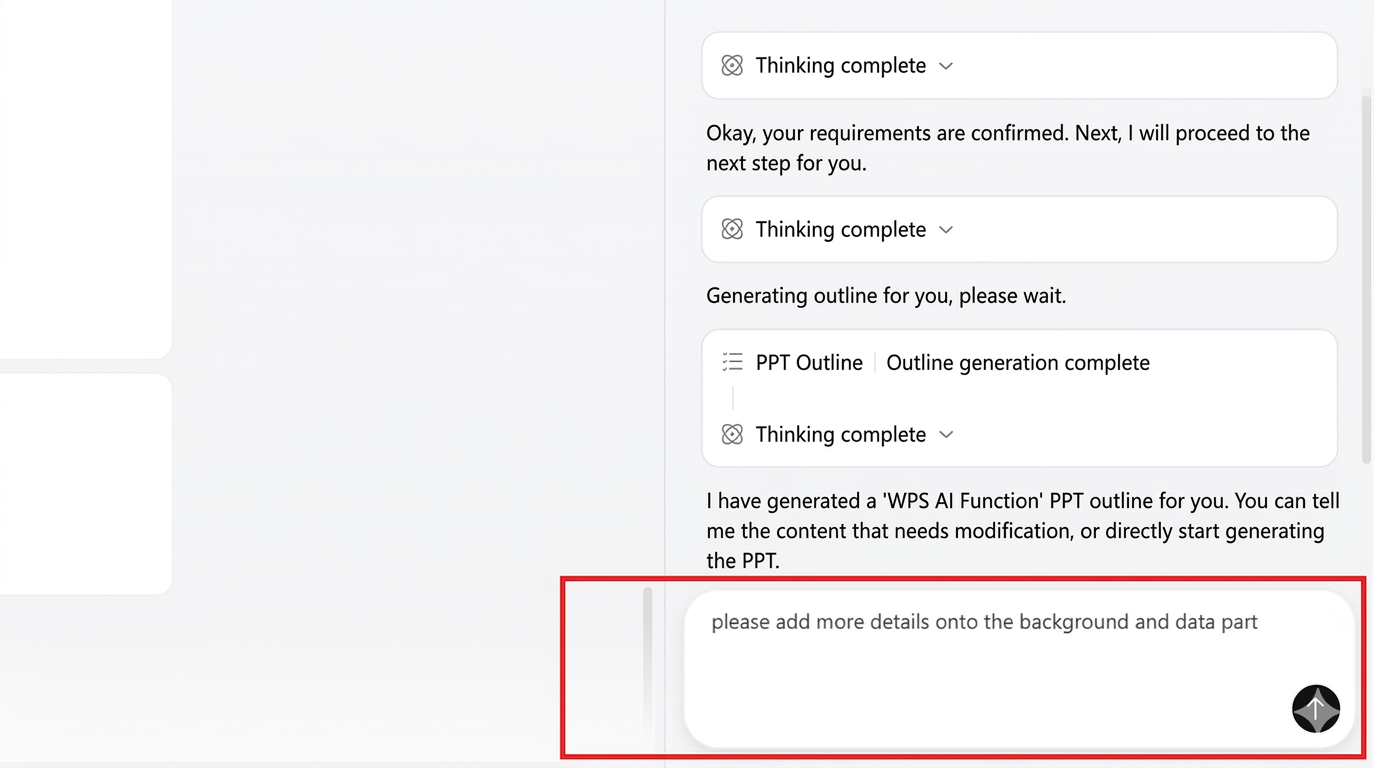
AI drafts a structured outline. Use the right-side chat to add sections, reorder topics, or tighten copy before anything hits a slide — the opposite of fixing a broken HTML import.
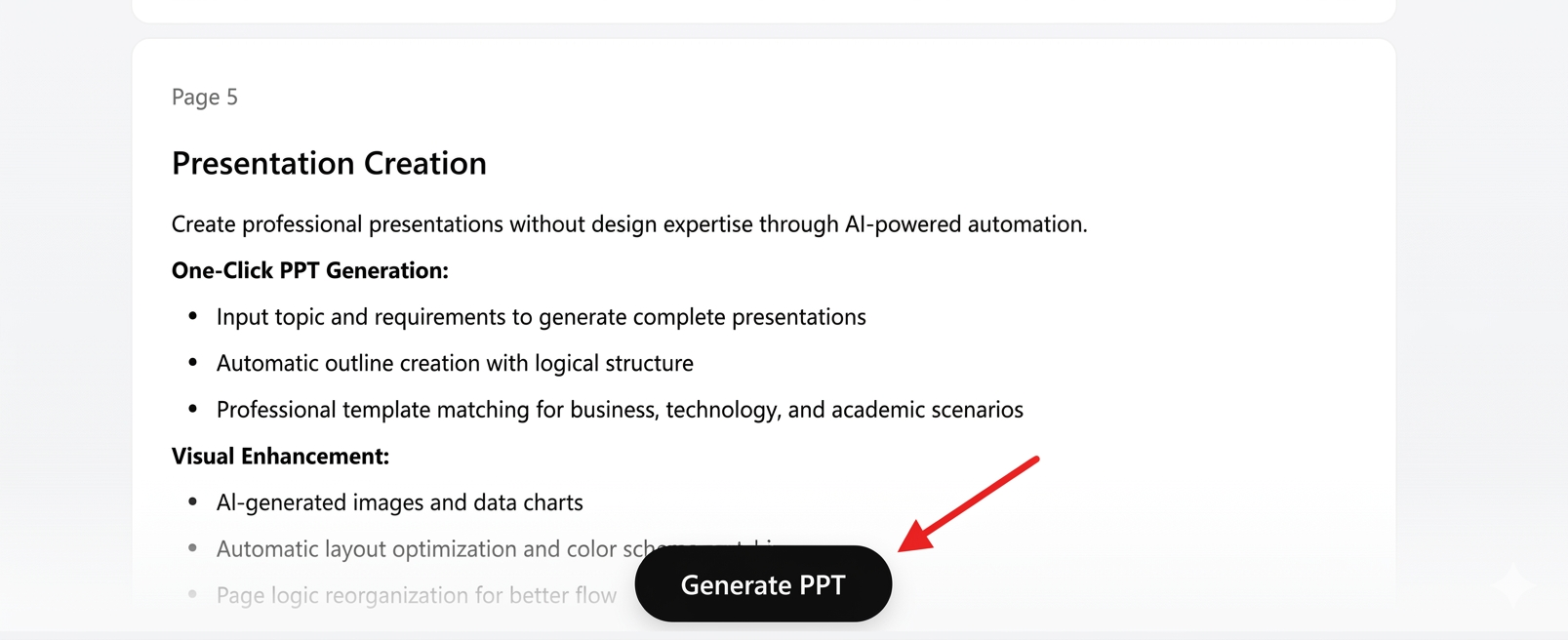
Press Generate PPT. WPS builds native slides from the approved outline — every text box and shape is yours to edit, present, and share.
If you already hit the pain points above — drifted blocks, lost interactions, hours of cleanup — WPS AI PPT is the direct fix: same deliverable (.pptx), none of the conversion tax.
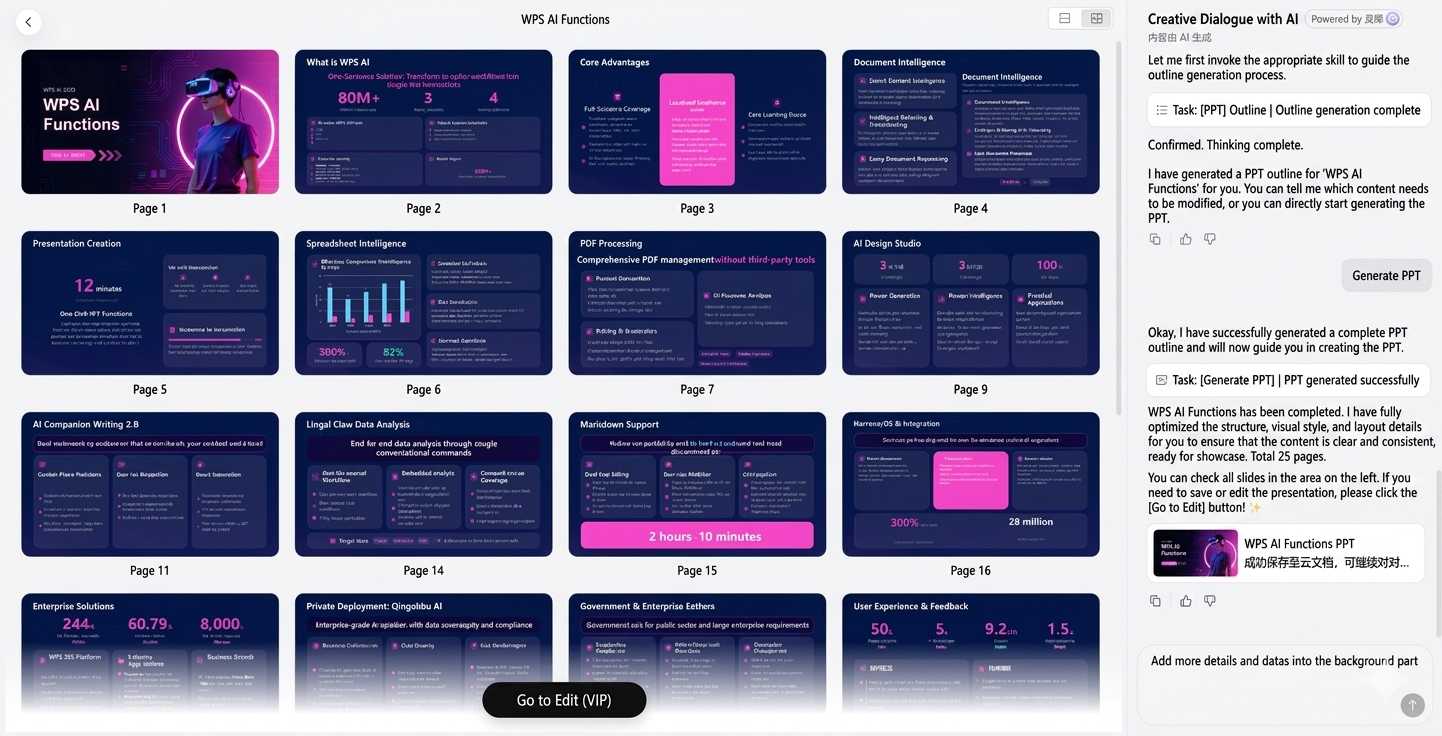
Already have HTML slides? The methods above still work. Starting fresh? Let AI build the deck natively.
Try WPS AI PPT — Free Download| Conversion method | Visual accuracy | Text editability | Setup difficulty |
|---|---|---|---|
| Standard cloud converters | ❌ Defective | ❌ Unusable | Zero setup |
| HTML → PDF → PPT (WPS) | ⚠️ High (minor shifts) | ⚠️ Moderate | Low — no code |
| dom-to-pptx (GitHub) | Excellent | High (native objects) | ⚠️ Medium (JavaScript) |
They extract raw text without CSS positioning, so grids, gradients, and typography collapse into an unformatted mess.
Non-developers: start with Method 01 (print PDF + WPS PDF to PPT). Developers using AI coding tools: use Method 02 with dom-to-pptx.
Yes — otherwise backgrounds, gradients, and brand colors are dropped from the PDF and the PPT rebuild loses visual fidelity.
Print your HTML deck to PDF, convert with WPS PDF to PPT, and keep text boxes editable — or pair WPS with dom-to-pptx when you automate exports from code.