

6 min read
Feb 15, 2024
PowerPoint 2013 Free Download with Product Key (2025 Guide) Struggling to find a working product key for PowerPoint 2013? Learn about activation requirements and discover key-free alternatives.
Read more
Download the original the Microsoft PowerPoint 2013 free download standalone installer(32 / 64-bit).This version introduced Presenter View, widescreen templates, and Smart Guides. Important: Activation requires a valid 25-digit product key. Since support ended in 2023, we recommend the free & secure presentation alternative .
Opens.pptx files securely.Best for Windows 10 / 11.
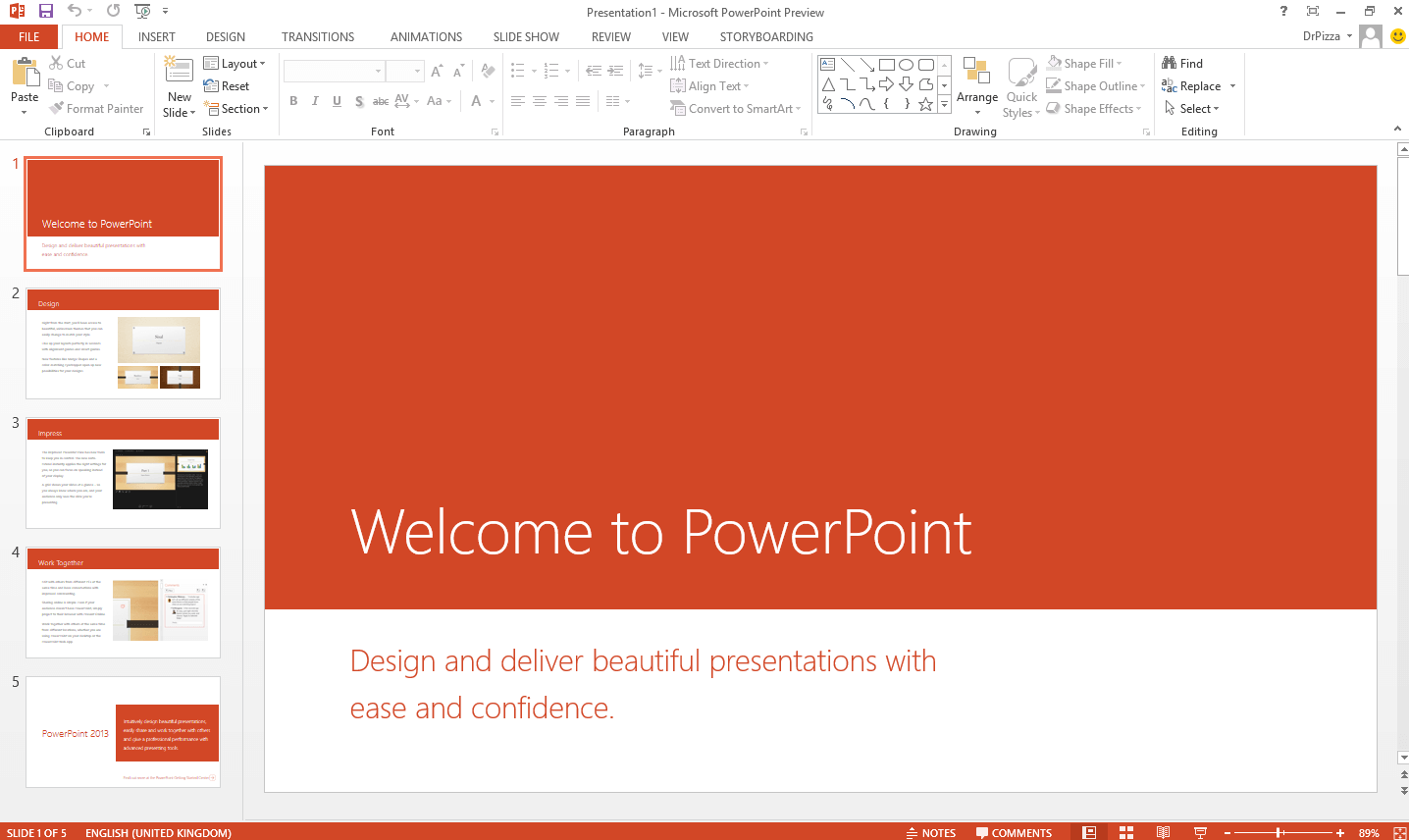
Microsoft PowerPoint 2013 was a major update, offering a cleaner, touch-friendly interface optimized for Windows 8. It introduced features like an enhanced Presenter View , widescreen (16:9) slide templates by default, and better multimedia support.
However, extended support for the entire Office 2013 suite, including PowerPoint 2013, ended on April 11, 2023 . This means it no longer receives security updates, making it vulnerable to modern threats. For creating and viewing presentations securely, downloading the free WPS Office suite is the recommended modern solution. To compare all PowerPoint download options, visit Microsoft PowerPoint Free Download for a complete guide across all versions and platforms.
Microsoft has officially discontinued support, so PowerPoint 2013 is no longer available on their website.Still, many people keep going back to it out of habit, preference, or comfort with its familiar interface.
PowerPoint 2013 still works for creating basic presentations, especially on older hardware.It was stable, easy to use, and did not overwhelm users with constant UI changes or cloud-based distractions.
Nevertheless, since Microsoft officially ended support on April 11, 2023 , you will not receive any updates, bug fixes, or security patches. This leaves your system and files vulnerable, particularly when working with external templates or files downloaded from the web.
Beyond security, usability can also take a hit.As Windows evolves, older apps like PowerPoint 2013 may start to behave unpredictably— freezing, crashing, or failing to recognize newer content types.You might also find it harder to collaborate with others using more modern versions, as features often do not translate well.
Bottom line: Yes, you can still use PowerPoint 2013 in 2025, but it is becoming more of a workaround than a reliable solution.
Robust tools that work without an internet connection.
Vulnerable to malware and exploits since April 2023.
No recurring subscription fees for a perpetual license.
Requires a discontinued 25-digit product key.
Downloading PowerPoint 2013 provides access to a classic, feature-rich presentation tool known for its stability and powerful offline capabilities. It represented a significant design evolution with its clean, minimalist look and features optimized for both touch and mouse input, making it a favorite for many years.
Critical Security Warning : It is crucial to understand that PowerPoint 2013 is unsupported software .Its end-of-life status(April 2023) means Microsoft no longer patches critical security vulnerabilities.Using it online poses a significant risk to your data and system.For any modern use, downloading the free and secure WPS Presentation is the responsible choice.
| Feature | PowerPoint 2013 | WPS Presentation(Free) |
|---|---|---|
| Security Updates | None(Ended 2023) | Yes, Continuous |
| Product Key | Required(Not Sold) | Not Required |
| Windows 11 Support | No(Unsupported) | Yes(Optimized) |
| AI Features | None | Yes(Built-in) |
| Cloud Collaboration | Limited(Old SkyDrive) | Yes, Full Integration |
| OS Compatibility | Windows 7– 10 | Win / Mac / Linux / iOS / Android |
| Cloud Sync | No | Yes(WPS Cloud) |
| Built-in Templates | Limited | Extensive & Updated |
| Collaboration Tools | None | Real-time Collaboration |
| File Format Support | .ppt, .pptx | All MS Office Formats |
| Cost | Paid(License Required) | Free |
Verdict: PowerPoint 2013 may feel familiar, but it is starting to show its age with no updates, limited compatibility, and missing features we now rely on daily. WPS Presentation keeps everything that made PowerPoint 2013 great and builds on it with modern tools, frequent updates, and a smoother user experience.
When you do not have access to a desktop version of PowerPoint— such as on a borrowed laptop or a school computer— PowerPoint Online is a completely free, browser-based option. It requires no installation and runs smoothly in any modern browser. While it lacks some advanced features like offline access or polished animations, it still lets you create, edit, and present slides without any problem.
Go to Microsoft PowerPoint Online and click Sign In with your Microsoft account.
Click Create blank presentation to start a new slide deck.
After editing, click the File tab, then select Save As & gt; Download a Copy to save the finished presentation to your device.
PowerPoint Online is a simple, safe browser-based solution for quick tasks— but for a full-featured offline experience, WPS Presentation remains the better long-term choice.
If you already purchased Office 2013 and still have access to the Microsoft account used during activation, you can reinstall PowerPoint 2013 through official channels— no third-party downloads needed.Ensure your system meets the minimum requirements before proceeding.
Go to the Microsoft Office setup page and Sign in with the Microsoft account linked to your original Office 2013 purchase.
Click Services & subscriptions in the top menu to view all products linked to your account.
Find Office Professional Plus 2013 in the list and click Install to download the setup file.
Run the downloaded OfficeSetup file and wait for installation to complete.
Open PowerPoint and activate using the license already associated with your Microsoft account.
WPS Presentation makes building polished, organized slides surprisingly simple without the cost or complexity of PowerPoint 2013. It handles existing PPT files, supports charts and images, and requires no sign-in or activation key.Here are the standout features:
Invite others to view or edit your slides simultaneously — perfect for group projects or team meetings.
Record your screen along with voice narration directly within WPS Presentation for video-based slideshows.
Automatically save and access your presentations from any device using WPS Cloud — never tied to just one laptop.
Insert voiceovers, background music, or embedded videos from your device or web links without external plugins.
You can download the installer, but PowerPoint 2013 requires a product key for activation, which is no longer sold by Microsoft.For a genuinely free and fully functional alternative, we recommend WPS Presentation.
No, PowerPoint 2013 is not officially supported or recommended for Windows 11. It may have compatibility issues and is a security risk because support ended in April 2023.
No.Without security updates since April 2023, PowerPoint 2013 is vulnerable to viruses and malware.It is unsafe for daily use, especially if you open files from external sources.
WPS Presentation is the best free alternative.It offers a familiar interface, high compatibility with PPTX files, and receives constant security updates and new features.
PowerPoint 2013 is a presentation software developed by Microsoft as part of the Office 2013 suite.It introduced Presenter View, widescreen templates, and Smart Guides for object alignment.
No.It has been removed from Microsoft 's official download page after end-of-support in April 2023.
Absolutely.It is used by millions of users globally and is backed by Kingsoft, a well-established software company with regular security updates.
Only for cloud features.Most tools, including WPS Presentation, work offline after installation.
Some users still prefer the familiar interface of PowerPoint 2013, but it is an outdated tool without official support, modern compatibility, or security updates.For quick tasks, PowerPoint Online offers a simple, safe browser-based solution.But if you are looking for a full-featured, offline alternative that matches the classic PowerPoint experience, WPS Presentation is the sensible choice.It is fast, intuitive, regularly updated, and loaded with useful templates and tools.WPS Presentation is not just a replacement— it is an upgrade.
Don 't risk your security. Use WPS Office for free. It' s fully compatible, modern, and safe.
The classic word processor. (Unsupported)
Legacy spreadsheet application. (Unsupported)
The full legacy office suite. (Unsupported)
The modern, subscription-based Office suite.
Best free, secure, and modern alternative to PowerPoint.
A powerful and free tool to read, edit, and convert PDFs.
Struggling to find a working product key for PowerPoint 2013? Learn about activation requirements and discover key-free alternatives.
Read more
The ultimate guide for Windows 10 users. Get the offline installer for PowerPoint 2013 and understand the security implications.
Read more
Can you still run PowerPoint 2013 on a modern OS? We test compatibility, expose security risks, and suggest safer free solutions.
Read moreWhy use insecure, outdated software ? Get a complete, modern office suite that 's fully compatible with all Microsoft formats for free. Experience a lightweight, powerful, and secure solution.
* Basic components(Writer, Spreadsheet, Presentation) are permanently free.
Open, edit, and save Word, Excel, and PowerPoint files seamlessly.