
Top 10 Best Free Antivirus Software in 2025
Viruses and spyware are getting smarter. If you're looking for solid protection without shelling out cash, these are the best free antivirus tools worth installing in 2025.
Why Use Free Antivirus Software?
In 2025, online threats are more sophisticated than ever. Here's why "free" doesn't mean "bad".
In an ideal world, our devices would be immune to viruses and malware. But in reality, threats are everywhere, from phishing links in emails to spyware hidden in downloads. That's where free antivirus software steps in. Many free antivirus tools offer impressive protection without costing a cent.
Essential Protection Against Modern Threats
Cybercriminals are no longer just targeting big businesses. Everyday users are now prime targets for data theft, ransomware, and trojans. Free antivirus programs offer real-time protection, helping detect and neutralize these threats before they wreak havoc.
Benefits After Installation
Most free antivirus tools don't just sit quietly in the background. They actively scan your files, monitor your downloads, and block suspicious activity in real-time. Some even come with extra features like firewall protection, web shields, and password managers.
At a Glance: Top 10
Click any option to jump directly to the detailed review.
Bitdefender Antivirus Free Edition
Top-tier malware detection with minimal system impact.

Bitdefender consistently ranks among the best when it comes to malware detection. Its free version keeps things simple and lightweight, offering powerful real-time protection without unnecessary bloat. It's my go-to recommendation for anyone who just wants solid, set-it-and-forget-it protection.
Pros
- High detection rates with minimal system impact
- Clean, ad-free interface
- Excellent phishing and fraud protection
Cons
- No customization options
- Lacks additional features like a firewall or VPN
Kaspersky Security Cloud Free
Feature-rich protection from a security giant.

Kaspersky's free edition offers a surprising amount of value, from real-time protection to email scanning, while maintaining the same high-quality engine used in their premium suite. If you don't mind the occasional prompt to upgrade, this one offers a lot more than you'd expect from a free version.
Pros
- Advanced security engine
- Includes password manager and VPN trial
- Great for identifying complex threats
Cons
- Frequent upsell notifications
- VPN is limited in the free version
Avast Free Antivirus
A popular choice with a host of extra tools.
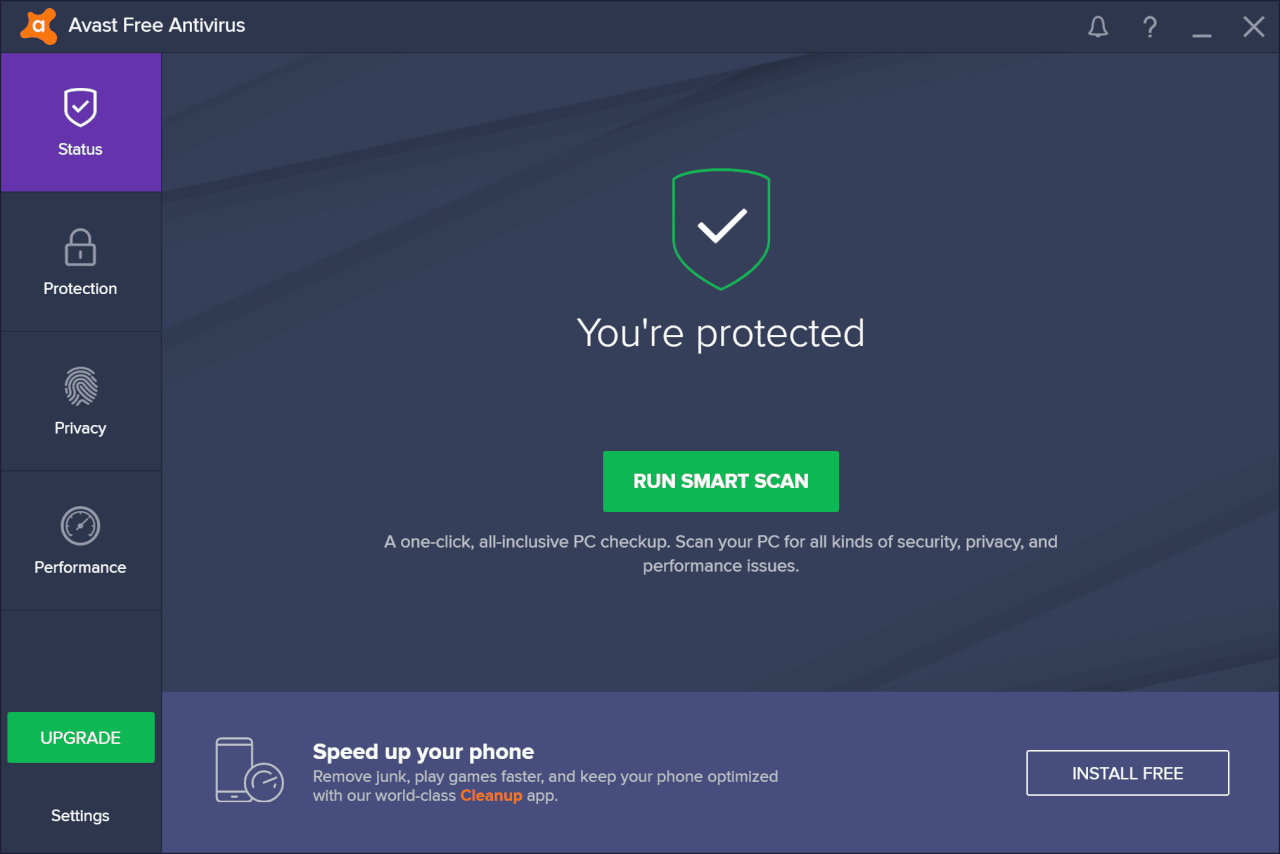
Avast is one of the most popular free antivirus tools out there. It offers an intuitive interface and solid protection, especially for users who want some extra tools like a Wi-Fi inspector and ransomware shield bundled in.
Pros
- Includes Wi-Fi inspector and ransomware shield
- Easy-to-navigate UI
- Decent real-time protection
Cons
- Can be resource-heavy on older PCs
- Collects user data for analytics
AVG AntiVirus Free
Reliable protection that's simple and effective.

AVG, a sister company to Avast, shares the same powerful engine but with a slightly different interface and branding. It’s ideal for users who want top-notch protection without distractions and consistently detects threats without overloading the system.
Pros
- Real-time protection and email scanning
- Lightweight and easy to use
- Includes ransomware protection
Cons
- Occasional upgrade pop-ups
- Some advanced features are paywalled
Malwarebytes Free
The expert malware and adware remover.

Unlike traditional antivirus software, Malwarebytes focuses on advanced malware, zero-day threats, and behavior-based detection. The free version is an on-demand scanner, making it the perfect second line of defense to run alongside your main antivirus.
Pros
- Powerful malware and adware removal
- Simple, clean interface
- Great for on-demand scanning
Cons
- No real-time protection in the free version
- Limited scheduling options
Avira Free Security Suite
A polished suite with extra privacy tools.

Avira offers a polished antivirus tool with a few bonus features, like a VPN trial and performance optimizer. It also includes browser safety extensions to help block malicious sites.
Pros
- Great malware detection rates
- Includes a basic VPN (500MB/month)
- Strong browser protection features
Cons
- Some tools are just shortcuts to paid upgrades
- Ads for the premium version can be annoying
Sophos Home Free
Business-grade protection for your home.

Sophos is better known in the enterprise world, but their free home edition brings that same business-grade protection to personal devices. This is especially great for families, as it includes remote management and web filtering.
Pros
- Enterprise-level malware protection
- Web filtering and parental controls
- Remote management for up to 3 devices
Cons
- Slower full scans compared to others
- Interface feels dated
Panda Free Antivirus
Lightweight, stylish, and great for gamers.

Panda stands out with its gamer-friendly "Game Mode" and beautiful UI. It also uses cloud-based scanning, which helps minimize performance impact on your device, making it ideal for anyone who plays games or edits videos.
Pros
- Attractive interface
- Cloud-based scanning for low system usage
- Game Mode for uninterrupted gaming
Cons
- Ads and prompts to upgrade
- VPN is limited in the free version
Microsoft Defender
The built-in, no-fuss Windows protector.

Built into Windows 10 and 11, Microsoft Defender has evolved into a capable antivirus solution that requires zero effort to install or maintain. It is more powerful than people give it credit for and a great baseline protection.
Pros
- Seamless integration with Windows
- Good real-time protection
- No ads or upgrade prompts
Cons
- Fewer extra features than third-party tools
- Limited advanced options
TotalAV Free Antivirus
Simple protection with handy cleanup tools.

TotalAV's free version offers basic on-demand scanning and a user-friendly design. Its strength lies in its quick scans and system cleanup tools that help declutter your PC and give it a speed boost.
Pros
- Easy to use
- Decent on-demand malware detection
- Bonus system cleanup tools
Cons
- Heavily promotes the premium upgrade
- No real-time protection in free version
Feature Comparison
| Antivirus | Real-time Protection | System Impact | Ads | Free VPN |
|---|---|---|---|---|
| Bitdefender Free | Low | No | No | |
| Kaspersky Free | Low-Medium | Yes | Limited | |
| Avast Free | Medium | Yes | No | |
| AVG Free | Medium | Yes | No | |
| Malwarebytes Free | On-demand only | Low | No | No |
| Avira Free | Low-Medium | Yes | Limited | |
| Sophos Home | Medium | No | No | |
| Panda Free | Low | Yes | Limited | |
| Microsoft Defender | Low | No | No | |
| TotalAV Free | On-demand only | Low | Yes | No |
Frequently Asked Questions
For many users, yes. Free antivirus programs like Bitdefender and AVG offer solid baseline protection for browsing, streaming, and emailing safely. However, if you need advanced features like a firewall, parental controls, or identity theft monitoring, a paid version is worth considering.
Yes, if you stick with well-known, reputable providers like those on our list. Tools like Microsoft Defender, Kaspersky, and Bitdefender have passed independent security tests. Always download software directly from the official website to ensure safety.
Modern free antivirus software is designed to be lightweight. Some, like Bitdefender Free or Panda, use cloud-based scanning to minimize system impact. However, some programs can be more resource-heavy during full scans, especially on older PCs.
Final Verdict & Our Recommendation
Finding the best free antivirus in 2025 means balancing strong protection, low system impact, and trustworthy data practices. While all the options on this list deliver reliable protection, our top recommendation is Bitdefender Antivirus Free for its unbeatable detection rates and lightweight performance.
However, security is only one part of a safe digital life. For your daily productivity, we recommend using a secure and efficient office suite. WPS Office provides a complete, lightweight, and free alternative to Microsoft Office, including Writer, Spreadsheets, Presentation, and PDF tools, all trusted by millions worldwide.