
Top 5 Free PDF Tools for 2026
Unlock powerful PDF editing, converting, and signing capabilities without the cost. We've reviewed the best free PDF software so you can manage documents like a pro.
Why You Need a Powerful PDF Tool
Your browser's built-in PDF viewer isn't enough.
Go Beyond Viewing
Basic viewers only let you read PDFs. A dedicated tool allows you to edit text, add comments, fill forms, and electronically sign documents, saving time and paper.
Convert and Consolidate
The best PDF tools let you convert files to and from formats like Word and Excel, merge multiple PDFs into one, or split a large document into smaller parts.
A Note on "Free"
At a Glance
Click any option to jump directly to the detailed review.
WPS PDF
The powerful PDF editor integrated into the WPS Office suite.
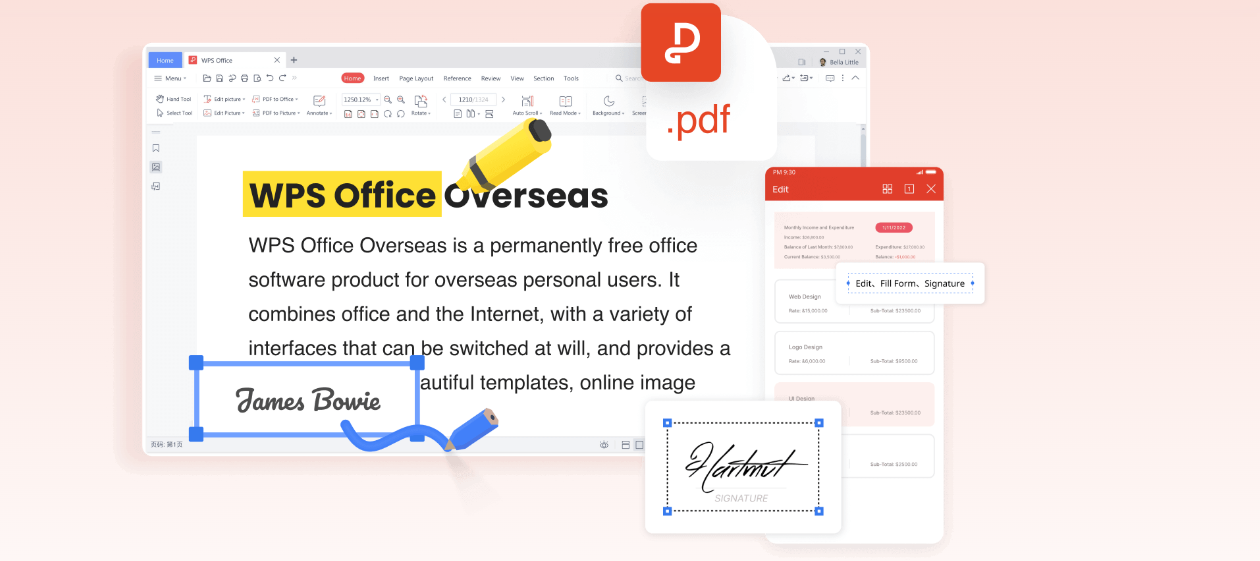
WPS PDF is not just a viewer; it's a full-featured PDF toolkit built directly into the popular WPS Office suite. This integration means you can seamlessly switch between editing a Word document, a spreadsheet, and a PDF without ever leaving the application. It offers a surprisingly robust set of features in its free version, rivaling many paid competitors.
Best For
Users who need a comprehensive office and PDF solution in one package. It's perfect for professionals and students who frequently work with both Office documents and PDFs and want a unified, efficient workflow.
Key Features
- PDF Editing: Directly edit text and images within your PDF files.
- Advanced Conversion: Convert PDF to editable Word, Excel, and PPT files with high fidelity.
- Annotations & Comments: Highlight, underline, add sticky notes, and draw freehand.
- Form Filling & Signing: Easily fill out PDF forms and add legally binding electronic signatures.
Pros
- All-in-one suite (Writer, Spreadsheet, PDF)
- Rich editing and conversion tools for free
- Familiar, user-friendly interface
- Available on all major platforms (Win, Mac, Linux, Mobile)
Cons
- Free version displays occasional ads
- Advanced features like OCR are part of the premium plan
Adobe Acrobat Reader
The original PDF viewer with limited free features.
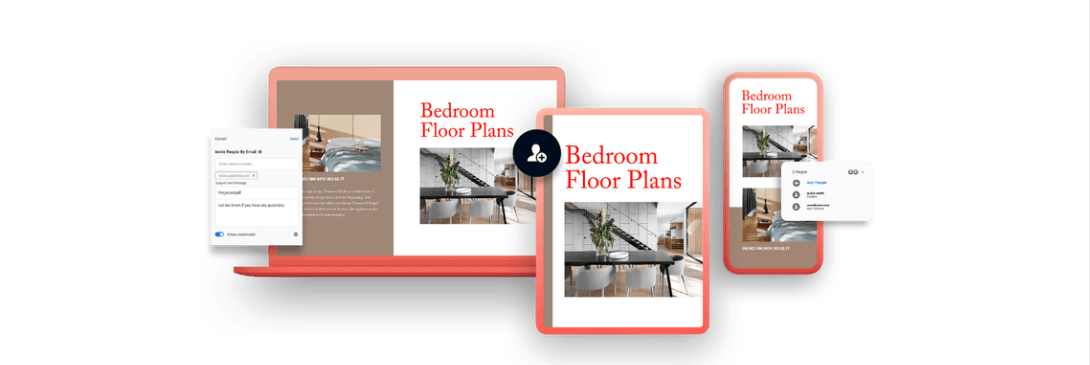
As the creator of the PDF format, Adobe Acrobat Reader is the global standard for reliably viewing, printing, and sharing PDFs. Its free version is primarily a high-quality viewer, but it does include basic annotation tools and the ability to sign documents.
Best For
Users who prioritize viewing fidelity and only need basic commenting or signing features. It's the safest bet for ensuring a document displays exactly as intended.
Key Features
- High-Fidelity Viewing: Renders all types of PDF content, including forms and multimedia, with precision.
- Annotation Tools: Add comments, highlights, and sticky notes.
- Fill & Sign: Fill out forms and add your e-signature.
Pros
- Unmatched viewing reliability
- Clean, professional interface
- Excellent security features
Cons
- Most useful features (editing, converting) are behind a paywall
- Large installation file size
- Constant prompts to upgrade to the Pro version
Smallpdf
The quick and easy online PDF toolkit.
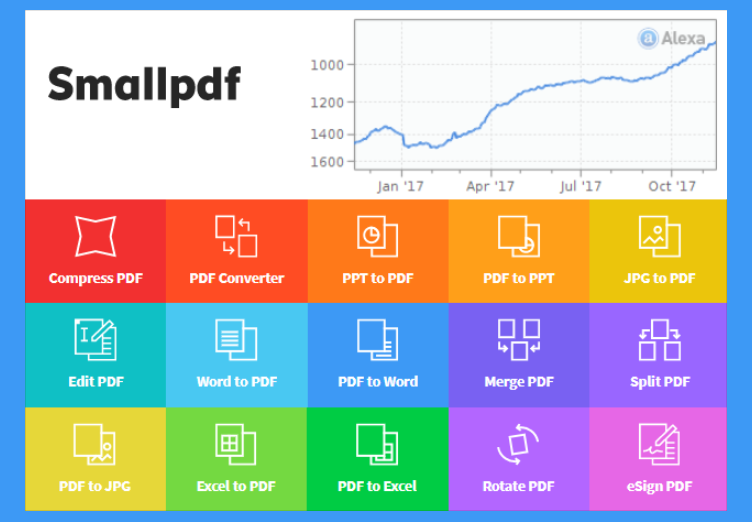
Smallpdf is a hugely popular suite of online PDF tools. With a clean, drag-and-drop interface, it makes tasks like compressing, converting, merging, and editing PDFs incredibly simple. No installation is required; everything happens in your web browser.
Best For
Users who need to perform quick, one-off PDF tasks without installing software. It's the perfect "in a pinch" solution for converting or compressing a file on the go.
Key Features
- 20+ PDF Tools: A huge collection of tools for converting, compressing, editing, signing, and protecting PDFs.
- Web-Based Convenience: Accessible from any device with a web browser.
- Cloud Integration: Connects directly to Google Drive and Dropbox to import and save files.
Pros
- Extremely easy to use, intuitive interface
- Wide range of available tools
- Fast processing speeds for most tasks
Cons
- Free version is limited to 2 documents per day
- Requires an internet connection to use
- Not ideal for sensitive or private documents
PDF-XChange Editor
The feature-packed choice for desktop power users.
PDF-XChange Editor is a lightweight yet powerful PDF editor for Windows. Its free version is famous for offering features that are typically paid, such as Optical Character Recognition (OCR), which makes scanned text searchable and editable.
Best For
Windows users who need advanced features like OCR or detailed annotation tools without a subscription. It's a favorite among academics and researchers.
Key Features
- Free OCR: Make scanned documents text-searchable.
- Extensive Markup Tools: A huge array of commenting, drawing, and measuring tools.
- Fast & Lightweight: Runs quickly even on older computers.
Pros
- OCR is available in the free version
- Fast and responsive performance
- Portable version available
Cons
- Interface can be overwhelming for new users
- Adds a small watermark when using some 'Pro' features
- Only available for Windows
Sejda PDF Editor
The hybrid online/desktop editor with a friendly free plan.
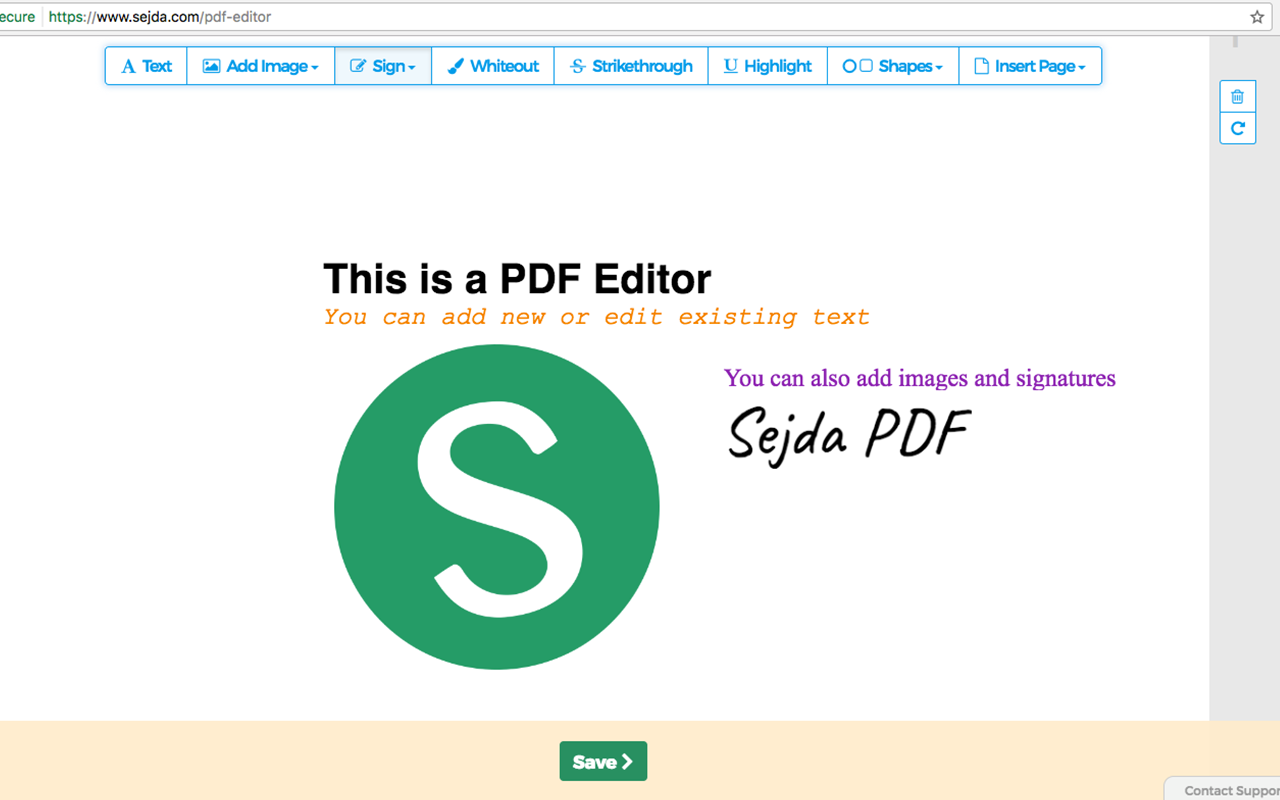
Sejda offers both a web-based and a desktop PDF editor with a focus on simplicity and a generous free usage policy. It allows users to perform up to 3 tasks per hour on documents up to 200 pages or 50MB, which is more than enough for most casual users.
Best For
Users who need to edit text in existing PDFs for free. Its 'real' text editing feature is a standout among free tools.
Key Features
- True PDF Text Editing: Directly edit, add, or delete text in a PDF.
- Web and Desktop: Use online for convenience or download the desktop app for privacy.
- Security Focused: Files are automatically deleted from their servers after 2 hours.
Pros
- Excellent free text editing feature
- Generous free usage limits
- Simple, task-oriented interface
Cons
- Hourly and daily limits on the free plan
- Fewer advanced annotation tools than competitors
Feature Comparison
| Feature | WPS PDF | Adobe Reader | Smallpdf | PDF-XChange | Sejda PDF |
|---|---|---|---|---|---|
| Price Model | Freemium | Freemium | Freemium | Freemium | Freemium |
| Edit Text & Images | |||||
| Convert to Word/Excel | |||||
| Merge & Split | |||||
| E-Signature | |||||
| OCR (Scanned Text) | Premium | Premium | Premium | ||
| Free Usage Limit | Unlimited | Unlimited | 2 tasks/day | Unlimited | 3 tasks/hour |
Frequently Asked Questions
For a comprehensive, feature-rich experience that is completely free, WPS Office's built-in PDF tool is a top contender. It provides editing, converting, and annotation features without a subscription. If you need a simple online tool for quick tasks, Smallpdf is also excellent, though with daily usage limits.
Yes, you can. Tools like WPS PDF and Sejda PDF Editor offer free text editing capabilities. This allows you to correct typos, update information, or add new text blocks directly into your PDF document without needing to convert it to another format first.
Reputable online PDF editors like Smallpdf and Sejda use SSL encryption to protect your files during upload and processing. They also typically delete files from their servers after a few hours. However, for highly sensitive or confidential documents, using a desktop-based offline tool like WPS PDF or PDF-XChange Editor is always the most secure option.
The Final Verdict
Choosing a free PDF tool depends on your primary needs. For quick online tasks, Smallpdf is a great choice. For advanced features like OCR on Windows, PDF-XChange Editor is unbeatable. For the best all-around free experience, however, one tool stands out.
Our Recommendation:
For the vast majority of users, WPS Office provides the perfect balance of power, ease of use, and value. Its integrated PDF tool is robust enough for most professional and personal tasks, offering editing, conversion, and signing in a single, free application. The convenience of having a complete office suite at your fingertips makes it the most efficient choice.