

'%3e%3cpath%20d='M8%200C12.4183%200%2016%203.58172%2016%208C16%2012.4183%2012.4183%2016%208%2016C3.58172%2016%200%2012.4183%200%208C0%203.58172%203.58172%200%208%200ZM11.6162%204.38379C11.2257%203.99337%2010.5927%203.99338%2010.2021%204.38379L8%206.58594L5.79785%204.38379C5.40732%203.99334%204.77429%203.99329%204.38379%204.38379C3.99331%204.77429%203.99335%205.40733%204.38379%205.79785L6.58594%208L4.38379%2010.2021C3.99348%2010.5927%203.99341%2011.2257%204.38379%2011.6162C4.77426%2012.0066%205.40734%2012.0065%205.79785%2011.6162L8%209.41406L10.2021%2011.6162C10.5927%2012.0066%2011.2257%2012.0067%2011.6162%2011.6162C12.0067%2011.2257%2012.0066%2010.5927%2011.6162%2010.2021L9.41406%208L11.6162%205.79785C12.0066%205.40735%2012.0066%204.77429%2011.6162%204.38379Z'%20fill='%23080E17'%20fill-opacity='0.46'/%3e%3c/g%3e%3cdefs%3e%3cclipPath%20id='clip0_3761_713'%3e%3crect%20width='16'%20height='16'%20fill='white'/%3e%3c/clipPath%3e%3c/defs%3e%3c/svg%3e)




'%3e%3cpath%20fill-rule='evenodd'%20clip-rule='evenodd'%20d='M21.4999%2010.9993C21.4999%205.20009%2016.7986%200.498901%2010.9993%200.498901C5.19994%200.498901%200.498657%205.20009%200.498657%2010.9993C0.498657%2016.2404%204.33858%2020.5844%209.35855%2021.3722V14.0346H6.69238V10.9993H9.35855V8.68594C9.35855%206.05427%2010.9262%204.60062%2013.3248%204.60062C14.4736%204.60062%2015.6753%204.80571%2015.6753%204.80571V7.38979H14.3512C13.0468%207.38979%2012.64%208.19921%2012.64%209.0296V10.9993H15.5523L15.0867%2014.0346H12.64V21.3722C17.66%2020.5844%2021.4999%2016.2404%2021.4999%2010.9993Z'%20fill='%231568EA'/%3e%3c/g%3e%3c/svg%3e)


'%3e%3cpath%20d='M2.42045%2022.1876H6.31818V12.7217L0.75%208.54553V20.5171C0.75%2021.4414%201.49892%2022.1876%202.42045%2022.1876Z'%20fill='%234285F4'/%3e%3cpath%20d='M19.682%2022.1876H23.5797C24.5041%2022.1876%2025.2502%2021.4387%2025.2502%2020.5171V8.54553L19.682%2012.7217'%20fill='%2334A853'/%3e%3cpath%20d='M19.682%205.48293V12.7216L25.2502%208.54543V6.31816C25.2502%204.25236%2022.8921%203.07469%2021.2411%204.31361'%20fill='%23FBBC04'/%3e%3cpath%20d='M6.31824%2012.7217V5.48303L13.0001%2010.4944L19.6819%205.48303V12.7217L13.0001%2017.733'%20fill='%23EA4335'/%3e%3cpath%20d='M0.75%206.31816V8.54543L6.31818%2012.7216V5.48293L4.75909%204.31361C3.10534%203.07469%200.75%204.25236%200.75%206.31816Z'%20fill='%23C5221F'/%3e%3c/g%3e%3cdefs%3e%3cclipPath%20id='clip0_2954_7305'%3e%3crect%20width='24.5'%20height='18.375'%20fill='white'%20transform='translate(0.75%203.8125)'/%3e%3c/clipPath%3e%3c/defs%3e%3c/svg%3e)


Planning a wedding is one of the most exciting yet stressful experiences for couples. While organizing every detail can be overwhelming, a wedding countdown can help ease the pressure. Many couples struggle to design creative and attractive countdown visuals to share with their loved ones. But how can you get beautiful, customizable templates without spending hours creating them from scratch? The solution is simple: use pre-made wedding countdown templates! These templates save you time, look professional, and can be customized in just minutes. In this guide, we introduce 10 excellent options, including templates for those who are just 5 days away from their big day.
Part 1: 10 Wedding Countdown Templates [Free Download]
Here are 10 stunning wedding countdown templates that can be easily downloaded, customized, and printed or shared digitally.
1. Wedding Day Countdown Template
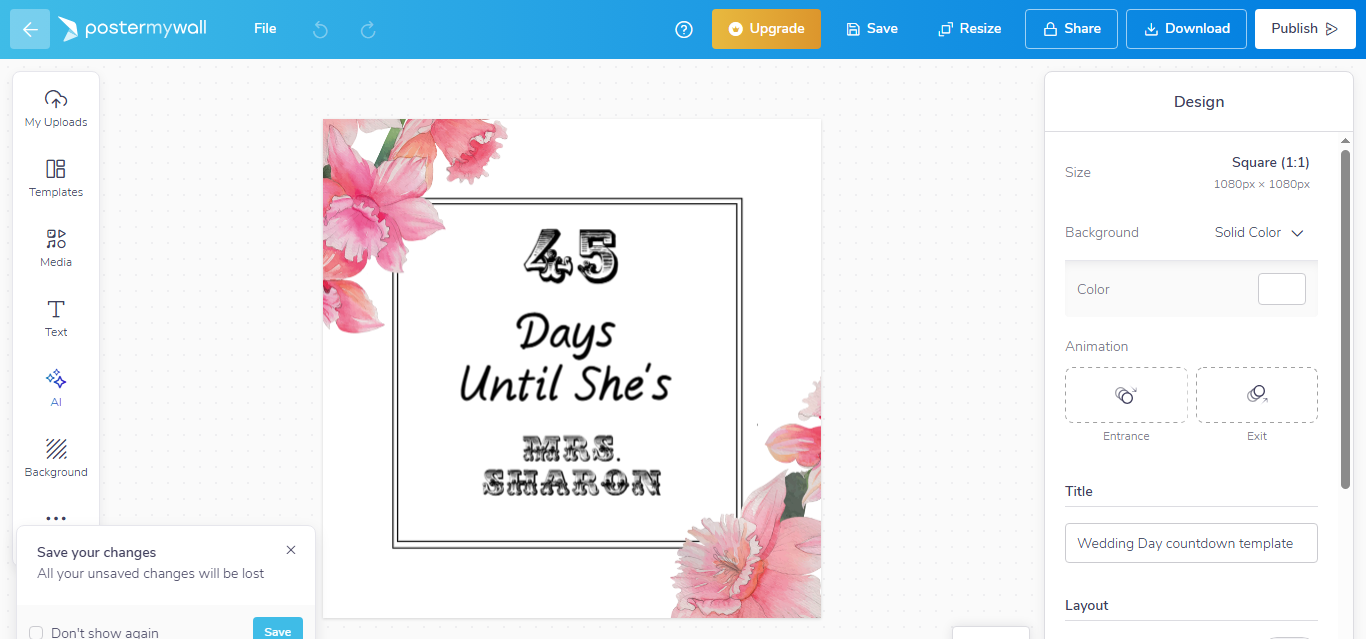
This elegant template offers a sophisticated design to count down the
days until your wedding day. Customize the text, colors, and background
to fit your wedding theme.
Download
here
2. Red Gradient Wedding Countdown Poster
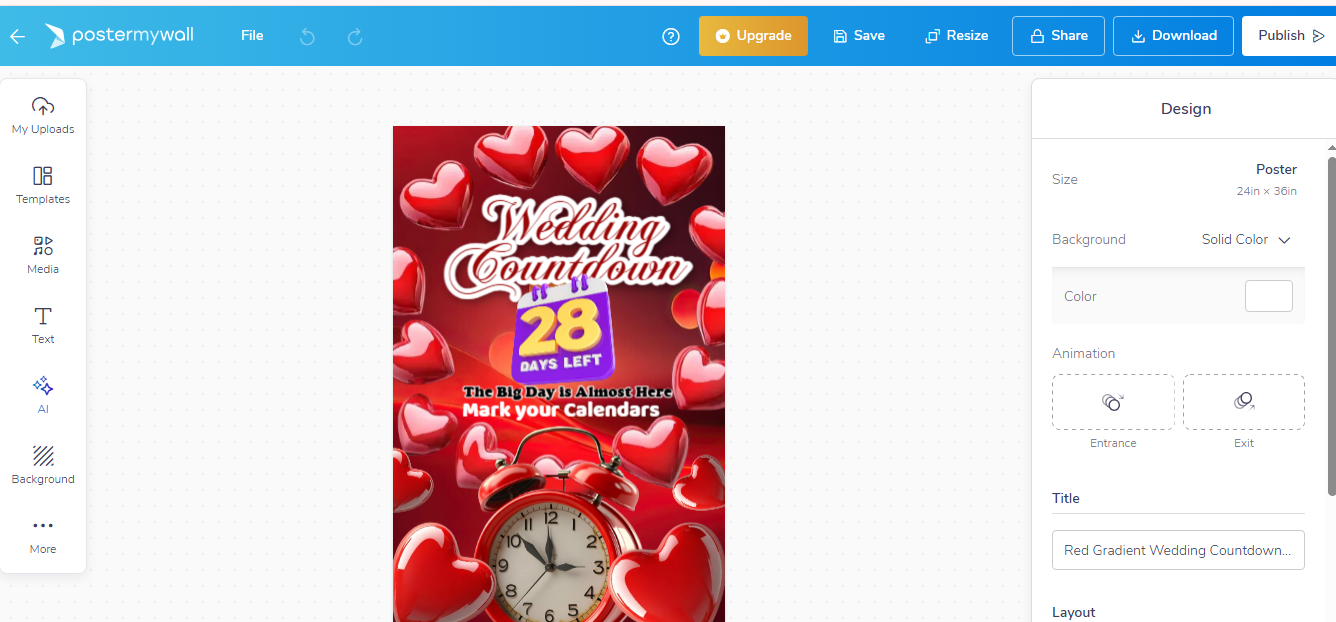
Add a pop of color to your countdown with this vibrant red gradient
poster. Perfect for couples who want to add excitement to the lead-up to
their wedding.
Download
here
3. White Joyful Wedding Countdown Poster
For those who prefer a clean and joyful design, this white wedding
countdown poster is minimalistic and elegant.
Download
here
4. 5 Days To Go Wedding Template
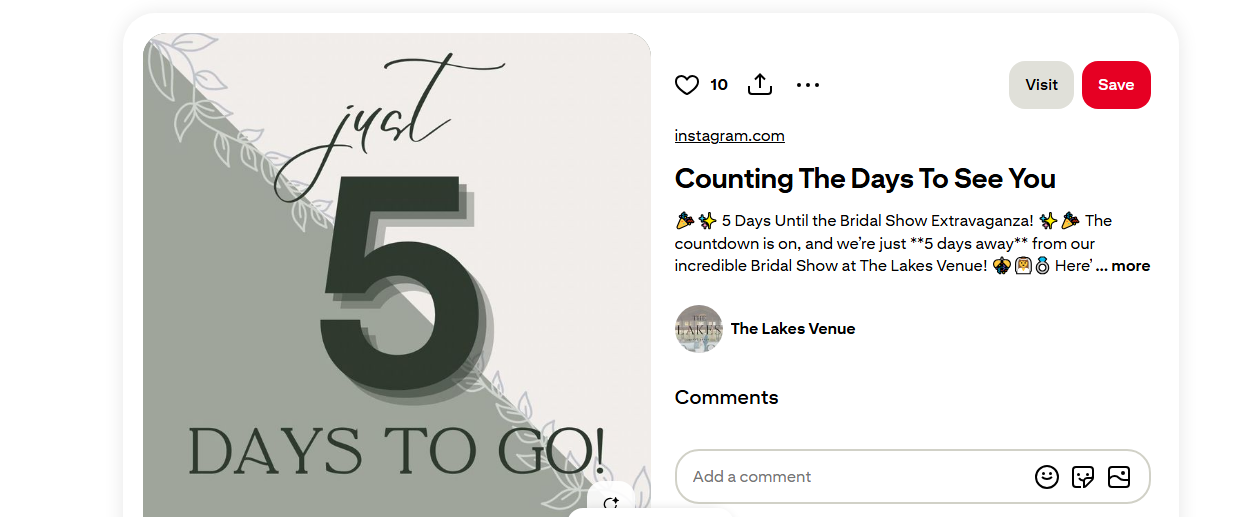
This template is perfect for couples who are just days away from
their big day. It's easy to customize and share with friends and family
as a reminder of the final countdown.
View
here
5. Countdown of 10 Days To Go
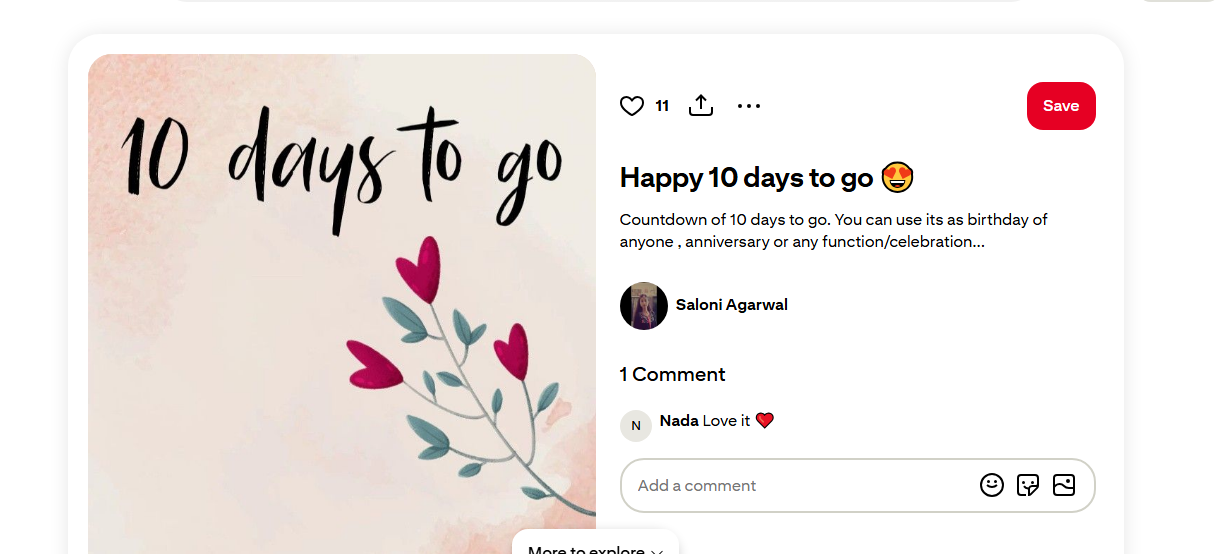
With a soft, pastel color palette, this countdown template gives a
calm yet exciting vibe as the wedding day approaches.
View
here
6. Black Joyful Countdown Flyer
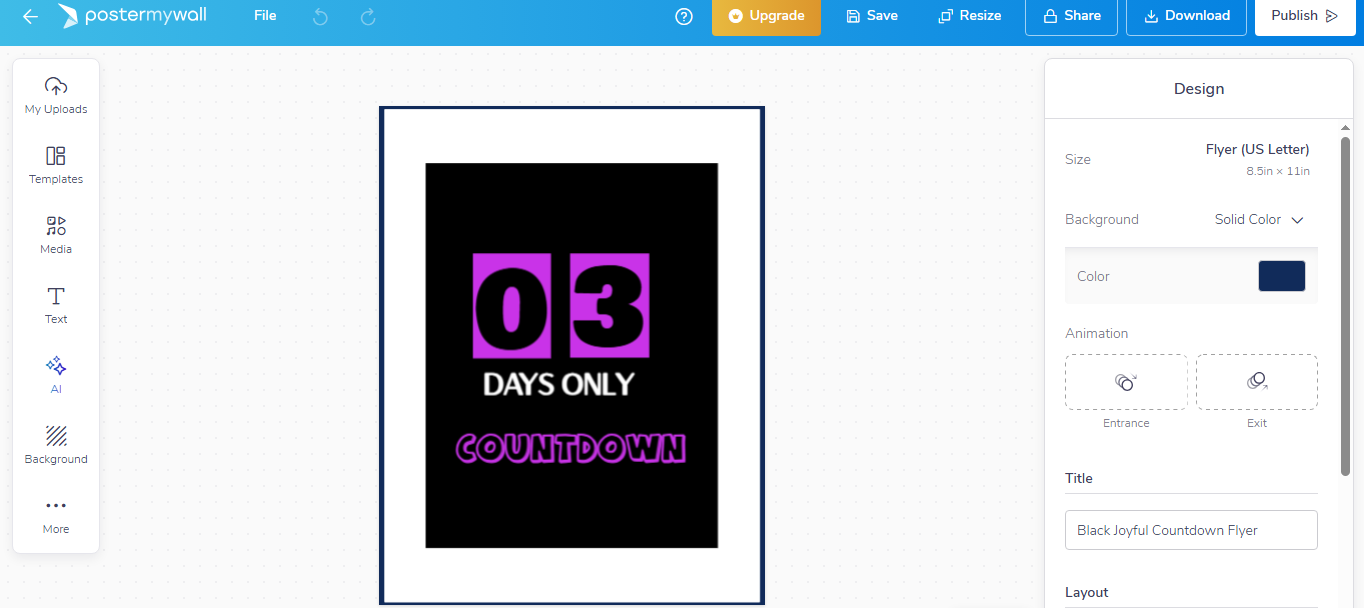
This flyer has a sleek black background with cheerful accents. It's
an excellent option for couples who want a bold look for their
countdown.
Download
here
7. Template for Your Wedding Countdown
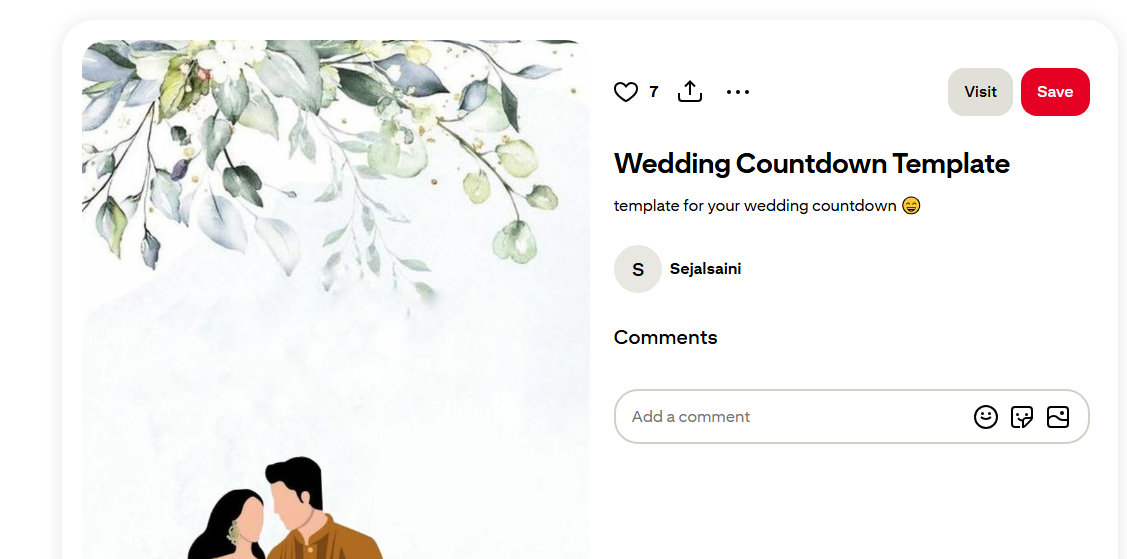
Practical and straightforward, this template allows you to insert
your details and easily print or share the countdown online.
View
here
8. 5 Days To Go Wedding Countdown Invitation Vector
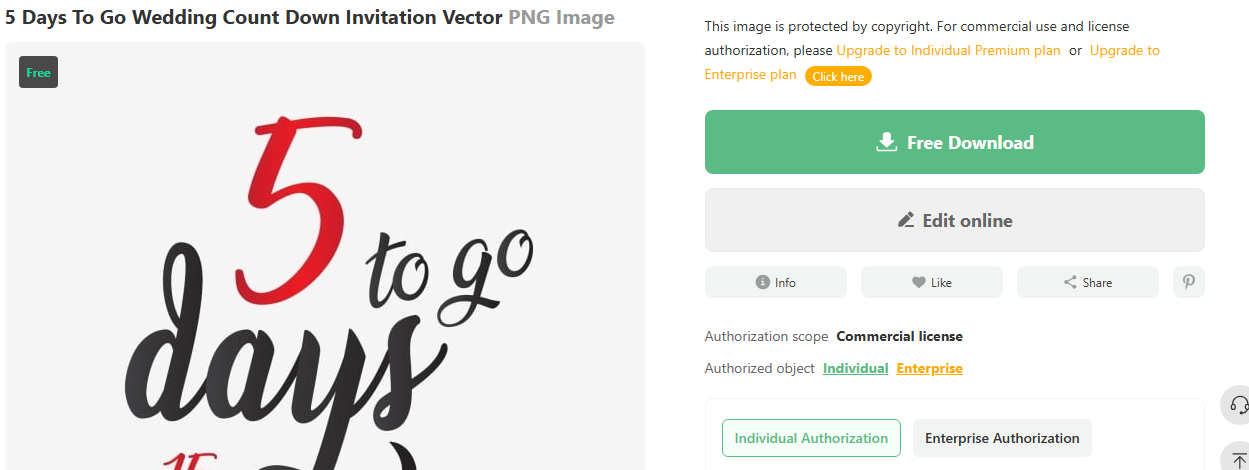
This invitation-style countdown template is perfect for couples who
want to use the countdown as an actual invitation or flyer.
Download
here
9. 5 DAYS TO GO

A clean and clear countdown template for couples who want to share
the excitement of the big day with a simple design.
View
here
10. 4 Days To Go Marriage Wedding Countdown
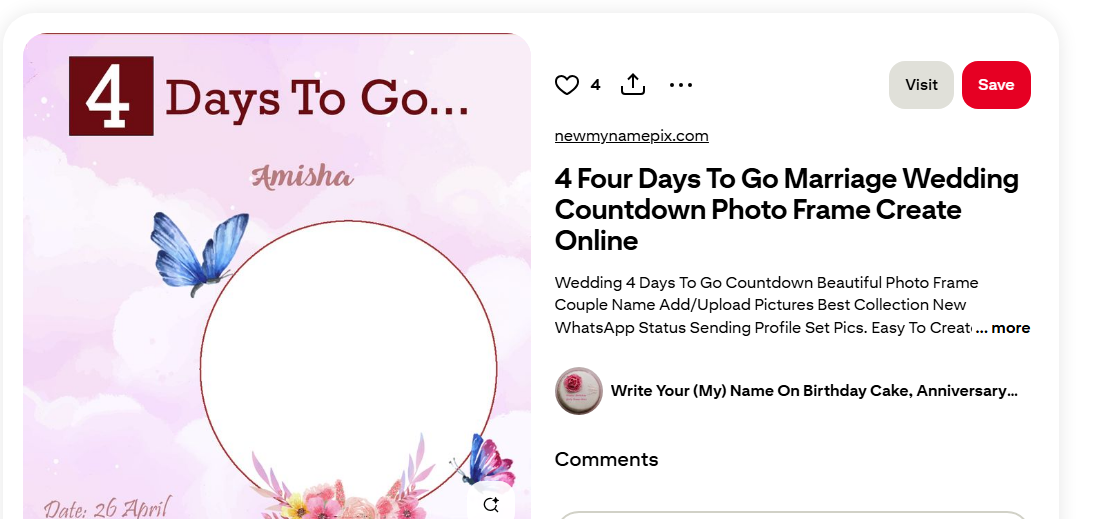
For those in the final stretch, this template offers a bold and
attention-grabbing design to mark the last few days before the
wedding.
View
here
Part 2: How to Customize and Use Your Wedding Countdown Template
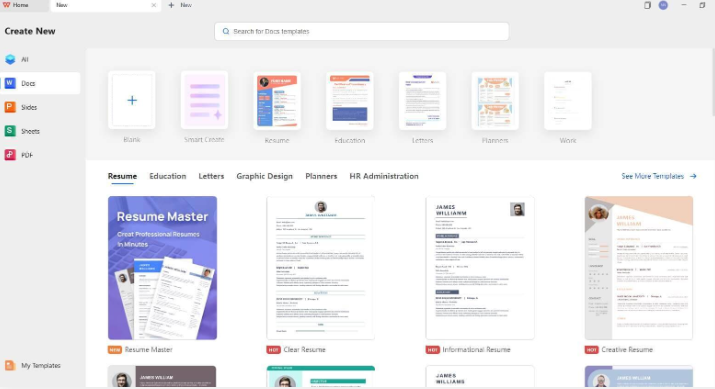
Once you've selected the perfect wedding countdown template, it's time to customize it to fit your style and share it with your loved ones. Here's how to do it step by step:
Download Your Preferred Template: Click on one of the links above to download the template you like. You can find designs that best match your wedding theme, whether it's elegant, modern, or fun.
Open the Template in Editing Software: Open your downloaded template with a tool like WPS Office or any photo editing software. This will allow you to make adjustments with ease.
Personalize Details: Add the names of the bride and groom, the wedding date, and any other essential details. You can also adjust the font styles and colors to match your wedding theme.
Adjust Background Colors and Themes: Change the colors to complement your wedding palette, or even upload a personalized photo of the couple for a more intimate touch.
Use WPS Photo Editor to enhance photos and adjust the colors. You can improve photo quality with the AI Image Enhancer or upscale old images using the AI Upscaler. The AI Watermark Removal tool will also help you elevate the visual appeal of your countdown image.
Save and Share: Once you're satisfied with the design, save the countdown. You can share it digitally via social media or email, or print it out for display at your wedding venue.
By following these simple steps, you'll have a customized countdown ready in no time!
Part 3: WPS Office – AI All-in-One Suite for Smarter and Simpler Wedding Planning
Planning a wedding can involve countless tasks, from sending invites to designing décor, but WPS Office simplifies the entire process. As an all-in-one suite, WPS Officeoffers several features that make wedding planning easier:
Free Templates: WPS Office provides a wide range of pre-designed templates, including those for wedding countdowns, invitations, and timelines.
Easy Editing: With the ability to edit templates directly, you can customize them quickly without needing expensive software or advanced design skills.
Cross-Platform Use: You can access and edit your wedding documents from any device, whether you're at home or on the go.
WPS Office is an excellent choice for couples looking for a simple and affordable solution to plan their wedding without hassle. With features such as WPS AI for editing and customizing photos, it ensures that your wedding documents and designs always look professional.
Learn more about WPS Office features here and here.
FAQs:
Q1: Can I personalize the design to match my wedding theme?
Yes, most templates allow you to change the colors, fonts, and backgrounds, and even add your photos or messages to match your wedding theme.
Q2: Can wedding countdown templates be used for digital sharing?
Absolutely! Many templates are optimized for social media and digital invitations, making it easy to share your countdown with friends and family online.
Q3: Do I need expensive software to edit wedding countdown templates?
No. Free tools like WPS Office allow you to edit Word, Excel, or PowerPoint templates seamlessly without additional cost. You don't need to invest in expensive design software.
Summary:
Planning a wedding is exciting, but it can also be stressful. Thankfully, using customizable wedding countdown templates makes organizing the final days leading up to your big day a breeze. With a variety of options available for free download, you can easily add personal touches to your countdown, whether you're sharing it digitally or printing it for display.
WPS Office stands out as a go-to tool for wedding planning, offering easy-to-use templates and powerful editing features that simplify customization. So why save yourself time and effort by utilizing WPS Office and these wedding countdown templates? Get started today and make your wedding planning journey smoother and more organized.

'%3e%3cpath%20d='M19.9911%204.11386V6.471H18.5894C18.0775%206.471%2017.7322%206.57814%2017.5536%206.79243C17.3751%207.00671%2017.2858%207.32814%2017.2858%207.75671V9.44421H19.9019L19.5536%2012.0871H17.2858V18.8639H14.5536V12.0871H12.2769V9.44421H14.5536V7.49779C14.5536%206.39064%2014.8632%205.53201%2015.4822%204.92189C16.1013%204.31177%2016.9257%204.00671%2017.9554%204.00671C18.8304%204.00671%2019.509%204.04243%2019.9911%204.11386Z'%20fill='%23333333'/%3e%3c/g%3e%3cdefs%3e%3cclipPath%20id='clip0_2938_8199'%3e%3crect%20width='16'%20height='16'%20fill='white'%20transform='translate(8%204.00671)'/%3e%3c/clipPath%3e%3c/defs%3e%3c/svg%3e)
'%3e%3cpath%20d='M17.5237%2010.7813L23.4811%204H22.0699L16.8949%209.88693L12.7648%204H8L14.2469%2012.9029L8%2020.0133H9.4112L14.8725%2013.7952L19.2352%2020.0133H24M9.92053%205.04213H12.0885L22.0688%2019.0224H19.9003'%20fill='%23333333'/%3e%3c/g%3e%3cdefs%3e%3cclipPath%20id='clip0_2938_8200'%3e%3crect%20width='16'%20height='16.0134'%20fill='white'%20transform='translate(8%204)'/%3e%3c/clipPath%3e%3c/defs%3e%3c/svg%3e)


