

'%3e%3cpath%20d='M8%200C12.4183%200%2016%203.58172%2016%208C16%2012.4183%2012.4183%2016%208%2016C3.58172%2016%200%2012.4183%200%208C0%203.58172%203.58172%200%208%200ZM11.6162%204.38379C11.2257%203.99337%2010.5927%203.99338%2010.2021%204.38379L8%206.58594L5.79785%204.38379C5.40732%203.99334%204.77429%203.99329%204.38379%204.38379C3.99331%204.77429%203.99335%205.40733%204.38379%205.79785L6.58594%208L4.38379%2010.2021C3.99348%2010.5927%203.99341%2011.2257%204.38379%2011.6162C4.77426%2012.0066%205.40734%2012.0065%205.79785%2011.6162L8%209.41406L10.2021%2011.6162C10.5927%2012.0066%2011.2257%2012.0067%2011.6162%2011.6162C12.0067%2011.2257%2012.0066%2010.5927%2011.6162%2010.2021L9.41406%208L11.6162%205.79785C12.0066%205.40735%2012.0066%204.77429%2011.6162%204.38379Z'%20fill='%23080E17'%20fill-opacity='0.46'/%3e%3c/g%3e%3cdefs%3e%3cclipPath%20id='clip0_3761_713'%3e%3crect%20width='16'%20height='16'%20fill='white'/%3e%3c/clipPath%3e%3c/defs%3e%3c/svg%3e)




'%3e%3cpath%20fill-rule='evenodd'%20clip-rule='evenodd'%20d='M21.4999%2010.9993C21.4999%205.20009%2016.7986%200.498901%2010.9993%200.498901C5.19994%200.498901%200.498657%205.20009%200.498657%2010.9993C0.498657%2016.2404%204.33858%2020.5844%209.35855%2021.3722V14.0346H6.69238V10.9993H9.35855V8.68594C9.35855%206.05427%2010.9262%204.60062%2013.3248%204.60062C14.4736%204.60062%2015.6753%204.80571%2015.6753%204.80571V7.38979H14.3512C13.0468%207.38979%2012.64%208.19921%2012.64%209.0296V10.9993H15.5523L15.0867%2014.0346H12.64V21.3722C17.66%2020.5844%2021.4999%2016.2404%2021.4999%2010.9993Z'%20fill='%231568EA'/%3e%3c/g%3e%3c/svg%3e)


'%3e%3cpath%20d='M2.42045%2022.1876H6.31818V12.7217L0.75%208.54553V20.5171C0.75%2021.4414%201.49892%2022.1876%202.42045%2022.1876Z'%20fill='%234285F4'/%3e%3cpath%20d='M19.682%2022.1876H23.5797C24.5041%2022.1876%2025.2502%2021.4387%2025.2502%2020.5171V8.54553L19.682%2012.7217'%20fill='%2334A853'/%3e%3cpath%20d='M19.682%205.48293V12.7216L25.2502%208.54543V6.31816C25.2502%204.25236%2022.8921%203.07469%2021.2411%204.31361'%20fill='%23FBBC04'/%3e%3cpath%20d='M6.31824%2012.7217V5.48303L13.0001%2010.4944L19.6819%205.48303V12.7217L13.0001%2017.733'%20fill='%23EA4335'/%3e%3cpath%20d='M0.75%206.31816V8.54543L6.31818%2012.7216V5.48293L4.75909%204.31361C3.10534%203.07469%200.75%204.25236%200.75%206.31816Z'%20fill='%23C5221F'/%3e%3c/g%3e%3cdefs%3e%3cclipPath%20id='clip0_2954_7305'%3e%3crect%20width='24.5'%20height='18.375'%20fill='white'%20transform='translate(0.75%203.8125)'/%3e%3c/clipPath%3e%3c/defs%3e%3c/svg%3e)


Creating a clean, professional receipt shouldn’t feel like an endless formatting battle. Yet so many of us have been there; toggling fonts, fixing columns, and second-guessing every line until it still somehow looks “off.” The truth is, making a sleek payment receipt in Word doesn’t have to be this complicated. With the right payment receipt template Word options and tools like the WPS Invoice Generator, you can build polished, accurate receipts in minutes instead of hours. In this guide, I’ll walk you through the best templates you can use right now to make your documents look crisp, credible, and client-ready.


What Should a Payment Receipt Include
A payment receipt isn’t just a casual acknowledgment; it’s an official record. When designed properly, it protects both the payer and the payee by documenting essential transaction details. Here’s what every payment receipt should include:
Using a receipt template Word file ensures these fields are already in place. You just fill in the blanks, no formatting stress or structural worries.
I’ve learned that having a well-structured Word receipt template not only keeps transactions organized but also builds client trust. Clients appreciate clean, professional receipts, it shows you take your work seriously.
Top 10 Recommended Payment Receipt Templates (Word)
Below, I’ve compiled some of the most reliable payment receipt template word you can start using today. Each one offers a slightly different style and function depending on your business type or needs.
1. Free Payment Receipt Template
The Free Payment Receipt Template is a no-fuss design perfect for small businesses or freelancers who want clarity and structure. It includes all the basic payment details and works seamlessly with Word. It’s designed for quick edits and allows you to insert your own logo and business details easily. The simplicity makes it one of the most time-saving options for everyday use.
2. Freelancer Payment Receipt Template
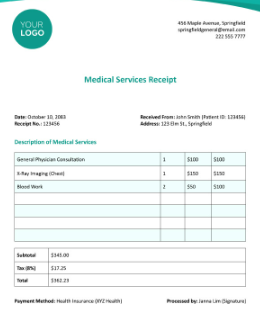
The Freelancer Payment Receipt Template is built specifically for freelancers handling client projects. It provides space for details like project descriptions and payment terms. You can easily adapt it to fit any freelance field, from graphic design to tutoring. The clean structure helps maintain a consistent layout across all client receipts.
3. Green Freelance Receipt of Payment Template
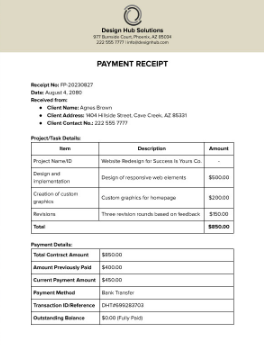
The Green Freelance Receipt of Payment Template stands out with its soft green accents and eco-friendly theme. It’s ideal if your brand promotes sustainability or wants to reflect a modern, eco-conscious image. The template’s format ensures all critical details are neatly displayed without looking cluttered.
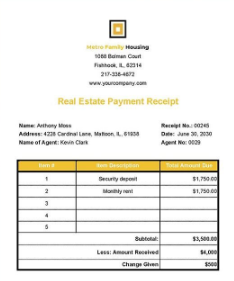
4. Free Real Estate Payment Receipt Template
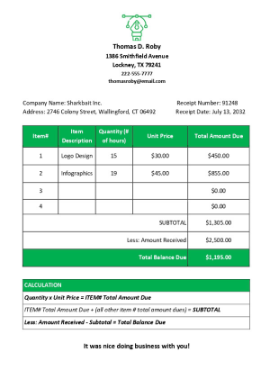
The Free Real Estate Payment Receipt Template is tailored for landlords, agents, and property managers. It comes with specific fields for property address, tenant information, and payment periods. This makes it a great fit for recording rent payments or down payments on properties. The layout gives a polished, formal look suited for real estate professionals.
5. Free Receipt Template
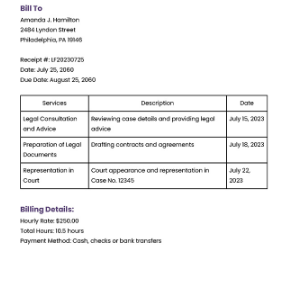
The Free Receipt Template works for virtually any type of business. It’s simple, easy to modify, and doesn’t require technical know-how. You can quickly add your logo, change colors, and print it out for clients. Perfect for freelancers and small business owners needing quick results.
6. Printable Receipt Template
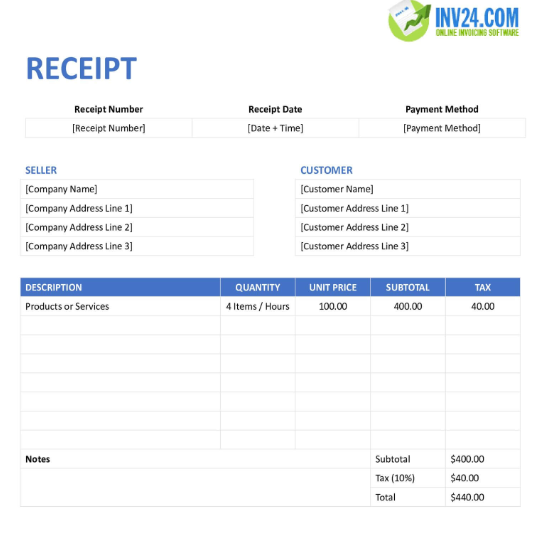
The Printable Receipt Template is ideal if you issue printed receipts regularly. The spacing and layout are optimized for A4 prints, ensuring nothing gets cut off or misaligned. You can also digitize it for online sharing, making it a flexible choice for both print and email use.
7. Blank Receipt Template
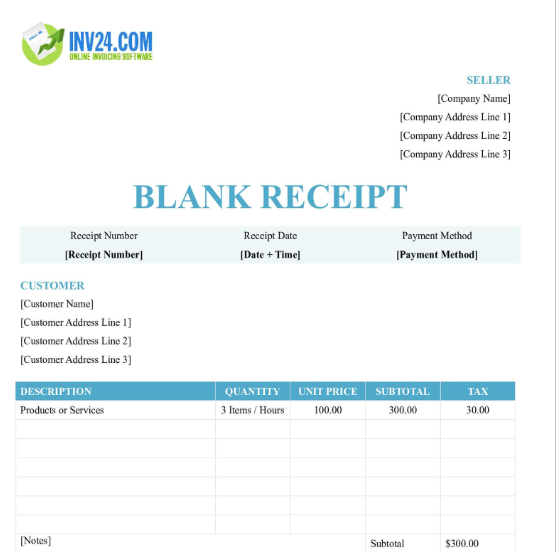
The Blank Receipt Template gives you total creative control. It’s an empty but structured layout, letting you add custom sections like client notes or extra payment details. Great for those who prefer designing receipts tailored to specific transactions. This blank receipt template Word is clean and adaptable for any professional use.
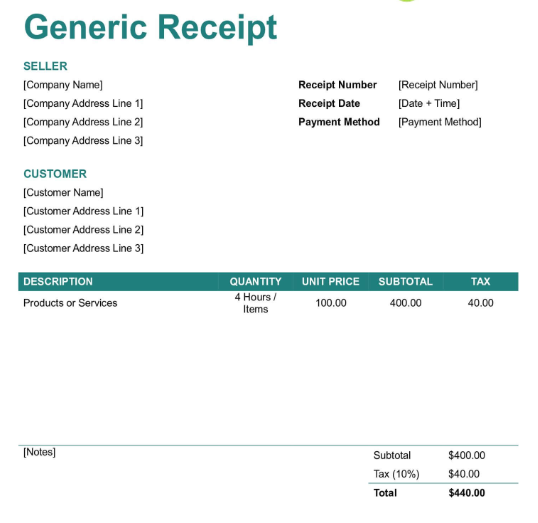
8. Generic Receipt Template
The Generic Receipt Template offers a universal format that works for any type of payment transaction. Its straightforward design makes it ideal for small businesses that want a no-frills, professional receipt. You can easily duplicate it for multiple clients and transactions.
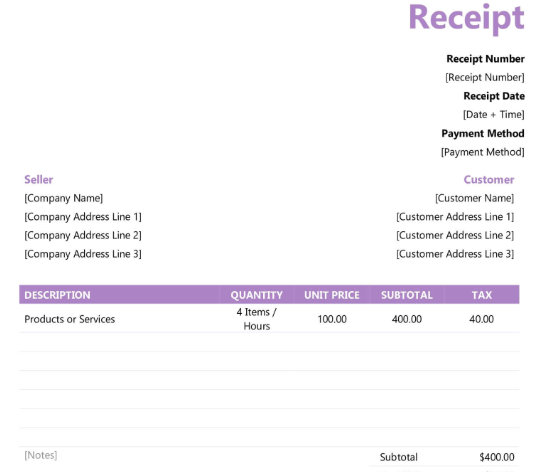
9. Fillable Receipt Template
The Fillable Receipt Template is perfect for anyone who wants to edit receipts digitally without reformatting. It allows you to type directly into predefined fields, saving you time. This sales receipt template Word is convenient for quick, digital-based businesses or online service providers.
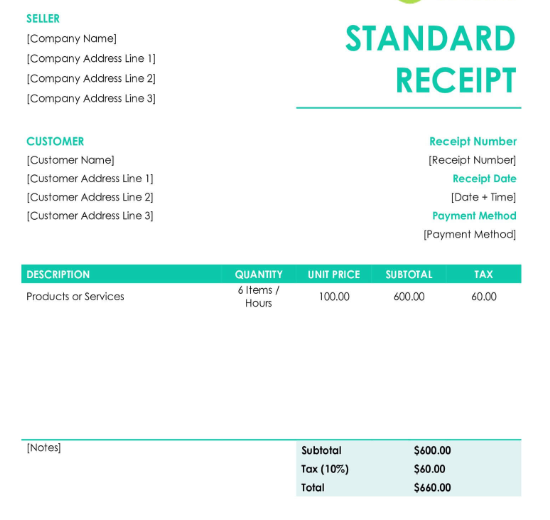
10. Standard Receipt Template
The Standard Receipt Template combines professionalism with simplicity. It has clean borders, balanced spacing, and all the necessary details arranged systematically. This design is suitable for formal corporate settings or consistent use in business transactions.
Over time, I found that switching between these templates helps when managing different clients or industries. Keeping 2–3 formats handy in Word makes customization easier for every project type.
A Smarter Way to Create Payment Receipts – WPS Invoice Generator
While Word templates are super helpful, editing them manually can still feel like a drag, especially when you’re handling multiple transactions daily. That’s why I recommend checking out the WPS Free Invoice Generator, an automated solution designed to simplify receipt creation.
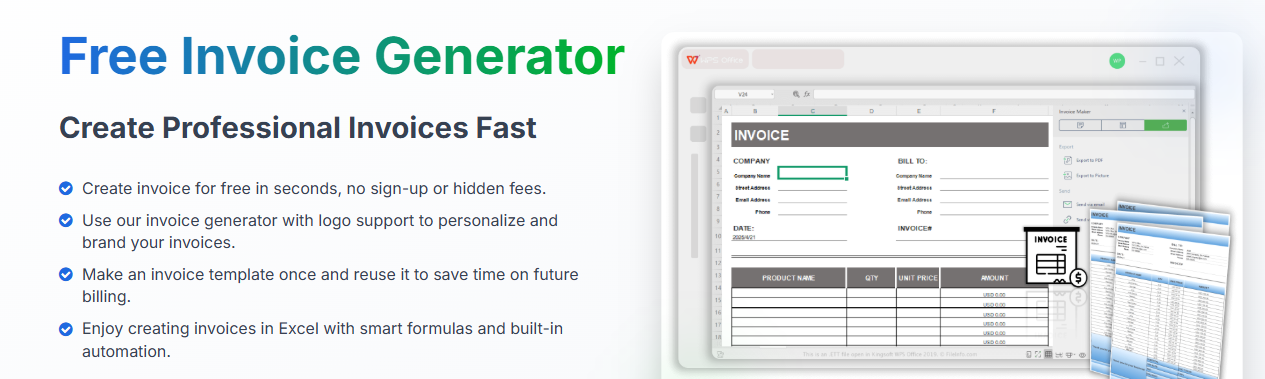
WPS Invoice Generator is an online tool that creates professional invoices and receipts in just minutes. Unlike Word templates, it handles formatting and structure automatically, saving you from repetitive editing. It’s especially great for freelancers or small business owners who want speed and precision.
Key Features
How to Edit a Receipt with WPS Office
Here’s how you can make your own professional receipt in just a few steps:
Step 1: First of all, open the Word version of the template in WPS Office.
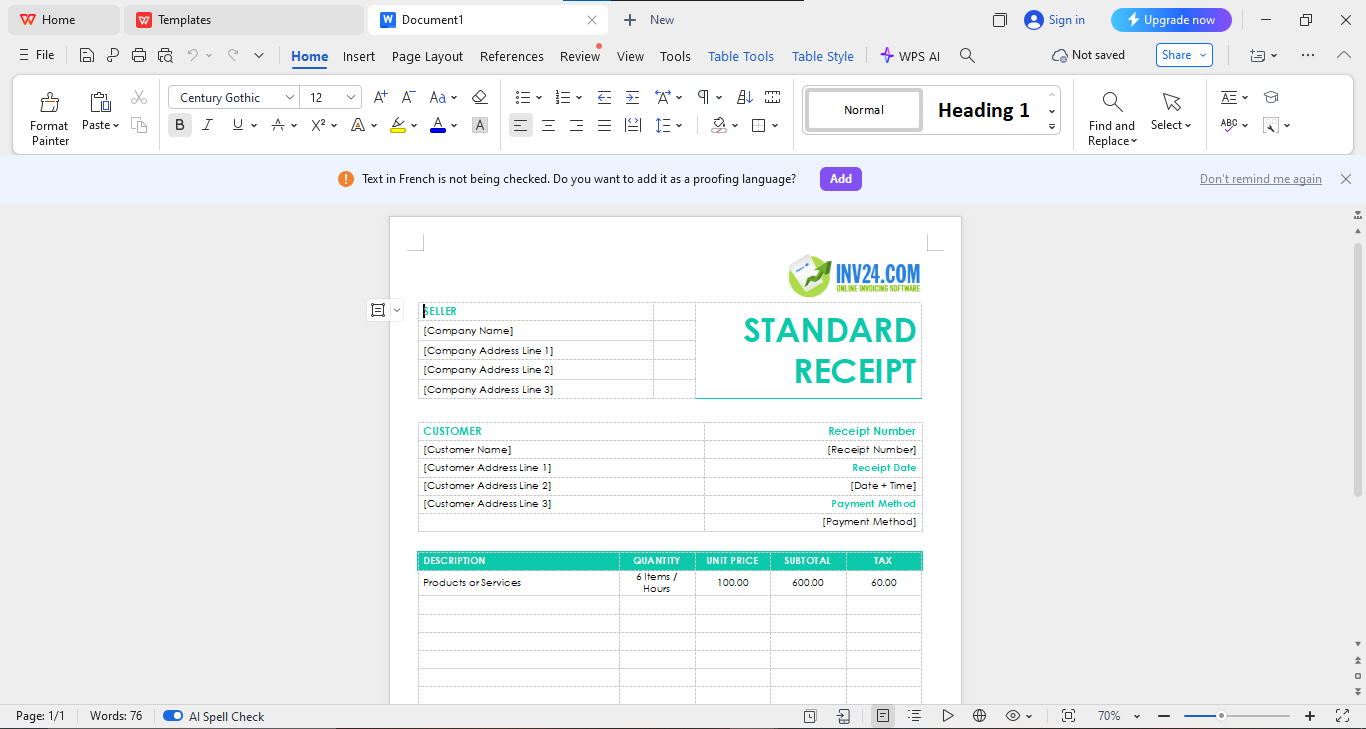
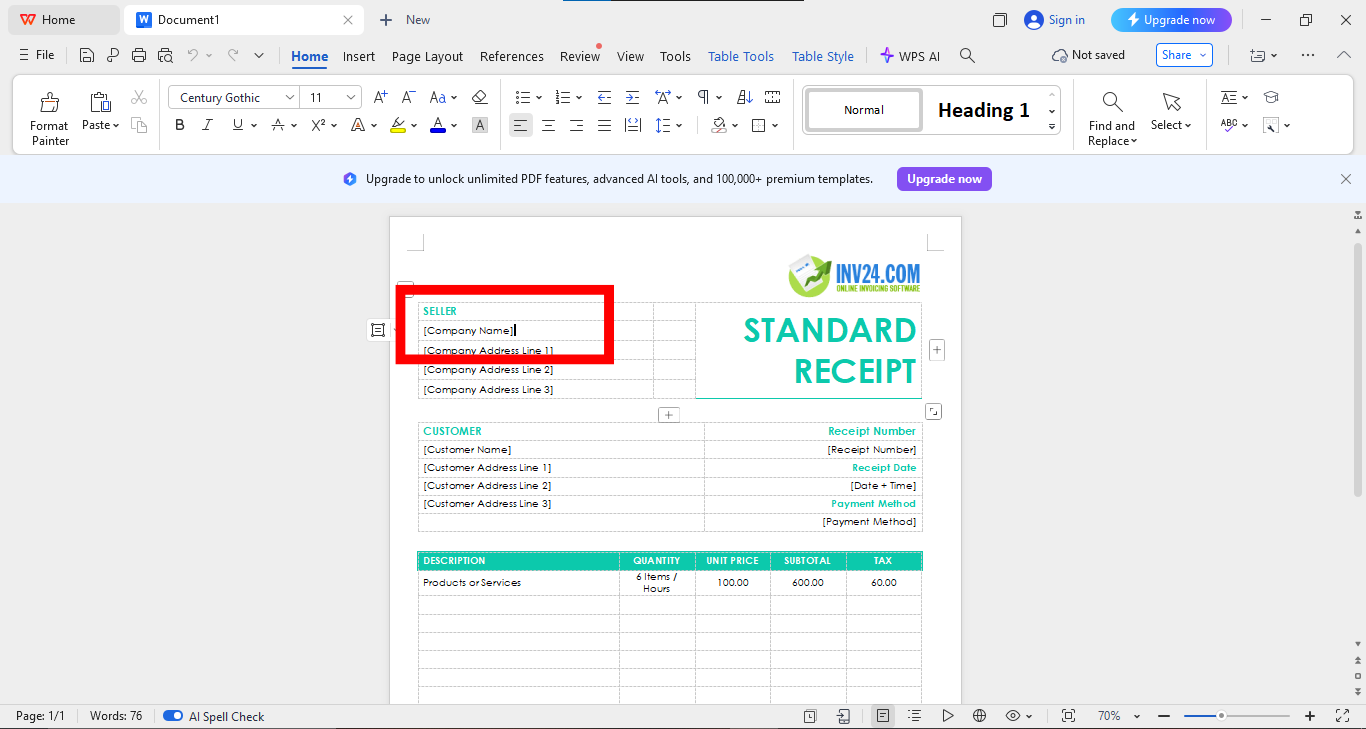
Step 2: Now enter your business details, client information, and payment amount by clicking on the text of the template to edit it as per your preference.
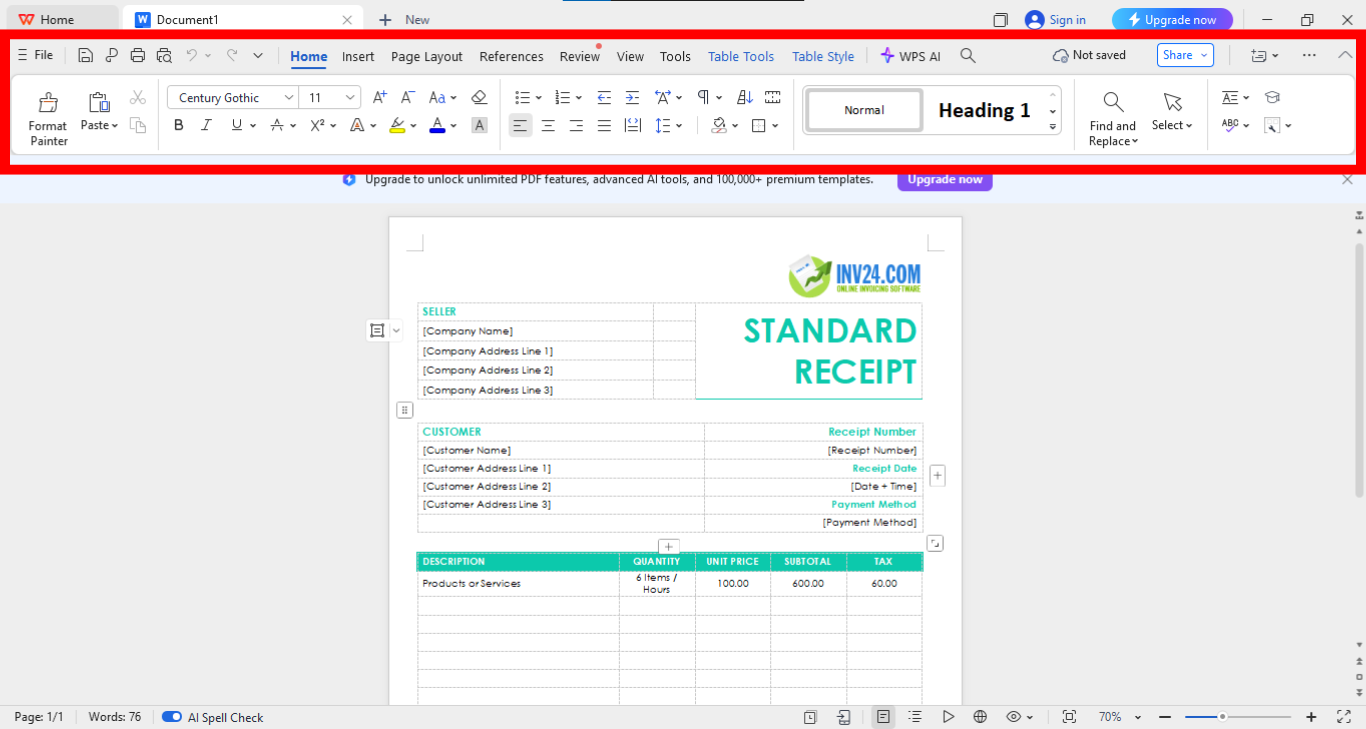
Step 3: You can adjust fonts and header and also insert images of your logo by using the editing panel above your template.
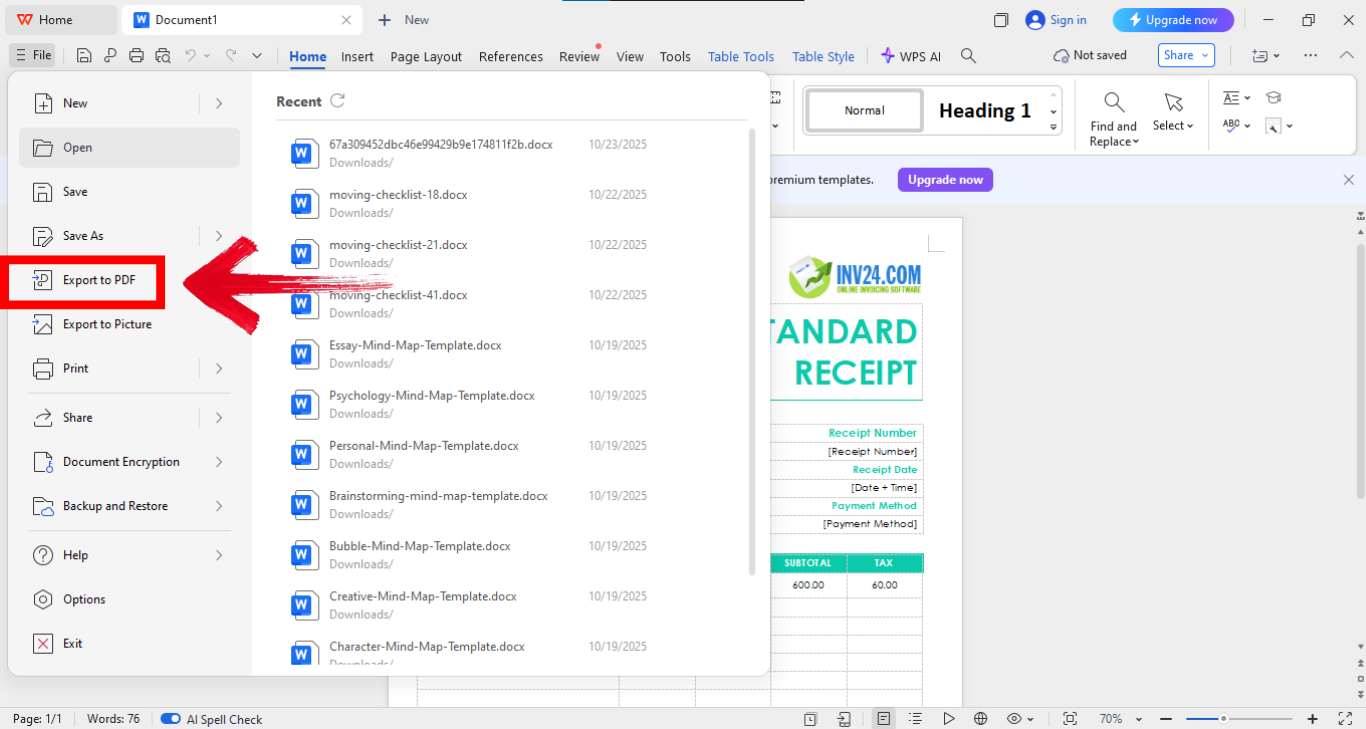
Step 4: Now go onto the “File”option on the top left of your screen and click “Export to PDF.” to save your file as a PDF.
I started using WPS Invoice Generator when managing freelance projects, and it instantly streamlined my process. Instead of manually filling and formatting every time, I could generate sleek, professional receipts in under five minutes. It’s honestly a game changer.
Pros:
Cons:
FAQs
Q1: What information should a payment receipt include?
It should list the date, payer and payee details, payment amount, method, receipt number, and purpose of payment.
Q2: How do I save a Word receipt as a PDF?
Go to File > Save As > PDF in Word or WPS Office to export the receipt in PDF format for sharing and storage.
Q3: Is there an easier alternative to using Word templates?
Yes, tools like WPS Free Invoice Generator create receipts online instantly without needing manual formatting.
Q4: Do I need Microsoft Word to use these templates?
Not necessarily. WPS Office also opens and edits all Word-formatted templates freely and efficiently.

'%3e%3cpath%20d='M19.9911%204.11386V6.471H18.5894C18.0775%206.471%2017.7322%206.57814%2017.5536%206.79243C17.3751%207.00671%2017.2858%207.32814%2017.2858%207.75671V9.44421H19.9019L19.5536%2012.0871H17.2858V18.8639H14.5536V12.0871H12.2769V9.44421H14.5536V7.49779C14.5536%206.39064%2014.8632%205.53201%2015.4822%204.92189C16.1013%204.31177%2016.9257%204.00671%2017.9554%204.00671C18.8304%204.00671%2019.509%204.04243%2019.9911%204.11386Z'%20fill='%23333333'/%3e%3c/g%3e%3cdefs%3e%3cclipPath%20id='clip0_2938_8199'%3e%3crect%20width='16'%20height='16'%20fill='white'%20transform='translate(8%204.00671)'/%3e%3c/clipPath%3e%3c/defs%3e%3c/svg%3e)
'%3e%3cpath%20d='M17.5237%2010.7813L23.4811%204H22.0699L16.8949%209.88693L12.7648%204H8L14.2469%2012.9029L8%2020.0133H9.4112L14.8725%2013.7952L19.2352%2020.0133H24M9.92053%205.04213H12.0885L22.0688%2019.0224H19.9003'%20fill='%23333333'/%3e%3c/g%3e%3cdefs%3e%3cclipPath%20id='clip0_2938_8200'%3e%3crect%20width='16'%20height='16.0134'%20fill='white'%20transform='translate(8%204)'/%3e%3c/clipPath%3e%3c/defs%3e%3c/svg%3e)


