

'%3e%3cpath%20d='M8%200C12.4183%200%2016%203.58172%2016%208C16%2012.4183%2012.4183%2016%208%2016C3.58172%2016%200%2012.4183%200%208C0%203.58172%203.58172%200%208%200ZM11.6162%204.38379C11.2257%203.99337%2010.5927%203.99338%2010.2021%204.38379L8%206.58594L5.79785%204.38379C5.40732%203.99334%204.77429%203.99329%204.38379%204.38379C3.99331%204.77429%203.99335%205.40733%204.38379%205.79785L6.58594%208L4.38379%2010.2021C3.99348%2010.5927%203.99341%2011.2257%204.38379%2011.6162C4.77426%2012.0066%205.40734%2012.0065%205.79785%2011.6162L8%209.41406L10.2021%2011.6162C10.5927%2012.0066%2011.2257%2012.0067%2011.6162%2011.6162C12.0067%2011.2257%2012.0066%2010.5927%2011.6162%2010.2021L9.41406%208L11.6162%205.79785C12.0066%205.40735%2012.0066%204.77429%2011.6162%204.38379Z'%20fill='%23080E17'%20fill-opacity='0.46'/%3e%3c/g%3e%3cdefs%3e%3cclipPath%20id='clip0_3761_713'%3e%3crect%20width='16'%20height='16'%20fill='white'/%3e%3c/clipPath%3e%3c/defs%3e%3c/svg%3e)



'%3e%3cpath%20fill-rule='evenodd'%20clip-rule='evenodd'%20d='M21.4999%2010.9993C21.4999%205.20009%2016.7986%200.498901%2010.9993%200.498901C5.19994%200.498901%200.498657%205.20009%200.498657%2010.9993C0.498657%2016.2404%204.33858%2020.5844%209.35855%2021.3722V14.0346H6.69238V10.9993H9.35855V8.68594C9.35855%206.05427%2010.9262%204.60062%2013.3248%204.60062C14.4736%204.60062%2015.6753%204.80571%2015.6753%204.80571V7.38979H14.3512C13.0468%207.38979%2012.64%208.19921%2012.64%209.0296V10.9993H15.5523L15.0867%2014.0346H12.64V21.3722C17.66%2020.5844%2021.4999%2016.2404%2021.4999%2010.9993Z'%20fill='%231568EA'/%3e%3c/g%3e%3c/svg%3e)


'%3e%3cpath%20d='M2.42045%2022.1876H6.31818V12.7217L0.75%208.54553V20.5171C0.75%2021.4414%201.49892%2022.1876%202.42045%2022.1876Z'%20fill='%234285F4'/%3e%3cpath%20d='M19.682%2022.1876H23.5797C24.5041%2022.1876%2025.2502%2021.4387%2025.2502%2020.5171V8.54553L19.682%2012.7217'%20fill='%2334A853'/%3e%3cpath%20d='M19.682%205.48293V12.7216L25.2502%208.54543V6.31816C25.2502%204.25236%2022.8921%203.07469%2021.2411%204.31361'%20fill='%23FBBC04'/%3e%3cpath%20d='M6.31824%2012.7217V5.48303L13.0001%2010.4944L19.6819%205.48303V12.7217L13.0001%2017.733'%20fill='%23EA4335'/%3e%3cpath%20d='M0.75%206.31816V8.54543L6.31818%2012.7216V5.48293L4.75909%204.31361C3.10534%203.07469%200.75%204.25236%200.75%206.31816Z'%20fill='%23C5221F'/%3e%3c/g%3e%3cdefs%3e%3cclipPath%20id='clip0_2954_7305'%3e%3crect%20width='24.5'%20height='18.375'%20fill='white'%20transform='translate(0.75%203.8125)'/%3e%3c/clipPath%3e%3c/defs%3e%3c/svg%3e)


In the age of AI-based tools and automation, creating PowerPoint presentations from scratch is incredibly inefficient and inconvenient. However, despite the growing number of chat PPT tools, many users find these tools to lack professional consistency. So, what chat PPT AI tools are actually worth using? In this guide, I’ll be walking you through 5 of the best AI chat PPT generators I’ve found, comparing their core differences to help you decide on the best one for yourself.



5 Best Chat PPT Tools Worth Trying
When you need to get your presentations done quickly but don’t have enough time or energy to manually craft each slide, you can use professional chat PPT presentation makers to simplify the process for yourself and save a ton of time. I’ve tried out my fair share of online tools and have narrowed them down to 5 of the most effective options. In this section, I’ll be breaking down each of these options to help you decide the most suitable option for your own needs.
1. WPS AI Slides
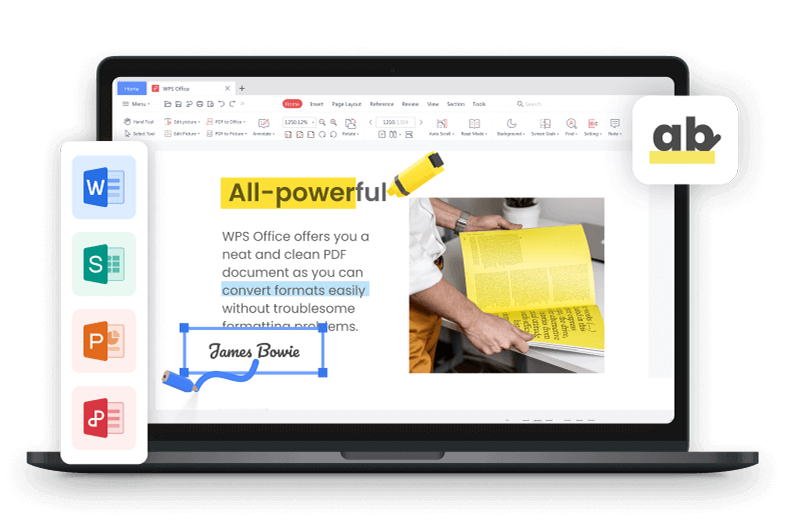
WPS AI Slides is an incredibly efficient, all-in-one AI presentation maker, designed to create professional and clean slides without requiring much time or effort from your side. It integrates effortlessly with the popular WPS Office tool suite, offering a wide variety of useful features to boost my productivity with smart features like AI-based design suggestions, quick content generation, and even instant compatibility with tools like Google Slides and Microsoft PowerPoint.
2. SlidesGPT
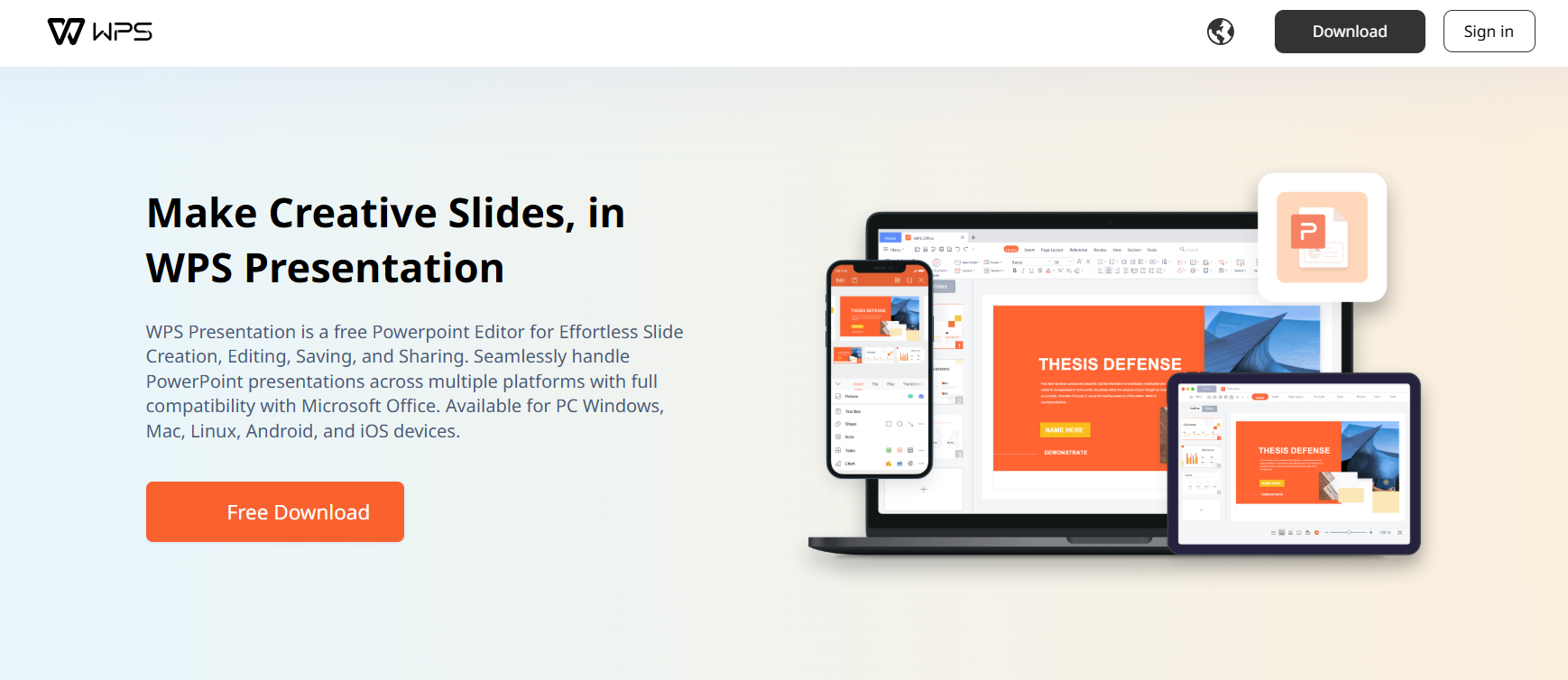
SlidesGPT is an AI-powered web application that works entirely in your browser, providing complete PowerPoint presentations from the prompt it’s given. It aims to automate the slide creation process for you to simplify your workflow and boost your productivity. I’ve found it to work well when I need to create quick drafts for my presentations, but it lacks the depth required for creating detailed professional presentations.
3. ChatSlide
ChatSlide is an AI-powered workspace designed specifically to streamline the creation of professional and detailed presentations. It stood out to me for its instant transformation of the content you provide into structured presentations that saved me hours of manually formatting each slide. Other than basic slide generation, it also provides advanced tools like AI narration and video generation for social media posts.

4. Presentations.AI
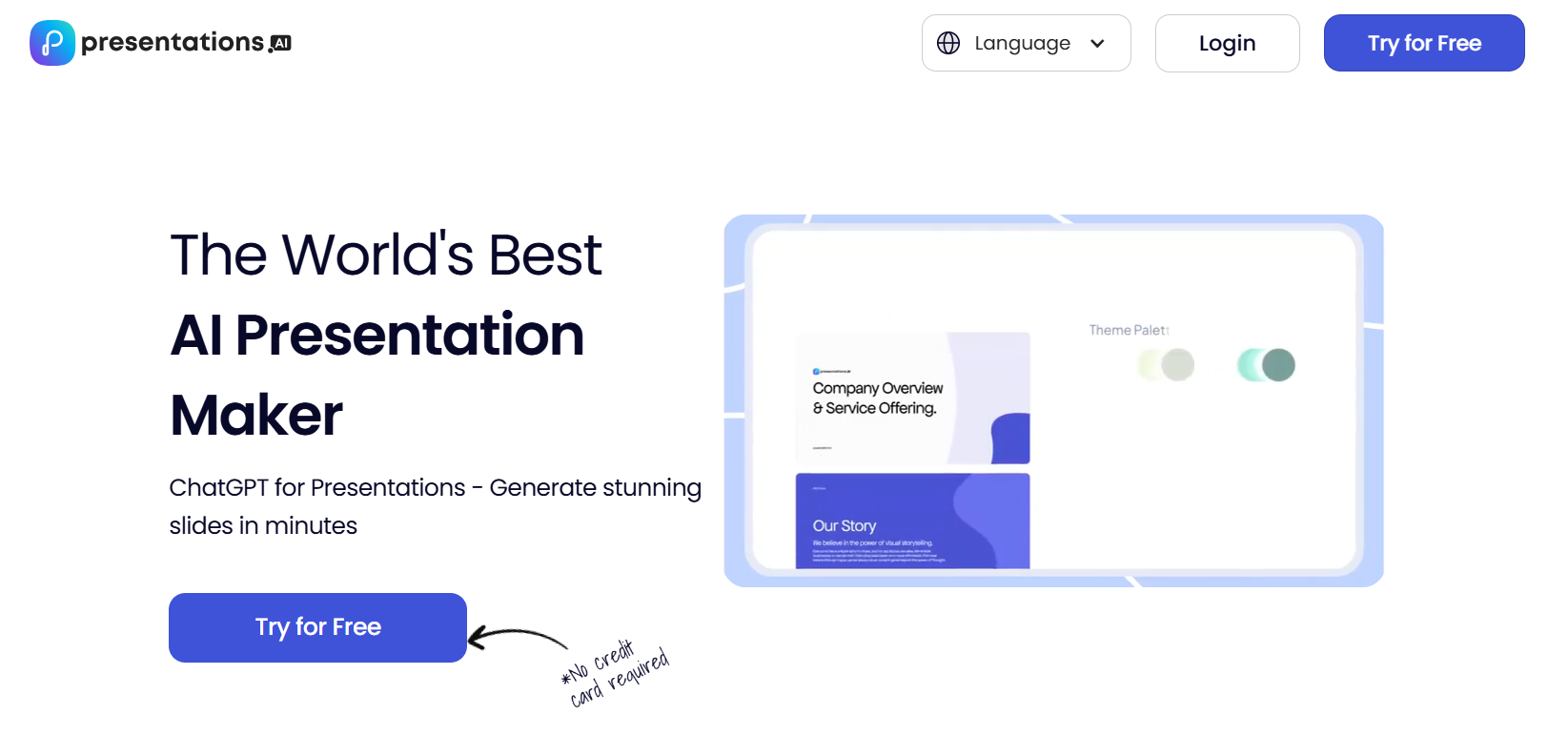
If you’re a professional looking for a seamless solution for crafting polished and visually attractive presentations, presentations.AI is one of the most effective options out there. It’s an AI-powered presentation maker designed specifically for business and professional use, making sure I get high-quality and polished results every single time I use it.
5. Canva
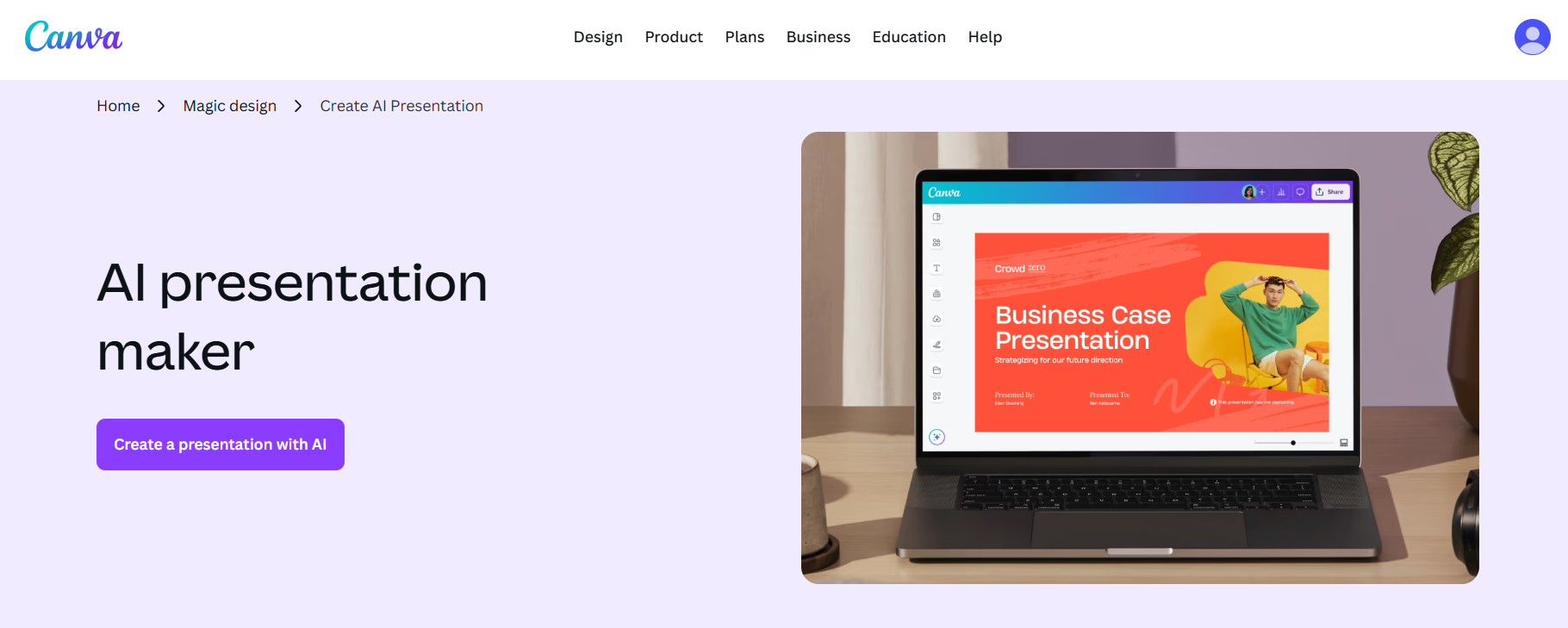
Canva is one of the most well-known and reliable options for creative professionals seeking an all-in-one tool to meet all their productivity needs. Its built-in presentation tool is one of the most reliable options I’ve ever tried out, making sure I get accurate and high-quality results every single time. I personally was incredibly impressed by how easy and intuitive the entire experience felt, and its simplicity didn’t even make me feel like I was using it for the first time.
Chat PPT Tools Comparison Table
Each tool I’ve covered has been a great help in boosting my productivity and saving a lot of time whenever I’m trying to design professional presentations. Each one has its own unique strengths and advantages which are catered towards different workflow requirements. I found WPS AI Slides to be the most versatile and universal solution for an all-in-one presentation tool, equipping its users with powerful features to elevate their presentation design. In this section, I’ll be comparing all of these chat-based AI PPT tools to help you decide on the right option for your own workflow.
| Aspect | WPS AI Slides | SlidesGPT | Chatslide | Presentations.ai | Canva AI |
|---|---|---|---|---|---|
| Chat Interaction Quality | Guided and context-aware prompts | Simple one-line prompts | Conversational drafting | Brand and context-aware chat | Magic Write style prompts |
| Slide Structure & Logic | Well-structured AI-generated decks | Basic draft structure | Good logical flow | Strong sequencing and organization | Template-guided structure |
| Design Templates | Professional template library | Limited basic styling | Moderate templates | Solid business templates | Large creative template library |
| Customization Flexibility | Full editing control | Low manual fixes needed | Medium post edit tweaks | Medium style adjustments | High drag and drop control |
| Export Formats | PPTX Google Slides | PPTX | PPTX PDF | PDF and PPT in paid plans | PPT PDF PNG MP4 |
| Pricing Model | Freemium | Freemium | Freemium | Freemium | Freemium |
| Best Use Cases | Business and professional decks | Quick first drafts | Fast AI slide drafting | Formal and branded presentations | Creative and visual presentations |
A More Complete Solution for Chat-Based Presentations — WPS AI Slides
Dealing with presentations and professional documents regularly can be stressful, and you need to have the right tools by your side to streamline your workflow and eliminate any hassle. If you’re looking for a complete solution for chat-based presentation generation, I’ve found WPS AI Slides to be the best option. It’s completely free to use and generates content-rich presentations in a matter of seconds, simplifying the process while delivering high-quality results.
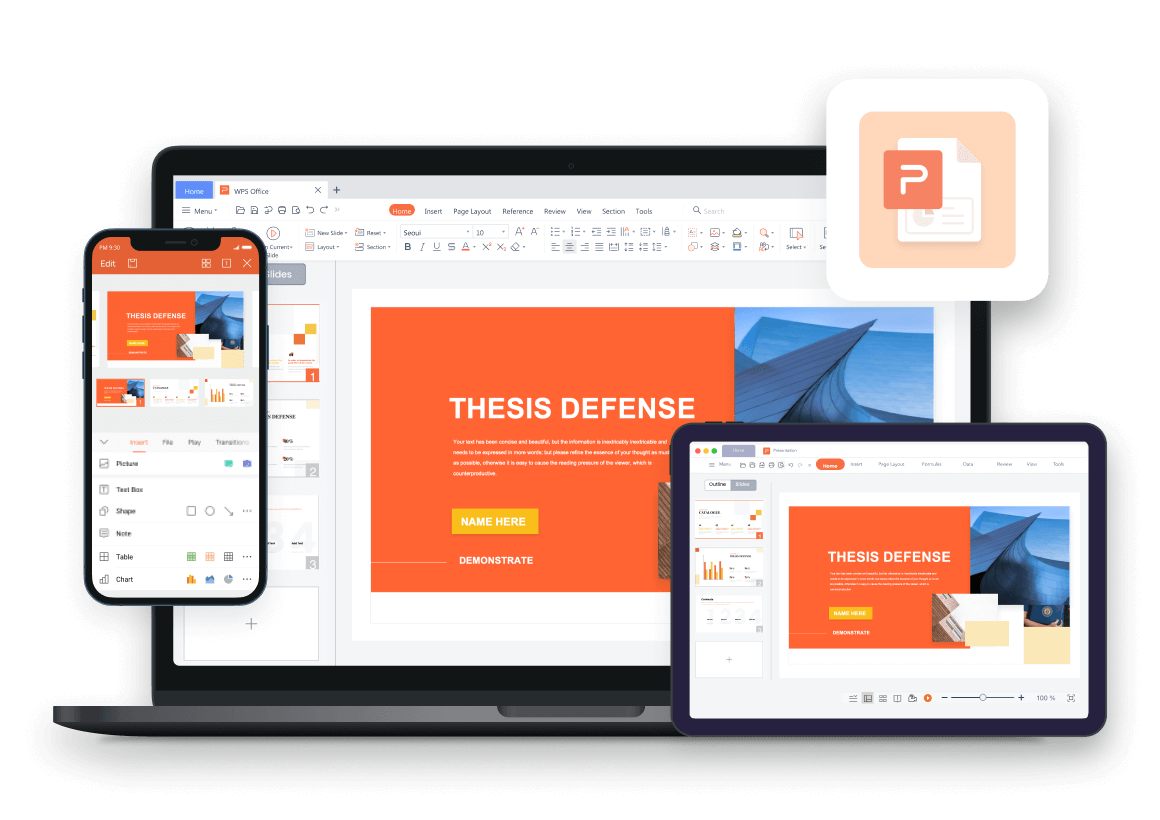
How to Create a Polished Presentation with WPS AI Slides
If WPS AI Slides feels like the right choice for your creative workflow, using it is incredibly simple. I’ll be walking you through how to use WPS AI Slides to help you be more efficient with your slide design.
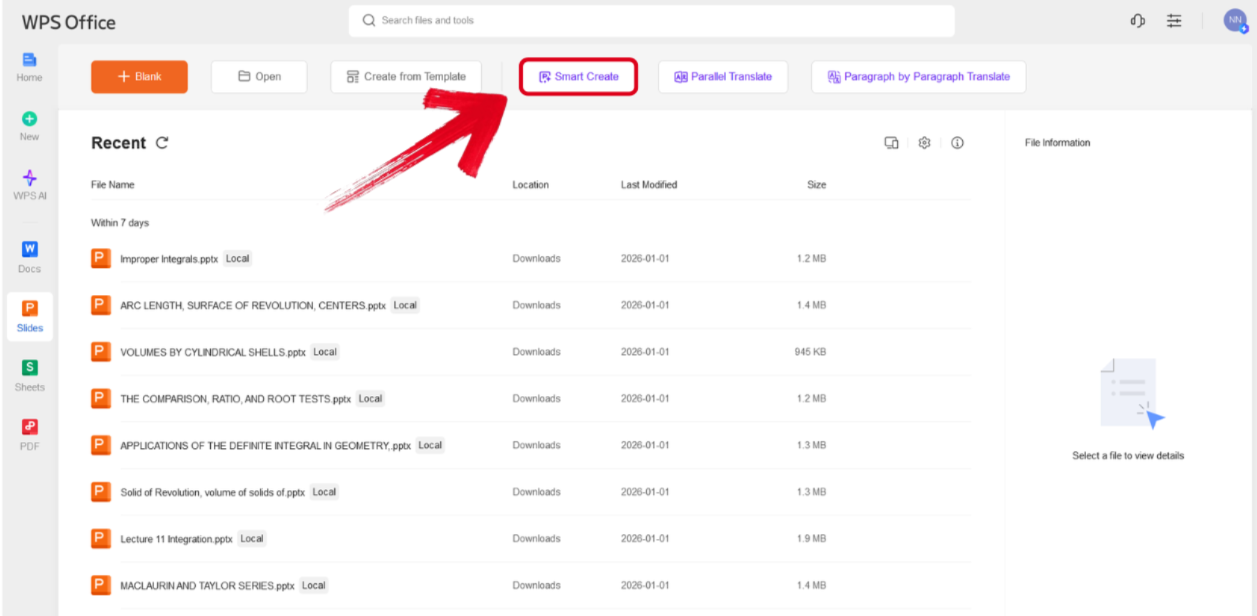
Step 1: Open WPS Presentation and select theSmart Create button to get started.
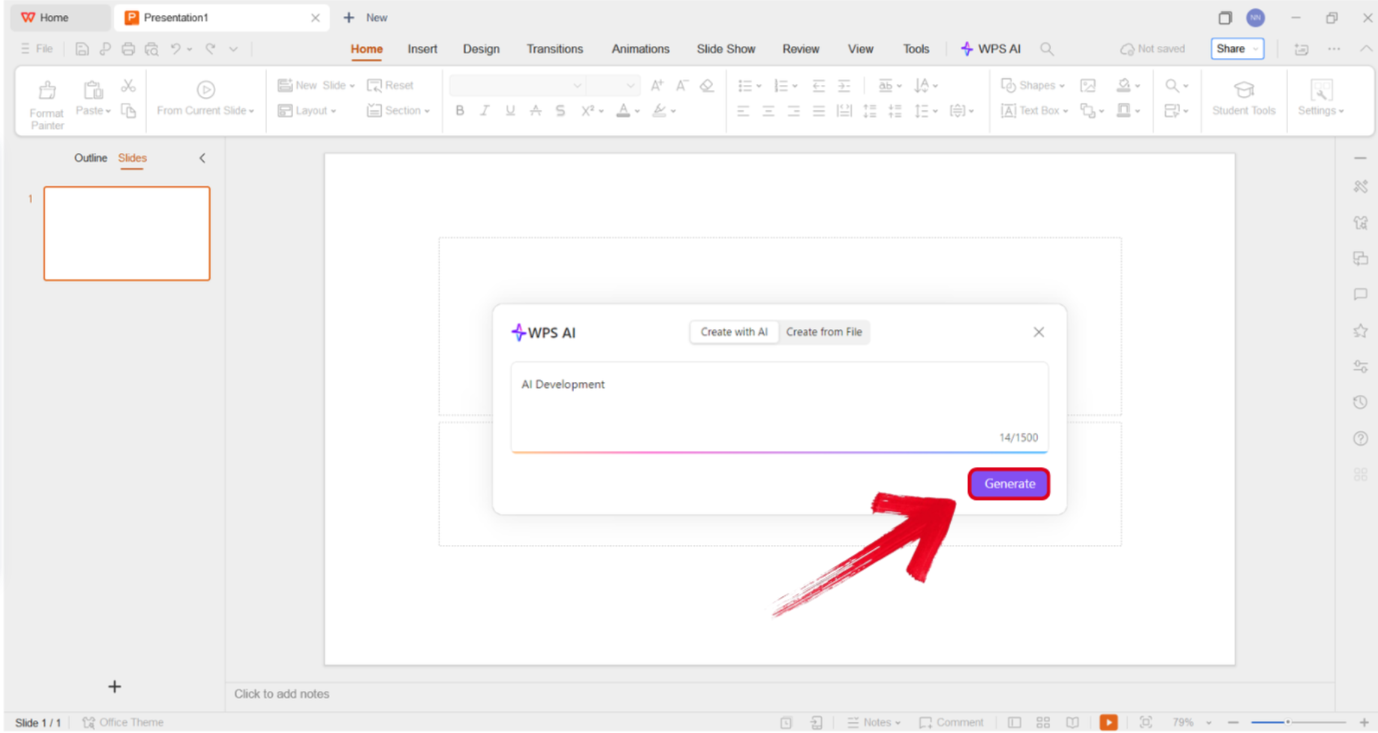
Step 2: Type out the prompt of the presentation you want to design and press Generate.
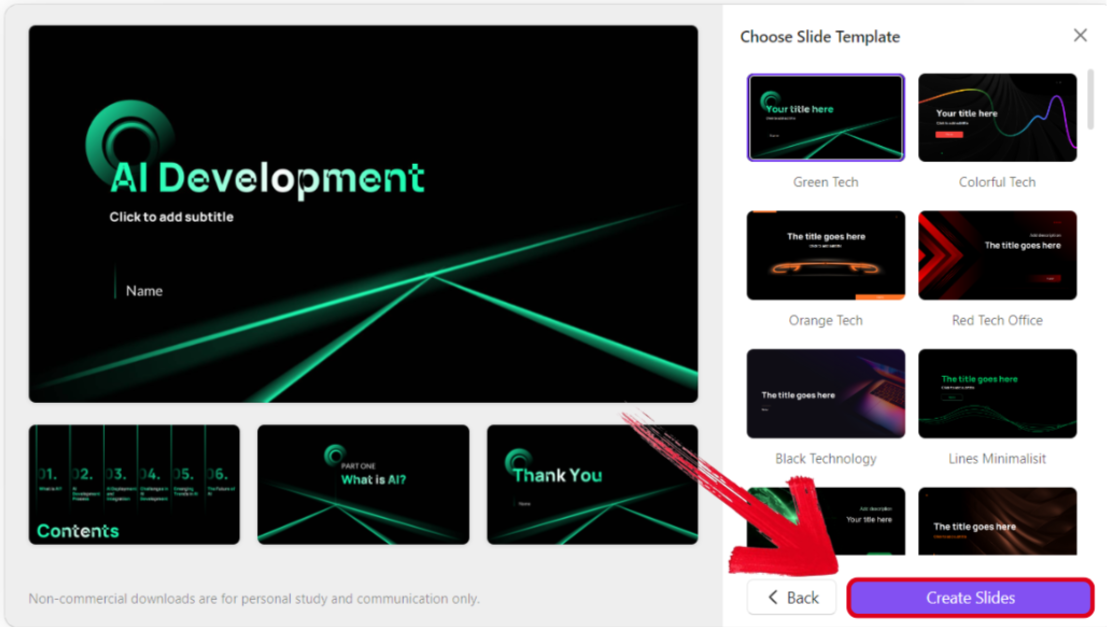
Step 3: Select the template you want to use for your outline and press Create Slides.
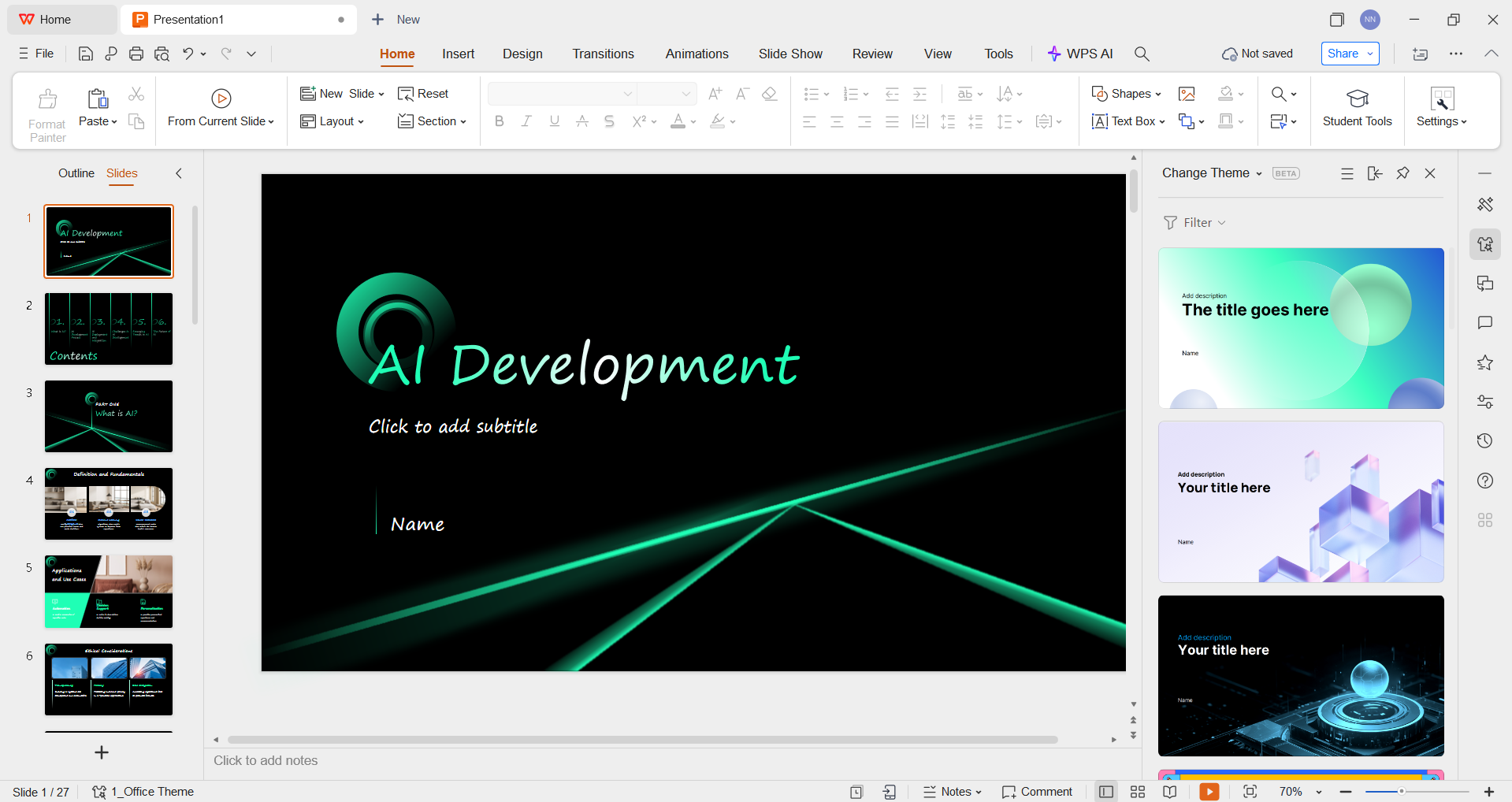
Step 4: Review the final structure of your presentation and change anything you want to, even the theme and visual elements.
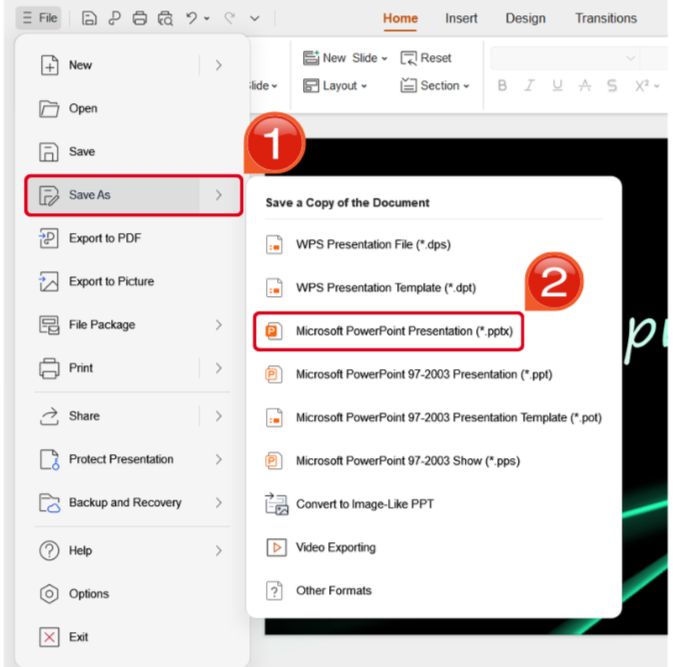
Step 5: Once you’ve finalized your design, navigate to the File Tab and locate the Save As options. Select the format you want to save your presentation as.
FAQs
Q1. Are chat-based AI PPT generators reliable for real presentations?
Chat PPT tools are helpful for drafts and inspiration, but not all of them are reliable for real-world use. Some generate slides that lack logical flow, professional tone, or an editable structure. Tools like WPS AI Slides stand out because they combine chat-based generation with full manual editing and presentation-ready layouts.
Q2. Can chat PPT tools generate presentations in different formats?
Many chat PPT tools are limited to online viewing or fixed formats. Users who need flexible export options (PPTX, PDF, etc.) for sharing or offline editing should choose tools like WPS AI Slides, which support common presentation formats used in schools and workplaces.
Q3. Is a chat PPT AI generator suitable for students and professionals alike?
Yes, but only if the tool supports different presentation scenarios. Students often need structured reports or course slides, while professionals need polished business decks. WPS AI Slides is suitable for both because it balances AI speed with professional-level customization and formatting control.

'%3e%3cpath%20d='M19.9911%204.11386V6.471H18.5894C18.0775%206.471%2017.7322%206.57814%2017.5536%206.79243C17.3751%207.00671%2017.2858%207.32814%2017.2858%207.75671V9.44421H19.9019L19.5536%2012.0871H17.2858V18.8639H14.5536V12.0871H12.2769V9.44421H14.5536V7.49779C14.5536%206.39064%2014.8632%205.53201%2015.4822%204.92189C16.1013%204.31177%2016.9257%204.00671%2017.9554%204.00671C18.8304%204.00671%2019.509%204.04243%2019.9911%204.11386Z'%20fill='%23333333'/%3e%3c/g%3e%3cdefs%3e%3cclipPath%20id='clip0_2938_8199'%3e%3crect%20width='16'%20height='16'%20fill='white'%20transform='translate(8%204.00671)'/%3e%3c/clipPath%3e%3c/defs%3e%3c/svg%3e)
'%3e%3cpath%20d='M17.5237%2010.7813L23.4811%204H22.0699L16.8949%209.88693L12.7648%204H8L14.2469%2012.9029L8%2020.0133H9.4112L14.8725%2013.7952L19.2352%2020.0133H24M9.92053%205.04213H12.0885L22.0688%2019.0224H19.9003'%20fill='%23333333'/%3e%3c/g%3e%3cdefs%3e%3cclipPath%20id='clip0_2938_8200'%3e%3crect%20width='16'%20height='16.0134'%20fill='white'%20transform='translate(8%204)'/%3e%3c/clipPath%3e%3c/defs%3e%3c/svg%3e)


