

'%3e%3cpath%20d='M8%200C12.4183%200%2016%203.58172%2016%208C16%2012.4183%2012.4183%2016%208%2016C3.58172%2016%200%2012.4183%200%208C0%203.58172%203.58172%200%208%200ZM11.6162%204.38379C11.2257%203.99337%2010.5927%203.99338%2010.2021%204.38379L8%206.58594L5.79785%204.38379C5.40732%203.99334%204.77429%203.99329%204.38379%204.38379C3.99331%204.77429%203.99335%205.40733%204.38379%205.79785L6.58594%208L4.38379%2010.2021C3.99348%2010.5927%203.99341%2011.2257%204.38379%2011.6162C4.77426%2012.0066%205.40734%2012.0065%205.79785%2011.6162L8%209.41406L10.2021%2011.6162C10.5927%2012.0066%2011.2257%2012.0067%2011.6162%2011.6162C12.0067%2011.2257%2012.0066%2010.5927%2011.6162%2010.2021L9.41406%208L11.6162%205.79785C12.0066%205.40735%2012.0066%204.77429%2011.6162%204.38379Z'%20fill='%23080E17'%20fill-opacity='0.46'/%3e%3c/g%3e%3cdefs%3e%3cclipPath%20id='clip0_3761_713'%3e%3crect%20width='16'%20height='16'%20fill='white'/%3e%3c/clipPath%3e%3c/defs%3e%3c/svg%3e)




'%3e%3cpath%20fill-rule='evenodd'%20clip-rule='evenodd'%20d='M21.4999%2010.9993C21.4999%205.20009%2016.7986%200.498901%2010.9993%200.498901C5.19994%200.498901%200.498657%205.20009%200.498657%2010.9993C0.498657%2016.2404%204.33858%2020.5844%209.35855%2021.3722V14.0346H6.69238V10.9993H9.35855V8.68594C9.35855%206.05427%2010.9262%204.60062%2013.3248%204.60062C14.4736%204.60062%2015.6753%204.80571%2015.6753%204.80571V7.38979H14.3512C13.0468%207.38979%2012.64%208.19921%2012.64%209.0296V10.9993H15.5523L15.0867%2014.0346H12.64V21.3722C17.66%2020.5844%2021.4999%2016.2404%2021.4999%2010.9993Z'%20fill='%231568EA'/%3e%3c/g%3e%3c/svg%3e)


'%3e%3cpath%20d='M2.42045%2022.1876H6.31818V12.7217L0.75%208.54553V20.5171C0.75%2021.4414%201.49892%2022.1876%202.42045%2022.1876Z'%20fill='%234285F4'/%3e%3cpath%20d='M19.682%2022.1876H23.5797C24.5041%2022.1876%2025.2502%2021.4387%2025.2502%2020.5171V8.54553L19.682%2012.7217'%20fill='%2334A853'/%3e%3cpath%20d='M19.682%205.48293V12.7216L25.2502%208.54543V6.31816C25.2502%204.25236%2022.8921%203.07469%2021.2411%204.31361'%20fill='%23FBBC04'/%3e%3cpath%20d='M6.31824%2012.7217V5.48303L13.0001%2010.4944L19.6819%205.48303V12.7217L13.0001%2017.733'%20fill='%23EA4335'/%3e%3cpath%20d='M0.75%206.31816V8.54543L6.31818%2012.7216V5.48293L4.75909%204.31361C3.10534%203.07469%200.75%204.25236%200.75%206.31816Z'%20fill='%23C5221F'/%3e%3c/g%3e%3cdefs%3e%3cclipPath%20id='clip0_2954_7305'%3e%3crect%20width='24.5'%20height='18.375'%20fill='white'%20transform='translate(0.75%203.8125)'/%3e%3c/clipPath%3e%3c/defs%3e%3c/svg%3e)


As the holiday season gets closer, creating a warm and festive invitation for family and friends becomes a top priority. Yet, not everyone knows how to find the right templates without paying for premium designs. I’ve been there myself, looking for something simple, elegant, and editable. So where can you find stylish Christmas invitation template free of cost, and how can you make them your own? In this guide, I’ll walk you through 10 editable templates and show you exactly how to customize them in WPS Office with step-by-step visuals.
10 Free Christmas Invitation Templates to Download
Here’s a curated list of Christmas invitation template free that are editable and free to use. All of them are available directly from WPS Office. These templates make it super easy to design your own festive invites without needing any graphic design experience. You can simply download, customize, and share them online or print them out for your holiday gathering.
1. Fresh Christmas Invitation
One of these free christmas invitation templates has a light and refreshing design, perfect for casual gatherings. The green and red accents give it a festive touch without being overwhelming. It’s easy to personalize for both family dinners and small office events. Try the Fresh Christmas Invitation to give your invites a lively look.

2. Christmas Night Party Invitation
If you’re hosting a festive evening, this one sets the mood instantly. The dark theme paired with vibrant Christmas lights makes it stylish. You can adjust the fonts and layout for a more personal vibe. The Christmas Night Party Invitation is perfect for evening gatherings.

3. Modern Christmas Card (PPT)
For those who want a modern look, this template keeps it clean. Its bold typography and neat structure make it perfect for professional or formal holiday invites, especially if you’re searching for editable Christmas invitation templates. It works great when you want to keep things minimal yet stylish. You can explore the Modern Christmas Card (PPT) for a sleek design.
4. Christmas Cookies Party Invitation
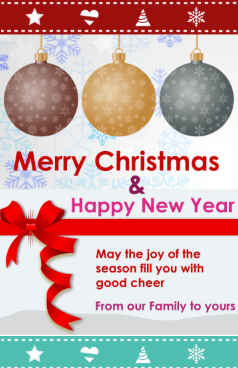
Cookies, cocoa, and laughter, this template is made for cozy get-togethers. Its playful design with cookie illustrations will instantly delight your guests. It’s perfect for family or kids’ parties. The Christmas Cookies Party Invitation sets the right playful tone.
5. Cute Christmas Card (PPT)
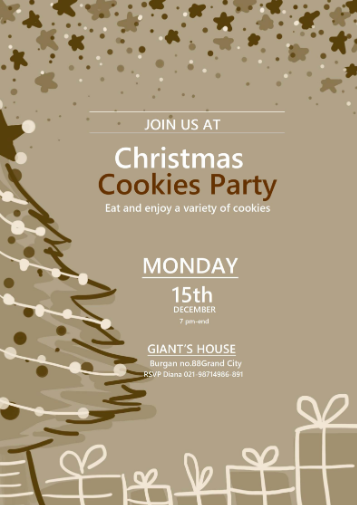
This one is lighthearted and charming. With cartoonish elements, it suits gatherings where kids and families are the focus. You can tweak the color scheme to match your own decorations. The Cute Christmas Card (PPT) is a fun choice for family-centered events.

6. Christmas Celebration Simple Presentation (PPT)
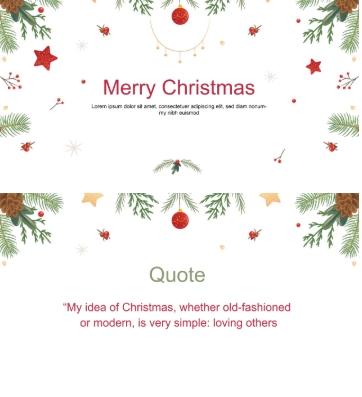
This design is great if you want your invitation to double as a short presentation. The slides can include event details and even images from previous years, and you can easily download holiday invitation card versions to share or print. It’s practical for office or school events. Check out the Christmas Celebration Simple Presentation (PPT) for multipurpose use.
7. Blackish Merry Christmas Poster
This poster-style template is bold and eye-catching. Its black theme gives it an elegant edge. It’s versatile, working well for both formal invites and party posters. Try the Blackish Merry Christmas Poster for a dramatic touch.

8. Christmas Sales Flyer
This one is ideal if you’re hosting a community or business event. The layout gives you room to add promotional details. You can adapt it to work as a party invite too. The Christmas Sales Flyer is versatile for multiple purposes.

9. White Christmas Holiday Letter
This elegant template is styled like a letter. It’s a softer, more formal way to invite people, especially older relatives or colleagues. Its simplicity keeps it timeless. Explore the White Christmas Holiday Letter for a classic feel.
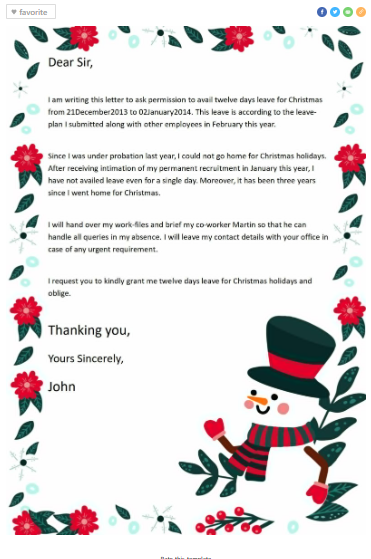
10. Black and White Christmas Trees Letter
Minimal yet sophisticated, this design uses black-and-white trees for a classy look. It’s a great fit for formal dinners or events where you want something understated but neat. The Black and White Christmas Trees Letter provides that elegant balance.

I’ve used templates like these when hosting small family events, and they always make the invite process so much easier. Guests notice the thoughtfulness in the design, which adds to the overall mood of the gathering.
How to Use & Edit Christmas Templates in WPS Word & PPT
Customizing your template doesn’t have to be complicated. I’ll break down how to do it in both WPS Word and WPS Presentation. With just a few clicks, you can change colors, fonts, and images to perfectly match your party theme. This flexibility makes it easy to create unique, personalized invitations in minutes.
Edit in WPS Word
If you choose a Word-style template, here’s how you can make it your own:
Step 1: First of all, open your template directly in WPS Word.
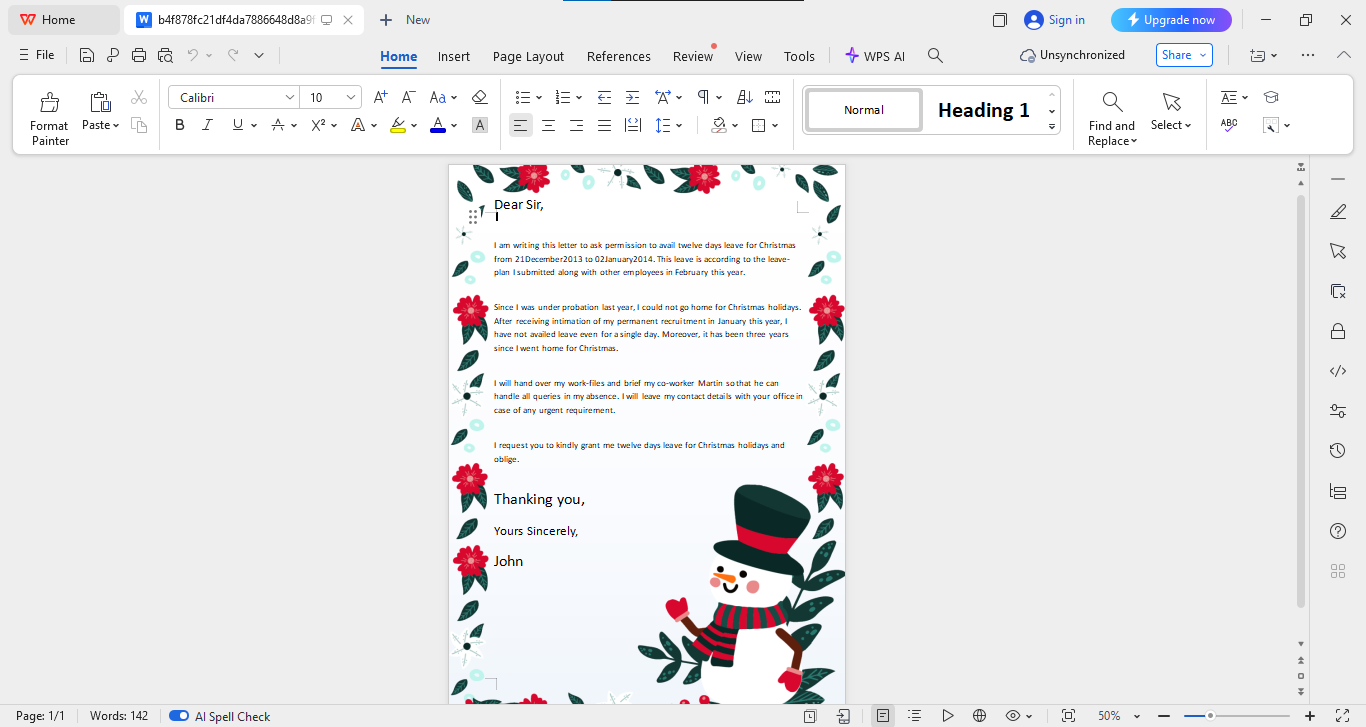
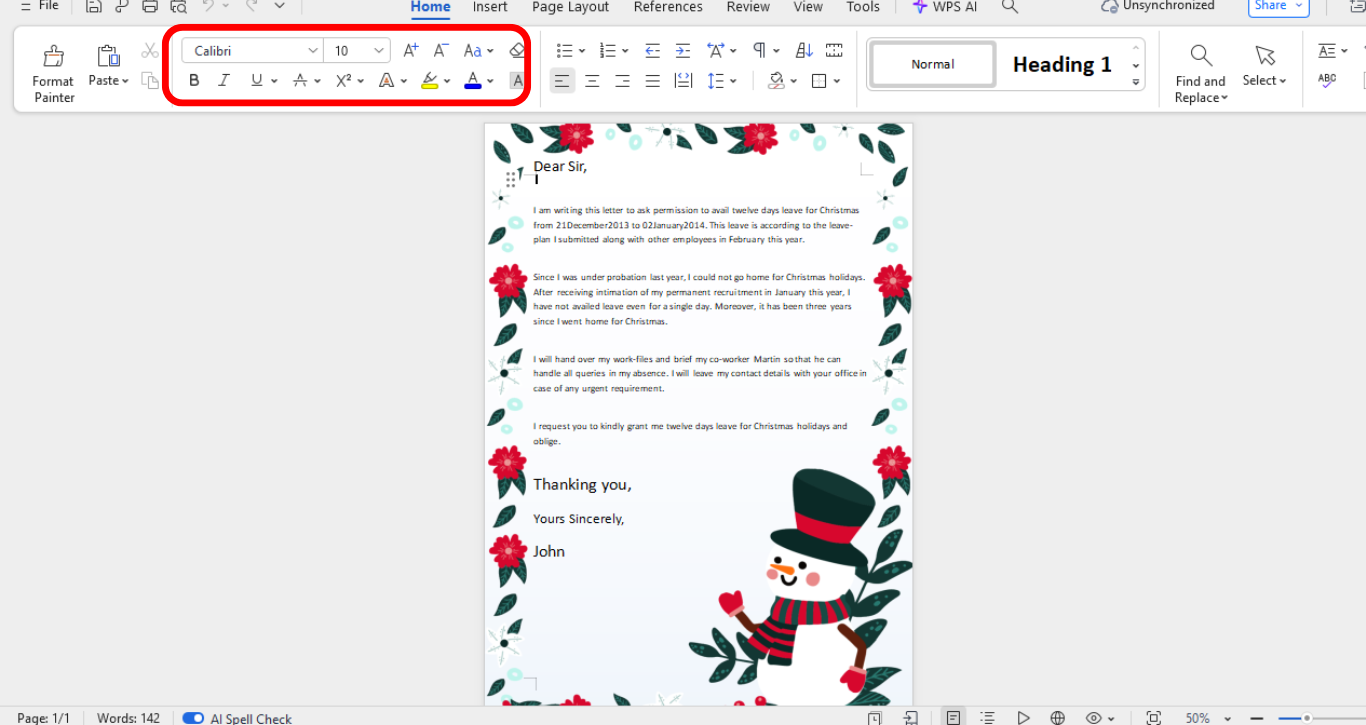
Step 2: Change the invitation details, experiment with different fonts, and adjust size as needed from the panel above your template.
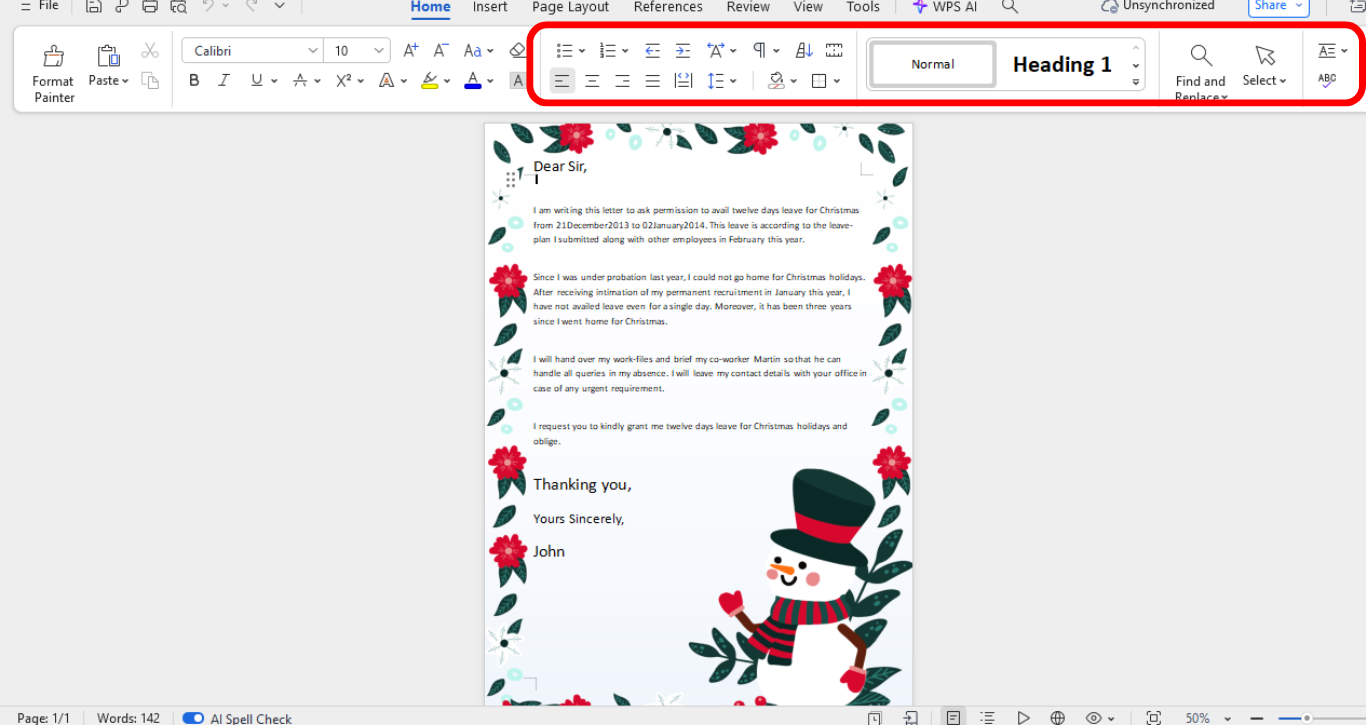
Step 3: Tweak background headers, borders, or placement of elements.
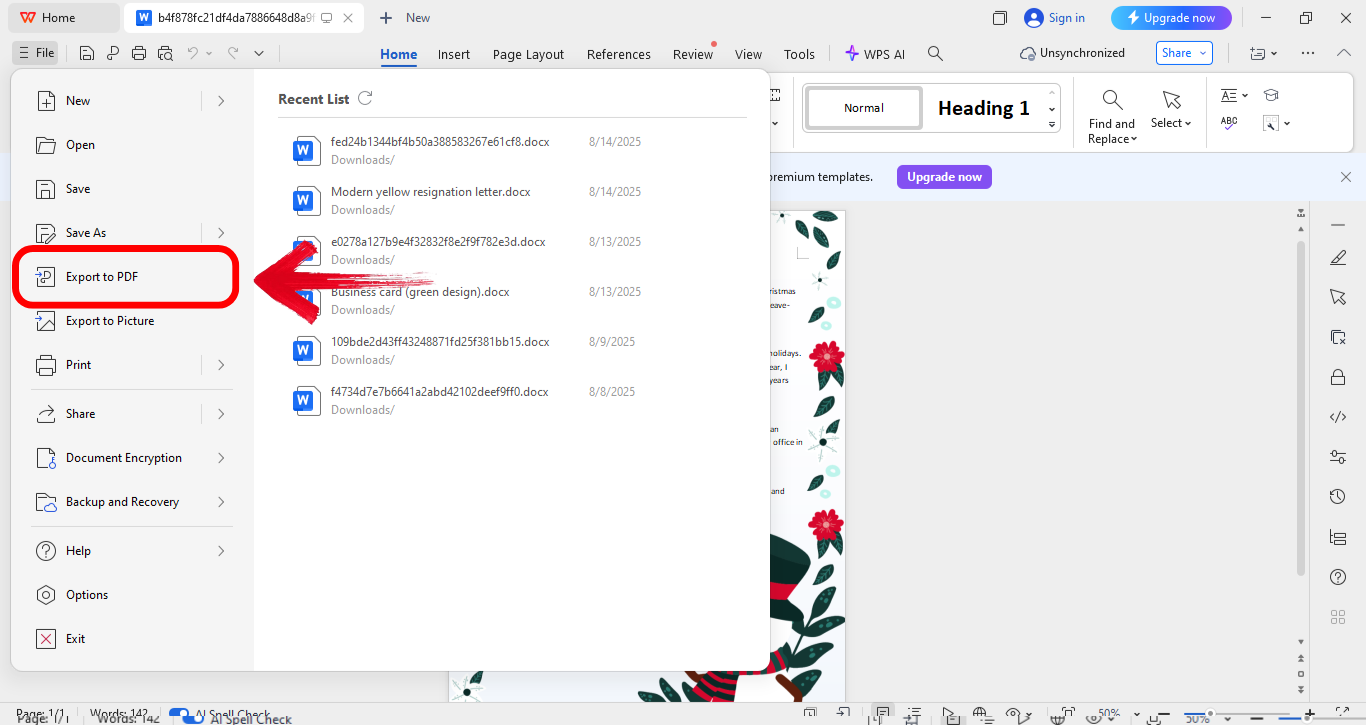
Step 4: Once satisfied, export your design to PDF by first clicking “File” on the top right side of your screen and then clicking “Export a PDF.”
Edit in WPS PPT
For PPT templates, the steps are slightly different:
Step 1: Firstly, launch the template in WPS Presentation.
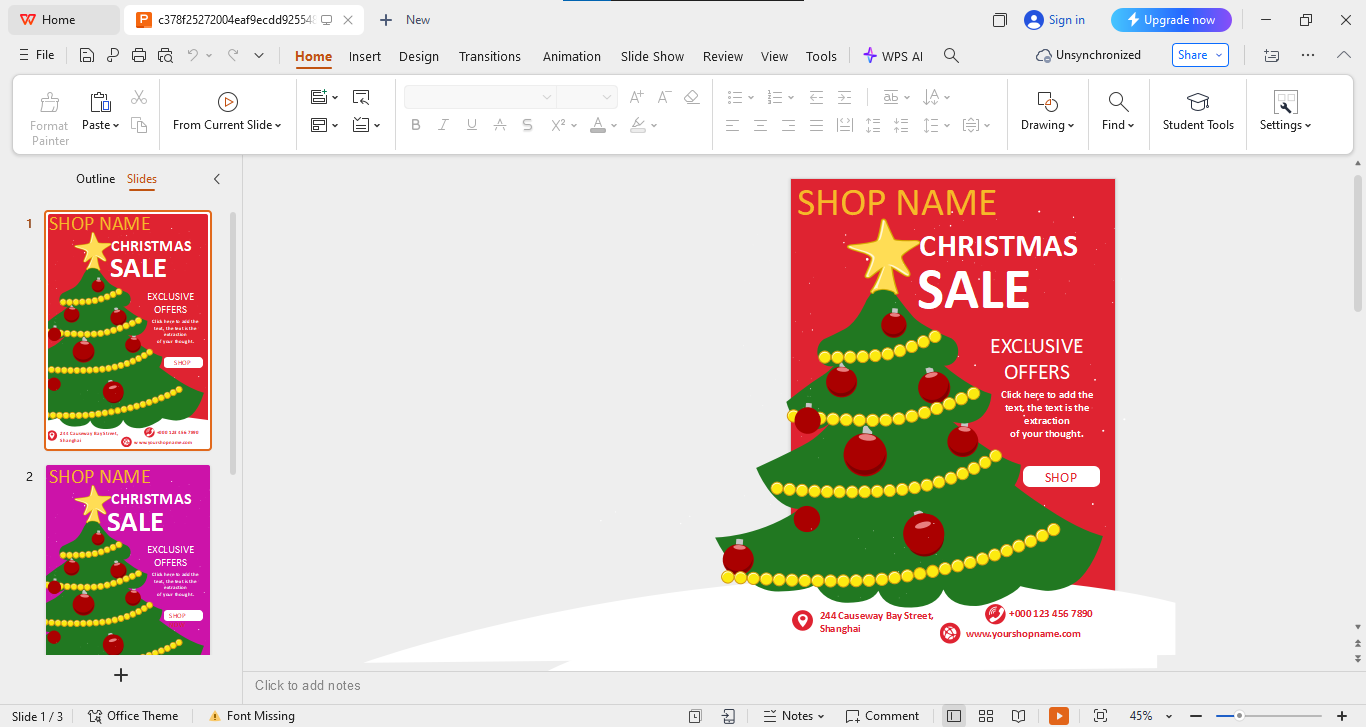
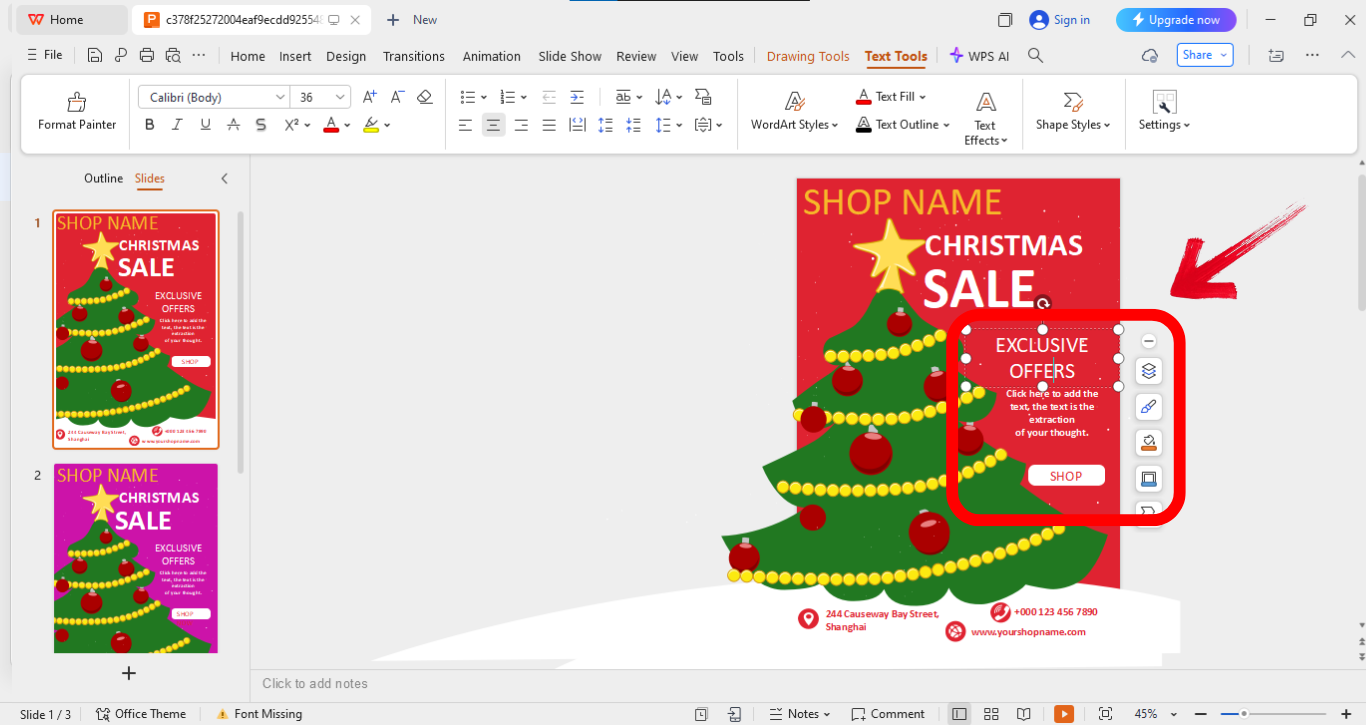
Step 2: Update names, dates, and event details on the slides by simply clicking on the part of the template you want to edit.
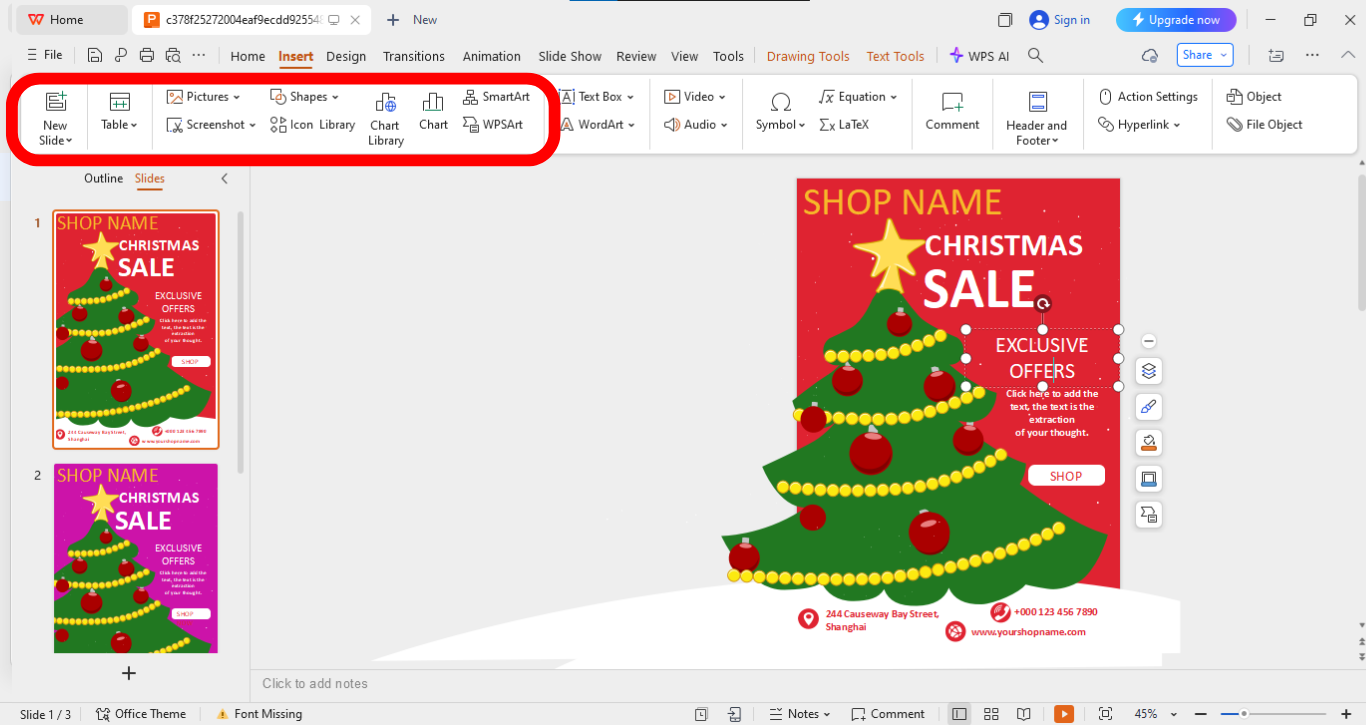
Step 3: Now click “Insert” from the panel above and then Insert family photos, decorative graphics, or clipart.
Step 4: Once you’ve experimented with different features and you feel satisfied, finalize by saving in PDF or image format.
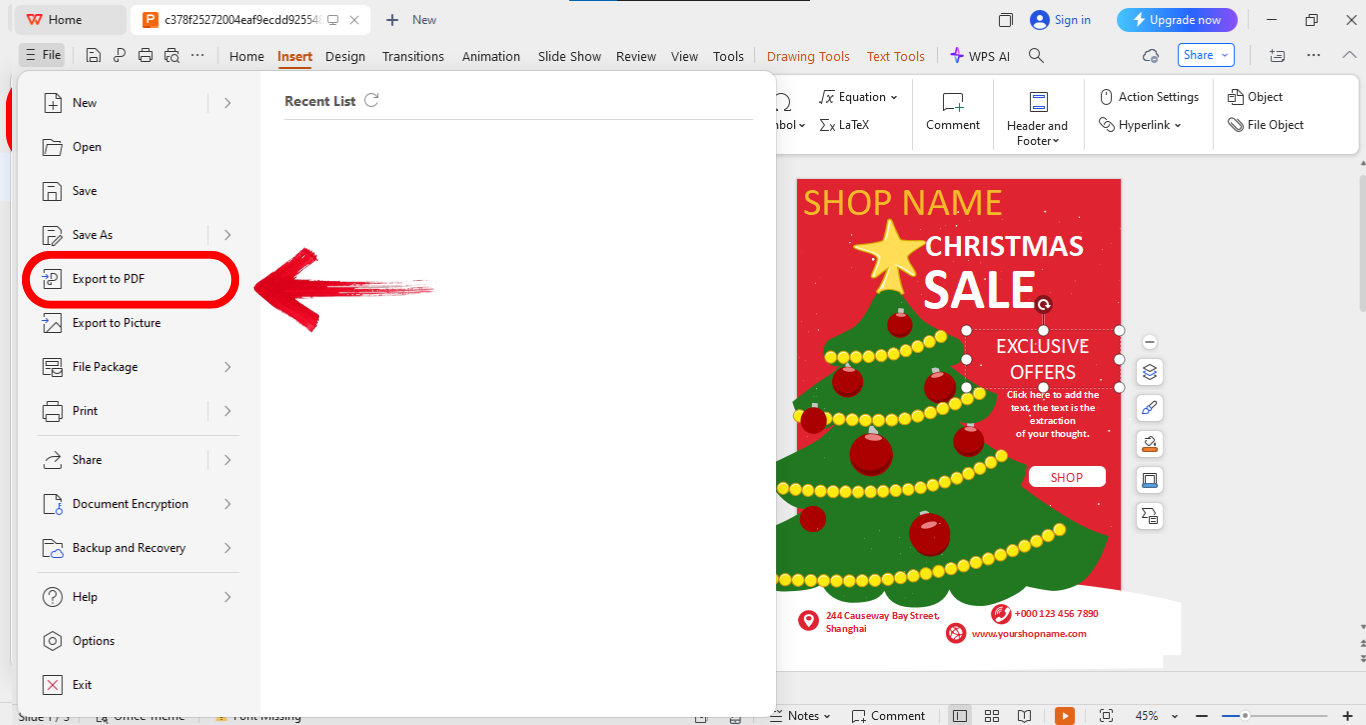
Editing templates in WPS feels intuitive. I’ve tried both Word and PPT formats, and each gives you flexibility without requiring design skills. It’s fast, clean, and reliable.
How to Print or Share Your Invitation
Once your design is ready, you’ll want to share it effectively. You can send it out digitally via email or social media for quick delivery. If you prefer something more traditional, you can also print high-quality copies to hand out personally or mail to your guests.
Exporting: Save your file as PDF or JPG. Adjust the paper size to A4 or Letter before printing.
Sharing: Use email to send it directly, or share via Facebook and Instagram. WPS also provides a shareable link option.
I’ve found exporting as PDF the most practical, it keeps formatting intact. Sharing via social platforms works great for casual invites, while email suits formal ones.
Free Office Suite: Design Stunning Templates
Before we wrap up, let me talk about WPS Office itself. It’s more than just a free alternative, it’s a complete suite designed for productivity. WPS Office has a sleek and lightweight design, which makes it perfect for users who want functionality without slowing down their computer. It comes with tons of editable templates, especially for events and holidays.
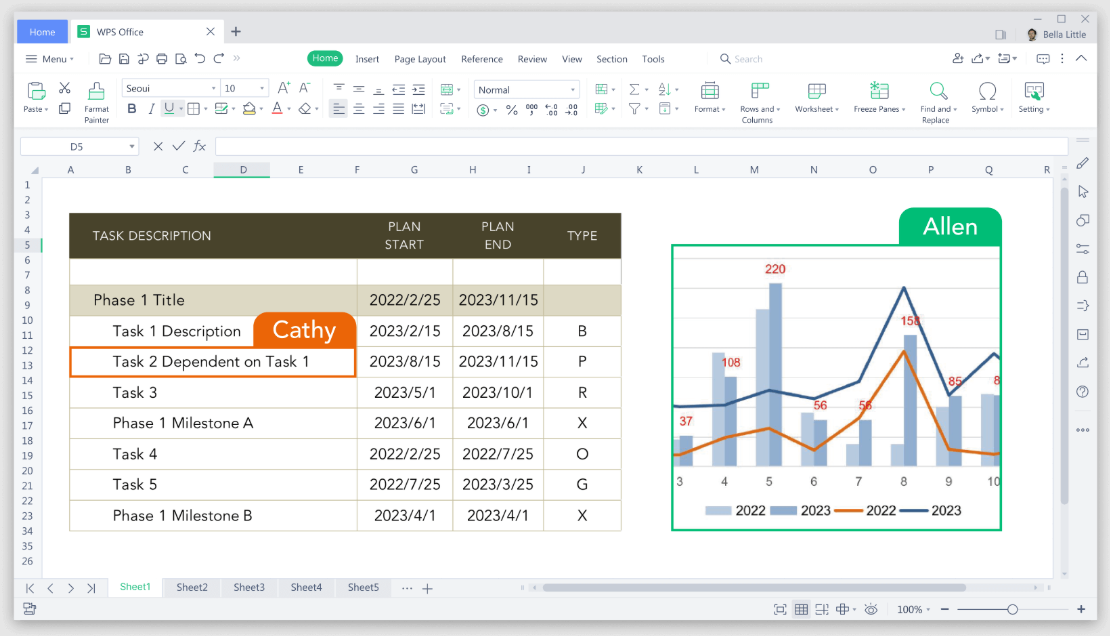
I’ve personally found its PDF export feature extremely helpful when finalizing invites. What I like most is how user-friendly it feels, you don’t need to be a designer to make professional-looking invitations.
Key Advantages
Free and lightweight: Runs smoothly even on basic laptops.
Dozens of editable templates for events: Covers parties, holidays, and more.
PDF export and printing support: Makes finalizing invitations easy.
User-friendly interface with drag-and-drop support: Editing feels effortless.
Web and desktop versions available: Edit anytime, anywhere.
WPS has been a go-to for me because of its simplicity. Unlike Adobe tools, it doesn’t overwhelm me with advanced features I don’t need. Instead, it focuses on giving me clean and ready-to-use options.
FAQs
Q1: Can I customize everything on the invitation template?
Yes, every part of the template is editable in WPS, from fonts to layouts.
Q2: Are all templates free?
Most templates on WPS are free for personal use, though some premium ones exist.
Q3: Can I use WPS if I don’t have Microsoft Word?
Absolutely, WPS supports Word-format editing at no cost.
Q4: Can I print the invitation directly?
Yes, you can print directly or export as PDF.
Q5: Do I need an internet connection to edit templates?
No, once downloaded, you can edit offline in WPS.
Q6: Can I use these templates for business promotions?
Yes, the flyer and poster templates are ideal for business events and promotions.
Holiday Invitation Takeaways
In this guide, I’ve shared 10 editable Christmas invitation template free from WPS, along with step-by-step ways to edit them in both Word and PPT formats. I’ve also walked you through printing and sharing options so you can send polished invites effortlessly. WPS Office stands out as a reliable, free, and lightweight tool that makes customizing holiday templates simple. If you want professional results without spending extra, WPS is your best bet for this Christmas season.

'%3e%3cpath%20d='M19.9911%204.11386V6.471H18.5894C18.0775%206.471%2017.7322%206.57814%2017.5536%206.79243C17.3751%207.00671%2017.2858%207.32814%2017.2858%207.75671V9.44421H19.9019L19.5536%2012.0871H17.2858V18.8639H14.5536V12.0871H12.2769V9.44421H14.5536V7.49779C14.5536%206.39064%2014.8632%205.53201%2015.4822%204.92189C16.1013%204.31177%2016.9257%204.00671%2017.9554%204.00671C18.8304%204.00671%2019.509%204.04243%2019.9911%204.11386Z'%20fill='%23333333'/%3e%3c/g%3e%3cdefs%3e%3cclipPath%20id='clip0_2938_8199'%3e%3crect%20width='16'%20height='16'%20fill='white'%20transform='translate(8%204.00671)'/%3e%3c/clipPath%3e%3c/defs%3e%3c/svg%3e)
'%3e%3cpath%20d='M17.5237%2010.7813L23.4811%204H22.0699L16.8949%209.88693L12.7648%204H8L14.2469%2012.9029L8%2020.0133H9.4112L14.8725%2013.7952L19.2352%2020.0133H24M9.92053%205.04213H12.0885L22.0688%2019.0224H19.9003'%20fill='%23333333'/%3e%3c/g%3e%3cdefs%3e%3cclipPath%20id='clip0_2938_8200'%3e%3crect%20width='16'%20height='16.0134'%20fill='white'%20transform='translate(8%204)'/%3e%3c/clipPath%3e%3c/defs%3e%3c/svg%3e)


