For freelancers and small businesses, invoicing is absolutely
essential. A clear, well-designed invoice ensures you get paid promptly
and maintains your professional image. You might have found, though,
that setting up calculations, formatting, and design directly in Google
Sheets can be tricky and time-consuming. Using a pre-made Google
Sheets invoice template is the best way to bypass these
problems. I'll share 10 great free options, show you how to customize
them, and introduce a tool to make it even easier.
Google Sheets Invoice Templates
How to Write a
Google Sheets Invoice Template
You've likely faced challenges while using Google
Sheets for invoicing. It's common to struggle with getting the
right formulasor to find it difficult to achieve a truly polished, professional
layout. These issues are not only frustrating, but they can also lead to
critical errors or a final bill that looks amateurish, which almost
always causes payment delays. This is why it’s essential to view your
spreadsheet as a final, formal document, not just a calculator. So,
before grabbing a Google Sheets invoice template, let's first establish
what a truly effective invoice needs to accomplish.
Here’s what you need to include when setting up your invoice template
Google Sheets:
Your Business Information: This includes your
name or company name, address, and contact details, usually placed at
the top.
Client Details: Clearly list the client's name,
company, billing address, and contact information.
Invoice Number and Dates: You need a unique
invoice number for tracking, plus the issue date and the payment due
date.
Itemized Table: Structure columns for item
description, quantity, rate (per hour or item), and the line total.
Google Sheets formulas can automatically calculate this.
Totals and Calculations: Include lines for
subtotal, any applicable tax or discounts, and the final grand total,
using formulas for accuracy.
Payment Terms: Add your payment methods (e.g.,
bank transfer details) and any late fee policies.
Getting this structure right in your invoice Google Sheets template
ensures clarity and professionalism.
10 Free Google
Sheets Invoice Templates [Download]
Using a Google Sheet invoice template saves a ton of time.
You can avoid setting up formulas and formattingfrom scratch. These free templates are designed for Google Sheets, so
they're easy to copy, edit, and use right away.
1. Basic Invoice Template
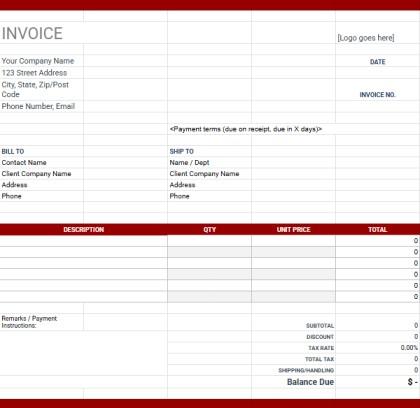
This Basic
Invoice Template is a comprehensive, professional document
designed for small businesses or freelancers who sell and ship physical
goods. The layout features a clean grid with a strong red header,
distinct BILL TO and SHIP TO sections, and a detailed itemized table for
DESCRIPTION, QTY, and UNIT PRICE. Built for thorough financial tracking,
this structure includes separate fields for DISCOUNT, TAX RATE, and
SHIPPING/HANDLING, allowing businesses to provide a clear, detailed
Balance Due to their customers.
Free Basic Invoice Template
2. Freelancer Invoice Template
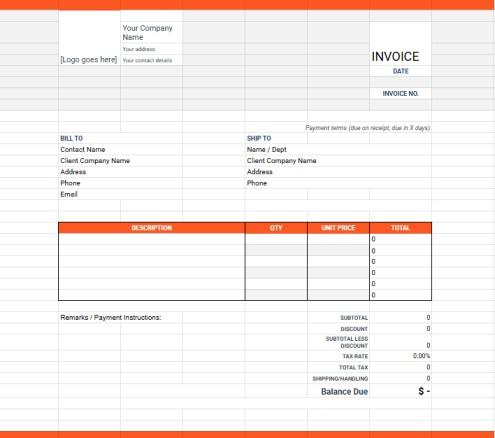
This Freelancer
Invoice Template is a clean, professional document that uses
bright orange accents for a modern, energetic feel, making it a great
choice for creative freelancers. The layout features the same
comprehensive BILL TO and SHIP TO sections as the previous template,
along with a detailed table for DESCRIPTION, QTY, and UNIT PRICE. Built
for maximum transparency in billing, this template's key distinction is
the inclusion of a SUBTOTAL LESS DISCOUNT line, which clearly shows
clients exactly how discounts are applied before calculating the final
Balance Due.
Freelancer Invoice Template
3. Small Business Invoice
Template
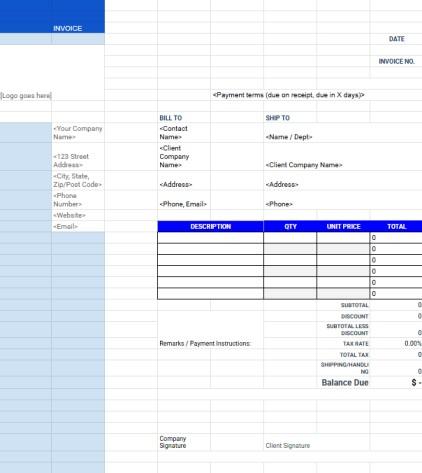
This Small
Business Invoice Template is a formal, highly professional
document designed for businesses that require thorough record-keeping
and client authorization. The layout uses a classic corporate-blue color
scheme and features all the comprehensive billing fields from the
previous template, including BILL TO, SHIP TO, and SHIPPING/HANDLING.
Its most unique feature is the inclusion of Company Signature and Client
Signature lines at the bottom, making this template ideal for contracts,
large projects, or any job requiring formal client approval of the final
charges.
Small Business Invoice Template
4. Consulting Invoice Template
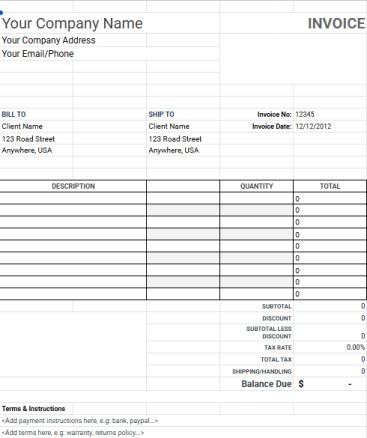
This Consulting
Invoice Template is an ultra-minimalist, black-and-white
document designed for consultants or businesses who prioritize a clean,
unbranded, and printer-friendly format. The layout features all the
essential billing components, including BILL TO and SHIP TO sections,
but uniquely simplifies the itemized table to only DESCRIPTION,
QUANTITY, and TOTAL. Built for professionals who bill for project
deliverables or flat-rate items, this structure is ideal for presenting
a final line total without needing to show a per-unit price, while still
providing full transparency in the detailed Balance Due calculation.
Consulting Invoice Template
5. Hourly Invoice Template
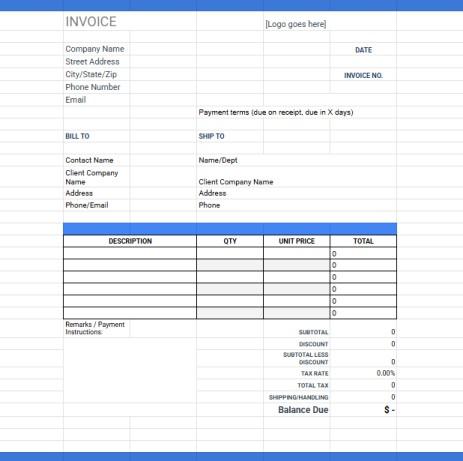
This Hourly
Invoice Template is a clean, professional document designed
specifically for service-based freelancers or consultants who bill by
the hour. The layout uses a corporate-blue color scheme for its headers
and features a detailed billing table structured for time-tracking,
including columns for DESCRIPTION, QTY (for hours), and UNIT PRICE (for
rate). Built for clear, time-based billing, this template's structure is
perfect for professionals who need to transparently show how their
billable hours and hourly rate calculate the final, accurate Balance
Due.
Hourly Invoice Template
6. Project Invoice Template
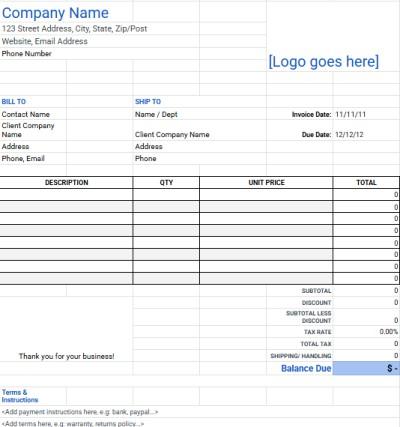
This Project
Invoice Template is an ultra-clean, minimalist document designed
for professionals who need a simple, printer-friendly format without
sacrificing detailed calculations. The layout is a streamlined,
black-and-white grid that includes both BILL TO and SHIP TO sections, a
comprehensive Terms & Instructions box, and a full itemization table
with DESCRIPTION, QTY, UNIT PRICE, and TOTAL. Built for maximum clarity
and detail, this structure provides a full breakdown of costs, including
SHIPPING/HANDLING and a SUBTOTAL LESS DISCOUNT, ensuring clients see a
transparent, comprehensive bill for project work.
Project Invoice Template
7. Sales Invoice Template
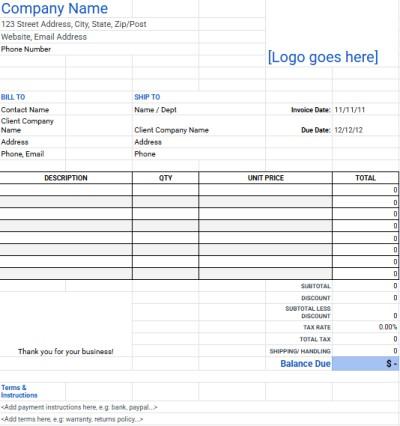
This Sales
Invoice Template is a comprehensive, product-focused document
designed for businesses that sell and ship goods, such as retail or
e-commerce. The layout is clean and printer-friendly, featuring all the
critical fields for sales transactions, including separate BILL TO and
SHIP TO addresses, a full itemization table, and a Terms &
Instructions section for warranty or return policies. Built for detailed
product billing, this structure's key benefit is its complete financial
summary, which includes calculations for SHIPPING/HANDLING and TAX RATE,
ensuring customers receive a clear and accurate bill for their
purchases.
Sales Invoice Template
8. Service Invoice Template
This Service
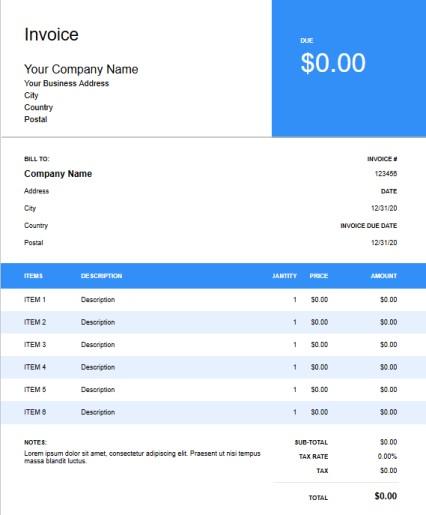
Invoice Template is a modern, visually striking document
designed for service-based businesses, agencies, or freelancers. The
layout is defined by its bold, bright-blue color scheme, featuring a
large header block that prominently displays the total amount DUE and a
clean itemized table for DESCRIPTION, QUANTITY, and PRICE. Built
specifically for non-physical goods, this structure omits shipping
fields entirely and focuses on a clear TAX RATE and TOTAL, making it a
highly professional and direct way to bill for services.
Service Invoice Template
9. Proforma Invoice Template
This Proforma
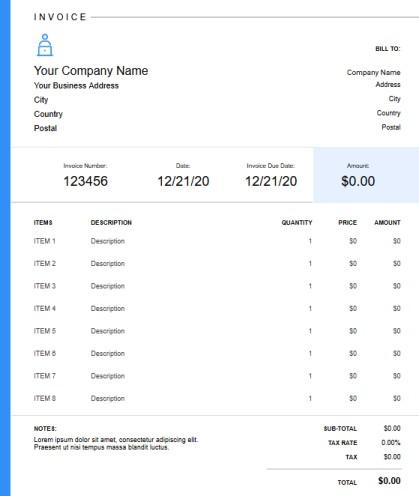
Invoice Template is a clean, modern document designed for
businesses needing to provide a professional quote or preliminary bill
before work begins. The layout is uniquely defined by a strong vertical
blue bar on the left and a light-blue shaded box on the right that
groups the Invoice Number, Date, Invoice Due Date, and total Amount
together. Built to function as a clear estimate, this structure
prominently displays the key figures and itemized costs, making it ideal
for service-based businesses or trade where a formal quote is required
before a final invoice.
Proforma Invoice Template
10. Modern Invoice Template
This Modern
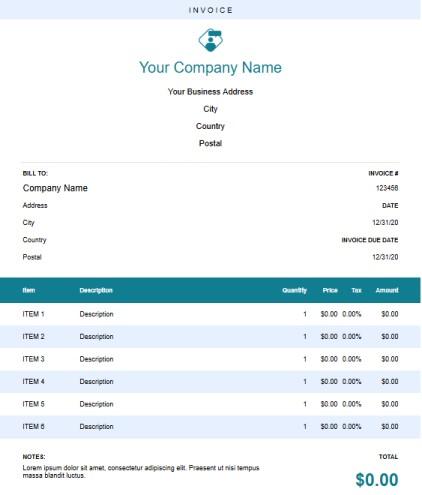
Invoice Template is a fresh, professional document designed for
modern businesses or freelancers who want a clean, stylish color scheme.
The layout is defined by its attractive deep-teal color, which is used
for the company name and the main table header, and it features a
comprehensive itemized table including a Tax column for each line item.
Built for businesses that need to apply different tax rates to various
services, this template provides a visually appealing, organized
structure that combines detailed billing with a clean, contemporary
aesthetic.
Modern Invoice Template
A
Smarter Way to Create Google Sheets Invoices: WPS Invoice Generator
Using a Google Sheets template is certainly convenient, especially
since it's free. However, I've found that constantly copying sheets,
updating client details, ensuring formulas are correct, and then
exporting them can still feel a bit manual and repetitive. You also
might want more designoptions than what a basic spreadsheet offers. That's where dedicated
invoicing tools come in handy.
WPS Sheets
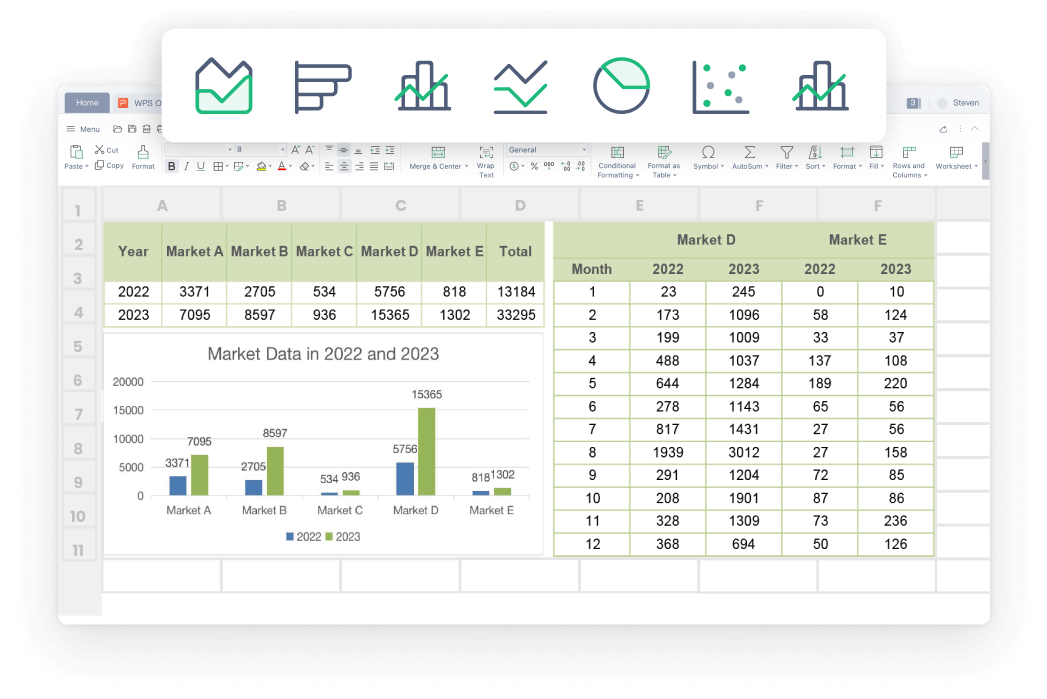
Although you can edit these Sheets templates, an online tool like WPS Free Invoice
Generator is specifically built to make this process
faster and more efficient.
It takes the idea of a template and puts it into an easy-to-use web
interface, letting you create polished invoices in minutes without
worrying about spreadsheet formatting.
Why Use WPS Invoice
Generator?
Completely Free: You can create and download
unlimited professional invoices online without any subscription
costs.
Professional Designs: Choose from a wider range
of polished, client-ready invoice layouts than standard spreadsheet
templates.
Maximum Efficiency: Generate accurate invoices
in just a few clicks, saving significant time compared to manual
spreadsheet editing.
Easy Customization: Add your logo, adjust
colors, and include specific payment terms directly in the
generator.
Multiple Export Options: Easily download your
invoice as a PDF or even a Word file for maximum flexibility.
How to Create a
Google Sheets Invoice with WPS
I’ve never faced any issues in editing my templates because WPS
Office makes it so easy, especially with its AI. If I’m ever facing any
problem, it resolves it in a matter of seconds. Here’s how to customize
your template in WPS Sheets:
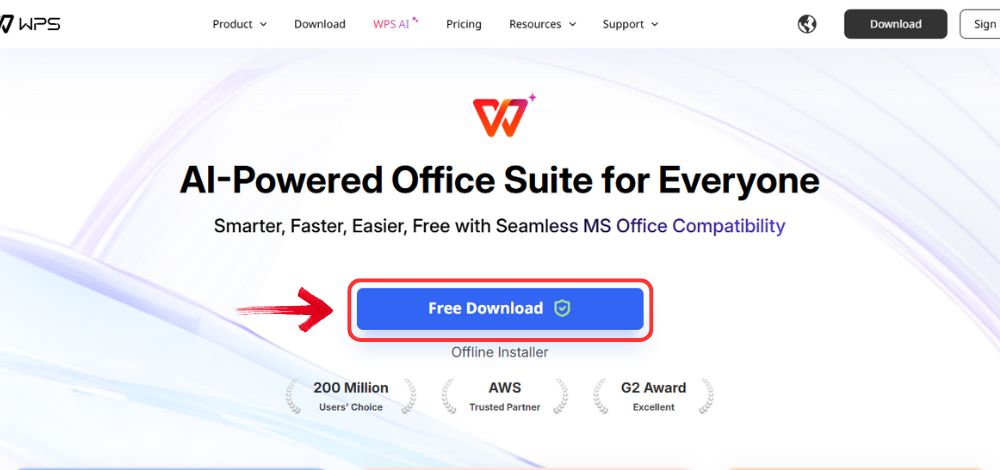
Step 1: Open your browser to visit WPS Office and click the"Free Download" button to start the download.
Download WPS Office
Step 2: The download will finish in a few seconds.
Once done, run the installation file like you would for any other app or
software.
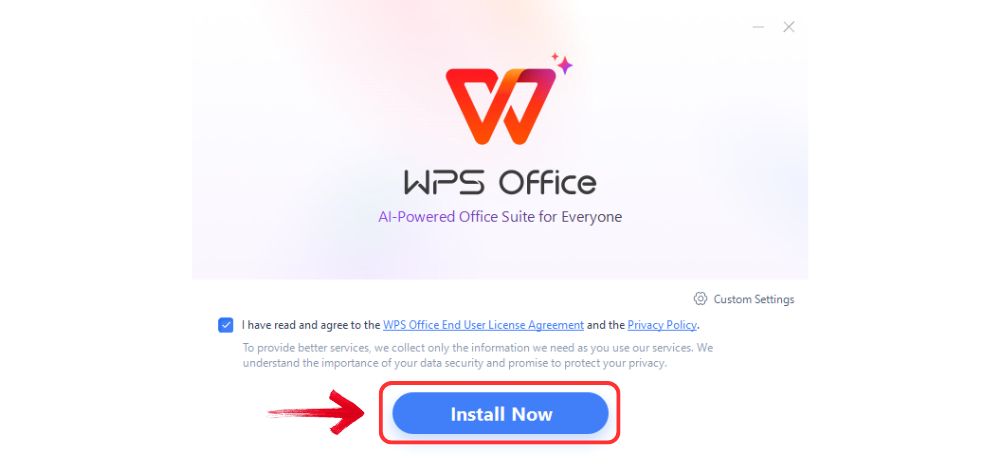
Step 3: WPS Office will show you a few simple terms
and conditions. Accept them, then click the "Install
Now" button to begin the installation.
Install WPS Office
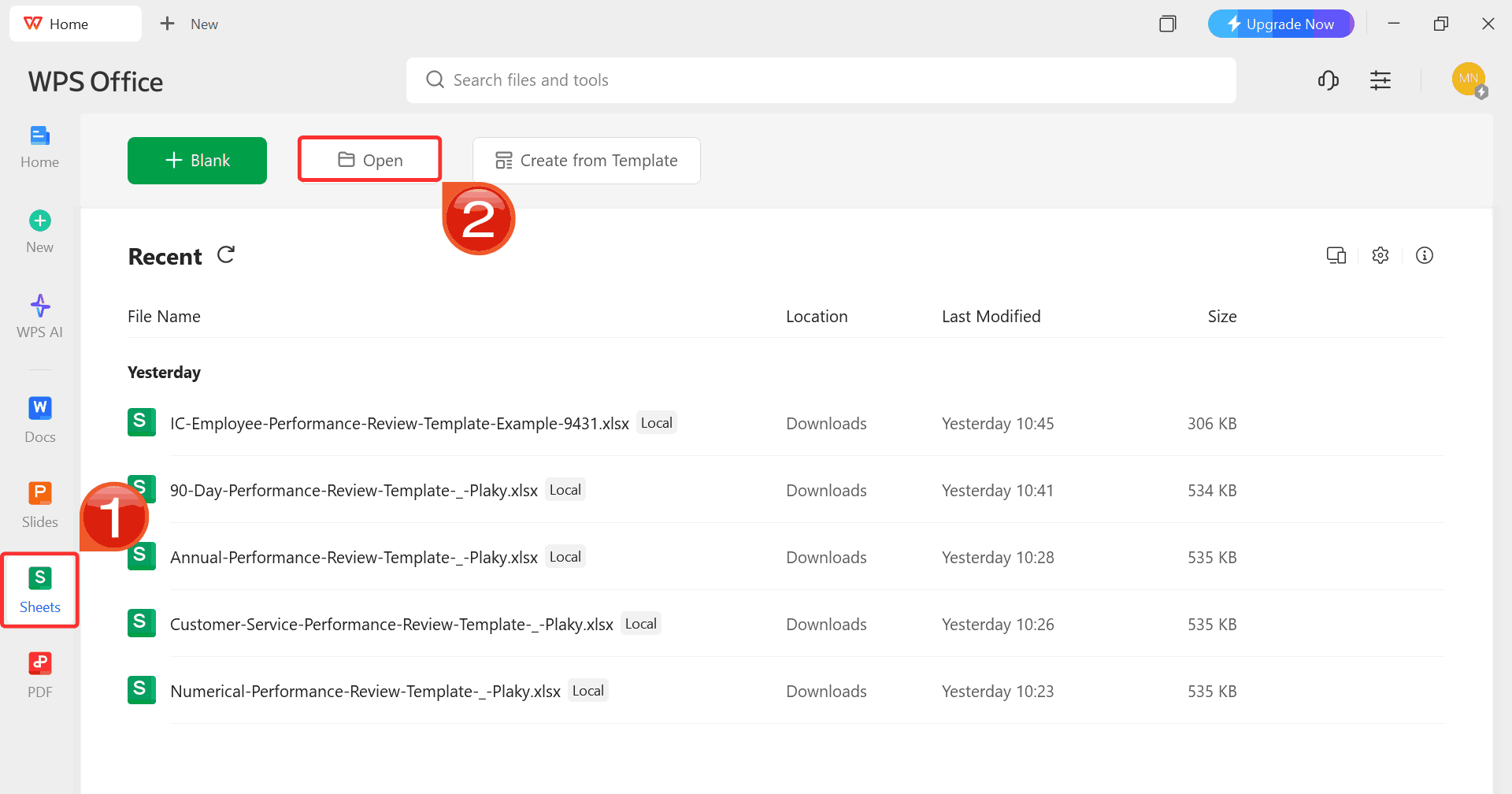
Step 4: After installation, on WPS Office, click“Sheets” from the left sidebar and hit“Open” to select your downloaded template or select
from the template library in WPS Office.
WPS Excel Dashboard
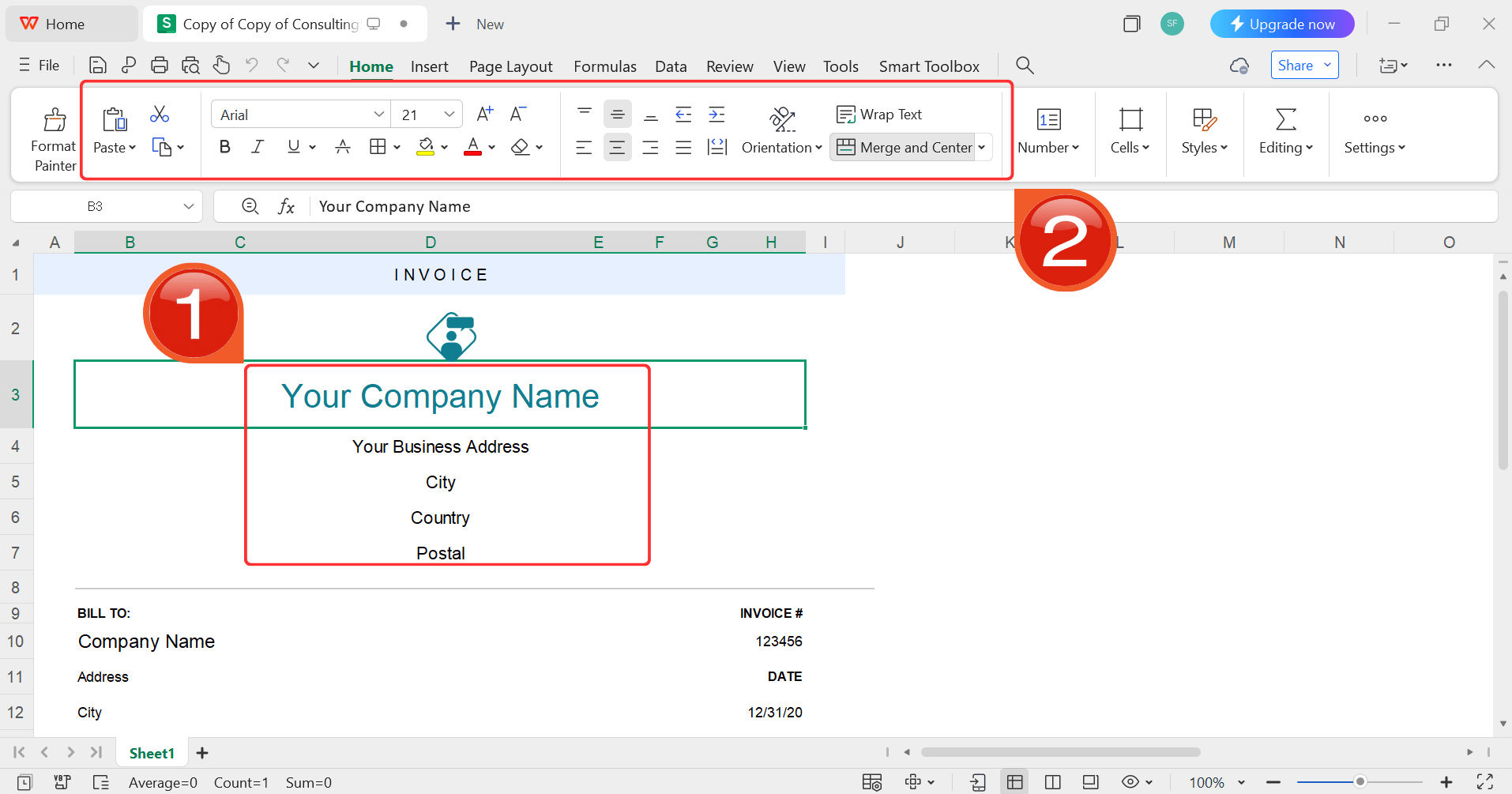
Step 5: Then click on the text you want to modify
and just enter your details within it by using the Ribbon above.
Customize your template
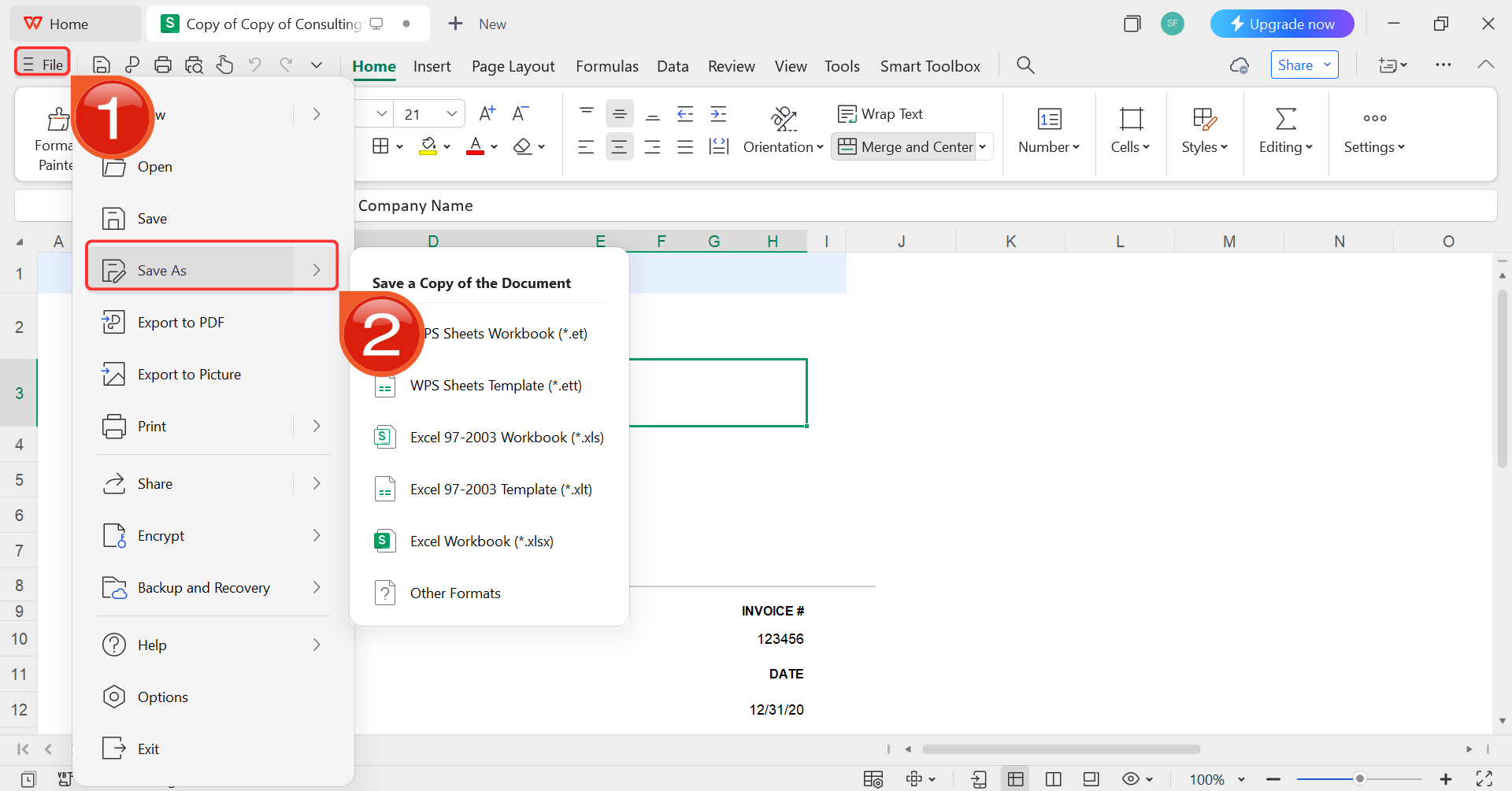
Step 6: After you’re done modifying the template,
head to “File” and choose “Save as” to
save the invoice in your desired format.
Save the invoice
FAQs
Q1: Is Google
Sheets free for making invoices?
Yes, Google Sheets is completely free for both personal and business
use, making it an accessible option for creating invoices.
Q2: Can I add
my logo to a Google Sheets invoice?
Yes, you can insert your logo image into the header section or the
top row of your Google Sheets template.
Q3: Is
WPS Office better for invoices than Google Sheets?
While Google Sheets is functional, WPS Office often provides more
professionally designed templates. The WPS Invoice Generator tool also
offers a faster creation process and easier PDF export options than
managing spreadsheet files manually.
Q4:
How do I make calculations automatic in Google Sheets?
You can use basic formulas like =SUM() for totals or =B2*C2 (if B is
Quantity and C is Price) for line totals. Most templates come with these
formulas pre-built.
Q5: Can I save
my Google Sheets invoice as a PDF?
Yes. In Google Sheets, go to File, then click Download, and select
PDF document (.pdf) to save your invoice in a professional, non-editable
format before sending it.
My Final Recommendation
A good template is essential for efficient and professional billing.
These Google Sheets invoice template options provide a
fantastic free starting point. However, for the fastest, easiest way to
create consistently polished invoices, I highly recommend trying the WPS Free Invoice Generator. It
streamlines the entire process, ensuring you look professional and get
paid faster.
7+ years in productivity tech. I test and review the latest tools to simplify your workflow. Follow for honest app comparisons, practical guides, and curated tech picks to boost efficiency.


'%3e%3cpath%20d='M8%200C12.4183%200%2016%203.58172%2016%208C16%2012.4183%2012.4183%2016%208%2016C3.58172%2016%200%2012.4183%200%208C0%203.58172%203.58172%200%208%200ZM11.6162%204.38379C11.2257%203.99337%2010.5927%203.99338%2010.2021%204.38379L8%206.58594L5.79785%204.38379C5.40732%203.99334%204.77429%203.99329%204.38379%204.38379C3.99331%204.77429%203.99335%205.40733%204.38379%205.79785L6.58594%208L4.38379%2010.2021C3.99348%2010.5927%203.99341%2011.2257%204.38379%2011.6162C4.77426%2012.0066%205.40734%2012.0065%205.79785%2011.6162L8%209.41406L10.2021%2011.6162C10.5927%2012.0066%2011.2257%2012.0067%2011.6162%2011.6162C12.0067%2011.2257%2012.0066%2010.5927%2011.6162%2010.2021L9.41406%208L11.6162%205.79785C12.0066%205.40735%2012.0066%204.77429%2011.6162%204.38379Z'%20fill='%23080E17'%20fill-opacity='0.46'/%3e%3c/g%3e%3cdefs%3e%3cclipPath%20id='clip0_3761_713'%3e%3crect%20width='16'%20height='16'%20fill='white'/%3e%3c/clipPath%3e%3c/defs%3e%3c/svg%3e)




'%3e%3cpath%20fill-rule='evenodd'%20clip-rule='evenodd'%20d='M21.4999%2010.9993C21.4999%205.20009%2016.7986%200.498901%2010.9993%200.498901C5.19994%200.498901%200.498657%205.20009%200.498657%2010.9993C0.498657%2016.2404%204.33858%2020.5844%209.35855%2021.3722V14.0346H6.69238V10.9993H9.35855V8.68594C9.35855%206.05427%2010.9262%204.60062%2013.3248%204.60062C14.4736%204.60062%2015.6753%204.80571%2015.6753%204.80571V7.38979H14.3512C13.0468%207.38979%2012.64%208.19921%2012.64%209.0296V10.9993H15.5523L15.0867%2014.0346H12.64V21.3722C17.66%2020.5844%2021.4999%2016.2404%2021.4999%2010.9993Z'%20fill='%231568EA'/%3e%3c/g%3e%3c/svg%3e)


'%3e%3cpath%20d='M2.42045%2022.1876H6.31818V12.7217L0.75%208.54553V20.5171C0.75%2021.4414%201.49892%2022.1876%202.42045%2022.1876Z'%20fill='%234285F4'/%3e%3cpath%20d='M19.682%2022.1876H23.5797C24.5041%2022.1876%2025.2502%2021.4387%2025.2502%2020.5171V8.54553L19.682%2012.7217'%20fill='%2334A853'/%3e%3cpath%20d='M19.682%205.48293V12.7216L25.2502%208.54543V6.31816C25.2502%204.25236%2022.8921%203.07469%2021.2411%204.31361'%20fill='%23FBBC04'/%3e%3cpath%20d='M6.31824%2012.7217V5.48303L13.0001%2010.4944L19.6819%205.48303V12.7217L13.0001%2017.733'%20fill='%23EA4335'/%3e%3cpath%20d='M0.75%206.31816V8.54543L6.31818%2012.7216V5.48293L4.75909%204.31361C3.10534%203.07469%200.75%204.25236%200.75%206.31816Z'%20fill='%23C5221F'/%3e%3c/g%3e%3cdefs%3e%3cclipPath%20id='clip0_2954_7305'%3e%3crect%20width='24.5'%20height='18.375'%20fill='white'%20transform='translate(0.75%203.8125)'/%3e%3c/clipPath%3e%3c/defs%3e%3c/svg%3e)



'%3e%3cpath%20d='M19.9911%204.11386V6.471H18.5894C18.0775%206.471%2017.7322%206.57814%2017.5536%206.79243C17.3751%207.00671%2017.2858%207.32814%2017.2858%207.75671V9.44421H19.9019L19.5536%2012.0871H17.2858V18.8639H14.5536V12.0871H12.2769V9.44421H14.5536V7.49779C14.5536%206.39064%2014.8632%205.53201%2015.4822%204.92189C16.1013%204.31177%2016.9257%204.00671%2017.9554%204.00671C18.8304%204.00671%2019.509%204.04243%2019.9911%204.11386Z'%20fill='%23333333'/%3e%3c/g%3e%3cdefs%3e%3cclipPath%20id='clip0_2938_8199'%3e%3crect%20width='16'%20height='16'%20fill='white'%20transform='translate(8%204.00671)'/%3e%3c/clipPath%3e%3c/defs%3e%3c/svg%3e)
'%3e%3cpath%20d='M17.5237%2010.7813L23.4811%204H22.0699L16.8949%209.88693L12.7648%204H8L14.2469%2012.9029L8%2020.0133H9.4112L14.8725%2013.7952L19.2352%2020.0133H24M9.92053%205.04213H12.0885L22.0688%2019.0224H19.9003'%20fill='%23333333'/%3e%3c/g%3e%3cdefs%3e%3cclipPath%20id='clip0_2938_8200'%3e%3crect%20width='16'%20height='16.0134'%20fill='white'%20transform='translate(8%204)'/%3e%3c/clipPath%3e%3c/defs%3e%3c/svg%3e)


