If Office LTSC Professional Plus 2021 shows Unlicensed Product, the right fix depends on how your organization licensed it. A MAK key activates a limited number of devices, KMS activates clients against an organization-managed host, and Active Directory-based activation handles eligible domain-joined computers.
This guide starts with the suite’s practical features, then walks through three authorized activation methods—including a CMD method with Microsoft’s OSPP.VBS tool—and finishes with a table of common errors and targeted fixes.
How to Activate Microsoft Office 2021 LTSC: 3 Safe Methods and Error Fixes
100% secure
Office LTSC 2021 Features and Licensing Characteristics
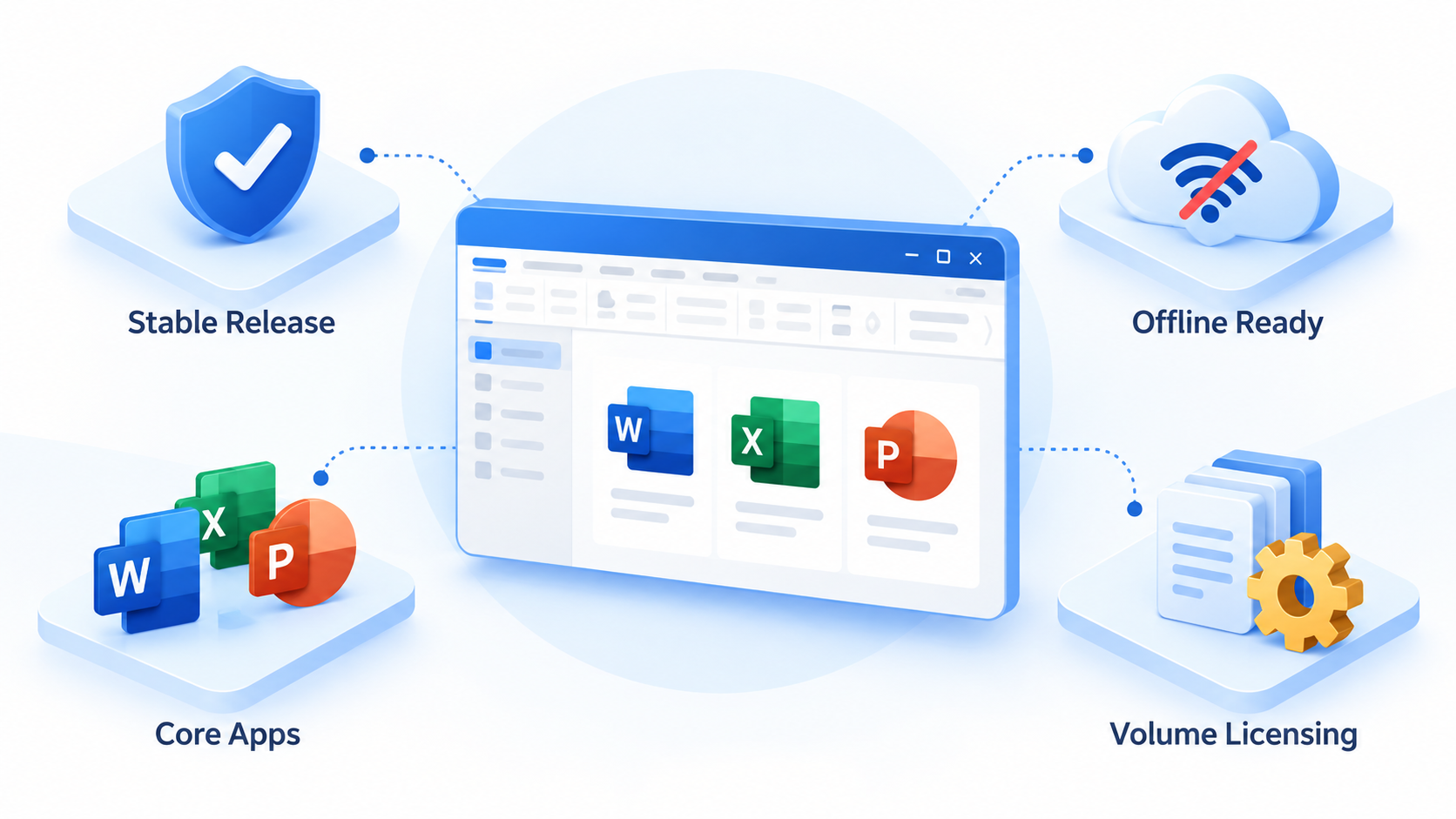
Office LTSC 2021 is a perpetual, volume-licensed release designed for regulated, disconnected, or otherwise controlled environments that cannot accept frequent feature changes. Professional Plus includes familiar desktop apps such as Word, Excel, PowerPoint, Outlook, Access, Publisher, and OneNote. It uses Click-to-Run installation and supports ODF 1.3.
Stable feature set: it receives security and quality updates, but no ongoing feature additions.
Device-based volume activation: organizations can use MAK, KMS, or Active Directory-based activation.
Controlled deployment: administrators can deploy it with the Office Deployment Tool and established management tools.
Offline-friendly operation: installation files can be staged locally; KMS clients can activate inside a managed network without direct internet access.
Microsoft states that Office LTSC 2021 is separate from Microsoft 365 Apps and that it reaches the end of support on October 13, 2026. Check the official Office LTSC 2021 overview before planning a new long-term deployment.
Office LTSC 2021 key features
Use Word, Excel, and PPT for FREE
Before You Activate Microsoft Office 2021 LTSC
Confirm the installed edition and your organization’s licensing method before changing anything. A retail Office 2021 key, a Microsoft 365 subscription, and an Office LTSC Professional Plus 2021 volume key are not interchangeable.
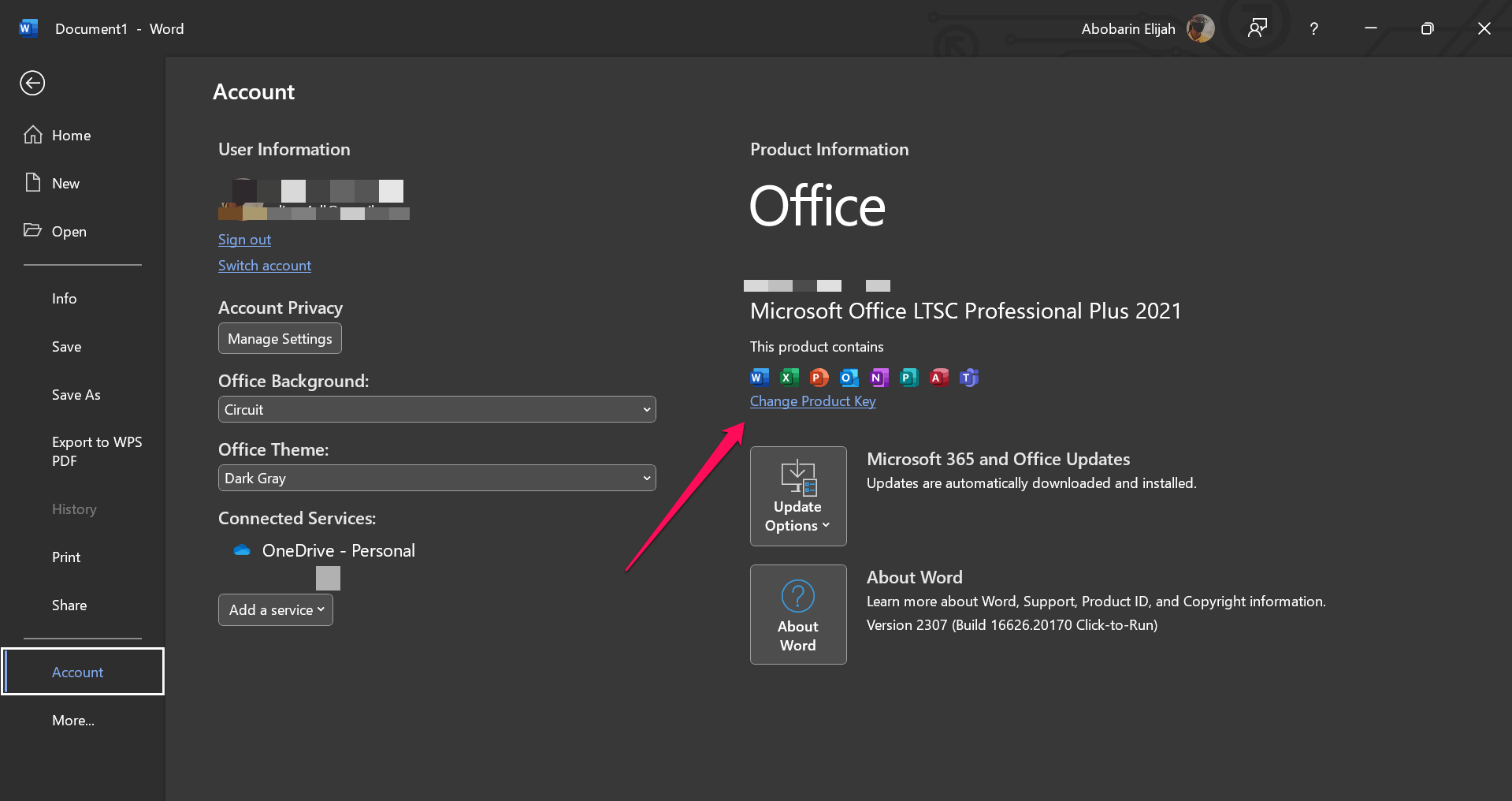
Open Word and select File > Account. Confirm that the product name says Office LTSC Professional Plus 2021.
Ask your IT administrator whether the device should use MAK, KMS, or Active Directory-based activation.
Check that Windows date, time, and time zone are correct. For KMS, connect to the corporate network or approved VPN.
Close all Office apps and use an administrator account for CMD-based diagnostics.
Enter Office LTSC product key
100% secure
Method 1: Activate Office LTSC 2021 with a MAK Product Key
Use this method when your organization issued a valid Multiple Activation Key. MAK activation normally contacts Microsoft once and consumes one activation from the organization’s allocation.
Open Word, Excel, or PowerPoint.
Select File > Account > Change Product Key. If prompted at first launch, choose the option to enter a product key.
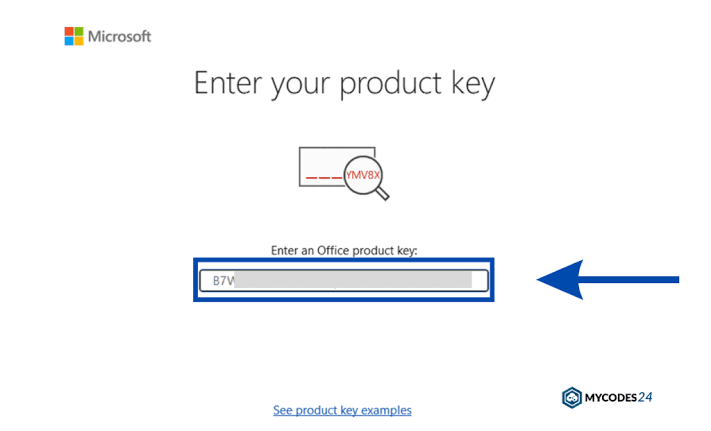
Enter the 25-character MAK supplied by your organization. Do not use keys copied from public websites.
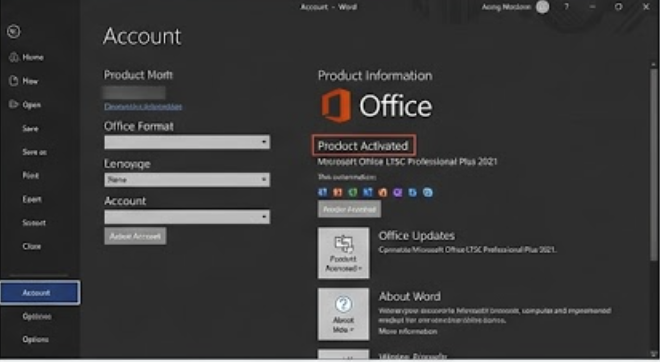
Follow the activation wizard, then restart the app and check File > Account for Product Activated.
If online activation is unavailable, your licensing administrator can use Microsoft’s supported proxy or phone-assisted MAK workflow.
Enter the 25-character MAK
Use Word, Excel, and PPT for FREE
Method 2: Activate Office LTSC 2021 with CMD and OSPP.VBS
This CMD method is for legitimate volume licenses. It does not create a license or bypass activation. Use your organization’s MAK key or KMS host only. Microsoft documents OSPP.VBS as the command-line tool for configuring and testing volume-licensed Office.
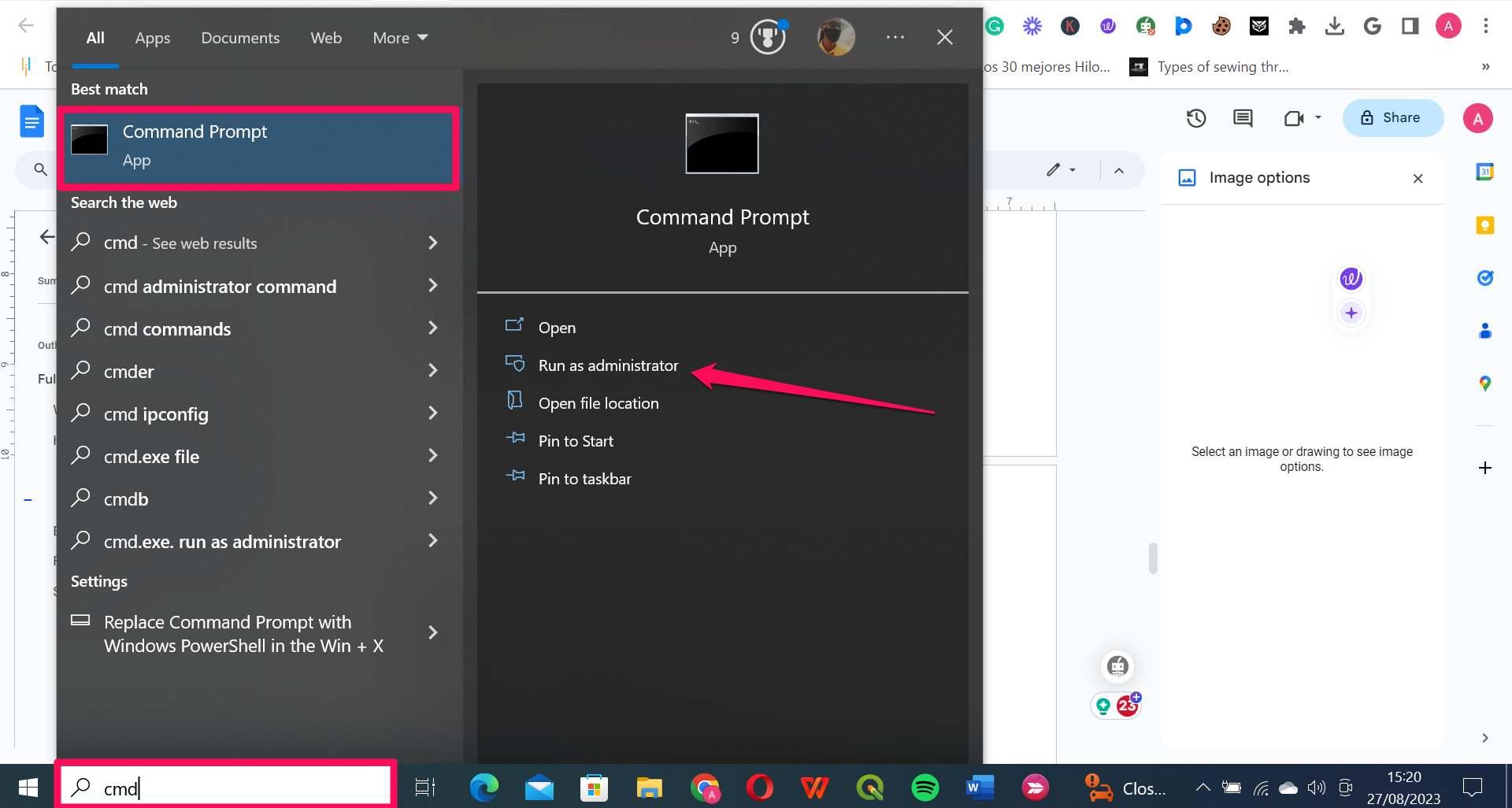
Search for Command Prompt, right-click it, and choose Run as administrator.
Change to the Office16 folder. Use the first path for 64-bit Office; use the second when 32-bit Office is installed on 64-bit Windows:
cd /d "%ProgramFiles%\Microsoft Office\root\Office16"
cd /d "%ProgramFiles(x86)%\Microsoft Office\root\Office16"
Check the installed license and the last five characters of the current key:
cscript ospp.vbs /dstatus
For MAK, install the valid key supplied by your organization, then activate:
Run cscript ospp.vbs /dstatus again and confirm the status is LICENSED.
Run Office activation CMD administrator
100% secure
Method 3: Activate Office LTSC 2021 with Active Directory
Active Directory-based activation is the least disruptive option for eligible domain-joined computers. Your administrator installs the volume activation services role, activates the Office activation object in Active Directory Domain Services, and deploys Office with the correct volume-license configuration.
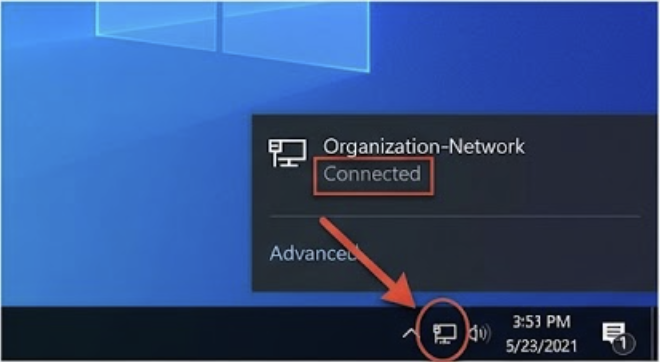
Connect the computer to the organization’s domain network or approved VPN.
Connect to domain network
Confirm that the device is joined to the correct Active Directory domain.
Open an Office app. Activation should occur automatically when the device contacts a domain controller containing the valid activation object.
Restart Office and verify File > Account > Product Activated. If it remains unlicensed, ask IT to confirm the activation object, DNS, replication, and Office product configuration.
Common Microsoft Office Professional Plus LTSC 2021 Activation Errors and Fixes
Start every diagnosis with cscript ospp.vbs /dstatus. Record the installed edition, license description, status, and last five key characters before removing a key or reinstalling Office.
Error or symptom
Likely cause
Recommended solution
0xC004F074 or “No KMS could be contacted”
The KMS host cannot be resolved or reached; VPN, DNS, firewall, clock, or host configuration is wrong.
Connect to the corporate network/VPN, correct date and time, verify DNS and TCP 1688 with IT, then run cscript ospp.vbs /act. Never substitute a public KMS host.
0xC004C003
The activation server determined that the key is blocked.
Verify the final five characters with /dstatus. Obtain a valid replacement from the licensing administrator or Microsoft Volume Licensing support.
0xC004F050
The key does not match the installed Office edition or channel.
Confirm Professional Plus LTSC 2021 is installed. Deploy the correct volume product or use the matching MAK/GVLK supplied for that edition.
0x80070005 or “Access denied”
CMD or an Office licensing action lacks elevated permissions.
Close Office, open Command Prompt with Run as administrator, retry the supported command, and ask IT to review security policy if elevation is blocked.
Activation count exceeded
The MAK allocation is exhausted or the device was rebuilt repeatedly.
Do not buy an unverified key. Ask the volume licensing administrator to review the MAK count or request additional activations through Microsoft.
Unlicensed Product after activation
Multiple Office licenses conflict, the wrong edition is installed, or local files are damaged.
Check /dstatus, remove only confirmed obsolete keys with /unpkey:LAST5, restart Office, then use Windows Apps > Microsoft Office LTSC 2021 > Modify > Quick Repair.
100% secure
The Best Free Office Alternative: WPS Office
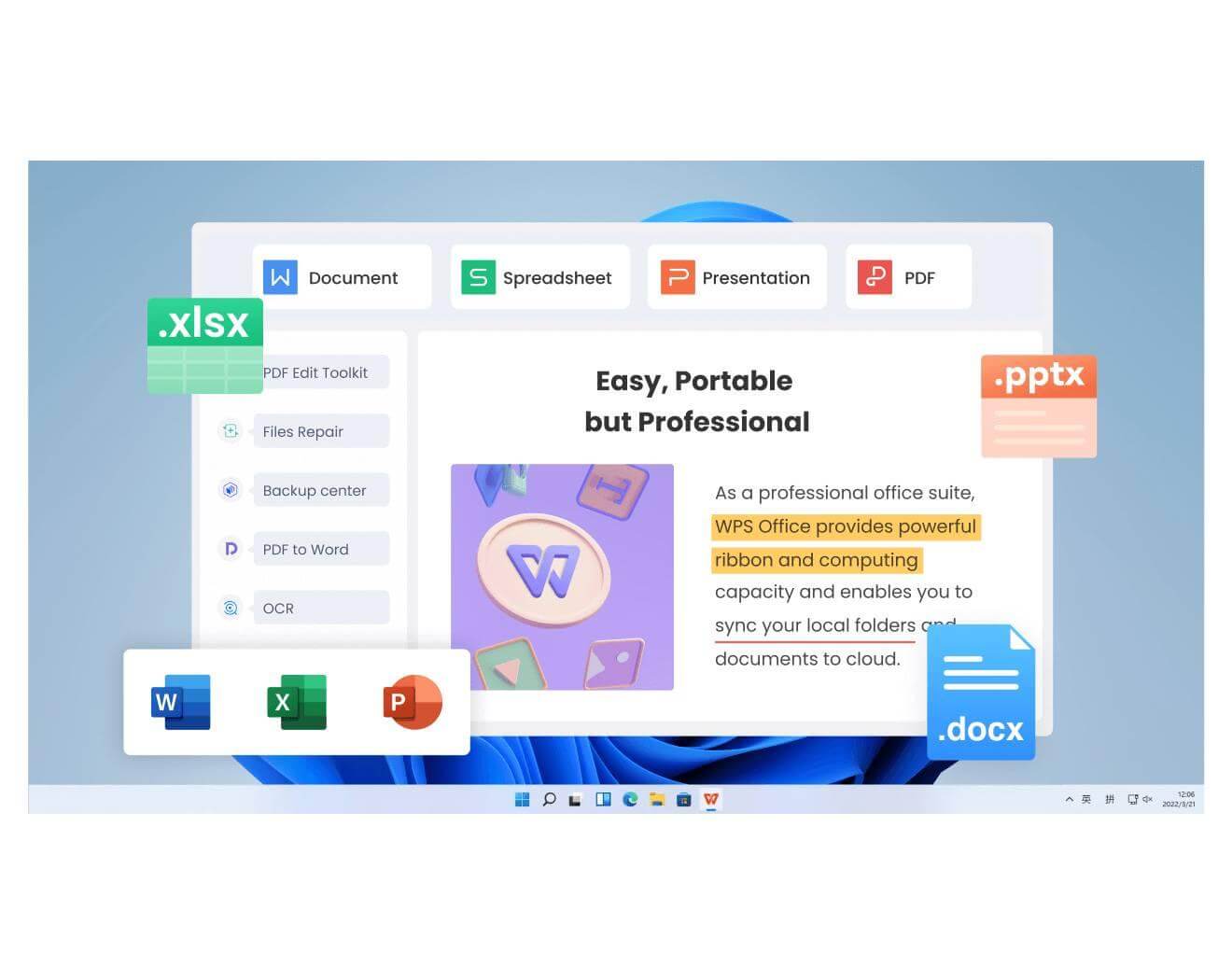
If you cannot obtain a valid LTSC volume license—or need to keep working while your IT team fixes activation—WPS Office provides Writer, Spreadsheet, Presentation, and PDF tools in one desktop suite. It can open and edit common Microsoft Office formats without requiring an Office LTSC product key.
WPS Office is not an activation tool and does not unlock Microsoft software. It is a separate office suite, so test advanced VBA macros, specialized add-ins, and organization-specific workflows before migrating important files.
Familiar document, spreadsheet, and presentation interface.
Integrated PDF reading and editing tools.
Cross-platform availability for common personal and business workflows.
WPS Office free productivity alternative
Use Word, Excel, and PPT for FREE
FAQs
Can I activate Microsoft Office 2021 LTSC without a product key?
Only when your organization uses KMS or Active Directory-based activation and has configured the required volume-activation infrastructure. A CMD script cannot create a legitimate license.
Is CMD activation safe for Office LTSC 2021?
Microsoft’s OSPP.VBS commands are safe when run with a valid MAK or your organization’s approved KMS host. Avoid downloaded activator scripts, public KMS servers, and commands that disable security tools.
How do I check whether Office LTSC 2021 is activated?
Open an Office app and check File > Account, or run cscript ospp.vbs /dstatus from the Office16 folder and look for LICENSED.
Why does my Office LTSC key say it is invalid?
The key may be blocked, mistyped, intended for another edition, or already beyond its MAK allocation. Match the installed edition to the licensed product and contact your licensing administrator.
Can WPS Office activate Microsoft Office LTSC 2021?
No. WPS Office is a separate productivity suite. It can help you work with common Office-format files, but it does not activate or modify Microsoft Office licensing.
Free Office Download
Use Word, Excel, and PPT for FREE, No Ads.
Edit PDF files with the powerful PDF toolkit.
Microsoft-like interface. Easy to learn. 100% Compatibility.
Boost your productivity with WPS's abundant free Word, Excel, PPT, and CV templates.
100% secure
Algirdas Jasaitis
Summary
To activate Microsoft Office 2021 LTSC safely, first match the installed edition to your organization’s license. Use a valid MAK, the organization’s KMS service through Microsoft’s OSPP.VBS commands, or Active Directory-based activation. Diagnose errors from the exact OSPP.VBS status and code; never rely on public keys, third-party KMS hosts, or downloaded activators.
15 years of office industry experience, tech lover and copywriter. Follow me for product reviews, comparisons, and recommendations for new apps and software.


'%3e%3cpath%20d='M8%200C12.4183%200%2016%203.58172%2016%208C16%2012.4183%2012.4183%2016%208%2016C3.58172%2016%200%2012.4183%200%208C0%203.58172%203.58172%200%208%200ZM11.6162%204.38379C11.2257%203.99337%2010.5927%203.99338%2010.2021%204.38379L8%206.58594L5.79785%204.38379C5.40732%203.99334%204.77429%203.99329%204.38379%204.38379C3.99331%204.77429%203.99335%205.40733%204.38379%205.79785L6.58594%208L4.38379%2010.2021C3.99348%2010.5927%203.99341%2011.2257%204.38379%2011.6162C4.77426%2012.0066%205.40734%2012.0065%205.79785%2011.6162L8%209.41406L10.2021%2011.6162C10.5927%2012.0066%2011.2257%2012.0067%2011.6162%2011.6162C12.0067%2011.2257%2012.0066%2010.5927%2011.6162%2010.2021L9.41406%208L11.6162%205.79785C12.0066%205.40735%2012.0066%204.77429%2011.6162%204.38379Z'%20fill='%23080E17'%20fill-opacity='0.46'/%3e%3c/g%3e%3cdefs%3e%3cclipPath%20id='clip0_3761_713'%3e%3crect%20width='16'%20height='16'%20fill='white'/%3e%3c/clipPath%3e%3c/defs%3e%3c/svg%3e)




'%3e%3cpath%20fill-rule='evenodd'%20clip-rule='evenodd'%20d='M21.4999%2010.9993C21.4999%205.20009%2016.7986%200.498901%2010.9993%200.498901C5.19994%200.498901%200.498657%205.20009%200.498657%2010.9993C0.498657%2016.2404%204.33858%2020.5844%209.35855%2021.3722V14.0346H6.69238V10.9993H9.35855V8.68594C9.35855%206.05427%2010.9262%204.60062%2013.3248%204.60062C14.4736%204.60062%2015.6753%204.80571%2015.6753%204.80571V7.38979H14.3512C13.0468%207.38979%2012.64%208.19921%2012.64%209.0296V10.9993H15.5523L15.0867%2014.0346H12.64V21.3722C17.66%2020.5844%2021.4999%2016.2404%2021.4999%2010.9993Z'%20fill='%231568EA'/%3e%3c/g%3e%3c/svg%3e)


'%3e%3cpath%20d='M2.42045%2022.1876H6.31818V12.7217L0.75%208.54553V20.5171C0.75%2021.4414%201.49892%2022.1876%202.42045%2022.1876Z'%20fill='%234285F4'/%3e%3cpath%20d='M19.682%2022.1876H23.5797C24.5041%2022.1876%2025.2502%2021.4387%2025.2502%2020.5171V8.54553L19.682%2012.7217'%20fill='%2334A853'/%3e%3cpath%20d='M19.682%205.48293V12.7216L25.2502%208.54543V6.31816C25.2502%204.25236%2022.8921%203.07469%2021.2411%204.31361'%20fill='%23FBBC04'/%3e%3cpath%20d='M6.31824%2012.7217V5.48303L13.0001%2010.4944L19.6819%205.48303V12.7217L13.0001%2017.733'%20fill='%23EA4335'/%3e%3cpath%20d='M0.75%206.31816V8.54543L6.31818%2012.7216V5.48293L4.75909%204.31361C3.10534%203.07469%200.75%204.25236%200.75%206.31816Z'%20fill='%23C5221F'/%3e%3c/g%3e%3cdefs%3e%3cclipPath%20id='clip0_2954_7305'%3e%3crect%20width='24.5'%20height='18.375'%20fill='white'%20transform='translate(0.75%203.8125)'/%3e%3c/clipPath%3e%3c/defs%3e%3c/svg%3e)






'%3e%3cpath%20d='M19.9911%204.11386V6.471H18.5894C18.0775%206.471%2017.7322%206.57814%2017.5536%206.79243C17.3751%207.00671%2017.2858%207.32814%2017.2858%207.75671V9.44421H19.9019L19.5536%2012.0871H17.2858V18.8639H14.5536V12.0871H12.2769V9.44421H14.5536V7.49779C14.5536%206.39064%2014.8632%205.53201%2015.4822%204.92189C16.1013%204.31177%2016.9257%204.00671%2017.9554%204.00671C18.8304%204.00671%2019.509%204.04243%2019.9911%204.11386Z'%20fill='%23333333'/%3e%3c/g%3e%3cdefs%3e%3cclipPath%20id='clip0_2938_8199'%3e%3crect%20width='16'%20height='16'%20fill='white'%20transform='translate(8%204.00671)'/%3e%3c/clipPath%3e%3c/defs%3e%3c/svg%3e)
'%3e%3cpath%20d='M17.5237%2010.7813L23.4811%204H22.0699L16.8949%209.88693L12.7648%204H8L14.2469%2012.9029L8%2020.0133H9.4112L14.8725%2013.7952L19.2352%2020.0133H24M9.92053%205.04213H12.0885L22.0688%2019.0224H19.9003'%20fill='%23333333'/%3e%3c/g%3e%3cdefs%3e%3cclipPath%20id='clip0_2938_8200'%3e%3crect%20width='16'%20height='16.0134'%20fill='white'%20transform='translate(8%204)'/%3e%3c/clipPath%3e%3c/defs%3e%3c/svg%3e)


