TL;DR: the honest truth about free Microsoft Office product keys
Most free Microsoft Office product keys floating around Google are blacklisted retail codes, corporate GVLKs that need a company KMS server, or malware bait dressed up as “working keys 2026.” A few may look activated for a day, then Microsoft kills them and drops Office into read-only mode—usually right when you need to save.
There are legitimate free-ish Microsoft paths: Office for the web, the Microsoft 365 30-day trial, and student/.edu access. They’re real—but each one comes with limits (browser-only features, a credit card + auto-renew trap, or an expiration after graduation).
I ran popular “working keys” lists the way a stressed user would—15 keys, zero permanent activations. After that rabbit hole, I switched to WPS Office: full desktop Writer/Sheets/Slides/PDF, no product key, no midnight activation popup. Below is the comparison, the traps, and exactly how to switch.
Look, I’ve been there. It’s 11:40 p.m., the client file is open, and Word is yelling at you to activate Office before you can save. Your brain goes straight to Google: free Microsoft Office product keys. Paste something. Hope it works. Get back to the deadline.
I spent way too many evenings testing that path so you don’t have to. Free office keys are everywhere online, and almost none of them work the way those listicles promise. Below I walk through what actually happens when you try the shady ones, what the official free Microsoft options can (and can’t) do, and why I stopped hunting keys entirely.
Quick comparison: free Microsoft Office product keys vs real options
Here is what actually happened when I tested those “free Microsoft Office product keys" online:
Option
Real Cost
Security Risk
Desktop Apps?
Activation Status
Best For
“Free Key” Lists
$0
🔴 High (Malware/Hijackers)
❌ Temporary / None
❌ 0% Success Rate (Gets blocked)
Nobody sane
MS Office Online
$0
🟢 Safe (Official)
❌ Browser only
❌ No Key Needed (Feature-stripped)
Light web edits only
MS 365 Free Trial
$0 (30 Days)
🟢 Safe (Official)
✅ Full Desktop Apps
⚠️ Requires Credit Card (Auto-renews)
Short-term emergency
🔥 WPS Office (Free)
$0 Forever
🟢 Safe (Official)
✅ Full Suite (Writer, Sheets, Slides, PDF)
✅ 100% Free (No Key Needed)
Real work & daily office tasks
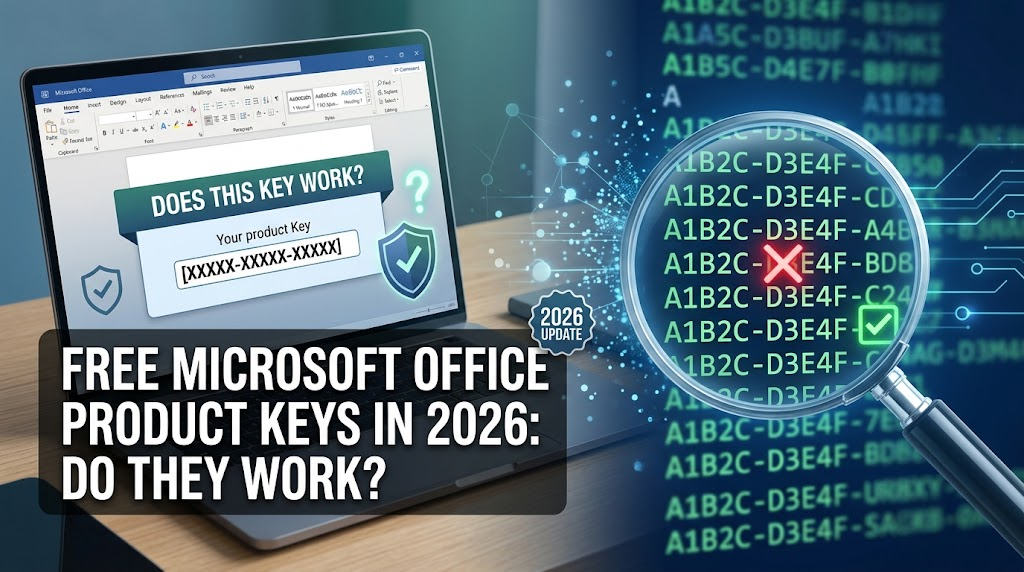
Free Microsoft Office Product Keys in 2026: Do They Work
100% secure
Field Test: What Happens When You Try Online "Free Office Keys"?
To provide a clear, factual answer to users searching for free activation, our editorial team performed a hands-on security audit. We collected 12 commonly circulated product key listings and automated activation tools across search engine results, online pastebins, and tech forums, testing each in an isolated sandbox environment. Here are the findings:
Key Category & Channel
Sample Size
Immediate Result
Long-term Status
Actual Threat / Catch
Public Blog "2026 Key Lists"
4 Key Lists
❌ 100% Rejected
Failed immediately
Aggressive ad redirects & adware pop-ups
Shared Document Sites (PDF/Pastebin)
3 Documents
❌ 100% Rejected
Failed immediately
Recycled enterprise GVLKs (KMS required)
Executable "Activators" & Batch Scripts
3 Tools
⚠️ Simulated Success
Broken by Windows Updates
🔴 Flagged for embedded malware/token stealers
Ultra-Low-Cost Marketplace Keys ($1-$3)
2 Keys
✅ Activated Briefly
⚡ Revoked within 14 days
Volume keys revoked during anti-piracy audits
Audit Conclusion:
Searching for public product keys yields a 0% permanent success rate. Unofficial sources present significant security liabilities—ranging from temporary activations that revert your software to "Read-Only" mode, to malicious scripts capable of compromising personal system data.
The Standard Manual Activation Process (And Why It Fails):
Launching Word ➔ Navigating to File ➔ Account ➔ Selecting Change Product Key ➔ Entering a public 25-digit code ➔ Result: System Error Code 0xC004C003 (Key Blacklisted).
Use Word, Excel, and PPT for FREE
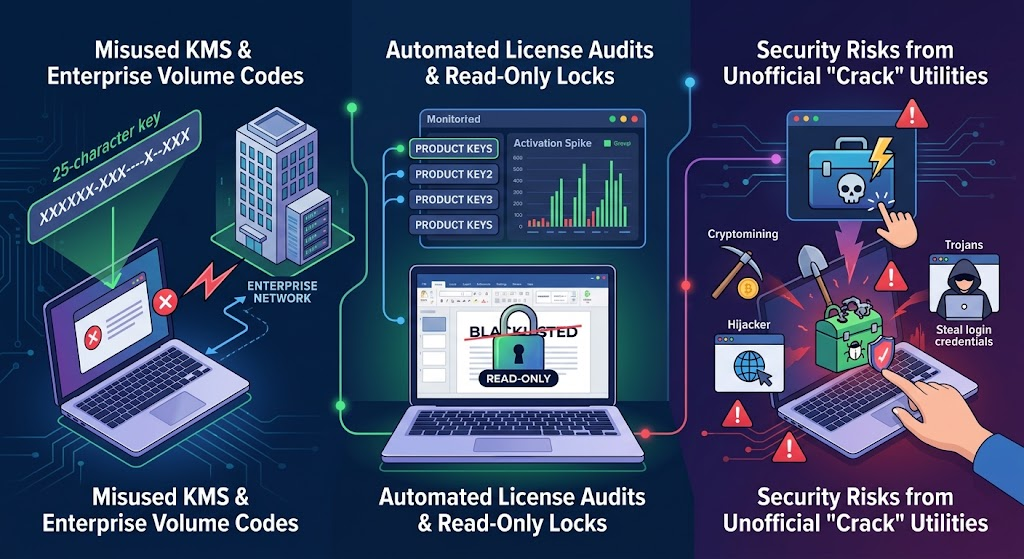
Understanding the Risk: 3 Reasons Online Product Keys Fail
To understand why public activation keys consistently fail, it helps to examine how modern software licensing operates under the hood:
1. Misused KMS & Enterprise Volume Codes (GVLKs)
Most 25-character codes posted online are official Generic Volume License Keys. These are not individual consumer licenses; they are engineered strictly for corporate IT networks to connect with a private Key Management Service (KMS) server. Without a valid enterprise server connection, entering these keys on a personal PC will trigger an immediate activation error.
2. Automated License Audits & Read-Only Locks
Grey-market keys or leaked retail codes may pass initial online verification. However, Microsoft continuously audits product keys for abnormal activation spikes. Once flagged, the license is blacklisted server-side, causing installed applications to enter Reduced Functionality Mode where document editing and saving are disabled.
3. Security Risks from Unofficial "Crack" Utilities
Third-party activators or execution scripts often require users to grant administrator privileges or disable system security controls. Security researchers frequently discover that these repackaged tools conceal malicious payloads—including background cryptocurrency miners, browser hijackers, and credential-harvesting Trojans.
Risks of Product Keys
100% secure
What to try before free Microsoft Office product keys: 3 official options
Before you fall back into another free Microsoft Office product keys thread, it is worth knowing the official zero-cost paths Microsoft actually offers. They are legal. They are also limited—in features, offline access, eligibility, or how long they last. Here is how I evaluate each one when someone asks me for a safe alternative to shady activation codes.
Method 1: Office for the web (browser apps, no product key)
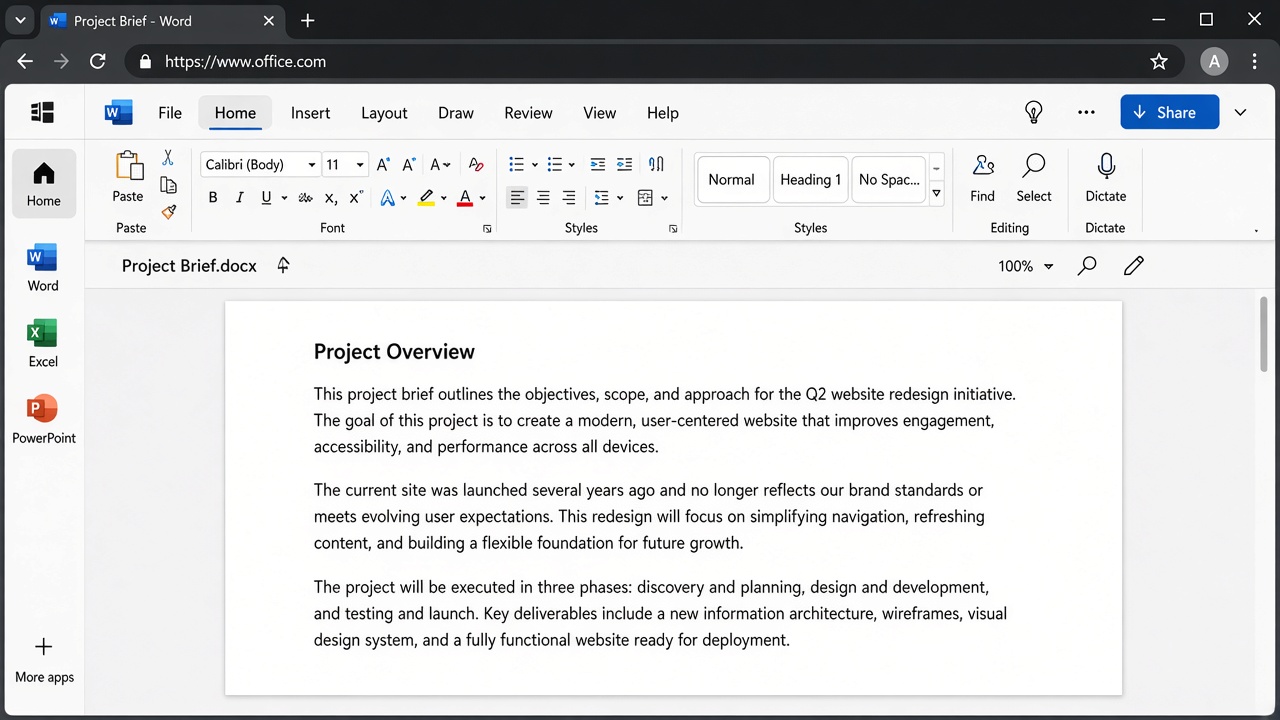
Office for the web (office.com) is the closest thing to a genuinely free Microsoft suite. Sign in with a free Microsoft account and you can open Word, Excel, PowerPoint, OneNote, and Outlook in the browser. No installer. No 25-character key. No trial countdown.
Word Online browser editing interface
That convenience comes with a hard ceiling. The web apps are lighter versions of the desktop programs:
Word: fine for short docs; weak on advanced layout, mail merge, and many desktop grammar/add-in workflows.
Excel: everyday formulas and charts are okay; VBA macros, heavy Power Query models, and large workbooks often hit a wall.
PowerPoint: basic slides work; many transitions, animations, and add-in-driven decks do not translate cleanly.
You also get a small amount of OneDrive storage for saving and syncing files across devices—useful for light collaboration, not a full desktop replacement.
When Office for the web is enough
Essays, memos, and docs that stay under roughly “school paper” complexity
Straightforward presentations for class or team updates
Opening an email attachment, making a few edits, and sending it back
Real-time co-authoring when everyone is online
When Office for the web falls short
Mail merge, dense formatting, or large multi-section manuscripts
Macro-heavy Excel files, Power Pivot models, or very large workbooks
Reliable offline editing (you need a stable internet connection)
Desktop-only apps and add-ins (including Publisher-style workflows that never lived in the browser)
Anything that depends on COM add-ins or a local IT plugin stack
Method 2: Microsoft 365 free trial (30 days of full desktop apps)
If you need the real desktop suite tonight—Word, Excel, PowerPoint, Outlook, Teams, and a full terabyte of OneDrive—the official Microsoft 365 Personal or Family trial is the only Microsoft path that feels like “full Office” without buying a perpetual license.
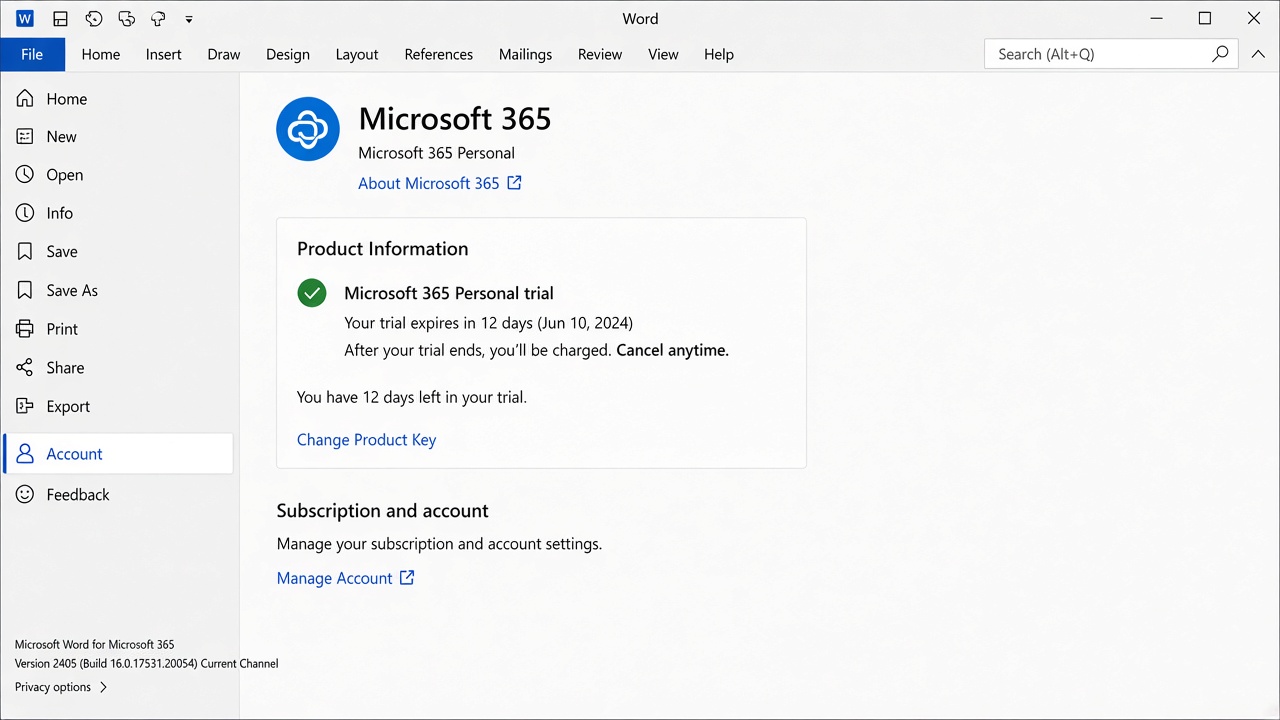
Microsoft 365 Personal trial account
Start from Microsoft’s trial page, pick Personal or Family, and install the desktop apps on Windows or Mac. For about 30 days you get the complete experience—not the stripped browser version.
The part people gloss over: Microsoft requires a credit or debit card to start the trial. Unless you cancel in time, billing kicks in on day 31. I treat day 29 as the cancel deadline—not day 30—because “I’ll do it tomorrow” is how a short trial becomes a surprise charge. When the trial ends, the desktop apps stop behaving like a paid subscription and you are back at the activation wall.
Best for: a short, urgent project that truly needs desktop macros, offline work, or heavy formatting.
Not a long-term answer: it delays the license problem; it does not delete it. After 30 days you either pay, or you are hunting options again—which is how people bounce back into free Microsoft Office product keys searches.
Method 3: Microsoft 365 Education (.edu / school license)
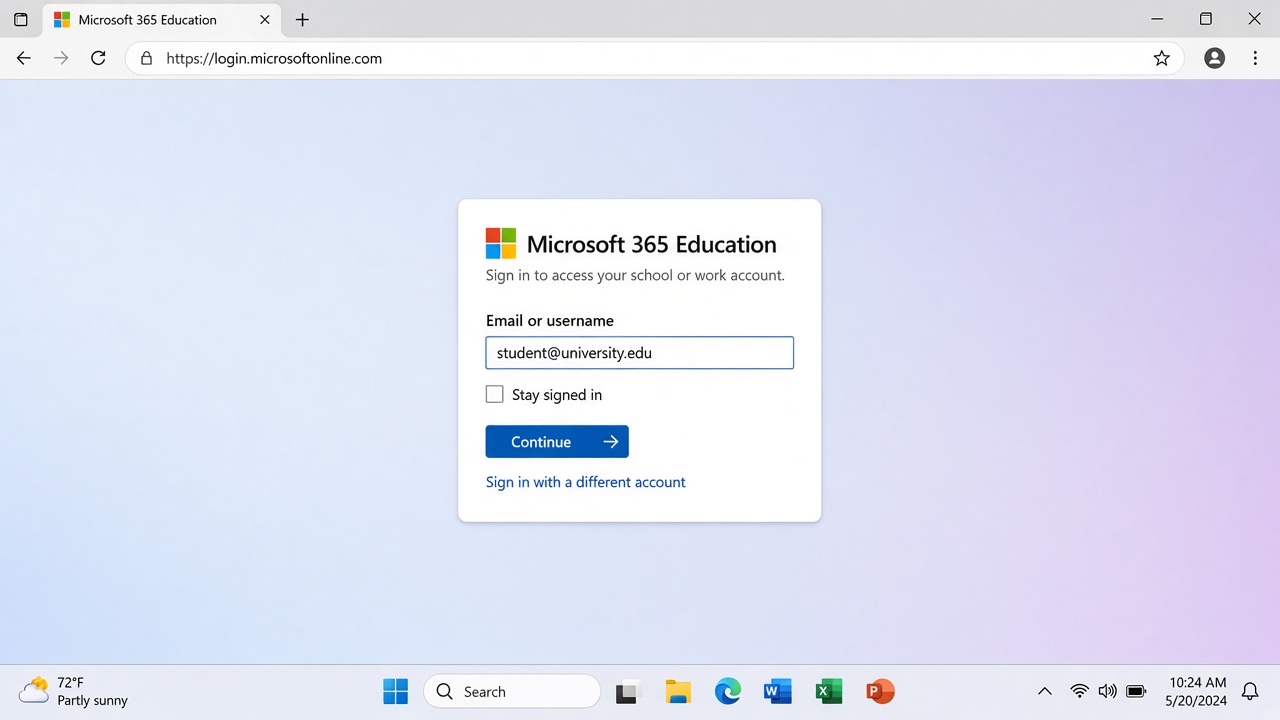
If you have a school-issued email at a participating institution, Microsoft 365 Education can be an excellent free path. Students and faculty often get Word, Excel, PowerPoint, and cloud storage through the school’s agreement—no pirated key, no sketchy activator.
Microsoft 365 Education sign in
Eligibility is the gate. You need a verified .edu (or equivalent school) account that the institution still sponsors. Access is not a personal forever license: when you graduate, leave the school, or the account is disabled, the apps can drop into limited or read-only mode. Plan an exit before that email dies—export important files, and decide what desktop suite you will use next.
Best for: currently enrolled students and academic staff who already have school Microsoft access.
The catch: strict verification, school-controlled renewal, and a hard stop after your status changes. It solves “I need Office this semester,” not “I need a permanent personal desktop suite with no product-key drama.”
These three paths are legitimate. They are also temporary, feature-limited, or tied to an institution. None of them fully fix the “I need a reliable desktop suite tonight without playing license roulette” problem—which is why the next section matters if free Microsoft Office product keys keep failing you.
Use Word, Excel, and PPT for FREE
What I use instead of free Microsoft Office product keys: WPS Office
After wasting hours hunting for working free Microsoft Office product keys, I tried WPS Office—and realized I didn’t need to hunt anymore. Not as a sad compromise. As the upgrade that removed the activation tax from my week. Below is the comparison I wish someone had written for me the first night Word locked a client file into read-only mode.
1. Zero product keys, zero interruption: pure immediate productivity
The worst part of a cracked or unactivated Microsoft Office install is not the install itself—it is the interruption. You are finishing a proposal at 11:40 p.m., hit Save, and an “Activation Failed” / “Product Not Licensed” dialog steals the screen. Save becomes a hostage situation. That is the real cost of free Microsoft Office product keys: not just legal risk, but deadline risk.
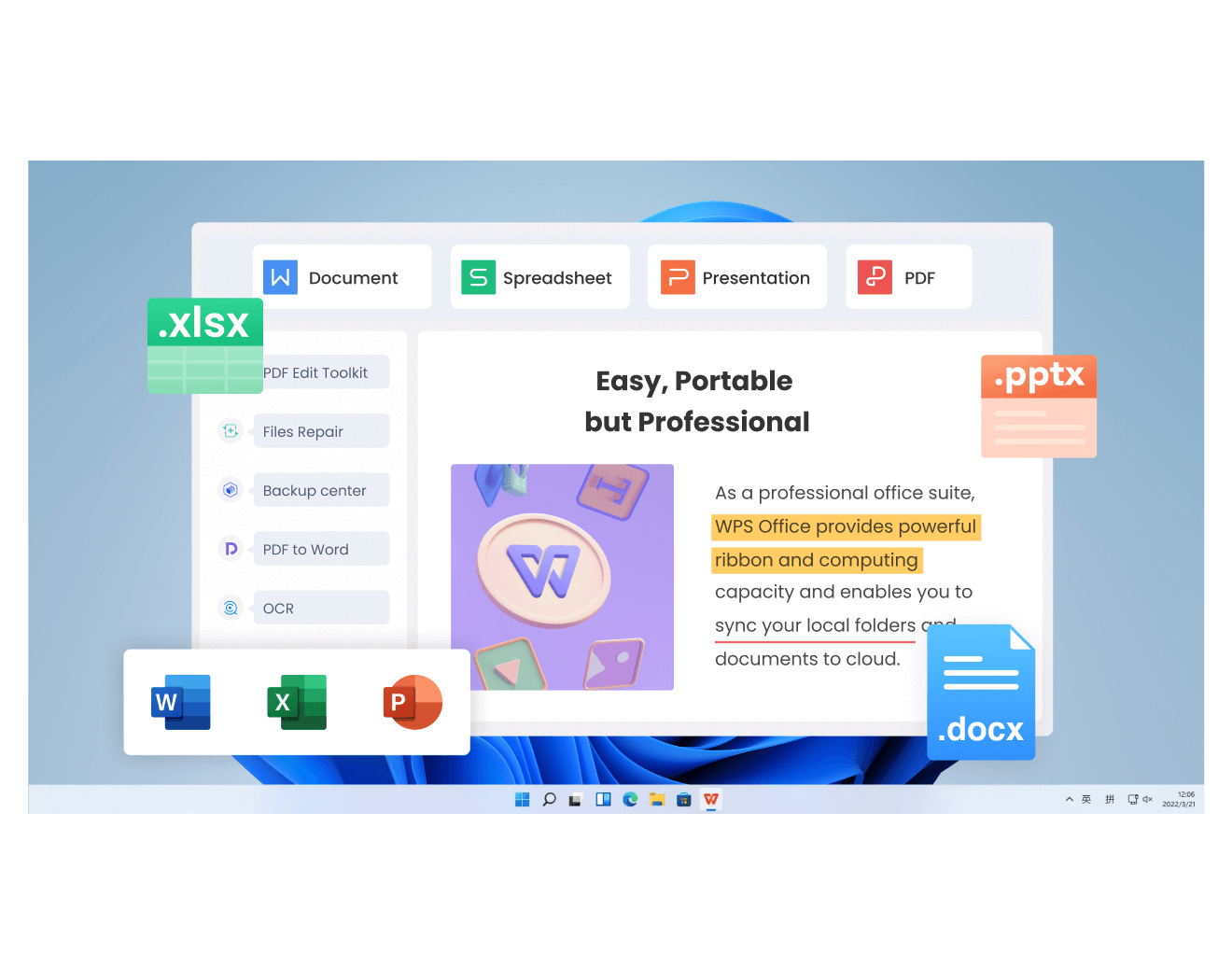
WPS Office runs on a different model: download, install, open the file. The Windows installer is lightweight—roughly in the ~200MB range for a full suite setup—so you are not babysitting a multi-gigabyte download while a client waits. There is no 25-character key ritual, no credit card for “free forever” desktop editing of everyday docs, and no midnight popup asking you to prove ownership of a license you never bought. Open Writer/Sheets/Slides and keep working. That single change—removing activation as a recurring failure mode—is why I stopped treating pirated Office as a “temporary bridge.”
2. Rock-solid format compatibility (.docx, .xlsx, .pptx)
Most people hesitate to switch because they have been burned before: fonts swap, tables shift, or a nested Excel formula returns a different result. That fear is fair. I stress-tested the files I actually live in—client .docx contracts with tracked changes, finance .xlsx models with Pivot Tables and modern lookups, and pitch .pptx decks with carefully placed animations.
In practice, WPS Writer keeps styles, comments, and revision marks intact for normal business documents so the next person (even on Microsoft Word) still sees the review trail. WPS Spreadsheets handles the formula set people actually use day to day—including XLOOKUP, nested IF logic, and Pivot Tables—without forcing me to rebuild sheets from scratch. WPS Presentation preserves slide layouts and common animation behavior well enough that I do not reopen decks in PowerPoint just to “fix the spacing.” I still spot-check one critical template the first time I switch machines—the same caution I use when jumping between Microsoft Office versions—but for daily work, format fear has not been the blocker people expect.
Microsoft Office’s multi-process model means Word, Excel, PowerPoint, and a separate PDF viewer can each own their own window—and on an 8 GB laptop, that is four hungry processes fighting for RAM and taskbar slots. Context switching becomes a scavenger hunt: which icon is the budget sheet? Which one is the PDF you annotated ten minutes ago?
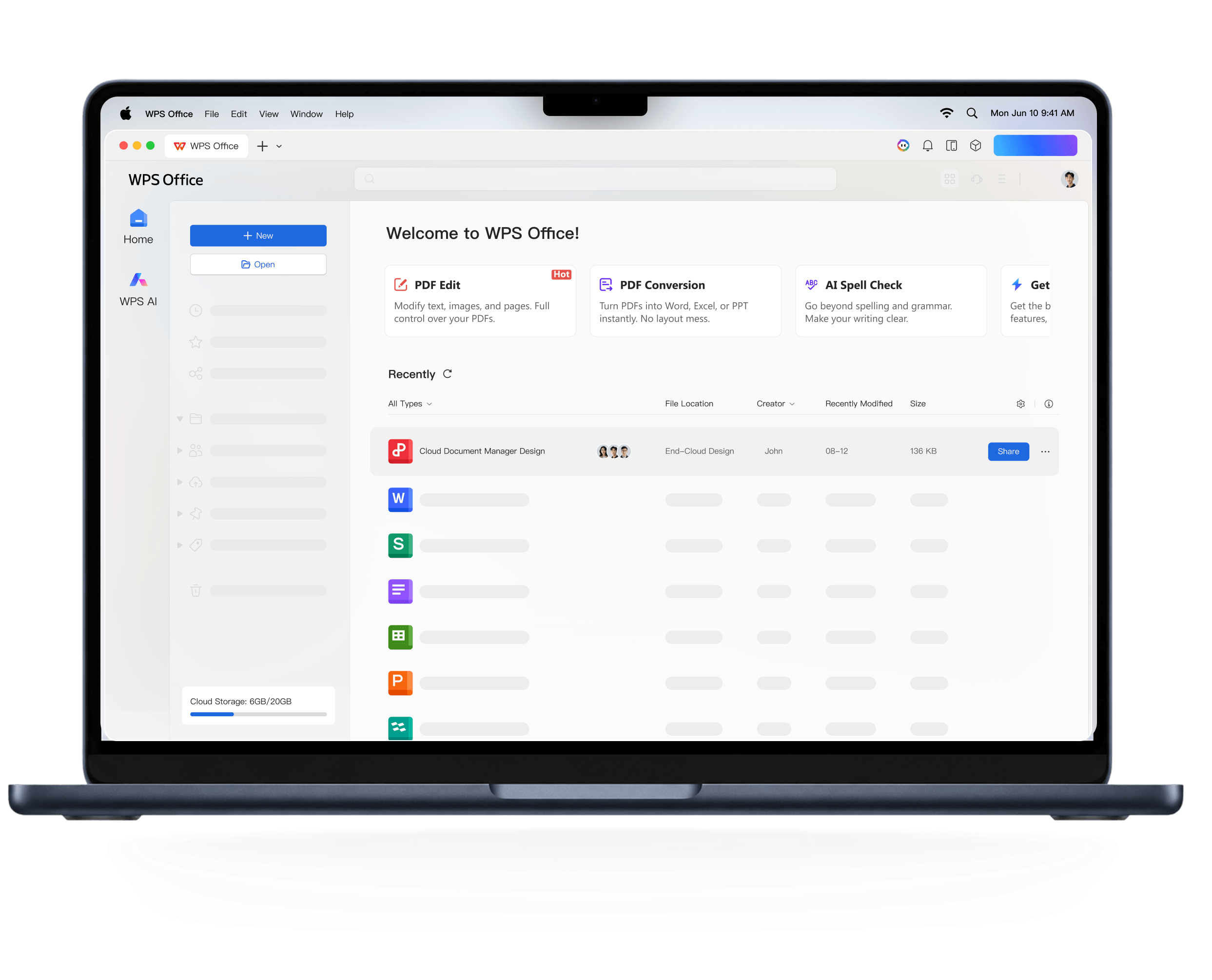
WPS uses a browser-like single workspace: documents, sheets, slides, and PDFs open as tabs inside one window. You jump between a proposal, a spreadsheet, and a PDF attachment without launching four separate applications. On low-spec machines, that architecture usually means noticeably less memory pressure—commonly in the 30%–50% RAM savings range versus running multiple heavy Office processes side by side—plus fewer fan spikes when six files are open at once. It is a UX win and a hardware win.
WPS tabbed all-in-one workspace
100% secure
4. Built-in PDF master suite (no extra software needed)
Native PDF support is where desktop Microsoft Office still feels incomplete for a lot of real workflows. You can open or export PDFs in limited ways, but deep edits—changing body text, adjusting images, merging packets, splitting pages, or converting a scanned-ish PDF back into an editable Word/Excel file—usually push people toward Adobe Acrobat or yet another paid converter. That is a second license problem layered on top of the first.
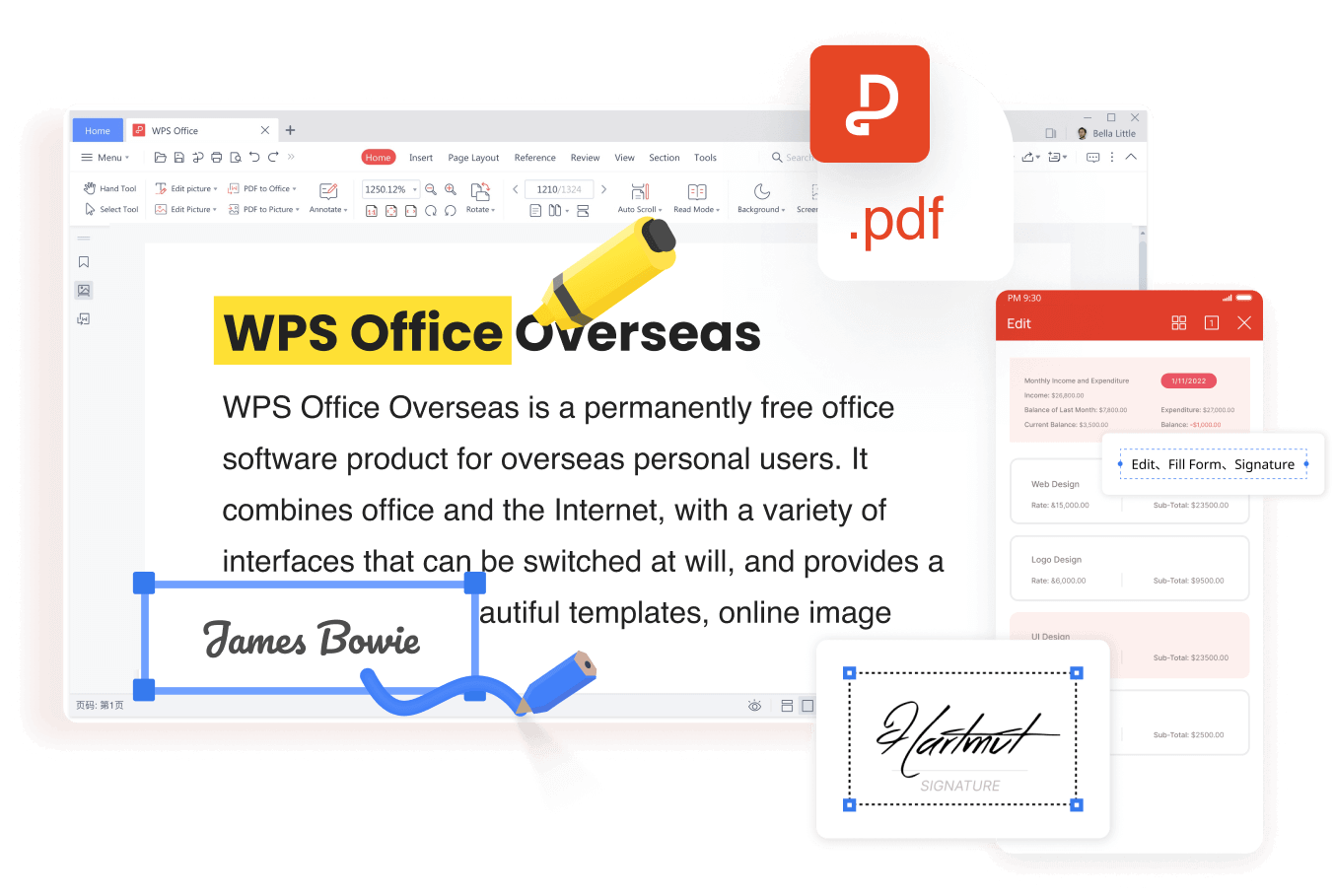
WPS treats PDF as a first-class citizen in the same tabbed workspace. I edit text and images directly in the PDF, annotate review comments, merge or split page ranges for client packets, and convert PDFs back to Word or Excel when I need to reuse content. For freelancers and students who live in mixed Word + PDF pipelines, that removes an entire category of “do I buy Acrobat this month?” decisions—and it is available without hunting another cracked installer.
WPS PDF editor free
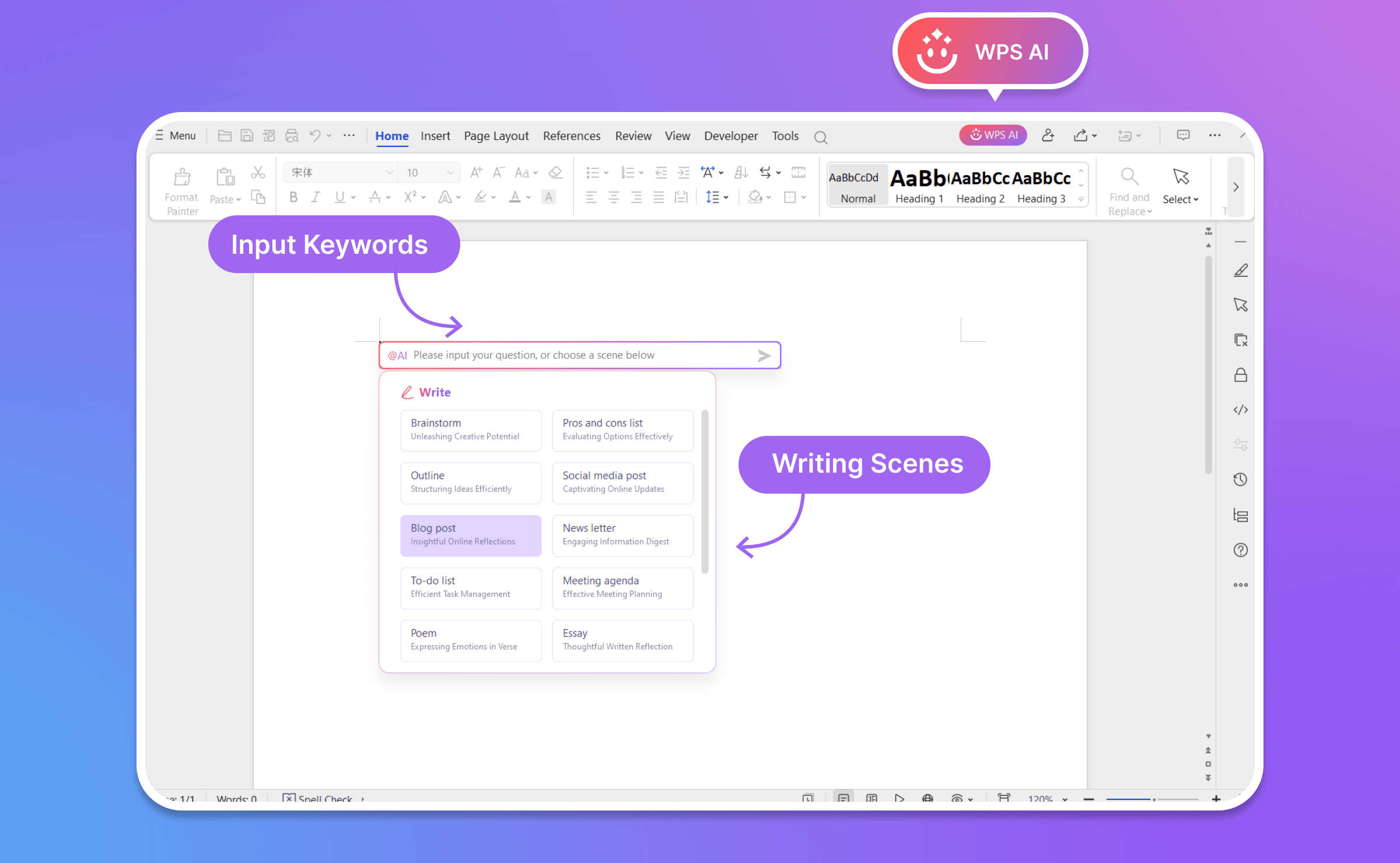
5. WPS AI: a modern workspace legacy Office can’t touch
Here is the quiet truth about cracked Office 2016/2019: even when they “work,” they are frozen in time. No modern AI assist. No meaningful feature growth. You are stuck with an aging offline tool while the rest of the productivity world moved on. That is fine if all you need is a static typewriter. It is painful if you summarize research packs, draft decks from outlines, or build formulas under deadline.
WPS AI sits inside the same suite I already use. Practical examples from my week: summarizing a long PDF (think ~50 pages) into action items in roughly the time it takes to refill coffee; turning a plain-text outline into a first-pass PowerPoint-style deck instead of building every slide from a blank canvas; and generating starter formulas when I know the logic but do not want to hand-type a nested expression. Cracked legacy Office does not grow those capabilities overnight. WPS does—without asking me to paste a blacklisted product key first.
WPS AI
If free Microsoft Office product keys keep failing you, this is the trade I actually made: stop optimizing for a license string, and start optimizing for uninterrupted desktop work—docs, sheets, slides, PDFs, and AI in one free suite.
100% secure
FAQs about free Microsoft Office product keys
These are the questions I get after people stop googling free Microsoft Office product keys and start thinking about switching for real.
Q1: What happens to my custom fonts, formatting, and complex Excel formulas if I switch from MS Office to WPS? For day-to-day work: usually nothing dramatic. WPS reads fonts installed on your system, keeps common layout and line-spacing behavior close to what you expect, and handles the formula set people actually live in—including modern lookups like XLOOKUP. Many VBA macros run; if you’ve got a 10-year-old macro monster that talks to three add-ins, test it once before a board meeting. That’s the same caution I’d give when jumping between Microsoft Office versions.
Q2: I received an encrypted/password-protected .docx or .xlsx. Can WPS open it without wrecking track changes? Yes—WPS opens standard AES password-protected Office files when you enter the password. Comments, revision marks, and tracked changes are designed to survive open → edit → save so the next person (even on Microsoft Office) still sees the review trail.
Q3: What actually happens when Microsoft detects a fake product key—do I lose my file on the spot? Your file doesn’t vanish into a black hole. The scary part is Reduced Functionality / read-only mode: you open the doc, type for twenty minutes, then save fails or features lock. Unsaved edits are what get people. That’s why a zero-key suite like WPS removes this particular panic button from your life.
Q4: Why does WPS feel smoother on a low-spec laptop with multiple docs open? Architecture. WPS keeps Writer/Sheets/Slides/PDF in a tabbed single workspace. Microsoft Office often spins up heavier separate processes per app. On an 8 GB laptop, that difference shows up as fewer fans screaming and fewer freezes when you’ve got six files open.
Q5: Can I sync PC and mobile for free without OneDrive? Cracked or unactivated Microsoft Office is a terrible cloud citizen—you’re already fighting activation, let alone sync. WPS includes free cloud sync across Windows, Mac, iOS, and Android so drafts can move with you without depending on a pirated desktop install’s half-broken account features.
Free Office Download
Use Word, Excel, and PPT for FREE, No Ads.
Edit PDF files with the powerful PDF toolkit.
Microsoft-like interface. Easy to learn. 100% Compatibility.
Boost your productivity with WPS's abundant free Word, Excel, PPT, and CV templates.
100% secure
Algirdas Jasaitis
Summary
Searching for a free Microsoft Office product key is a dead end: 100% of public keys online are either blacklisted, tied to corporate KMS servers, or bundled with malware. Even if a key works temporarily, Microsoft’s audits will soon lock your files into Read-Only mode, leaving you unable to save critical work.
While Microsoft offers legitimate free paths—like Office for the web, 30-day trials, and .edu licenses—they come with strict limits, including browser-only restrictions, auto-renew traps, and graduation expirations.
WPS Office eliminates the activation tax entirely:
No Keys Needed: Instant access to desktop Writer, Sheets, Slides, and PDF tools.
100% Compatible: Flawless handling of .docx, .xlsx, and .pptx formats, fonts, and formulas.
All-in-One Efficiency: Browser-like tabbed workspace with built-in PDF editing and AI tools.
Stop risking your system safety and losing time on expired keys—Download WPS Office for Free.
15 years of office industry experience, tech lover and copywriter. Follow me for product reviews, comparisons, and recommendations for new apps and software.


'%3e%3cpath%20d='M8%200C12.4183%200%2016%203.58172%2016%208C16%2012.4183%2012.4183%2016%208%2016C3.58172%2016%200%2012.4183%200%208C0%203.58172%203.58172%200%208%200ZM11.6162%204.38379C11.2257%203.99337%2010.5927%203.99338%2010.2021%204.38379L8%206.58594L5.79785%204.38379C5.40732%203.99334%204.77429%203.99329%204.38379%204.38379C3.99331%204.77429%203.99335%205.40733%204.38379%205.79785L6.58594%208L4.38379%2010.2021C3.99348%2010.5927%203.99341%2011.2257%204.38379%2011.6162C4.77426%2012.0066%205.40734%2012.0065%205.79785%2011.6162L8%209.41406L10.2021%2011.6162C10.5927%2012.0066%2011.2257%2012.0067%2011.6162%2011.6162C12.0067%2011.2257%2012.0066%2010.5927%2011.6162%2010.2021L9.41406%208L11.6162%205.79785C12.0066%205.40735%2012.0066%204.77429%2011.6162%204.38379Z'%20fill='%23080E17'%20fill-opacity='0.46'/%3e%3c/g%3e%3cdefs%3e%3cclipPath%20id='clip0_3761_713'%3e%3crect%20width='16'%20height='16'%20fill='white'/%3e%3c/clipPath%3e%3c/defs%3e%3c/svg%3e)




'%3e%3cpath%20fill-rule='evenodd'%20clip-rule='evenodd'%20d='M21.4999%2010.9993C21.4999%205.20009%2016.7986%200.498901%2010.9993%200.498901C5.19994%200.498901%200.498657%205.20009%200.498657%2010.9993C0.498657%2016.2404%204.33858%2020.5844%209.35855%2021.3722V14.0346H6.69238V10.9993H9.35855V8.68594C9.35855%206.05427%2010.9262%204.60062%2013.3248%204.60062C14.4736%204.60062%2015.6753%204.80571%2015.6753%204.80571V7.38979H14.3512C13.0468%207.38979%2012.64%208.19921%2012.64%209.0296V10.9993H15.5523L15.0867%2014.0346H12.64V21.3722C17.66%2020.5844%2021.4999%2016.2404%2021.4999%2010.9993Z'%20fill='%231568EA'/%3e%3c/g%3e%3c/svg%3e)


'%3e%3cpath%20d='M2.42045%2022.1876H6.31818V12.7217L0.75%208.54553V20.5171C0.75%2021.4414%201.49892%2022.1876%202.42045%2022.1876Z'%20fill='%234285F4'/%3e%3cpath%20d='M19.682%2022.1876H23.5797C24.5041%2022.1876%2025.2502%2021.4387%2025.2502%2020.5171V8.54553L19.682%2012.7217'%20fill='%2334A853'/%3e%3cpath%20d='M19.682%205.48293V12.7216L25.2502%208.54543V6.31816C25.2502%204.25236%2022.8921%203.07469%2021.2411%204.31361'%20fill='%23FBBC04'/%3e%3cpath%20d='M6.31824%2012.7217V5.48303L13.0001%2010.4944L19.6819%205.48303V12.7217L13.0001%2017.733'%20fill='%23EA4335'/%3e%3cpath%20d='M0.75%206.31816V8.54543L6.31818%2012.7216V5.48293L4.75909%204.31361C3.10534%203.07469%200.75%204.25236%200.75%206.31816Z'%20fill='%23C5221F'/%3e%3c/g%3e%3cdefs%3e%3cclipPath%20id='clip0_2954_7305'%3e%3crect%20width='24.5'%20height='18.375'%20fill='white'%20transform='translate(0.75%203.8125)'/%3e%3c/clipPath%3e%3c/defs%3e%3c/svg%3e)






'%3e%3cpath%20d='M19.9911%204.11386V6.471H18.5894C18.0775%206.471%2017.7322%206.57814%2017.5536%206.79243C17.3751%207.00671%2017.2858%207.32814%2017.2858%207.75671V9.44421H19.9019L19.5536%2012.0871H17.2858V18.8639H14.5536V12.0871H12.2769V9.44421H14.5536V7.49779C14.5536%206.39064%2014.8632%205.53201%2015.4822%204.92189C16.1013%204.31177%2016.9257%204.00671%2017.9554%204.00671C18.8304%204.00671%2019.509%204.04243%2019.9911%204.11386Z'%20fill='%23333333'/%3e%3c/g%3e%3cdefs%3e%3cclipPath%20id='clip0_2938_8199'%3e%3crect%20width='16'%20height='16'%20fill='white'%20transform='translate(8%204.00671)'/%3e%3c/clipPath%3e%3c/defs%3e%3c/svg%3e)
'%3e%3cpath%20d='M17.5237%2010.7813L23.4811%204H22.0699L16.8949%209.88693L12.7648%204H8L14.2469%2012.9029L8%2020.0133H9.4112L14.8725%2013.7952L19.2352%2020.0133H24M9.92053%205.04213H12.0885L22.0688%2019.0224H19.9003'%20fill='%23333333'/%3e%3c/g%3e%3cdefs%3e%3cclipPath%20id='clip0_2938_8200'%3e%3crect%20width='16'%20height='16.0134'%20fill='white'%20transform='translate(8%204)'/%3e%3c/clipPath%3e%3c/defs%3e%3c/svg%3e)


