

'%3e%3cpath%20d='M8%200C12.4183%200%2016%203.58172%2016%208C16%2012.4183%2012.4183%2016%208%2016C3.58172%2016%200%2012.4183%200%208C0%203.58172%203.58172%200%208%200ZM11.6162%204.38379C11.2257%203.99337%2010.5927%203.99338%2010.2021%204.38379L8%206.58594L5.79785%204.38379C5.40732%203.99334%204.77429%203.99329%204.38379%204.38379C3.99331%204.77429%203.99335%205.40733%204.38379%205.79785L6.58594%208L4.38379%2010.2021C3.99348%2010.5927%203.99341%2011.2257%204.38379%2011.6162C4.77426%2012.0066%205.40734%2012.0065%205.79785%2011.6162L8%209.41406L10.2021%2011.6162C10.5927%2012.0066%2011.2257%2012.0067%2011.6162%2011.6162C12.0067%2011.2257%2012.0066%2010.5927%2011.6162%2010.2021L9.41406%208L11.6162%205.79785C12.0066%205.40735%2012.0066%204.77429%2011.6162%204.38379Z'%20fill='%23080E17'%20fill-opacity='0.46'/%3e%3c/g%3e%3cdefs%3e%3cclipPath%20id='clip0_3761_713'%3e%3crect%20width='16'%20height='16'%20fill='white'/%3e%3c/clipPath%3e%3c/defs%3e%3c/svg%3e)




'%3e%3cpath%20fill-rule='evenodd'%20clip-rule='evenodd'%20d='M21.4999%2010.9993C21.4999%205.20009%2016.7986%200.498901%2010.9993%200.498901C5.19994%200.498901%200.498657%205.20009%200.498657%2010.9993C0.498657%2016.2404%204.33858%2020.5844%209.35855%2021.3722V14.0346H6.69238V10.9993H9.35855V8.68594C9.35855%206.05427%2010.9262%204.60062%2013.3248%204.60062C14.4736%204.60062%2015.6753%204.80571%2015.6753%204.80571V7.38979H14.3512C13.0468%207.38979%2012.64%208.19921%2012.64%209.0296V10.9993H15.5523L15.0867%2014.0346H12.64V21.3722C17.66%2020.5844%2021.4999%2016.2404%2021.4999%2010.9993Z'%20fill='%231568EA'/%3e%3c/g%3e%3c/svg%3e)


'%3e%3cpath%20d='M2.42045%2022.1876H6.31818V12.7217L0.75%208.54553V20.5171C0.75%2021.4414%201.49892%2022.1876%202.42045%2022.1876Z'%20fill='%234285F4'/%3e%3cpath%20d='M19.682%2022.1876H23.5797C24.5041%2022.1876%2025.2502%2021.4387%2025.2502%2020.5171V8.54553L19.682%2012.7217'%20fill='%2334A853'/%3e%3cpath%20d='M19.682%205.48293V12.7216L25.2502%208.54543V6.31816C25.2502%204.25236%2022.8921%203.07469%2021.2411%204.31361'%20fill='%23FBBC04'/%3e%3cpath%20d='M6.31824%2012.7217V5.48303L13.0001%2010.4944L19.6819%205.48303V12.7217L13.0001%2017.733'%20fill='%23EA4335'/%3e%3cpath%20d='M0.75%206.31816V8.54543L6.31818%2012.7216V5.48293L4.75909%204.31361C3.10534%203.07469%200.75%204.25236%200.75%206.31816Z'%20fill='%23C5221F'/%3e%3c/g%3e%3cdefs%3e%3cclipPath%20id='clip0_2954_7305'%3e%3crect%20width='24.5'%20height='18.375'%20fill='white'%20transform='translate(0.75%203.8125)'/%3e%3c/clipPath%3e%3c/defs%3e%3c/svg%3e)


If Microsoft Office Activation Wizard 2007 appears every time you open Word, Excel, or PowerPoint, Office is not retaining a valid activation state. Reinstalling repeatedly or using random keys rarely fixes the underlying cause and can expose your PC to unsafe downloads.
This guide explains why the prompt returns, shows a safe troubleshooting sequence, and covers three legitimate activation methods. Because Office 2007 has been unsupported since October 10, 2017, it also explains when switching to WPS Office is the safer and more practical choice.
Microsoft Office Activation Wizard 2007: Fixes and 3 Activation Methods
Why Microsoft Office Activation Wizard 2007 Keeps Appearing
The wizard returns because Office checks its license state when an application starts. If that check remains incomplete or inconsistent, closing the window only postpones it. Common causes include:
Office was never activated successfully. A product key may have been entered during setup, but online or telephone validation did not finish.
The key does not match the installed edition. A Home and Student key cannot activate Professional, Enterprise, or another edition.
The PC changed. A reinstall, major hardware replacement, restored system image, or move to another computer can trigger reactivation.
Multiple Office editions conflict. Old trial builds, Microsoft 365, or another perpetual Office release can leave competing licensing components.
Activation data or the installation is damaged. Interrupted updates, cleanup tools, permissions, or disk errors may stop Office from saving its valid state.
The legacy activation connection fails. An incorrect date and time, proxy, firewall, unreliable connection, or retired service path can prevent an old client from completing validation.
Microsoft ended Office 2007 support on October 10, 2017, so activation does not restore security updates or technical support.
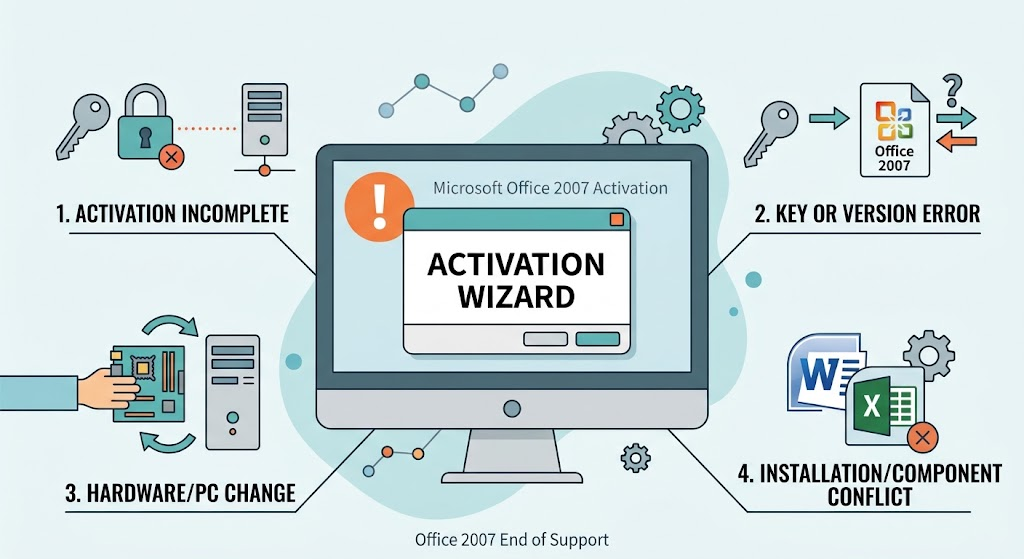
Office 2007 activation popup causes


Troubleshoot Microsoft Office Activation Wizard 2007 First
Do these checks before entering the key again. They distinguish a correctable installation problem from a key or activation-service limitation.
Confirm the exact edition. Open an Office application and check Microsoft Office Button > Program Options > Resources > About. Compare the edition with the packaging, certificate, or organization license record.
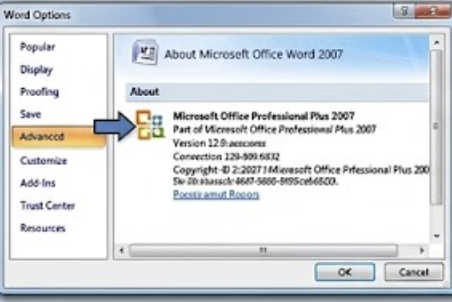
Confirm edition Check the clock and connection. Correct Windows date, time, and time zone; then try a stable internet connection. Temporarily test without a VPN or proxy, but do not weaken a managed firewall without administrator approval.
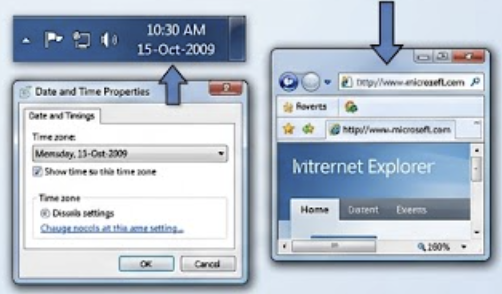
Check clock and connection Look for conflicting installations. Open Control Panel > Programs and Features. Remove only obsolete trial or duplicate Office editions you no longer need. Back up Outlook data and custom templates first.
Repair Office 2007. Select the Office 2007 entry, choose Change, and run the repair option. Restart Windows afterward.
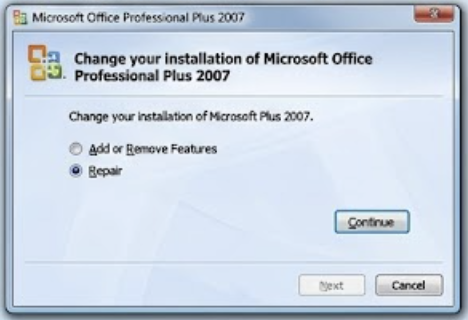
Choose the repair option Run Office once as administrator. Use this only to test whether permissions prevent activation data from being saved; return to normal launching afterward.
Record the full error. A message about an invalid key, exceeded activations, connectivity, or a volume license requires a different fix. Do not use registry cleaners, cracks, KMS emulators, or keys copied from the web.
For a broader walkthrough, see WPS Academy's Microsoft Office Activation Wizard guide.
How to Activate Microsoft Office 2007: 3 Legal Methods
You need a genuine license that matches the installed edition. None of the methods below generates a key or bypasses Microsoft's licensing checks.
Method 1: Activate Office 2007 over the internet
Open Word, Excel, PowerPoint, or Access 2007.
Choose Microsoft Office Button > Program Options > Resources > Activate. In programs without the Office button, choose Help > Activate Product.
Enter the genuine 25-character product key if requested.
Select internet activation and follow the wizard. Keep the PC online until confirmation appears.
Restart the application and return to the activation menu to confirm the prompt is gone.
Method 2: Use Microsoft's official telephone activation route
This is useful when internet activation rejects a genuine key or the PC must stay offline.
Open the same Activation Wizard and select telephone activation.
Select your country or region and use the official number or current instructions shown by Microsoft.
Provide the installation ID displayed by the wizard. Never post this ID or your product key publicly.
Enter the confirmation ID supplied through the official process, then finish activation.
Microsoft warns that the wizard may say telephone activation is no longer supported for the product. In that case, follow the country/region route on the official Office 2007 activation page; availability can vary.
Method 3: Activate a genuine organization volume-license copy
Use this only if the computer and Office license belong to a company, school, or other organization.
Confirm with IT that the installed edition is the organization's licensed Office 2007 volume edition.
Connect to the organization's approved network or VPN if instructed.
Ask the administrator to complete the authorized activation or provide the correct deployment media and key.
If the PC is no longer covered, uninstall that copy instead of trying consumer keys or unofficial activators.
If you own a retail key but its edition is wrong, uninstall Office, reinstall the matching edition from your original legitimate media, and retry Method 1 or Method 2. See the related Office 2007 product-key activation guide for additional preparation steps.
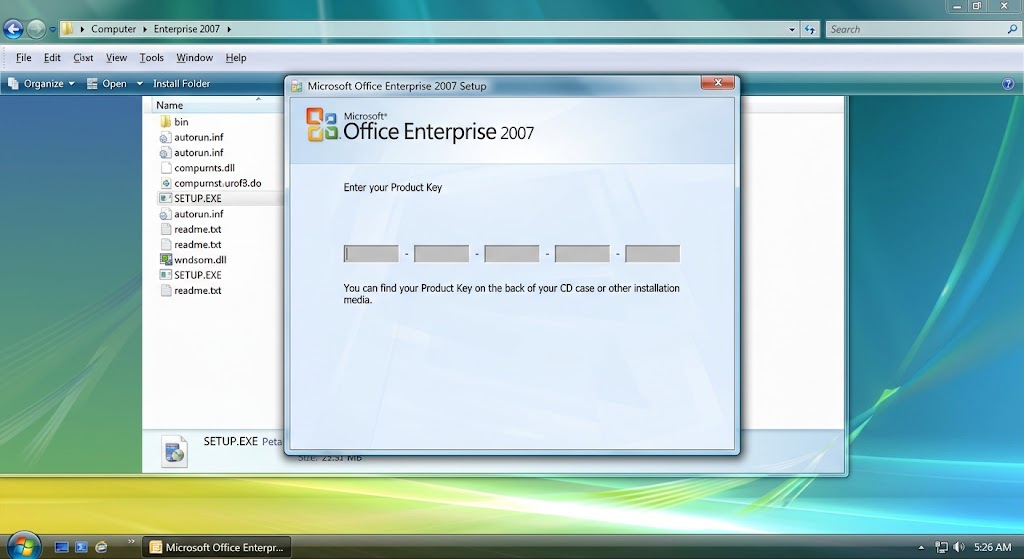
Enter genuine Office 2007 key
The Best Free Office 2007 Alternative: WPS Office
If activation still fails—or succeeds but leaves you relying on software without security fixes—WPS Office removes the recurring-license prompt from your everyday document workflow. It is especially useful for people who only keep Office 2007 to open familiar Word, Excel, or PowerPoint files.
No activation prompts. The free core apps—Writer, Spreadsheet, and Presentation—do not need an Office 2007 product key. Install from the official WPS download page and start working right away.
Your old files still open. WPS Office reads and saves common formats, including DOC/DOCX, XLS/XLSX, and PPT/PPTX. Keep an untouched backup and check complex macros, fonts, formulas, and layouts before replacing the original.
One install instead of several. Writer, Spreadsheet, Presentation, and PDF tools come in a single suite, so everyday editing, reading, and export stay in one place.
Light enough for an older PC. You get a familiar ribbon-style workflow and a unified launcher. Always check the current system requirements for your device before installing.
Work across your devices. WPS Office runs on Windows, macOS, Linux, Android, and iOS. Optional account sign-in adds cloud workflows, though features vary by platform and region.
A safer answer to tempting key sites. Instead of downloading cracks or unverified Office 2007 keys, start free—some advanced PDF, AI, cloud, template, or ad-free features may require payment.
Before migrating a business-critical file, test VBA macros, external links, unusual fonts, Access databases, Outlook PST files, and specialized add-ins separately. WPS Office is a strong replacement for everyday documents, sheets, slides, and PDFs, but it is not a drop-in replacement for every legacy Microsoft component.
| User need | Office 2007 today | WPS Office approach |
|---|---|---|
| Fast access | Activation prompt can block the workflow | Free core apps start without an Office 2007 key |
| Everyday formats | Legacy Office formats; no current support | Open and save common DOCX, XLSX, and PPTX files |
| All-in-one work | Separate legacy applications | Writer, Spreadsheet, Presentation, and PDF together |
| Device choice | Designed for an older Windows era | Desktop and mobile platform options |
| Cost clarity | Valid old license required | Free core tools; optional paid extras |
Top WPS advantages:
A legitimate free route for common document, spreadsheet, presentation, and PDF tasks.
A familiar interface that reduces retraining when leaving Office 2007.
A current product path with official downloads instead of risky key sites.
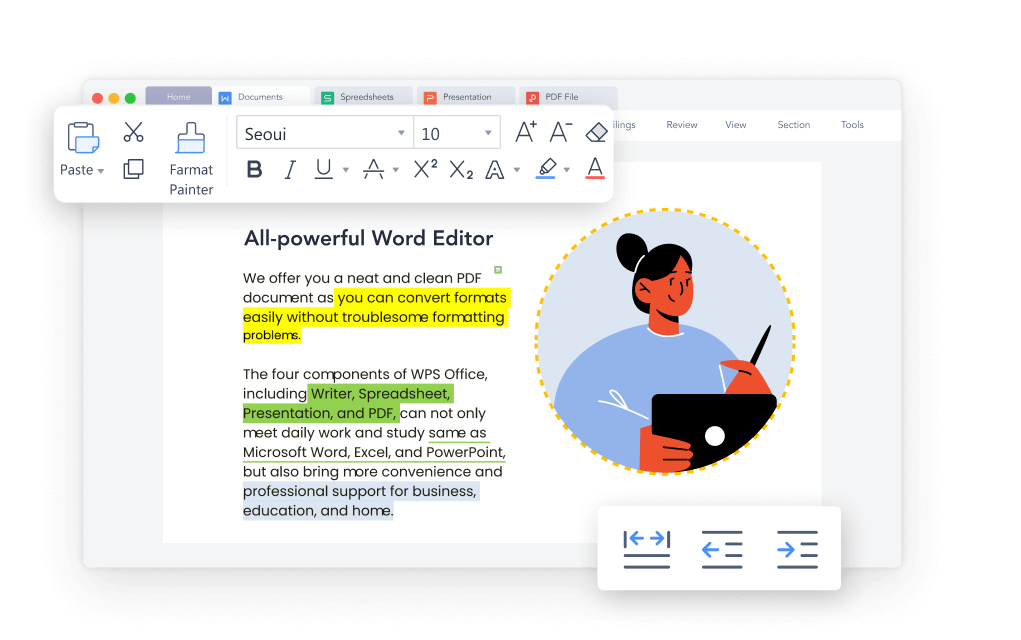
WPS Office interface
FAQs
Can I activate Office 2007 without a product key?
No legitimate permanent activation method exists without a valid license that matches the installed edition. Avoid cracks, shared keys, and unofficial activation tools.
Why does the activation wizard return after I entered a key?
Entering a key is only one step. Validation may not have completed, the edition may not match, activation data may be damaged, or the computer may require reactivation after a change.
Does Office 2007 activation make the software secure?
No. Activation confirms licensing; it does not restore security fixes. Microsoft ended extended support for Office 2007 on October 10, 2017.
Can I use telephone activation for Office 2007?
You can try the official route described by Microsoft. The wizard may report that telephone activation is unsupported, so use Microsoft's current country or region instructions and expect availability to vary.
Will WPS Office open my Office 2007 files?
WPS Office supports common DOC/DOCX, XLS/XLSX, and PPT/PPTX files. Test complex macros, add-ins, fonts, formulas, and layouts, and keep original backups.


'%3e%3cpath%20d='M19.9911%204.11386V6.471H18.5894C18.0775%206.471%2017.7322%206.57814%2017.5536%206.79243C17.3751%207.00671%2017.2858%207.32814%2017.2858%207.75671V9.44421H19.9019L19.5536%2012.0871H17.2858V18.8639H14.5536V12.0871H12.2769V9.44421H14.5536V7.49779C14.5536%206.39064%2014.8632%205.53201%2015.4822%204.92189C16.1013%204.31177%2016.9257%204.00671%2017.9554%204.00671C18.8304%204.00671%2019.509%204.04243%2019.9911%204.11386Z'%20fill='%23333333'/%3e%3c/g%3e%3cdefs%3e%3cclipPath%20id='clip0_2938_8199'%3e%3crect%20width='16'%20height='16'%20fill='white'%20transform='translate(8%204.00671)'/%3e%3c/clipPath%3e%3c/defs%3e%3c/svg%3e)
'%3e%3cpath%20d='M17.5237%2010.7813L23.4811%204H22.0699L16.8949%209.88693L12.7648%204H8L14.2469%2012.9029L8%2020.0133H9.4112L14.8725%2013.7952L19.2352%2020.0133H24M9.92053%205.04213H12.0885L22.0688%2019.0224H19.9003'%20fill='%23333333'/%3e%3c/g%3e%3cdefs%3e%3cclipPath%20id='clip0_2938_8200'%3e%3crect%20width='16'%20height='16.0134'%20fill='white'%20transform='translate(8%204)'/%3e%3c/clipPath%3e%3c/defs%3e%3c/svg%3e)


