If you are just starting with UI or UX design, downloading Adobe XD
can feel more confusing than it should be. Many users search for Adobe
XD download in 2026 and quickly run into outdated links, mixed opinions,
or unclear information about whether the software is still
available.
From a beginner’s point of view, the real challenge is not learning
the tool but finding a safe and official way to access it. In this
guide, I will walk you through exactly how Adobe XD works today, where
you can legally download it, and how to install it correctly on both
Windows and macOS.
Use Word, Excel, and PPT for FREE
Part 1: Overview of Adobe XD
Adobe XD is a user interface and user experience design tool
developed by Adobe for creating wireframes, interactive prototypes, and
screen designs. It is commonly used by UI/UX beginners, students, and
professional designers who need a clean and focused environment for
designing digital products.
download Adobe XD for PC
Even in 2026, many users still search for Adobe XD download because
the software remains useful for lightweight design tasks. Compared to
more complex tools, Adobe XD offers a simpler workflow that helps
designers move from idea to prototype quickly. This is one of the main
reasons why it is still relevant today.
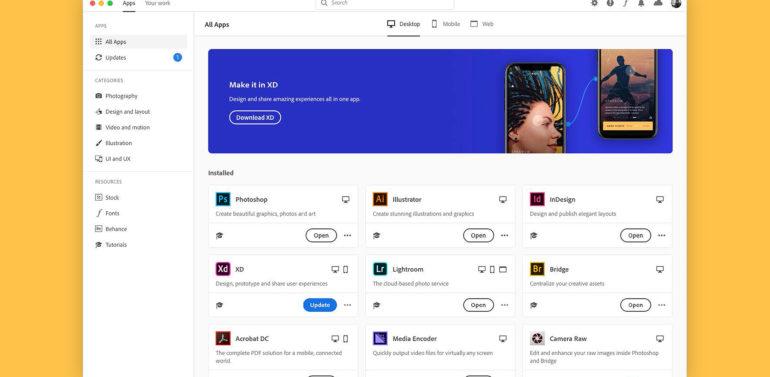
Adobe XD runs through Adobe Creative Cloud, which means users can
manage updates, licenses, and installations from a single dashboard.
This approach also ensures that downloads remain official and
secure.
Features
Adobe XD focuses on core design and prototyping needs rather than
overwhelming users with advanced settings. Some of its most practical
features include:
Wireframing and UI design
Create layouts for websites, mobile apps, and dashboards using
vector-based tools.
Interactive prototyping
Link screens together with transitions to simulate real user flows
without writing code.
Design systems and components
Reusable components help maintain consistency across large
projects.
Real-time collaboration
Share prototypes with team members and collect feedback through
shared links.
Creative Cloud integration
Import assets from Photoshop or Illustrator to speed up design
workflows.
These features explain why users still look for guides on Adobe XD
download for pc and Mac, especially when starting in UI or UX
design.
Pricing
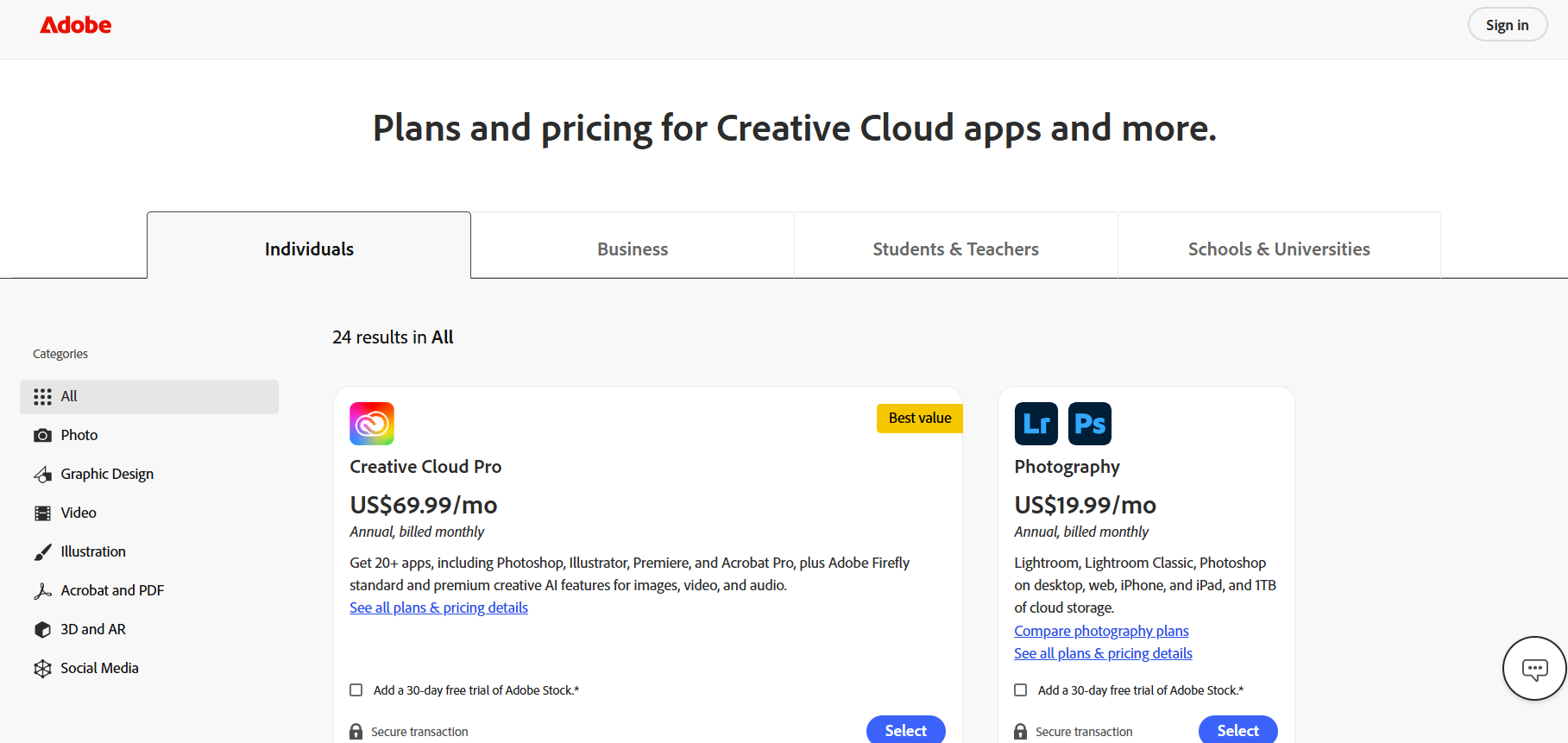
Adobe Creative Cloud pricing
Adobe XD is available through Adobe Creative Cloud. Pricing depends
on region and account type.
A limited free plan may be available for basic usage.
Full access requires an active Creative Cloud
subscription.
Students and educators may qualify for discounted plans.
Because pricing and availability can vary, many users specifically
search for Adobe XD free download 2026 to understand what they can
access without immediate payment.
Pros
Easy to learn for beginners
Clean and distraction-free interface
Smooth integration with other Adobe tools
Fast prototyping without coding
Cons
Requires Creative Cloud installation
Fewer advanced collaboration features compared to some competitors
Availability and updates depend on Adobe’s regional policies
Part 2: How to Download
Adobe XD – Windows
This section explains how to install Adobe XD on Windows using
Adobe’s official platform. If you are looking for a safe Adobe XD
download for pc, this is the only recommended method in 2026.
Adobe does not offer a standalone installer. Adobe XD is downloaded
and managed through Adobe Creative Cloud.
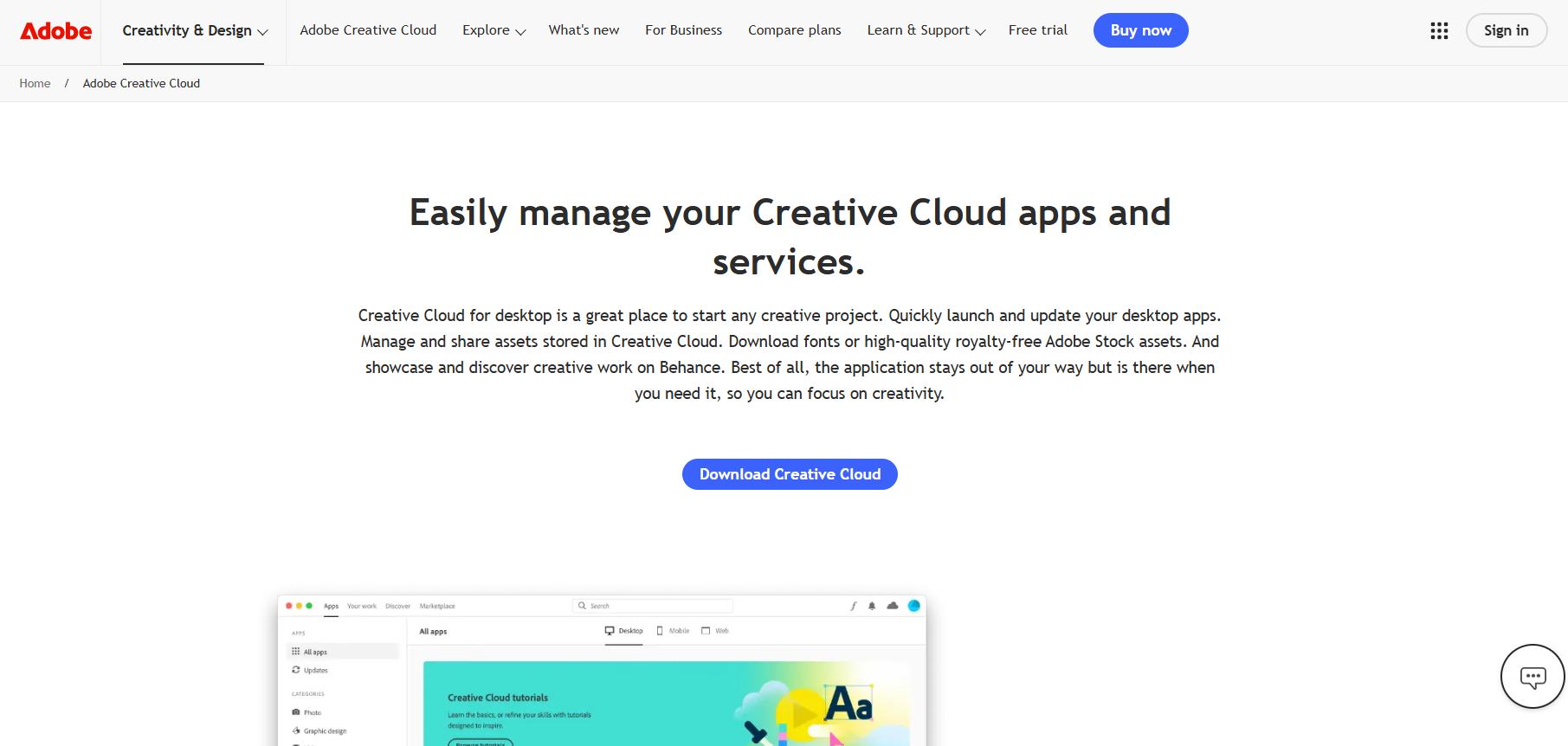
Sign in using your Adobe account. If you don’t have one, create a
free account.
Download the Adobe Creative Cloud desktop app for Windows.
This step is required because Adobe XD download and installation are
handled entirely through Creative Cloud.
Step 2: Find Adobe XD Inside Creative Cloud
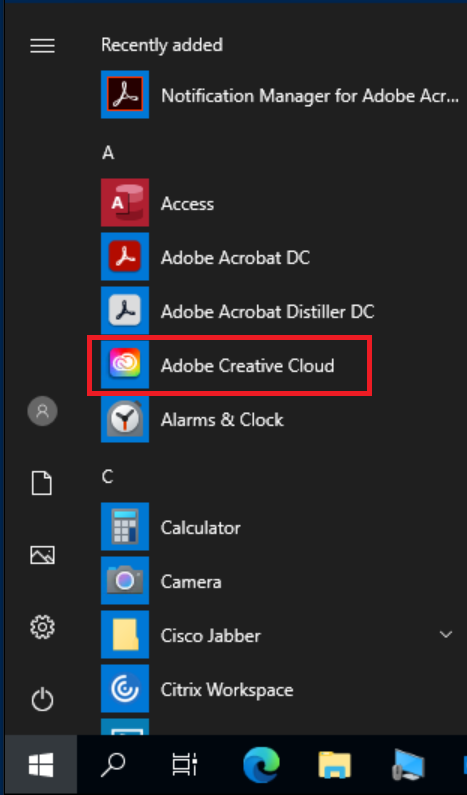
Launch the Creative Cloud desktop app after
installation.
Adobe Creative Cloud
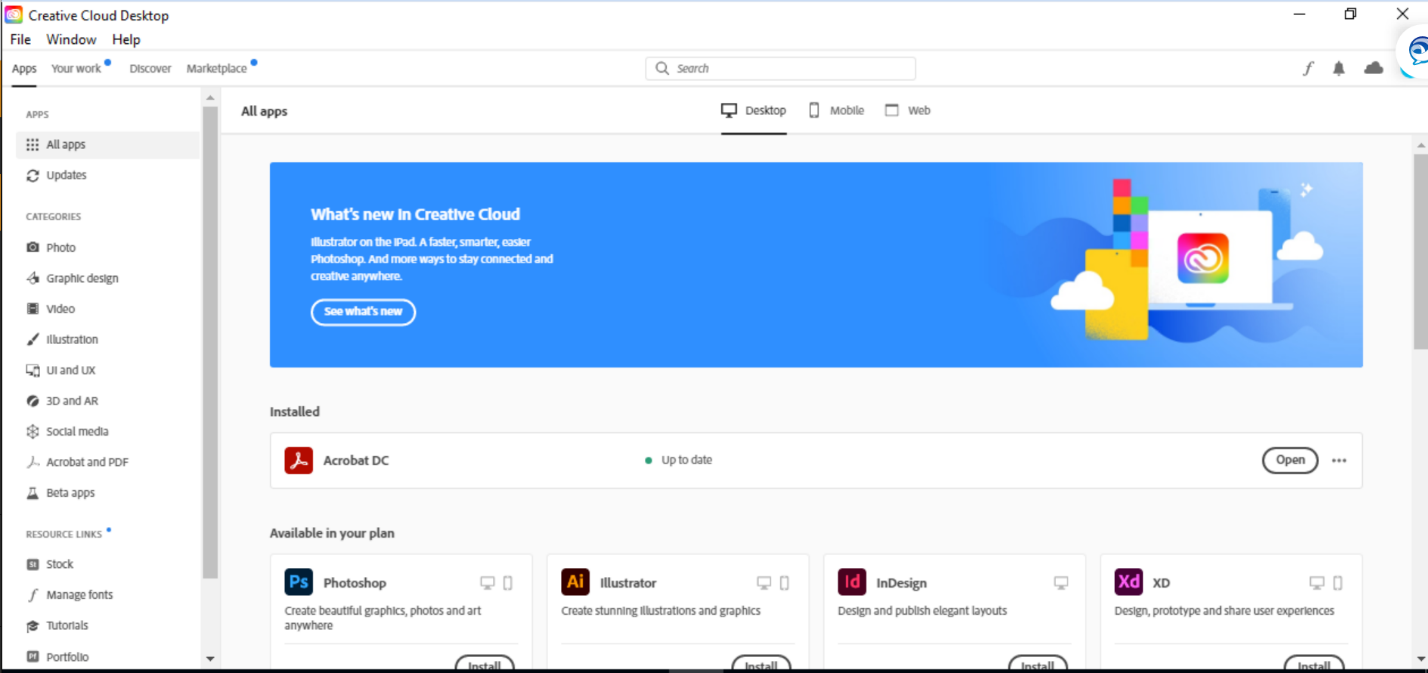
Go to the Apps section.
Adobe Creative Cloud apps
Scroll through the available software or use the search bar to
find Adobe XD.
If Adobe XD is available for your region and plan, it will appear in
the list.
Step 3: Download and Install Adobe XD
Click Install next to Adobe XD.
Creative Cloud will automatically download and install the
software.
Once completed, you can open Adobe XD directly from Creative
Cloud or your desktop.
This completes the Adobe XD download for pc process. Updates and
future patches will also be handled automatically through Creative
Cloud.
Part 3: How to Download
Adobe XD – Mac
If you are using macOS, the Adobe XD download for Mac process is very
similar to Windows. Adobe XD runs through Creative Cloud, which ensures
you always get the latest supported version.
This section explains how to install Adobe XD on Windows/Mac from a
Mac user’s perspective, with clear and safe steps.
Step 1: Check macOS System Requirements
Before downloading, make sure your Mac meets Adobe’s system
requirements.
Confirm your macOS version is supported.
Ensure you have enough storage space for Creative Cloud and Adobe
XD.
Meeting these requirements helps prevent installation errors during
Adobe XD download and installation.
Step 2: Install Adobe Creative Cloud for Mac
Visit Adobe’s official website and sign in with your Adobe
account.
How to install Adobe XD on Mac
Download the Creative Cloud desktop app for macOS.
Open the installer and follow the on-screen
instructions.
Creative Cloud is mandatory for Adobe XD download, free or paid
installations.
Step 3: Download and Launch Adobe XD
Open the Creative Cloud app.
Navigate to the Apps section and locate Adobe
XD.
How to install Adobe XD on Mac
Click Install and wait for the process to
finish.
Once installed, Adobe XD can be launched directly from Creative Cloud
or your Applications folder.
Part 4:
Another Useful Tool for Designers – WPS Photos
While Adobe XD handles layout, wireframes, and prototyping, many
designers still need a fast way to prepare images before importing them
into their designs. This is where WPS
Photos works well as a companion tool.
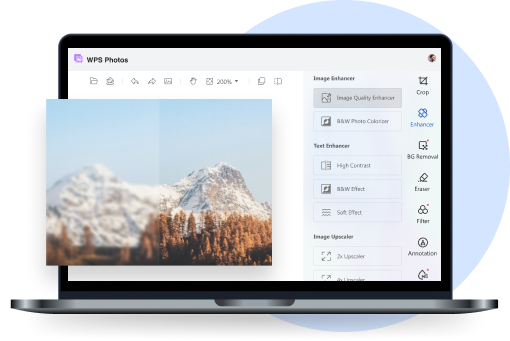
WPS Photos
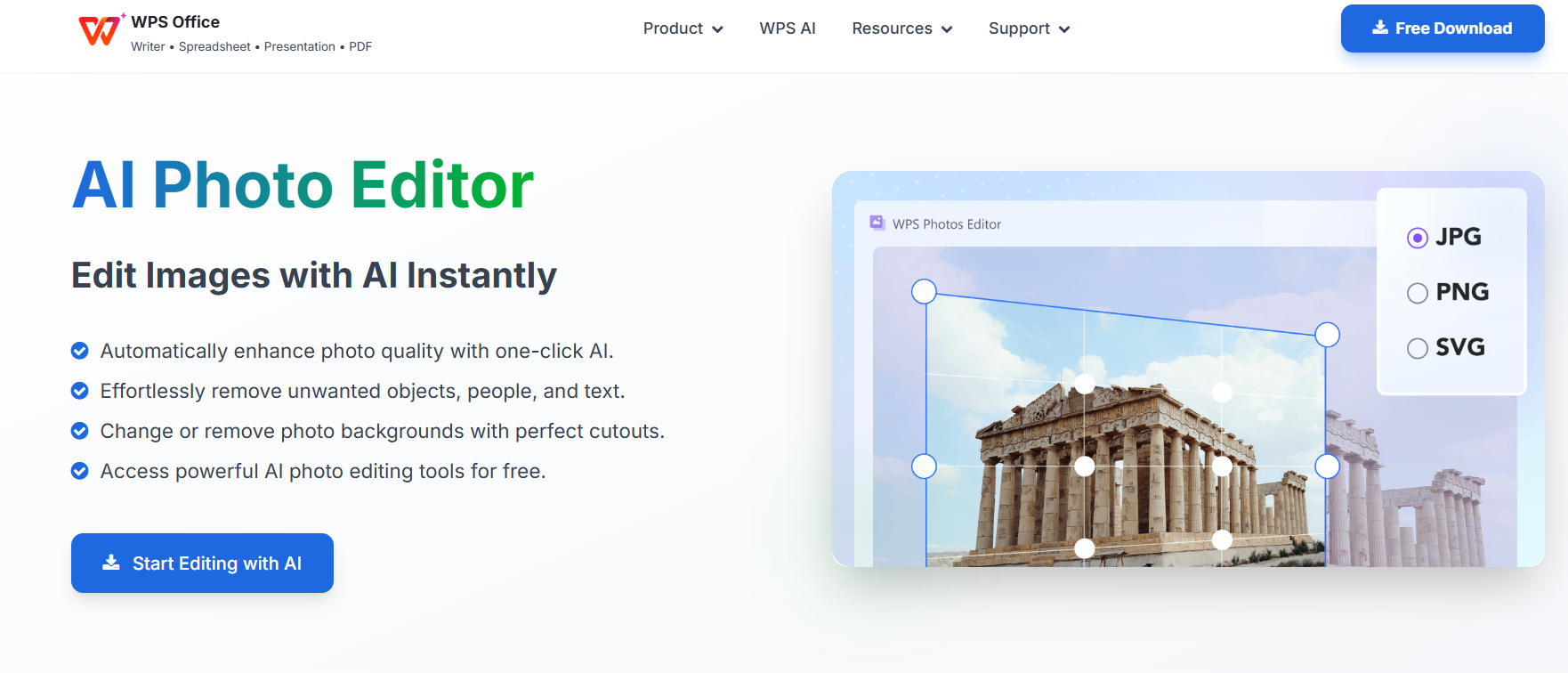
WPS Photos is an AI-powered image editing and enhancement tool
designed for users who want clean results without complex controls. For
UI and UX designers, it helps refine icons, illustrations, product
images, and visual assets used inside Adobe XD projects.
When working on design layouts after an Adobe XD download, having
polished images can significantly improve the final look of wireframes
and prototypes.
Features
AI-powered photo enhancement
Automatically improves sharpness, contrast, and clarity for design
assets.
One-click background removal
Quickly isolate objects or icons for use in interfaces and
mockups.
Smart lighting and color correction
Helps maintain consistent color tones across UI components.
Image upscaling for high-resolution UI
assets
Improves image quality without visible distortion, useful for modern
screens.
How to Use WPS Photos
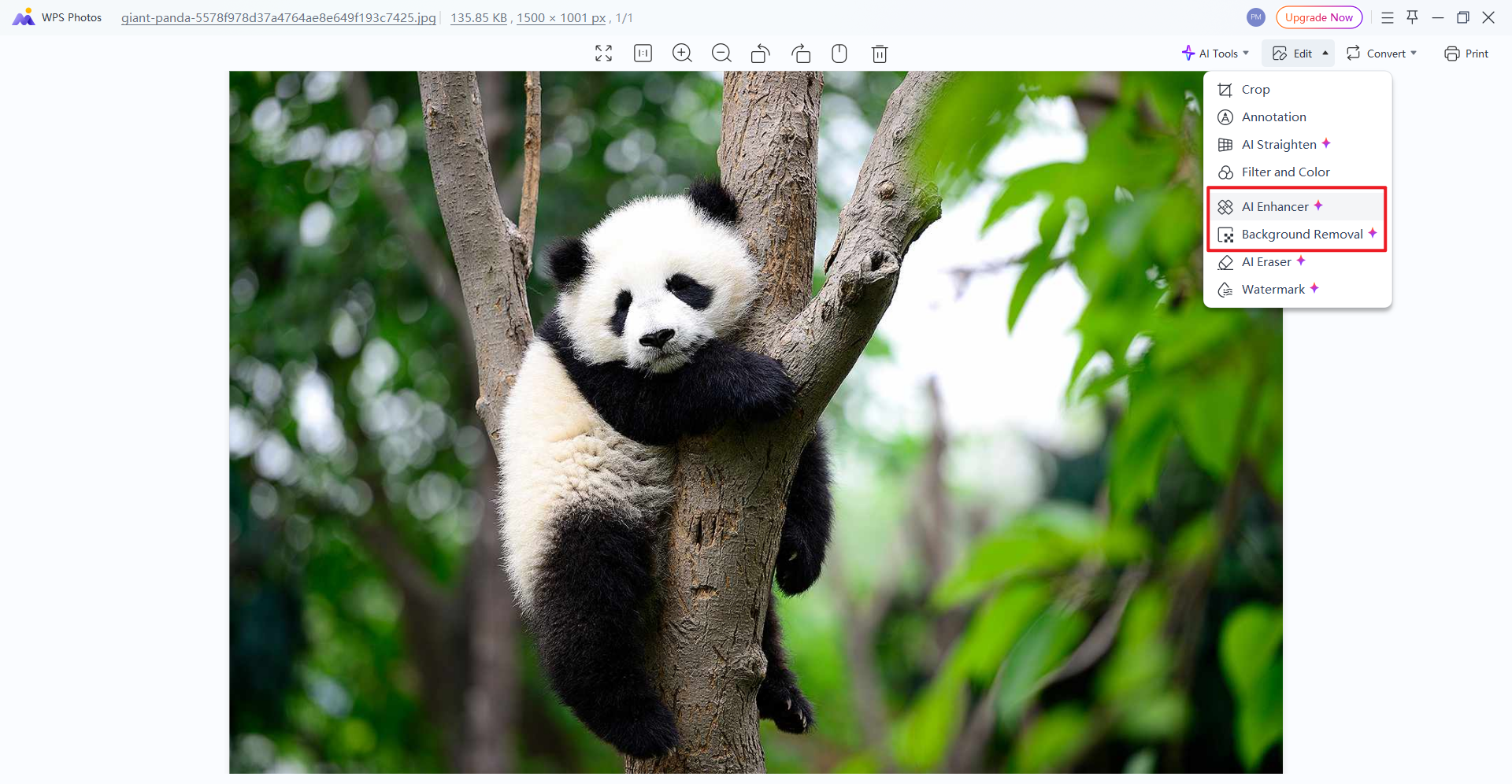
Open your image with WPS Photos.
Open your image with WPS Photos
Select the AI enhancement or background removal option.
Select the AI enhancement or background removal in WPS Photos
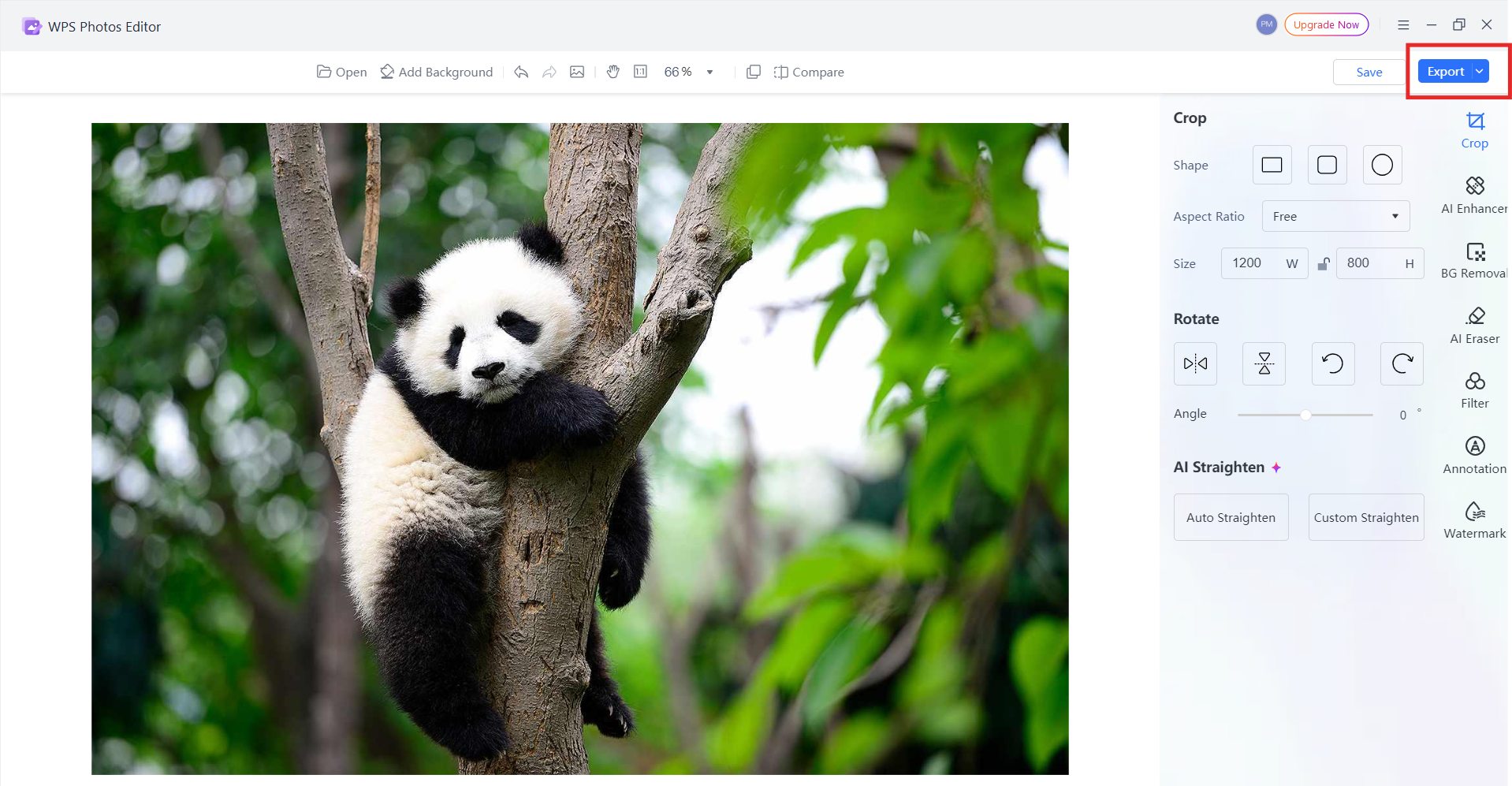
Preview the result and export the optimized image.
Export in WPS Photos
Import the final asset into Adobe XD for layout or
prototyping.
From my experience, this workflow reduces the time spent switching
between complex design tools and allows beginners to focus more on
layout and interaction rather than manual image edits.
Part 5: Comparison –
Adobe XD vs WPS Photos
Feature
Adobe XD
WPS Photos
Primary Purpose
UI/UX design and prototyping
Image enhancement and optimization
Learning Curve
Moderate for beginners
Very easy for beginners
Best Use Case
Wireframes, layouts, prototypes
Polishing images for UI assets
AI Image Tools
Limited
Advanced and automated
Ideal For
Designers building full interfaces
Novice users preparing visual
assets
Workflow Speed
Design-focused
Fast one-click edits
Why WPS Photos is better for novices:
For beginners who struggle with image editing, WPS Photos offers
immediate results without technical setup. Adobe XD focuses on structure
and interaction, while WPS Photos simplifies asset preparation. Used
together, they create a smoother workflow after completing the Adobe XD
download and install.
100% secure
FAQs
Q1: Is Adobe XD free to download?
A limited free plan may be available depending on the region, but
full features require a Creative Cloud subscription.
Q2: Is Adobe XD still supported in 2026?
Yes. Adobe continues to offer updates and support, although some
features have shifted to other Adobe platforms.
Q3: Can I download Adobe XD on both Windows and
Mac?
Yes. Adobe XD supports Windows 10/11 and macOS through Creative
Cloud.
Q4: How does WPS Photos help UI/UX designers?
It improves image quality, removes backgrounds, and optimizes visual
assets for interface design.
Summary
Adobe XD remains a useful tool for UI and UX designers in 2026, especially for beginners who want a lightweight and structured design environment. By using Adobe Creative Cloud, users can safely complete Adobe XD download and install it on both Windows and Mac.
To enhance design quality further, pairing Adobe XD with WPS Photos helps streamline image preparation and improves the visual impact of prototypes. Together, these tools support a cleaner, faster, and more beginner-friendly design workflow.
Office software expert with 15+ years of experience since 2009. I specialize in tech tutorials, productivity tools, and digital solutions for everyday users. Passionate about making technology simple and accessible for everyone.


'%3e%3cpath%20d='M8%200C12.4183%200%2016%203.58172%2016%208C16%2012.4183%2012.4183%2016%208%2016C3.58172%2016%200%2012.4183%200%208C0%203.58172%203.58172%200%208%200ZM11.6162%204.38379C11.2257%203.99337%2010.5927%203.99338%2010.2021%204.38379L8%206.58594L5.79785%204.38379C5.40732%203.99334%204.77429%203.99329%204.38379%204.38379C3.99331%204.77429%203.99335%205.40733%204.38379%205.79785L6.58594%208L4.38379%2010.2021C3.99348%2010.5927%203.99341%2011.2257%204.38379%2011.6162C4.77426%2012.0066%205.40734%2012.0065%205.79785%2011.6162L8%209.41406L10.2021%2011.6162C10.5927%2012.0066%2011.2257%2012.0067%2011.6162%2011.6162C12.0067%2011.2257%2012.0066%2010.5927%2011.6162%2010.2021L9.41406%208L11.6162%205.79785C12.0066%205.40735%2012.0066%204.77429%2011.6162%204.38379Z'%20fill='%23080E17'%20fill-opacity='0.46'/%3e%3c/g%3e%3cdefs%3e%3cclipPath%20id='clip0_3761_713'%3e%3crect%20width='16'%20height='16'%20fill='white'/%3e%3c/clipPath%3e%3c/defs%3e%3c/svg%3e)



'%3e%3cpath%20fill-rule='evenodd'%20clip-rule='evenodd'%20d='M21.4999%2010.9993C21.4999%205.20009%2016.7986%200.498901%2010.9993%200.498901C5.19994%200.498901%200.498657%205.20009%200.498657%2010.9993C0.498657%2016.2404%204.33858%2020.5844%209.35855%2021.3722V14.0346H6.69238V10.9993H9.35855V8.68594C9.35855%206.05427%2010.9262%204.60062%2013.3248%204.60062C14.4736%204.60062%2015.6753%204.80571%2015.6753%204.80571V7.38979H14.3512C13.0468%207.38979%2012.64%208.19921%2012.64%209.0296V10.9993H15.5523L15.0867%2014.0346H12.64V21.3722C17.66%2020.5844%2021.4999%2016.2404%2021.4999%2010.9993Z'%20fill='%231568EA'/%3e%3c/g%3e%3c/svg%3e)


'%3e%3cpath%20d='M2.42045%2022.1876H6.31818V12.7217L0.75%208.54553V20.5171C0.75%2021.4414%201.49892%2022.1876%202.42045%2022.1876Z'%20fill='%234285F4'/%3e%3cpath%20d='M19.682%2022.1876H23.5797C24.5041%2022.1876%2025.2502%2021.4387%2025.2502%2020.5171V8.54553L19.682%2012.7217'%20fill='%2334A853'/%3e%3cpath%20d='M19.682%205.48293V12.7216L25.2502%208.54543V6.31816C25.2502%204.25236%2022.8921%203.07469%2021.2411%204.31361'%20fill='%23FBBC04'/%3e%3cpath%20d='M6.31824%2012.7217V5.48303L13.0001%2010.4944L19.6819%205.48303V12.7217L13.0001%2017.733'%20fill='%23EA4335'/%3e%3cpath%20d='M0.75%206.31816V8.54543L6.31818%2012.7216V5.48293L4.75909%204.31361C3.10534%203.07469%200.75%204.25236%200.75%206.31816Z'%20fill='%23C5221F'/%3e%3c/g%3e%3cdefs%3e%3cclipPath%20id='clip0_2954_7305'%3e%3crect%20width='24.5'%20height='18.375'%20fill='white'%20transform='translate(0.75%203.8125)'/%3e%3c/clipPath%3e%3c/defs%3e%3c/svg%3e)






'%3e%3cpath%20d='M19.9911%204.11386V6.471H18.5894C18.0775%206.471%2017.7322%206.57814%2017.5536%206.79243C17.3751%207.00671%2017.2858%207.32814%2017.2858%207.75671V9.44421H19.9019L19.5536%2012.0871H17.2858V18.8639H14.5536V12.0871H12.2769V9.44421H14.5536V7.49779C14.5536%206.39064%2014.8632%205.53201%2015.4822%204.92189C16.1013%204.31177%2016.9257%204.00671%2017.9554%204.00671C18.8304%204.00671%2019.509%204.04243%2019.9911%204.11386Z'%20fill='%23333333'/%3e%3c/g%3e%3cdefs%3e%3cclipPath%20id='clip0_2938_8199'%3e%3crect%20width='16'%20height='16'%20fill='white'%20transform='translate(8%204.00671)'/%3e%3c/clipPath%3e%3c/defs%3e%3c/svg%3e)
'%3e%3cpath%20d='M17.5237%2010.7813L23.4811%204H22.0699L16.8949%209.88693L12.7648%204H8L14.2469%2012.9029L8%2020.0133H9.4112L14.8725%2013.7952L19.2352%2020.0133H24M9.92053%205.04213H12.0885L22.0688%2019.0224H19.9003'%20fill='%23333333'/%3e%3c/g%3e%3cdefs%3e%3cclipPath%20id='clip0_2938_8200'%3e%3crect%20width='16'%20height='16.0134'%20fill='white'%20transform='translate(8%204)'/%3e%3c/clipPath%3e%3c/defs%3e%3c/svg%3e)


