


'%3e%3cpath%20fill-rule='evenodd'%20clip-rule='evenodd'%20d='M21.4999%2010.9993C21.4999%205.20009%2016.7986%200.498901%2010.9993%200.498901C5.19994%200.498901%200.498657%205.20009%200.498657%2010.9993C0.498657%2016.2404%204.33858%2020.5844%209.35855%2021.3722V14.0346H6.69238V10.9993H9.35855V8.68594C9.35855%206.05427%2010.9262%204.60062%2013.3248%204.60062C14.4736%204.60062%2015.6753%204.80571%2015.6753%204.80571V7.38979H14.3512C13.0468%207.38979%2012.64%208.19921%2012.64%209.0296V10.9993H15.5523L15.0867%2014.0346H12.64V21.3722C17.66%2020.5844%2021.4999%2016.2404%2021.4999%2010.9993Z'%20fill='%231568EA'/%3e%3c/g%3e%3c/svg%3e)


'%3e%3cpath%20d='M2.42045%2022.1876H6.31818V12.7217L0.75%208.54553V20.5171C0.75%2021.4414%201.49892%2022.1876%202.42045%2022.1876Z'%20fill='%234285F4'/%3e%3cpath%20d='M19.682%2022.1876H23.5797C24.5041%2022.1876%2025.2502%2021.4387%2025.2502%2020.5171V8.54553L19.682%2012.7217'%20fill='%2334A853'/%3e%3cpath%20d='M19.682%205.48293V12.7216L25.2502%208.54543V6.31816C25.2502%204.25236%2022.8921%203.07469%2021.2411%204.31361'%20fill='%23FBBC04'/%3e%3cpath%20d='M6.31824%2012.7217V5.48303L13.0001%2010.4944L19.6819%205.48303V12.7217L13.0001%2017.733'%20fill='%23EA4335'/%3e%3cpath%20d='M0.75%206.31816V8.54543L6.31818%2012.7216V5.48293L4.75909%204.31361C3.10534%203.07469%200.75%204.25236%200.75%206.31816Z'%20fill='%23C5221F'/%3e%3c/g%3e%3cdefs%3e%3cclipPath%20id='clip0_2954_7305'%3e%3crect%20width='24.5'%20height='18.375'%20fill='white'%20transform='translate(0.75%203.8125)'/%3e%3c/clipPath%3e%3c/defs%3e%3c/svg%3e)


Bringing Content Creator Workflows to Life with AI
Every content creator eventually hits the same wall — great ideas outpacing the time, budget, or crew needed to actually produce them. The gap between "I have a concept" and "I have a finished visual" is where most creative momentum quietly dies.
An AI image generator changes where that workflow actually begins, letting a creator build the exact visual a concept calls for without waiting on a photoshoot, a stock library, or a designer's availability. Dreamina, powered by its advanced multimodal system, including models like Seedream 5.0 Pro, GPT Image 2, and Nano Banana, carries that concept the rest of the way into a finished, publishable visual.
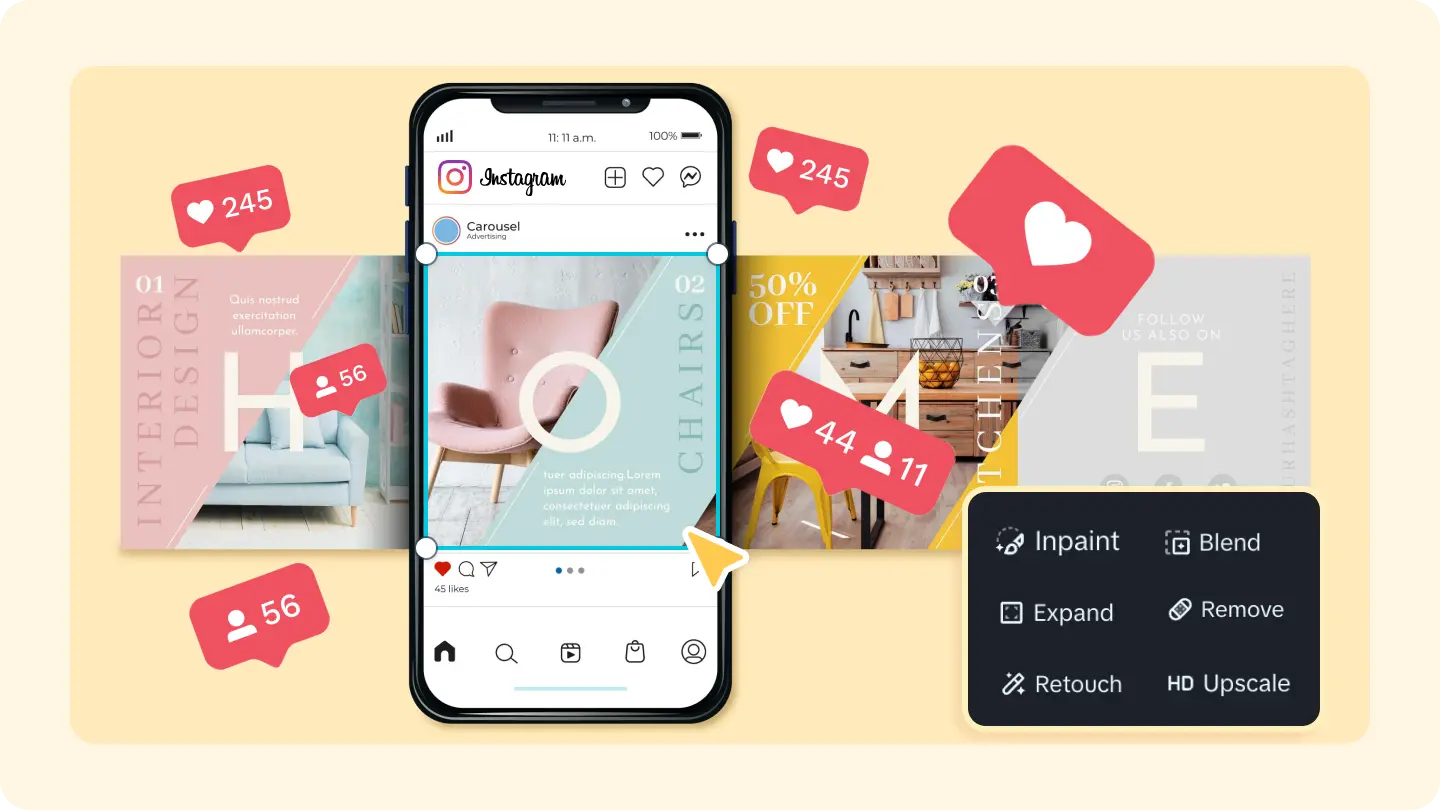
Why the modern creator workflow doesn't start with a camera anymore
Traditional production assumes a camera comes first — shoot footage or photos, then figure out what story they tell. AI-assisted workflows flip that order. A creator can define the exact mood, subject, and composition they want, generate it directly, and refine it from there.
That reversal removes a huge amount of the guesswork and expense that used to sit at the very start of the process.
Mapping the workflow before touching any tool
A workflow that actually holds up under a real content schedule tends to follow a consistent shape:
Define the concept and mood before generating anything
Build the visual foundation with an AI image generator
Refine specific details rather than regenerating from scratch each time
Batch variations from the same core concept to save time later
Seedream 5.0 Pro: the model carrying the workflow
A workflow like this only holds together if the underlying tool is actually reliable at translating a specific concept into a specific image, and it's worth knowing what Seedream 5.0 Pro brings to that process.
Precision editing without starting over
Seedream 5.0 Pro supports pinpoint editing at 2K resolution through point selection, lasso tools, and sketch guidance, letting a creator refine one specific region of an image without regenerating the whole composition, which matters enormously when a workflow depends on speed.
Layered separation for text-driven content
The model separates images into layers, such as subject, background, and text, which is genuinely useful for creators building thumbnail concepts, quote graphics, or any visual where text needs to sit cleanly apart from the imagery behind it.
Research-backed accuracy
Built-in online research helps ground prompts in accurate, trending, or current-event details, which is particularly useful for creators covering timely topics who need a visual that feels current rather than generic.
Multilingual reach without starting over
Deep reasoning generation across 14 languages means a single concept can be adapted for different audiences or markets without rebuilding the creative process from the ground up each time.
From idea to image: building your creative foundation
This is the stage most creators used to skip entirely, working instead with whatever stock photo or quick snapshot happened to be available. Starting with a generated image means the visual can be shaped precisely around the concept — the right lighting, the right composition, the right mood — before anything gets published at all.

Building the creative foundation: three steps with Dreamina
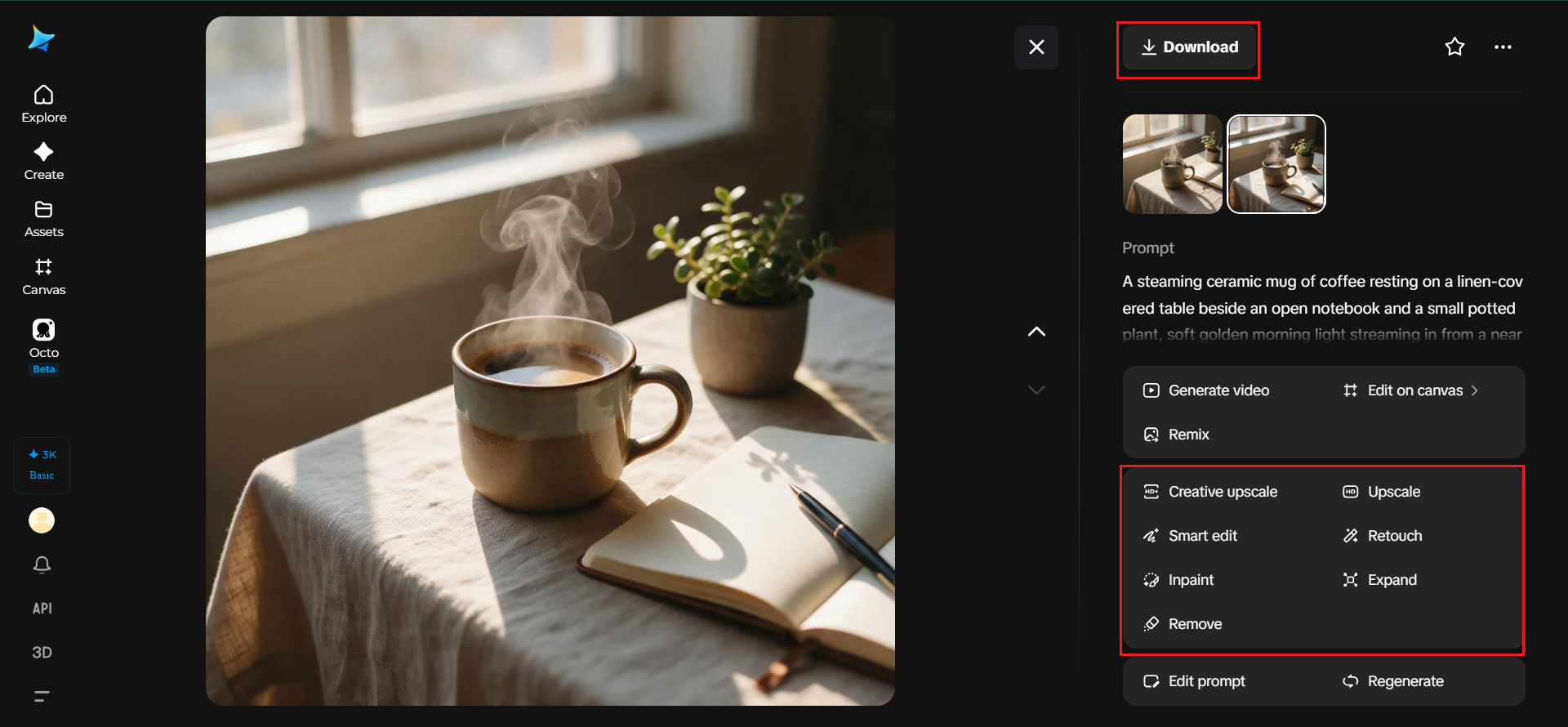
Step 1: Describe your concept in detail
Visit Dreamina and sign in, then head to the "AI Image" section. Write a prompt that spells out subject, setting, lighting, and mood together, rather than a single vague line.
For a creator building a lifestyle-brand concept, try: A steaming ceramic mug of coffee resting on a linen-covered table beside an open notebook and a small potted plant, soft golden morning light streaming in from a nearby window, warm neutral color palette, shallow depth of field, cozy editorial lifestyle photography style, sharp 2K detail on the mug's texture and steam.
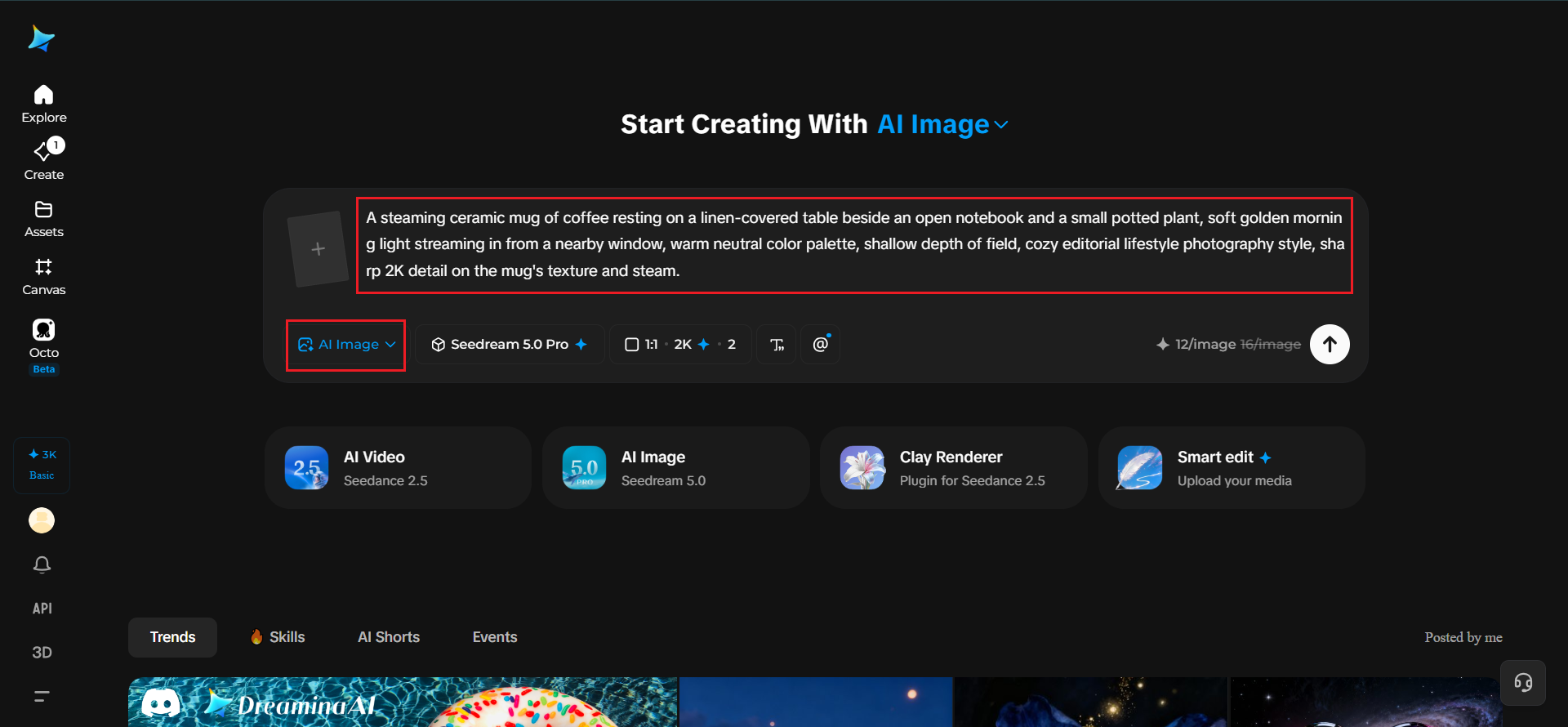
Step 2: Modify parameters and generate
Choose the Seedream 5.0 Pro model for the generation, then select an aspect ratio suited to where the visual is headed — 4:5 or 1:1 for a feed post, 9:16 if it's destined for Stories or Reels. Click generate and let the model build the concept in seconds.
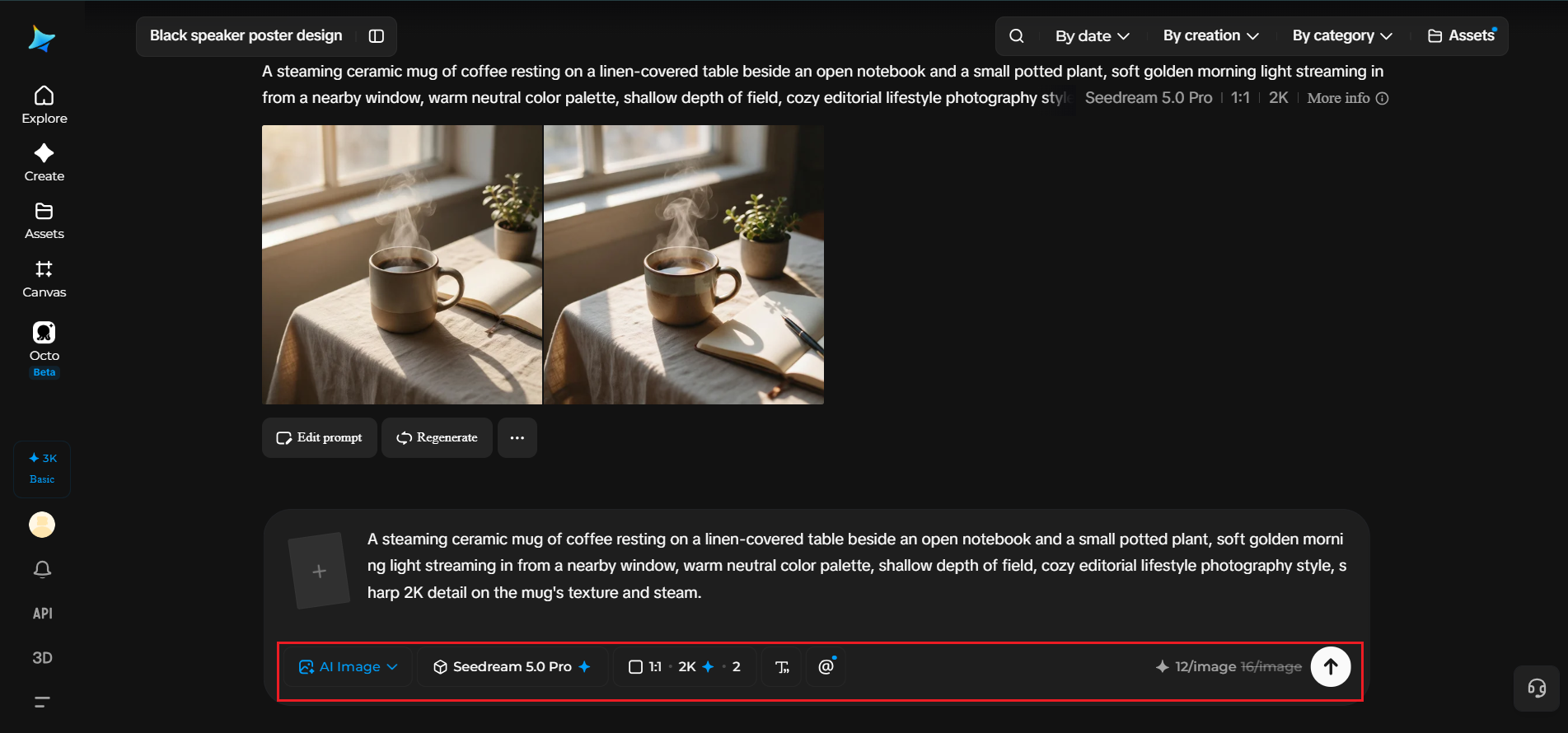
Step 3: Refine and save your visual
Use Seedream 5.0 Pro's pinpoint editing tools to adjust specific regions of the image, like the color of the linen or the position of the notebook, through point selection or sketch guidance, without regenerating the whole composition. Once it's polished, export it as a finished visual ready for your content calendar.
Structuring a repeatable weekly workflow
A workflow only saves time if it can actually be repeated without reinventing it each week. Blocking out a consistent rhythm — concept development on one day, generation and refinement on another — tends to hold up far better under a real content schedule than tackling each post as its own isolated project.
Batching content without losing quality
Generating several images around one broader theme lets a single planning session produce a week's worth of content rather than just one post. This works especially well when:
All the visuals share a consistent color palette or mood
Each image is generated with the same lighting and composition style for consistency
Variations are planned rather than improvised on the fly
Adapting one concept across multiple platforms
A single generated visual rarely has to live in only one place. The same core concept can be reframed for a square feed post, cropped for a vertical Story, and adjusted slightly for a banner or thumbnail, all without rebuilding the underlying image from scratch.
Building a visual library instead of one-off assets
Creators who treat each generated image as disposable end up repeating the same setup work every time a new post is due. Keeping a small, organized library of successful prompts, color palettes, and composition styles that have already worked well turns each new generation into a refinement of something proven, rather than a fresh start from a blank page every single time.
Building that library pays off in a few specific ways:
Faster turnaround, since a working prompt structure can be adapted rather than rewritten
More consistent brand visuals across weeks or months of content
Easier onboarding if a second person eventually joins the content process
Where this workflow fits best
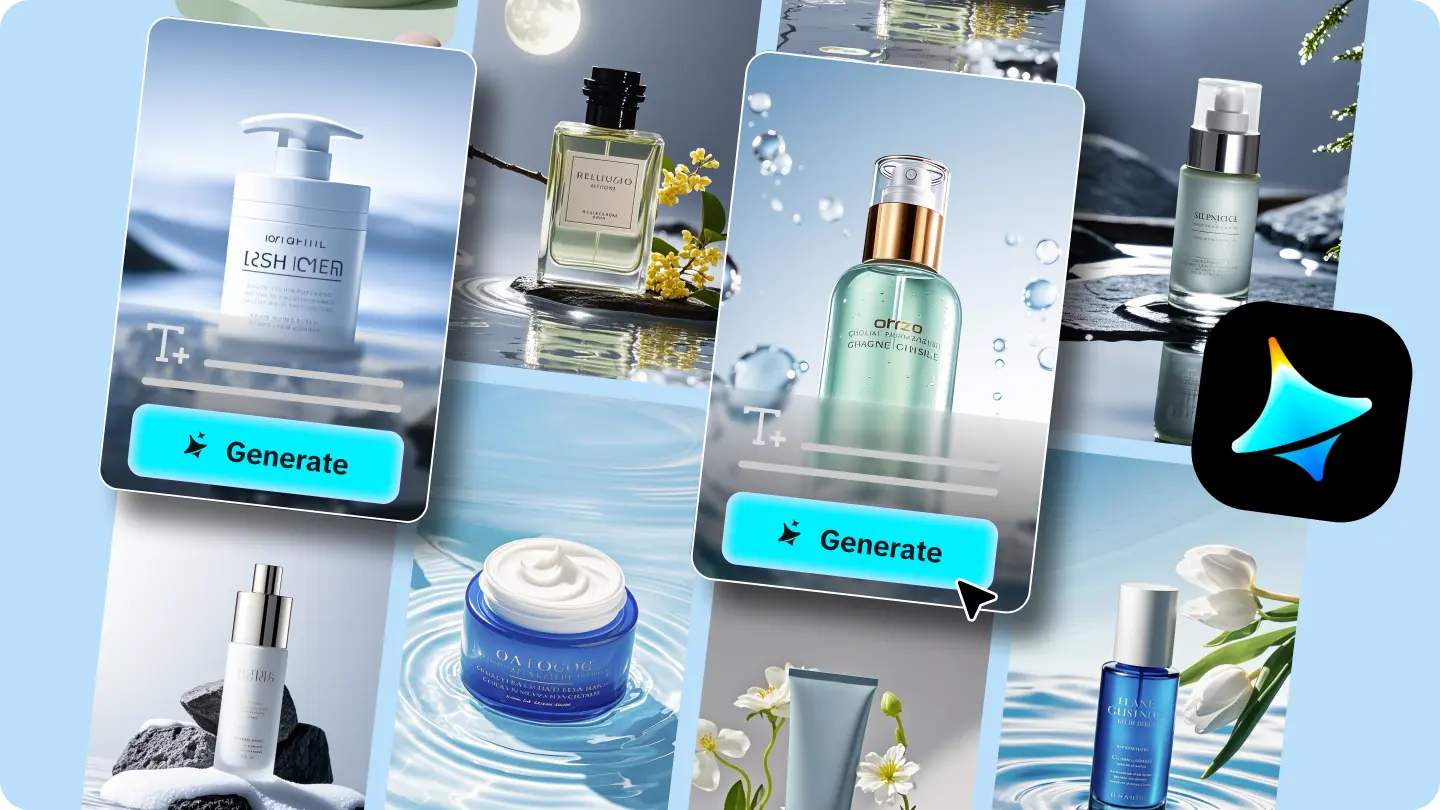
This approach works especially well for solo creators, small content teams, brand social accounts, and anyone producing content on a recurring schedule without access to a full production crew, where speed and consistency often matter just as much as any single standout post.
Final thought
A creator's workflow was always going to be judged by how consistently it could turn ideas into finished content, not by how impressive any single piece looked in isolation.
With an AI image generator and the precision behind Dreamina's multiple models, that consistency is finally achievable without a full production team behind it.



'%3e%3cpath%20d='M19.9911%204.11386V6.471H18.5894C18.0775%206.471%2017.7322%206.57814%2017.5536%206.79243C17.3751%207.00671%2017.2858%207.32814%2017.2858%207.75671V9.44421H19.9019L19.5536%2012.0871H17.2858V18.8639H14.5536V12.0871H12.2769V9.44421H14.5536V7.49779C14.5536%206.39064%2014.8632%205.53201%2015.4822%204.92189C16.1013%204.31177%2016.9257%204.00671%2017.9554%204.00671C18.8304%204.00671%2019.509%204.04243%2019.9911%204.11386Z'%20fill='%23333333'/%3e%3c/g%3e%3cdefs%3e%3cclipPath%20id='clip0_2938_8199'%3e%3crect%20width='16'%20height='16'%20fill='white'%20transform='translate(8%204.00671)'/%3e%3c/clipPath%3e%3c/defs%3e%3c/svg%3e)
'%3e%3cpath%20d='M17.5237%2010.7813L23.4811%204H22.0699L16.8949%209.88693L12.7648%204H8L14.2469%2012.9029L8%2020.0133H9.4112L14.8725%2013.7952L19.2352%2020.0133H24M9.92053%205.04213H12.0885L22.0688%2019.0224H19.9003'%20fill='%23333333'/%3e%3c/g%3e%3cdefs%3e%3cclipPath%20id='clip0_2938_8200'%3e%3crect%20width='16'%20height='16.0134'%20fill='white'%20transform='translate(8%204)'/%3e%3c/clipPath%3e%3c/defs%3e%3c/svg%3e)


