

'%3e%3cpath%20d='M8%200C12.4183%200%2016%203.58172%2016%208C16%2012.4183%2012.4183%2016%208%2016C3.58172%2016%200%2012.4183%200%208C0%203.58172%203.58172%200%208%200ZM11.6162%204.38379C11.2257%203.99337%2010.5927%203.99338%2010.2021%204.38379L8%206.58594L5.79785%204.38379C5.40732%203.99334%204.77429%203.99329%204.38379%204.38379C3.99331%204.77429%203.99335%205.40733%204.38379%205.79785L6.58594%208L4.38379%2010.2021C3.99348%2010.5927%203.99341%2011.2257%204.38379%2011.6162C4.77426%2012.0066%205.40734%2012.0065%205.79785%2011.6162L8%209.41406L10.2021%2011.6162C10.5927%2012.0066%2011.2257%2012.0067%2011.6162%2011.6162C12.0067%2011.2257%2012.0066%2010.5927%2011.6162%2010.2021L9.41406%208L11.6162%205.79785C12.0066%205.40735%2012.0066%204.77429%2011.6162%204.38379Z'%20fill='%23080E17'%20fill-opacity='0.46'/%3e%3c/g%3e%3cdefs%3e%3cclipPath%20id='clip0_3761_713'%3e%3crect%20width='16'%20height='16'%20fill='white'/%3e%3c/clipPath%3e%3c/defs%3e%3c/svg%3e)



'%3e%3cpath%20fill-rule='evenodd'%20clip-rule='evenodd'%20d='M21.4999%2010.9993C21.4999%205.20009%2016.7986%200.498901%2010.9993%200.498901C5.19994%200.498901%200.498657%205.20009%200.498657%2010.9993C0.498657%2016.2404%204.33858%2020.5844%209.35855%2021.3722V14.0346H6.69238V10.9993H9.35855V8.68594C9.35855%206.05427%2010.9262%204.60062%2013.3248%204.60062C14.4736%204.60062%2015.6753%204.80571%2015.6753%204.80571V7.38979H14.3512C13.0468%207.38979%2012.64%208.19921%2012.64%209.0296V10.9993H15.5523L15.0867%2014.0346H12.64V21.3722C17.66%2020.5844%2021.4999%2016.2404%2021.4999%2010.9993Z'%20fill='%231568EA'/%3e%3c/g%3e%3c/svg%3e)


'%3e%3cpath%20d='M2.42045%2022.1876H6.31818V12.7217L0.75%208.54553V20.5171C0.75%2021.4414%201.49892%2022.1876%202.42045%2022.1876Z'%20fill='%234285F4'/%3e%3cpath%20d='M19.682%2022.1876H23.5797C24.5041%2022.1876%2025.2502%2021.4387%2025.2502%2020.5171V8.54553L19.682%2012.7217'%20fill='%2334A853'/%3e%3cpath%20d='M19.682%205.48293V12.7216L25.2502%208.54543V6.31816C25.2502%204.25236%2022.8921%203.07469%2021.2411%204.31361'%20fill='%23FBBC04'/%3e%3cpath%20d='M6.31824%2012.7217V5.48303L13.0001%2010.4944L19.6819%205.48303V12.7217L13.0001%2017.733'%20fill='%23EA4335'/%3e%3cpath%20d='M0.75%206.31816V8.54543L6.31818%2012.7216V5.48293L4.75909%204.31361C3.10534%203.07469%200.75%204.25236%200.75%206.31816Z'%20fill='%23C5221F'/%3e%3c/g%3e%3cdefs%3e%3cclipPath%20id='clip0_2954_7305'%3e%3crect%20width='24.5'%20height='18.375'%20fill='white'%20transform='translate(0.75%203.8125)'/%3e%3c/clipPath%3e%3c/defs%3e%3c/svg%3e)


AI image generators are a game-changer for whipping up visuals, from quick social media graphics to wild concept art, churning out pro stuff in seconds. Free options pull in beginners, freelancers, and small shops hunting cheap AI fun without the cash hit. People trip up choosing solid ones, fretting over watermarks, caps, or iffy outputs, and crave no-fuss tutorials to dive right in. This roundup covers the best free AI image generators with pros, cons, and matchups to guide creators and designers, plus WPS Photos for simple photo tweaks.


Overview of the Top 4 AI Image Generators
These tools stand out for their free access and ease of use. Each handles text-to-image creation differently. Creators test them for quality and speed in daily projects.
1. Nano Banana (Google Gemini)
Nano Banana powers Google's free AI image generator through Gemini integration. It connects smoothly with other Google services for efficient workflows. This makes it ideal for users already in the Google environment seeking quick visual ideas. The tool supports web-based access without downloads, fitting busy schedules. Prompts turn into images fast, helping designers iterate concepts on the fly. Reliability comes from Gemini's advanced models for consistent outputs.
Features include AI image generation from text prompts. It offers advanced photo editing like inpainting. Identity consistency keeps elements uniform across images. Creative blending mixes styles effectively.
It suits quick ideation for concepts. Complex scenes render without issues. Variations provide options per prompt.
How to Use Nano Banana (Google AI Image Generator):
Step 1: Access the Tool
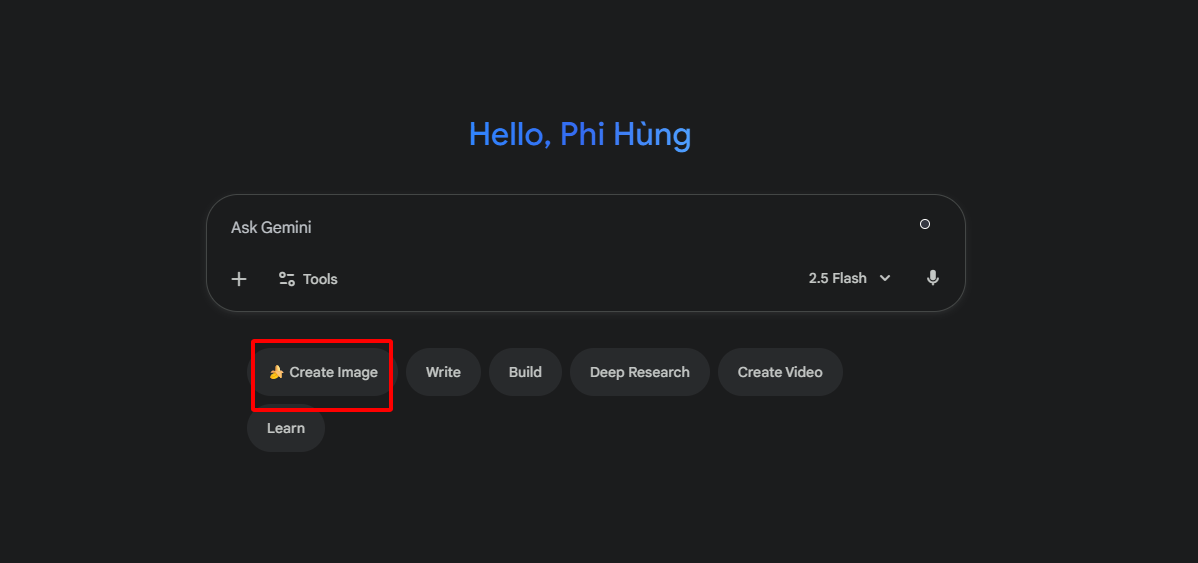
Sign in at the Gemini site with a Google account. Click the image icon in the sidebar. This opens the prompt area quickly.
Step 2: Enter Your Prompt
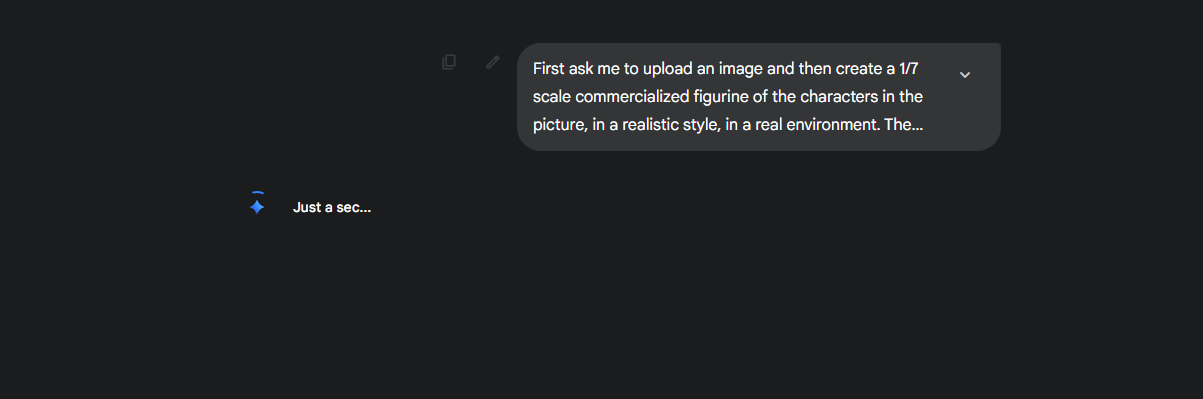
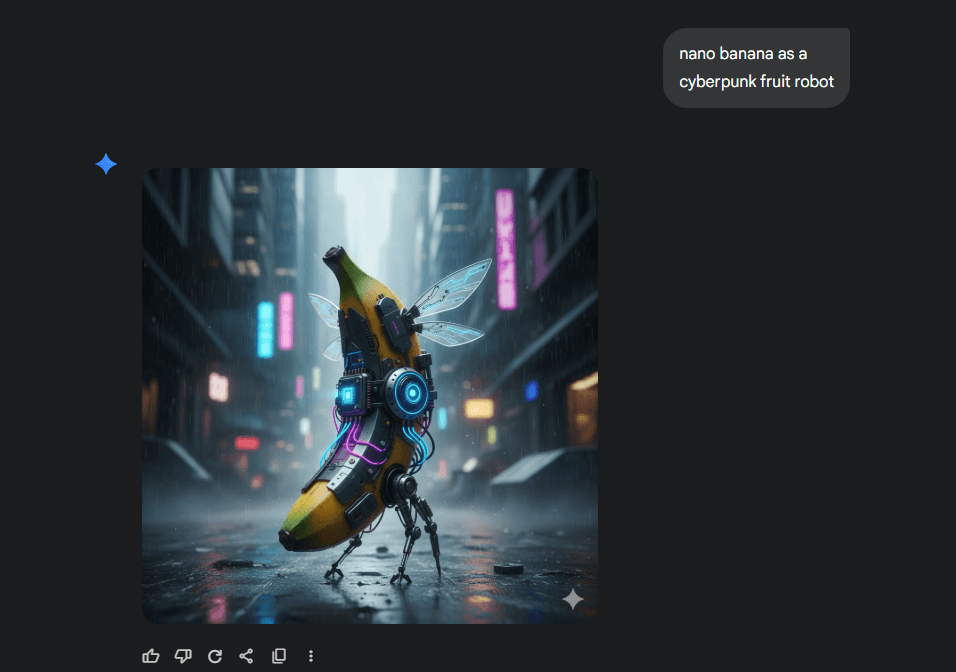
Add a description like "nano banana as a cyberpunk fruit robot." Include style notes such as Studio Ghibli. Generate to see options in seconds.
Step 3: Edit and Refine
Select an image and apply inpainting tools. Download as PNG for use. Iterate prompts to improve details.
In my experience testing Nano Banana, it nailed a client logo idea with a "nano banana in a tech garden" prompt. The blending feature let me mix styles effortlessly, saving hours compared to manual design. But the resolution cap forced me to upscale elsewhere for prints.
2. Fotor AI Image Generator
Fotor stands as a versatile online free AI image generator with built-in editing. It caters to users wanting more than basic creation, blending generation and tweaks seamlessly. This appeals to beginners experimenting with styles without complex setups. The platform's presets guide novices through options like cartoon or realistic renders. Daily credits allow multiple tries, reducing pressure on limited budgets. Outputs adapt easily to marketing or personal projects.
Features encompass text-to-image tools. Style presets range from realistic to cartoon. Customizable size reaches 2048x2048 resolution. Built-in edits handle cropping and filters.
It excels in marketing visuals from vague ideas. Processing uses Stable Diffusion for reliability. Custom outputs adapt to needs.
How to Use:
Step 1: Start a New Generation
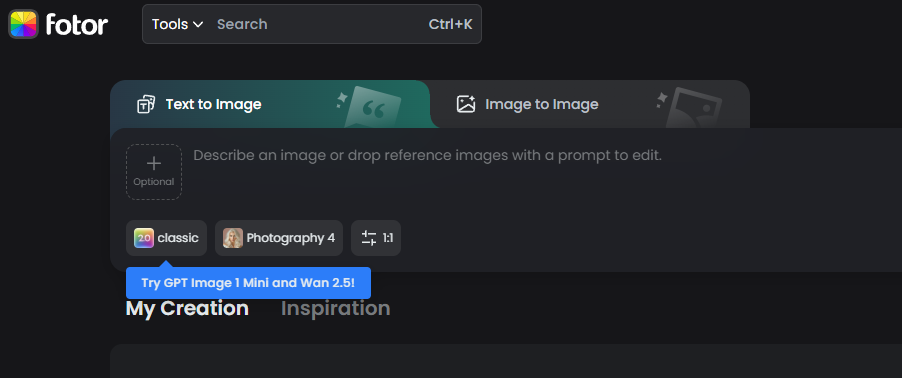
Visit the Fotor site and enter a prompt. Select aspect ratio and style. Click generate for thumbnails.
Step 2: Customize Outputs
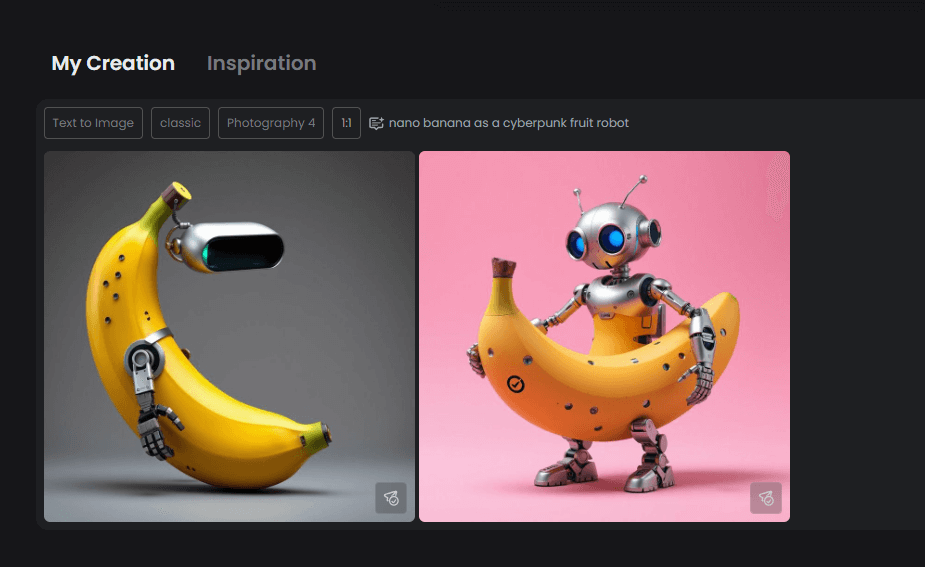
Review options and upscale as needed. Edit elements like backgrounds. Prepare for download.
Step 3: Integrate Edits
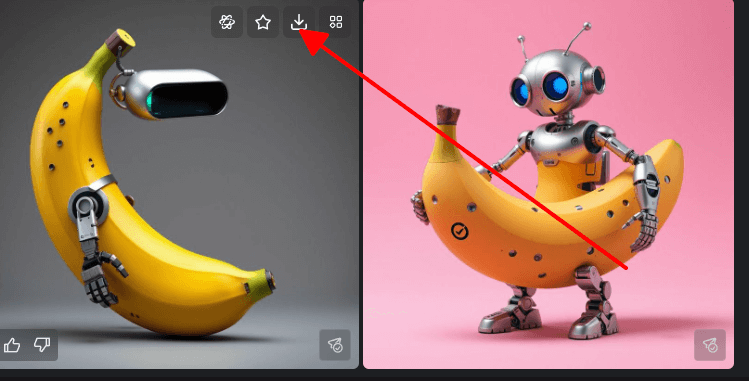
Move to the editor for filters and boosts. Save the final version quickly.
Hands-on with Fotor, I whipped up blog headers from rough prompts like "best AI image generator demo," and the presets turned vague ideas into polished pieces in minutes. The editing tools fixed minor glitches on the spot, making it my go-to for quick marketing gigs over pricier apps. Compared to Nano Banana, it's better for style variety but slower on busy days.
3. Canva AI Image Generator
Canva's AI generation embeds directly into its popular design platform via Magic Media. This setup benefits users who design graphics or posts regularly, turning prompts into ready elements. It streamlines the process for social media teams or solo creators. Templates and drag-and-drop features make integration effortless. Free monthly uses support light to medium workloads without interruptions. Brand consistency tools align visuals with existing styles quickly.
Features involve text-to-image via Magic Media. Ready templates speed design tasks. Brand style matching ensures consistency. Drag-and-drop fits into docs easily.
It handles social graphics efficiently. Outputs integrate directly into projects. Speed suits fast workflows.
How to Use Canva AI Image Generator:
Step 1: Log into Canva
Create a new design on the site. Go to Apps and select Magic Media.
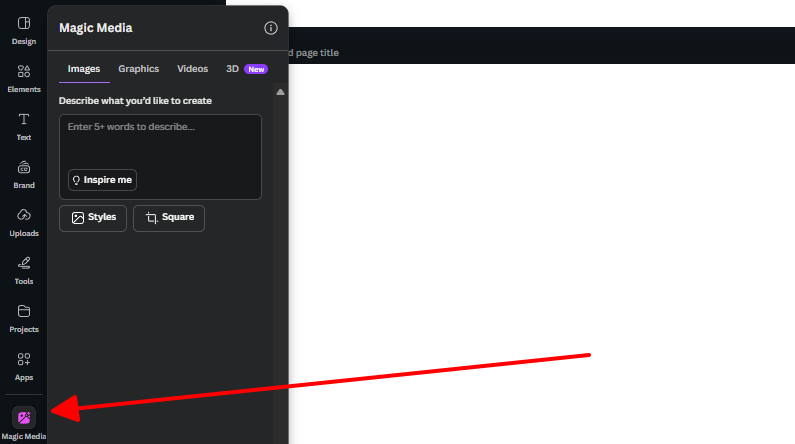
Step 2: Input Prompt and Style
Enter text like "dreamy landscape for blog header." Choose a style and generate variants.
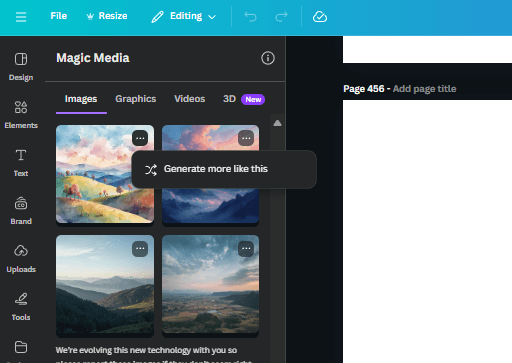
Step 3: Edit and Export
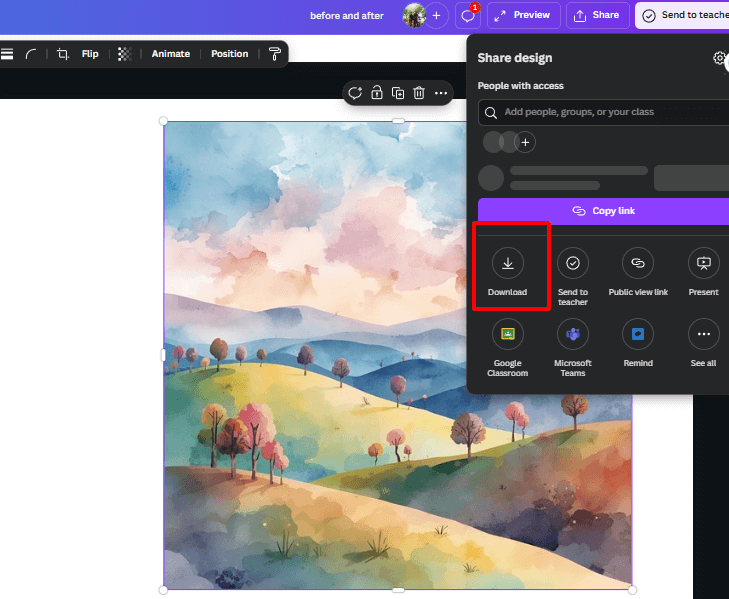
Drag the image into the canvas. Resize and add elements. Download the result.
From using Canva AI for social campaigns, prompting "free AI image generator infographic" produced editable assets that slotted right into templates. It beat Fotor for seamless workflow in team projects, though outputs felt a bit cookie-cutter next to ChatGPT's flair. The monthly cap worked fine for my lighter loads but cramped heavier sessions.
4. ChatGPT Image Generator
ChatGPT's image generator leverages DALL·E 3 for interactive creation through conversations. This format suits users who prefer building ideas step by step, like writers or concept artists. Chats allow refinements without starting over, fostering creativity. The conversational approach feels natural, similar to brainstorming with a partner. Free access includes trials for testing surreal or detailed scenes. Iterative edits keep the process engaging for longer sessions.
Features cover text-to-image generation. Inpainting and outpainting edit specifics. Scene creation evolves via dialogue. Prompts refine creatively.
It aids storyboards through chained prompts. Interactivity sets it apart. Edits happen in flow.
How to Use ChatGPT Image Generator:
Step 1: Open ChatGPT

Log in and start a chat. Type a generation request with your prompt.
Step 2: Refine via Chat
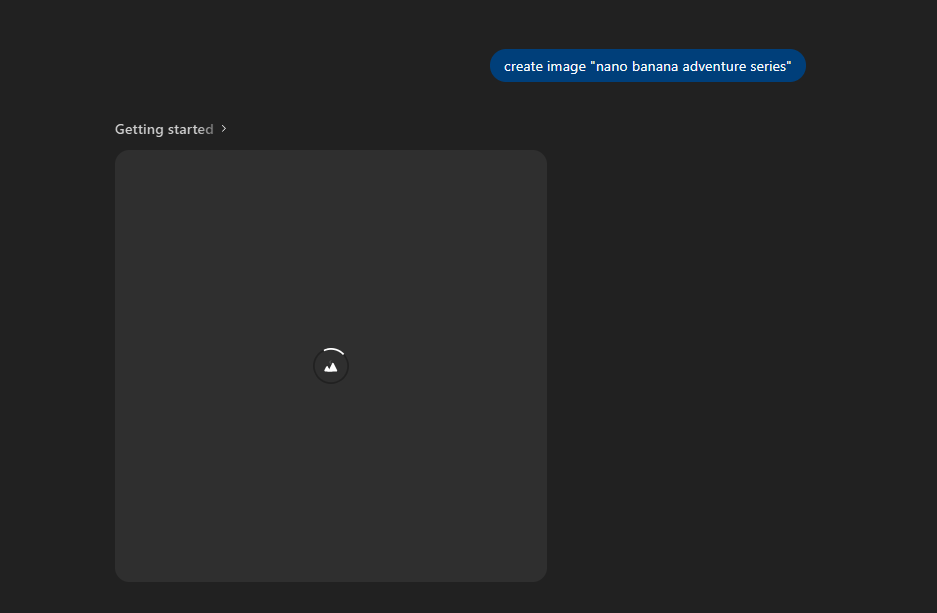
After output, add instructions like outpainting details. It updates seamlessly.
Step 3: Download and Use
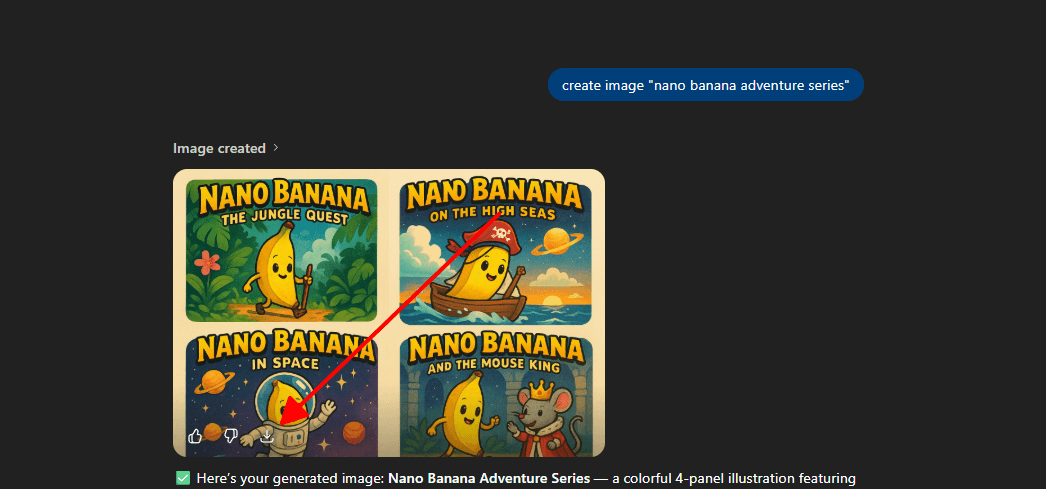
Save the image directly. Upscale outside if needed for quality.
Playing with ChatGPT for storyboards, I built "nano banana adventure series" by chatting refinements, getting wilder results than Canva's static outputs. It sparked ideas during long sessions, outshining Nano Banana's rigidity for creative brainstorming. The hourly limit annoyed during bursts, pushing me to switch tools mid-project.
Comparison Between Free AI Image Generators
This table compares key aspects from tests. The prompt used was "nano banana in a magical forest." Focus highlights strengths. Ease rates user-friendliness.
| Tool | Focus | Ease of Use | Output Quality | Best For |
|---|---|---|---|---|
| Nano Banana (Google) | Realistic blending | High (web-based) | Excellent realism, 4 variants | Quick concepts, Google users |
| Fotor | Preset styles | Very High | Good, customizable res | Beginners, photo hybrids |
| Canva AI | Design integration | Highest | Solid but template-y | Marketers, social media |
| ChatGPT | Iterative creativity | Medium (chat) | Creative, high detail | Storytellers, refinements |
Nano Banana leads in consistent realism. Canva excels for integrated designs. Choices depend on project type.
Another AI Photo Solution – WPS Photos
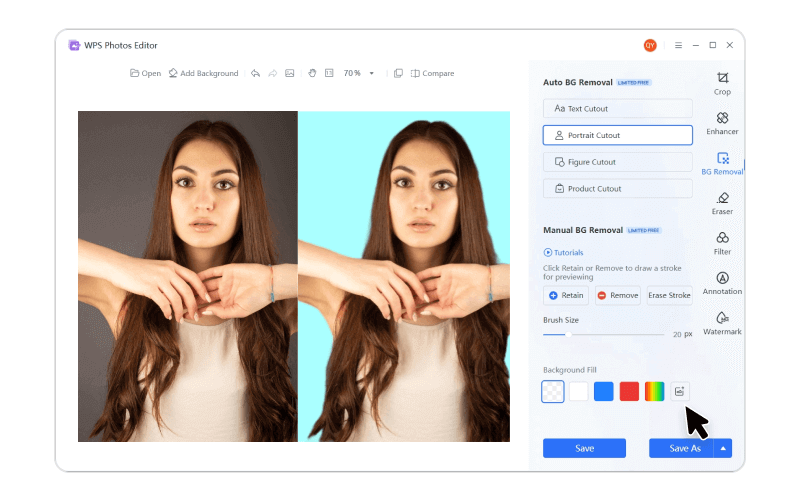
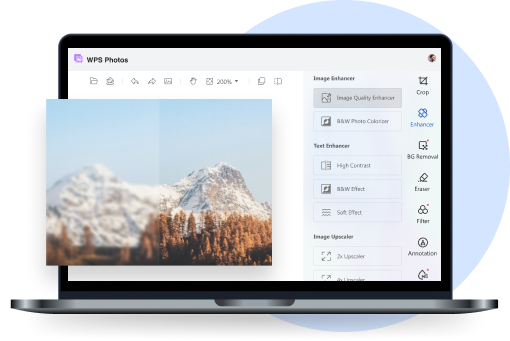
Free generators create from scratch well. WPS Photos enhances existing images instead. It targets users needing quick polishes and adjustments.
WPS Photos acts as an AI editor for daily tasks. It applies filters and retouches simply. Unlike generators, it refines real photos efficiently.
Features include AI enhancement for color and sharpness. One-click removes backgrounds cleanly. Filters offer styles like HDR. Batch edits handle multiples. Integration with WPS Office exports easily.
It suits everyday use over complex creation. Enhancements fix issues fast.
How to Use WPS Photos:
Step 1: Open WPS Photos
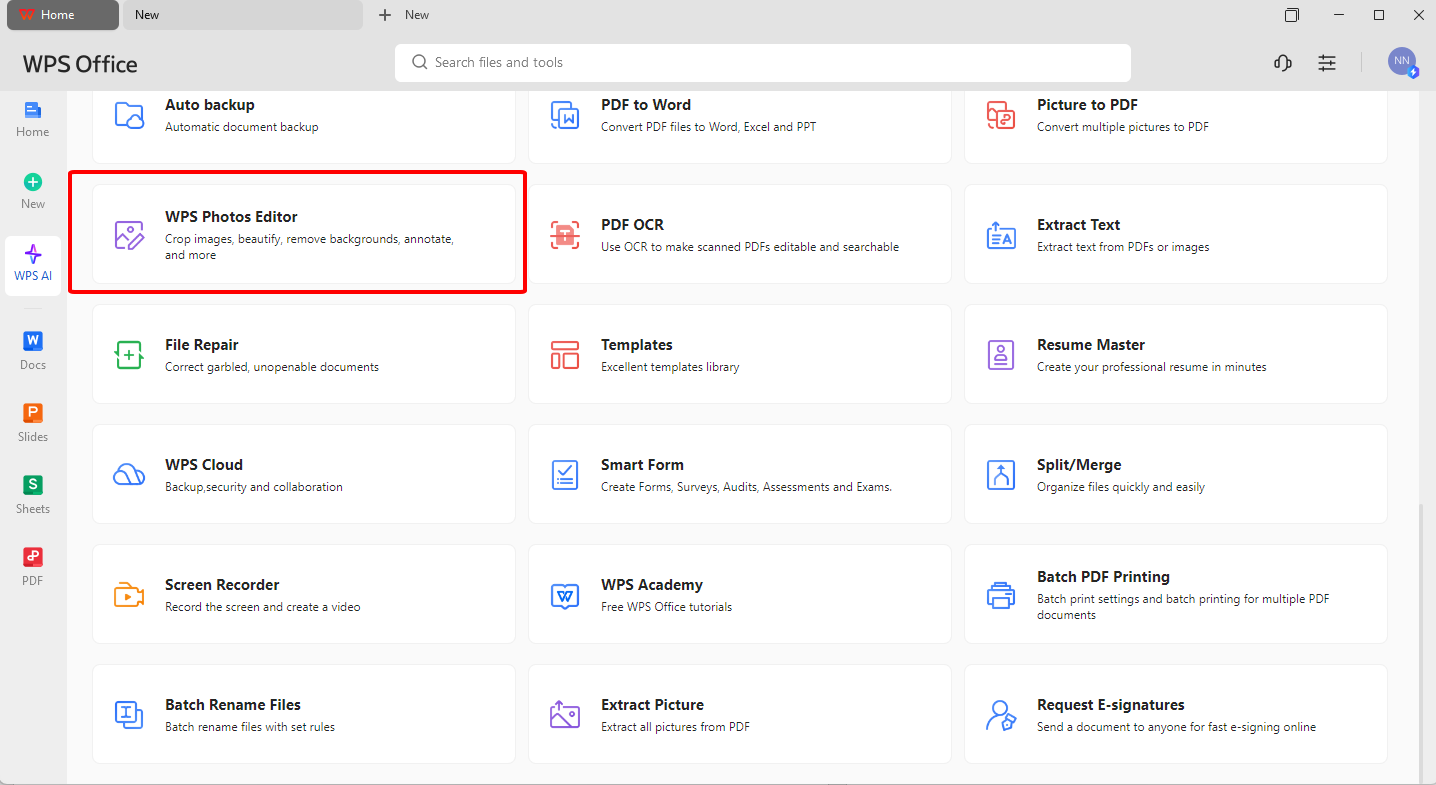
Download from the WPS site. Import your image into the app.
Step 2: Apply AI Enhancements
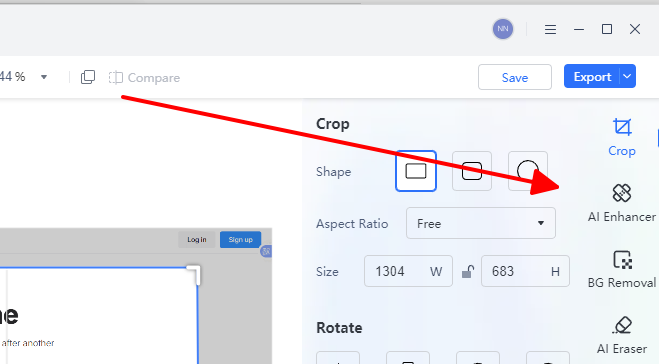
Select AI tools for auto-enhance or removal. Adjust sliders lightly.
Step 3: Export and Save
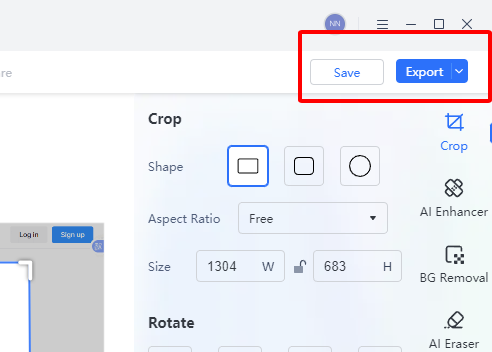
Preview changes and export formats. Process batches if needed.
WPS Photos streamlines edits for professionals. It syncs across devices reliably.
In trying WPS Photos, I enhanced client snapshots with one-click background removal, turning average shots into sleek product images faster than Fotor's free edits. It integrated smoothly with my docs, unlike standalone generators, but lacks the from-scratch magic of ChatGPT.
FAQs
Q1: Are free AI image generators safe for commercial use?
Many like Adobe Firefly offer commercial rights, but check terms; avoid copyrighted styles to stay ethical.
Q2: How do I avoid watermarks on free AI images?
Opt for tools like DeepAI with no watermarks, or upgrade tiers; edit them out in WPS Photos if needed.
Q3: What's the best free AI image generator for beginners?
Canva Magic Studio is ideal, with its simple interface and templates guiding new users step-by-step.
Q4: Can WPS Photos handle high-resolution AI edits?
Yes, it supports up to 4K imports and AI upscaling, perfect for refining detailed generator outputs.

'%3e%3cpath%20d='M19.9911%204.11386V6.471H18.5894C18.0775%206.471%2017.7322%206.57814%2017.5536%206.79243C17.3751%207.00671%2017.2858%207.32814%2017.2858%207.75671V9.44421H19.9019L19.5536%2012.0871H17.2858V18.8639H14.5536V12.0871H12.2769V9.44421H14.5536V7.49779C14.5536%206.39064%2014.8632%205.53201%2015.4822%204.92189C16.1013%204.31177%2016.9257%204.00671%2017.9554%204.00671C18.8304%204.00671%2019.509%204.04243%2019.9911%204.11386Z'%20fill='%23333333'/%3e%3c/g%3e%3cdefs%3e%3cclipPath%20id='clip0_2938_8199'%3e%3crect%20width='16'%20height='16'%20fill='white'%20transform='translate(8%204.00671)'/%3e%3c/clipPath%3e%3c/defs%3e%3c/svg%3e)
'%3e%3cpath%20d='M17.5237%2010.7813L23.4811%204H22.0699L16.8949%209.88693L12.7648%204H8L14.2469%2012.9029L8%2020.0133H9.4112L14.8725%2013.7952L19.2352%2020.0133H24M9.92053%205.04213H12.0885L22.0688%2019.0224H19.9003'%20fill='%23333333'/%3e%3c/g%3e%3cdefs%3e%3cclipPath%20id='clip0_2938_8200'%3e%3crect%20width='16'%20height='16.0134'%20fill='white'%20transform='translate(8%204)'/%3e%3c/clipPath%3e%3c/defs%3e%3c/svg%3e)


