

'%3e%3cpath%20d='M8%200C12.4183%200%2016%203.58172%2016%208C16%2012.4183%2012.4183%2016%208%2016C3.58172%2016%200%2012.4183%200%208C0%203.58172%203.58172%200%208%200ZM11.6162%204.38379C11.2257%203.99337%2010.5927%203.99338%2010.2021%204.38379L8%206.58594L5.79785%204.38379C5.40732%203.99334%204.77429%203.99329%204.38379%204.38379C3.99331%204.77429%203.99335%205.40733%204.38379%205.79785L6.58594%208L4.38379%2010.2021C3.99348%2010.5927%203.99341%2011.2257%204.38379%2011.6162C4.77426%2012.0066%205.40734%2012.0065%205.79785%2011.6162L8%209.41406L10.2021%2011.6162C10.5927%2012.0066%2011.2257%2012.0067%2011.6162%2011.6162C12.0067%2011.2257%2012.0066%2010.5927%2011.6162%2010.2021L9.41406%208L11.6162%205.79785C12.0066%205.40735%2012.0066%204.77429%2011.6162%204.38379Z'%20fill='%23080E17'%20fill-opacity='0.46'/%3e%3c/g%3e%3cdefs%3e%3cclipPath%20id='clip0_3761_713'%3e%3crect%20width='16'%20height='16'%20fill='white'/%3e%3c/clipPath%3e%3c/defs%3e%3c/svg%3e)




'%3e%3cpath%20fill-rule='evenodd'%20clip-rule='evenodd'%20d='M21.4999%2010.9993C21.4999%205.20009%2016.7986%200.498901%2010.9993%200.498901C5.19994%200.498901%200.498657%205.20009%200.498657%2010.9993C0.498657%2016.2404%204.33858%2020.5844%209.35855%2021.3722V14.0346H6.69238V10.9993H9.35855V8.68594C9.35855%206.05427%2010.9262%204.60062%2013.3248%204.60062C14.4736%204.60062%2015.6753%204.80571%2015.6753%204.80571V7.38979H14.3512C13.0468%207.38979%2012.64%208.19921%2012.64%209.0296V10.9993H15.5523L15.0867%2014.0346H12.64V21.3722C17.66%2020.5844%2021.4999%2016.2404%2021.4999%2010.9993Z'%20fill='%231568EA'/%3e%3c/g%3e%3c/svg%3e)


'%3e%3cpath%20d='M2.42045%2022.1876H6.31818V12.7217L0.75%208.54553V20.5171C0.75%2021.4414%201.49892%2022.1876%202.42045%2022.1876Z'%20fill='%234285F4'/%3e%3cpath%20d='M19.682%2022.1876H23.5797C24.5041%2022.1876%2025.2502%2021.4387%2025.2502%2020.5171V8.54553L19.682%2012.7217'%20fill='%2334A853'/%3e%3cpath%20d='M19.682%205.48293V12.7216L25.2502%208.54543V6.31816C25.2502%204.25236%2022.8921%203.07469%2021.2411%204.31361'%20fill='%23FBBC04'/%3e%3cpath%20d='M6.31824%2012.7217V5.48303L13.0001%2010.4944L19.6819%205.48303V12.7217L13.0001%2017.733'%20fill='%23EA4335'/%3e%3cpath%20d='M0.75%206.31816V8.54543L6.31818%2012.7216V5.48293L4.75909%204.31361C3.10534%203.07469%200.75%204.25236%200.75%206.31816Z'%20fill='%23C5221F'/%3e%3c/g%3e%3cdefs%3e%3cclipPath%20id='clip0_2954_7305'%3e%3crect%20width='24.5'%20height='18.375'%20fill='white'%20transform='translate(0.75%203.8125)'/%3e%3c/clipPath%3e%3c/defs%3e%3c/svg%3e)


Searching how to open an XML file usually means this: you got invoice.xml or NFe.xml, double-clicked it, and saw tags instead of a normal invoice. That is expected. An XML file stores data, not a finished page layout. Most searchers are not developers—they want to read the invoice clearly, then print or share a clean copy.
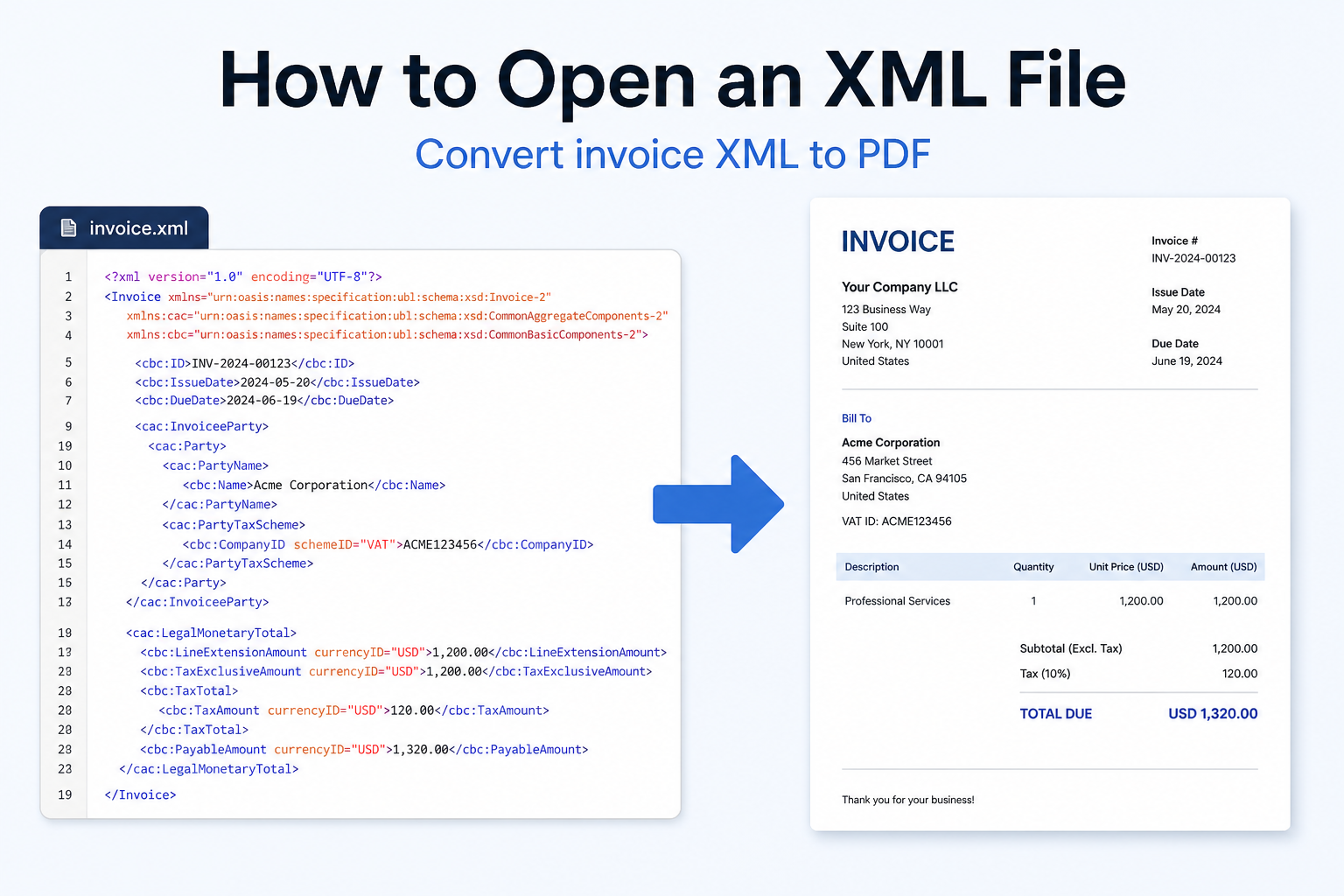
Quick answer: To open invoice-style XML in a readable way, convert XML to PDF. Use free WPS XML to PDF: upload XML → convert → download PDF. No office install needed for a quick readable result.
Why Your XML File Opens as Code
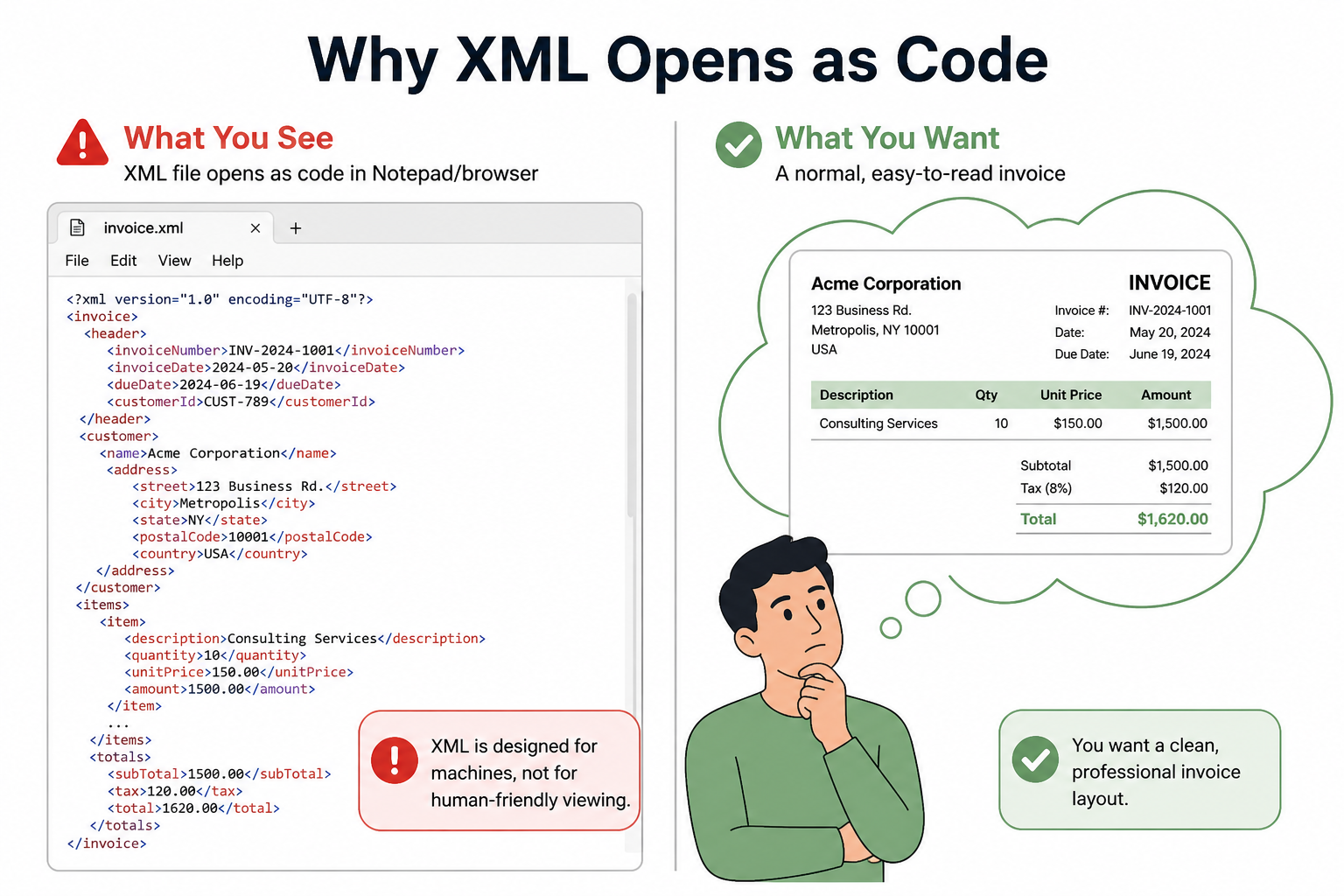
XML (Extensible Markup Language) is plain text with tags. Windows often opens it in a browser or Notepad, so you see markup—not a designed invoice.
For everyday users, the job is not “edit XML.” The job is: see amounts, parties, and totals in a normal document view. Converting XML to PDF is the fastest fix.
Who Usually Needs to Open an XML File
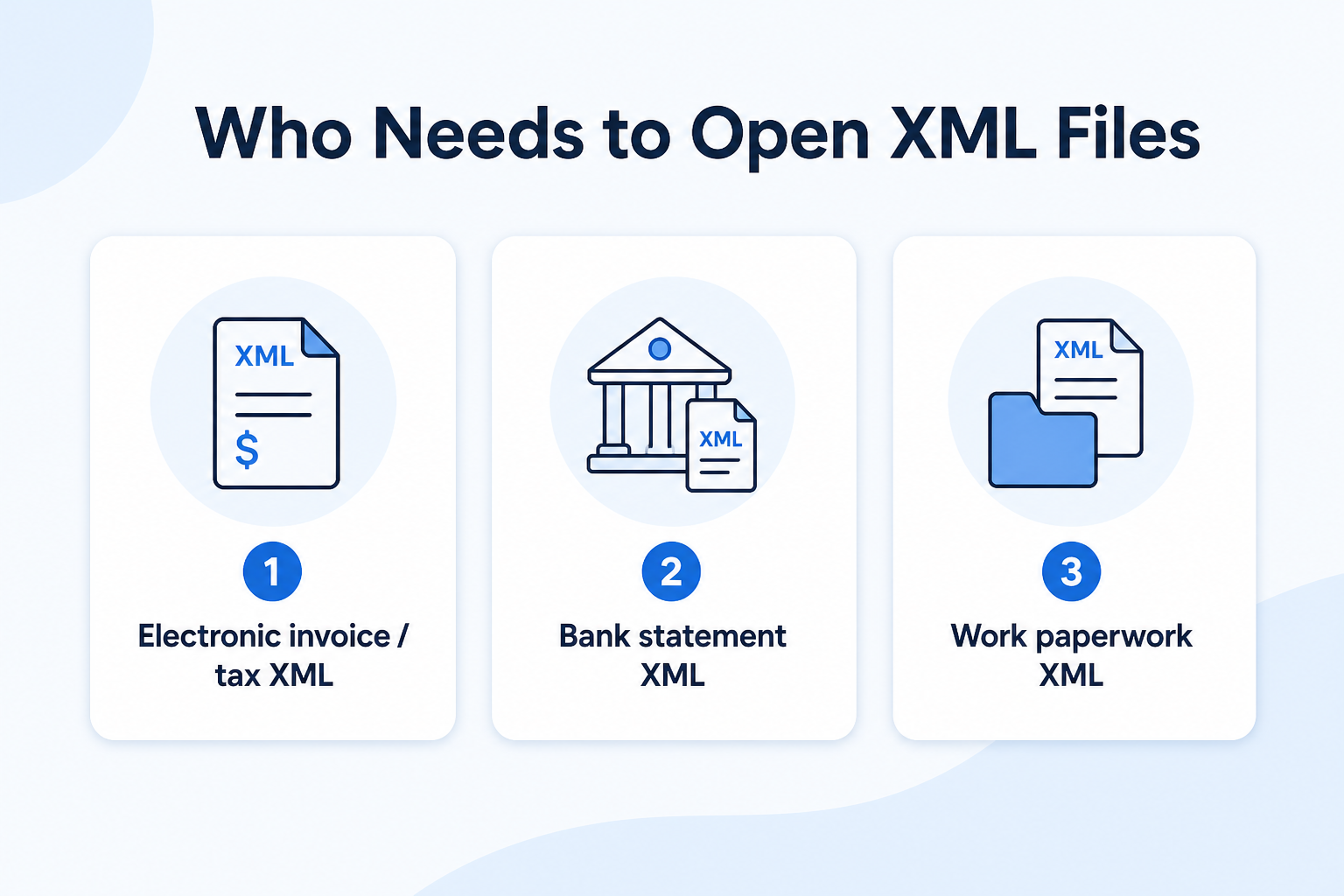
| Scenario | What you received | What you want |
|---|---|---|
| E-invoices / tax docs (highest intent) | NF-e / CT-e style invoice XML, tax export XML | Readable invoice layout + PDF to keep |
| Bank / finance files | Statement or payment XML exports | Printable PDF for records |
| Work / government paperwork | Form or record exported as XML | Open and share without reading tags |
| Advanced / niche | Game config XML, developer feeds | Edit/validate code (different need) |
If you have an invoice XML, skip Notepad. Convert to PDF first.
Best Fix: Convert Invoice XML to PDF Online
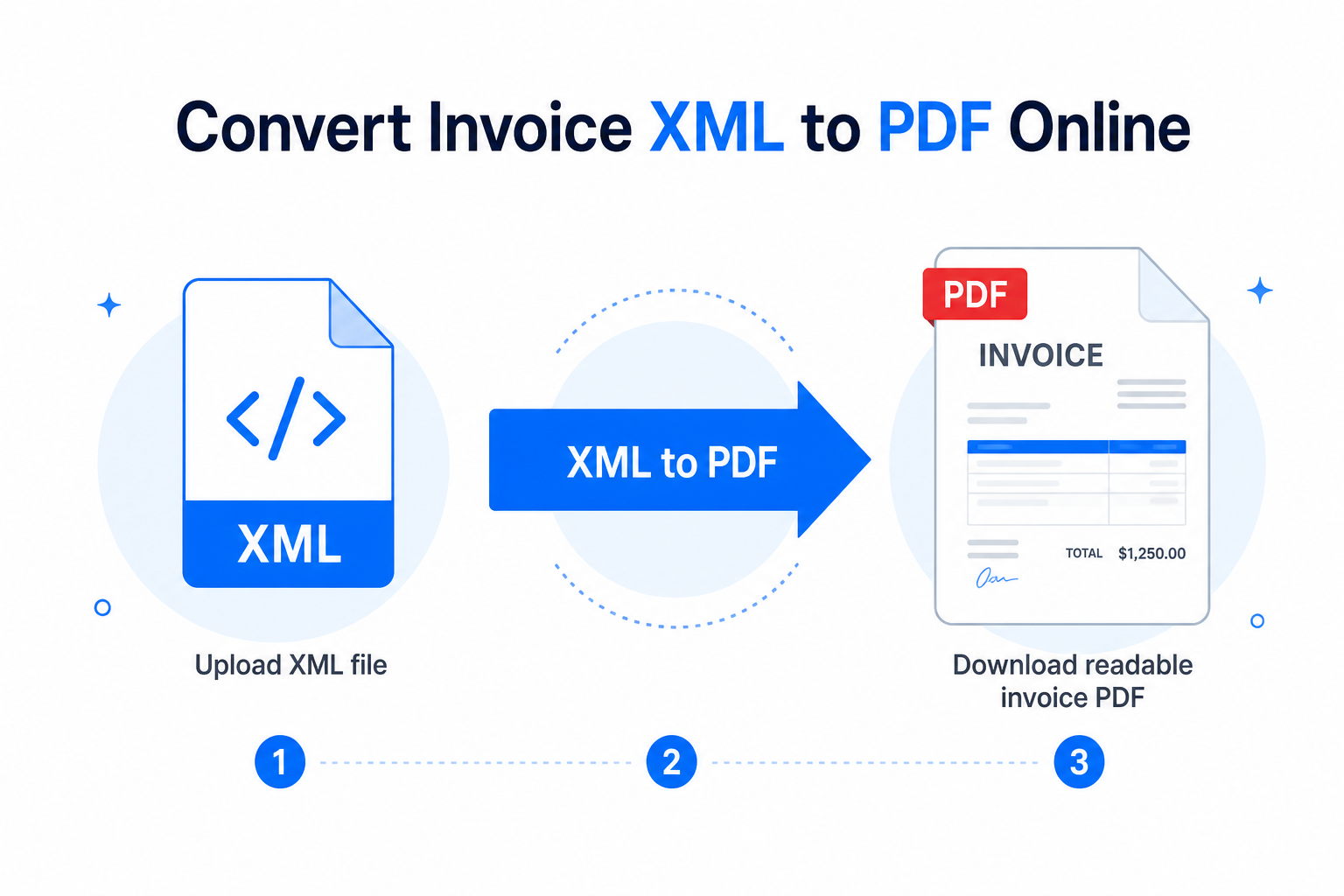
WPS XML to PDF turns electronic invoice XML (including NF-e / CT-e style files) into a formatted PDF—what most people mean by “open this invoice.”
Readable page layout instead of code
Easy to print, email, or archive
Browser-based—no install for a quick convert
No account required for the basic online flow
How to Open an XML Invoice with WPS XML to PDF
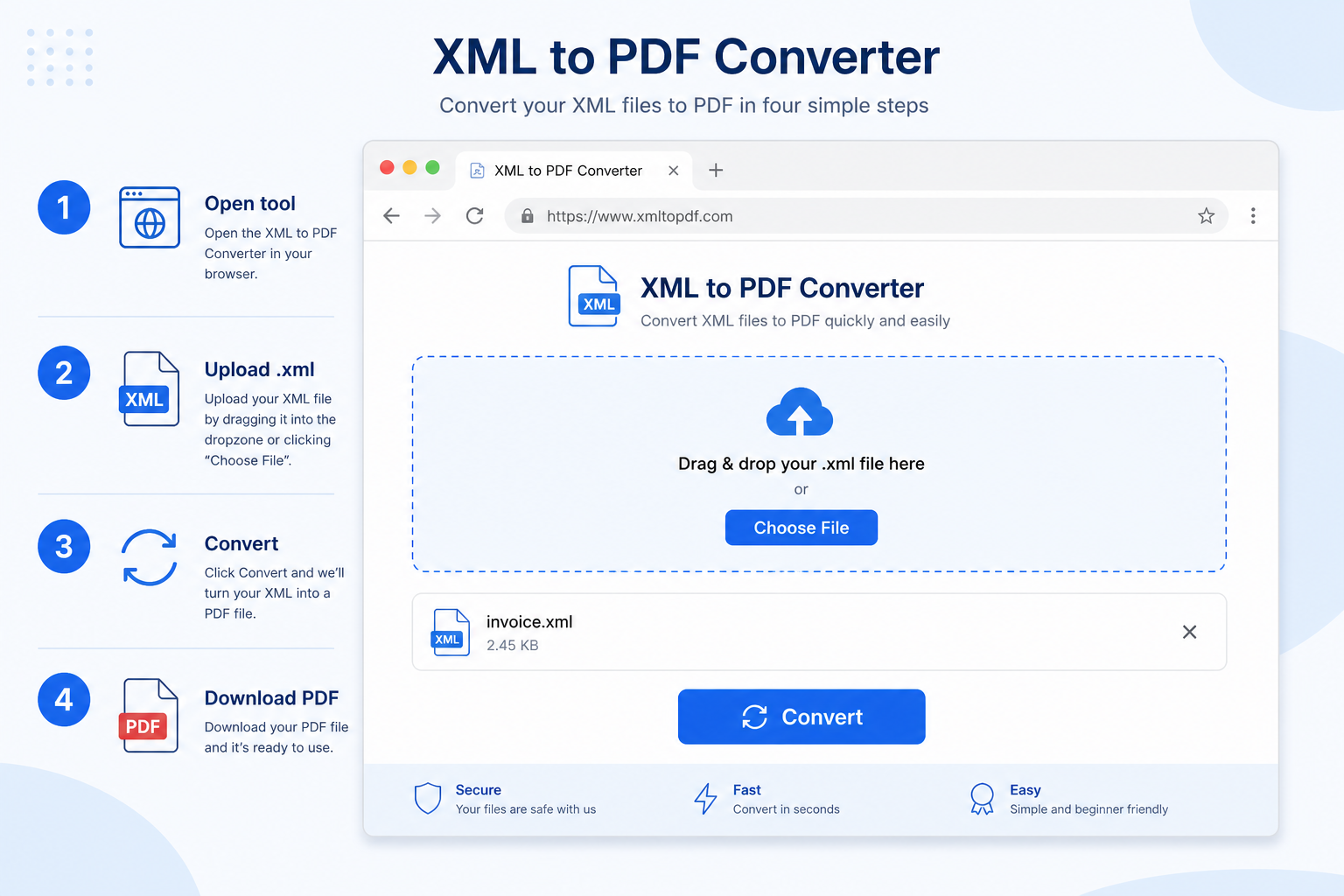
Upload your
.xmlinvoice (drag and drop or choose file).Convert and wait a few seconds.
Download the PDF and open it in any PDF reader—or in WPS PDF / WPS Office.
Tip: Keep the original XML for accounting/tax systems. Use the PDF as the human-readable copy for review, print, and sharing.
Other Ways to Open or View an XML File
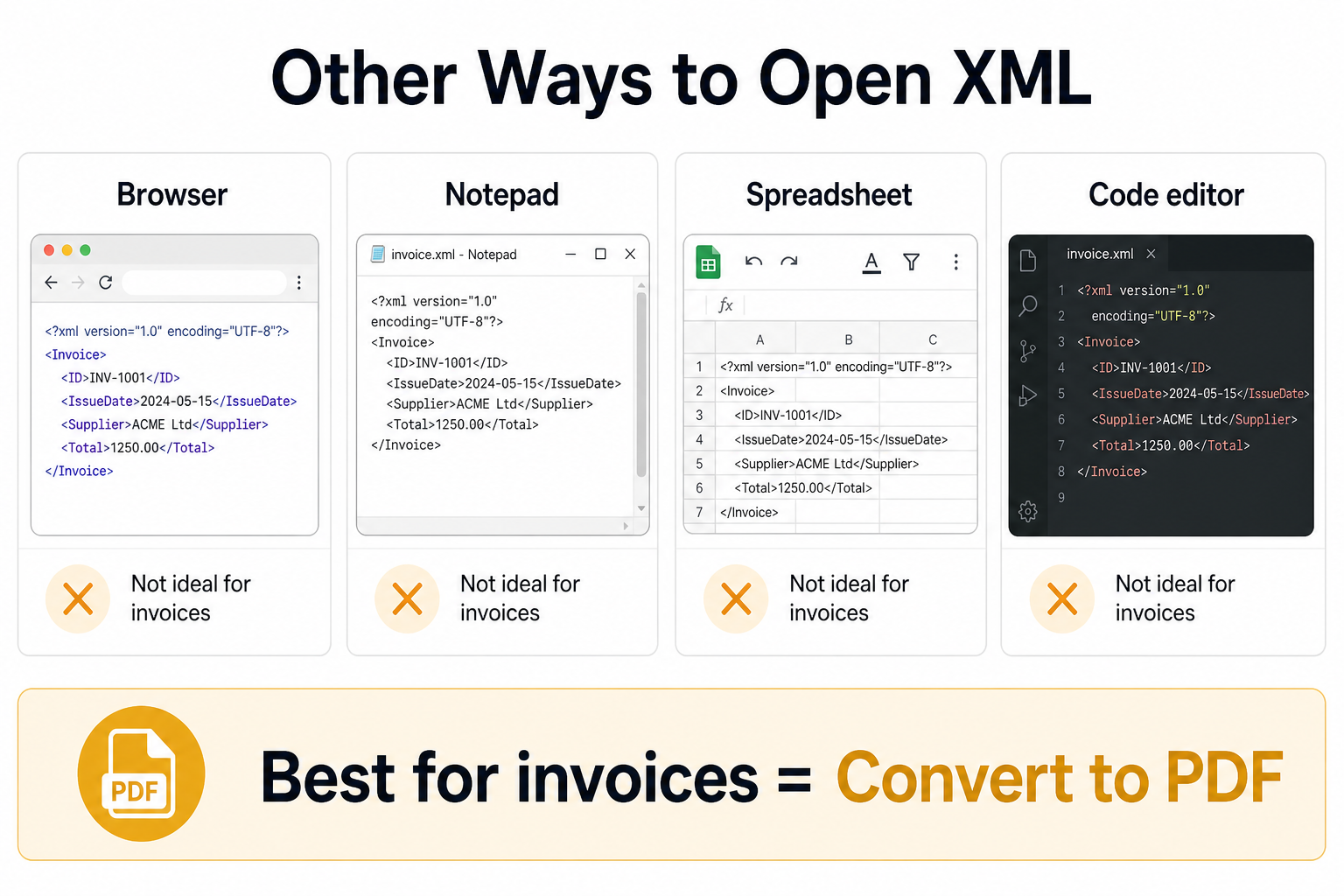
These can open the file, but rarely solve “I need a readable invoice”:
Browser: Still shows tagged structure, not a designed invoice.
Notepad / TextEdit: OK to check if the file is empty—not for reading invoices.
Excel import: Sometimes works for flat tables; e-invoice XML is often nested and messy.
Code editors: For developers validating XML—not typical invoice recipients.
If it looks like garbled code, convert to PDF first.
When You Should Convert XML to PDF
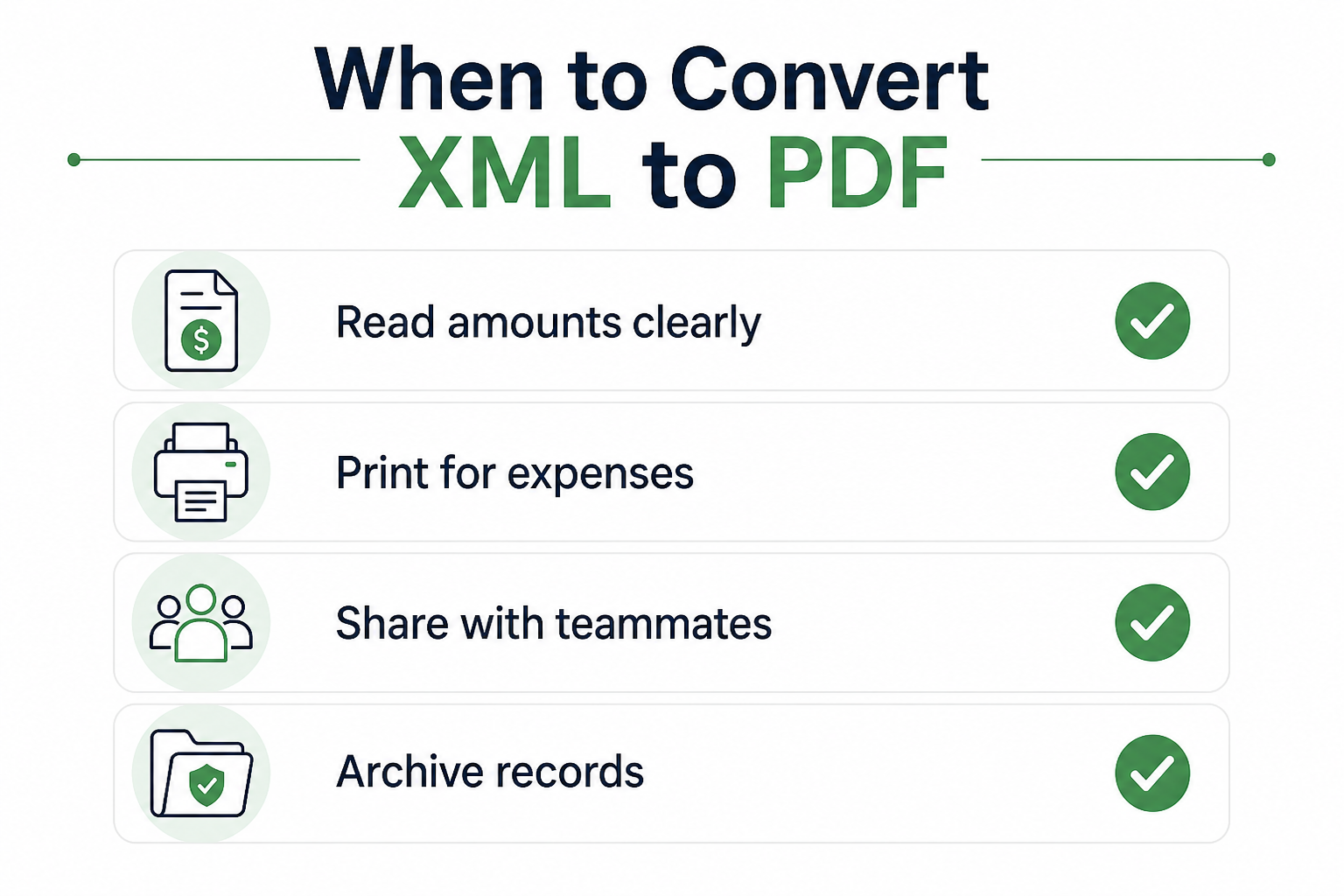
You need to read seller, buyer, tax lines, and totals clearly
You need to print or attach a fixed layout for expenses
Teammates need a file that opens without special software
You want a stable archive beside the original XML
XML vs Office Open XML (.docx) — Quick Note
Don’t mix these up:
.xml — raw data file (common for e-invoices). This guide is for that.
.docx / .xlsx / .pptx — Office “Open XML” packages. Open those in Word/Excel/PowerPoint or WPS Office.
If the extension is .docx, use WPS Writer—not the invoice XML converter.
FAQ
How do I open an XML file that looks like code?
That view is normal. For invoices, convert XML to PDF with WPS XML to PDF, then open the PDF.
What is the easiest way to open an XML invoice?
Upload the XML to WPS XML to PDF, download the PDF, and open it. That matches what most people mean by “open this invoice.”
Can I convert NF-e / CT-e XML to PDF with WPS?
Yes. The online converter supports electronic invoice XML formats such as NF-e and CT-e and outputs a readable PDF.
Is it safe to upload invoice XML online?
Use the official WPS HTTPS tool. For highly sensitive records, follow your company policy.
Should I delete the original XML after converting?
Usually no. Keep XML for tax/accounting systems; keep PDF for people—review, print, and share.
Conclusion
Most how to open XML file searches come from everyday users stuck with an invoice that opens as code. You do not need to learn XML markup.
Convert with free WPS XML to PDF, then open the PDF like any normal document—from garbled tags to a readable invoice you can print, send, and file.



'%3e%3cpath%20d='M19.9911%204.11386V6.471H18.5894C18.0775%206.471%2017.7322%206.57814%2017.5536%206.79243C17.3751%207.00671%2017.2858%207.32814%2017.2858%207.75671V9.44421H19.9019L19.5536%2012.0871H17.2858V18.8639H14.5536V12.0871H12.2769V9.44421H14.5536V7.49779C14.5536%206.39064%2014.8632%205.53201%2015.4822%204.92189C16.1013%204.31177%2016.9257%204.00671%2017.9554%204.00671C18.8304%204.00671%2019.509%204.04243%2019.9911%204.11386Z'%20fill='%23333333'/%3e%3c/g%3e%3cdefs%3e%3cclipPath%20id='clip0_2938_8199'%3e%3crect%20width='16'%20height='16'%20fill='white'%20transform='translate(8%204.00671)'/%3e%3c/clipPath%3e%3c/defs%3e%3c/svg%3e)
'%3e%3cpath%20d='M17.5237%2010.7813L23.4811%204H22.0699L16.8949%209.88693L12.7648%204H8L14.2469%2012.9029L8%2020.0133H9.4112L14.8725%2013.7952L19.2352%2020.0133H24M9.92053%205.04213H12.0885L22.0688%2019.0224H19.9003'%20fill='%23333333'/%3e%3c/g%3e%3cdefs%3e%3cclipPath%20id='clip0_2938_8200'%3e%3crect%20width='16'%20height='16.0134'%20fill='white'%20transform='translate(8%204)'/%3e%3c/clipPath%3e%3c/defs%3e%3c/svg%3e)


