

'%3e%3cpath%20d='M8%200C12.4183%200%2016%203.58172%2016%208C16%2012.4183%2012.4183%2016%208%2016C3.58172%2016%200%2012.4183%200%208C0%203.58172%203.58172%200%208%200ZM11.6162%204.38379C11.2257%203.99337%2010.5927%203.99338%2010.2021%204.38379L8%206.58594L5.79785%204.38379C5.40732%203.99334%204.77429%203.99329%204.38379%204.38379C3.99331%204.77429%203.99335%205.40733%204.38379%205.79785L6.58594%208L4.38379%2010.2021C3.99348%2010.5927%203.99341%2011.2257%204.38379%2011.6162C4.77426%2012.0066%205.40734%2012.0065%205.79785%2011.6162L8%209.41406L10.2021%2011.6162C10.5927%2012.0066%2011.2257%2012.0067%2011.6162%2011.6162C12.0067%2011.2257%2012.0066%2010.5927%2011.6162%2010.2021L9.41406%208L11.6162%205.79785C12.0066%205.40735%2012.0066%204.77429%2011.6162%204.38379Z'%20fill='%23080E17'%20fill-opacity='0.46'/%3e%3c/g%3e%3cdefs%3e%3cclipPath%20id='clip0_3761_713'%3e%3crect%20width='16'%20height='16'%20fill='white'/%3e%3c/clipPath%3e%3c/defs%3e%3c/svg%3e)



'%3e%3cpath%20fill-rule='evenodd'%20clip-rule='evenodd'%20d='M21.4999%2010.9993C21.4999%205.20009%2016.7986%200.498901%2010.9993%200.498901C5.19994%200.498901%200.498657%205.20009%200.498657%2010.9993C0.498657%2016.2404%204.33858%2020.5844%209.35855%2021.3722V14.0346H6.69238V10.9993H9.35855V8.68594C9.35855%206.05427%2010.9262%204.60062%2013.3248%204.60062C14.4736%204.60062%2015.6753%204.80571%2015.6753%204.80571V7.38979H14.3512C13.0468%207.38979%2012.64%208.19921%2012.64%209.0296V10.9993H15.5523L15.0867%2014.0346H12.64V21.3722C17.66%2020.5844%2021.4999%2016.2404%2021.4999%2010.9993Z'%20fill='%231568EA'/%3e%3c/g%3e%3c/svg%3e)


'%3e%3cpath%20d='M2.42045%2022.1876H6.31818V12.7217L0.75%208.54553V20.5171C0.75%2021.4414%201.49892%2022.1876%202.42045%2022.1876Z'%20fill='%234285F4'/%3e%3cpath%20d='M19.682%2022.1876H23.5797C24.5041%2022.1876%2025.2502%2021.4387%2025.2502%2020.5171V8.54553L19.682%2012.7217'%20fill='%2334A853'/%3e%3cpath%20d='M19.682%205.48293V12.7216L25.2502%208.54543V6.31816C25.2502%204.25236%2022.8921%203.07469%2021.2411%204.31361'%20fill='%23FBBC04'/%3e%3cpath%20d='M6.31824%2012.7217V5.48303L13.0001%2010.4944L19.6819%205.48303V12.7217L13.0001%2017.733'%20fill='%23EA4335'/%3e%3cpath%20d='M0.75%206.31816V8.54543L6.31818%2012.7216V5.48293L4.75909%204.31361C3.10534%203.07469%200.75%204.25236%200.75%206.31816Z'%20fill='%23C5221F'/%3e%3c/g%3e%3cdefs%3e%3cclipPath%20id='clip0_2954_7305'%3e%3crect%20width='24.5'%20height='18.375'%20fill='white'%20transform='translate(0.75%203.8125)'/%3e%3c/clipPath%3e%3c/defs%3e%3c/svg%3e)


Quick Answer: What Is a .WPS File?
A .wps file is a word-processing file. The extension can refer to documents created by different software. In practice, the file may be a legacy Microsoft Works document or a WPS Writer document.
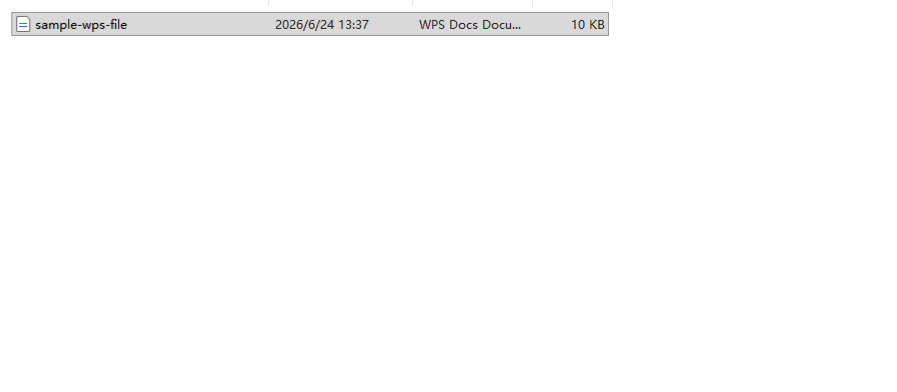
Because the same extension can point to documents from different programs, the safest first step is to identify where the file came from before choosing an app to open it. Knowing the origin tells you whether you can likely open the file directly or whether you need a conversion path, so it is worth a moment up front. That single decision shapes everything else in this guide.


First: Identify Where the File Came From
Before you try any program, pause and ask where the file originated. The .wps extension can refer to documents from completely different origins, so the sender or the original software matters more than the file name itself.
Use the following signs as starting points, not proof. The sender and the original software are the most reliable ways to identify the file.
What does the sender say they used? The most reliable clue is a direct answer from the person who created or sent the file. Ask which program they used to make and save it.
What software created the file? If you can find out which application produced the file—WPS Writer or Microsoft Works—you can match it to the correct path below.
Does the source mention WPS Writer or Microsoft Works? An email, a download page, a folder name, or an attached note that names the original program tells you which kind of
.wpsfile you are dealing with.Can the sender export the file as DOCX or PDF? If the person who has the file can open it, asking them to export a DOCX or PDF copy can sidestep the question of origin entirely.
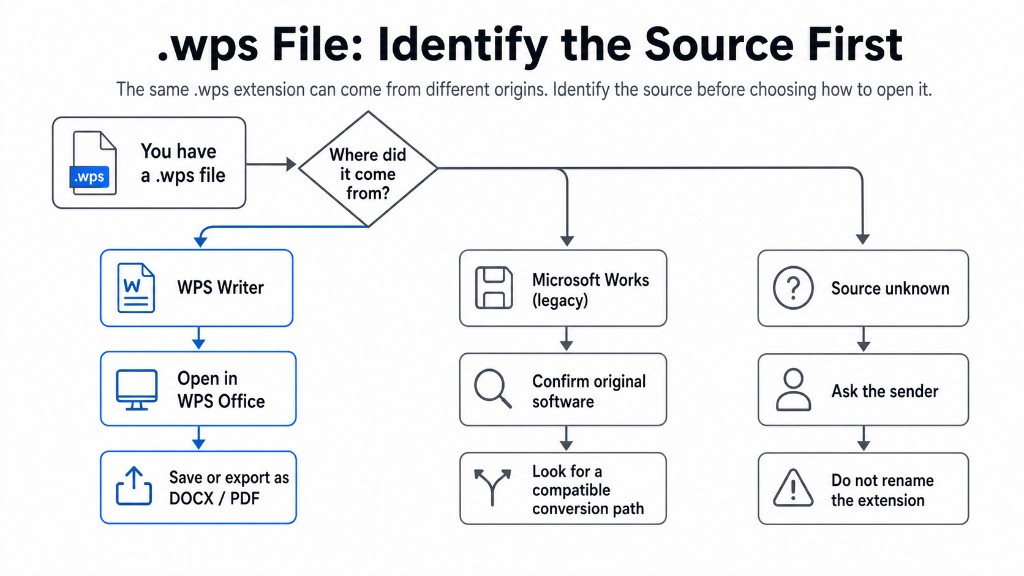
| What you know about the file | Best next step |
|---|---|
| The sender confirms it was created in WPS Writer | Open it in WPS Office, then save or export it as DOCX or PDF if needed. |
| It came from a confirmed Microsoft Works workflow or the sender identifies it as a Works document | Confirm the original software and look for a compatible conversion path. |
| The source is unknown | Ask the sender or original owner before trying random converters. Do not rename the extension. |
Identifying the origin is not a formality. It determines which of the two paths below applies to you, and it prevents you from wasting time forcing the wrong tool to open a file it was never designed to read. If you cannot get a clear answer, treat the file as unknown for now and use the cautious options in the table rather than guessing.
If the File Was Created in WPS Writer
If you have confirmed that the file came from WPS Writer—for example, the sender says they created it in WPS Office—then you are dealing with WPS Writer's own .wps format. This is the more straightforward case.
.wps is a historical native document format of WPS Writer, so WPS Office is the first tool to try once you have confirmed the file came from WPS Writer.
Open It with WPS Office
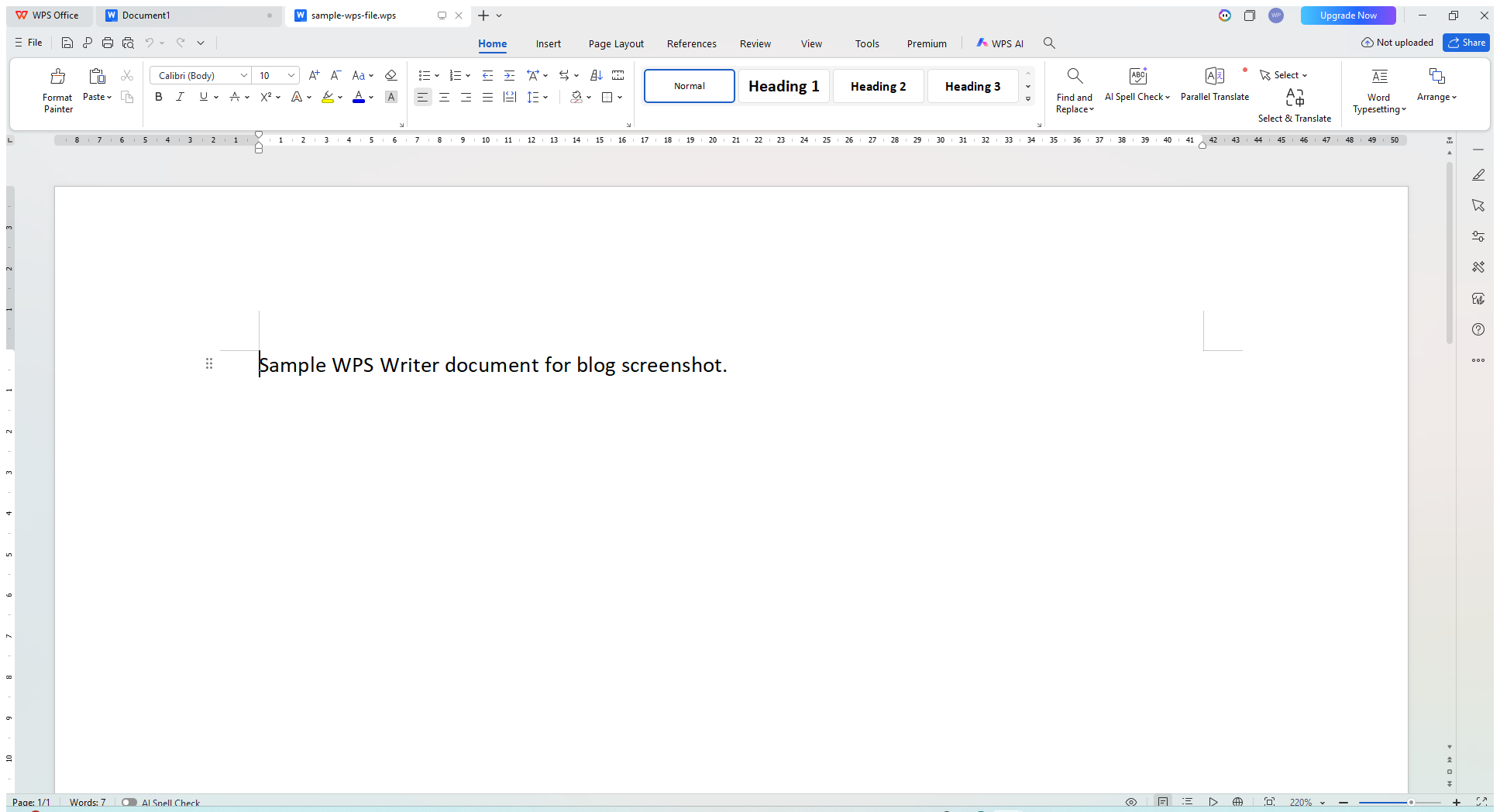
When you have confirmed the file is a WPS Writer document, try opening it in WPS Office:
Open WPS Office.
Open WPS Writer.
Use the Open option to select the
.wpsfile.If the file opens successfully, review it and save or export a copy if needed.
Keep in mind that this path applies to WPS Writer .wps files. If the file opens successfully in WPS Office, you can view, edit, and save it there. If it does not open as expected, stop and reconsider the file's origin rather than forcing it. If the file turns out to be a legacy Microsoft Works document instead, see the next major section, because that is a different situation.
Save or Export It as DOCX or PDF
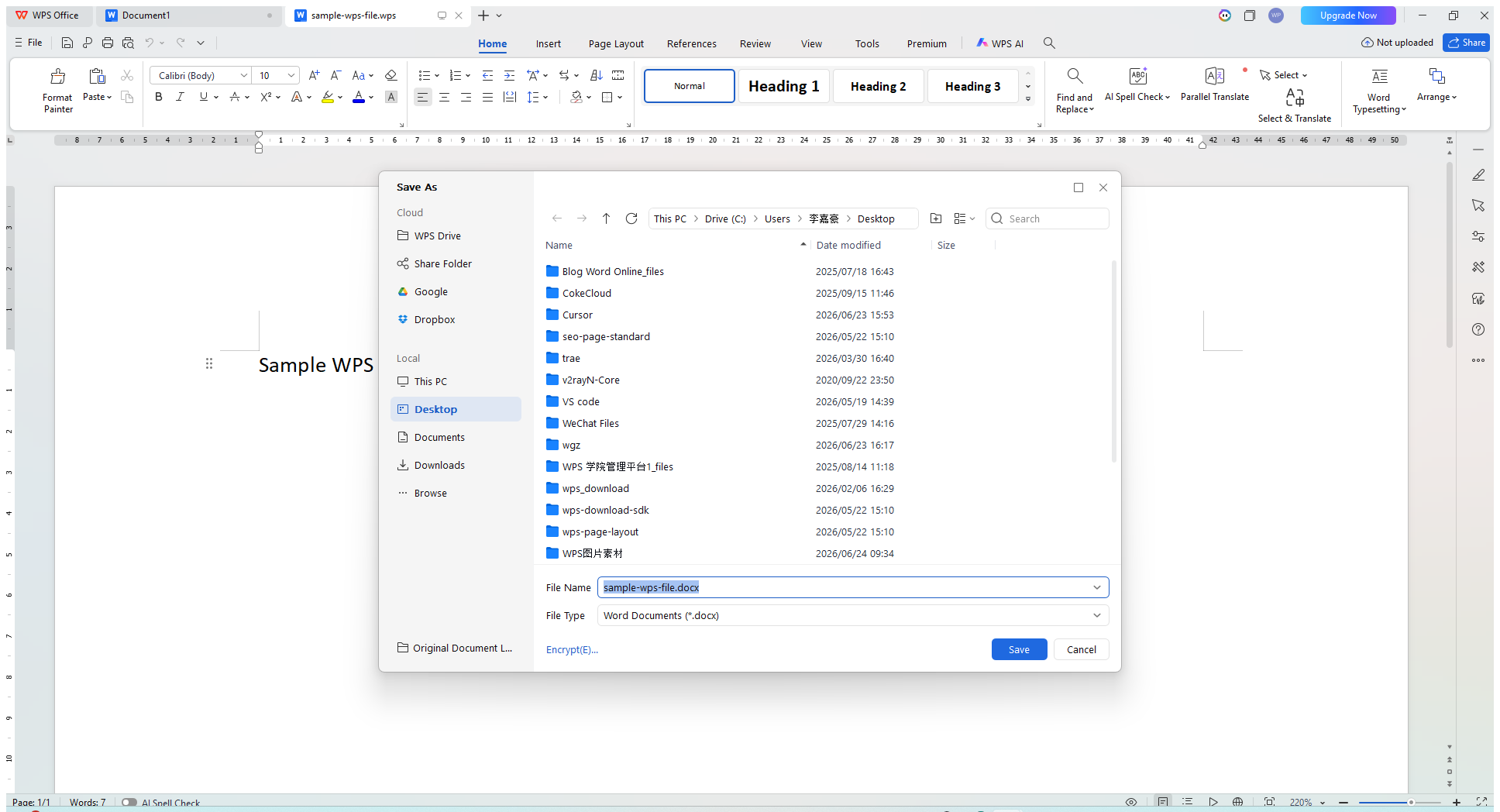
After a WPS Writer document opens successfully, use the Save As or Export options available in your installation. Saving a copy in a more widely recognized format makes the document easier to share with people who do not use WPS Office, and it reduces future confusion about the .wps extension.
The two most commonly needed formats are:
DOCX — the modern Word document format, useful when you want broad compatibility with other word processors.
PDF — a fixed-layout format that preserves how the document looks, useful for sharing a final, non-editable version.
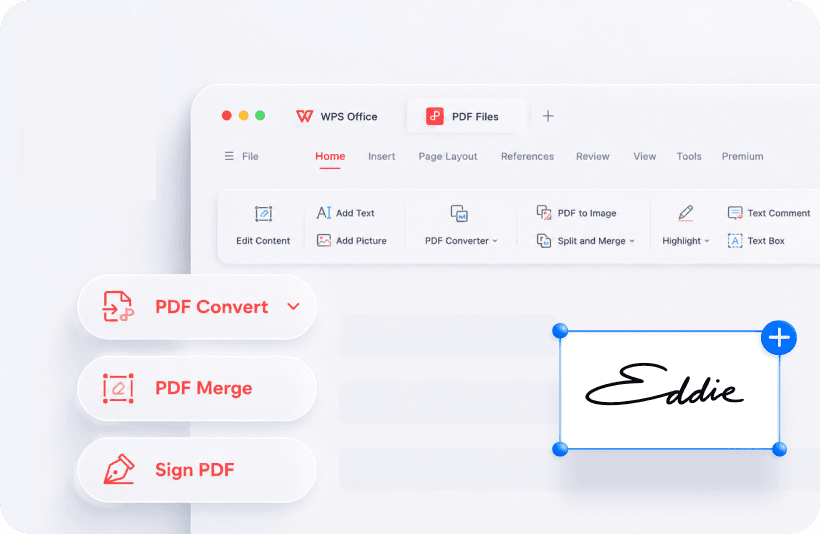
Exporting an open document to PDF using WPS Office PDF tools
If you specifically need to convert WPS to DOCX, this is the practical route: with the WPS Writer file open, use the Save As or Export option to produce a .docx copy.
Available Save As and Export options can vary by product version and platform, so check the options shown in your current WPS Writer installation. Depending on your installation, possible secondary options may include DOC, RTF, TXT, and HTML. Choose whichever target format fits how you plan to use or share the file.
If the File Is a Legacy Microsoft Works Document
If your .wps file came from Microsoft Works, you are dealing with a different document origin that happens to share the same extension. This is the trickier case, and it deserves a realistic explanation rather than a quick promise.
Why Modern Word May Not Open It
Microsoft identifies .wps as the file format used by Microsoft Works 6–9 documents. Whether a particular legacy Works file opens successfully can depend on the Word app, version, and the file itself, so do not assume that every Word installation will handle it in the same way.
Try opening a copy of the file in Word if that is available to you. If Word cannot open it, use one of the alternative paths below instead of changing the file extension.
For Word mobile apps, Microsoft lists Works 6–9 .wps documents as unsupported.
It is also worth being clear about one thing: opening a legacy Microsoft Works .wps file is a separate problem from opening a WPS Writer .wps file. The fact that the two formats share an extension does not mean a single program is guaranteed to handle both.
What to Try Instead
Because legacy Works files use a less widely supported format, there is no single guaranteed solution that fits every file. Rather than promising that one specific app will open it, here are practical next steps that tend to move you forward:
Check with the sender or source. Confirm that the file really came from Microsoft Works. Knowing the original program and its version can affect what conversion options exist.
Locate the original software, if possible. If a computer with the software that created the file is available, opening the file there and re-saving it in a newer format is often the cleanest path.
Ask for a DOCX or PDF export. If the person who has the file can open it on their end, the simplest favor to request is that they export it to DOCX or PDF and send you that copy instead. This sidesteps the format problem entirely.
Investigate compatible desktop software. You can investigate desktop software that explicitly documents support for the relevant legacy file type. Treat this as an option to research rather than a guarantee for your specific file.
Online conversion tools also exist for legacy formats, but keep them as a last resort only—especially for documents that may be sensitive or important. They are not a default recommendation and do not guarantee success, so weigh privacy and reliability before uploading any file to an online service.
What to Do If a .WPS File Still Will Not Open
If you have identified the origin as well as you can and the file still will not open, work through this checklist before giving up:
Confirm where the file came from. Re-verify whether it is a WPS Writer file or a legacy Microsoft Works file. Using the wrong program can make a valid file appear broken.
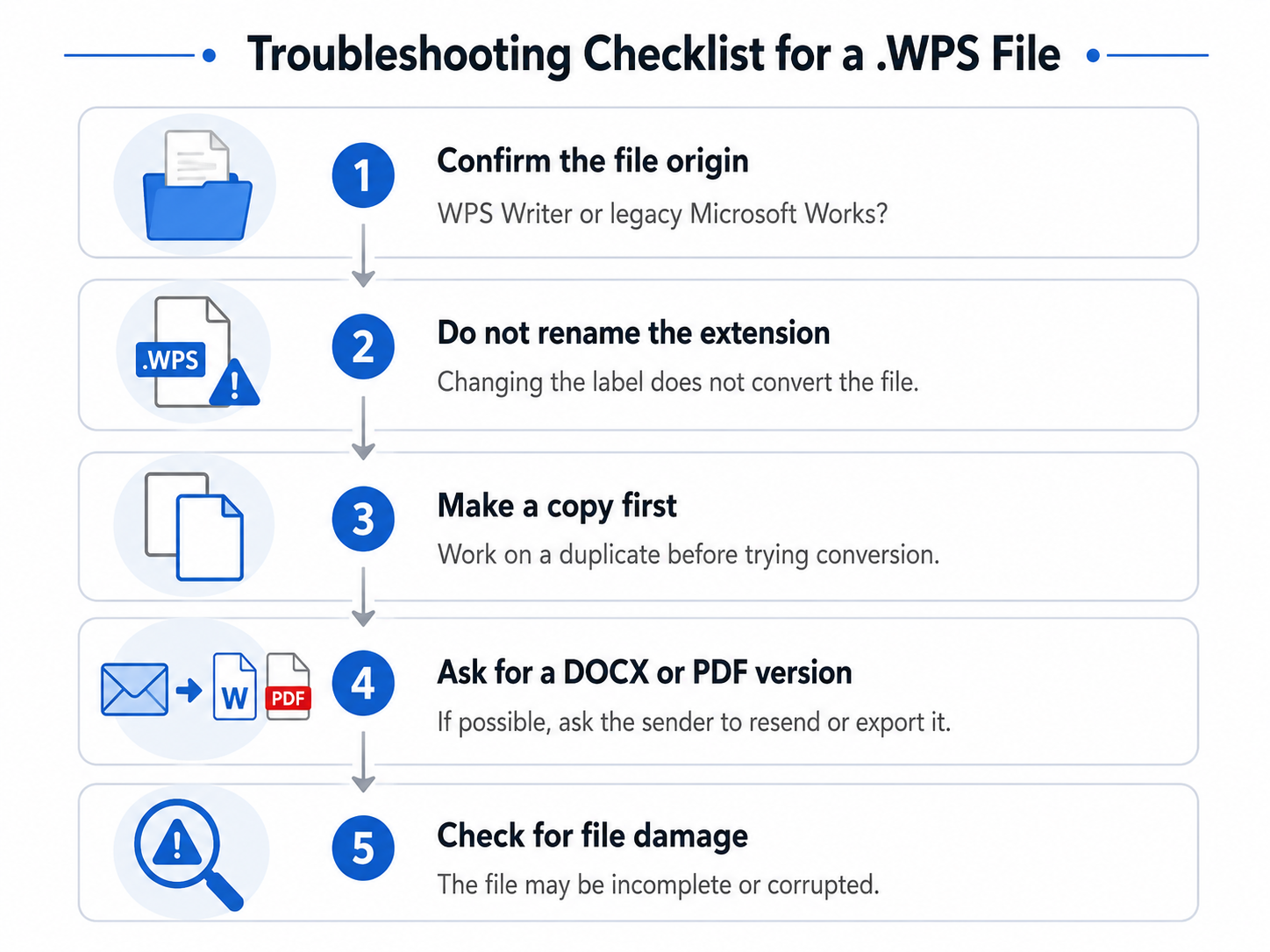
Do not simply rename the extension. Changing
.wpsto.docx(or any other extension) does not convert the file. It only changes the label, and it can make the file harder for the correct program to recognize. The underlying data stays in its original format.Make a copy before trying conversion. Always work on a duplicate of the file. That way, if a conversion attempt fails or alters the file, your original remains intact.
Ask the sender to export it as DOCX or PDF. If someone else can open the document, a reliable fix is often to have them send you a DOCX or PDF version directly.
Consider whether the file may be damaged. If appropriate tools still fail to open the file, it is possible the file itself is corrupted or incomplete—for example, due to an interrupted download or transfer. In that case, getting a fresh copy from the original source is usually the most practical step.
Working through these steps in order helps you separate a "wrong tool" problem from a "damaged file" problem, which are solved in very different ways.
FAQs
What is a .wps file?
A .wps file is a word-processing document file extension that can refer to more than one document origin—most commonly a legacy Microsoft Works document or a WPS Writer document. The correct way to open it depends on which one created your file.
Can WPS Office open a .wps file?
WPS Office supports WPS Writer .wps documents. Do not assume that a legacy Microsoft Works .wps file will open correctly in WPS Office, because the same extension can refer to a different document format.
Can Microsoft Word open a .wps file?
Microsoft identifies .wps as the format used by Works 6–9 documents. Whether a particular file opens successfully can depend on the Word app, version, and the file itself. Word mobile apps do not support Works 6–9 .wps documents.
Can I convert a .wps file to DOCX?
If the file is a WPS Writer document, you can open it in WPS Office and save or export it as DOCX. For a legacy Microsoft Works file, conversion depends on having software that can open the original format first.
Can I convert a .wps file to PDF?
Yes, when the file is a WPS Writer document opened in WPS Office—you can export it to PDF. As with DOCX, this assumes the file opens correctly first.
Why will my .wps file not open?
Common reasons include using the wrong program for the format, having a version of Word that may not support legacy Microsoft Works files, renaming the extension instead of converting, or a file that is damaged. Identifying the file's origin usually points you to the cause.
Should I rename .wps to .docx?
No. Renaming the extension does not convert the file's contents; it only changes the label and can make the file harder to open. Use a proper save or export step in a program that can open the file instead.
Final Summary
Opening a .wps file comes down to one key insight: the extension can refer to more than one document origin, so identifying where the file came from is the first and most important step. If it is a WPS Writer document, opening it in WPS Office is one appropriate path, and you can then save it in a more shareable format. If it is a legacy Microsoft Works document, modern Word may not open it, and a practical path is often to use the original software or ask the sender for a DOCX or PDF export.
If the file was created in WPS Writer and opens successfully, you can save it in a more widely used format such as DOCX or PDF.

'%3e%3cpath%20d='M19.9911%204.11386V6.471H18.5894C18.0775%206.471%2017.7322%206.57814%2017.5536%206.79243C17.3751%207.00671%2017.2858%207.32814%2017.2858%207.75671V9.44421H19.9019L19.5536%2012.0871H17.2858V18.8639H14.5536V12.0871H12.2769V9.44421H14.5536V7.49779C14.5536%206.39064%2014.8632%205.53201%2015.4822%204.92189C16.1013%204.31177%2016.9257%204.00671%2017.9554%204.00671C18.8304%204.00671%2019.509%204.04243%2019.9911%204.11386Z'%20fill='%23333333'/%3e%3c/g%3e%3cdefs%3e%3cclipPath%20id='clip0_2938_8199'%3e%3crect%20width='16'%20height='16'%20fill='white'%20transform='translate(8%204.00671)'/%3e%3c/clipPath%3e%3c/defs%3e%3c/svg%3e)
'%3e%3cpath%20d='M17.5237%2010.7813L23.4811%204H22.0699L16.8949%209.88693L12.7648%204H8L14.2469%2012.9029L8%2020.0133H9.4112L14.8725%2013.7952L19.2352%2020.0133H24M9.92053%205.04213H12.0885L22.0688%2019.0224H19.9003'%20fill='%23333333'/%3e%3c/g%3e%3cdefs%3e%3cclipPath%20id='clip0_2938_8200'%3e%3crect%20width='16'%20height='16.0134'%20fill='white'%20transform='translate(8%204)'/%3e%3c/clipPath%3e%3c/defs%3e%3c/svg%3e)


