

'%3e%3cpath%20d='M8%200C12.4183%200%2016%203.58172%2016%208C16%2012.4183%2012.4183%2016%208%2016C3.58172%2016%200%2012.4183%200%208C0%203.58172%203.58172%200%208%200ZM11.6162%204.38379C11.2257%203.99337%2010.5927%203.99338%2010.2021%204.38379L8%206.58594L5.79785%204.38379C5.40732%203.99334%204.77429%203.99329%204.38379%204.38379C3.99331%204.77429%203.99335%205.40733%204.38379%205.79785L6.58594%208L4.38379%2010.2021C3.99348%2010.5927%203.99341%2011.2257%204.38379%2011.6162C4.77426%2012.0066%205.40734%2012.0065%205.79785%2011.6162L8%209.41406L10.2021%2011.6162C10.5927%2012.0066%2011.2257%2012.0067%2011.6162%2011.6162C12.0067%2011.2257%2012.0066%2010.5927%2011.6162%2010.2021L9.41406%208L11.6162%205.79785C12.0066%205.40735%2012.0066%204.77429%2011.6162%204.38379Z'%20fill='%23080E17'%20fill-opacity='0.46'/%3e%3c/g%3e%3cdefs%3e%3cclipPath%20id='clip0_3761_713'%3e%3crect%20width='16'%20height='16'%20fill='white'/%3e%3c/clipPath%3e%3c/defs%3e%3c/svg%3e)




'%3e%3cpath%20fill-rule='evenodd'%20clip-rule='evenodd'%20d='M21.4999%2010.9993C21.4999%205.20009%2016.7986%200.498901%2010.9993%200.498901C5.19994%200.498901%200.498657%205.20009%200.498657%2010.9993C0.498657%2016.2404%204.33858%2020.5844%209.35855%2021.3722V14.0346H6.69238V10.9993H9.35855V8.68594C9.35855%206.05427%2010.9262%204.60062%2013.3248%204.60062C14.4736%204.60062%2015.6753%204.80571%2015.6753%204.80571V7.38979H14.3512C13.0468%207.38979%2012.64%208.19921%2012.64%209.0296V10.9993H15.5523L15.0867%2014.0346H12.64V21.3722C17.66%2020.5844%2021.4999%2016.2404%2021.4999%2010.9993Z'%20fill='%231568EA'/%3e%3c/g%3e%3c/svg%3e)


'%3e%3cpath%20d='M2.42045%2022.1876H6.31818V12.7217L0.75%208.54553V20.5171C0.75%2021.4414%201.49892%2022.1876%202.42045%2022.1876Z'%20fill='%234285F4'/%3e%3cpath%20d='M19.682%2022.1876H23.5797C24.5041%2022.1876%2025.2502%2021.4387%2025.2502%2020.5171V8.54553L19.682%2012.7217'%20fill='%2334A853'/%3e%3cpath%20d='M19.682%205.48293V12.7216L25.2502%208.54543V6.31816C25.2502%204.25236%2022.8921%203.07469%2021.2411%204.31361'%20fill='%23FBBC04'/%3e%3cpath%20d='M6.31824%2012.7217V5.48303L13.0001%2010.4944L19.6819%205.48303V12.7217L13.0001%2017.733'%20fill='%23EA4335'/%3e%3cpath%20d='M0.75%206.31816V8.54543L6.31818%2012.7216V5.48293L4.75909%204.31361C3.10534%203.07469%200.75%204.25236%200.75%206.31816Z'%20fill='%23C5221F'/%3e%3c/g%3e%3cdefs%3e%3cclipPath%20id='clip0_2954_7305'%3e%3crect%20width='24.5'%20height='18.375'%20fill='white'%20transform='translate(0.75%203.8125)'/%3e%3c/clipPath%3e%3c/defs%3e%3c/svg%3e)


To print a PDF as a booklet, open it in a reader with a booklet layout option and choose "Booklet" or "Multiple pages per sheet, 2-up, duplex flip on short edge." WPS Office, Adobe Acrobat Reader, and free online booklet printers all do it — the differences are page-count limits and print control. Here is each method, plus how to fix the two classic booklet bugs (wrong page order and blank sheets).
How to Print a PDF as a Booklet: 3 Free Ways (Any Device)
Before You Print: Check Page Count and Duplex
A folded booklet needs a page count divisible by 4; pad with blank pages if yours is not. Your printer must support duplex (double-sided) printing — check for a "flip on short edge" option. A4 or Letter paper folded in the middle gives you two pages per side.
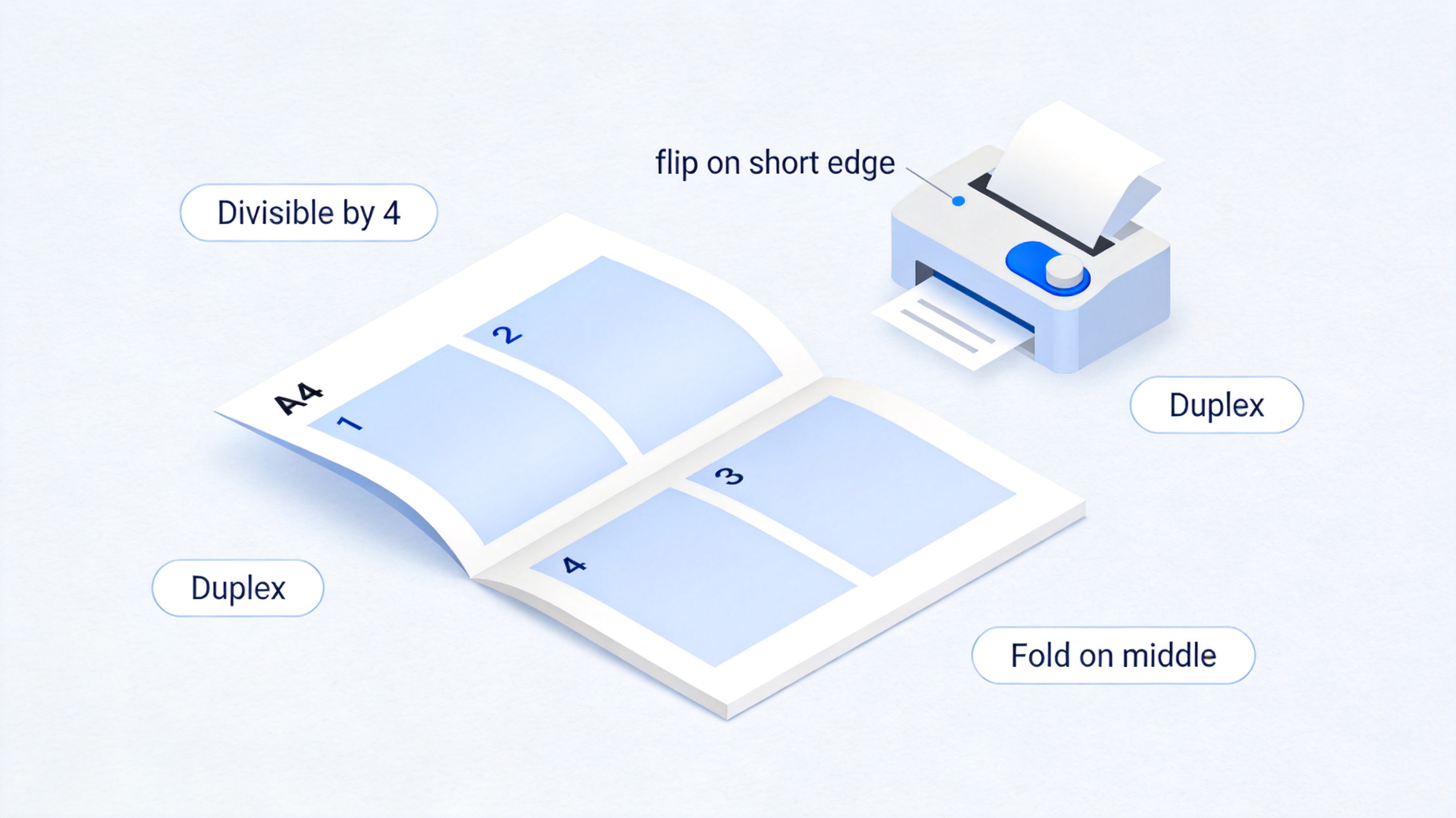
Check page count and duplex before printing
Method 1: Print a PDF Booklet with WPS Office
- Open the PDF in WPS Office and press Ctrl+P.
- Choose the booklet layout — in the print dialog, select Multiple pages per sheet, set 2 pages per sheet, and enable Duplex, flip on short edge. WPS arranges pages in the correct imposition order automatically.
- Print and fold — stack the output, fold in the middle, and staple at the spine. Page 1 (cover) should face page 2; if not, see the fixes below.
WPS PDF also lets you split a large PDF into booklet-sized chunks (each signature as a separate file) before printing — the trick for thick documents.
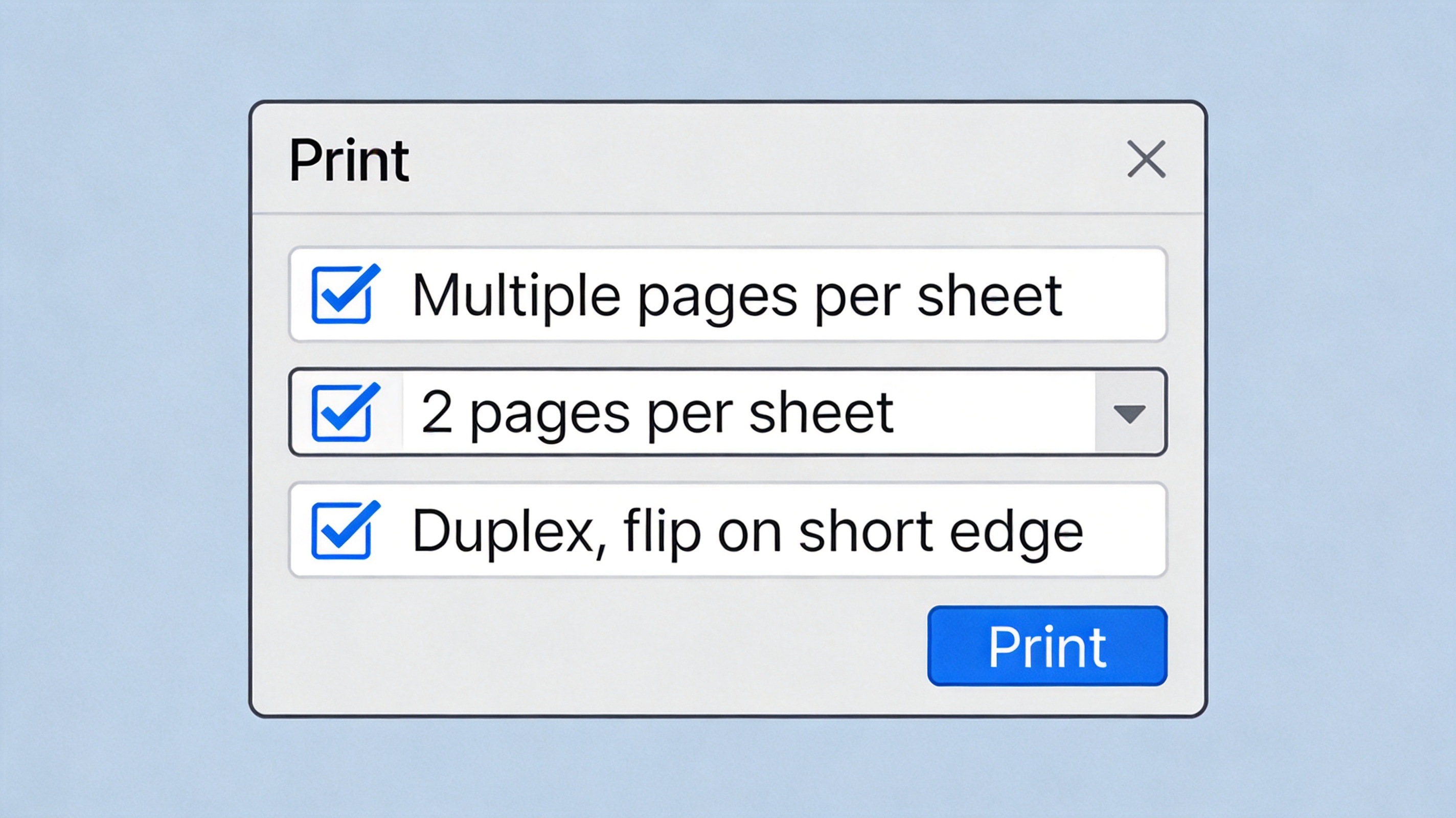
Print dialog booklet settings in WPS
Method 2: Adobe Acrobat Reader (Free)
In Reader's print dialog, pick Booklet under "Page Sizing & Handling." Reader handles imposition itself; "Both sides" requires duplex, or choose "Print on both sides manually" and refeed the stack when prompted. The free tier prints full booklets without limits.
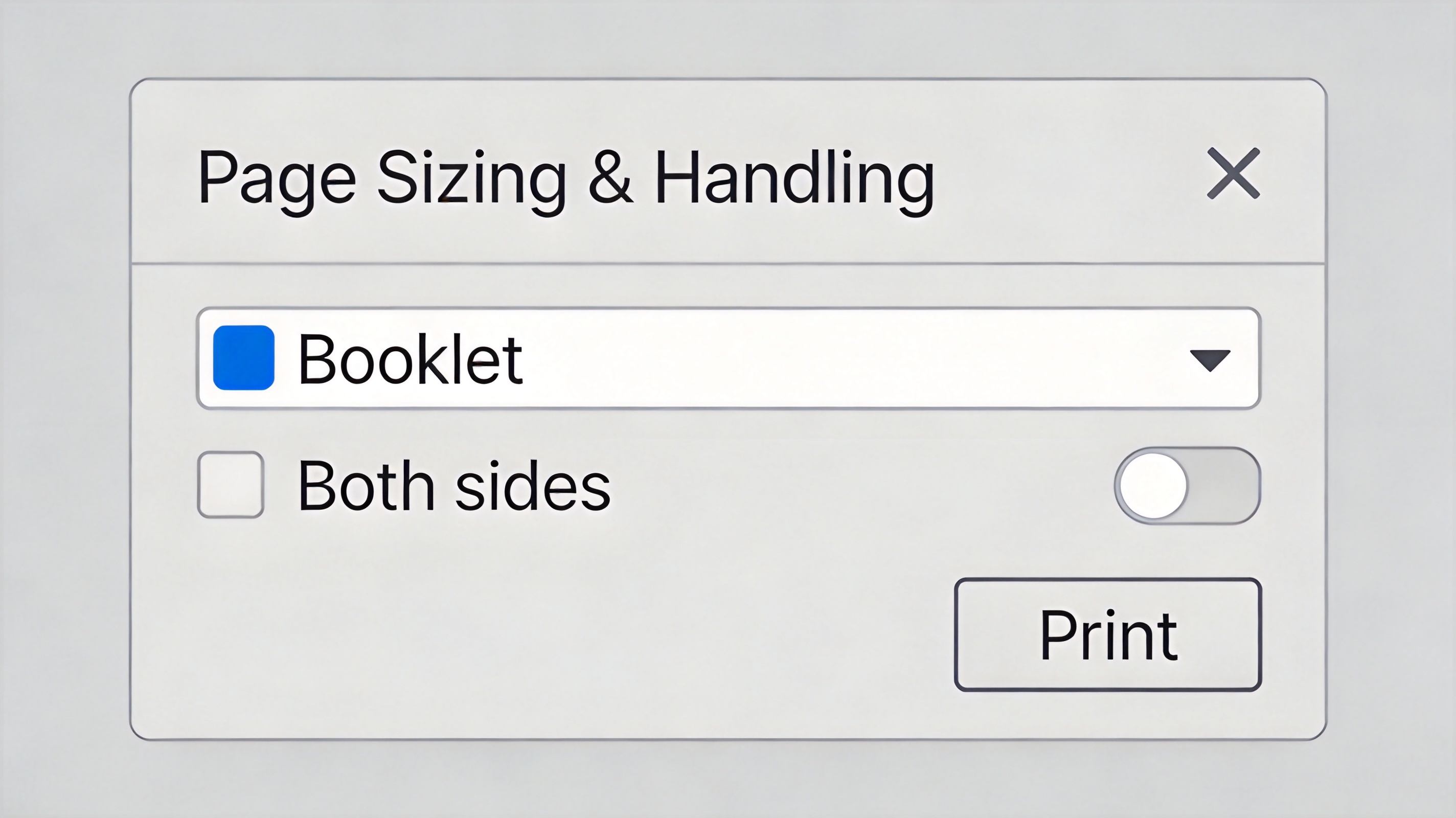
Booklet option in Adobe Reader
Method 3: Online Booklet Printers
Web tools reorder your PDF into imposition order and return a new PDF you print normally (2-up, duplex). They are fine for non-sensitive documents under ~100 pages; uploads to a third-party server are a poor trade for contracts or exams.
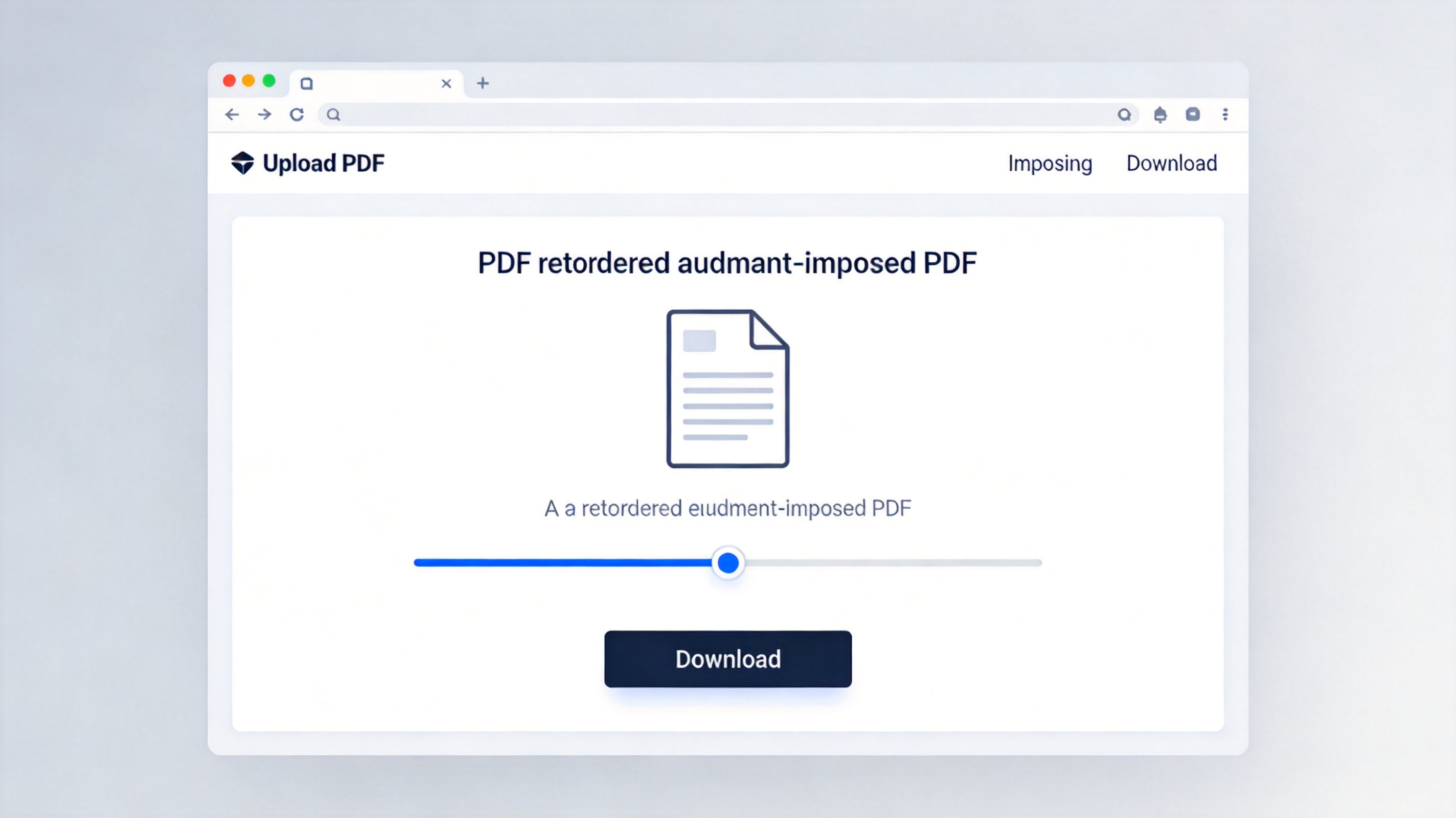
Online booklet printer tool
Fixing the Two Classic Booklet Problems
- Pages out of order — you printed 2-up without duplex imposition. Use the booklet/booklet imposition mode rather than plain "2 pages per sheet."
- Blank or duplicate pages — page count not divisible by 4, or the printer flipped on the long edge. Pad the PDF and switch to flip on short edge.
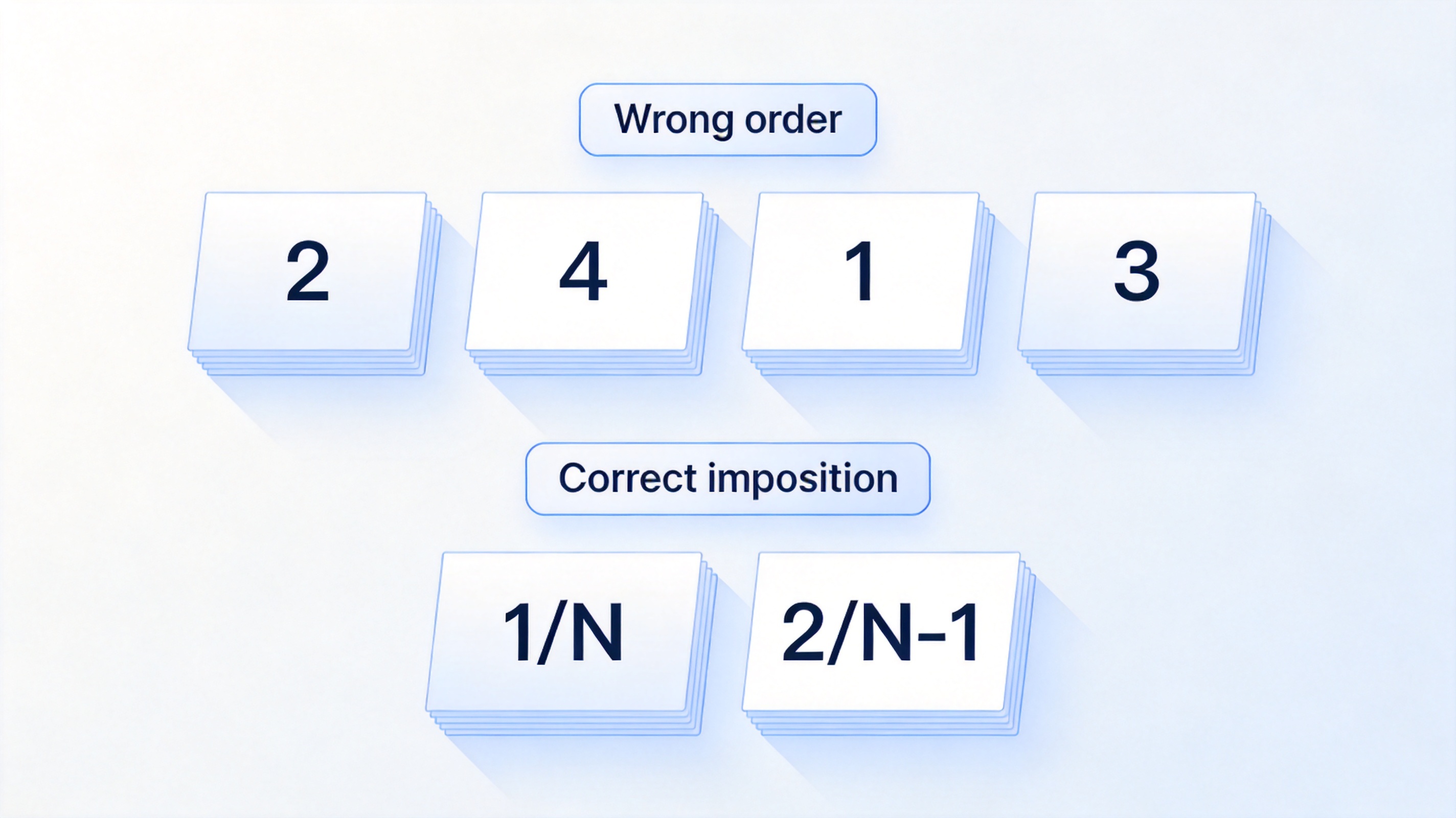
Fix booklet page order problems
The Best Free Booklet Printer: WPS Office
WPS Office handles the full chain free — split long PDFs into signatures, impose 2-up booklet layouts with correct duplex settings, and read the result before it hits paper. It runs on Windows, macOS, and Linux with no page limits or watermarks. Download WPS Office and print your first booklet today.
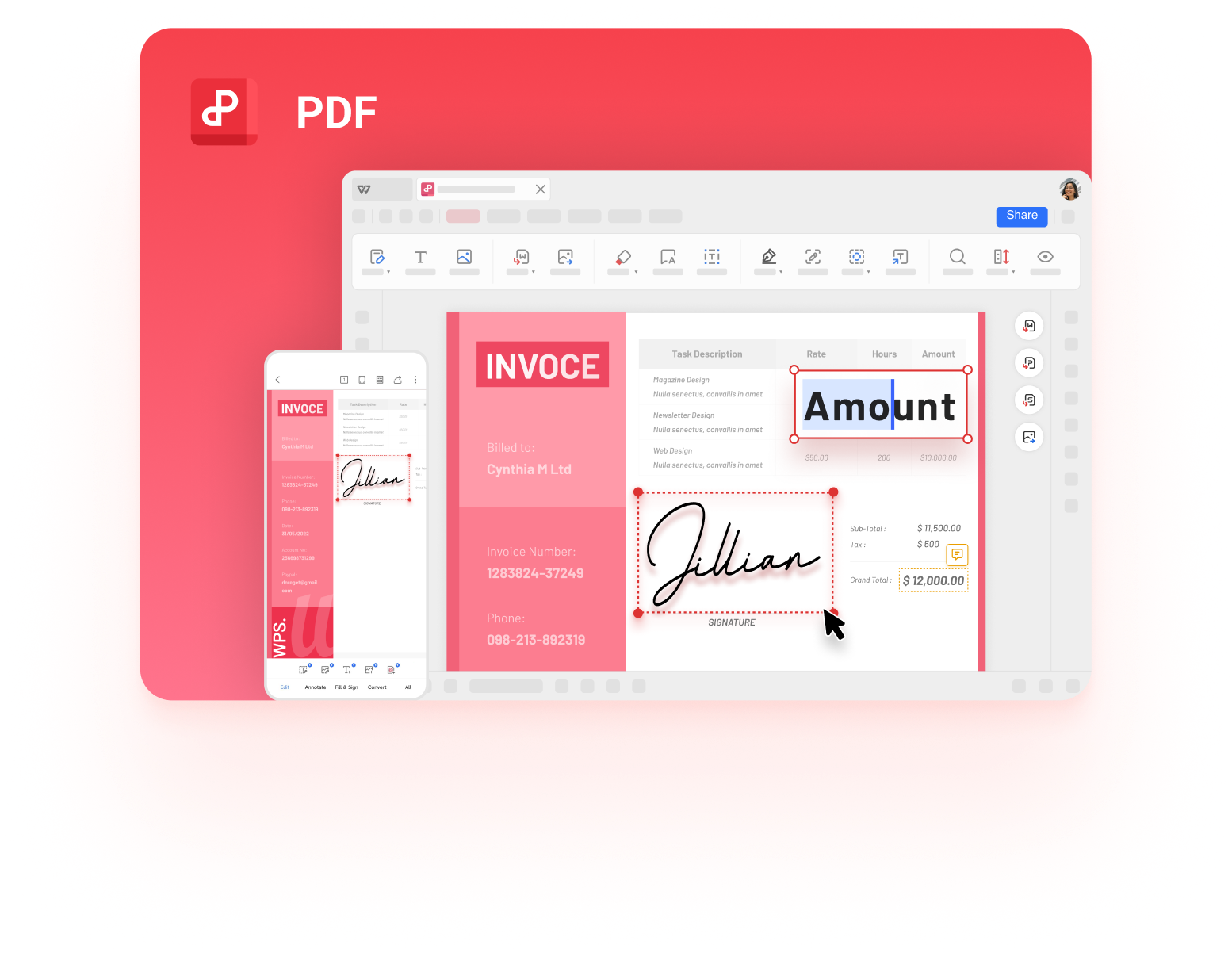
WPS PDF document interface
FAQs
How do I print a PDF as a booklet in WPS Office?
Ctrl+P, choose Multiple pages per sheet (2-up), enable duplex with flip on short edge, and print. WPS imposes the page order for you.
Why are my booklet pages in the wrong order?
You used plain 2-up printing. Booklet imposition requires a booklet mode or an imposition tool that reorders pages as 1/N, 2/N-1 pairs.
Can I make a booklet without a duplex printer?
Yes — print odd sheets first, refeed the stack, then print even sheets. Readers like Acrobat offer a "manually" option that guides the refeed.
What size paper do I need?
Standard A4 or Letter. The folded result is A5 or half-letter; the printer scales pages automatically.
Is online booklet conversion safe?
For public documents, yes. Avoid uploading confidential or exam material to third-party servers — use WPS Office or Acrobat Reader locally instead.



'%3e%3cpath%20d='M19.9911%204.11386V6.471H18.5894C18.0775%206.471%2017.7322%206.57814%2017.5536%206.79243C17.3751%207.00671%2017.2858%207.32814%2017.2858%207.75671V9.44421H19.9019L19.5536%2012.0871H17.2858V18.8639H14.5536V12.0871H12.2769V9.44421H14.5536V7.49779C14.5536%206.39064%2014.8632%205.53201%2015.4822%204.92189C16.1013%204.31177%2016.9257%204.00671%2017.9554%204.00671C18.8304%204.00671%2019.509%204.04243%2019.9911%204.11386Z'%20fill='%23333333'/%3e%3c/g%3e%3cdefs%3e%3cclipPath%20id='clip0_2938_8199'%3e%3crect%20width='16'%20height='16'%20fill='white'%20transform='translate(8%204.00671)'/%3e%3c/clipPath%3e%3c/defs%3e%3c/svg%3e)
'%3e%3cpath%20d='M17.5237%2010.7813L23.4811%204H22.0699L16.8949%209.88693L12.7648%204H8L14.2469%2012.9029L8%2020.0133H9.4112L14.8725%2013.7952L19.2352%2020.0133H24M9.92053%205.04213H12.0885L22.0688%2019.0224H19.9003'%20fill='%23333333'/%3e%3c/g%3e%3cdefs%3e%3cclipPath%20id='clip0_2938_8200'%3e%3crect%20width='16'%20height='16.0134'%20fill='white'%20transform='translate(8%204)'/%3e%3c/clipPath%3e%3c/defs%3e%3c/svg%3e)


