

'%3e%3cpath%20d='M8%200C12.4183%200%2016%203.58172%2016%208C16%2012.4183%2012.4183%2016%208%2016C3.58172%2016%200%2012.4183%200%208C0%203.58172%203.58172%200%208%200ZM11.6162%204.38379C11.2257%203.99337%2010.5927%203.99338%2010.2021%204.38379L8%206.58594L5.79785%204.38379C5.40732%203.99334%204.77429%203.99329%204.38379%204.38379C3.99331%204.77429%203.99335%205.40733%204.38379%205.79785L6.58594%208L4.38379%2010.2021C3.99348%2010.5927%203.99341%2011.2257%204.38379%2011.6162C4.77426%2012.0066%205.40734%2012.0065%205.79785%2011.6162L8%209.41406L10.2021%2011.6162C10.5927%2012.0066%2011.2257%2012.0067%2011.6162%2011.6162C12.0067%2011.2257%2012.0066%2010.5927%2011.6162%2010.2021L9.41406%208L11.6162%205.79785C12.0066%205.40735%2012.0066%204.77429%2011.6162%204.38379Z'%20fill='%23080E17'%20fill-opacity='0.46'/%3e%3c/g%3e%3cdefs%3e%3cclipPath%20id='clip0_3761_713'%3e%3crect%20width='16'%20height='16'%20fill='white'/%3e%3c/clipPath%3e%3c/defs%3e%3c/svg%3e)




'%3e%3cpath%20fill-rule='evenodd'%20clip-rule='evenodd'%20d='M21.4999%2010.9993C21.4999%205.20009%2016.7986%200.498901%2010.9993%200.498901C5.19994%200.498901%200.498657%205.20009%200.498657%2010.9993C0.498657%2016.2404%204.33858%2020.5844%209.35855%2021.3722V14.0346H6.69238V10.9993H9.35855V8.68594C9.35855%206.05427%2010.9262%204.60062%2013.3248%204.60062C14.4736%204.60062%2015.6753%204.80571%2015.6753%204.80571V7.38979H14.3512C13.0468%207.38979%2012.64%208.19921%2012.64%209.0296V10.9993H15.5523L15.0867%2014.0346H12.64V21.3722C17.66%2020.5844%2021.4999%2016.2404%2021.4999%2010.9993Z'%20fill='%231568EA'/%3e%3c/g%3e%3c/svg%3e)


'%3e%3cpath%20d='M2.42045%2022.1876H6.31818V12.7217L0.75%208.54553V20.5171C0.75%2021.4414%201.49892%2022.1876%202.42045%2022.1876Z'%20fill='%234285F4'/%3e%3cpath%20d='M19.682%2022.1876H23.5797C24.5041%2022.1876%2025.2502%2021.4387%2025.2502%2020.5171V8.54553L19.682%2012.7217'%20fill='%2334A853'/%3e%3cpath%20d='M19.682%205.48293V12.7216L25.2502%208.54543V6.31816C25.2502%204.25236%2022.8921%203.07469%2021.2411%204.31361'%20fill='%23FBBC04'/%3e%3cpath%20d='M6.31824%2012.7217V5.48303L13.0001%2010.4944L19.6819%205.48303V12.7217L13.0001%2017.733'%20fill='%23EA4335'/%3e%3cpath%20d='M0.75%206.31816V8.54543L6.31818%2012.7216V5.48293L4.75909%204.31361C3.10534%203.07469%200.75%204.25236%200.75%206.31816Z'%20fill='%23C5221F'/%3e%3c/g%3e%3cdefs%3e%3cclipPath%20id='clip0_2954_7305'%3e%3crect%20width='24.5'%20height='18.375'%20fill='white'%20transform='translate(0.75%203.8125)'/%3e%3c/clipPath%3e%3c/defs%3e%3c/svg%3e)


A contract, invoice, or class handout arrives as a PDF, and you need to change one line. Searching pdf jadi word is that job in short form: turn the PDF into a Word file you can edit.
A text PDF is ready to convert. A scan is still a picture of the page until OCR runs. The steps below export a .docx in WPS on desktop, including Mac, and show what to fix when columns or tables shift.
PDF Jadi Word: Turn a PDF into an Editable Word File
How to Make a PDF Jadi Word File
Use the desktop converter when the PDF must become a .docx you can revise. The original PDF stays put. You get a separate Word file.
Open WPS Office and choose PDF Tools → PDF to Word.
Click Add PDF File, or drop the PDF into the converter. If WPS asks for a password, the file is locked. Enter the password you already have. The tool cannot open a PDF you cannot unlock.
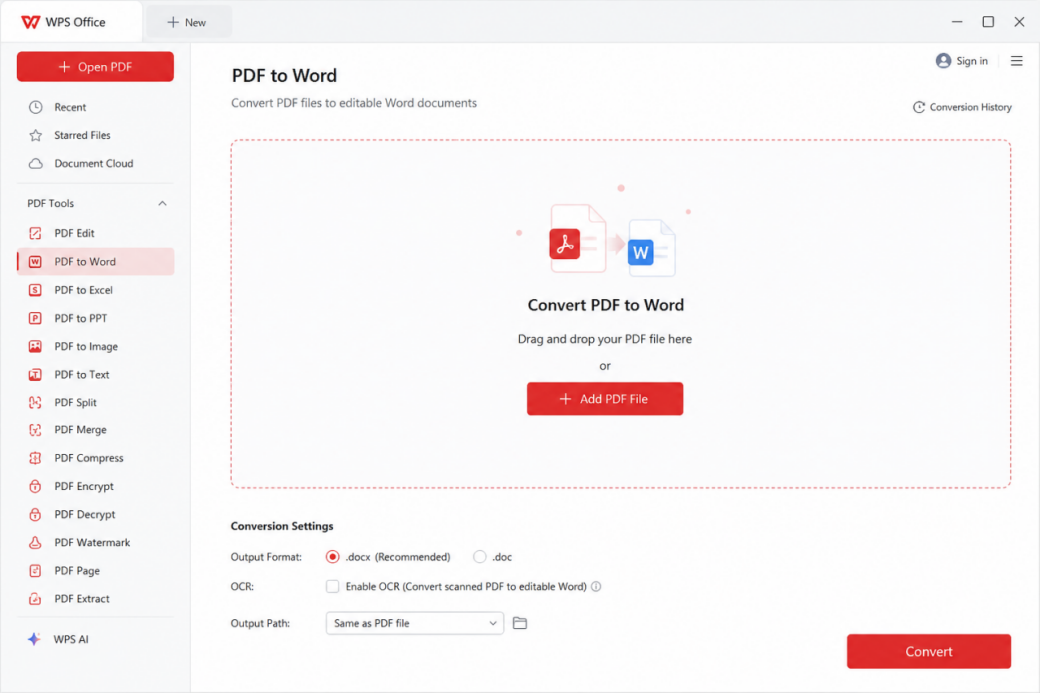
WPS PDF to Word converter
Under Output Format, keep .docx. Use .doc only when an older app must open the file.
Leave Enable OCR off when you can already select the text in the PDF. Turn it on only for a scan. That case is covered in the next section.
Set the output folder, then click Convert. Open the new file in WPS Writer and read the headings, tables, and page numbers before you edit.
If you only need an offline path and a shorter checklist, the offline PDF to Word steps cover the same export without the Mac and scan cases below.


Turn a Scanned PDF Jadi Word with OCR
If you drag across a paragraph and nothing highlights, the page is an image. Converting it without OCR gives you a Word file full of pictures, not sentences you can rewrite.
Tick Enable OCR in the PDF to Word tool before you click Convert. The checkbox is labeled for this exact case: convert a scanned PDF to editable Word. If the text is still locked after export, open the PDF, run OCR PDF on the Home tab, then convert again.
Match the recognition language to the document when WPS asks. A mixed Indonesian and English scan needs a second pass if names or accents come out wrong. Proofread numbers and proper names. OCR is reliable on a straight, high-contrast page and weak on a skewed photo.
For a longer scan workflow, see how to save a scanned document as a Word document.
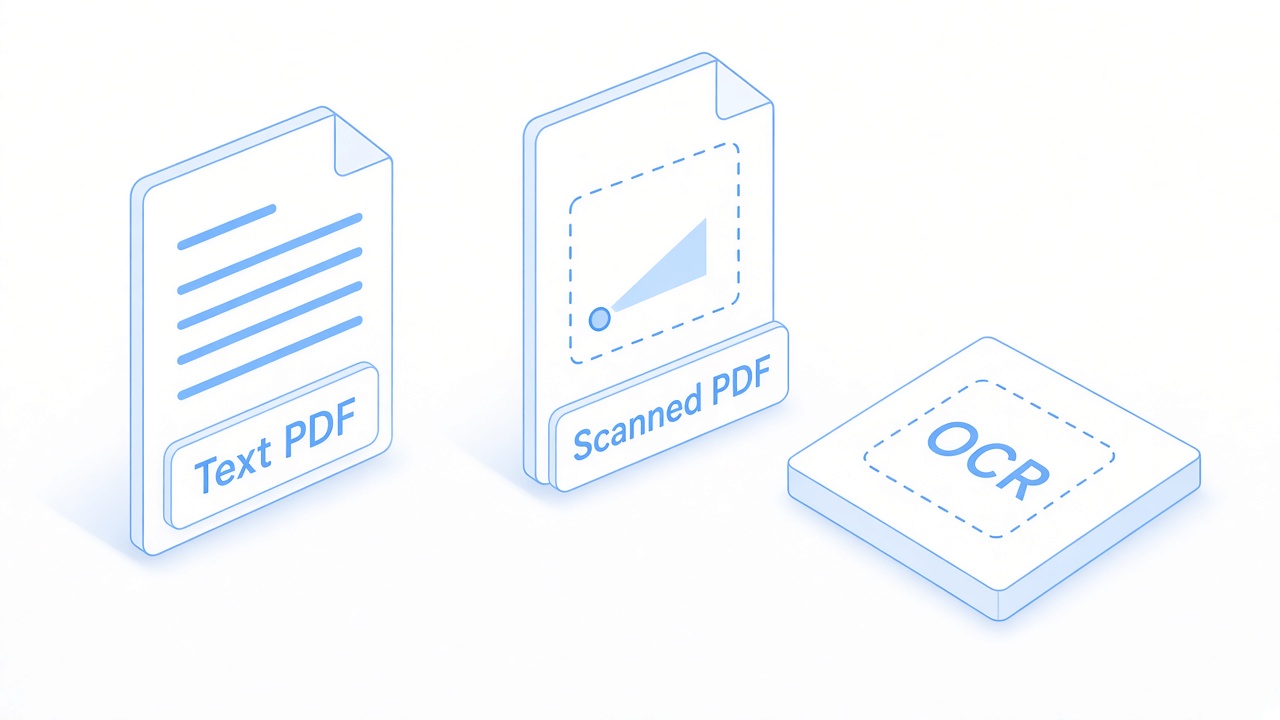
Text PDF versus scanned OCR
Make a PDF Jadi Word on Mac
On a Mac, open WPS Office and use the same PDF to Word tool. Choose .docx, and enable OCR only when the PDF is a scan. The screen above is the Windows tool. On Mac the labels sit in PDF Tools or on the Home tab as PDF to Word. The output settings are the ones that matter: format, OCR, and folder.
Preview can select text in a simple PDF and let you paste it into a blank document. That is not a conversion. Columns, headers, and tables do not come along. Use it only when you need a sentence, not a laid-out file.
Microsoft Word on Mac can open some text PDFs through File → Open. Expect a warning that the layout may change. Keep the PDF, and save the result as a new .docx so you can compare the two.
PDF and DOCX files on Mac
Fix Layout After a PDF Jadi Word Conversion
A clean one-column letter usually lands close to the original. A brochure, a multi-column report, or a page built as a design often does not. Check these three spots before you send the DOCX:
Columns. Text that sat side by side may stack into one long column. Set the section back to two columns, or leave it as one column if that is easier to edit.
Tables. A borderless table can turn into tabs. Select the block and insert a real table if the numbers must stay aligned.
Pictures and headers. A logo may float over a heading. Set the image to in line with text, or move it, then confirm the header is not duplicated in the body.
Do not overwrite the PDF. Keep it as the reference while you repair the Word file. If a page is garbled because it was a scan, go back and run OCR instead of retyping the whole document.
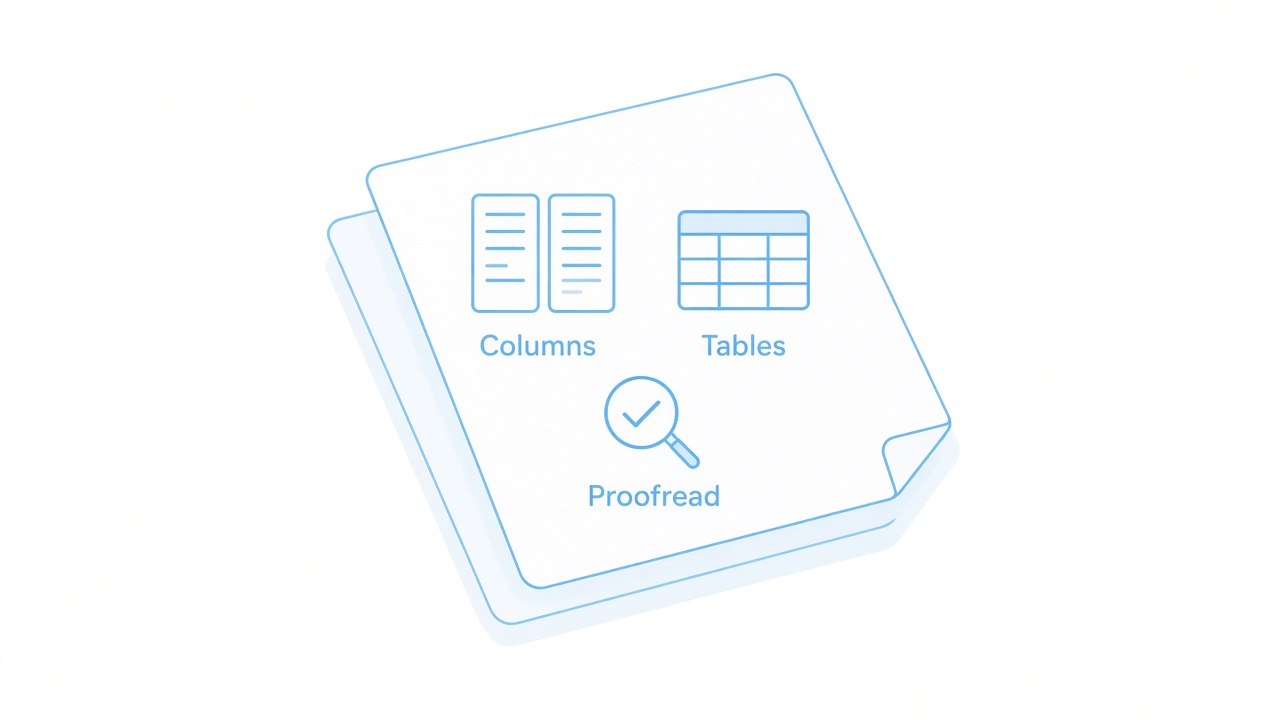
Columns tables and proofread icons
The Best Free PDF Alternative: WPS Office
WPS Office keeps the conversion on your computer: open the PDF, export DOCX, and keep editing in Writer. You do not have to upload a contract to a browser converter, then download it again to fix the layout.
| WPS Office | Word or a browser converter | |
|---|---|---|
| Quick access | PDF to Word is one tool, with format and OCR on the same screen. | Word uses File → Open and warns that the layout may change. A website adds an upload step. |
| Layout control | Choose .docx or .doc, and turn OCR on only for scans. | Simple pages convert. Multi-column designs still need a cleanup pass. |
| One suite | Convert, then edit in Writer. OCR sits in the same PDF workspace. | A scan often needs a second OCR product before Word can edit the text. |
| Where the file goes | Desktop conversion stays on the computer. The PDF is not replaced. | Browser tools upload the PDF. That is a poor fit for contracts and IDs. |
| Cost to start | Free to start. Some advanced PDF tools may ask for WPS Premium. | Desktop Word needs a Microsoft 365 seat. Free websites often cap daily files. |
PDF to Word and OCR are in the same install, so a scan does not force a second download.
The result is a real .docx you can keep editing, not a paste from Preview.
Confidential pages can stay on the device instead of a converter site.
The Home tab in WPS PDF also offers PDF to Word when the file is already open. Use that when you are reading the PDF and only then decide to export it. Details are on the PDF to Word converter page.
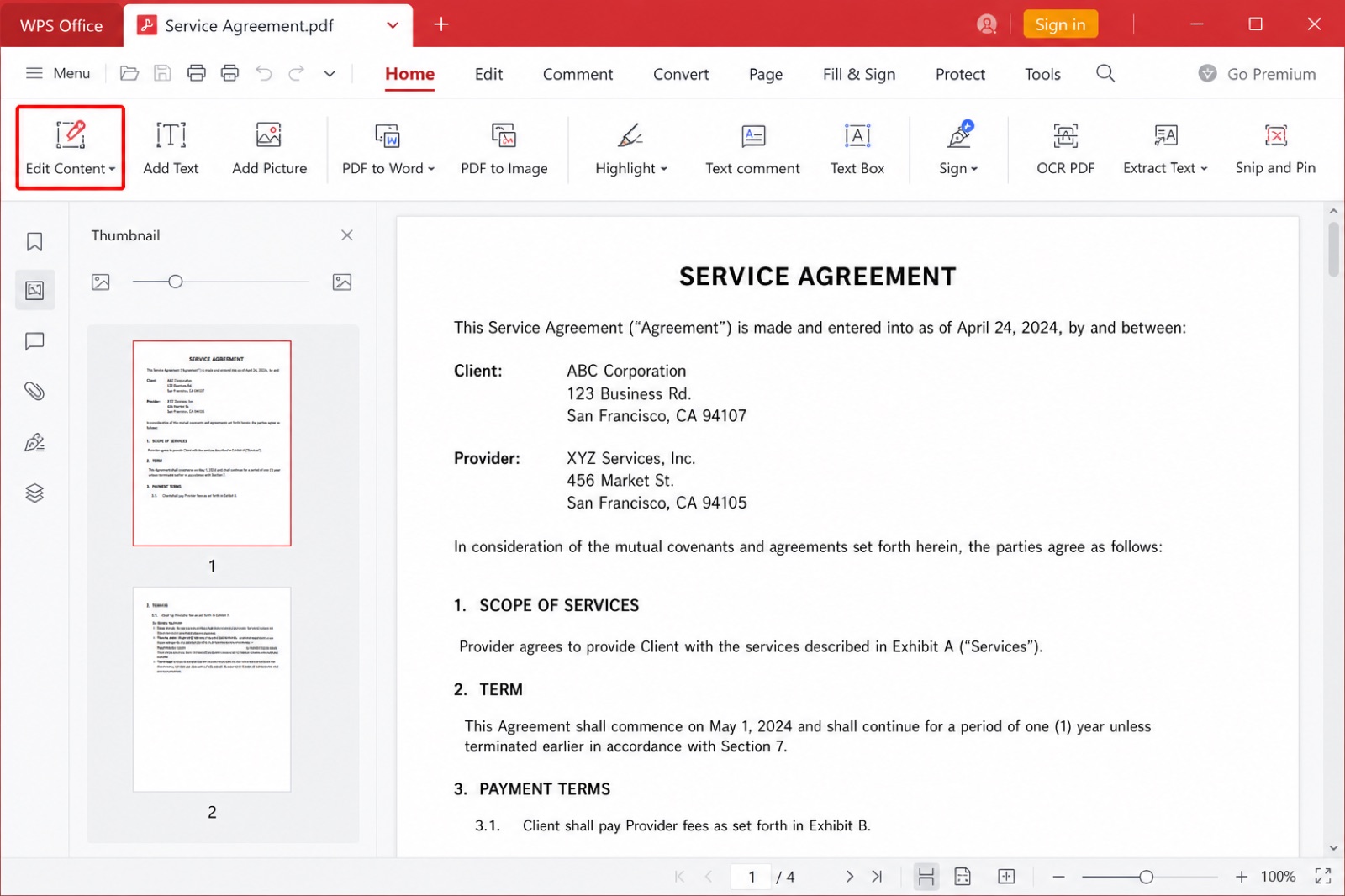
WPS PDF editor PDF to Word
FAQs
What does pdf jadi word mean?
It is the Indonesian way of asking how to turn a PDF into a Word file. The file you want is usually a .docx you can edit. The PDF itself does not have to be renamed.
Can a scanned PDF jadi Word?
Yes, after OCR. Tick Enable OCR in the PDF to Word tool, or run OCR PDF first, then convert. Read names and amounts before you trust the DOCX.
Will the Word file match the PDF layout?
Text and simple tables usually carry over. Multi-column pages and tight designs can shift. Compare headings and tables with the original PDF before you send the file.
Does pdf jadi Word work on a Mac?
Yes. Use PDF to Word in WPS Office for Mac and export .docx. Preview can copy text from a simple PDF, but it does not build a real Word file.
Is the conversion free?
WPS Office is free to start, and the desktop tool converts without uploading the PDF. Some advanced PDF tools may ask for WPS Premium. Ads can appear on the free tier.


'%3e%3cpath%20d='M19.9911%204.11386V6.471H18.5894C18.0775%206.471%2017.7322%206.57814%2017.5536%206.79243C17.3751%207.00671%2017.2858%207.32814%2017.2858%207.75671V9.44421H19.9019L19.5536%2012.0871H17.2858V18.8639H14.5536V12.0871H12.2769V9.44421H14.5536V7.49779C14.5536%206.39064%2014.8632%205.53201%2015.4822%204.92189C16.1013%204.31177%2016.9257%204.00671%2017.9554%204.00671C18.8304%204.00671%2019.509%204.04243%2019.9911%204.11386Z'%20fill='%23333333'/%3e%3c/g%3e%3cdefs%3e%3cclipPath%20id='clip0_2938_8199'%3e%3crect%20width='16'%20height='16'%20fill='white'%20transform='translate(8%204.00671)'/%3e%3c/clipPath%3e%3c/defs%3e%3c/svg%3e)
'%3e%3cpath%20d='M17.5237%2010.7813L23.4811%204H22.0699L16.8949%209.88693L12.7648%204H8L14.2469%2012.9029L8%2020.0133H9.4112L14.8725%2013.7952L19.2352%2020.0133H24M9.92053%205.04213H12.0885L22.0688%2019.0224H19.9003'%20fill='%23333333'/%3e%3c/g%3e%3cdefs%3e%3cclipPath%20id='clip0_2938_8200'%3e%3crect%20width='16'%20height='16.0134'%20fill='white'%20transform='translate(8%204)'/%3e%3c/clipPath%3e%3c/defs%3e%3c/svg%3e)


