

'%3e%3cpath%20d='M8%200C12.4183%200%2016%203.58172%2016%208C16%2012.4183%2012.4183%2016%208%2016C3.58172%2016%200%2012.4183%200%208C0%203.58172%203.58172%200%208%200ZM11.6162%204.38379C11.2257%203.99337%2010.5927%203.99338%2010.2021%204.38379L8%206.58594L5.79785%204.38379C5.40732%203.99334%204.77429%203.99329%204.38379%204.38379C3.99331%204.77429%203.99335%205.40733%204.38379%205.79785L6.58594%208L4.38379%2010.2021C3.99348%2010.5927%203.99341%2011.2257%204.38379%2011.6162C4.77426%2012.0066%205.40734%2012.0065%205.79785%2011.6162L8%209.41406L10.2021%2011.6162C10.5927%2012.0066%2011.2257%2012.0067%2011.6162%2011.6162C12.0067%2011.2257%2012.0066%2010.5927%2011.6162%2010.2021L9.41406%208L11.6162%205.79785C12.0066%205.40735%2012.0066%204.77429%2011.6162%204.38379Z'%20fill='%23080E17'%20fill-opacity='0.46'/%3e%3c/g%3e%3cdefs%3e%3cclipPath%20id='clip0_3761_713'%3e%3crect%20width='16'%20height='16'%20fill='white'/%3e%3c/clipPath%3e%3c/defs%3e%3c/svg%3e)




'%3e%3cpath%20fill-rule='evenodd'%20clip-rule='evenodd'%20d='M21.4999%2010.9993C21.4999%205.20009%2016.7986%200.498901%2010.9993%200.498901C5.19994%200.498901%200.498657%205.20009%200.498657%2010.9993C0.498657%2016.2404%204.33858%2020.5844%209.35855%2021.3722V14.0346H6.69238V10.9993H9.35855V8.68594C9.35855%206.05427%2010.9262%204.60062%2013.3248%204.60062C14.4736%204.60062%2015.6753%204.80571%2015.6753%204.80571V7.38979H14.3512C13.0468%207.38979%2012.64%208.19921%2012.64%209.0296V10.9993H15.5523L15.0867%2014.0346H12.64V21.3722C17.66%2020.5844%2021.4999%2016.2404%2021.4999%2010.9993Z'%20fill='%231568EA'/%3e%3c/g%3e%3c/svg%3e)


'%3e%3cpath%20d='M2.42045%2022.1876H6.31818V12.7217L0.75%208.54553V20.5171C0.75%2021.4414%201.49892%2022.1876%202.42045%2022.1876Z'%20fill='%234285F4'/%3e%3cpath%20d='M19.682%2022.1876H23.5797C24.5041%2022.1876%2025.2502%2021.4387%2025.2502%2020.5171V8.54553L19.682%2012.7217'%20fill='%2334A853'/%3e%3cpath%20d='M19.682%205.48293V12.7216L25.2502%208.54543V6.31816C25.2502%204.25236%2022.8921%203.07469%2021.2411%204.31361'%20fill='%23FBBC04'/%3e%3cpath%20d='M6.31824%2012.7217V5.48303L13.0001%2010.4944L19.6819%205.48303V12.7217L13.0001%2017.733'%20fill='%23EA4335'/%3e%3cpath%20d='M0.75%206.31816V8.54543L6.31818%2012.7216V5.48293L4.75909%204.31361C3.10534%203.07469%200.75%204.25236%200.75%206.31816Z'%20fill='%23C5221F'/%3e%3c/g%3e%3cdefs%3e%3cclipPath%20id='clip0_2954_7305'%3e%3crect%20width='24.5'%20height='18.375'%20fill='white'%20transform='translate(0.75%203.8125)'/%3e%3c/clipPath%3e%3c/defs%3e%3c/svg%3e)


An English PDF can become hard to use for Marathi-speaking readers when translation tools scramble tables, skip scanned text, or replace the original layout. The safest workflow is to confirm whether the PDF contains selectable text, translate a copy, and then review names, numbers, and page structure before sharing it.
This guide shows practical ways to translate PDF English to Marathi, including a WPS-centered workflow for reading, converting, editing, comparing, and exporting the finished document.
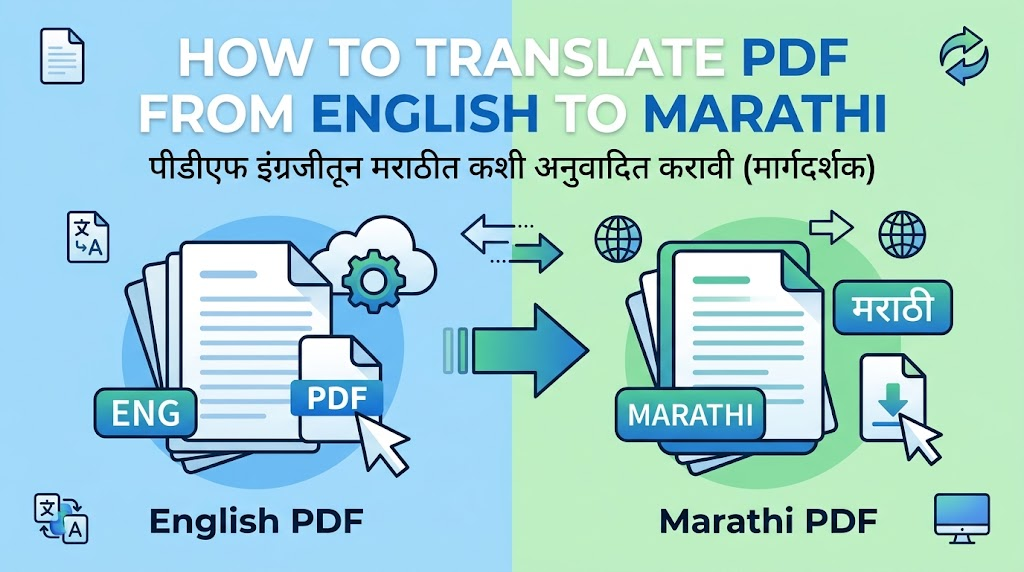
How to Translate PDF from English to Marathi
Choose the Right English-to-Marathi PDF Translation Workflow
Start by selecting text in the PDF. If you can highlight and copy a sentence, the document is text-based and can usually be translated directly or after conversion to DOCX. If the page behaves like one large picture, run OCR first; otherwise the translator may return blank or incomplete output.
For a short text-based PDF: copy a section into a trusted translator, translate English to Marathi, and paste the reviewed text into an editable copy.
For a long formatted PDF: convert the PDF to Word, translate section by section, and compare the result beside the source.
For a scanned PDF: apply OCR, check the recognized English, and translate only after the source text is accurate.
Keep the original PDF unchanged. Work on a duplicate so page references, signatures, and source wording remain available during review.
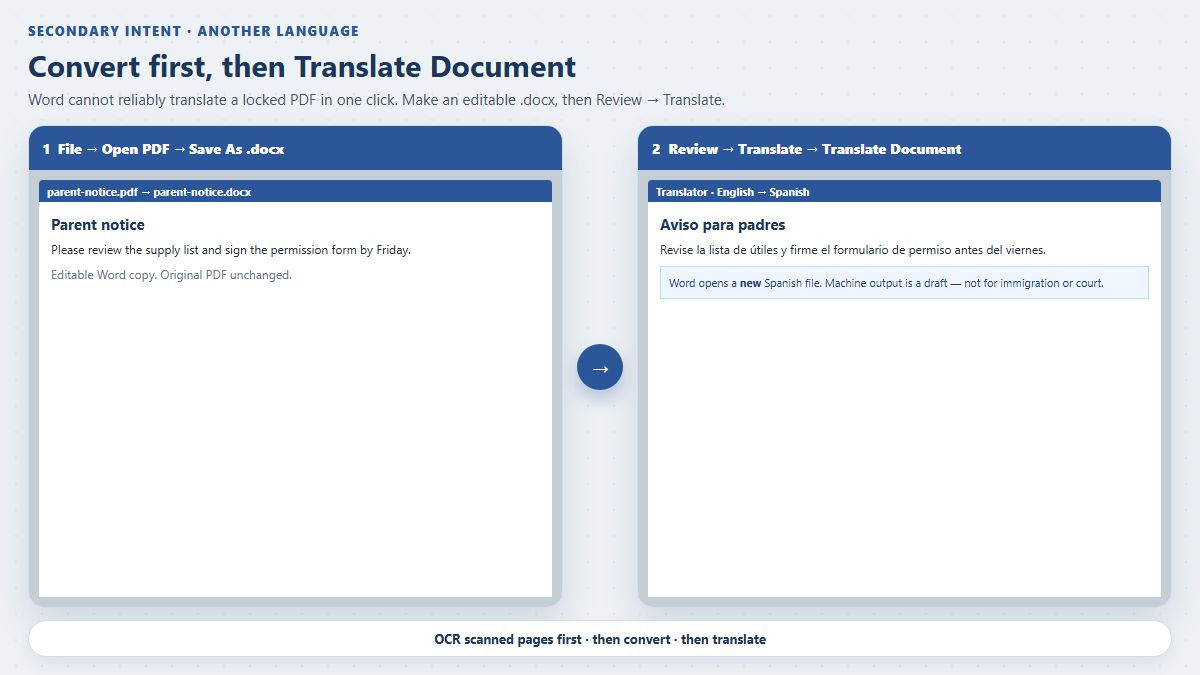
Translate converted PDF into Marathi


Translate PDF English to Marathi with WPS Office
WPS Office is especially useful when translation is only one part of the job. Its PDF and Writer tools let you keep the source open, convert content into an editable document, correct paragraphs, rebuild tables, add comments, and export the reviewed version as PDF without moving between several unrelated apps.
Step 1: Open and inspect the PDF
Open the file in WPS PDF. Zoom in on small Devanagari characters and test whether the English text is selectable. For sensitive files, a desktop workflow also reduces unnecessary uploads to multiple converter sites.
Step 2: Make the content editable
For a normal PDF, use the available PDF to Word conversion workflow and open the result in WPS Writer. For an image-based document, use OCR where available, then proofread the recognized English before translation. Availability of advanced PDF and AI features can vary by platform, region, and plan, so confirm the option shown in your installation.
Step 3: Translate in controlled sections
Translate one heading, paragraph, table, or form block at a time with your chosen English-to-Marathi translation service. Paste the Marathi into the editable document and apply a Devanagari-capable font. Section-by-section work makes it easier to protect numbers, product codes, URLs, and proper names.
Step 4: Compare and export
Use a split-window or side-by-side review with the original PDF and edited document. After checking every page, choose File > Export to PDF or the equivalent PDF export command in your current WPS version.
Why WPS fits this workflow: it combines PDF reading, conversion, OCR-assisted preparation, Writer editing, annotations, page management, and PDF export in one familiar interface. That integrated path is more efficient than repeatedly downloading, renaming, and re-uploading intermediate files. WPS also makes the final review practical: you can correct Marathi text, resize tables, inspect pagination, and create a clean shareable PDF from the same workspace.
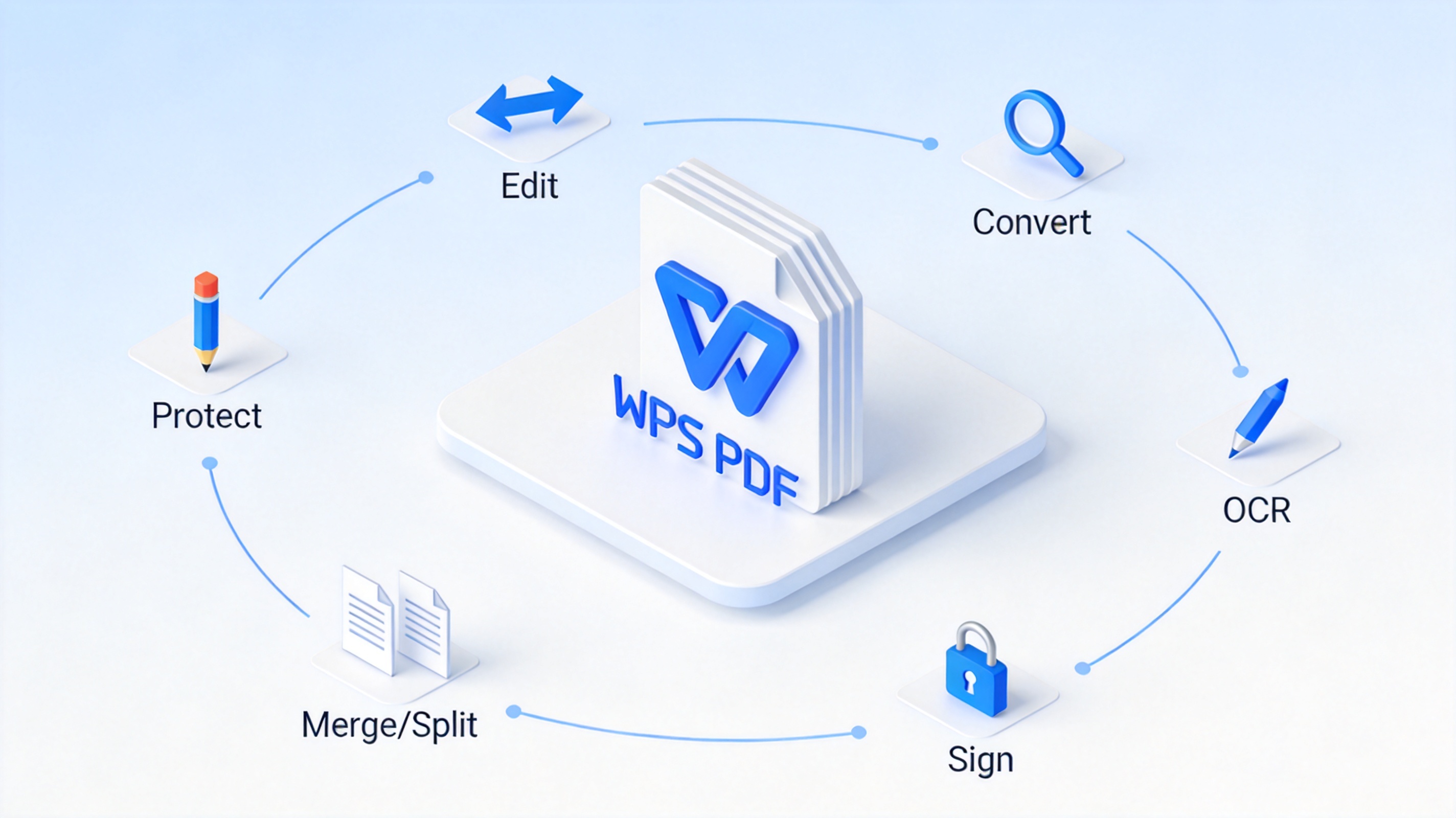
WPS PDF tools for translation
Review an English-to-Marathi PDF Before Sharing
Machine translation is a draft, not a final authority. Marathi word order, honorifics, and domain-specific terms may need a fluent reviewer. Legal, medical, financial, or immigration documents should be checked by an appropriately qualified human translator.
Names and identifiers: preserve passport spellings, account numbers, dates, units, and reference codes.
Tables and forms: confirm that translated labels still point to the correct values and that no row shifted to another page.
Font coverage: look for boxes, broken conjuncts, clipped matras, or unexpected Latin characters.
Scanned pages: compare OCR output with the image, especially punctuation and similar-looking letters or digits.
Final PDF: reopen the exported file on another device and test search, copy, print, and page order.
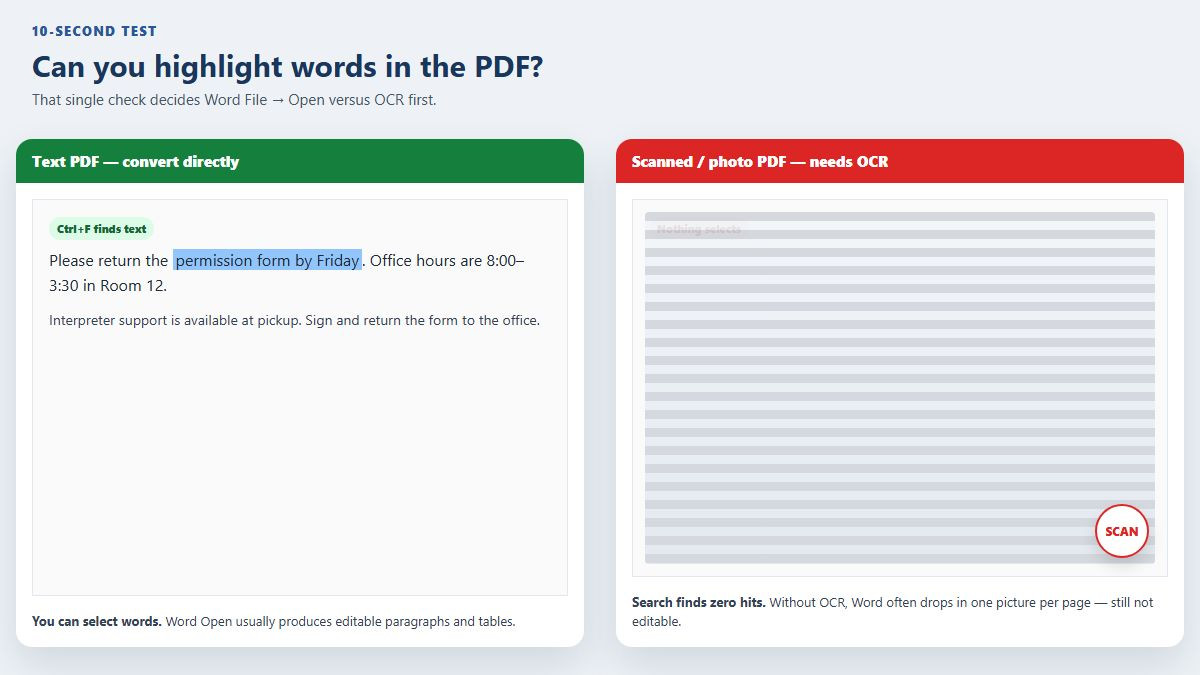
Check scanned PDF before translation
The Best Free Alternative: WPS Office
WPS Office is a free office suite for Windows and Mac that includes Word, Excel, PPT, and a full PDF toolkit in one app. Instead of juggling an online translator, an OCR tool, and a PDF editor, you handle everything in one place.
Its AI-powered document translator supports many languages, preserves the original layout, and keeps sensitive files local if you prefer offline work. When the translation is done, the same app lets you edit, sign, compress, or export the result as a PDF.
Compared with paid translation software, WPS keeps basic PDF translation, conversion, and editing free, with premium AI features available when you need them. It is the easiest way to translate English to Amharic PDF files without spending a cent.
FAQs
Can Google Translate translate a whole PDF into Marathi?
Document support, file limits, and language options can change. If direct PDF upload is unavailable or formatting is poor, convert a copy to DOCX, translate in sections, and rebuild the layout in WPS Writer.
How do I translate a scanned English PDF to Marathi?
Run OCR first, correct the recognized English, and then translate it. Translating an unrecognized page image will not produce dependable text.
Will the translated Marathi PDF keep the original formatting?
Simple paragraphs often transfer well, but columns, tables, forms, and embedded fonts usually need manual adjustment. Always compare the exported PDF with the source.
Can WPS Office help with Marathi PDF translation?
WPS provides the surrounding document workflow: open and inspect PDFs, convert or OCR content where available, edit in Writer, compare pages, and export to PDF. Translation availability can vary, so use the translation option or service available in your region and review its output in WPS.
Is it safe to upload a confidential PDF to an online translator?
Check the service's privacy and retention terms first. For confidential material, prefer an approved organizational service or a local workflow and avoid uploading the same file to several unknown sites.


'%3e%3cpath%20d='M19.9911%204.11386V6.471H18.5894C18.0775%206.471%2017.7322%206.57814%2017.5536%206.79243C17.3751%207.00671%2017.2858%207.32814%2017.2858%207.75671V9.44421H19.9019L19.5536%2012.0871H17.2858V18.8639H14.5536V12.0871H12.2769V9.44421H14.5536V7.49779C14.5536%206.39064%2014.8632%205.53201%2015.4822%204.92189C16.1013%204.31177%2016.9257%204.00671%2017.9554%204.00671C18.8304%204.00671%2019.509%204.04243%2019.9911%204.11386Z'%20fill='%23333333'/%3e%3c/g%3e%3cdefs%3e%3cclipPath%20id='clip0_2938_8199'%3e%3crect%20width='16'%20height='16'%20fill='white'%20transform='translate(8%204.00671)'/%3e%3c/clipPath%3e%3c/defs%3e%3c/svg%3e)
'%3e%3cpath%20d='M17.5237%2010.7813L23.4811%204H22.0699L16.8949%209.88693L12.7648%204H8L14.2469%2012.9029L8%2020.0133H9.4112L14.8725%2013.7952L19.2352%2020.0133H24M9.92053%205.04213H12.0885L22.0688%2019.0224H19.9003'%20fill='%23333333'/%3e%3c/g%3e%3cdefs%3e%3cclipPath%20id='clip0_2938_8200'%3e%3crect%20width='16'%20height='16.0134'%20fill='white'%20transform='translate(8%204)'/%3e%3c/clipPath%3e%3c/defs%3e%3c/svg%3e)


