

'%3e%3cpath%20d='M8%200C12.4183%200%2016%203.58172%2016%208C16%2012.4183%2012.4183%2016%208%2016C3.58172%2016%200%2012.4183%200%208C0%203.58172%203.58172%200%208%200ZM11.6162%204.38379C11.2257%203.99337%2010.5927%203.99338%2010.2021%204.38379L8%206.58594L5.79785%204.38379C5.40732%203.99334%204.77429%203.99329%204.38379%204.38379C3.99331%204.77429%203.99335%205.40733%204.38379%205.79785L6.58594%208L4.38379%2010.2021C3.99348%2010.5927%203.99341%2011.2257%204.38379%2011.6162C4.77426%2012.0066%205.40734%2012.0065%205.79785%2011.6162L8%209.41406L10.2021%2011.6162C10.5927%2012.0066%2011.2257%2012.0067%2011.6162%2011.6162C12.0067%2011.2257%2012.0066%2010.5927%2011.6162%2010.2021L9.41406%208L11.6162%205.79785C12.0066%205.40735%2012.0066%204.77429%2011.6162%204.38379Z'%20fill='%23080E17'%20fill-opacity='0.46'/%3e%3c/g%3e%3cdefs%3e%3cclipPath%20id='clip0_3761_713'%3e%3crect%20width='16'%20height='16'%20fill='white'/%3e%3c/clipPath%3e%3c/defs%3e%3c/svg%3e)




'%3e%3cpath%20fill-rule='evenodd'%20clip-rule='evenodd'%20d='M21.4999%2010.9993C21.4999%205.20009%2016.7986%200.498901%2010.9993%200.498901C5.19994%200.498901%200.498657%205.20009%200.498657%2010.9993C0.498657%2016.2404%204.33858%2020.5844%209.35855%2021.3722V14.0346H6.69238V10.9993H9.35855V8.68594C9.35855%206.05427%2010.9262%204.60062%2013.3248%204.60062C14.4736%204.60062%2015.6753%204.80571%2015.6753%204.80571V7.38979H14.3512C13.0468%207.38979%2012.64%208.19921%2012.64%209.0296V10.9993H15.5523L15.0867%2014.0346H12.64V21.3722C17.66%2020.5844%2021.4999%2016.2404%2021.4999%2010.9993Z'%20fill='%231568EA'/%3e%3c/g%3e%3c/svg%3e)


'%3e%3cpath%20d='M2.42045%2022.1876H6.31818V12.7217L0.75%208.54553V20.5171C0.75%2021.4414%201.49892%2022.1876%202.42045%2022.1876Z'%20fill='%234285F4'/%3e%3cpath%20d='M19.682%2022.1876H23.5797C24.5041%2022.1876%2025.2502%2021.4387%2025.2502%2020.5171V8.54553L19.682%2012.7217'%20fill='%2334A853'/%3e%3cpath%20d='M19.682%205.48293V12.7216L25.2502%208.54543V6.31816C25.2502%204.25236%2022.8921%203.07469%2021.2411%204.31361'%20fill='%23FBBC04'/%3e%3cpath%20d='M6.31824%2012.7217V5.48303L13.0001%2010.4944L19.6819%205.48303V12.7217L13.0001%2017.733'%20fill='%23EA4335'/%3e%3cpath%20d='M0.75%206.31816V8.54543L6.31818%2012.7216V5.48293L4.75909%204.31361C3.10534%203.07469%200.75%204.25236%200.75%206.31816Z'%20fill='%23C5221F'/%3e%3c/g%3e%3cdefs%3e%3cclipPath%20id='clip0_2954_7305'%3e%3crect%20width='24.5'%20height='18.375'%20fill='white'%20transform='translate(0.75%203.8125)'/%3e%3c/clipPath%3e%3c/defs%3e%3c/svg%3e)


The short answer: there is no Microsoft Office 2011 free download for Windows 10, and there never was. Office 2011 was built exclusively for Apple's macOS, so any site offering a "Windows 10 full version" is selling you a fake installer that puts your computer at real risk.
Those fake downloads frequently bundle adware, trojans, and cracked license patches, and Microsoft stopped supporting Office 2011 back in October 2017. Instead of gambling on a decade-old Mac program that will not even install, the practical move is a free, modern suite such as WPS Office, which runs natively on Windows 10 and 11 and opens every mainstream Office format without losing your formatting.
This guide breaks down exactly why Office 2011 cannot run on Windows 10, what actually happens when people download the fake versions, and how to get a genuinely free and safe Office experience on your PC.
Microsoft Office 2011 Free Download for Windows 10? Read This First
Why Office 2011 Was Never Made for Windows 10
Before downloading anything, it helps to understand what Office 2011 actually is. Microsoft numbered its Mac and Windows releases separately for years, which is why the "2011" label confuses so many Windows users.
Mac-only release
Microsoft Office 2011 was developed purely for Apple's macOS. It shipped in late 2010 as the successor to Office 2008 for Mac, bringing the ribbon interface to the Mac lineup along with Outlook replacing Entourage. Microsoft never released a Windows version of Office 2011, because on the PC side the equivalent era was covered by Office 2010 and Office 2013.
In other words, a Windows 10 PC cannot install or run Office 2011 at all—there is no Windows installer in existence. Any download page claiming to offer "Office 2011 for Windows 10" is distributing something Microsoft never made, which alone should be enough reason to close that tab.
Support ended in 2017
Office 2011 is also a very old release by software standards. Microsoft permanently ended technical support and security updates for it on October 10, 2017. That means no bug fixes, no compatibility patches, and—most importantly—no security updates for more than eight years.
Running unsupported software on any modern operating system is a well-known security risk: vulnerabilities discovered after the support end date are never patched, and attackers actively look for old versions to exploit. Even Mac users are advised by Microsoft to upgrade, and Windows users have even less reason to chase this release.
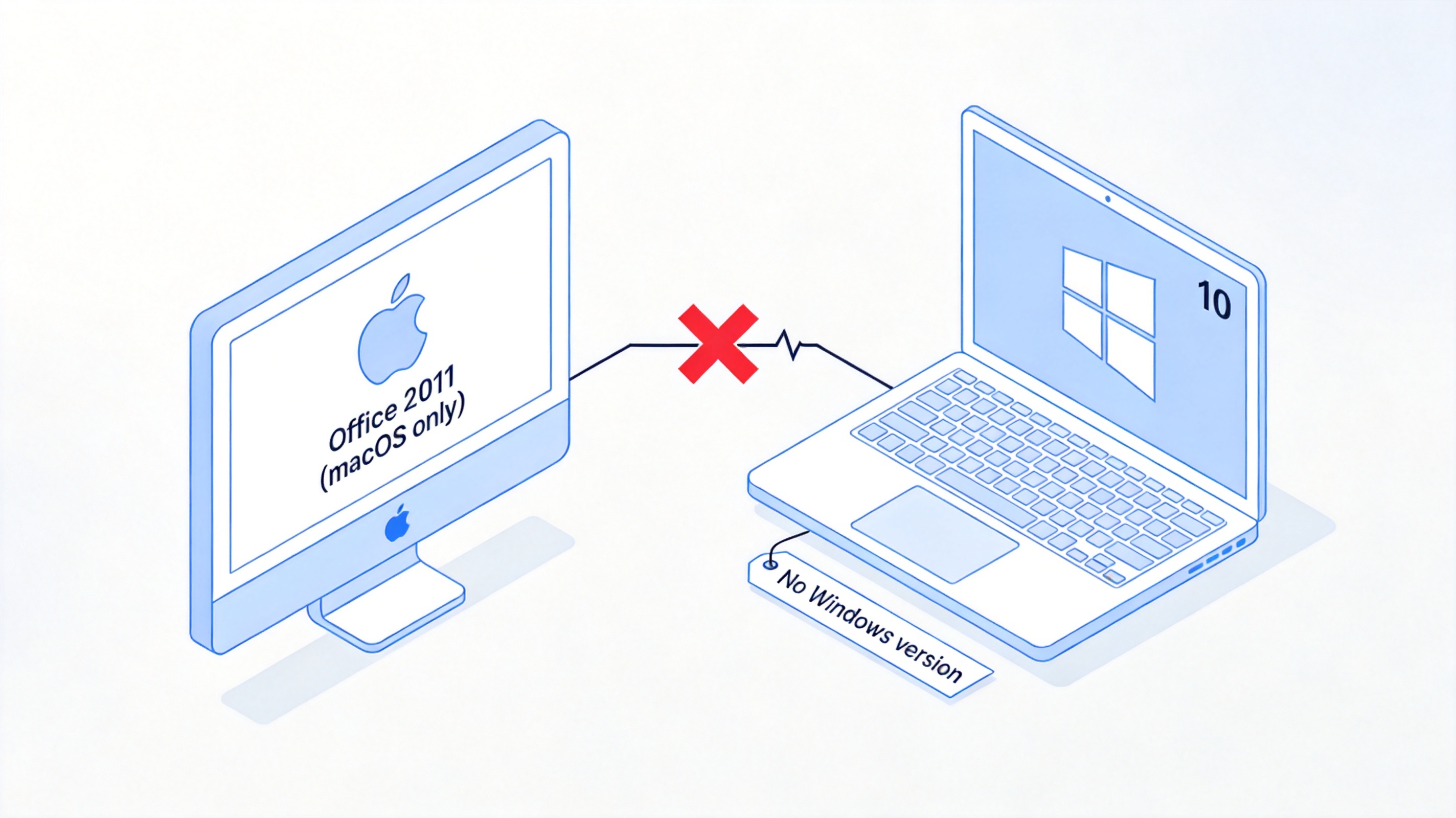
Office 2011 macOS only no Windows version


What Happens When You Download "Office 2011 for Windows 10"
Search results are still full of download sites promising a free full version of Office 2011 for Windows 10. Since the real installer does not exist for Windows, here is what those files usually turn out to be.
Malware and bundled software
Installer packages on third-party download sites are a common delivery channel for malicious code. A fake "Office 2011" setup file may carry adware that floods your browser with pop-ups, browser hijackers that change your homepage and search engine, or trojans that quietly harvest passwords and banking details. Because the file pretends to be a legitimate office suite, many users grant it the permissions it needs to do damage.
File compatibility problems
Even in the best case—where the installer is merely a very old copy of some other Office version—the software itself cannot keep up with modern documents. A suite designed around 2010 renders poorly on today's high-resolution Windows 10 displays, and it struggles with the .docx, .xlsx, and .pptx features that mainstream files now rely on. Fonts shift, layouts break, formulas fail, and saving can silently corrupt files you need to share.
Legal and security risks
Because Microsoft never sold Office 2011 for Windows, every "free activation code" and crack patch on those sites is unauthorized by definition. Using one is a copyright violation, and the tools themselves are another malware vector: cracked activation patches are one of the most reliable ways to install keyloggers and ransomware. You take on legal exposure and security exposure at the same time, for software that would not even run properly.
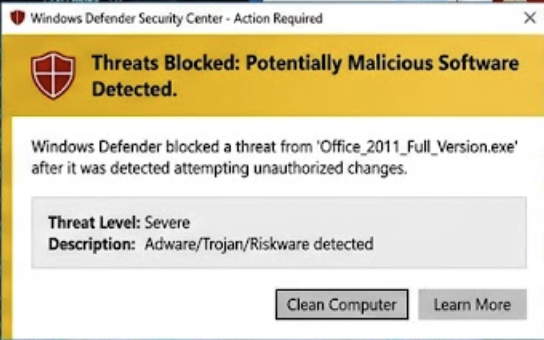
Download risks malware ads and piracy
The Safe Free Alternative to Microsoft Office 2011 Free Download for Windows 10: WPS Office
If the goal of the search was simply "a free office suite that handles Word, Excel, and PowerPoint files on Windows 10", then WPS Office is exactly that—without any of the risks above.
Full compatibility
WPS Office deeply supports .doc/.docx, .xls/.xlsx, .ppt/.pptx, and PDF files. Documents created in Microsoft Office open with formatting, formulas, and slide layouts intact, and files you create in WPS open cleanly for colleagues still using Microsoft Office.
Lightweight and fast
The suite is famously light on system resources. It installs in seconds, starts quickly even on older Windows 10 machines, and adapts well to different screen resolutions and modern Windows features on both Windows 10 and Windows 11.
All-in-one tools
Writer, Spreadsheets, Presentation, PDF reading and editing, and flowcharts all live in a single app. You do not need to install several separate programs or buy a separate PDF tool—everything opens from one window.
Cloud sync and templates
Free built-in cloud storage keeps files in sync across your PC, phone, and tablet, so you can start a document at your desk and finish it on your phone. A large library of free resume, report, and PPT templates also helps you produce polished documents much faster.
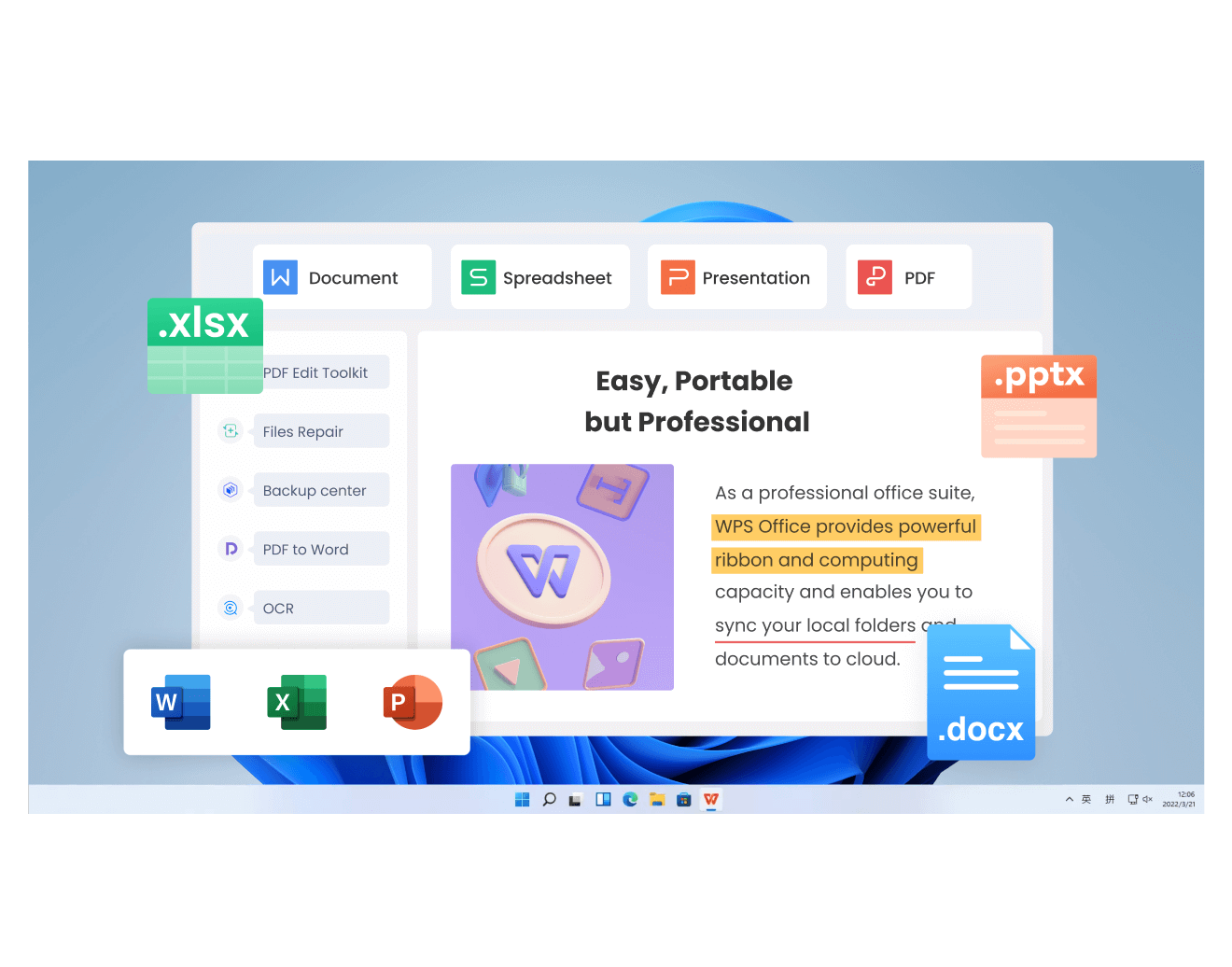
WPS Office vs Microsoft Office 2011: Quick Comparison
Here is a side-by-side look at how the two releases compare, so the difference is easy to see at a glance:
| Feature | Microsoft Office 2011 | WPS Office (Free and safer) |
|---|---|---|
| Supported system | macOS only (no Windows version) | Windows 10/11, macOS, Linux, Android, iOS |
| Support status | Ended October 10, 2017 (no security updates) | Actively updated |
| Price | Paid license; "free" copies are unofficial | Free to download and use |
| File compatibility | Struggles with modern .docx/.xlsx/.pptx | Opens and saves all mainstream formats and PDF |
| Safety | Third-party installers may bundle malware | Official download, no bundled adware |
| Extra features | Basic Word, Excel, PowerPoint | PDF toolkit, flowcharts, cloud sync, free templates |
For a Windows 10 user, the comparison is not close: one side is an unsupported Mac-only release, and the other is a maintained, free, cross-platform suite.
FAQs
Is there a Microsoft Office 2011 free download for Windows 10?
No. Office 2011 was released only for macOS, so there is no official Windows 10 version to download. Installers with that label come from unofficial sources and are unsafe.
Can I run Office 2011 on Windows 10 with an emulator?
Technically possible through fragile virtual machine setups, but it is slow, unstable, unsupported, and leaves you without security updates. A modern native suite such as WPS Office is far more practical.
What replaced Office 2011 for Mac users?
Microsoft recommends Microsoft 365 or a newer perpetual version such as Office 2021 for Mac. Mac users who want a free option can also use WPS Office for Mac.
Is WPS Office really free for Windows 10?
Yes. The core Writer, Spreadsheets, and Presentation apps are free to download and use, with optional premium features if you ever need them.
Will my Office documents lose formatting in WPS Office?
No. WPS Office is deeply compatible with .doc, .docx, .xls, .xlsx, .ppt, .pptx, and PDF files, so layouts, formulas, and slides are preserved.


'%3e%3cpath%20d='M19.9911%204.11386V6.471H18.5894C18.0775%206.471%2017.7322%206.57814%2017.5536%206.79243C17.3751%207.00671%2017.2858%207.32814%2017.2858%207.75671V9.44421H19.9019L19.5536%2012.0871H17.2858V18.8639H14.5536V12.0871H12.2769V9.44421H14.5536V7.49779C14.5536%206.39064%2014.8632%205.53201%2015.4822%204.92189C16.1013%204.31177%2016.9257%204.00671%2017.9554%204.00671C18.8304%204.00671%2019.509%204.04243%2019.9911%204.11386Z'%20fill='%23333333'/%3e%3c/g%3e%3cdefs%3e%3cclipPath%20id='clip0_2938_8199'%3e%3crect%20width='16'%20height='16'%20fill='white'%20transform='translate(8%204.00671)'/%3e%3c/clipPath%3e%3c/defs%3e%3c/svg%3e)
'%3e%3cpath%20d='M17.5237%2010.7813L23.4811%204H22.0699L16.8949%209.88693L12.7648%204H8L14.2469%2012.9029L8%2020.0133H9.4112L14.8725%2013.7952L19.2352%2020.0133H24M9.92053%205.04213H12.0885L22.0688%2019.0224H19.9003'%20fill='%23333333'/%3e%3c/g%3e%3cdefs%3e%3cclipPath%20id='clip0_2938_8200'%3e%3crect%20width='16'%20height='16.0134'%20fill='white'%20transform='translate(8%204)'/%3e%3c/clipPath%3e%3c/defs%3e%3c/svg%3e)


