A Microsoft Office 365 CD key can be useful when you bought a genuine retail card or received a new code from an authorized seller, but it is not a shortcut around a subscription. If the key has already been redeemed, is for the wrong product, or belongs to a work license, entering it repeatedly will not activate Microsoft 365.
This guide shows how to identify the right redemption path, attach an eligible key to the correct Microsoft account, and handle common errors without exposing your account or installing risky activators.
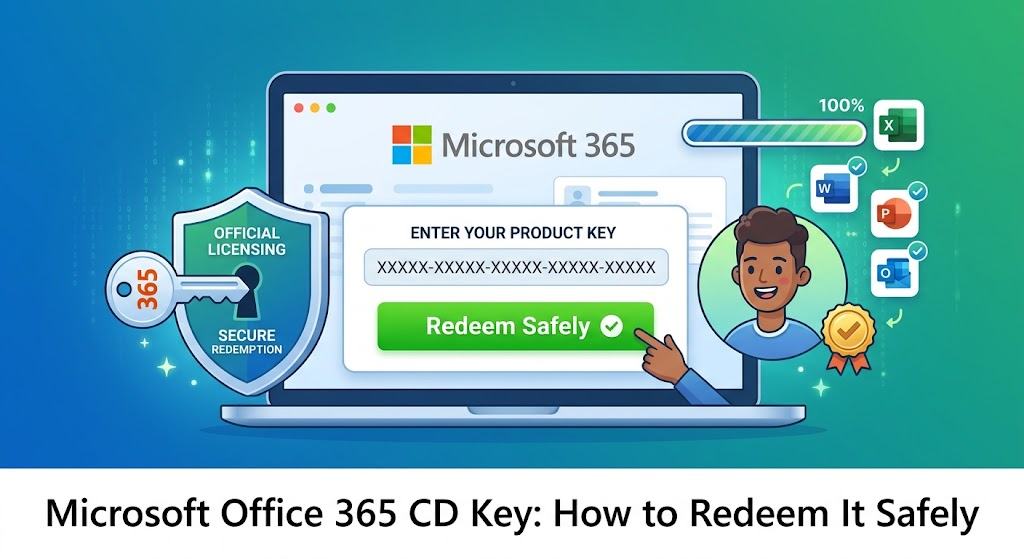
Microsoft Office 365 CD Key: How to Redeem It Safely
100% secure
How to Tell What a Microsoft Office 365 CD Key Applies To
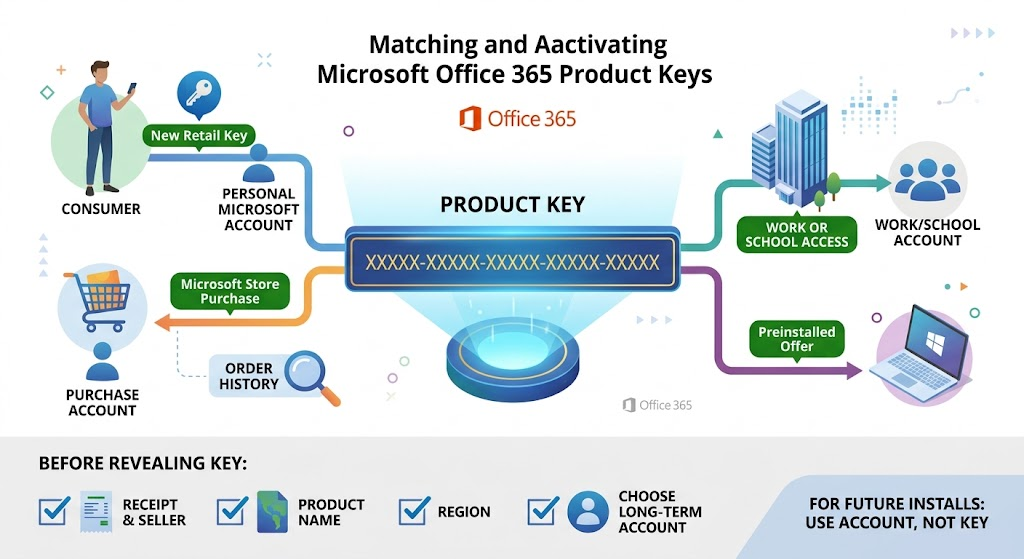
“CD key” is a common search term for a 25-character product key. A genuine key normally follows the pattern XXXXX-XXXXX-XXXXX-XXXXX-XXXXX, but the purchase channel matters as much as the characters. A consumer retail key, a Microsoft Store purchase, a workplace license, and a school entitlement do not all follow the same setup route.
New consumer retail key: Use the Microsoft account that should own the subscription. The key becomes associated with that account after redemption.
Microsoft Store purchase: Sign in with the account used to buy it. Microsoft says you may be able to view the key from Order History, then associate it with the same account.
Work or school access: Do not try to move an organization’s license into a personal account. Sign in with the work or school account, or ask the administrator for the organization’s activation instructions.
Preinstalled offer on a new PC: It may be a trial or a digital entitlement rather than a printed key. Start an Office app and follow the licensed account prompt.
Before revealing a key, check the receipt, seller, product name, region, and whether the account you plan to use is the account you want to keep long term. Microsoft recommends using the linked account—not the key—to install or activate after the first redemption.
Microsoft 365 key purchase channels
Use Word, Excel, and PPT for FREE
How to Redeem a Microsoft Office 365 CD Key
Redeem a new, unused consumer key only on Microsoft’s official setup page: microsoft365.com/setup. Do not paste a product key into a pop-up, a third-party “activation” tool, or a page reached from an unsolicited message.
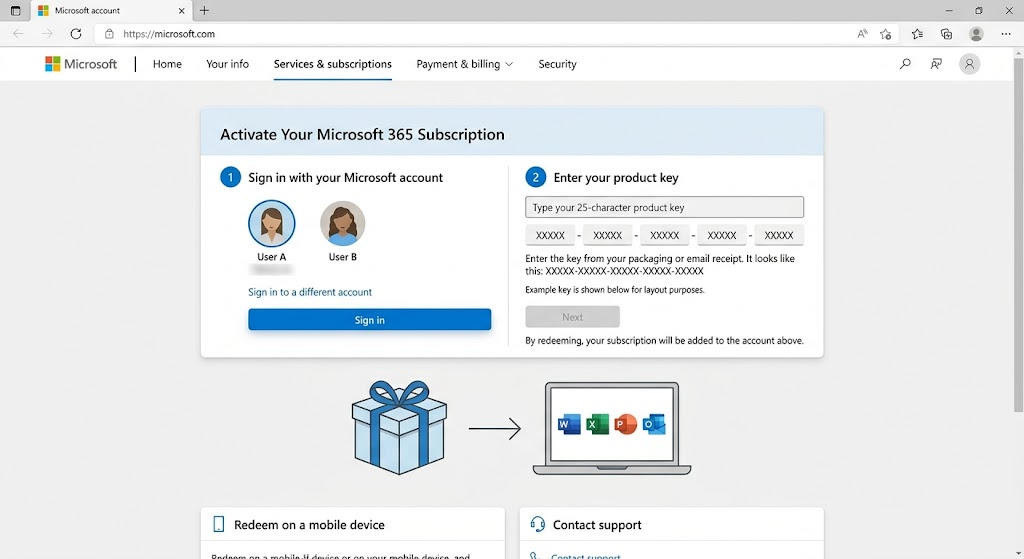
Open the official setup page. Type the address yourself or use Microsoft’s support link.
Sign in to your Microsoft account. If you are renewing, use the account already associated with the subscription. This is the account you will use later to install or reinstall the apps.
Enter the 25-character key. Follow the page prompts; Microsoft may ask for the key without hyphens.
Enter the 25-character key
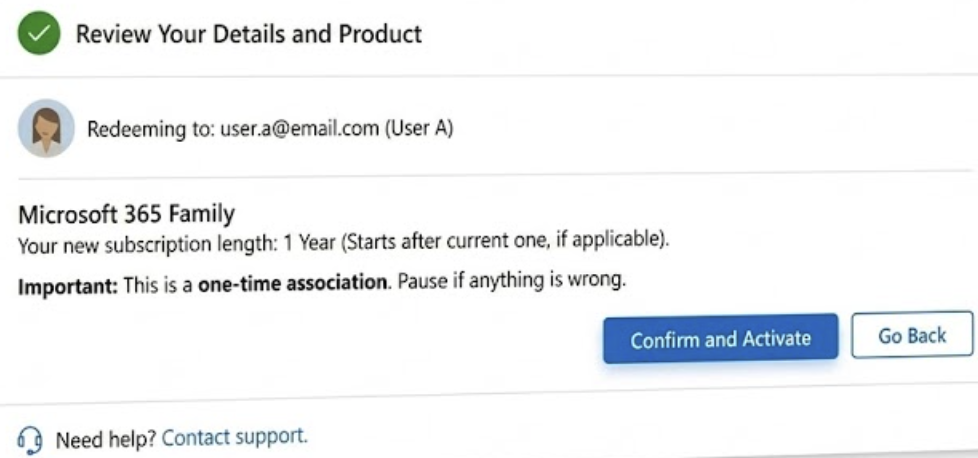
Confirm the product before you redeem. Check that the displayed product and account are correct. Redemption is typically a one-time association, so pause if either looks wrong.
Install from your account. After redemption, use the Services & subscriptions area of the linked Microsoft account to install and manage the subscription.
100% secure
Fix Microsoft Office 365 CD Key Errors Safely
Most key errors are about account history, edition, or purchase eligibility—not a hidden command you need to run. Keep the exact error message, your proof of purchase, and the email address that received the order before contacting the seller or Microsoft Support.
Error or situation
What it usually means
Safe next step
“This product key has already been used”
The key was redeemed already and is associated with an account.
Sign in to the associated account and check Services & subscriptions. Do not try to redeem it again.
Invalid or not found
The key may have been typed incorrectly, may not match the product, or may be unauthorized.
Recheck the original receipt and contact the seller. Avoid key generators and replacement codes from forums.
Region or country error
The key can be restricted to a purchase region or subscription country.
Review the retailer’s terms and Microsoft’s official key-error guidance before changing account settings.
Workplace key will not redeem personally
The license may be controlled by an employer or school.
Use the organization’s sign-in method or ask the administrator; do not share the key.
Microsoft warns that product keys sold separately from the software may be stolen, abused, or unauthorized and can later be blocked. A low price is not proof that a key is valid. Use an authorized source and request a refund from the seller if a legitimate purchase cannot be redeemed.
The Best Free Alternative: WPS Office
If you need to open, edit, and save familiar document, spreadsheet, or presentation files while you resolve a Microsoft account or subscription issue, WPS Office provides a separate, free starting point. It does not activate Microsoft 365 or validate a Microsoft Office 365 CD key; it is an alternative office suite for everyday file work.
WPS Office is designed to reduce workflow friction by keeping Writer, Spreadsheet, Presentation, and PDF tools in one lightweight suite. For important files, keep the original and test a saved copy before you share it—complex layouts, macros, fonts, and advanced features can behave differently across office suites.
Workflow need
Microsoft 365 path
WPS Office advantage
Quick access
Requires a valid subscription and the correct linked account.
Start with a free download for core document, spreadsheet, and presentation work.
Everyday editing
Use the licensed desktop or web apps after account setup.
Open common DOCX, XLSX, and PPTX files in one suite.
All-in-one tasks
Use the licensed apps and any included subscription services.
Combine office editing with PDF tools and optional AI features in the same product family.
Export and reuse
Follow the format options available in the installed Microsoft app.
Save a copy in the format your recipient needs, then reopen it to verify layout.
Cost and access
Subscription access depends on the plan and account entitlement.
Free core editing provides an accessible option while you decide what paid features you need.
Key advantages to consider:
Keep common office files moving without sharing a private product key.
Use one suite for documents, spreadsheets, presentations, and PDF-related tasks.
Start with free core features, then evaluate optional premium tools only if they fit your workflow.
Download WPS Office from the official WPS website rather than from software mirrors or key sellers.
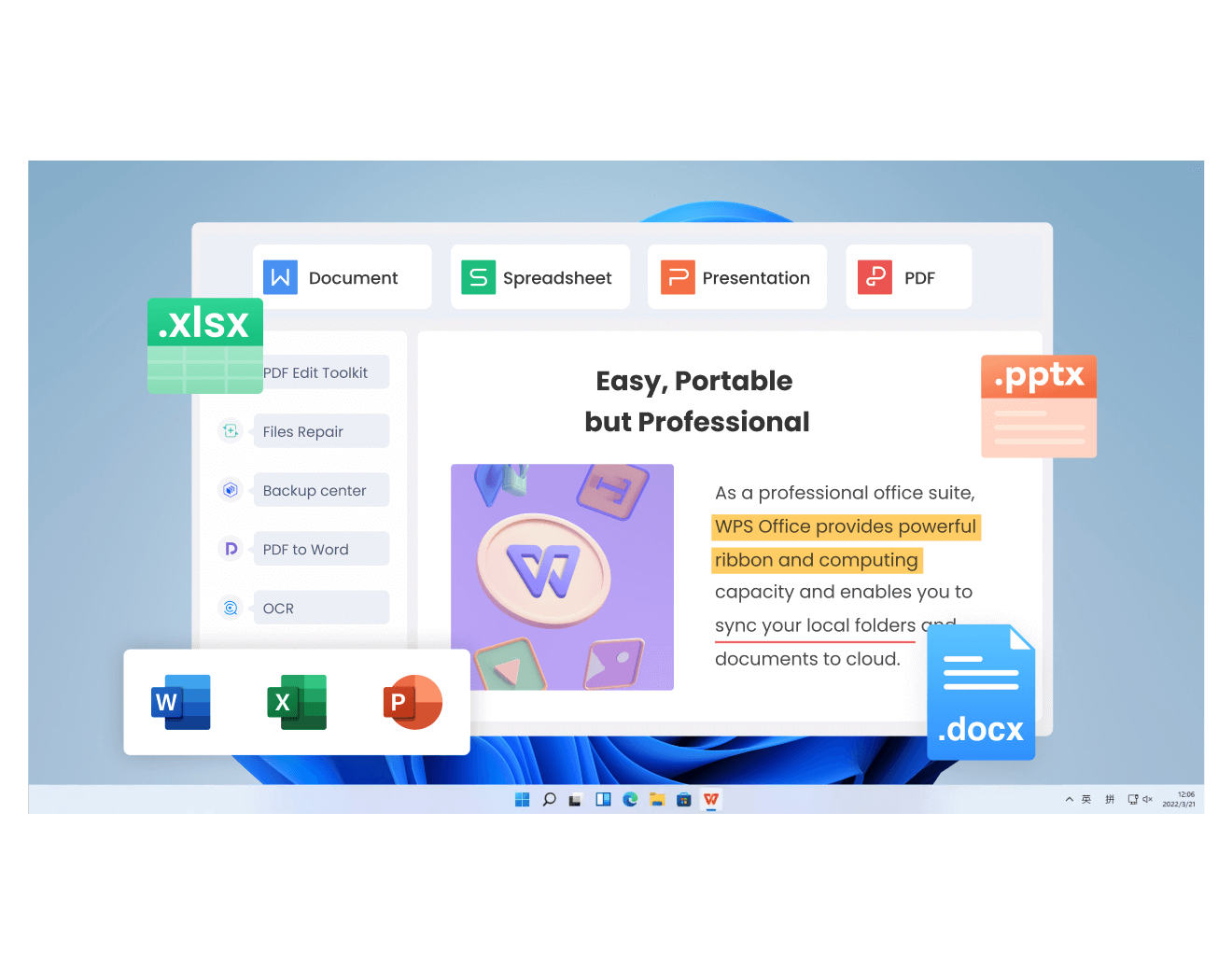
WPS Office component overview screen
100% secure
FAQs
Is a Microsoft Office 365 CD key the same as a product key?
People often use “CD key” to mean an Office product key. For a consumer retail purchase, Microsoft describes the key as 25 characters in five groups. The correct redemption route still depends on the product and purchase channel.
Where should I redeem a new Microsoft 365 key?
Use Microsoft’s official setup page, microsoft365.com/setup, and sign in with the Microsoft account that should own the subscription.
Why does Microsoft say my product key has already been used?
It generally means the key has already been redeemed. Sign in to the Microsoft account associated with the purchase and check Services & subscriptions instead of entering the key again.
Can I use a work or school product key in my personal account?
Usually no. Organization-managed licenses use the employer or school’s licensing and sign-in process. Contact the administrator for the correct activation path.
Can WPS Office activate Microsoft 365?
No. WPS Office is a separate office suite. It can help with everyday work in common document formats, but it cannot activate a Microsoft license or verify a product key.
Free Office Download
Keep working with documents, spreadsheets, presentations, and PDFs in one office suite.
100% secure
Algirdas Jasaitis
Summary
A Microsoft Office 365 CD key should come from a legitimate purchase and be redeemed only through Microsoft’s official setup flow. Match the key to the right Microsoft account, confirm the product before redeeming, and use the linked account for installation afterward.
If the key is used, invalid, region-limited, or issued through work or school, preserve the receipt and follow the seller, Microsoft Support, or administrator route. Never use key generators or unofficial activators. WPS Office remains a separate option for everyday document work while you resolve a Microsoft licensing issue.
15 years of office industry experience, tech lover and copywriter. Follow me for product reviews, comparisons, and recommendations for new apps and software.


'%3e%3cpath%20d='M8%200C12.4183%200%2016%203.58172%2016%208C16%2012.4183%2012.4183%2016%208%2016C3.58172%2016%200%2012.4183%200%208C0%203.58172%203.58172%200%208%200ZM11.6162%204.38379C11.2257%203.99337%2010.5927%203.99338%2010.2021%204.38379L8%206.58594L5.79785%204.38379C5.40732%203.99334%204.77429%203.99329%204.38379%204.38379C3.99331%204.77429%203.99335%205.40733%204.38379%205.79785L6.58594%208L4.38379%2010.2021C3.99348%2010.5927%203.99341%2011.2257%204.38379%2011.6162C4.77426%2012.0066%205.40734%2012.0065%205.79785%2011.6162L8%209.41406L10.2021%2011.6162C10.5927%2012.0066%2011.2257%2012.0067%2011.6162%2011.6162C12.0067%2011.2257%2012.0066%2010.5927%2011.6162%2010.2021L9.41406%208L11.6162%205.79785C12.0066%205.40735%2012.0066%204.77429%2011.6162%204.38379Z'%20fill='%23080E17'%20fill-opacity='0.46'/%3e%3c/g%3e%3cdefs%3e%3cclipPath%20id='clip0_3761_713'%3e%3crect%20width='16'%20height='16'%20fill='white'/%3e%3c/clipPath%3e%3c/defs%3e%3c/svg%3e)




'%3e%3cpath%20fill-rule='evenodd'%20clip-rule='evenodd'%20d='M21.4999%2010.9993C21.4999%205.20009%2016.7986%200.498901%2010.9993%200.498901C5.19994%200.498901%200.498657%205.20009%200.498657%2010.9993C0.498657%2016.2404%204.33858%2020.5844%209.35855%2021.3722V14.0346H6.69238V10.9993H9.35855V8.68594C9.35855%206.05427%2010.9262%204.60062%2013.3248%204.60062C14.4736%204.60062%2015.6753%204.80571%2015.6753%204.80571V7.38979H14.3512C13.0468%207.38979%2012.64%208.19921%2012.64%209.0296V10.9993H15.5523L15.0867%2014.0346H12.64V21.3722C17.66%2020.5844%2021.4999%2016.2404%2021.4999%2010.9993Z'%20fill='%231568EA'/%3e%3c/g%3e%3c/svg%3e)


'%3e%3cpath%20d='M2.42045%2022.1876H6.31818V12.7217L0.75%208.54553V20.5171C0.75%2021.4414%201.49892%2022.1876%202.42045%2022.1876Z'%20fill='%234285F4'/%3e%3cpath%20d='M19.682%2022.1876H23.5797C24.5041%2022.1876%2025.2502%2021.4387%2025.2502%2020.5171V8.54553L19.682%2012.7217'%20fill='%2334A853'/%3e%3cpath%20d='M19.682%205.48293V12.7216L25.2502%208.54543V6.31816C25.2502%204.25236%2022.8921%203.07469%2021.2411%204.31361'%20fill='%23FBBC04'/%3e%3cpath%20d='M6.31824%2012.7217V5.48303L13.0001%2010.4944L19.6819%205.48303V12.7217L13.0001%2017.733'%20fill='%23EA4335'/%3e%3cpath%20d='M0.75%206.31816V8.54543L6.31818%2012.7216V5.48293L4.75909%204.31361C3.10534%203.07469%200.75%204.25236%200.75%206.31816Z'%20fill='%23C5221F'/%3e%3c/g%3e%3cdefs%3e%3cclipPath%20id='clip0_2954_7305'%3e%3crect%20width='24.5'%20height='18.375'%20fill='white'%20transform='translate(0.75%203.8125)'/%3e%3c/clipPath%3e%3c/defs%3e%3c/svg%3e)






'%3e%3cpath%20d='M19.9911%204.11386V6.471H18.5894C18.0775%206.471%2017.7322%206.57814%2017.5536%206.79243C17.3751%207.00671%2017.2858%207.32814%2017.2858%207.75671V9.44421H19.9019L19.5536%2012.0871H17.2858V18.8639H14.5536V12.0871H12.2769V9.44421H14.5536V7.49779C14.5536%206.39064%2014.8632%205.53201%2015.4822%204.92189C16.1013%204.31177%2016.9257%204.00671%2017.9554%204.00671C18.8304%204.00671%2019.509%204.04243%2019.9911%204.11386Z'%20fill='%23333333'/%3e%3c/g%3e%3cdefs%3e%3cclipPath%20id='clip0_2938_8199'%3e%3crect%20width='16'%20height='16'%20fill='white'%20transform='translate(8%204.00671)'/%3e%3c/clipPath%3e%3c/defs%3e%3c/svg%3e)
'%3e%3cpath%20d='M17.5237%2010.7813L23.4811%204H22.0699L16.8949%209.88693L12.7648%204H8L14.2469%2012.9029L8%2020.0133H9.4112L14.8725%2013.7952L19.2352%2020.0133H24M9.92053%205.04213H12.0885L22.0688%2019.0224H19.9003'%20fill='%23333333'/%3e%3c/g%3e%3cdefs%3e%3cclipPath%20id='clip0_2938_8200'%3e%3crect%20width='16'%20height='16.0134'%20fill='white'%20transform='translate(8%204)'/%3e%3c/clipPath%3e%3c/defs%3e%3c/svg%3e)


