

'%3e%3cpath%20d='M8%200C12.4183%200%2016%203.58172%2016%208C16%2012.4183%2012.4183%2016%208%2016C3.58172%2016%200%2012.4183%200%208C0%203.58172%203.58172%200%208%200ZM11.6162%204.38379C11.2257%203.99337%2010.5927%203.99338%2010.2021%204.38379L8%206.58594L5.79785%204.38379C5.40732%203.99334%204.77429%203.99329%204.38379%204.38379C3.99331%204.77429%203.99335%205.40733%204.38379%205.79785L6.58594%208L4.38379%2010.2021C3.99348%2010.5927%203.99341%2011.2257%204.38379%2011.6162C4.77426%2012.0066%205.40734%2012.0065%205.79785%2011.6162L8%209.41406L10.2021%2011.6162C10.5927%2012.0066%2011.2257%2012.0067%2011.6162%2011.6162C12.0067%2011.2257%2012.0066%2010.5927%2011.6162%2010.2021L9.41406%208L11.6162%205.79785C12.0066%205.40735%2012.0066%204.77429%2011.6162%204.38379Z'%20fill='%23080E17'%20fill-opacity='0.46'/%3e%3c/g%3e%3cdefs%3e%3cclipPath%20id='clip0_3761_713'%3e%3crect%20width='16'%20height='16'%20fill='white'/%3e%3c/clipPath%3e%3c/defs%3e%3c/svg%3e)




'%3e%3cpath%20fill-rule='evenodd'%20clip-rule='evenodd'%20d='M21.4999%2010.9993C21.4999%205.20009%2016.7986%200.498901%2010.9993%200.498901C5.19994%200.498901%200.498657%205.20009%200.498657%2010.9993C0.498657%2016.2404%204.33858%2020.5844%209.35855%2021.3722V14.0346H6.69238V10.9993H9.35855V8.68594C9.35855%206.05427%2010.9262%204.60062%2013.3248%204.60062C14.4736%204.60062%2015.6753%204.80571%2015.6753%204.80571V7.38979H14.3512C13.0468%207.38979%2012.64%208.19921%2012.64%209.0296V10.9993H15.5523L15.0867%2014.0346H12.64V21.3722C17.66%2020.5844%2021.4999%2016.2404%2021.4999%2010.9993Z'%20fill='%231568EA'/%3e%3c/g%3e%3c/svg%3e)


'%3e%3cpath%20d='M2.42045%2022.1876H6.31818V12.7217L0.75%208.54553V20.5171C0.75%2021.4414%201.49892%2022.1876%202.42045%2022.1876Z'%20fill='%234285F4'/%3e%3cpath%20d='M19.682%2022.1876H23.5797C24.5041%2022.1876%2025.2502%2021.4387%2025.2502%2020.5171V8.54553L19.682%2012.7217'%20fill='%2334A853'/%3e%3cpath%20d='M19.682%205.48293V12.7216L25.2502%208.54543V6.31816C25.2502%204.25236%2022.8921%203.07469%2021.2411%204.31361'%20fill='%23FBBC04'/%3e%3cpath%20d='M6.31824%2012.7217V5.48303L13.0001%2010.4944L19.6819%205.48303V12.7217L13.0001%2017.733'%20fill='%23EA4335'/%3e%3cpath%20d='M0.75%206.31816V8.54543L6.31818%2012.7216V5.48293L4.75909%204.31361C3.10534%203.07469%200.75%204.25236%200.75%206.31816Z'%20fill='%23C5221F'/%3e%3c/g%3e%3cdefs%3e%3cclipPath%20id='clip0_2954_7305'%3e%3crect%20width='24.5'%20height='18.375'%20fill='white'%20transform='translate(0.75%203.8125)'/%3e%3c/clipPath%3e%3c/defs%3e%3c/svg%3e)


The sed command in Linux is a stream editor: it reads text line by line, applies editing commands, and writes the result to standard output (or back to a file with -i). On Ubuntu, sed is the GNU version from the essential sed package. Official docs describe it as a one-pass filter for pipelines and scripted edits—especially useful for find-and-replace, deleting lines, and small config tweaks without opening a full editor.
Check your version:
sed --version
man sed
Official reference: Ubuntu man page sed(1). If you already know your goal, jump to: substitute, in-place edit, variables, delimiters, or delete/insert. For finding lines only, see grep; for columns, see awk.
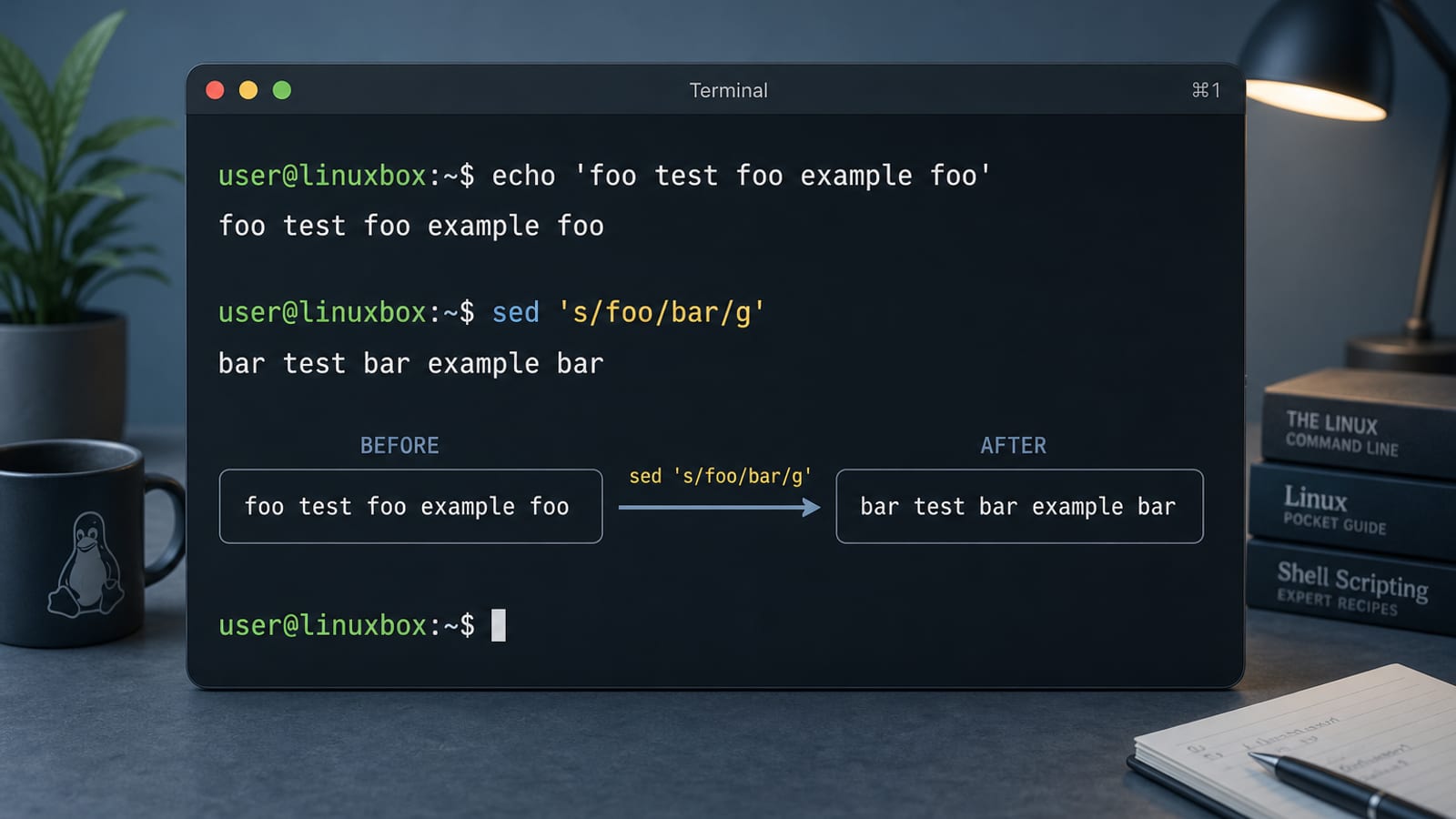
For a broader Ubuntu terminal quick reference, see the Linux commands cheat sheet.
Basic Syntax
sed [options] 'script' [file...]If you omit a file, sed reads stdin (great in pipes). With no -e/-f, the first non-option argument is the script.
Most people start with substitute (s):
sed 's/old/new/' file.txtThat replaces the first match of old on each line. Output goes to the terminal; the original file is unchanged unless you use -i.
Substitute: s/// Flags You Actually Use
# First match per line
sed 's/foo/bar/' notes.txt

# All matches on each line
sed 's/foo/bar/g' notes.txt

# Case-insensitive (GNU sed)
sed 's/foo/bar/gi' notes.txt

# Print only lines where a substitution happened (with -n)
sed -n 's/foo/bar/p' notes.txt
In the replacement:
&means “the whole match”\1…\9are capture groups (use\(...\)in basic regex, or(...)with-E)
echo 'error 42' | sed 's/[0-9]\+/(&)/'
# error (42)
Edit a File in Place (-i)
GNU sed can rewrite files with -i. Ask Ubuntu answers often stress: preview without -i first, then edit.
# Preview
sed 's/# autologin=dgod/autologin=ubuntu/' /path/to/file

# Write the file (GNU sed)
sed -i 's/# autologin=dgod/autologin=ubuntu/' /path/to/file

# Safer: keep a backup
sed -i.bak 's/foo/bar/g' config.conf
# creates config.conf.bak
From the Ubuntu man page: -i[SUFFIX] edits in place and makes a backup if SUFFIX is supplied.
Pick a Delimiter When Paths Have /
You are not stuck with /. Sed treats the first character after s as the separator. On Ask Ubuntu, people often use # or | for URLs and paths so you do not escape every slash:
# Painful
sed 's/https:\/\/example.com\/old/https:\/\/example.com\/new/' file

# Clearer
sed 's|https://example.com/old|https://example.com/new|' file
sed 's#/usr/local#/opt#' paths.txt
Same idea: /bin/sed -e 's#abc#zzz#g' — the # is just a delimiter, not a special “mode.”
Use Shell Variables in Sed (Classic Ask Ubuntu Gotcha)
Single quotes stop the shell from expanding $var. Use double quotes (or mix quotes):
var1=QQ
# Wrong: looks for literal $var1
sed -i 's/$var1/ZZ/g' "$file"

# Right
sed -i "s/$var1/ZZ/g" "$file"
If the variable may contain /, change the delimiter:
sed -i "s|$var|replacement|g" file_nameWhen the pattern has many shell metacharacters, Ask Ubuntu’s accepted pattern is: single-quote the fixed parts, double-quote the variable:
sed -i 's,'"$pattern"',Say hurrah to &: \0/,' "$file"Addresses: Act on One Line or a Range
Commands can take an address (line number, $ for last line, or /regex/):
# Only line 3
sed '3s/foo/bar/' file.txt

# Lines 10 through 20
sed '10,20s/foo/bar/g' file.txt

# Lines matching a pattern
sed '/^#/d' file.txt          # delete comment lines
sed -n '/ERROR/p' app.log     # print matching lines only (-n suppresses default print)
Replace a known config line (Ask Ubuntu-style):
sed -i 's/# autologin=dgod/autologin=ubuntu/' /path/to/fileDelete, Insert, Append
# Delete lines matching a pattern
sed '/^DEBUG/d' app.log

# Delete line 1
sed '1d' file.txt

# Insert text before a matching line (GNU: \n for newlines)
sed -i '/the specific line/i #this\n##is my\ntext' foo

# Or with trailing backslashes on each inserted line
sed -i '/the specific line/i\
#this\
##is my\
text' file
a appends after the address; i inserts before it. For large blocks or command output, Ask Ubuntu also suggests r (read a file) or switching to awk when the job is awkward in sed.
Extended Regular Expressions (-E / -r)
By default, sed uses basic regular expressions (BRE). For extended regex (ERE), use -E (preferred for portability) or -r:
sed -E 's/(foo|bar)/X/g' file.txtNote: GNU sed is not a full PCRE engine. Ask Ubuntu threads about “sed with PCRE like grep -P” usually end with: use perl -pe or grep -P when you need Perl-style regex.
Sed in Pipelines
dmesg | sed -n '/error/Ip'
cat report.txt | sed 's/\r$//'          # strip CR from Windows line endings
printf 'a\nb\nc\n' | sed 's/^/> /'      # prefix each line
Combine with earlier tools: grep to find, sed to rewrite, awk when you need fields and logic.
Common Mistakes
| Mistake | Fix |
|---|---|
| Expecting the file to change | Add -i only after previewing stdout |
$var not expanding | Use "s/$var/.../" not single quotes alone |
Broken paths with / | Use s|...|...| or s#...#...# |
| Only first match replaced | Add the g flag |
| Thinking sed matches “strings” only | Patterns are always regex—escape . * [ ] etc. when you mean literals |
| Need PCRE | Prefer perl -pe or another tool |
Backup tip: sed -i.bak '...' file before mass edits on configs.
When to Use Sed
Reach for sed when you need stream find-and-replace, delete/insert lines, or simple transforms. Use grep to find or filter lines, and awk when the job is about fields, sums, or small reports. A common pipeline is grep → sed → redirect.
Quick Cheat Sheet
sed 's/a/b/' f              # first a→b per line
sed 's/a/b/g' f             # all a→b per line
sed -i 's/a/b/g' f          # edit file in place
sed -i.bak 's/a/b/g' f      # in place + backup
sed -n '/pat/p' f           # print matching lines
sed '/pat/d' f              # delete matching lines
sed '3d' f                  # delete line 3
sed -E 's/(x|y)/z/g' f      # extended regex
sed "s|$old|$new|g" f       # variables + safe delimiter
From Stream Edits to Shareable Documents
sed is ideal for fast stream edits and config changes. After the transform is finished, you may still need to document what changed or send a readable summary to someone outside the shell.
WPS Office for Linux makes that handoff easier with Writer for change notes, Spreadsheet for replacement lists, and PDF export for a fixed review copy.
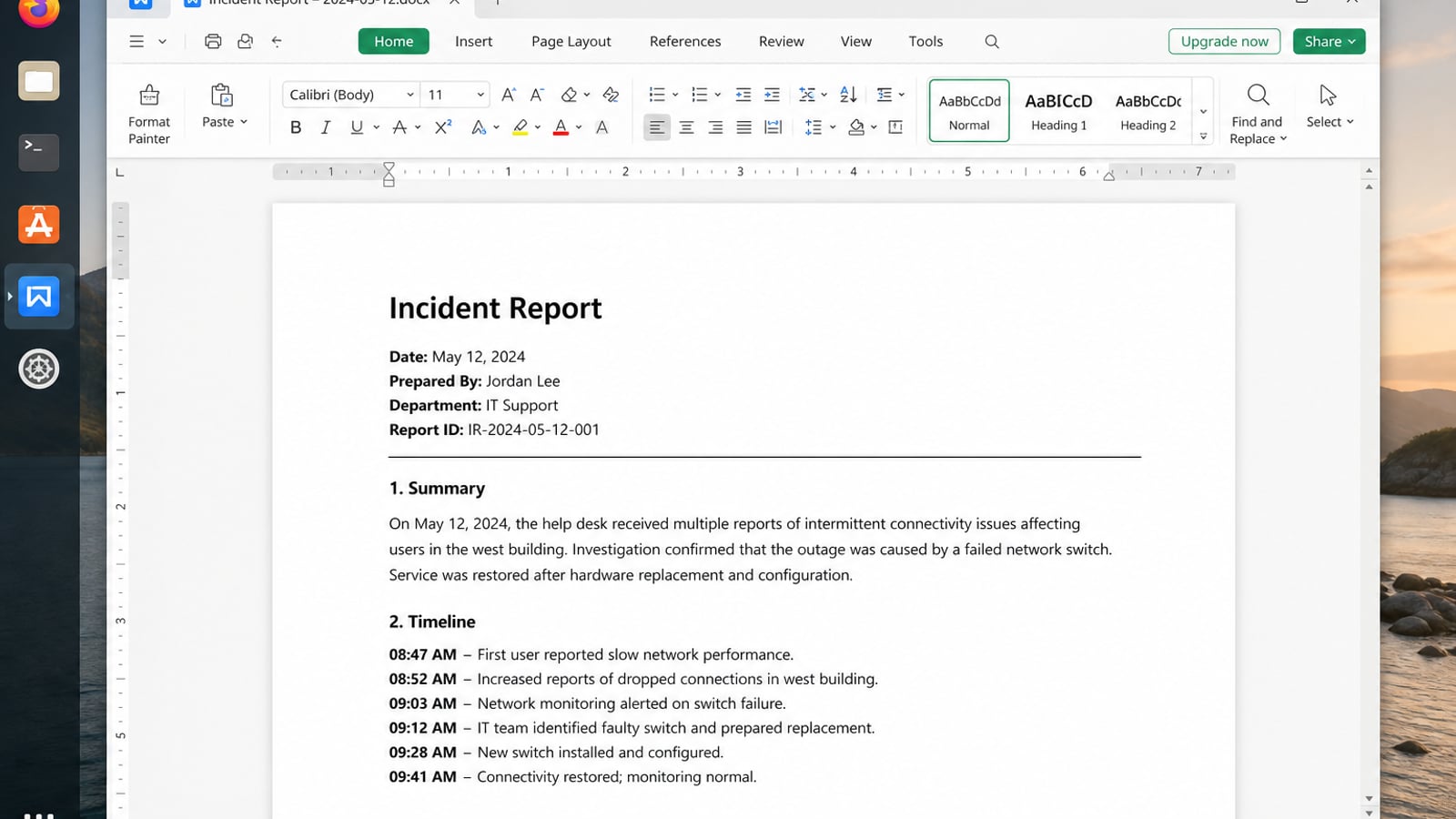
| What you need next | What WPS gives you |
|---|---|
| Document text transformations after terminal edits | Strong .docx / .xlsx / .pptx layout fidelity when files move between Linux, Windows, and macOS |
| One place for notes, sheets, slides, and PDFs | Free core suite: Writer, Spreadsheet, Presentation, plus PDF view/edit/convert tools |
| A familiar desktop UI for switchers | Ribbon-style apps with a lighter footprint than many heavy suites |
| A trusted install path | Official DEB (Ubuntu/Debian/Mint) and RPM packages from the vendor |
Get the current package from the official WPS Office for Linux download page, install it locally with sudo apt install ./wps-office_VERSION_amd64.deb, then move the final results from stdout into a DOCX or PDF when the audience is no longer just the terminal.
FAQ
Does sed modify the file by default?
No. It prints to stdout. Use -i (optionally with a backup suffix) to rewrite the file.
How do I replace only on a specific line?
Address it: sed '12s/old/new/' file or match content: sed '/pattern/s/old/new/' file.
Why didn’t my variable work in sed?
Single quotes pass $name literally. Use double quotes or concatenate quoted pieces so the shell expands the variable.
Can sed do multiline replace easily?
Simple cases work with N, hold space, or GNU extensions; for heavy multiline or JSON/XML, prefer a dedicated tool or a short script.
Where is the official documentation?
Run man sed or see the Ubuntu sed(1) man page.

'%3e%3cpath%20d='M19.9911%204.11386V6.471H18.5894C18.0775%206.471%2017.7322%206.57814%2017.5536%206.79243C17.3751%207.00671%2017.2858%207.32814%2017.2858%207.75671V9.44421H19.9019L19.5536%2012.0871H17.2858V18.8639H14.5536V12.0871H12.2769V9.44421H14.5536V7.49779C14.5536%206.39064%2014.8632%205.53201%2015.4822%204.92189C16.1013%204.31177%2016.9257%204.00671%2017.9554%204.00671C18.8304%204.00671%2019.509%204.04243%2019.9911%204.11386Z'%20fill='%23333333'/%3e%3c/g%3e%3cdefs%3e%3cclipPath%20id='clip0_2938_8199'%3e%3crect%20width='16'%20height='16'%20fill='white'%20transform='translate(8%204.00671)'/%3e%3c/clipPath%3e%3c/defs%3e%3c/svg%3e)
'%3e%3cpath%20d='M17.5237%2010.7813L23.4811%204H22.0699L16.8949%209.88693L12.7648%204H8L14.2469%2012.9029L8%2020.0133H9.4112L14.8725%2013.7952L19.2352%2020.0133H24M9.92053%205.04213H12.0885L22.0688%2019.0224H19.9003'%20fill='%23333333'/%3e%3c/g%3e%3cdefs%3e%3cclipPath%20id='clip0_2938_8200'%3e%3crect%20width='16'%20height='16.0134'%20fill='white'%20transform='translate(8%204)'/%3e%3c/clipPath%3e%3c/defs%3e%3c/svg%3e)


