

'%3e%3cpath%20d='M8%200C12.4183%200%2016%203.58172%2016%208C16%2012.4183%2012.4183%2016%208%2016C3.58172%2016%200%2012.4183%200%208C0%203.58172%203.58172%200%208%200ZM11.6162%204.38379C11.2257%203.99337%2010.5927%203.99338%2010.2021%204.38379L8%206.58594L5.79785%204.38379C5.40732%203.99334%204.77429%203.99329%204.38379%204.38379C3.99331%204.77429%203.99335%205.40733%204.38379%205.79785L6.58594%208L4.38379%2010.2021C3.99348%2010.5927%203.99341%2011.2257%204.38379%2011.6162C4.77426%2012.0066%205.40734%2012.0065%205.79785%2011.6162L8%209.41406L10.2021%2011.6162C10.5927%2012.0066%2011.2257%2012.0067%2011.6162%2011.6162C12.0067%2011.2257%2012.0066%2010.5927%2011.6162%2010.2021L9.41406%208L11.6162%205.79785C12.0066%205.40735%2012.0066%204.77429%2011.6162%204.38379Z'%20fill='%23080E17'%20fill-opacity='0.46'/%3e%3c/g%3e%3cdefs%3e%3cclipPath%20id='clip0_3761_713'%3e%3crect%20width='16'%20height='16'%20fill='white'/%3e%3c/clipPath%3e%3c/defs%3e%3c/svg%3e)




'%3e%3cpath%20fill-rule='evenodd'%20clip-rule='evenodd'%20d='M21.4999%2010.9993C21.4999%205.20009%2016.7986%200.498901%2010.9993%200.498901C5.19994%200.498901%200.498657%205.20009%200.498657%2010.9993C0.498657%2016.2404%204.33858%2020.5844%209.35855%2021.3722V14.0346H6.69238V10.9993H9.35855V8.68594C9.35855%206.05427%2010.9262%204.60062%2013.3248%204.60062C14.4736%204.60062%2015.6753%204.80571%2015.6753%204.80571V7.38979H14.3512C13.0468%207.38979%2012.64%208.19921%2012.64%209.0296V10.9993H15.5523L15.0867%2014.0346H12.64V21.3722C17.66%2020.5844%2021.4999%2016.2404%2021.4999%2010.9993Z'%20fill='%231568EA'/%3e%3c/g%3e%3c/svg%3e)


'%3e%3cpath%20d='M2.42045%2022.1876H6.31818V12.7217L0.75%208.54553V20.5171C0.75%2021.4414%201.49892%2022.1876%202.42045%2022.1876Z'%20fill='%234285F4'/%3e%3cpath%20d='M19.682%2022.1876H23.5797C24.5041%2022.1876%2025.2502%2021.4387%2025.2502%2020.5171V8.54553L19.682%2012.7217'%20fill='%2334A853'/%3e%3cpath%20d='M19.682%205.48293V12.7216L25.2502%208.54543V6.31816C25.2502%204.25236%2022.8921%203.07469%2021.2411%204.31361'%20fill='%23FBBC04'/%3e%3cpath%20d='M6.31824%2012.7217V5.48303L13.0001%2010.4944L19.6819%205.48303V12.7217L13.0001%2017.733'%20fill='%23EA4335'/%3e%3cpath%20d='M0.75%206.31816V8.54543L6.31818%2012.7216V5.48293L4.75909%204.31361C3.10534%203.07469%200.75%204.25236%200.75%206.31816Z'%20fill='%23C5221F'/%3e%3c/g%3e%3cdefs%3e%3cclipPath%20id='clip0_2954_7305'%3e%3crect%20width='24.5'%20height='18.375'%20fill='white'%20transform='translate(0.75%203.8125)'/%3e%3c/clipPath%3e%3c/defs%3e%3c/svg%3e)


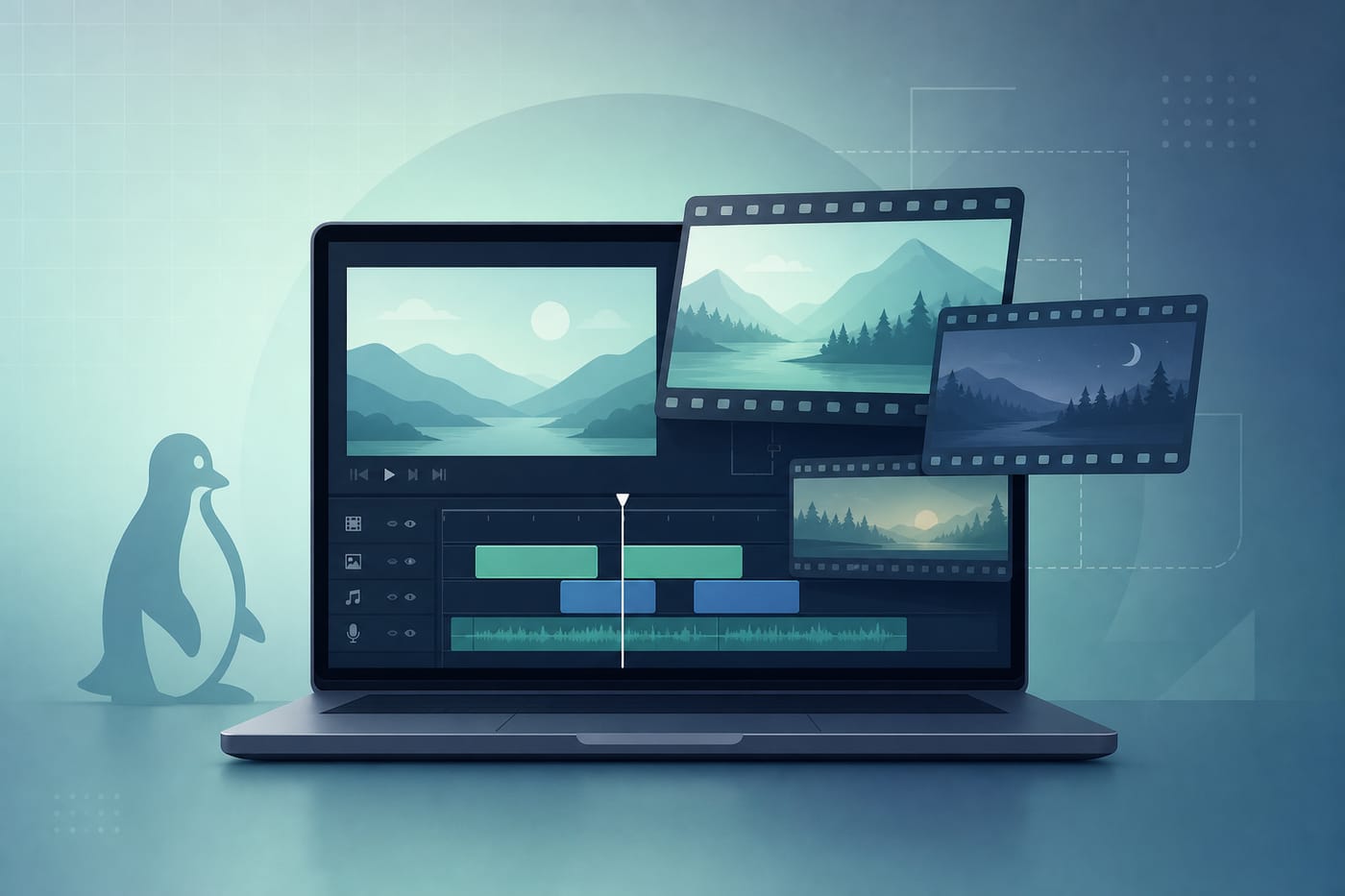
A Linux video editor is a desktop app that cuts clips, adds titles and audio, and exports a finished file for YouTube, courses, or local playback. For most people on Ubuntu or other desktops, start with Kdenlive: it is free, open source, multi-track, and strong enough for YouTube and short films without a paid license.
That default changes with your goal. Absolute beginner? Try OpenShot. Want flexible format handling and direct editing from disk? Use Shotcut. Need Hollywood-style color and Fusion/Fairlight in one suite—and you have a real GPU? Consider DaVinci Resolve. Success means stable timeline playback, a clean export, and no surprise codec or GPU dead ends.
If you already know your case, jump to: beginner cuts, multi-track NLE, Resolve GPU issues, or official Kdenlive install channels.
For a broader must-have software list on Ubuntu, see best Linux apps.
Quick Pick: Best Linux Video Editor by Job
| Your situation | Best pick | Why |
|---|---|---|
| Most users / YouTube / multi-track NLE | Kdenlive | Feature-rich, free, actively maintained |
| Beginner, simple cuts and titles | OpenShot | Drag-and-drop learning curve |
| Broad formats, edit without a heavy import step | Shotcut | Flexible, cross-platform, active releases |
| Pro color / all-in-one post, strong GPU | DaVinci Resolve | Industry-grade; hardware and distro limits apply |
| Light GNOME-native editing | Pitivi | GStreamer-based, simpler scope |
| VFX / 3D / compositing plus edit | Blender (Video Sequence Editor) | Best when 3D/compositing is the real job |
Ask Ubuntu’s long-running “professional editor like Vegas” and “multi-format Ubuntu editor” threads keep converging on the same open-source shortlist—especially Kdenlive and OpenShot—while Resolve shows up when people want a free pro suite and then hit GPU/driver walls.
What Matters When Choosing a Linux Video Editor
Score tools on:
Skill level — first edit vs multi-track timeline with effects
Hardware — CPU cores, RAM, and whether you have a discrete GPU
Codecs and sources — phone MP4, screen recordings, camera footage, proxy workflows for 4K
Install channel — distro package vs Flatpak/AppImage vs vendor installer
License — fully open source vs free proprietary (Resolve Free vs Studio)
Do not chase “most professional” branding if your laptop cannot feed the timeline.
1) Kdenlive — Best Overall Linux Video Editor
Best for: most Linux users who want a real non-linear editor without paying for Premiere.
Kdenlive (KDE Non-Linear Video Editor) runs on Linux, Windows, macOS, and BSD. It supports multi-track editing, effects/transitions, titles, and proxy workflows for heavier footage. Official docs state it works on non-KDE desktops too.
Strengths
Strong free NLE feature set for YouTube and short projects
Proxy editing helps HD/4K on modest machines
Active releases and documentation
Watch-outs
Distro
aptpackages can lag upstreamTimeline freezes/crashes appear in older community reports—update first, then check proxy/cache settings
As of recent Kdenlive policy, AppImage and Flatpak are the Linux packages the project maintains; the old PPA path is no longer the supported channel
Recommended install (official)
Flatpak (Flathub) or AppImage from the Kdenlive download page.
Example Flatpak flow after Flatpak + Flathub are set up:
flatpak install flathub org.kde.kdenlive
flatpak run org.kde.kdenlive
AppImage: download the file, mark it executable, then run it. Prefer the exact filename you downloaded.
Ubuntu repository package still exists for convenience:
sudo apt update
sudo apt install kdenlive
Use apt when you want distro integration and accept older versions; use Flatpak/AppImage when you want the current upstream build the project supports.
2) Shotcut — Best Flexible Cross-Platform Editor
Best for: editors who want broad format support and a practical cross-platform tool.
Shotcut is a free GPL editor known for editing many formats and working without a rigid “must import everything first” workflow. It is a solid second choice when Kdenlive’s packaging or UI is not a fit.
Install from the official Shotcut site (AppImage/portable Linux builds) or your distro’s current package/Snap channel if you trust that source. Stick to one channel so updates stay predictable.
3) OpenShot — Best Beginner Linux Video Editor
Best for: first projects, school videos, simple joins/cuts/titles.
OpenShot is repeatedly recommended on Ask Ubuntu for approachable multi-format editing. It is open source and cross-platform.
Watch-outs
Heavier projects and very large files can stress CPU and cause choppy previews (common across lighter editors)
Launch/uninstall confusion happens when Snap, apt, and leftover packages mix—remove with the same channel you used to install (for apt:
sudo apt remove --autoremove openshot-qtwhen that package name is what you installed)
sudo apt update
sudo apt install openshot-qt
4) DaVinci Resolve — Best Pro Suite If Your Hardware Qualifies
Best for: color-heavy work and an all-in-one edit/color/Fusion/Fairlight toolkit.
DaVinci Resolve is free (with a paid Studio tier). It is not open source. On Linux it is powerful—and picky.
Critical limits (validate against Blackmagic’s current Linux notes before you commit)
Discrete GPU matters; NVIDIA with proprietary drivers is the path most Ubuntu users report as workable
Nouveau is not a substitute for proprietary NVIDIA drivers in community failure reports
Official support historically centers on specific RPM-based enterprise distros; Ubuntu installs often need extra dependencies and community packaging helpers—treat those as community procedures, not “official Ubuntu support”
Free Linux builds can have codec/export constraints; convert camera media when the free tier blocks a format
If Resolve will not start (Aborted (core dumped), immediate quit), check GPU/driver first—not random PPAs.
Download only from Blackmagic Design. Do not use stale third-party mirrors as your default.
5) Pitivi and Blender — Narrow but Useful
Pitivi — lightweight GNOME-oriented editor on GStreamer. Good for simpler cuts when you want a GTK-native feel:
sudo apt install pitivi
Blender — unmatched if your “video edit” is really VFX, motion tracking, or 3D plus a sequence editor. Overkill as a first YouTube cutter; excellent when compositing is the point.
Decision Flow: Choose in Two Minutes
Do you need Resolve-level color/Fusion and have a supported discrete GPU + drivers?
Yes → DaVinci Resolve (read Linux GPU/distro requirements first).
No → continue.Is this your first editor?
Yes → OpenShot (or Pitivi on GNOME).
No → continue.Do you want the best general free NLE on Linux?
Yes → Kdenlive (Flatpak or AppImage preferred for current builds).Need maximum format flexibility / cross-platform habit?
Shotcut.
Install and First Project Checklist
Confirm 64-bit Linux and enough RAM (rough guide from Kdenlive docs: more RAM/CPU for HD/4K).
Install one editor from an official channel.
Copy media to fast local storage (SSD when possible).
Create a new project; set frame rate to match your main footage.
For 4K or weak CPUs, enable proxy clips if the editor offers them.
Export a short test (30–60 seconds) before a long overnight render.
Keep project files and media folders backed up; editors are not backup tools.
Common Linux Video Editor Problems
Editor freezes or preview stutters
Lower timeline resolution, enable proxies, close browsers, and avoid editing huge files from slow USB drives.
DaVinci Resolve installs but will not launch
Usually GPU/driver/distro mismatch. Confirm proprietary NVIDIA (or currently supported AMD path), then revisit Blackmagic’s Linux package requirements. Do not assume every Ubuntu box is supported out of the box.
Wrong package leftovers (OpenShot/Kdenlive)
Uninstall with the same tool you used (apt, Snap, Flatpak). Mixing channels leaves “ghost” apps and broken launchers.
AppImage will not run
Make the file executable and ensure FUSE/compatibility libraries required by your Ubuntu release are present—follow the editor’s current Linux install notes.
Old PPA advice for Kdenlive
Skip obsolete PPA tutorials. Prefer Flatpak or AppImage per current Kdenlive documentation.
After the Edit: Scripts, Shot Lists, and Delivery Files
Video work rarely ends at the timeline. You still need scripts, approval notes, shot lists, sponsor copy, or an export checklist that teammates can open without a Linux editor installed.
WPS Office for Linux covers that post-edit workflow with Writer for scripts, Spreadsheet for delivery trackers, Presentation for pitch decks, and PDF export for locked review copies.
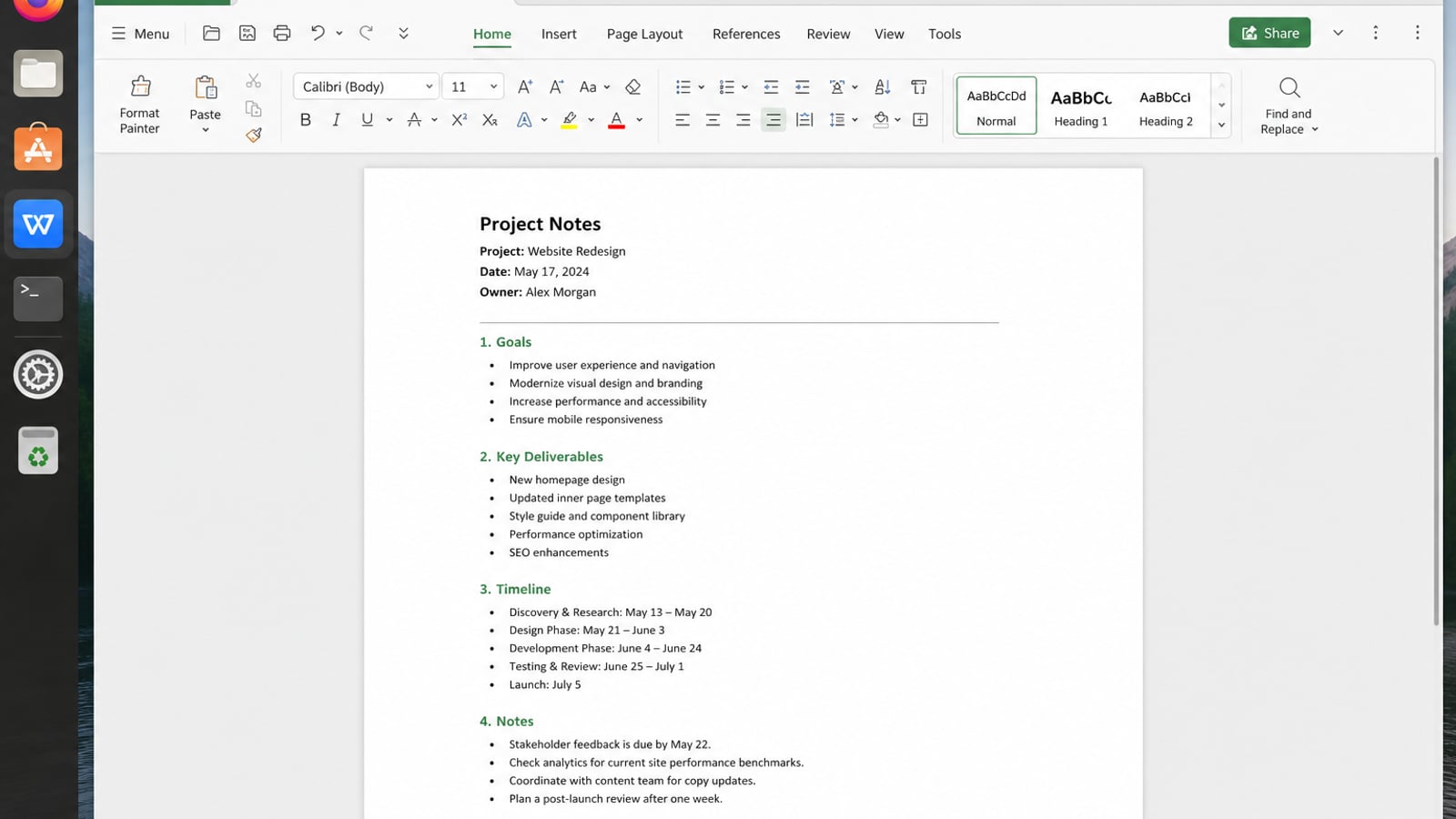
| What you need next | What WPS gives you |
|---|---|
| Keep production notes and delivery docs organized | Strong .docx / .xlsx / .pptx layout fidelity when files move between Linux, Windows, and macOS |
| One place for notes, sheets, slides, and PDFs | Free core suite: Writer, Spreadsheet, Presentation, plus PDF view/edit/convert tools |
| A familiar desktop UI for switchers | Ribbon-style apps with a lighter footprint than many heavy suites |
| A trusted install path | Official DEB (Ubuntu/Debian/Mint) and RPM packages from the vendor |
Get the current 64-bit package from the official WPS Office for Linux download page, install it with sudo apt install ./wps-office_VERSION_amd64.deb, then keep your scripts and export trackers beside Kdenlive, Shotcut, or Resolve in formats collaborators already know.
FAQ
What is the best Linux video editor overall?
Kdenlive for most users. Choose OpenShot for simplicity, Shotcut for flexible formats, Resolve only if your GPU and distro path are solid.
Is DaVinci Resolve free on Linux?
There is a free Resolve download. Studio is paid. Linux support and codecs still depend on hardware and Blackmagic’s current free-tier rules.
Should I install Kdenlive from apt?
You can for convenience. For the newest builds the project supports on Linux, prefer Flatpak or AppImage.
Can I edit 4K on Linux?
Yes on capable hardware. Use proxy editing in Kdenlive (or similar) so the timeline stays responsive.
Is OpenShot good enough for YouTube?
Yes for straightforward talking-head and cut videos. Move to Kdenlive when you need deeper multi-track control.
Do I need a GPU for every Linux video editor?
No for Kdenlive/OpenShot/Shotcut basic work (CPU-bound). Resolve on Linux effectively expects a suitable discrete GPU and correct drivers.

'%3e%3cpath%20d='M19.9911%204.11386V6.471H18.5894C18.0775%206.471%2017.7322%206.57814%2017.5536%206.79243C17.3751%207.00671%2017.2858%207.32814%2017.2858%207.75671V9.44421H19.9019L19.5536%2012.0871H17.2858V18.8639H14.5536V12.0871H12.2769V9.44421H14.5536V7.49779C14.5536%206.39064%2014.8632%205.53201%2015.4822%204.92189C16.1013%204.31177%2016.9257%204.00671%2017.9554%204.00671C18.8304%204.00671%2019.509%204.04243%2019.9911%204.11386Z'%20fill='%23333333'/%3e%3c/g%3e%3cdefs%3e%3cclipPath%20id='clip0_2938_8199'%3e%3crect%20width='16'%20height='16'%20fill='white'%20transform='translate(8%204.00671)'/%3e%3c/clipPath%3e%3c/defs%3e%3c/svg%3e)
'%3e%3cpath%20d='M17.5237%2010.7813L23.4811%204H22.0699L16.8949%209.88693L12.7648%204H8L14.2469%2012.9029L8%2020.0133H9.4112L14.8725%2013.7952L19.2352%2020.0133H24M9.92053%205.04213H12.0885L22.0688%2019.0224H19.9003'%20fill='%23333333'/%3e%3c/g%3e%3cdefs%3e%3cclipPath%20id='clip0_2938_8200'%3e%3crect%20width='16'%20height='16.0134'%20fill='white'%20transform='translate(8%204)'/%3e%3c/clipPath%3e%3c/defs%3e%3c/svg%3e)


