

'%3e%3cpath%20d='M8%200C12.4183%200%2016%203.58172%2016%208C16%2012.4183%2012.4183%2016%208%2016C3.58172%2016%200%2012.4183%200%208C0%203.58172%203.58172%200%208%200ZM11.6162%204.38379C11.2257%203.99337%2010.5927%203.99338%2010.2021%204.38379L8%206.58594L5.79785%204.38379C5.40732%203.99334%204.77429%203.99329%204.38379%204.38379C3.99331%204.77429%203.99335%205.40733%204.38379%205.79785L6.58594%208L4.38379%2010.2021C3.99348%2010.5927%203.99341%2011.2257%204.38379%2011.6162C4.77426%2012.0066%205.40734%2012.0065%205.79785%2011.6162L8%209.41406L10.2021%2011.6162C10.5927%2012.0066%2011.2257%2012.0067%2011.6162%2011.6162C12.0067%2011.2257%2012.0066%2010.5927%2011.6162%2010.2021L9.41406%208L11.6162%205.79785C12.0066%205.40735%2012.0066%204.77429%2011.6162%204.38379Z'%20fill='%23080E17'%20fill-opacity='0.46'/%3e%3c/g%3e%3cdefs%3e%3cclipPath%20id='clip0_3761_713'%3e%3crect%20width='16'%20height='16'%20fill='white'/%3e%3c/clipPath%3e%3c/defs%3e%3c/svg%3e)




'%3e%3cpath%20fill-rule='evenodd'%20clip-rule='evenodd'%20d='M21.4999%2010.9993C21.4999%205.20009%2016.7986%200.498901%2010.9993%200.498901C5.19994%200.498901%200.498657%205.20009%200.498657%2010.9993C0.498657%2016.2404%204.33858%2020.5844%209.35855%2021.3722V14.0346H6.69238V10.9993H9.35855V8.68594C9.35855%206.05427%2010.9262%204.60062%2013.3248%204.60062C14.4736%204.60062%2015.6753%204.80571%2015.6753%204.80571V7.38979H14.3512C13.0468%207.38979%2012.64%208.19921%2012.64%209.0296V10.9993H15.5523L15.0867%2014.0346H12.64V21.3722C17.66%2020.5844%2021.4999%2016.2404%2021.4999%2010.9993Z'%20fill='%231568EA'/%3e%3c/g%3e%3c/svg%3e)


'%3e%3cpath%20d='M2.42045%2022.1876H6.31818V12.7217L0.75%208.54553V20.5171C0.75%2021.4414%201.49892%2022.1876%202.42045%2022.1876Z'%20fill='%234285F4'/%3e%3cpath%20d='M19.682%2022.1876H23.5797C24.5041%2022.1876%2025.2502%2021.4387%2025.2502%2020.5171V8.54553L19.682%2012.7217'%20fill='%2334A853'/%3e%3cpath%20d='M19.682%205.48293V12.7216L25.2502%208.54543V6.31816C25.2502%204.25236%2022.8921%203.07469%2021.2411%204.31361'%20fill='%23FBBC04'/%3e%3cpath%20d='M6.31824%2012.7217V5.48303L13.0001%2010.4944L19.6819%205.48303V12.7217L13.0001%2017.733'%20fill='%23EA4335'/%3e%3cpath%20d='M0.75%206.31816V8.54543L6.31818%2012.7216V5.48293L4.75909%204.31361C3.10534%203.07469%200.75%204.25236%200.75%206.31816Z'%20fill='%23C5221F'/%3e%3c/g%3e%3cdefs%3e%3cclipPath%20id='clip0_2954_7305'%3e%3crect%20width='24.5'%20height='18.375'%20fill='white'%20transform='translate(0.75%203.8125)'/%3e%3c/clipPath%3e%3c/defs%3e%3c/svg%3e)


A fall themes template helps capture the true essence of the fall season for any project you want, adding warmth and charm to your content. However, many creators struggle to find innovative templates to use, being stuck with generic options. So, are there any reliable free fall themes templates? In this guide, I’ll be highlighting 10 of the best fall themes examples and walk you through the customization process step by step.


Top 10 Fall Themes Templates [Free Download]
Using seasonal templates can be a great way to make your content more exciting, whether you’re working on a presentation for a client or just trying to grow as a content creator. I’ve used many fall themes templates for my own content and have narrowed them down to 10 of the most reliable options that have helped me save a lot of time. In this section, I’ll be highlighting each one and helping you decide the right option for your own needs.
1. Autumn Party Printables
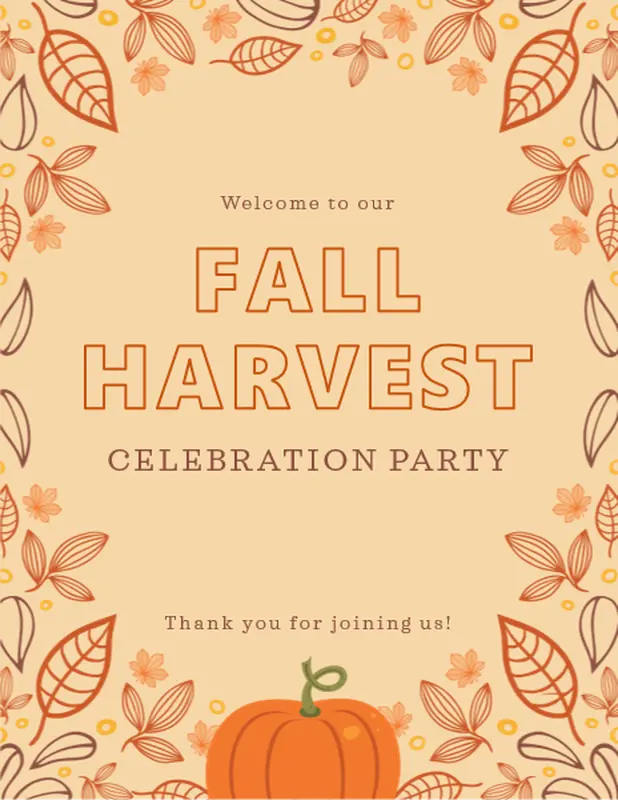
The Autumn Party Printables are the perfect choice for those looking to figure out how to create a fall themes file, serving as the perfect welcome for fall. It features a warm and welcoming beige and orange color scheme with a decorative border of dried leaves and small flowers top everything off beautifully.
2. Illustrated Autumn Background Slides
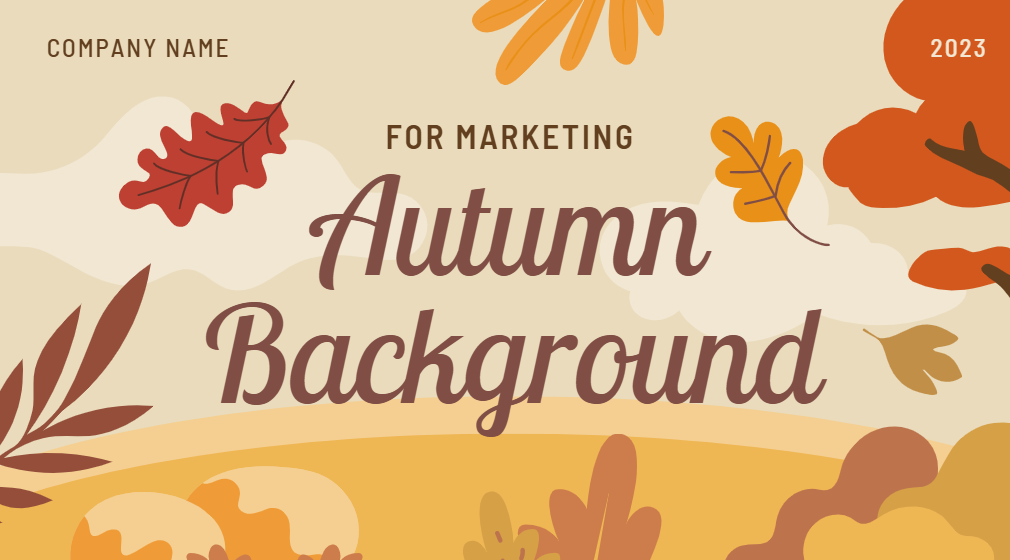
If you’re looking for a professionally designed template that also provides a visually appealing design, the Illustrated Autumn Background Slides are an excellent option. It features a rich and earthy color scheme of gold and orange that’s decorated by beautiful illustrations of trees and falling autumn leaves, perfectly capturing the cozy feeling of the season.
3. Fall Poetry Teatime Background Slides
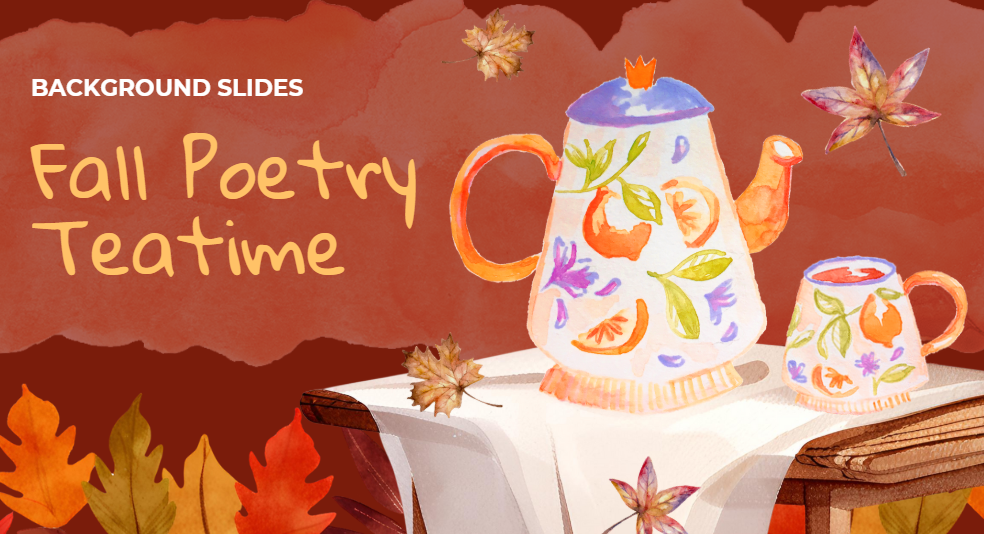
The Fall Poetry Teatime Background Slides are perfect for those looking to capture the warm and cozy essence of the fall season with engaging visual presentations. It features a red-orange color scheme with a visually appealing illustration of a tea set placed on a table that sets the mood for the coming of fall.
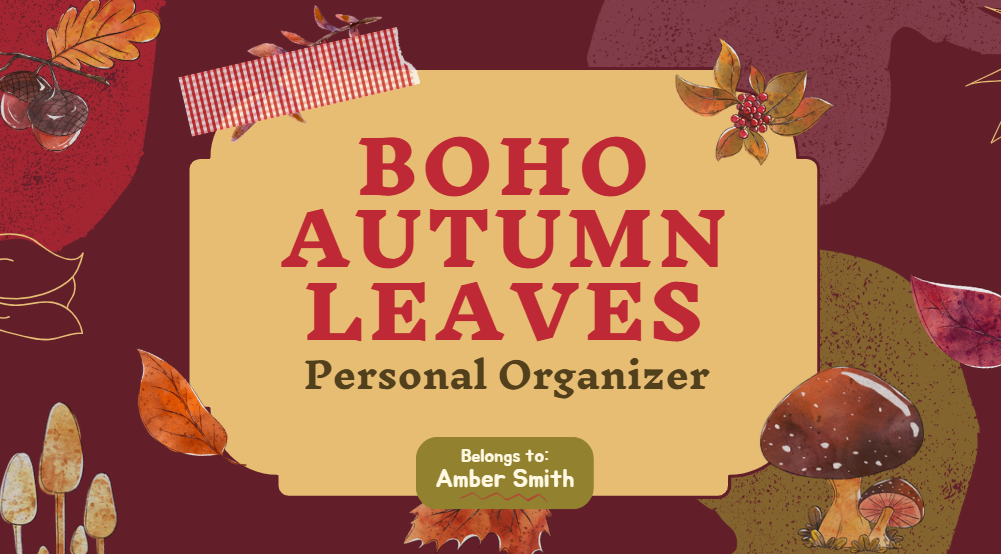
4. Boho Autumn Leaves Personal Organizer Slides
For those looking for a creative template that also stands out from others at the same time, the Boho Autumn Leaves Personal Organizer Slides are the perfect choice. It uses a dark red background decorated by different mushrooms and scattered autumn leaves to give your presentations an artistic and cozy feel.
5. Pumpkin Autumn Background Slides
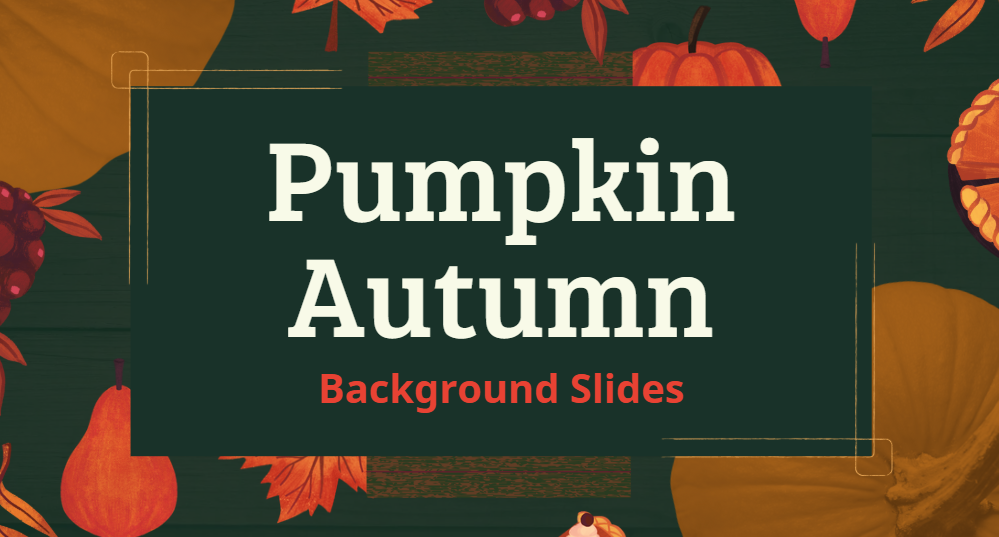
If you want to create elegant presentations that feature the autumn harvest theme of the fall season, the Pumpkin Autumn Background Slides would be the right option for your template. It combines a rich green color for the centre while being decorated by subtle illustrations of pumpkins and autumn leaves to ensure a polished result.
6. Autumn Leaves Slides
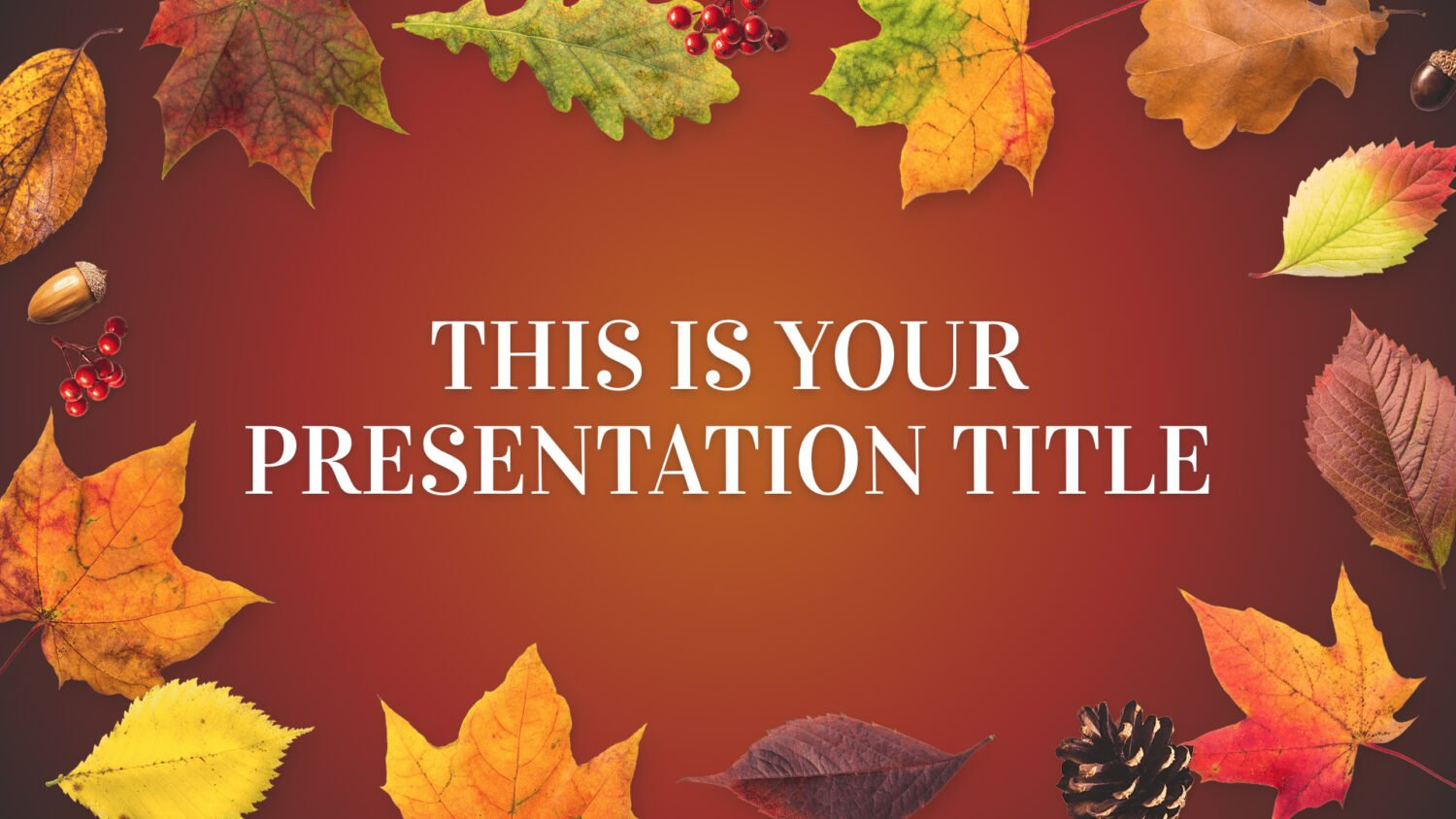
If you aren’t looking for anything too complicated or extravagant, then going for a classic seasonal presentation template like the Autumn Leaves Slides would be the right fit for you. It features a plain yet attractive layout of colorful autumn leaves, berries, and acorns to provide a rich and welcoming background for your content.
7. Mid-Autumn Moon Festival Slides
The Mid-Autumn Moon Festival Slides template is designed for harvest festivals in mind, making it the perfect option for those looking to feature a deep cultural aesthetic in their presentations. It features a beautiful dark blue background with an elegant illustration of paper lanterns, along with rabbits and mooncakes to enhance it further.

8. Happy Fall
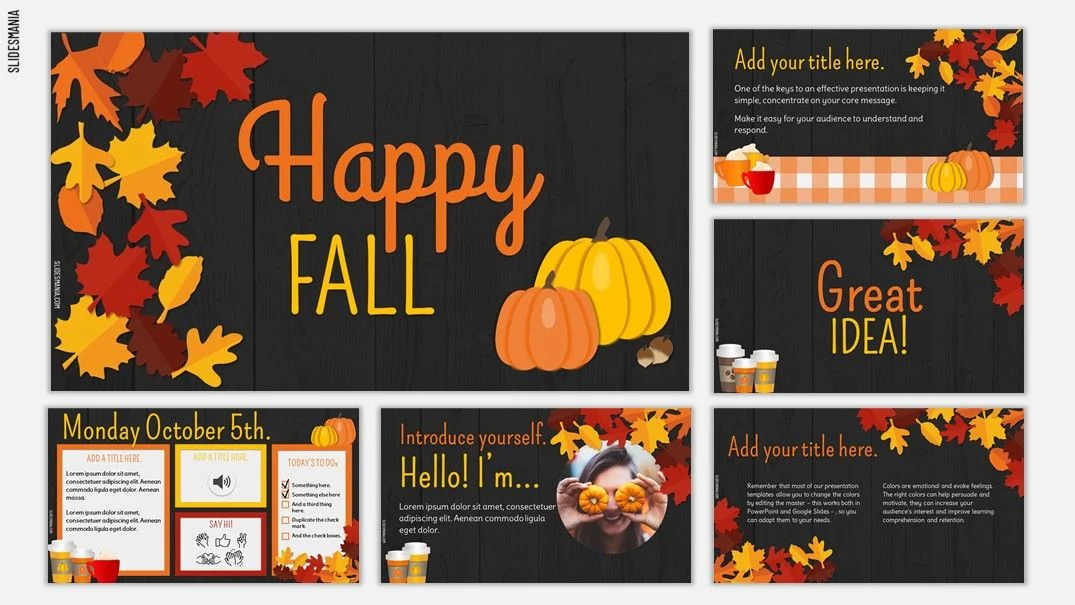
If you’re looking for a joyful and universal template that can be used for many different celebratory fall-themed occasions, the Happy Fall presentation template won’t disappoint you. It includes various layouts that feature a black and orange color scheme to match the aesthetic of the fall season in an attractive yet elegant way, making it the perfect addition for your presentations.
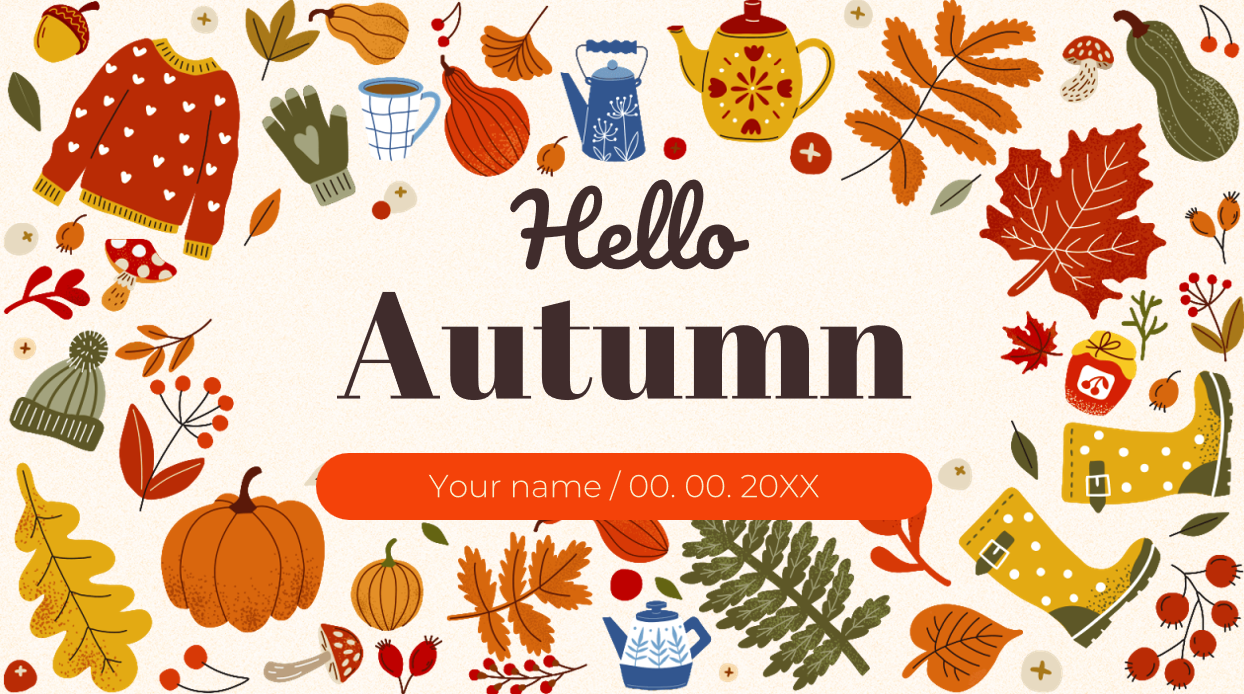
9. Hello Autumn
The Hello Autumn template is one of the prettiest presentation templates I’ve ever come across, making it an ideal choice for anyone looking to add a whimsical and cozy fall theme to their presentations. The central text is decorated by a collection of illustrations of autumn icons, including sweaters, gloves, pumpkins, colorful leaves, and teapots for a warm and cozy aesthetic.
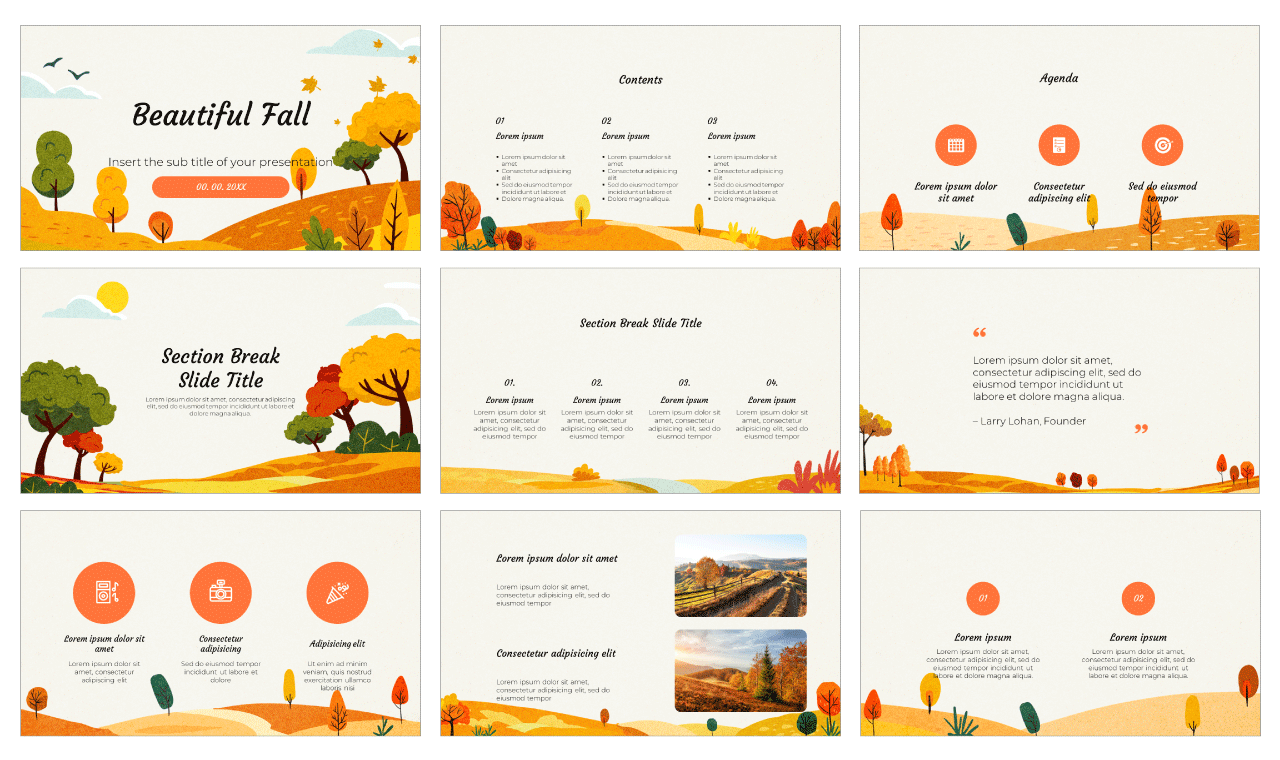
10. Beautiful Fall Presentation Templates
For those looking for a complete presentation collection with a light and cheerful design, the Beautiful Fall Presentation Templates would be my personal recommendation. It features a beautiful color scheme filled with yellow, orange, and fresh green elements to create a professional and engaging seasonal touch to your slides.
All of these templates have been personally used by me to elevate the visual appeal of my presentations while also adding a seasonal touch to my content. However, if none of them seem like the right fit for your needs, you can visit WPS Template to find countless other options available. You can download them and use them directly in the software, without needing to worry about any hassle.
How to Edit and Print Fall Themes Template
If you’ve decided on the template you’ll be using for your fall-themed presentation, the next step is customizing it and actually getting started on your presentation. There are many different editing tools to choose from, but the one that helps me save the most time has always been WPS Presentation. In this section, I’ll be highlighting the step-by-step process of editing and printing your fall themes templates to make sure you don’t feel lost in the process.
Step 1: Open your PPT-formatted template using WPS Office to get started.
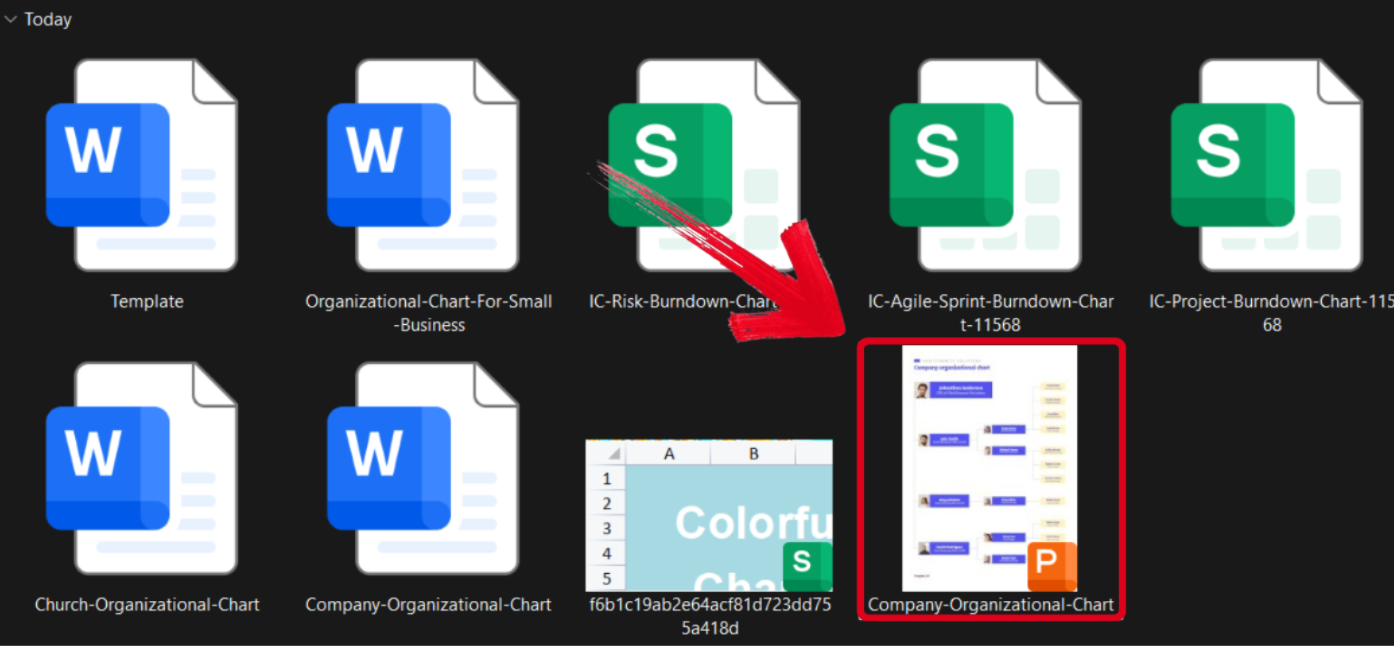
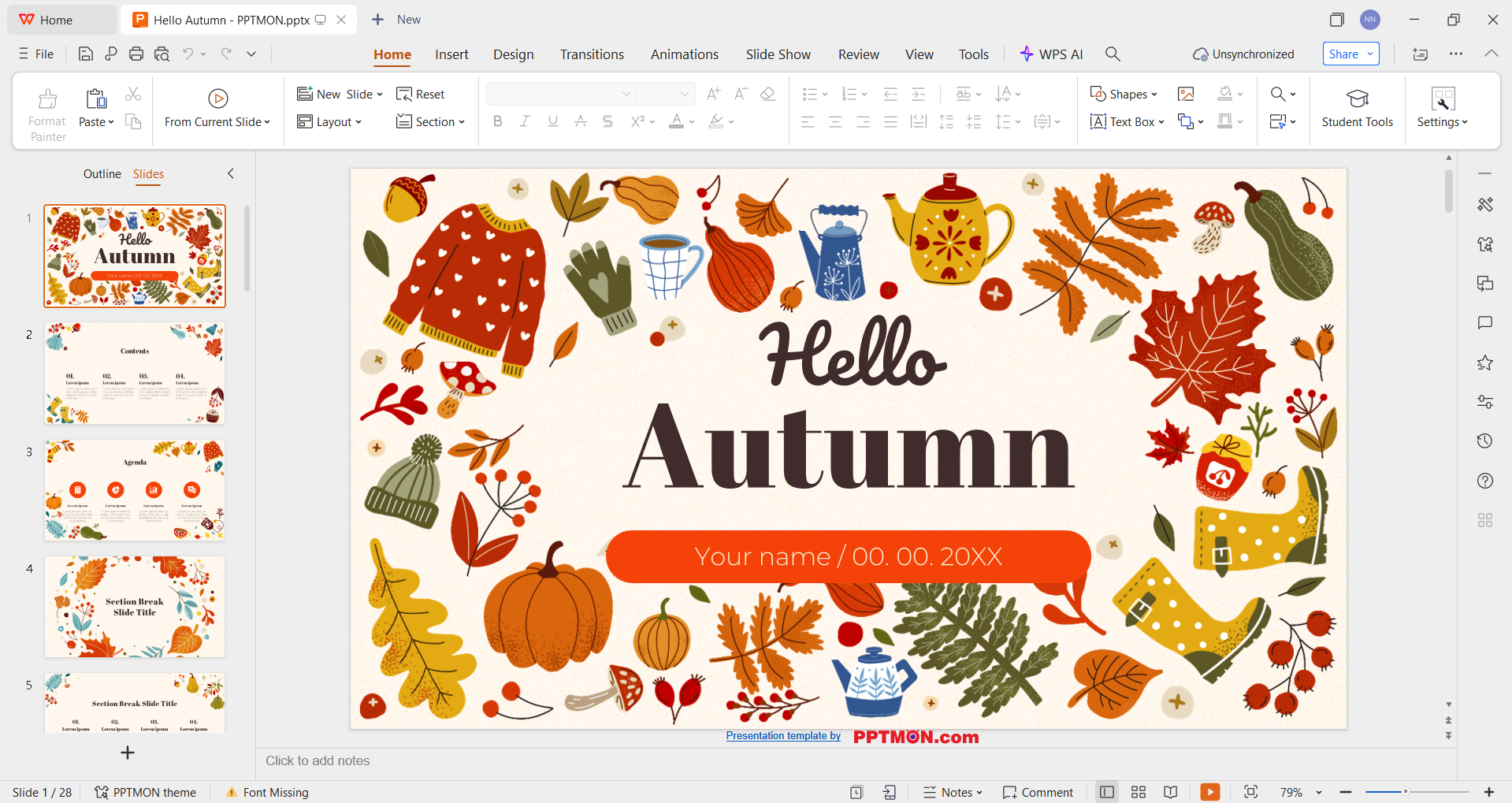
Step 2: Customize the template to add the details of your own presentation. You can even change the colours and add more text boxes according to your liking.
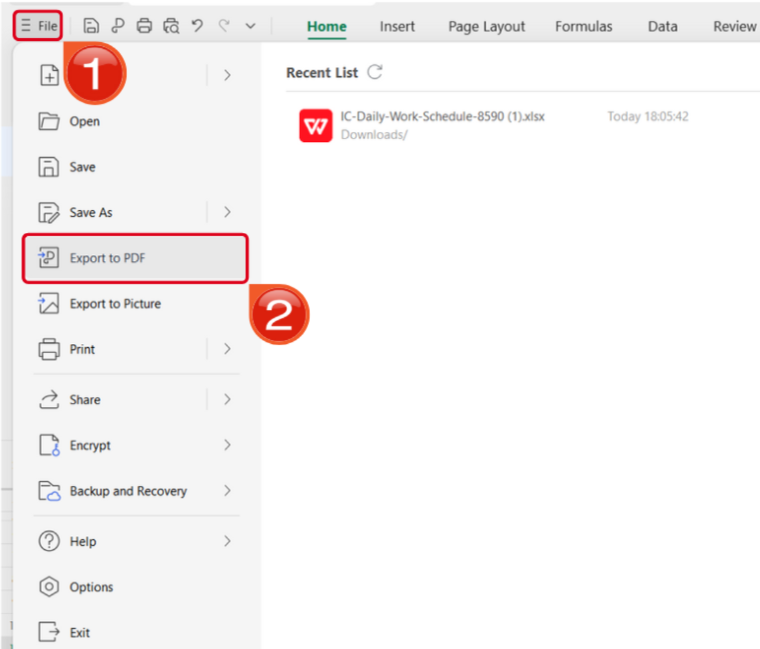
Step 3: Open the Files menu and select Export to PDF to convert your template to a PDF document.
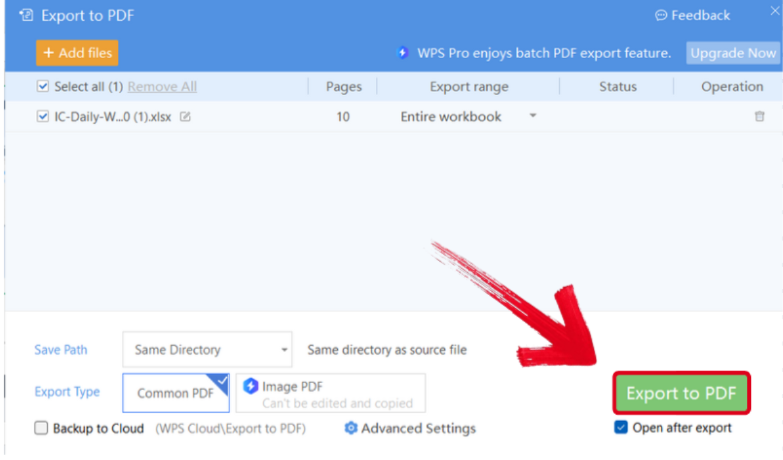
Step 4: Your PPT file will now start conversion into a PDF file. Press Export to PDF to save it to your device.
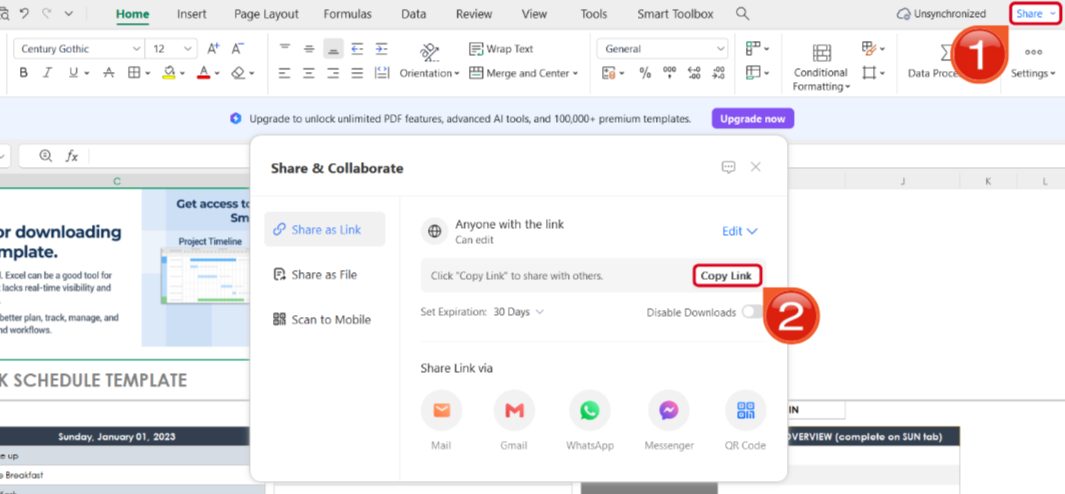
Step 5: Once you’re done saving it as a PDF, pressShare to generate an online link for your file. Then press Copy Link to copy it to your clipboard and share it with others.
Free Office Suite with Editable Templates & Smart AI
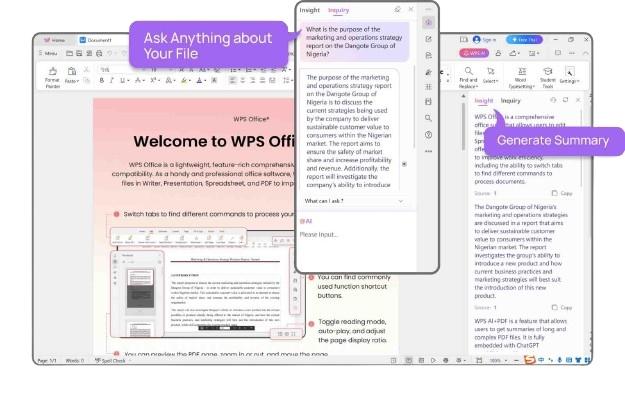
Creating presentations and dealing with different templates can be stressful, especially when I can’t find the right option for your needs. Using slow and unreliable tools only adds to this stress and leaves me even more frustrated. This is where WPS Office helps me simplify the process and save myself a lot of time. It’s free, efficient, and incredibly reliable, providing me with all the smart assistance I need to make smart and polished presentations in just a few simple steps.
FAQs
Q1. How do I make a fall template unique for my brand?
Personalize it by adding your brand logo and colors. Replace any stock photos with your own images, update the fonts to match your brand’s typography, and adjust the layout so it fits your content and message naturally.
Q2. What are some common mistakes to avoid?
Avoid overloading the design with too many seasonal elements, since clutter reduces visual impact. Stick to a consistent warm color palette, and choose readable fonts that support the design rather than distract from it.
Q3. How do I choose the right color palette for a fall design?
Select warm tones such as soft browns, oranges, and deep reds. Stick to a simple and cohesive palette so the final design looks balanced and professional.
Q4. Which types of photos work best in fall templates?
High quality images that feature natural textures, cozy settings, or autumn scenery work best. Choose photos that match your brand’s tone so the final design feels authentic.
Q5. How do I ensure my fall template looks good on both mobile and desktop?
Use a layout that scales well by keeping text minimal, choosing large, readable fonts, and ensuring key elements stay centered. Always preview your design on multiple screen sizes before publishing.

'%3e%3cpath%20d='M19.9911%204.11386V6.471H18.5894C18.0775%206.471%2017.7322%206.57814%2017.5536%206.79243C17.3751%207.00671%2017.2858%207.32814%2017.2858%207.75671V9.44421H19.9019L19.5536%2012.0871H17.2858V18.8639H14.5536V12.0871H12.2769V9.44421H14.5536V7.49779C14.5536%206.39064%2014.8632%205.53201%2015.4822%204.92189C16.1013%204.31177%2016.9257%204.00671%2017.9554%204.00671C18.8304%204.00671%2019.509%204.04243%2019.9911%204.11386Z'%20fill='%23333333'/%3e%3c/g%3e%3cdefs%3e%3cclipPath%20id='clip0_2938_8199'%3e%3crect%20width='16'%20height='16'%20fill='white'%20transform='translate(8%204.00671)'/%3e%3c/clipPath%3e%3c/defs%3e%3c/svg%3e)
'%3e%3cpath%20d='M17.5237%2010.7813L23.4811%204H22.0699L16.8949%209.88693L12.7648%204H8L14.2469%2012.9029L8%2020.0133H9.4112L14.8725%2013.7952L19.2352%2020.0133H24M9.92053%205.04213H12.0885L22.0688%2019.0224H19.9003'%20fill='%23333333'/%3e%3c/g%3e%3cdefs%3e%3cclipPath%20id='clip0_2938_8200'%3e%3crect%20width='16'%20height='16.0134'%20fill='white'%20transform='translate(8%204)'/%3e%3c/clipPath%3e%3c/defs%3e%3c/svg%3e)


