
Can’t Select a Word
Pain
Scanned PDFs look fine, but the cursor never highlights text—so copy-paste does nothing.
WPS Solution
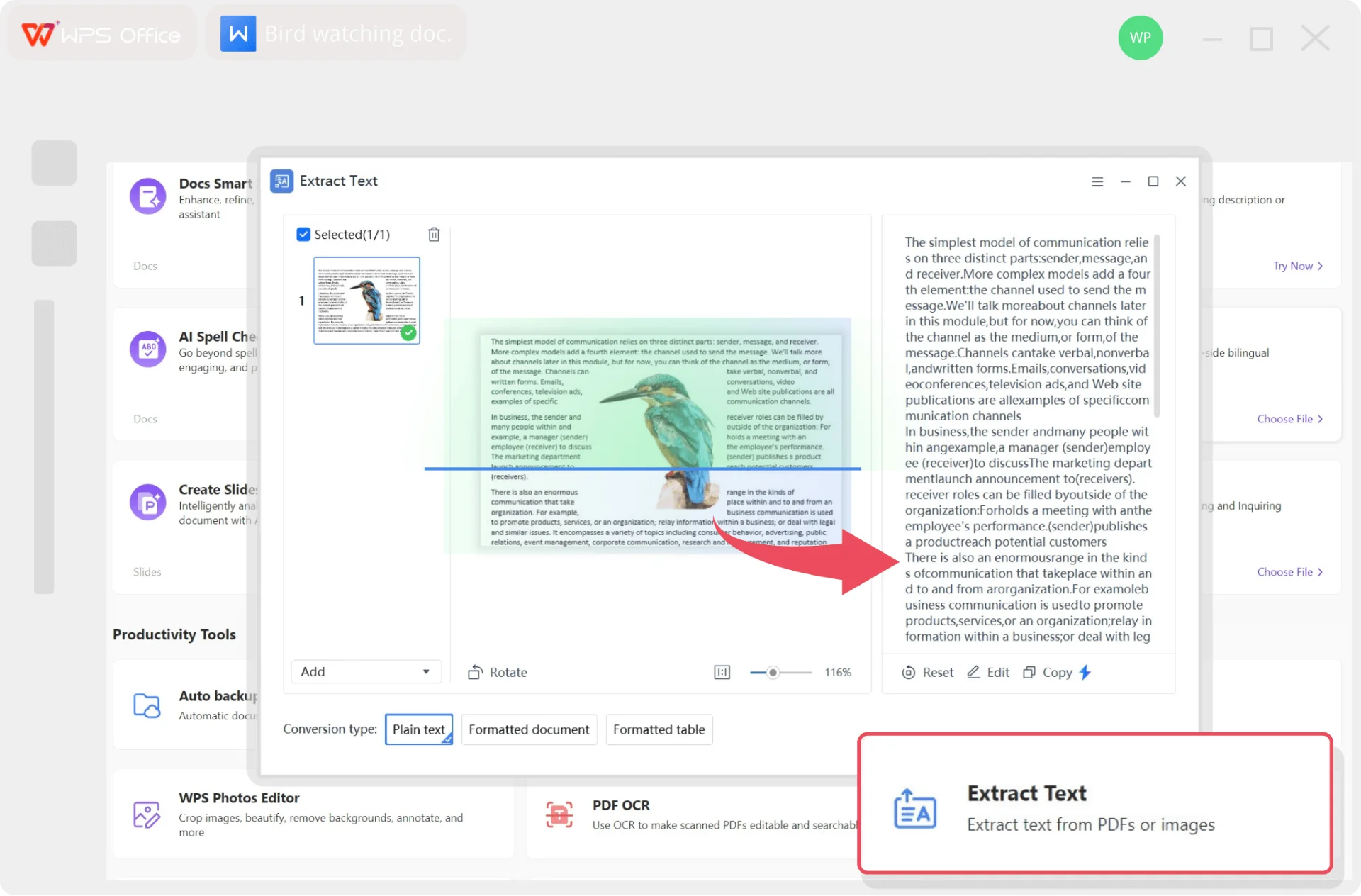
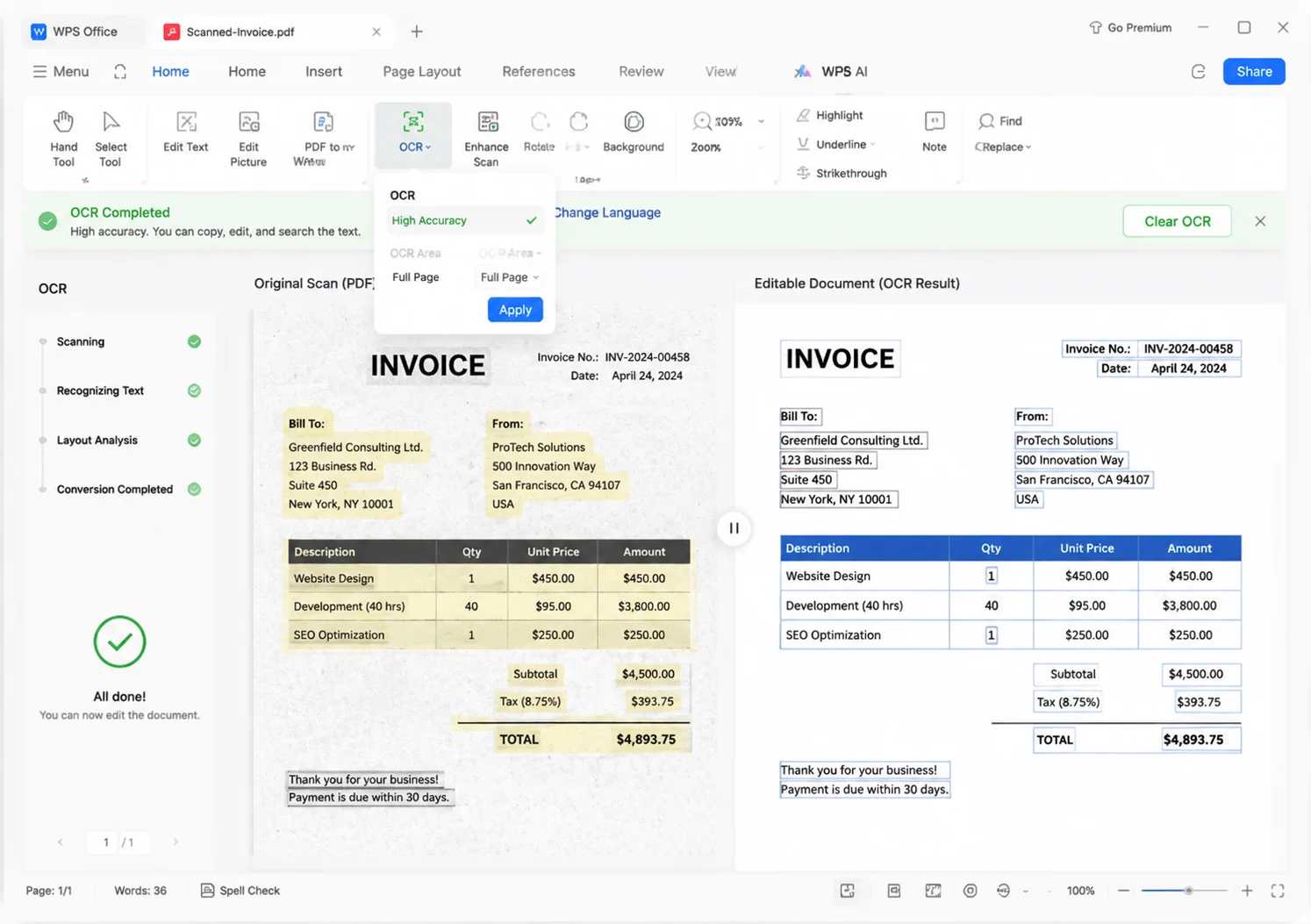
OCR then extract — unlock a text layer, then copy or export Word.
Extract text from PDF in WPS Office—copy native pages, OCR scans when text won’t select, and export Word locally. No daily upload limits.
Invoice #4821
Amount due ········
Line items: ············
Native files, scanned pages, and private docs—see how WPS extracts the words without a risky upload.
Pain
Scanned PDFs look fine, but the cursor never highlights text—so copy-paste does nothing.
WPS Solution
OCR then extract — unlock a text layer, then copy or export Word.
Pain
Selection works, but the paste is jumbled, fused, or in the wrong reading order.
WPS Solution
Tools → Extract Text — pull selected pages in reading order, then copy or save Word.
Pain
Online extractors cap free jobs and send contracts or invoices to unknown servers.
WPS Solution
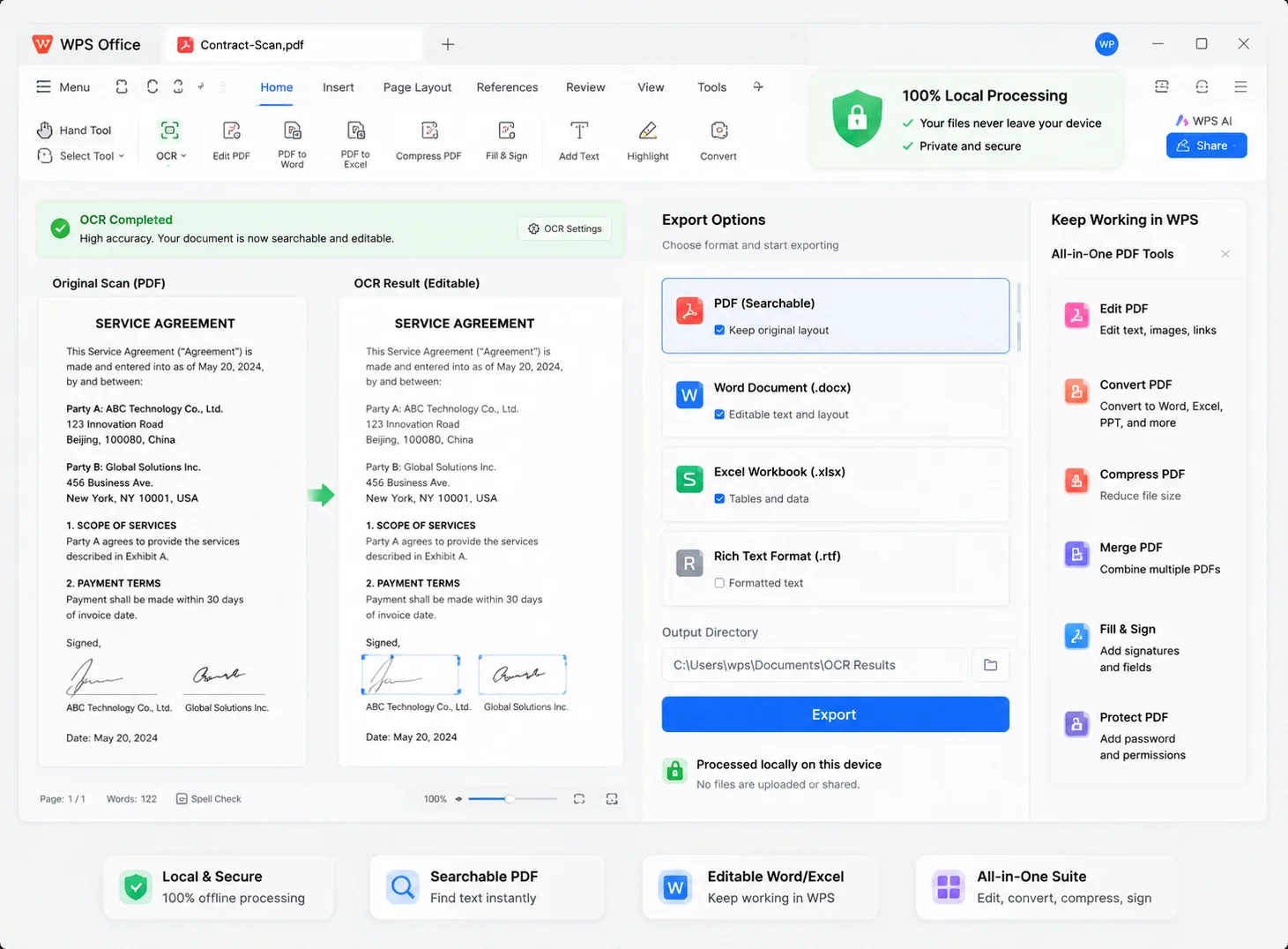
100% local extract — process the PDF on your device, with no daily upload quota.
Pain
You extract text in one app, then jump to Word or Excel elsewhere to finish the job.
WPS Solution
All-in-one suite — extract text from PDF, then edit in Writer, Spreadsheet, or PDF.
Built Into WPS PDF
Extract text from PDF with one lightweight installer—pick pages, copy results, or export Word without leaving WPS.
Lightweight Installer (< 50MB) · 100% Safe & Secure
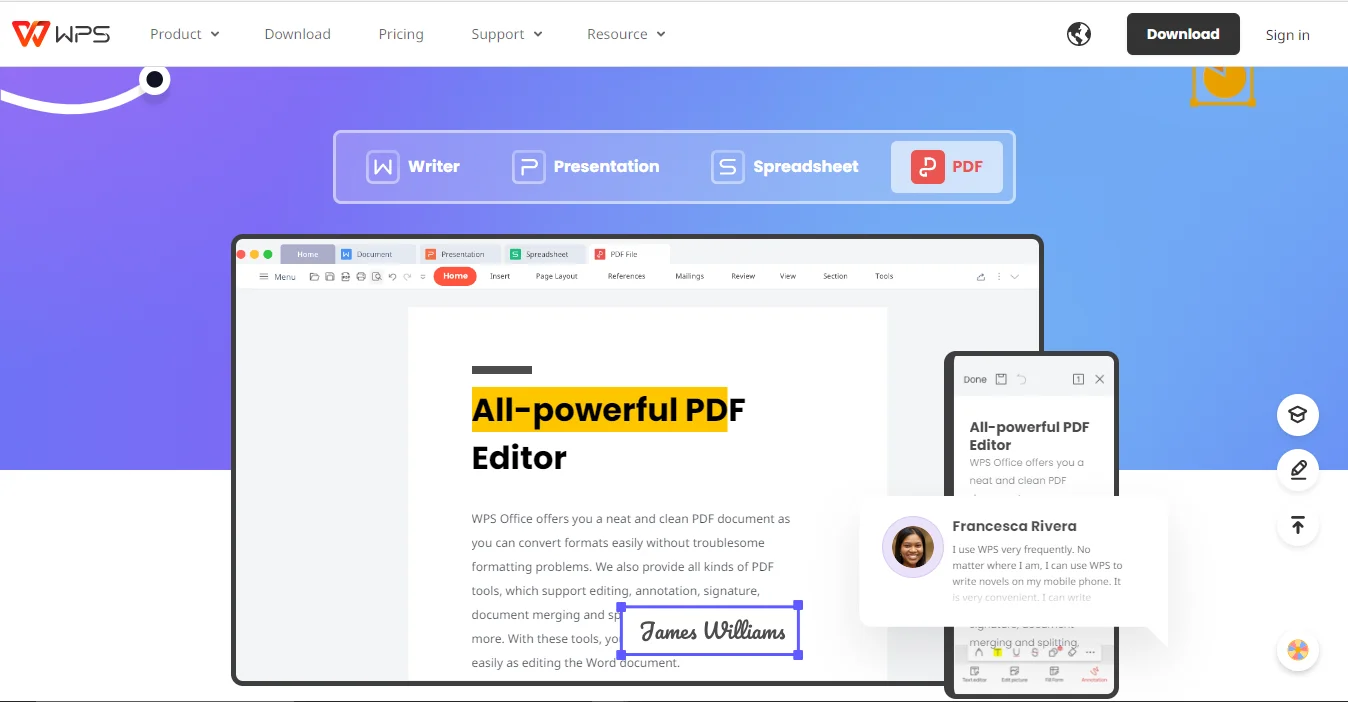
WPS PDF extract text interface preview
Everything you need to extract text from PDF—OCR for scans, layout keep, local privacy, and multi-language recognition—inside WPS Office.
 Layout Keep
 Local Extract
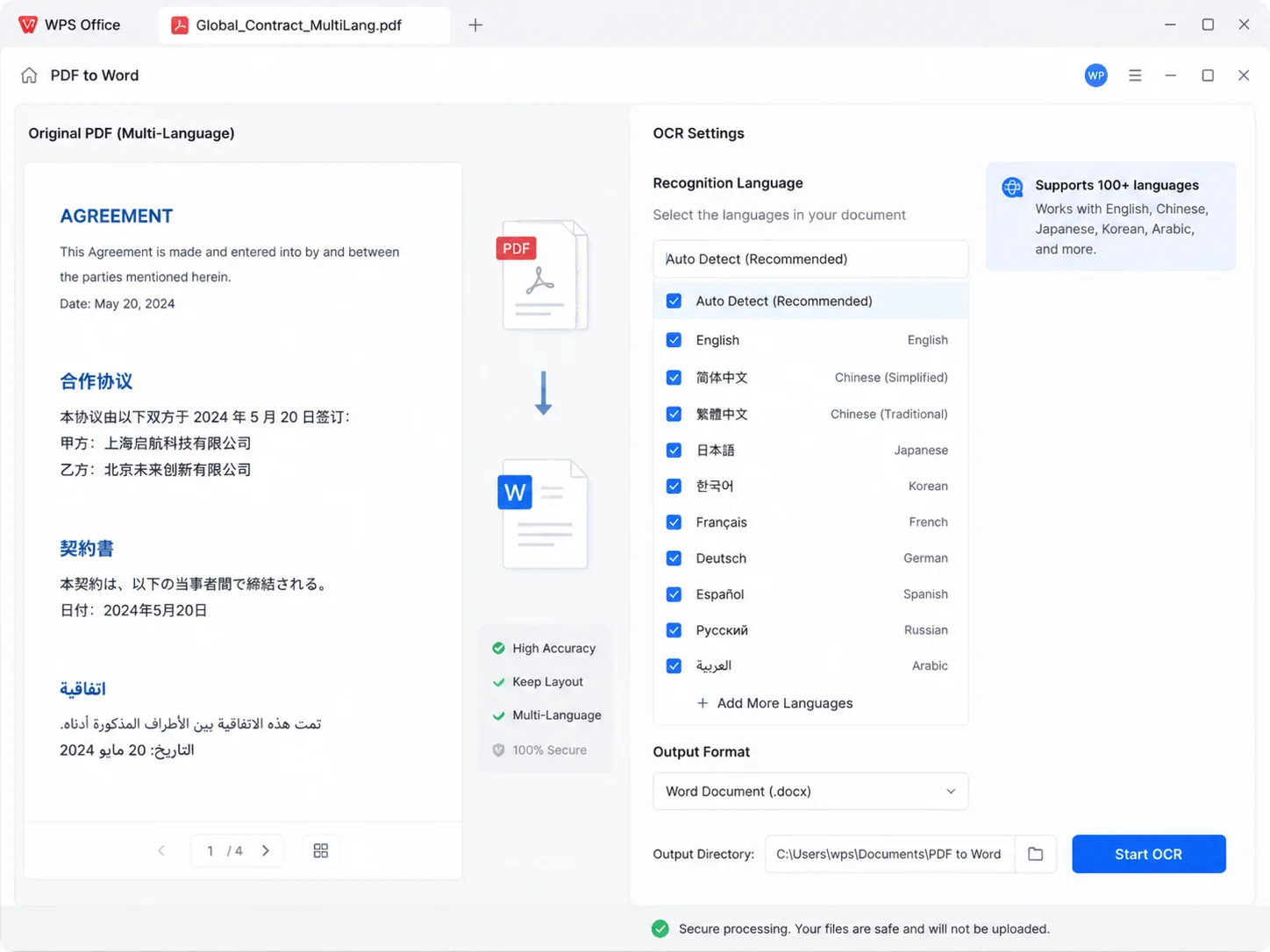 Multi-Language
REAL USERS · WPS OFFICE
Install WPS Office and extract text from PDF in minutes—no risky uploads and no daily converter quota.
0
Global MAU
Local
Extract Text
4-in-1
Office Suite
Free to start · Compatible with Windows, Mac, iOS, Android & Linux
"I needed to extract text from PDF research scans. WPS unlocked searchable chapters so I can find quotes for my thesis in seconds."
Alex R.
University Student
From download to editable text — a simple path to extract text from PDF with WPS Office.
Install the lightweight WPS Office package on Windows, Mac, iOS, or Android, then open WPS PDF.
Open a native or scanned PDF. Go to Tools → Extract Text, or Convert → OCR PDF when the page is image-based.
Choose language and page range, then copy in one click or export Word, Excel, or a searchable PDF and keep editing in WPS.
Download WPS Office free to extract text from PDF—then finish the job in Writer, Spreadsheet, or PDF.
One installer · Writer + Spreadsheet + Presentation + PDF
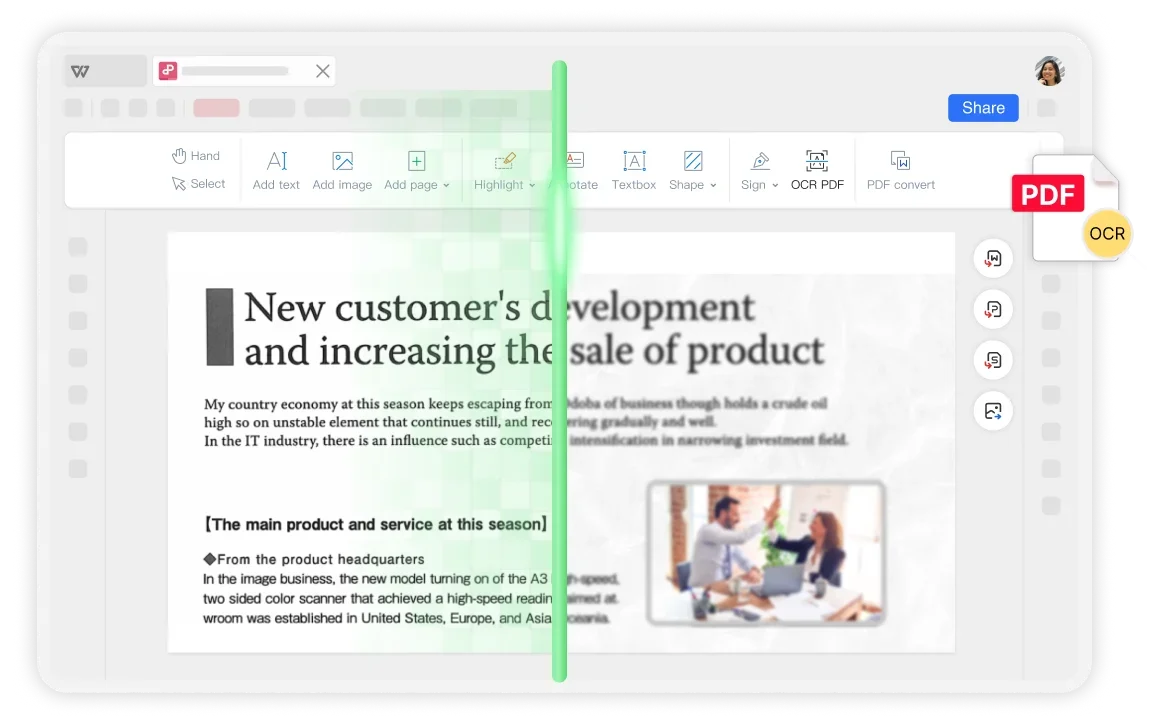
WPS PDF extract text preview