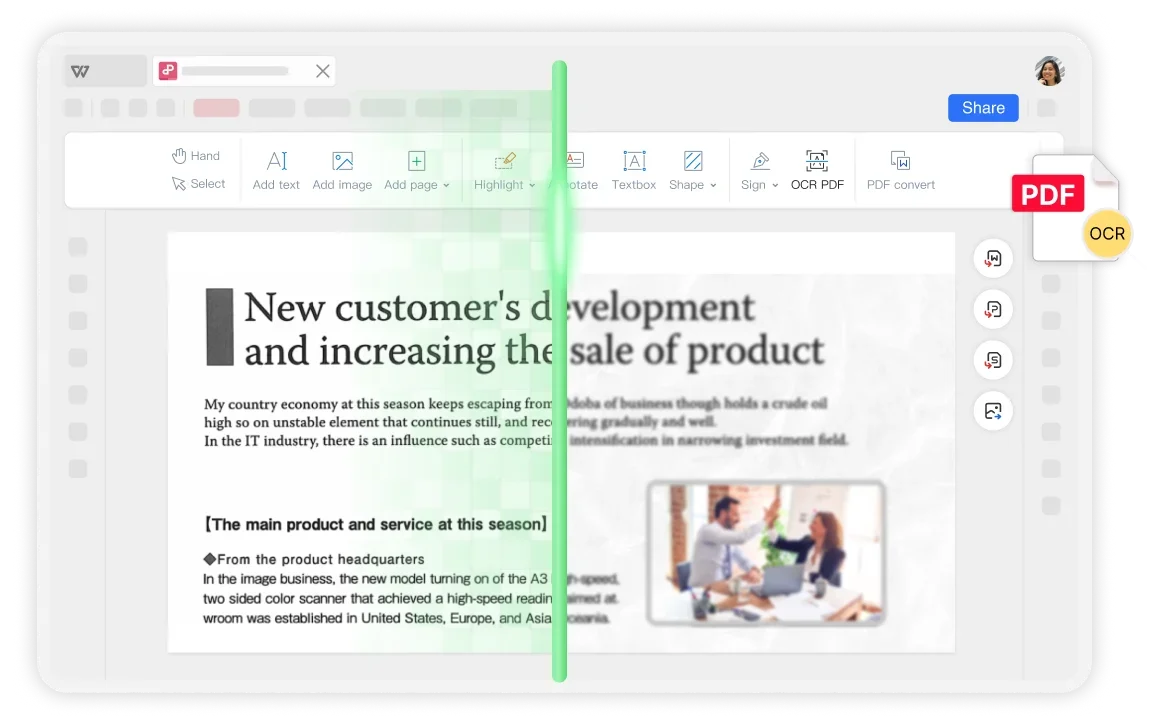
Image-Only PDFs
Pain
Scanned PDFs look fine but you can’t search, copy, or edit a single word.
WPS Solution
Free OCR tool — unlock text layers for search, copy, and edit.
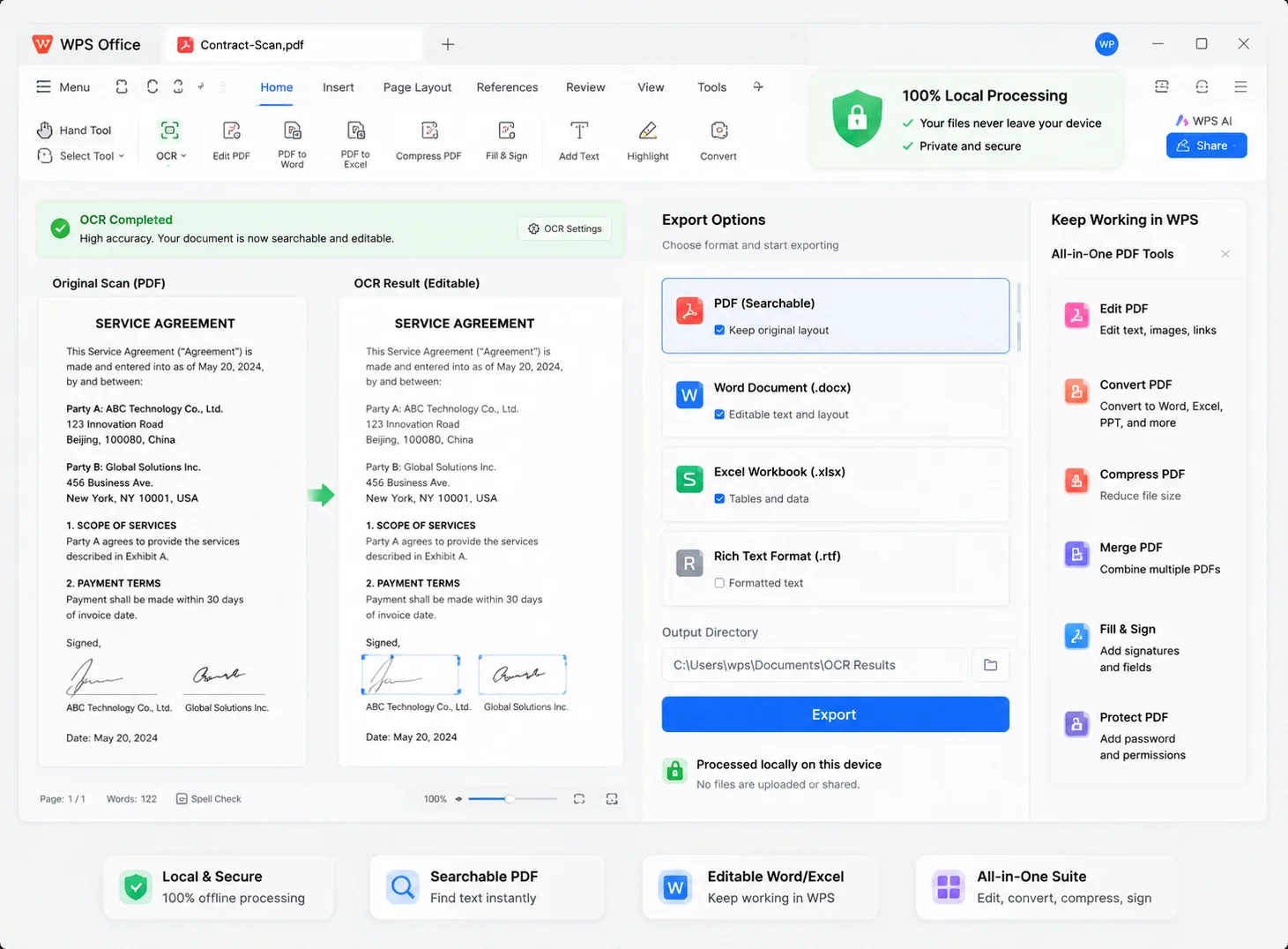
Turn scanned pages, photos, and image-based PDFs into searchable, editable text with the WPS free OCR tool—process files locally, keep layouts intact, and export to Word, Excel, or searchable PDF.
Amount due ········
Line items: ············
Say goodbye to image-only PDFs and risky uploads—see how WPS makes the difference.
Pain
Scanned PDFs look fine but you can’t search, copy, or edit a single word.
WPS Solution
Free OCR tool — unlock text layers for search, copy, and edit.
Pain
Online OCR sites demand uploading contracts and invoices to unknown servers.
WPS Solution
100% local OCR — recognize text on your device, keep files private.
Pain
You retype receipts, notes, and forms by hand—slow and error-prone.
WPS Solution
High-precision recognition — extract text from scans and images fast.
Pain
OCR in one app, then jump to Word/Excel elsewhere to finish the job.
WPS Solution
All-in-one suite — OCR, edit, convert, and export inside WPS Office.
Built Into WPS PDF
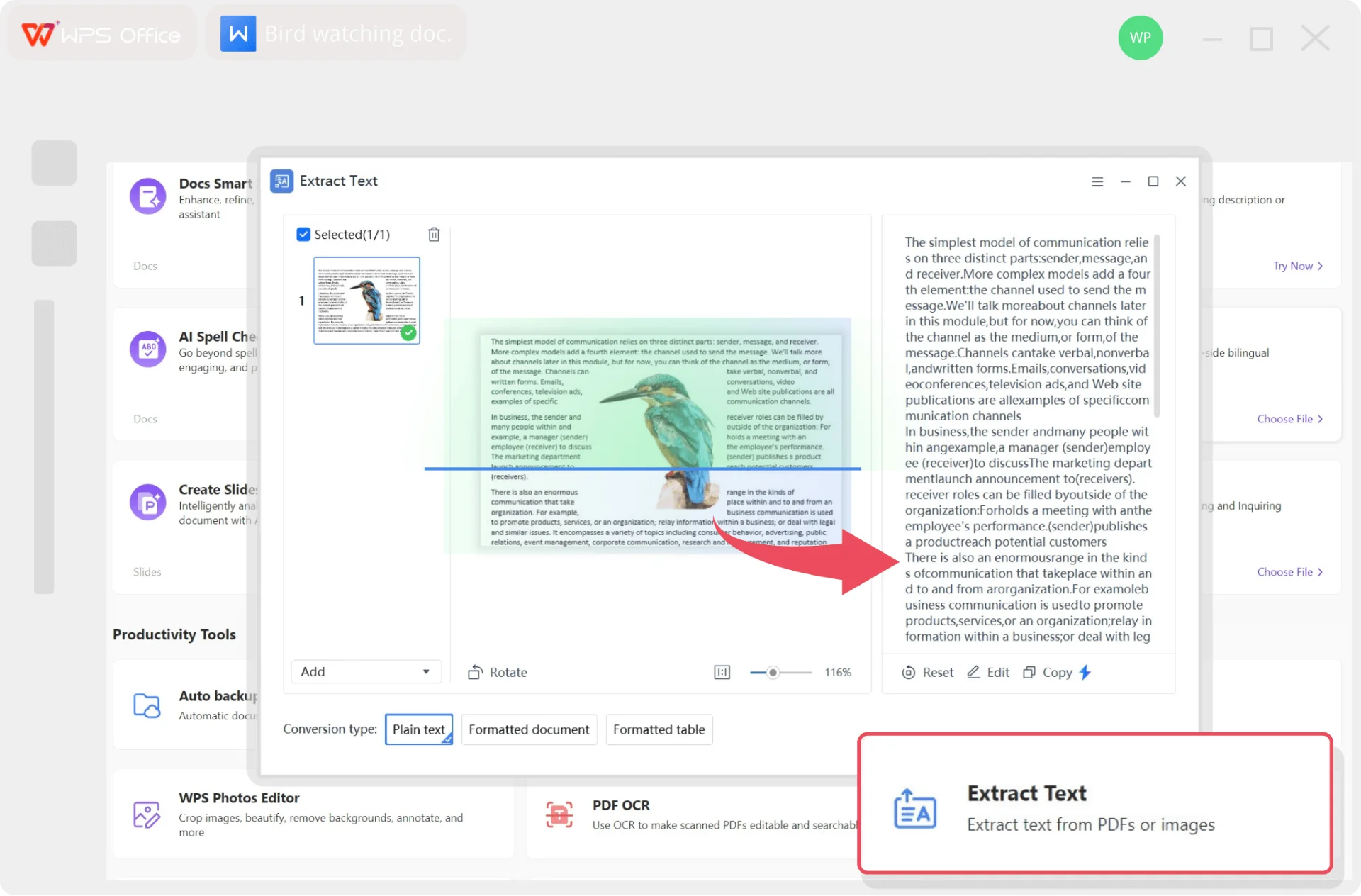
Recognize text in scanned PDFs and images with one lightweight installer—search, copy, edit, and export without leaving WPS.
Lightweight Installer (< 50MB) · 100% Safe & Secure
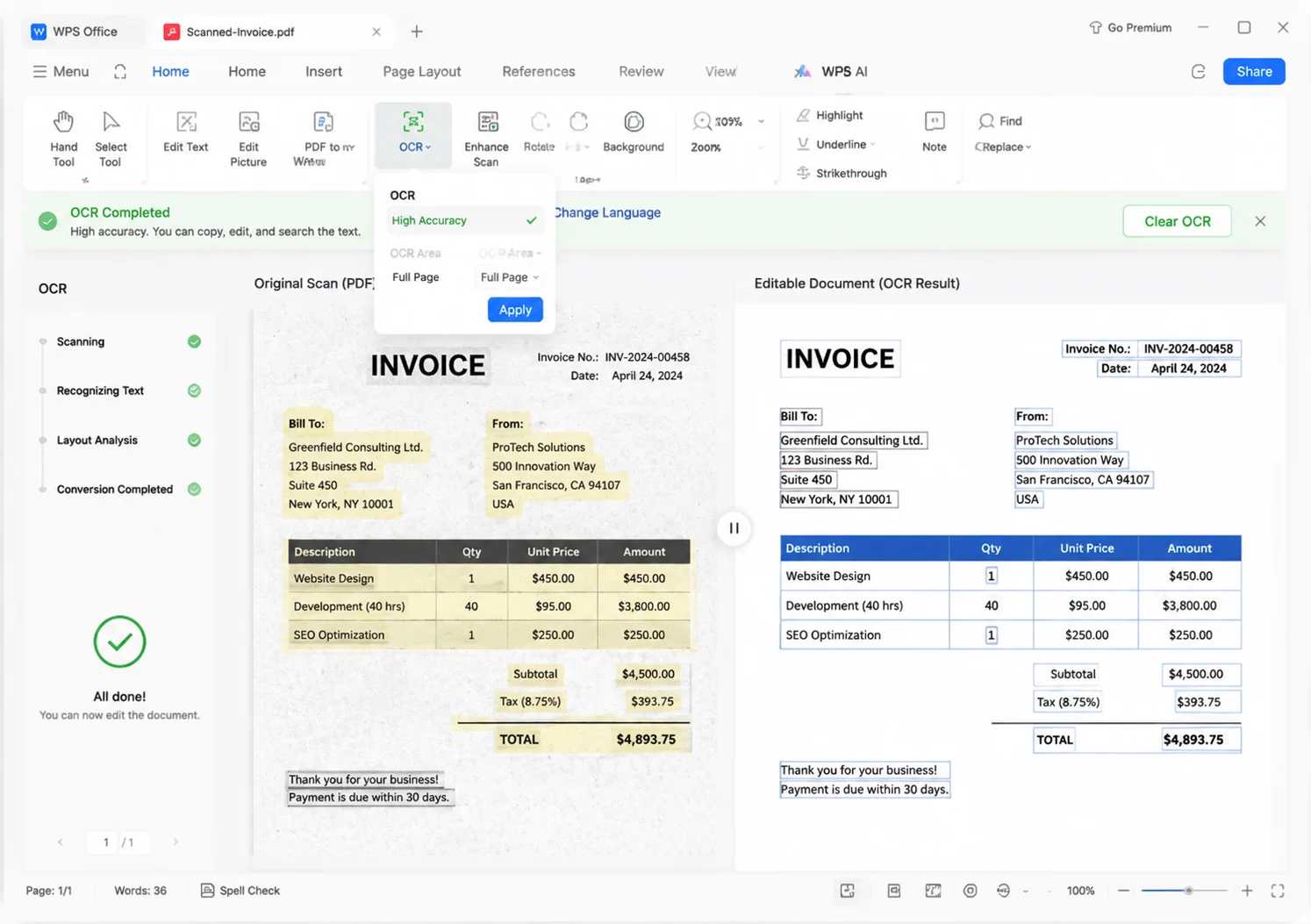
Amount due $1,280.00 — Northwind Supplies
Open → OCR → Edit — all inside WPS
Everything you need to extract text from scanned PDFs and images—directly inside WPS, your all-in-one free OCR tool.
 Layout Keep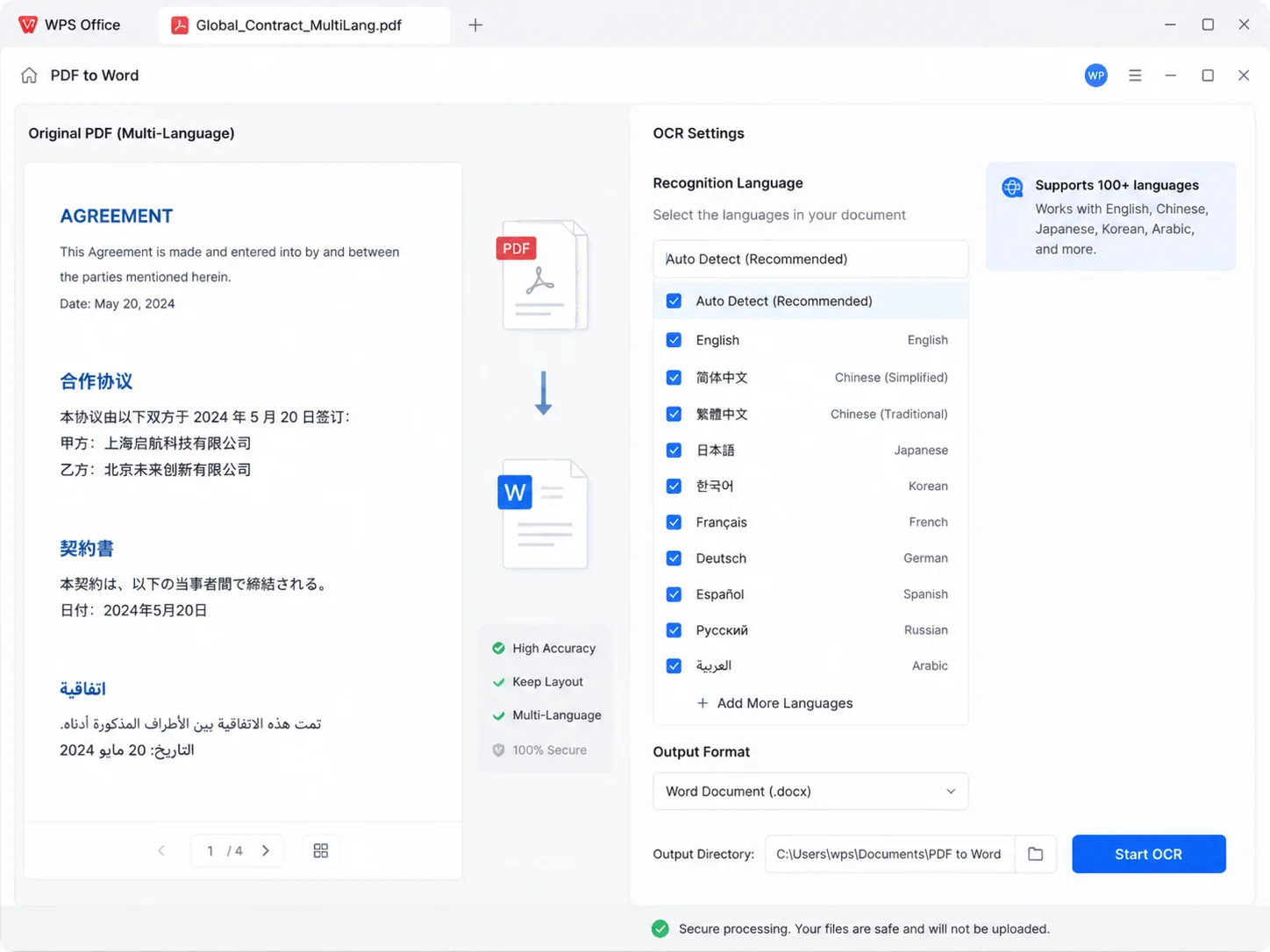
 Local OCR
REAL USERS · WPS OFFICE
Install WPS Office and turn scanned PDFs into searchable, editable text in minutes—no risky uploads required.
0
Global MAU
Local
OCR Engine
4-in-1
Office Suite
Free to start · Compatible with Windows, Mac, iOS, Android & Linux
"WPS OCR is a lifesaver for research. I convert scanned book chapters into searchable text, then find quotes for my thesis in seconds."
Alex R.
University Student
From download to searchable text — a simple path to use WPS Office Free OCR Tool like a pro.
Install the lightweight WPS Office package on Windows, Mac, iOS, or Android, then open WPS PDF.
Open a scanned PDF, photo, or screenshot. Click Perform OCR when prompted, or go to Convert → OCR PDF.
Choose language and page range, apply OCR, then search, copy, edit, or export as Word, Excel, or searchable PDF.
Download WPS Office free and turn image-based PDFs into searchable, editable text—then finish the job in Writer, Spreadsheet, or PDF.
One installer · Writer + Spreadsheet + Presentation + PDF