Folder of Loose Images
Pain
Bug reports, tickets, and chat logs land as ten separate PNG or JPG files—recipients miss pages or open them out of order.
WPS Solution
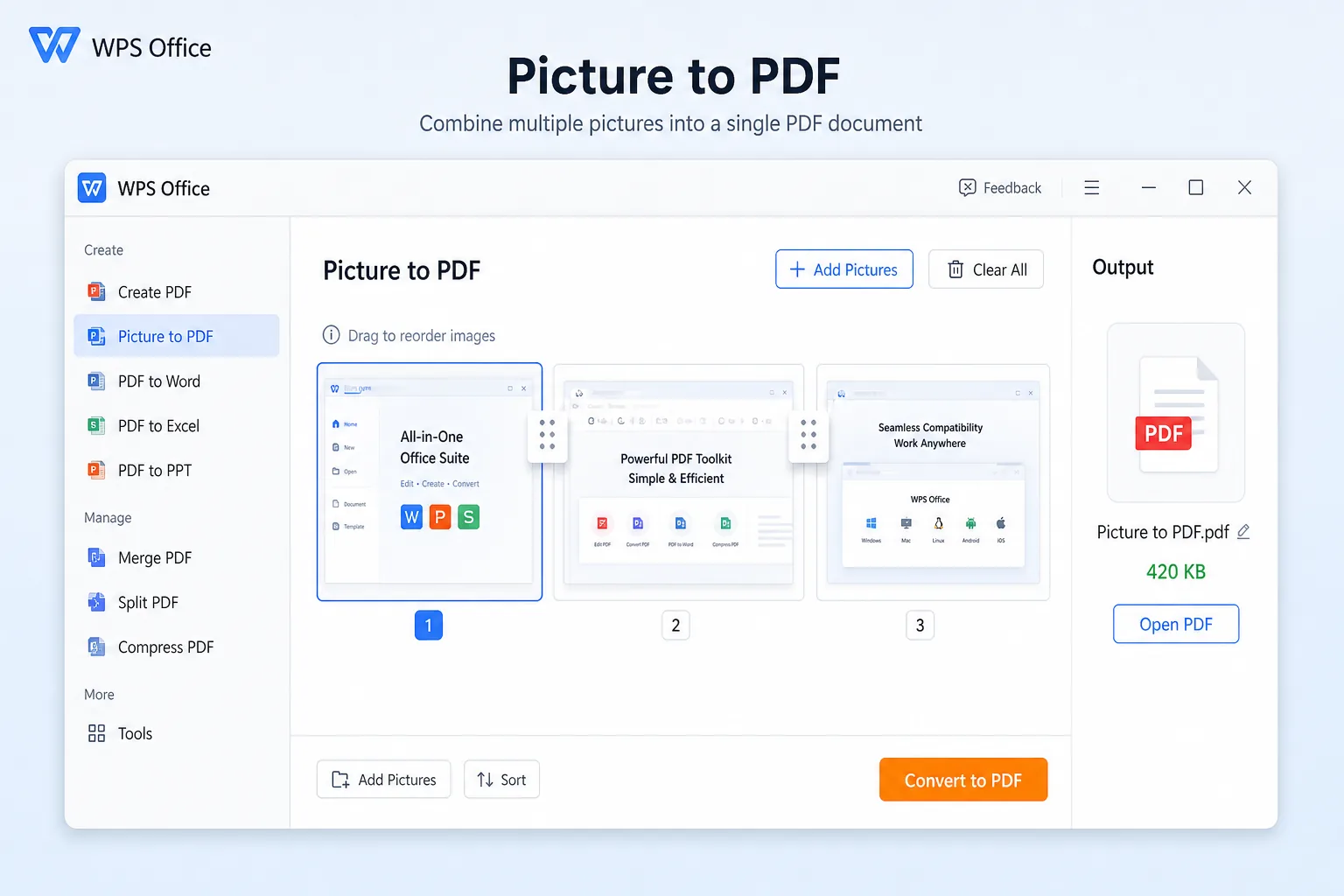
Screenshot to PDF — add every capture, reorder pages, and export one multi-page PDF.
Turn PNG or JPG screen captures into a clean, shareable PDF. Convert screenshot to PDF with Picture to PDF, merge multiple shots, then OCR, annotate, and send—inside free WPS Office.
Screenshots.pdf saved
2 pages · ready to shareScattered screenshot files are hard to email and easy to lose. WPS screenshot to PDF merges captures into one PDF, then lets you OCR, annotate, and share in the same suite.
Pain
Bug reports, tickets, and chat logs land as ten separate PNG or JPG files—recipients miss pages or open them out of order.
WPS Solution
Screenshot to PDF — add every capture, reorder pages, and export one multi-page PDF.
Pain
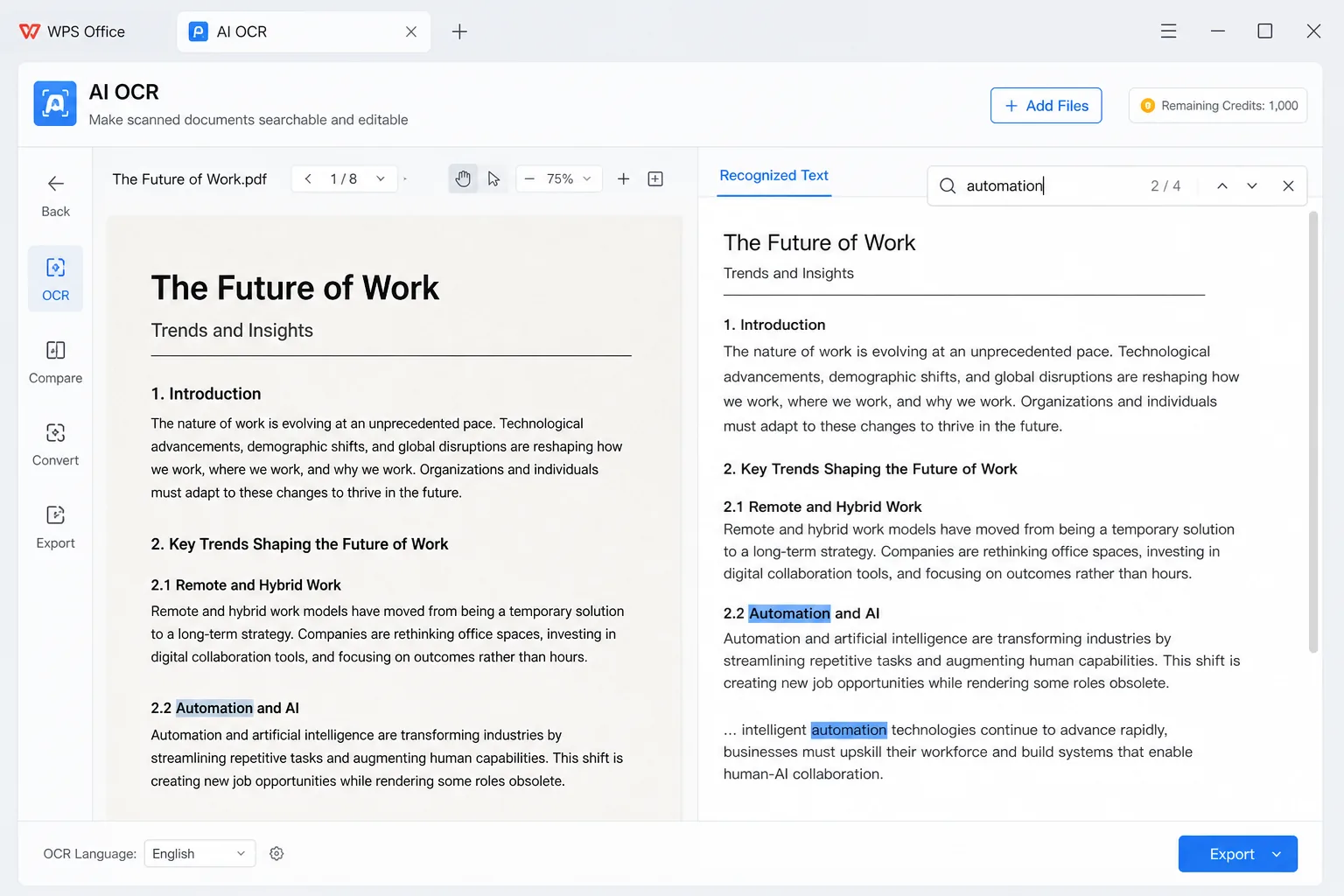
A screenshot PDF is often image-only, so you cannot Ctrl+F error codes or copy a URL without retyping.
WPS Solution
Built-in OCR — after screenshot to PDF, unlock searchable text on the same device.
Pain
Browser tools cap file size, add watermarks, or demand another subscription just to turn a screenshot into PDF.
WPS Solution
One office suite — screenshot to PDF, then edit Word, Excel, and PDF without a second converter SKU.
Pain
Web converters ask you to upload bank screens, chats, or dashboards to unknown servers.
WPS Solution
Local conversion — keep sensitive screenshots on your PC or phone when you convert screenshot to PDF.
Built Into WPS Office
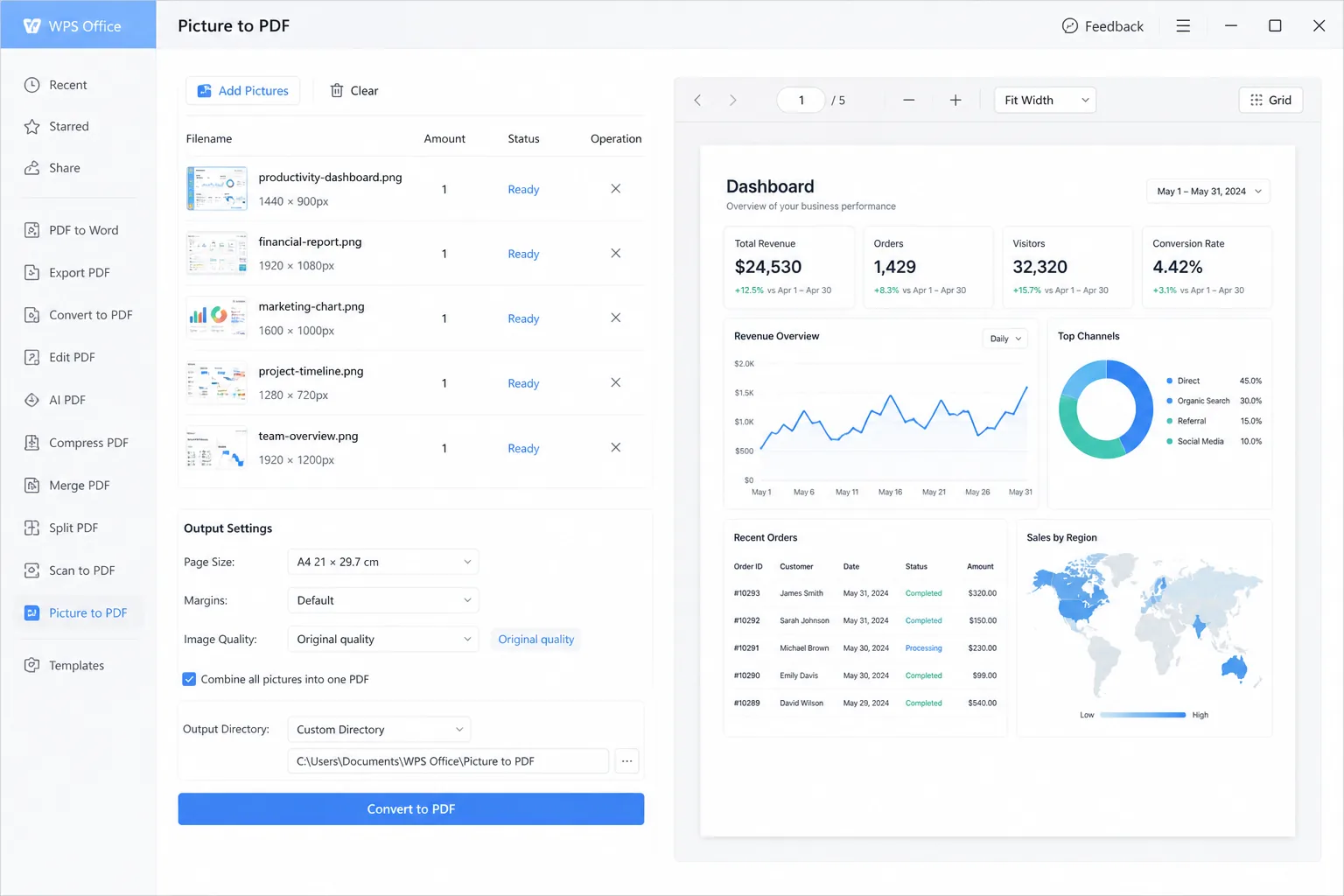
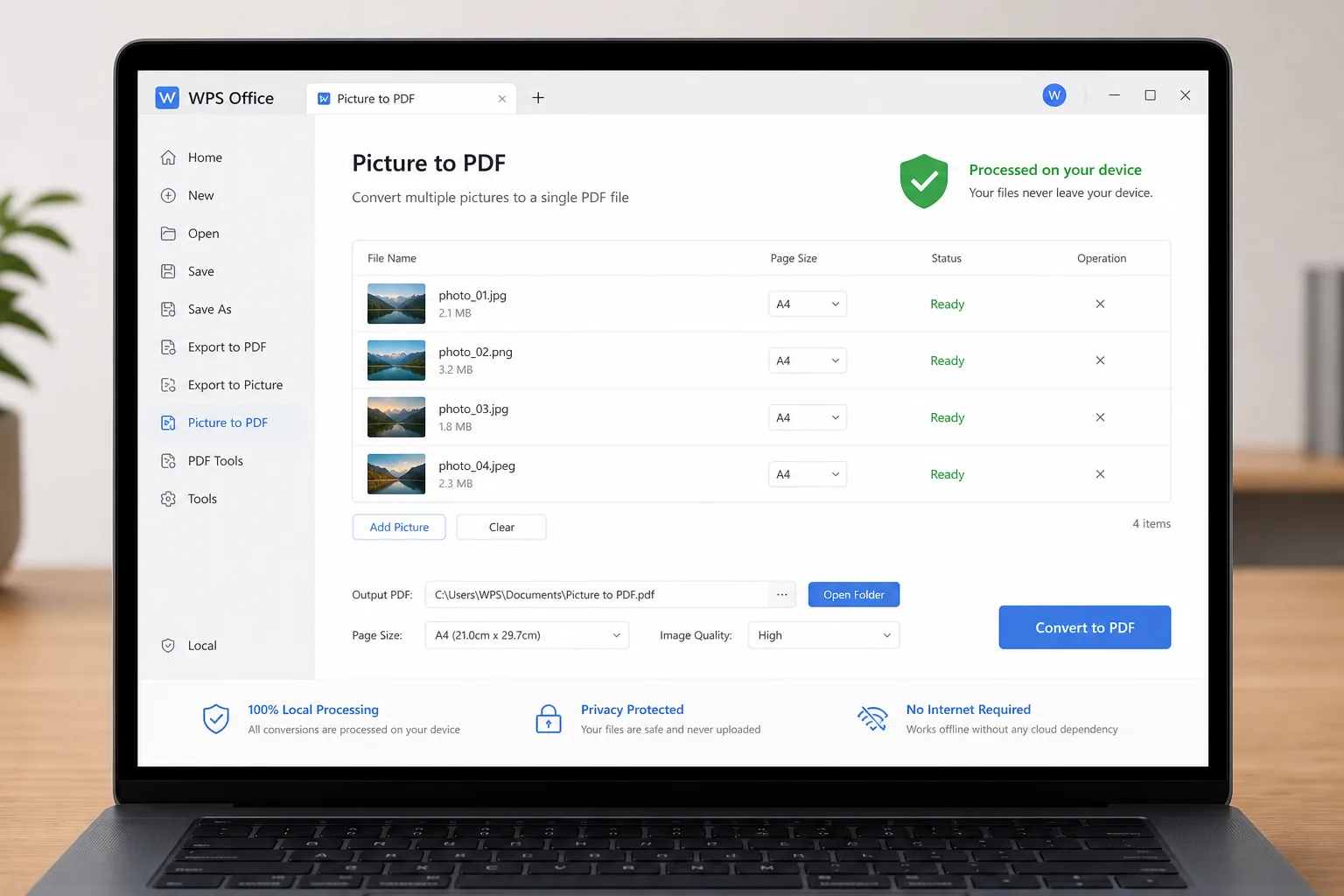
One installer is your screenshot to PDF toolkit: add PNG or JPG captures with Picture to PDF, merge pages, then OCR and annotate without leaving WPS.
Lightweight Installer (< 50MB) · 100% Safe & Secure
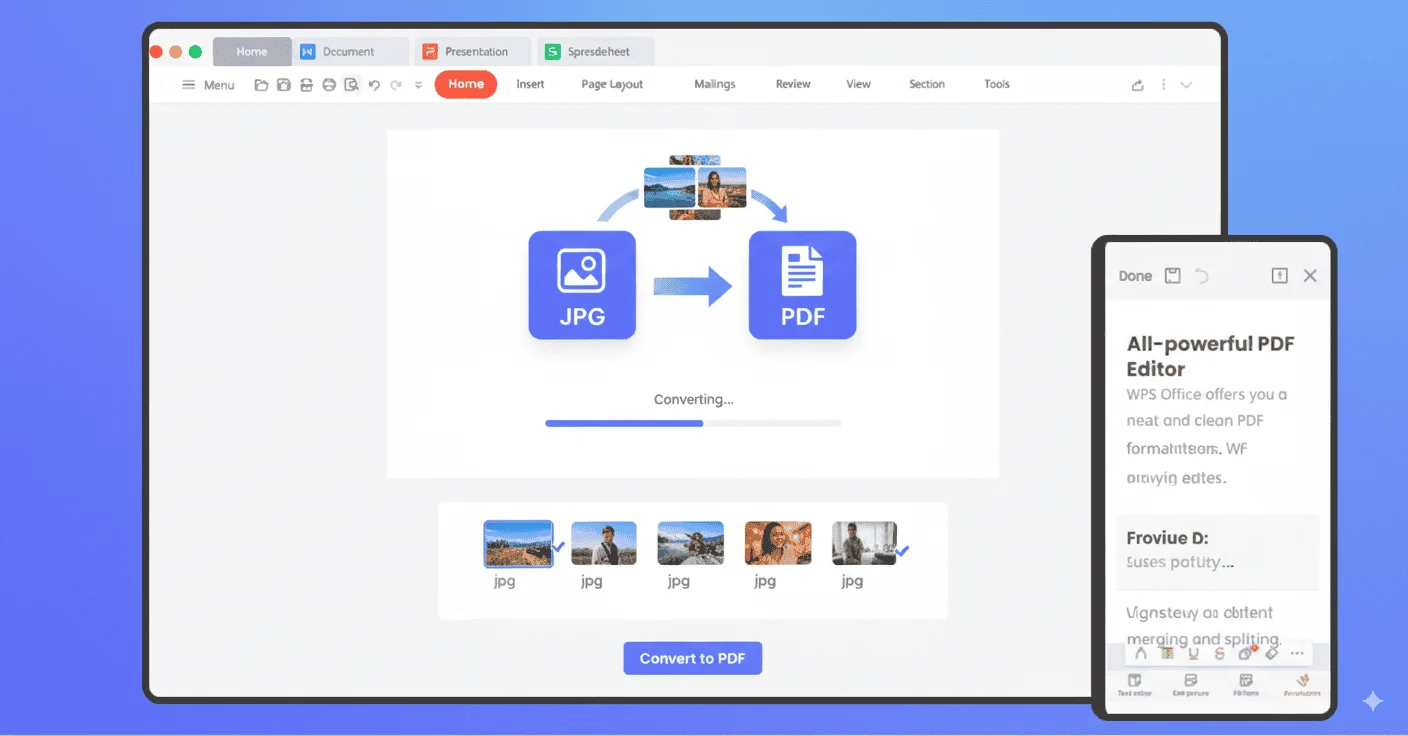
WPS screenshot to PDF desktop
Export sharp PDFs, add searchable OCR text, convert locally, and reorder batches—everything you need when you convert screenshot to PDF in WPS Office.
 AI OCR
REAL USERS · WPS OFFICE
Install WPS Office and convert screenshot to PDF on your phone or PC—then OCR, annotate, and share in the same suite.
0
Global MAU
Local
Shot + OCR
4-in-1
Office Suite
Free to start · Compatible with Windows, Mac, iOS, Android & Linux
"I batch screenshot bug steps, convert screenshot to PDF in WPS, and send one file to QA—no upload site."
Maya R.
QA Engineer
From screen capture to a shareable file — a simple path to WPS Office Screenshot to PDF on phone or desktop.
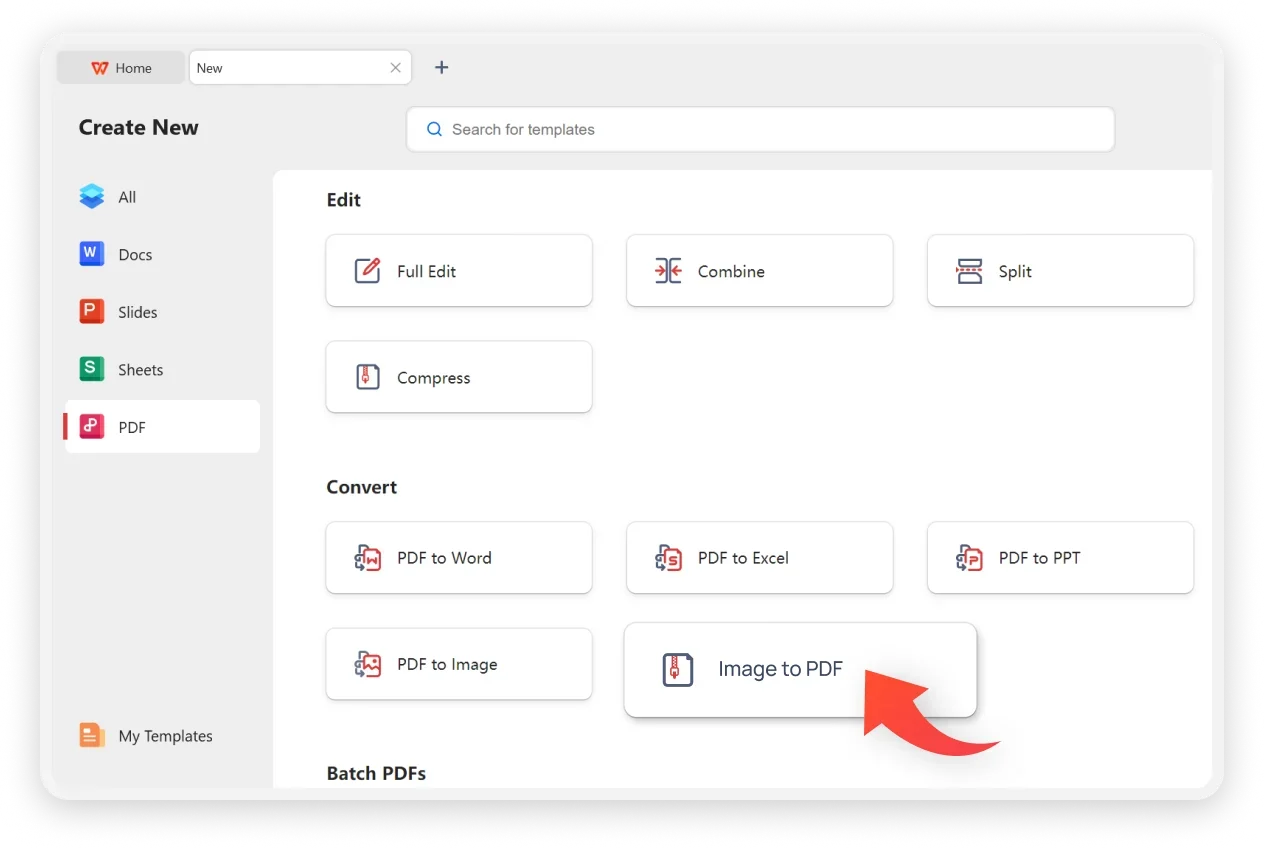
Install free WPS Office on Windows, Mac, iOS, or Android. Screenshot to PDF uses Picture to PDF / Image to PDF inside the suite—you do not need a second converter.
Open Tools → Picture to PDF (or Image to PDF). Add PNG / JPG captures, reorder pages, and set orientation or page size if needed.
Convert and save to finish screenshot to PDF. Run Tools → OCR if you need searchable text, then annotate, merge, or share.
Download WPS Office free and convert screenshot to PDF on your phone or PC, then OCR, annotate, and share—without a second converter app.
One installer · Writer + Spreadsheet + Presentation + PDF