

'%3e%3cpath%20d='M8%200C12.4183%200%2016%203.58172%2016%208C16%2012.4183%2012.4183%2016%208%2016C3.58172%2016%200%2012.4183%200%208C0%203.58172%203.58172%200%208%200ZM11.6162%204.38379C11.2257%203.99337%2010.5927%203.99338%2010.2021%204.38379L8%206.58594L5.79785%204.38379C5.40732%203.99334%204.77429%203.99329%204.38379%204.38379C3.99331%204.77429%203.99335%205.40733%204.38379%205.79785L6.58594%208L4.38379%2010.2021C3.99348%2010.5927%203.99341%2011.2257%204.38379%2011.6162C4.77426%2012.0066%205.40734%2012.0065%205.79785%2011.6162L8%209.41406L10.2021%2011.6162C10.5927%2012.0066%2011.2257%2012.0067%2011.6162%2011.6162C12.0067%2011.2257%2012.0066%2010.5927%2011.6162%2010.2021L9.41406%208L11.6162%205.79785C12.0066%205.40735%2012.0066%204.77429%2011.6162%204.38379Z'%20fill='%23080E17'%20fill-opacity='0.46'/%3e%3c/g%3e%3cdefs%3e%3cclipPath%20id='clip0_3761_713'%3e%3crect%20width='16'%20height='16'%20fill='white'/%3e%3c/clipPath%3e%3c/defs%3e%3c/svg%3e)




'%3e%3cpath%20fill-rule='evenodd'%20clip-rule='evenodd'%20d='M21.4999%2010.9993C21.4999%205.20009%2016.7986%200.498901%2010.9993%200.498901C5.19994%200.498901%200.498657%205.20009%200.498657%2010.9993C0.498657%2016.2404%204.33858%2020.5844%209.35855%2021.3722V14.0346H6.69238V10.9993H9.35855V8.68594C9.35855%206.05427%2010.9262%204.60062%2013.3248%204.60062C14.4736%204.60062%2015.6753%204.80571%2015.6753%204.80571V7.38979H14.3512C13.0468%207.38979%2012.64%208.19921%2012.64%209.0296V10.9993H15.5523L15.0867%2014.0346H12.64V21.3722C17.66%2020.5844%2021.4999%2016.2404%2021.4999%2010.9993Z'%20fill='%231568EA'/%3e%3c/g%3e%3c/svg%3e)


'%3e%3cpath%20d='M2.42045%2022.1876H6.31818V12.7217L0.75%208.54553V20.5171C0.75%2021.4414%201.49892%2022.1876%202.42045%2022.1876Z'%20fill='%234285F4'/%3e%3cpath%20d='M19.682%2022.1876H23.5797C24.5041%2022.1876%2025.2502%2021.4387%2025.2502%2020.5171V8.54553L19.682%2012.7217'%20fill='%2334A853'/%3e%3cpath%20d='M19.682%205.48293V12.7216L25.2502%208.54543V6.31816C25.2502%204.25236%2022.8921%203.07469%2021.2411%204.31361'%20fill='%23FBBC04'/%3e%3cpath%20d='M6.31824%2012.7217V5.48303L13.0001%2010.4944L19.6819%205.48303V12.7217L13.0001%2017.733'%20fill='%23EA4335'/%3e%3cpath%20d='M0.75%206.31816V8.54543L6.31818%2012.7216V5.48293L4.75909%204.31361C3.10534%203.07469%200.75%204.25236%200.75%206.31816Z'%20fill='%23C5221F'/%3e%3c/g%3e%3cdefs%3e%3cclipPath%20id='clip0_2954_7305'%3e%3crect%20width='24.5'%20height='18.375'%20fill='white'%20transform='translate(0.75%203.8125)'/%3e%3c/clipPath%3e%3c/defs%3e%3c/svg%3e)



Need to open a .ppt or .pptx file and Microsoft PowerPoint is not installed? That is what PowerPoint viewer software is for. You want to review slides, check speaker notes, or run a fullscreen slideshow, not redesign the deck from scratch.
Microsoft retired the standalone PowerPoint Viewer years ago, so “viewer” searches now point to free desktop suites, browser tools, and mobile apps that open PowerPoint formats. This guide ranks ten practical options by how well they open PPTX, whether they work offline, and whether your file has to leave your device.
What a PowerPoint viewer actually needs to do
A PowerPoint viewer should open common presentation formats (.pptx, often .ppt and .ppsx), show slide order clearly, and ideally support fullscreen present mode. Editing is optional. Design tools that create new presentations from templates are not the same product category—even if they can import a deck later.
Pick by the job, not by brand familiarity:
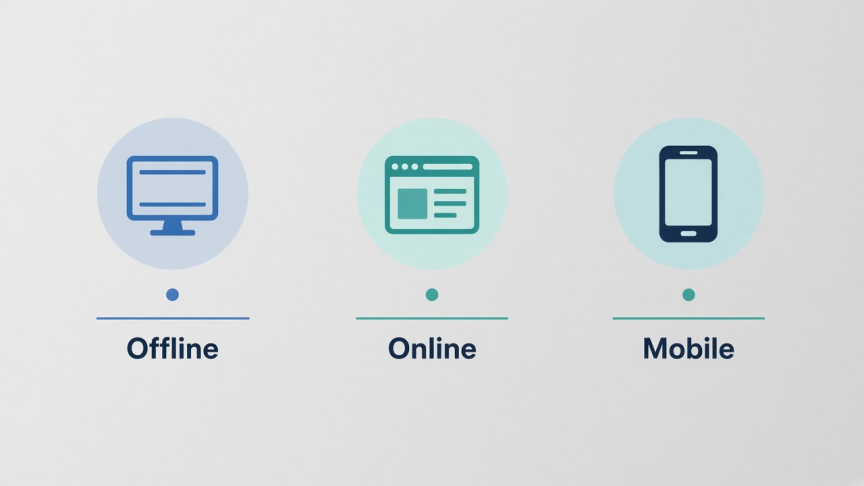
Offline review: open a local file from Downloads, USB, or email without uploading it
Quick browser peek: no install, accept trade-offs on fidelity or privacy
Mobile check: read a deck on a phone before a meeting
Present now: fullscreen slideshow with notes when available
Quick comparison: 10 PowerPoint viewers
| Tool | Best for | Offline | File stays local | Cost note |
|---|---|---|---|---|
| WPS Presentation | Everyday PPTX open, present, light edit | Yes | Yes (desktop/mobile) | Free suite download |
| PowerPoint for the web | Official Microsoft browser viewing | No | No (OneDrive) | Free Microsoft account |
| Google Slides | Upload PPTX and collaborate | Limited | No (Drive) | Free Google account |
| LibreOffice Impress | Open-source offline viewing | Yes | Yes | Free |
| PowerPoint mobile | Phone and tablet review | Partial | Device + account sync | Free app; advanced edit may need Microsoft 365 |
| Online upload viewers | One-time browser preview | No | Usually no | Often free with limits |
| Zoho Show | Browser import and team review | No | No (cloud) | Free tier; paid plans for teams |
| ONLYOFFICE | Desktop open of PPTX with edit option | Yes | Yes (desktop) | Free community desktop |
| Apple Keynote | Mac and iPhone PPTX open | Yes | Yes (device) | Free on Apple devices |
| Local-in-browser PPTX tools | No-install preview without upload | Browser session | Yes (client-side) | Usually free; fidelity varies |
1. WPS Presentation — best free PowerPoint viewer for most people
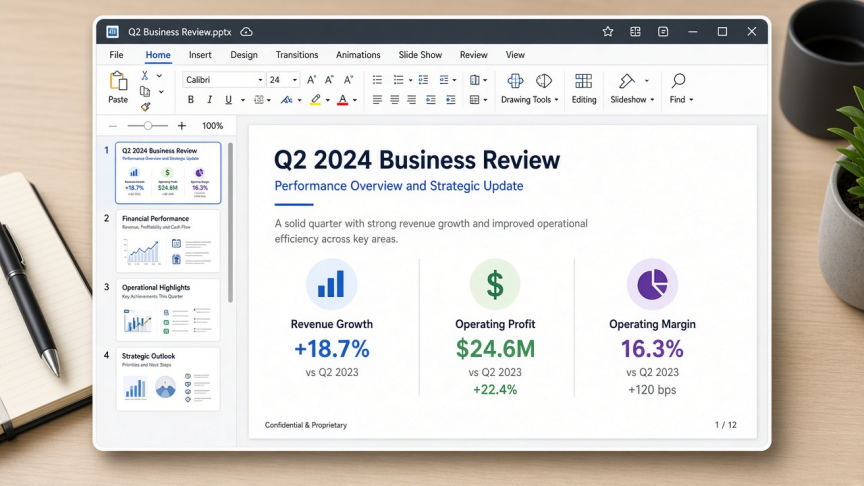
WPS Presentation is the presentation module inside free WPS Office. It is built for the exact job this keyword describes: open PowerPoint files on a PC or phone that does not have Microsoft PowerPoint installed.
Why it fits viewer intent
Opens .pptx, .ppt, and .ppsx for everyday school, work, and client decks
Works offline after install on Windows, Mac, Linux, Android, and iOS
Supports review, fullscreen slideshow, notes, and light edits without forcing a separate “viewer-only” app
Optional browser path via WPS PowerPoint Online when you only need a quick look
Limitations
Very complex Microsoft-only effects may need a fidelity check before a high-stakes live talk
Some advanced features sit behind WPS premium plans
Choose WPS when you want a free desktop PPTX viewer that can also present and fix small issues. See also the dedicated PPTX Viewer feature page.
2. Microsoft PowerPoint for the web — official Microsoft replacement path
After the classic PowerPoint Viewer was retired, Microsoft’s free browser path is PowerPoint for the web (through a Microsoft account and OneDrive). Upload or open the deck in the browser, then review or present without installing desktop Office.
Best for: people who want Microsoft’s own rendering and already use OneDrive or Outlook.
Watch-outs: needs internet; confidential decks leave the local disk; free accounts have storage limits; some desktop-only features are missing.
3. Google Slides — best when your team already lives in Drive
Upload a PowerPoint file to Google Drive and open it with Google Slides. You can view, comment, and collaborate. For a cleaner round-trip later, export back to PowerPoint format when needed.
Best for: shared review links and real-time comments with Google Workspace users.
Watch-outs: formatting can shift on complex PPTX imports; offline needs Google Drive offline setup; the file is stored in Google’s cloud.
4. LibreOffice Impress — best open-source offline viewer
LibreOffice Impress opens many PowerPoint files without a Microsoft license. It is a strong pick when open-source licensing or package-manager installs matter more than matching Microsoft’s interface.
Best for: Windows, Mac, and Linux users who want a free offline suite.
Watch-outs: complex animations, SmartArt, and fonts may render differently; test before presenting someone else’s polished deck.
5. PowerPoint mobile apps — best for phone and tablet review

Microsoft’s PowerPoint apps for Android and iOS let you open attachments, skim slides, and present from a phone or tablet. Viewing is broadly available; advanced editing and some features may require a Microsoft 365 subscription depending on device size and account.
Best for: reading a deck on the way to a meeting.
Watch-outs: small screens are poor for detailed layout QA; sync and sign-in friction can slow a one-off open.
6. Free online upload viewers — best for a one-time non-sensitive peek
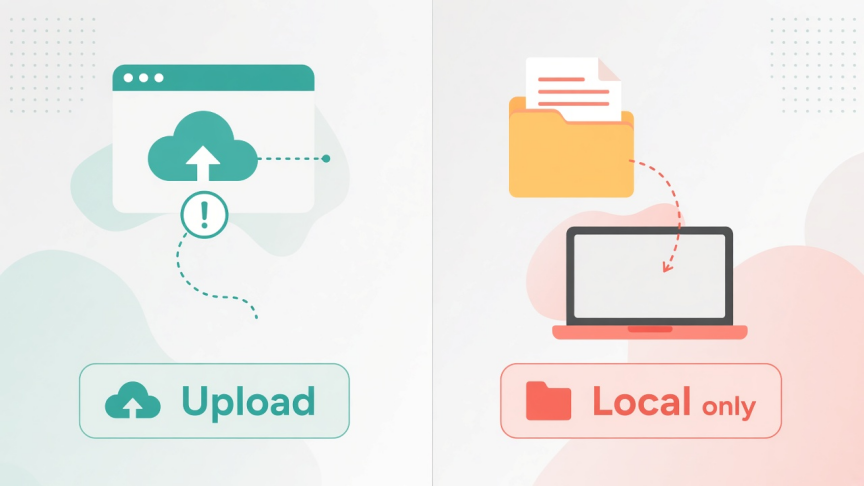
Browser tools such as Aspose Slides Viewer and similar “drop your PPTX” sites open presentations without installing software. Many convert slides to images for playback. That is convenient—and risky for private content.
Best for: public or low-sensitivity files when you cannot install anything.
Watch-outs: files usually upload to a third-party server; slide limits, watermarks, or fidelity caps are common; do not use these for HR, legal, or finance decks.
7. Zoho Show — best lightweight cloud importer for teams
Zoho Show imports PowerPoint files into a browser workspace for viewing, editing, and collaboration. It sits closer to Google’s model than to a classic offline viewer.
Best for: teams already in Zoho Workplace who need shared browser review.
Watch-outs: cloud-dependent; free tiers and paid plans differ; always check import fidelity on chart-heavy decks.
8. ONLYOFFICE Desktop Editors — solid free desktop alternative
ONLYOFFICE’s free desktop editors open PPTX files locally and support viewing plus editing. It is a practical option if you prefer another free suite next to LibreOffice or WPS.
Best for: offline open on Windows, Linux, or Mac with OOXML-focused workflows.
Watch-outs: interface learning curve; verify animations and fonts before a live present.
9. Apple Keynote — best PowerPoint viewer on Mac and iPhone
Keynote opens many PowerPoint files on Mac, iPhone, and iPad. Export back to PowerPoint when Windows teammates need a PPTX copy.
Best for: Apple-only environments and AirPlay presenting.
Watch-outs: not available as a full Windows desktop app; complex Windows-built decks can shift fonts or effects.
10. Local-in-browser PPTX tools — best no-upload quick preview
A newer class of web tools parses PPTX in your browser with JavaScript so the file never uploads. They are useful for a fast private preview when you cannot install software and will not send the deck to a conversion server.
Best for: privacy-conscious one-off opens of modern .pptx files.
Watch-outs: older .ppt binaries are often unsupported or weak; animations and exact fonts vary; these tools are not a replacement for presenting a critical client deck.

How to choose the right PowerPoint viewer
Confidential local file: WPS Presentation, LibreOffice Impress, ONLYOFFICE, or Keynote on Apple devices
Official Microsoft look in a browser: PowerPoint for the web
Team comments in Google: Google Slides
Phone-only check: PowerPoint mobile or WPS mobile
No install, non-sensitive: online upload viewer
No install, keep file local: client-side browser PPTX tool
If your real need is creating new animated marketing videos, look at design tools separately. That is a different search intent from “PowerPoint viewer.”
How to open a PPTX file in WPS Office
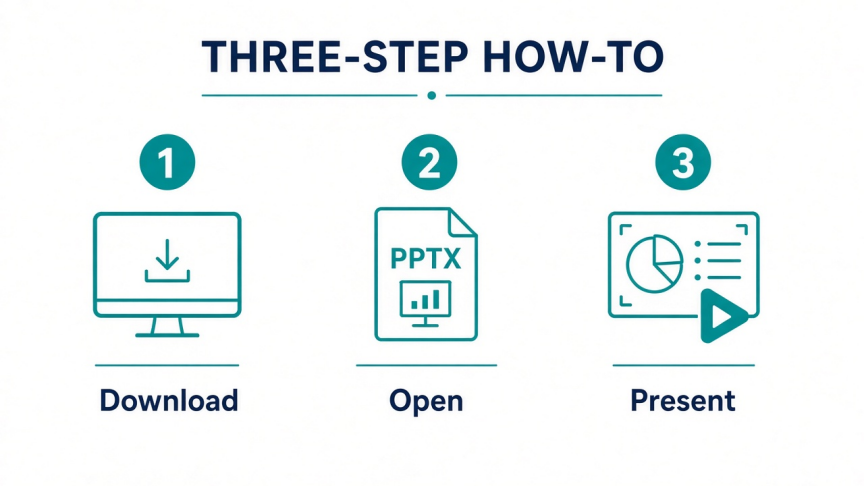
Step 1. Download and install free WPS Office for your device.
Step 2. Open WPS Presentation, or double-click the .pptx / .ppt file if WPS is set as the default app.
Step 3. Review slides in normal view, check notes if present, then start slideshow for fullscreen present.
Step 4. Optional: fix a typo, export PDF, or keep editing in the same app.
More presentation how-tos are in the WPS Presentation Academy.
FAQ
Is Microsoft PowerPoint Viewer still available? No. The standalone Microsoft PowerPoint Viewer was discontinued. Use PowerPoint for the web, a free desktop suite such as WPS Presentation or LibreOffice Impress, or a mobile PowerPoint app instead.
Can I open PPTX without Microsoft Office? Yes. Free options include WPS Office, LibreOffice Impress, Google Slides (after upload), PowerPoint for the web, ONLYOFFICE, Keynote on Apple devices, and various online viewers.
What is the safest free PowerPoint viewer for confidential files? Prefer an offline desktop or mobile app that opens the file from local storage. Avoid uploading sensitive decks to unknown online converters.
Do online PowerPoint viewers support old .ppt files? Many modern browser tools work best with .pptx. Legacy .ppt support varies. Convert .ppt to .pptx in a desktop suite when a web tool fails.
Is WPS Office a PowerPoint viewer or an editor? Both. You can open and present PPTX files, then edit or export when you need more than view-only.
Which PowerPoint viewer works offline? WPS Presentation, LibreOffice Impress, ONLYOFFICE desktop, Apple Keynote, and local files opened in mobile apps after download. Browser-only tools generally need a connection.
Conclusion
The best PowerPoint viewer software is the one that matches your constraint: offline privacy, Microsoft’s browser UI, Google collaboration, or a no-install preview. The old standalone Viewer is gone, so free suites and web apps now fill that gap.
For most people who simply need to open a .pptx attachment and present it, start with WPS Presentation. Use PowerPoint for the web or Google Slides when cloud sharing is the priority. Keep upload-only viewers for non-sensitive one-offs.

'%3e%3cpath%20d='M19.9911%204.11386V6.471H18.5894C18.0775%206.471%2017.7322%206.57814%2017.5536%206.79243C17.3751%207.00671%2017.2858%207.32814%2017.2858%207.75671V9.44421H19.9019L19.5536%2012.0871H17.2858V18.8639H14.5536V12.0871H12.2769V9.44421H14.5536V7.49779C14.5536%206.39064%2014.8632%205.53201%2015.4822%204.92189C16.1013%204.31177%2016.9257%204.00671%2017.9554%204.00671C18.8304%204.00671%2019.509%204.04243%2019.9911%204.11386Z'%20fill='%23333333'/%3e%3c/g%3e%3cdefs%3e%3cclipPath%20id='clip0_2938_8199'%3e%3crect%20width='16'%20height='16'%20fill='white'%20transform='translate(8%204.00671)'/%3e%3c/clipPath%3e%3c/defs%3e%3c/svg%3e)
'%3e%3cpath%20d='M17.5237%2010.7813L23.4811%204H22.0699L16.8949%209.88693L12.7648%204H8L14.2469%2012.9029L8%2020.0133H9.4112L14.8725%2013.7952L19.2352%2020.0133H24M9.92053%205.04213H12.0885L22.0688%2019.0224H19.9003'%20fill='%23333333'/%3e%3c/g%3e%3cdefs%3e%3cclipPath%20id='clip0_2938_8200'%3e%3crect%20width='16'%20height='16.0134'%20fill='white'%20transform='translate(8%204)'/%3e%3c/clipPath%3e%3c/defs%3e%3c/svg%3e)


