

'%3e%3cpath%20d='M8%200C12.4183%200%2016%203.58172%2016%208C16%2012.4183%2012.4183%2016%208%2016C3.58172%2016%200%2012.4183%200%208C0%203.58172%203.58172%200%208%200ZM11.6162%204.38379C11.2257%203.99337%2010.5927%203.99338%2010.2021%204.38379L8%206.58594L5.79785%204.38379C5.40732%203.99334%204.77429%203.99329%204.38379%204.38379C3.99331%204.77429%203.99335%205.40733%204.38379%205.79785L6.58594%208L4.38379%2010.2021C3.99348%2010.5927%203.99341%2011.2257%204.38379%2011.6162C4.77426%2012.0066%205.40734%2012.0065%205.79785%2011.6162L8%209.41406L10.2021%2011.6162C10.5927%2012.0066%2011.2257%2012.0067%2011.6162%2011.6162C12.0067%2011.2257%2012.0066%2010.5927%2011.6162%2010.2021L9.41406%208L11.6162%205.79785C12.0066%205.40735%2012.0066%204.77429%2011.6162%204.38379Z'%20fill='%23080E17'%20fill-opacity='0.46'/%3e%3c/g%3e%3cdefs%3e%3cclipPath%20id='clip0_3761_713'%3e%3crect%20width='16'%20height='16'%20fill='white'/%3e%3c/clipPath%3e%3c/defs%3e%3c/svg%3e)




'%3e%3cpath%20fill-rule='evenodd'%20clip-rule='evenodd'%20d='M21.4999%2010.9993C21.4999%205.20009%2016.7986%200.498901%2010.9993%200.498901C5.19994%200.498901%200.498657%205.20009%200.498657%2010.9993C0.498657%2016.2404%204.33858%2020.5844%209.35855%2021.3722V14.0346H6.69238V10.9993H9.35855V8.68594C9.35855%206.05427%2010.9262%204.60062%2013.3248%204.60062C14.4736%204.60062%2015.6753%204.80571%2015.6753%204.80571V7.38979H14.3512C13.0468%207.38979%2012.64%208.19921%2012.64%209.0296V10.9993H15.5523L15.0867%2014.0346H12.64V21.3722C17.66%2020.5844%2021.4999%2016.2404%2021.4999%2010.9993Z'%20fill='%231568EA'/%3e%3c/g%3e%3c/svg%3e)


'%3e%3cpath%20d='M2.42045%2022.1876H6.31818V12.7217L0.75%208.54553V20.5171C0.75%2021.4414%201.49892%2022.1876%202.42045%2022.1876Z'%20fill='%234285F4'/%3e%3cpath%20d='M19.682%2022.1876H23.5797C24.5041%2022.1876%2025.2502%2021.4387%2025.2502%2020.5171V8.54553L19.682%2012.7217'%20fill='%2334A853'/%3e%3cpath%20d='M19.682%205.48293V12.7216L25.2502%208.54543V6.31816C25.2502%204.25236%2022.8921%203.07469%2021.2411%204.31361'%20fill='%23FBBC04'/%3e%3cpath%20d='M6.31824%2012.7217V5.48303L13.0001%2010.4944L19.6819%205.48303V12.7217L13.0001%2017.733'%20fill='%23EA4335'/%3e%3cpath%20d='M0.75%206.31816V8.54543L6.31818%2012.7216V5.48293L4.75909%204.31361C3.10534%203.07469%200.75%204.25236%200.75%206.31816Z'%20fill='%23C5221F'/%3e%3c/g%3e%3cdefs%3e%3cclipPath%20id='clip0_2954_7305'%3e%3crect%20width='24.5'%20height='18.375'%20fill='white'%20transform='translate(0.75%203.8125)'/%3e%3c/clipPath%3e%3c/defs%3e%3c/svg%3e)


Microsoft Office 2013 product key is a 25-character code that unlocks your perpetual Office 2013 suite. If you lost the card, moved to a new PC, or reinstalled Windows, you may feel stuck without a way to verify your purchase. In this guide, you will learn what a Microsoft Office 2013 product key does, where it lives, how to recover one you have lost, and why free key lists are dangerous. You will also discover a free alternative that lets you skip the key hunt entirely.
How to Find and Activate a Microsoft Office 2013 Product Key
What a Microsoft Office 2013 product key can and cannot do
A Microsoft Office 2013 product key is a 25-character code, usually formatted as five groups of five like XXXXX-XXXXX-XXXXX-XXXXX-XXXXX, that identifies your licensed copy of Office. Because Office 2013 was sold as a perpetual license, this key is what ties the software to you. You need it when you install Office 2013 for the first time, reinstall it after a Windows reset, or move it to a new machine.
It is important to understand what this key can and cannot do. A Microsoft Office 2013 product key can activate the software and prove your copy is genuine. It cannot, however, be recovered from Microsoft automatically. Unlike newer subscription versions, Office 2013 does not store its key in your Microsoft account unless you registered it there at the time of purchase. If the original email or card is gone, you have to look in a few specific places instead of asking Microsoft to regenerate it.
Another common misunderstanding is that any key works on any copy. Retail, OEM, and volume-license keys behave differently, and a key meant for one channel will not activate a different edition. That is why the safest approach is to find the exact Microsoft Office 2013 product key tied to your purchase, not to borrow one from an online list.

Office 2013 product key license purpose


Where your Microsoft Office 2013 product key is stored
The location of your Microsoft Office 2013 product key depends on how you bought it. Checking the right place first saves time and avoids unnecessary tooling. These are the most common spots:
Retail box or card: If you bought Office 2013 at a store, the key is printed on a card inside the box. Check the product card or the sleeve before doing anything else.
OEM sticker: If Office 2013 came pre-installed on a Dell, HP, Lenovo, or another branded PC, the key may appear on a Certificate of Authenticity sticker. On laptops it often lives under the battery, on the bottom case, or inside the documentation packet.
Microsoft account order history: If you bought Office digitally from Microsoft and registered the key, sign in to the services page and check your subscription and one-time purchase history for a "View product key" option.
Saved email: Digital purchases are usually confirmed by email that includes the license details. Search your inbox for "Office 2013" or "product key".
If you still cannot find a Microsoft Office 2013 product key after checking these places, it may already be installed on your current machine. In that case you can extract it from the system, as described next.
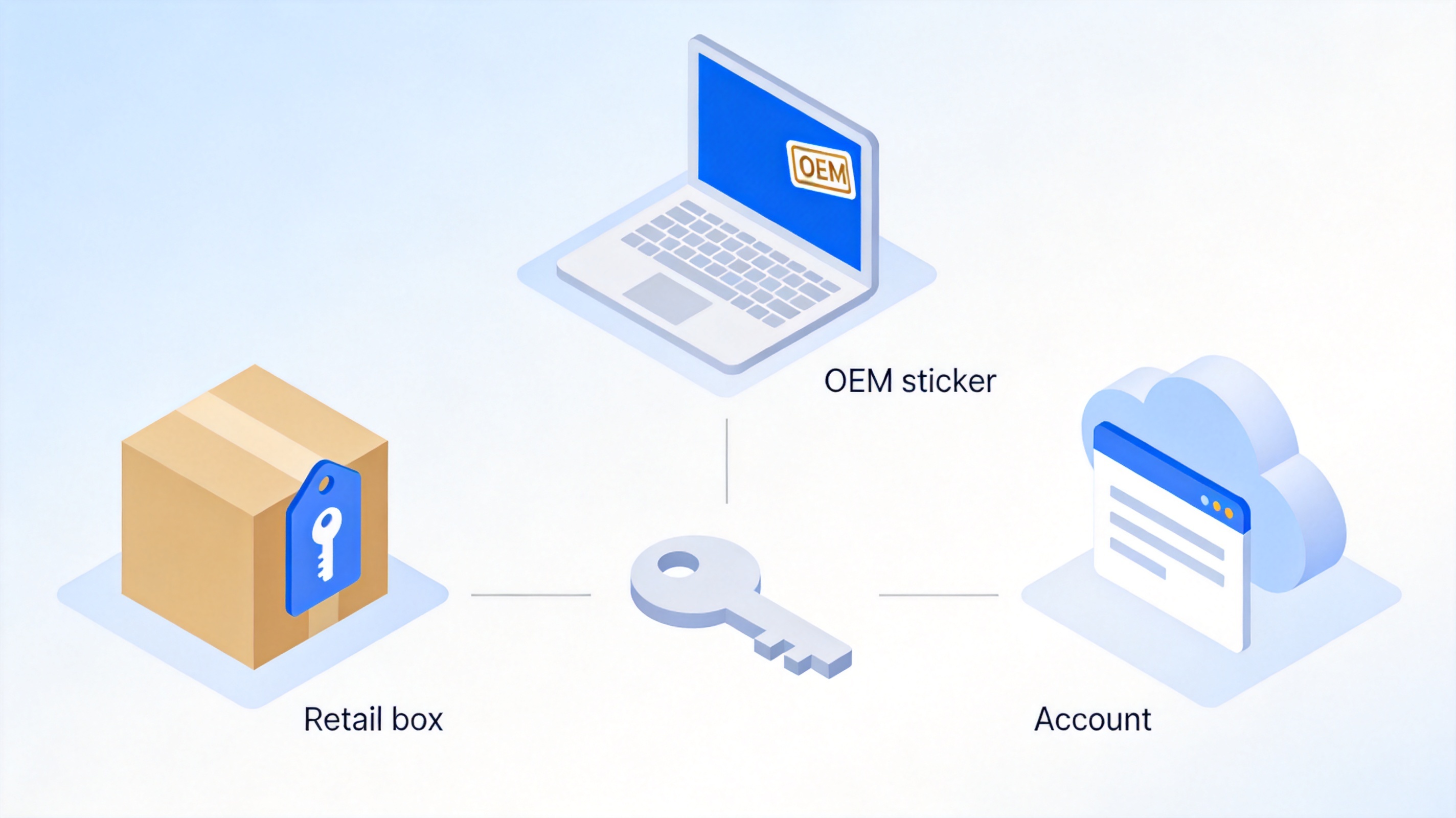
Where Office 2013 product key stored
How to find a lost Microsoft Office 2013 product key
When the physical card is gone but Office 2013 is already installed on your PC, you can often recover the key from the system itself. Microsoft ships a small script that reports license information for Office 2013. Open Command Prompt as administrator and run the line that matches your setup:
For 32-bit Office on 64-bit Windows:
cscript "C:\Program Files (x86)\Microsoft Office\Office15\OSPP.VBS" /dstatusFor 64-bit Office on 64-bit Windows or 32-bit Office on 32-bit Windows:
cscript "C:\Program Files\Microsoft Office\Office15\OSPP.VBS" /dstatus
This command shows the license name, license status, and the last five characters of the installed product key. It is a quick way to confirm whether your Microsoft Office 2013 product key is present and active, even if it will not reveal the full code.
For the complete Microsoft Office 2013 license key, many people turn to a key finder utility. Trustworthy tools read the registry or license token files and display the full code. Only download these utilities from reputable sources, and treat any program that promises to generate working keys with suspicion. If you are recovering a key from an old hard drive, the same key finder can often read the registry hive from the removed drive while it is attached as a secondary disk.
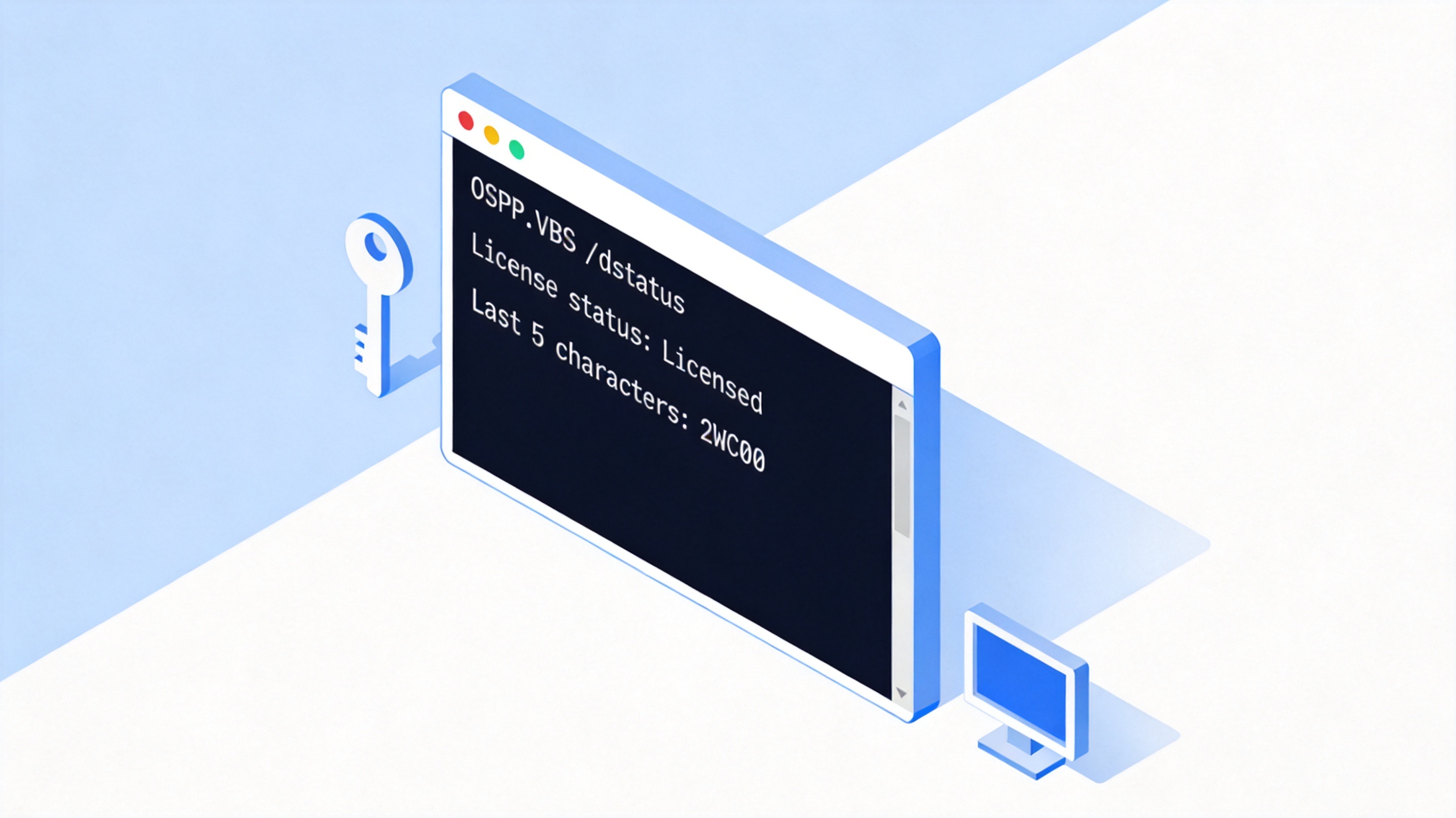
Check Office 2013 license key command
Why free Microsoft Office 2013 product key lists are risky
Searching for a "free Microsoft Office 2013 product key" leads to dozens of sites that publish long lists of codes or claim a key generator can produce valid ones. This approach is risky for several reasons. Most published keys are already used, blocked, or tied to volume licensing, so they will simply fail to activate. A key generator that does seem to work is almost always an activator that patches or cracks the software rather than activating it legitimately.
Beyond failing to work, these free Microsoft Office 2013 product key sources frequently bundle malware, adware, or ransomware. Downloading an "activator" can compromise your whole system and give an attacker access to your files. Even when the code technically unlocks Office, using an unlicensed key violates the license agreement and leaves you without legitimate support or updates. The reliable route is always to recover the key you already own, or to use software that does not require one at all.

Free Office 2013 product key risks
How to activate a Microsoft Office 2013 product key
Activating Microsoft Office 2013 takes only a few clicks. Follow these steps:
Open any Office 2013 app such as Word.
Go to File > Account and open Product Information.
Click Change product key and enter your 25-character Microsoft Office 2013 product key.
Click Activate so Office verifies the key online and unlocks the full suite.
Office 2013 Account Product Information screen
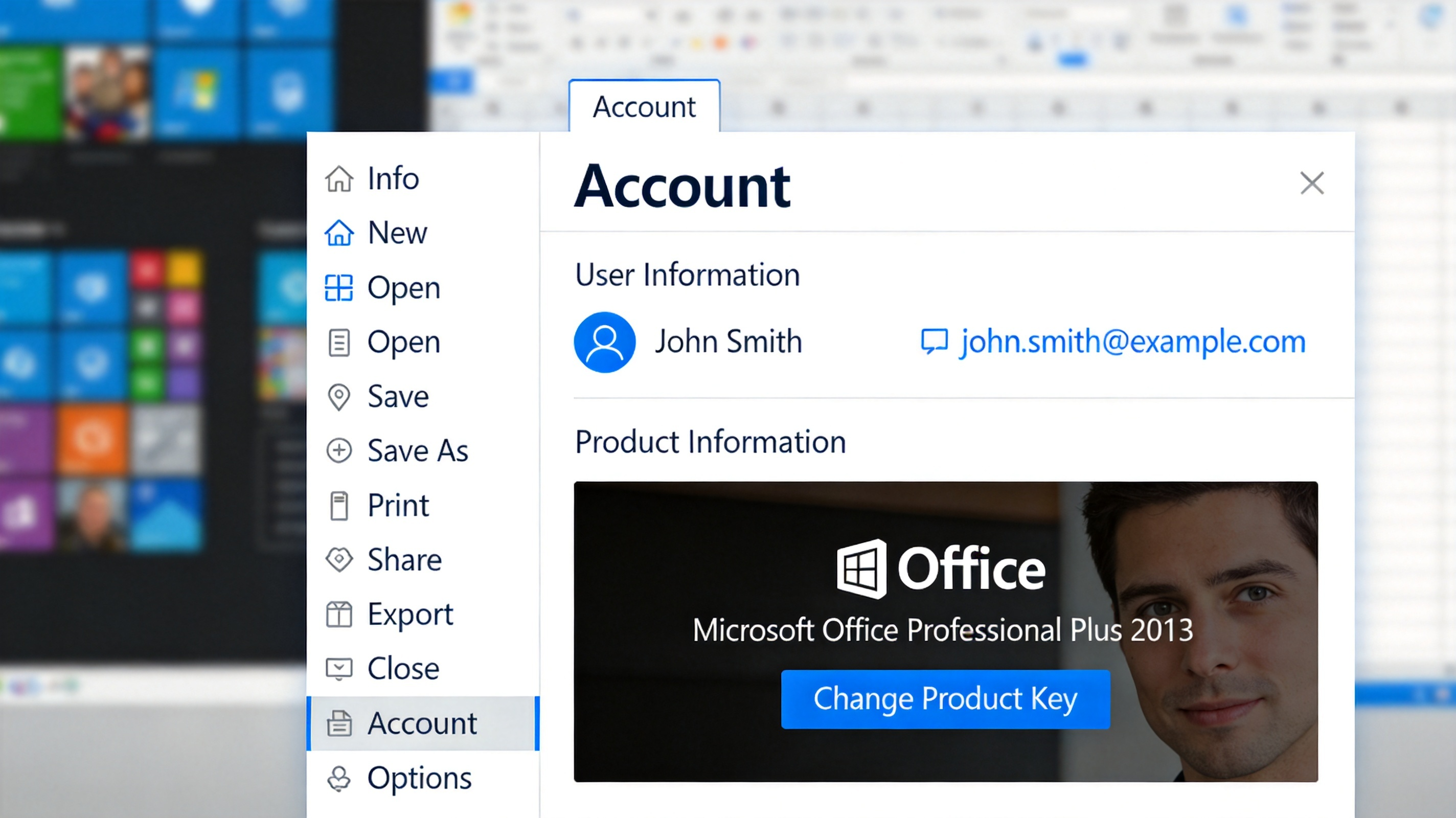
Office 2013 change product key dialog
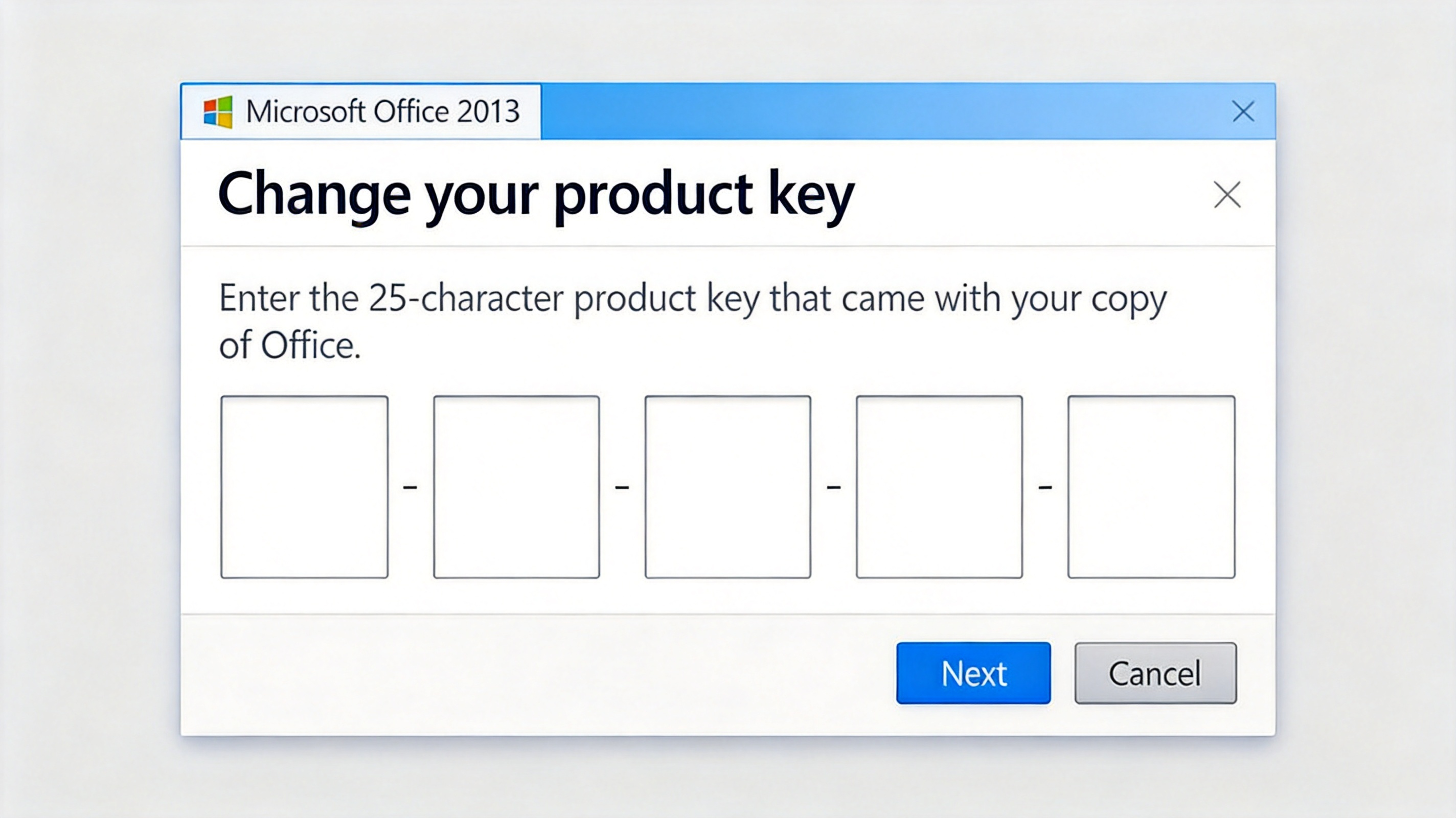
Volume-license copies use either a Multiple Activation Key (MAK), entered under File > Account, or Key Management Service (KMS), which activates automatically. If you are unsure which applies, ask your IT administrator.
If activation fails, confirm the key matches your edition and language, and check your system clock. If the key has reached its device limit, contact Microsoft support with proof of purchase.
The Best Free Alternative to a Microsoft Office 2013 Product Key: WPS Office
If you are tired of hunting for a Microsoft Office 2013 product key, you do not have to. WPS Office is a free, fully featured office suite that opens, edits, and saves Word, Excel, PowerPoint, and PDF files without any activation code. It is compatible with Office 2013 documents, so your existing files keep working as expected.
WPS Office bundles WPS Writer for documents, WPS Spreadsheets for tables, WPS Presentation for slides, and a built-in PDF toolkit. It runs on Windows, macOS, Linux, Android, and iOS, and it includes cloud storage so you can switch devices without losing work. Because it needs no Microsoft Office 2013 product key, you can install it, open your old Office files, and get back to work in minutes.
For readers who are also dealing with other legacy suites, our guides on the Microsoft Office Professional Plus 2010 product key and the Office 2007 license key cover similar situations with safe solutions.
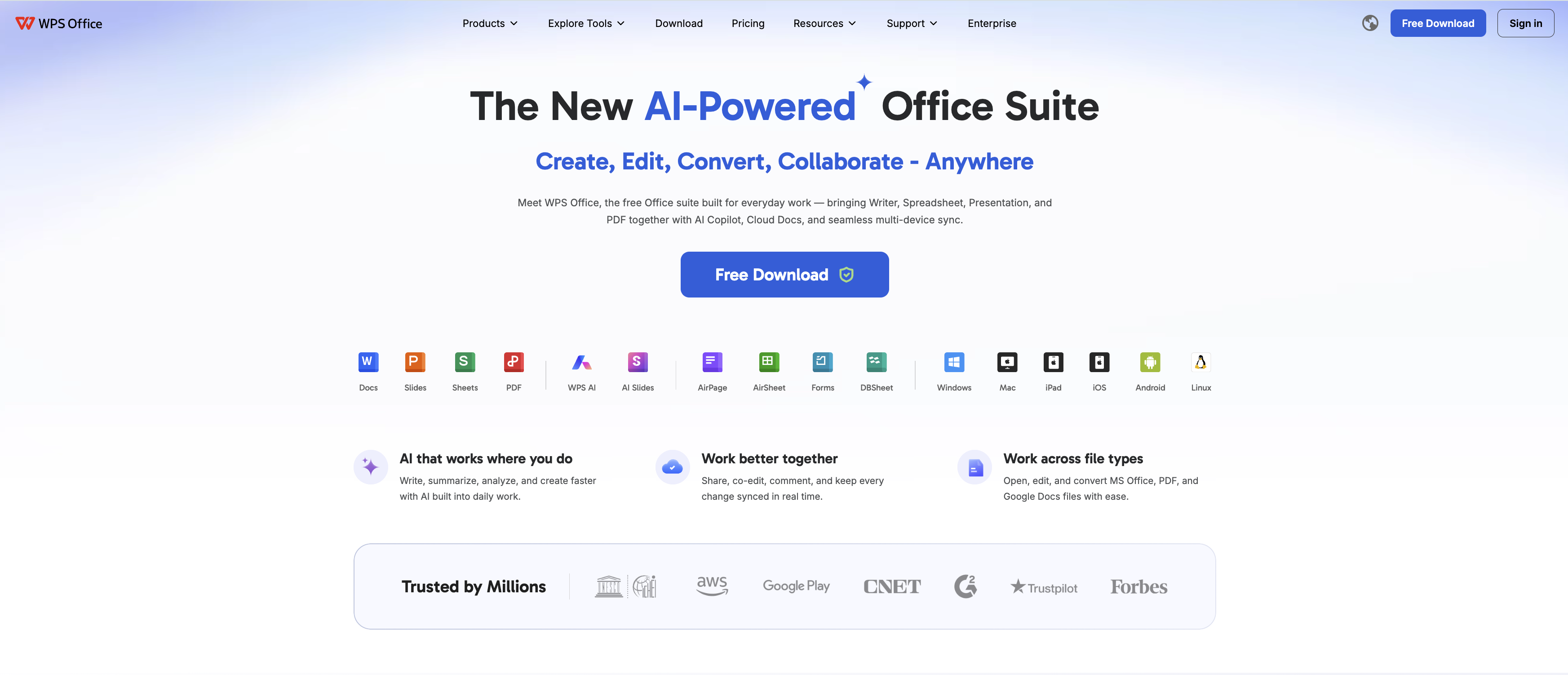
WPS Office free suite overview
FAQs
Can I get my Microsoft Office 2013 product key from my Microsoft account?
Only if you registered it there when you purchased Office digitally. Check the services page for one-time purchases; if it is not listed, the key is tied to the physical media or OEM installation instead.
Is a free Microsoft Office 2013 license key safe to use?
No. Free key lists and key generators are usually already used or tied to piracy, and many distribute malware. Recover your own key or use software like WPS Office that requires no license key at all.
What do I do if my Microsoft Office 2013 product key does not activate?
Confirm the key matches your edition and channel, check your system clock, and verify the code has not exceeded its activation limit. If the problem continues, contact Microsoft support with your proof of purchase.
Does WPS Office open Office 2013 files?
Yes. WPS Office is fully compatible with Word, Excel, and PowerPoint formats from Office 2013, and it saves documents in those formats as well.
Can a Microsoft Office 2013 product key be used on more than one PC?
Retail keys for Office 2013 typically allow one device, with a limited number of reinstalls. Volume-license keys follow your agreement with Microsoft and are managed by your IT administrator.


'%3e%3cpath%20d='M19.9911%204.11386V6.471H18.5894C18.0775%206.471%2017.7322%206.57814%2017.5536%206.79243C17.3751%207.00671%2017.2858%207.32814%2017.2858%207.75671V9.44421H19.9019L19.5536%2012.0871H17.2858V18.8639H14.5536V12.0871H12.2769V9.44421H14.5536V7.49779C14.5536%206.39064%2014.8632%205.53201%2015.4822%204.92189C16.1013%204.31177%2016.9257%204.00671%2017.9554%204.00671C18.8304%204.00671%2019.509%204.04243%2019.9911%204.11386Z'%20fill='%23333333'/%3e%3c/g%3e%3cdefs%3e%3cclipPath%20id='clip0_2938_8199'%3e%3crect%20width='16'%20height='16'%20fill='white'%20transform='translate(8%204.00671)'/%3e%3c/clipPath%3e%3c/defs%3e%3c/svg%3e)
'%3e%3cpath%20d='M17.5237%2010.7813L23.4811%204H22.0699L16.8949%209.88693L12.7648%204H8L14.2469%2012.9029L8%2020.0133H9.4112L14.8725%2013.7952L19.2352%2020.0133H24M9.92053%205.04213H12.0885L22.0688%2019.0224H19.9003'%20fill='%23333333'/%3e%3c/g%3e%3cdefs%3e%3cclipPath%20id='clip0_2938_8200'%3e%3crect%20width='16'%20height='16.0134'%20fill='white'%20transform='translate(8%204)'/%3e%3c/clipPath%3e%3c/defs%3e%3c/svg%3e)


