

'%3e%3cpath%20d='M8%200C12.4183%200%2016%203.58172%2016%208C16%2012.4183%2012.4183%2016%208%2016C3.58172%2016%200%2012.4183%200%208C0%203.58172%203.58172%200%208%200ZM11.6162%204.38379C11.2257%203.99337%2010.5927%203.99338%2010.2021%204.38379L8%206.58594L5.79785%204.38379C5.40732%203.99334%204.77429%203.99329%204.38379%204.38379C3.99331%204.77429%203.99335%205.40733%204.38379%205.79785L6.58594%208L4.38379%2010.2021C3.99348%2010.5927%203.99341%2011.2257%204.38379%2011.6162C4.77426%2012.0066%205.40734%2012.0065%205.79785%2011.6162L8%209.41406L10.2021%2011.6162C10.5927%2012.0066%2011.2257%2012.0067%2011.6162%2011.6162C12.0067%2011.2257%2012.0066%2010.5927%2011.6162%2010.2021L9.41406%208L11.6162%205.79785C12.0066%205.40735%2012.0066%204.77429%2011.6162%204.38379Z'%20fill='%23080E17'%20fill-opacity='0.46'/%3e%3c/g%3e%3cdefs%3e%3cclipPath%20id='clip0_3761_713'%3e%3crect%20width='16'%20height='16'%20fill='white'/%3e%3c/clipPath%3e%3c/defs%3e%3c/svg%3e)




'%3e%3cpath%20fill-rule='evenodd'%20clip-rule='evenodd'%20d='M21.4999%2010.9993C21.4999%205.20009%2016.7986%200.498901%2010.9993%200.498901C5.19994%200.498901%200.498657%205.20009%200.498657%2010.9993C0.498657%2016.2404%204.33858%2020.5844%209.35855%2021.3722V14.0346H6.69238V10.9993H9.35855V8.68594C9.35855%206.05427%2010.9262%204.60062%2013.3248%204.60062C14.4736%204.60062%2015.6753%204.80571%2015.6753%204.80571V7.38979H14.3512C13.0468%207.38979%2012.64%208.19921%2012.64%209.0296V10.9993H15.5523L15.0867%2014.0346H12.64V21.3722C17.66%2020.5844%2021.4999%2016.2404%2021.4999%2010.9993Z'%20fill='%231568EA'/%3e%3c/g%3e%3c/svg%3e)


'%3e%3cpath%20d='M2.42045%2022.1876H6.31818V12.7217L0.75%208.54553V20.5171C0.75%2021.4414%201.49892%2022.1876%202.42045%2022.1876Z'%20fill='%234285F4'/%3e%3cpath%20d='M19.682%2022.1876H23.5797C24.5041%2022.1876%2025.2502%2021.4387%2025.2502%2020.5171V8.54553L19.682%2012.7217'%20fill='%2334A853'/%3e%3cpath%20d='M19.682%205.48293V12.7216L25.2502%208.54543V6.31816C25.2502%204.25236%2022.8921%203.07469%2021.2411%204.31361'%20fill='%23FBBC04'/%3e%3cpath%20d='M6.31824%2012.7217V5.48303L13.0001%2010.4944L19.6819%205.48303V12.7217L13.0001%2017.733'%20fill='%23EA4335'/%3e%3cpath%20d='M0.75%206.31816V8.54543L6.31818%2012.7216V5.48293L4.75909%204.31361C3.10534%203.07469%200.75%204.25236%200.75%206.31816Z'%20fill='%23C5221F'/%3e%3c/g%3e%3cdefs%3e%3cclipPath%20id='clip0_2954_7305'%3e%3crect%20width='24.5'%20height='18.375'%20fill='white'%20transform='translate(0.75%203.8125)'/%3e%3c/clipPath%3e%3c/defs%3e%3c/svg%3e)


A lab report template asks for “≈” beside rounded measurements, but the keyboard only offers a tilde. Typing ~ and hoping readers understand “almost equal” looks sloppy in a spreadsheet you share with finance or science reviewers—and it is not the same character in Unicode.
Approximately Symbol in Excel: Insert ≈ in WPS Spreadsheet (2026 Guide)
When an approximately symbol belongs in your spreadsheet
The approximately symbol (≈, “almost equal to”) marks values that are close but not exact—rounded constants, estimated conversions, or tolerance bands in engineering tables. It is a character you insert into a cell, not the “approximate match” option in VLOOKUP or MATCH (that is a different idea; see our fuzzy match guide only if you need formula matching).
Use ≈ when the label itself must read correctly in print or PDF export. Do not substitute a tilde (~): many readers treat ~ as “about” in informal notes, but ≈ is the standard mathematical almost-equal sign and sorts/display differently in datasets.
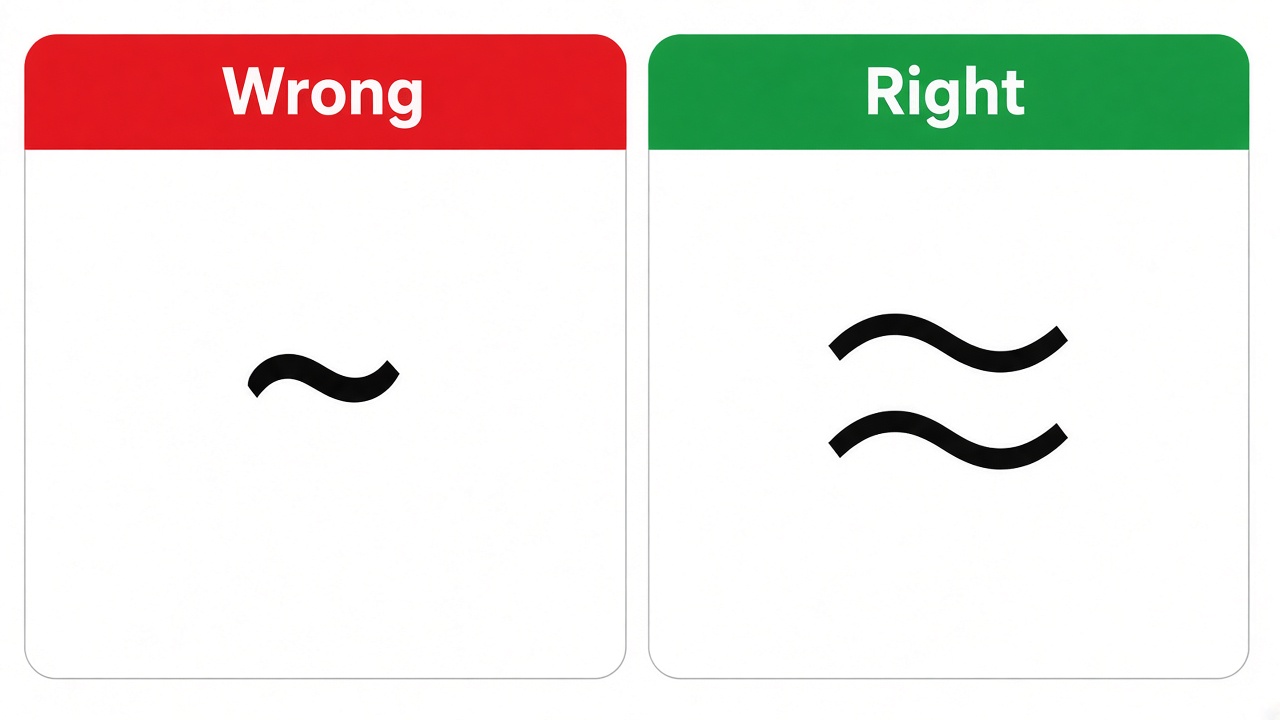
Tilde versus approximately symbol in Excel


Insert the approximately symbol with WPS Spreadsheet Symbol
The Symbol dialog is the most reliable method when you do not want to memorize codes. It works the same in WPS Spreadsheet as in Excel-compatible workflows.
Click the cell where the mark should appear.
Open the Insert tab and choose Symbol.
Set Subset to Mathematical Operators (or search the grid).
Select Almost Equal To (≈) and click Insert, then close the dialog.

Insert approximately symbol Symbol dialog WPS
After one cell contains ≈, copy it and paste across the column. For other special marks, our Excel symbols guide in WPS Office walks through the same Insert path for common operators.
Build the approximately symbol with UNICHAR(8776)
When you need many cells to show the mark—or want a reusable template—enter a formula instead of opening Symbol each time.
In an empty cell, type =UNICHAR(8776) and press Enter. The cell displays ≈.
Copy the result and use Paste Special → Values if you want static text without the formula.
Combine with text: ="Flow rate "&UNICHAR(8776)&" 12 L/min" for readable labels.
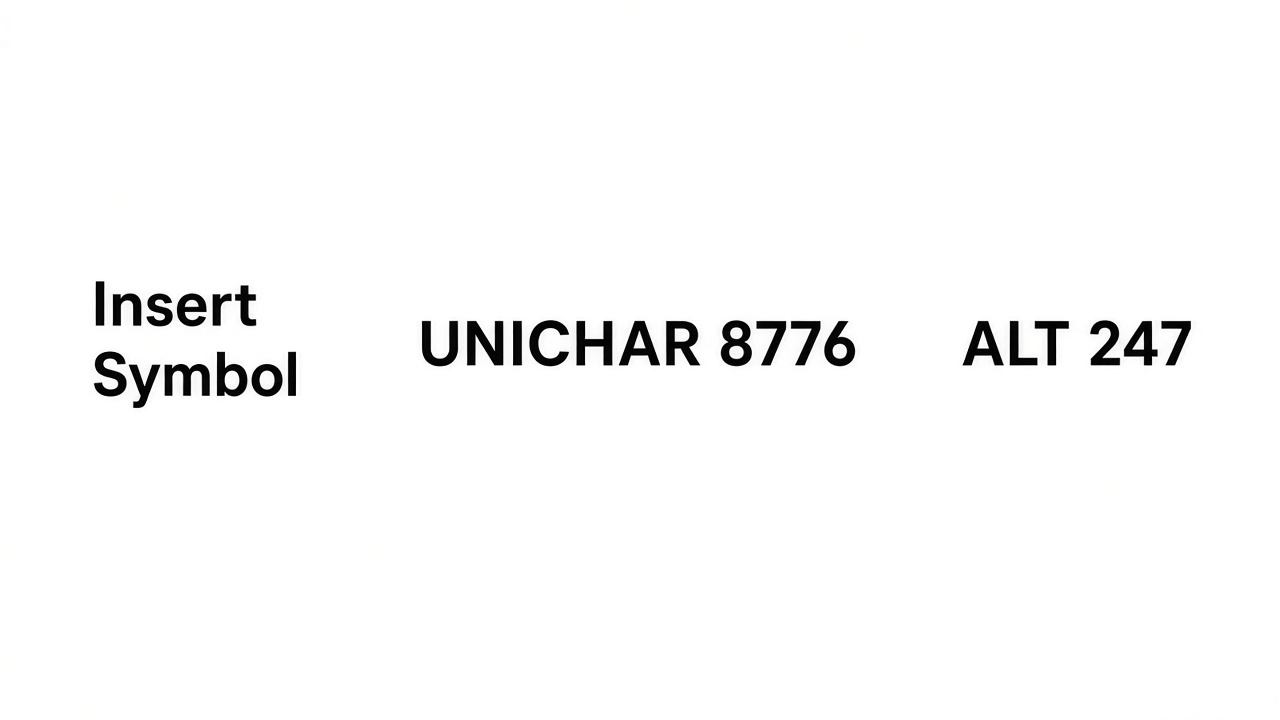
Three ways to insert approximately symbol in Excel
Type the approximately symbol with ALT+247
On Windows keyboards with a numeric keypad, ALT+247 inserts ≈ in the active cell: hold Alt, tap 2, 4, 7 on the keypad, then release Alt. Num Lock must be on, and the keys must be on the keypad—not the top row numbers.
Laptop without a keypad: use Symbol or UNICHAR instead, or copy ≈ from a cell you already fixed. The same Insert workflow also covers the degree sign and other operators—see degree symbol steps in WPS for a parallel example.
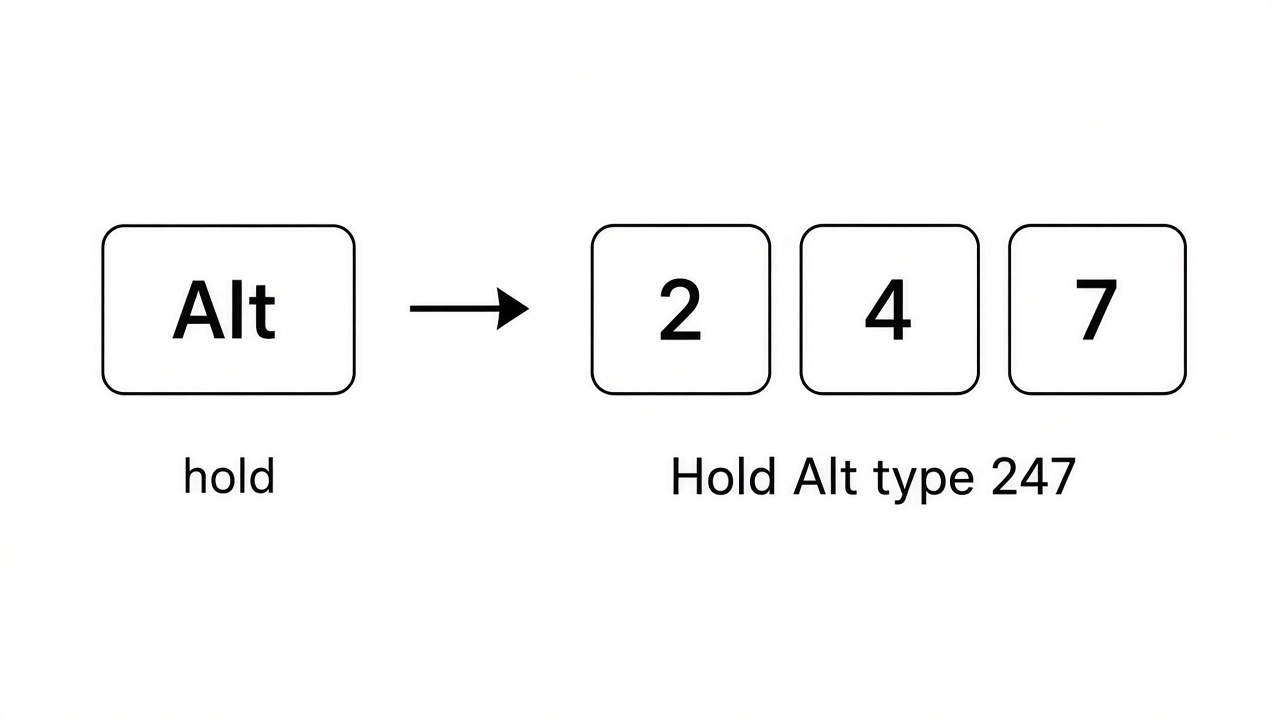
ALT 247 approximately symbol numeric keypad
The Best Free Office Alternative: WPS Office
Symbol, UNICHAR, and keyboard shortcuts all live inside the same WPS Spreadsheet workbook as your tables and charts—so ≈ stays consistent when you share .xlsx files or export to PDF.
After you insert ≈ once, copy that cell across sheets instead of reopening Character Map or retyping ALT codes for every column.

WPS Spreadsheet symbols and special characters
FAQs
What is the approximately symbol in Excel?
It is the “almost equal to” character ≈ (Unicode U+2248), used to show that two values are close. It is not the tilde (~) and not the same as approximate matching in lookup formulas.
What is the shortcut for the approximately symbol?
On Windows with a numeric keypad, use ALT+247. Without a keypad, use Insert → Symbol or =UNICHAR(8776) in WPS Spreadsheet.
Can I use a tilde instead of ≈?
Informally some people type ~, but ≈ is the correct mathematical mark. Use ≈ in formal tables, lab exports, and shared templates.
Does UNICHAR(8776) work in WPS Spreadsheet?
Yes. UNICHAR returns the Unicode character for code 8776, which displays as ≈ in the cell.
Where is Almost Equal To in the Symbol dialog?
Open Insert → Symbol, choose the Mathematical Operators subset, and pick Almost Equal To. Insert once, then copy the cell as needed.


'%3e%3cpath%20d='M19.9911%204.11386V6.471H18.5894C18.0775%206.471%2017.7322%206.57814%2017.5536%206.79243C17.3751%207.00671%2017.2858%207.32814%2017.2858%207.75671V9.44421H19.9019L19.5536%2012.0871H17.2858V18.8639H14.5536V12.0871H12.2769V9.44421H14.5536V7.49779C14.5536%206.39064%2014.8632%205.53201%2015.4822%204.92189C16.1013%204.31177%2016.9257%204.00671%2017.9554%204.00671C18.8304%204.00671%2019.509%204.04243%2019.9911%204.11386Z'%20fill='%23333333'/%3e%3c/g%3e%3cdefs%3e%3cclipPath%20id='clip0_2938_8199'%3e%3crect%20width='16'%20height='16'%20fill='white'%20transform='translate(8%204.00671)'/%3e%3c/clipPath%3e%3c/defs%3e%3c/svg%3e)
'%3e%3cpath%20d='M17.5237%2010.7813L23.4811%204H22.0699L16.8949%209.88693L12.7648%204H8L14.2469%2012.9029L8%2020.0133H9.4112L14.8725%2013.7952L19.2352%2020.0133H24M9.92053%205.04213H12.0885L22.0688%2019.0224H19.9003'%20fill='%23333333'/%3e%3c/g%3e%3cdefs%3e%3cclipPath%20id='clip0_2938_8200'%3e%3crect%20width='16'%20height='16.0134'%20fill='white'%20transform='translate(8%204)'/%3e%3c/clipPath%3e%3c/defs%3e%3c/svg%3e)


