

'%3e%3cpath%20d='M8%200C12.4183%200%2016%203.58172%2016%208C16%2012.4183%2012.4183%2016%208%2016C3.58172%2016%200%2012.4183%200%208C0%203.58172%203.58172%200%208%200ZM11.6162%204.38379C11.2257%203.99337%2010.5927%203.99338%2010.2021%204.38379L8%206.58594L5.79785%204.38379C5.40732%203.99334%204.77429%203.99329%204.38379%204.38379C3.99331%204.77429%203.99335%205.40733%204.38379%205.79785L6.58594%208L4.38379%2010.2021C3.99348%2010.5927%203.99341%2011.2257%204.38379%2011.6162C4.77426%2012.0066%205.40734%2012.0065%205.79785%2011.6162L8%209.41406L10.2021%2011.6162C10.5927%2012.0066%2011.2257%2012.0067%2011.6162%2011.6162C12.0067%2011.2257%2012.0066%2010.5927%2011.6162%2010.2021L9.41406%208L11.6162%205.79785C12.0066%205.40735%2012.0066%204.77429%2011.6162%204.38379Z'%20fill='%23080E17'%20fill-opacity='0.46'/%3e%3c/g%3e%3cdefs%3e%3cclipPath%20id='clip0_3761_713'%3e%3crect%20width='16'%20height='16'%20fill='white'/%3e%3c/clipPath%3e%3c/defs%3e%3c/svg%3e)




'%3e%3cpath%20fill-rule='evenodd'%20clip-rule='evenodd'%20d='M21.4999%2010.9993C21.4999%205.20009%2016.7986%200.498901%2010.9993%200.498901C5.19994%200.498901%200.498657%205.20009%200.498657%2010.9993C0.498657%2016.2404%204.33858%2020.5844%209.35855%2021.3722V14.0346H6.69238V10.9993H9.35855V8.68594C9.35855%206.05427%2010.9262%204.60062%2013.3248%204.60062C14.4736%204.60062%2015.6753%204.80571%2015.6753%204.80571V7.38979H14.3512C13.0468%207.38979%2012.64%208.19921%2012.64%209.0296V10.9993H15.5523L15.0867%2014.0346H12.64V21.3722C17.66%2020.5844%2021.4999%2016.2404%2021.4999%2010.9993Z'%20fill='%231568EA'/%3e%3c/g%3e%3c/svg%3e)


'%3e%3cpath%20d='M2.42045%2022.1876H6.31818V12.7217L0.75%208.54553V20.5171C0.75%2021.4414%201.49892%2022.1876%202.42045%2022.1876Z'%20fill='%234285F4'/%3e%3cpath%20d='M19.682%2022.1876H23.5797C24.5041%2022.1876%2025.2502%2021.4387%2025.2502%2020.5171V8.54553L19.682%2012.7217'%20fill='%2334A853'/%3e%3cpath%20d='M19.682%205.48293V12.7216L25.2502%208.54543V6.31816C25.2502%204.25236%2022.8921%203.07469%2021.2411%204.31361'%20fill='%23FBBC04'/%3e%3cpath%20d='M6.31824%2012.7217V5.48303L13.0001%2010.4944L19.6819%205.48303V12.7217L13.0001%2017.733'%20fill='%23EA4335'/%3e%3cpath%20d='M0.75%206.31816V8.54543L6.31818%2012.7216V5.48293L4.75909%204.31361C3.10534%203.07469%200.75%204.25236%200.75%206.31816Z'%20fill='%23C5221F'/%3e%3c/g%3e%3cdefs%3e%3cclipPath%20id='clip0_2954_7305'%3e%3crect%20width='24.5'%20height='18.375'%20fill='white'%20transform='translate(0.75%203.8125)'/%3e%3c/clipPath%3e%3c/defs%3e%3c/svg%3e)


XLOOKUP is the modern replacement for VLOOKUP: it looks up values in any direction, returns exact matches by default, and needs no column number counting. VLOOKUP still works fine in older files and for right-to-left lookups, but for new formulas in WPS Spreadsheet or Excel, XLOOKUP is the better choice. Here is the full XLOOKUP vs VLOOKUP comparison with practical examples.

XLOOKUP vs VLOOKUP: Which Excel Lookup Function Should You Use?
XLOOKUP vs VLOOKUP: Key Differences at a Glance
The two functions solve the same problem differently. VLOOKUP searches only the first column of a range and returns a value from a column you count manually; XLOOKUP takes a lookup array and a return array, so it can return values to the left, above, or below the match:
Direction. VLOOKUP only searches vertically and returns from columns to the right. XLOOKUP searches rows or columns in any direction.
Syntax. VLOOKUP needs a column index number that breaks when you insert a column. XLOOKUP references the return range directly, so inserts do not break it.
Match mode. VLOOKUP defaults to approximate match unless you type FALSE. XLOOKUP defaults to exact match, which prevents silent wrong results.
Errors. VLOOKUP returns #N/A for missing values; XLOOKUP lets you set a custom "not found" message.
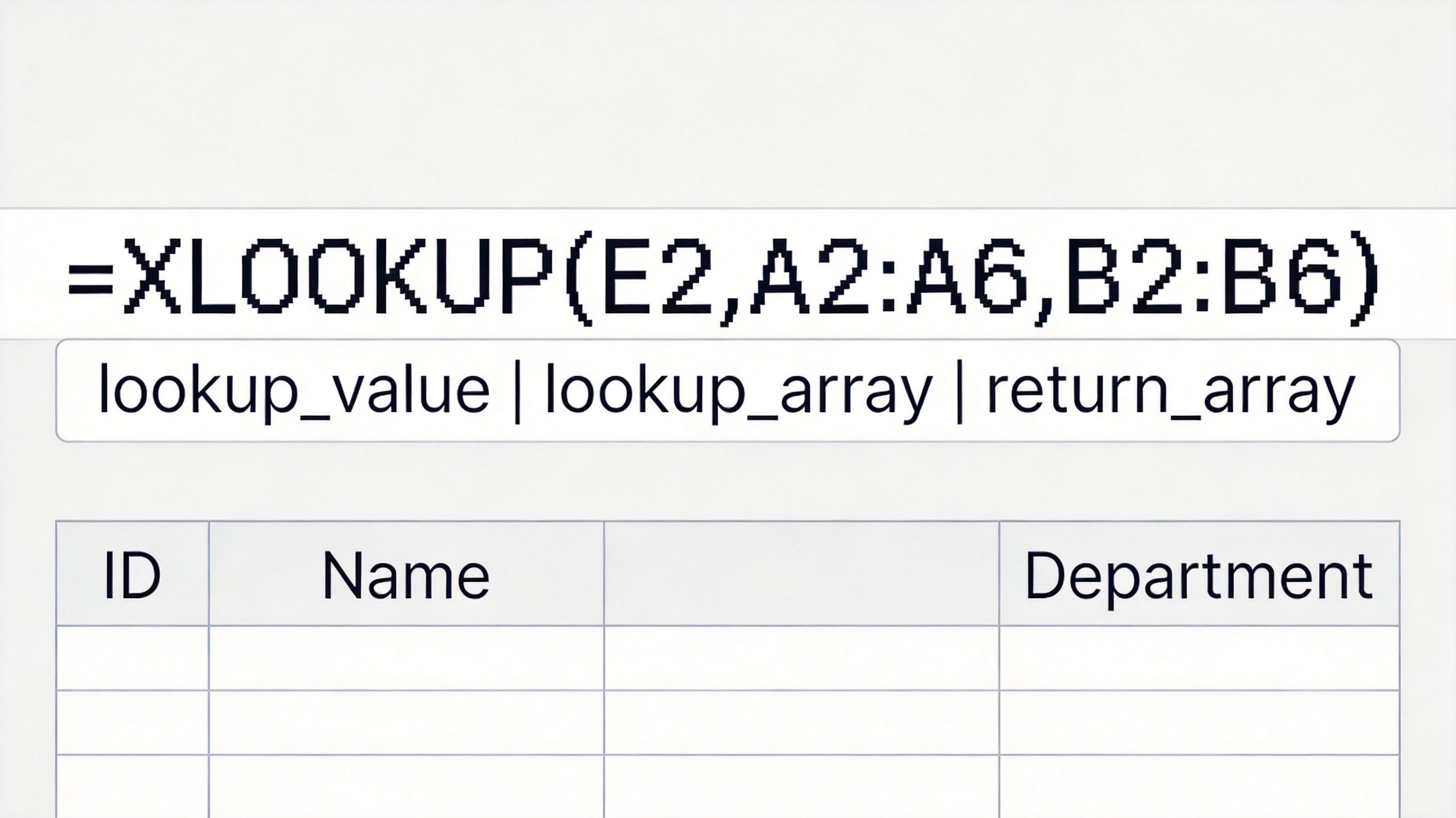
Here is the same data lookup written both ways. The XLOOKUP formula below is compact and reads left to right:
XLOOKUP formula lookup array return


How to Use XLOOKUP in WPS Spreadsheet
WPS Spreadsheet supports XLOOKUP with the same syntax as Excel, so formulas you write in one app run in the other. Use it to pull a name, price, or status from a lookup table:
Prepare the data with a lookup column (such as Employee ID) and a return column (such as Department).
In the result cell, type =XLOOKUP( and select the lookup value cell, for example E2.
Select the lookup array (the column that contains the ID, such as A2:A6) and the return array (the column with the value you want, such as B2:B6).
Press Enter. The matching value appears, and the formula is ready to copy down with the fill handle.
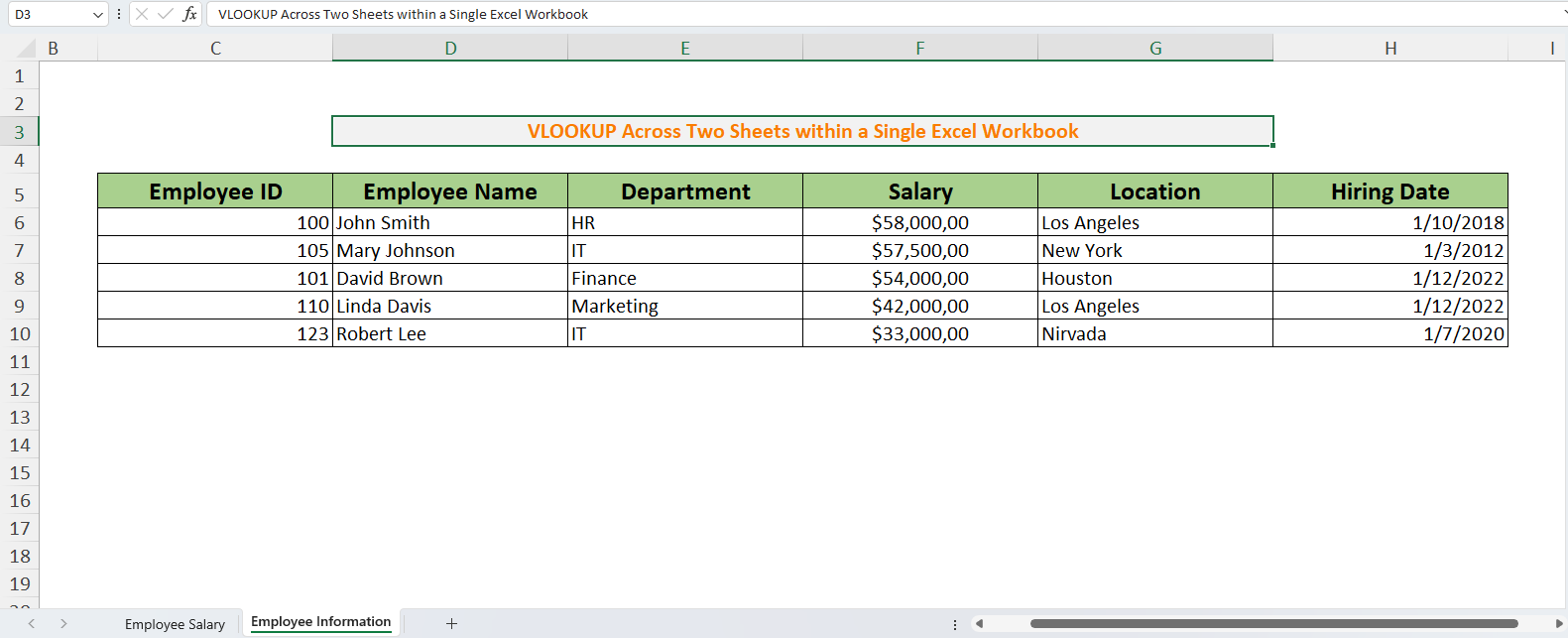
Unlike VLOOKUP, XLOOKUP also returns values from columns to the left of the lookup column, so you can reorganize tables freely. The sample table below is the classic employee lookup setup:
Excel sample employee information table
When VLOOKUP Still Makes Sense
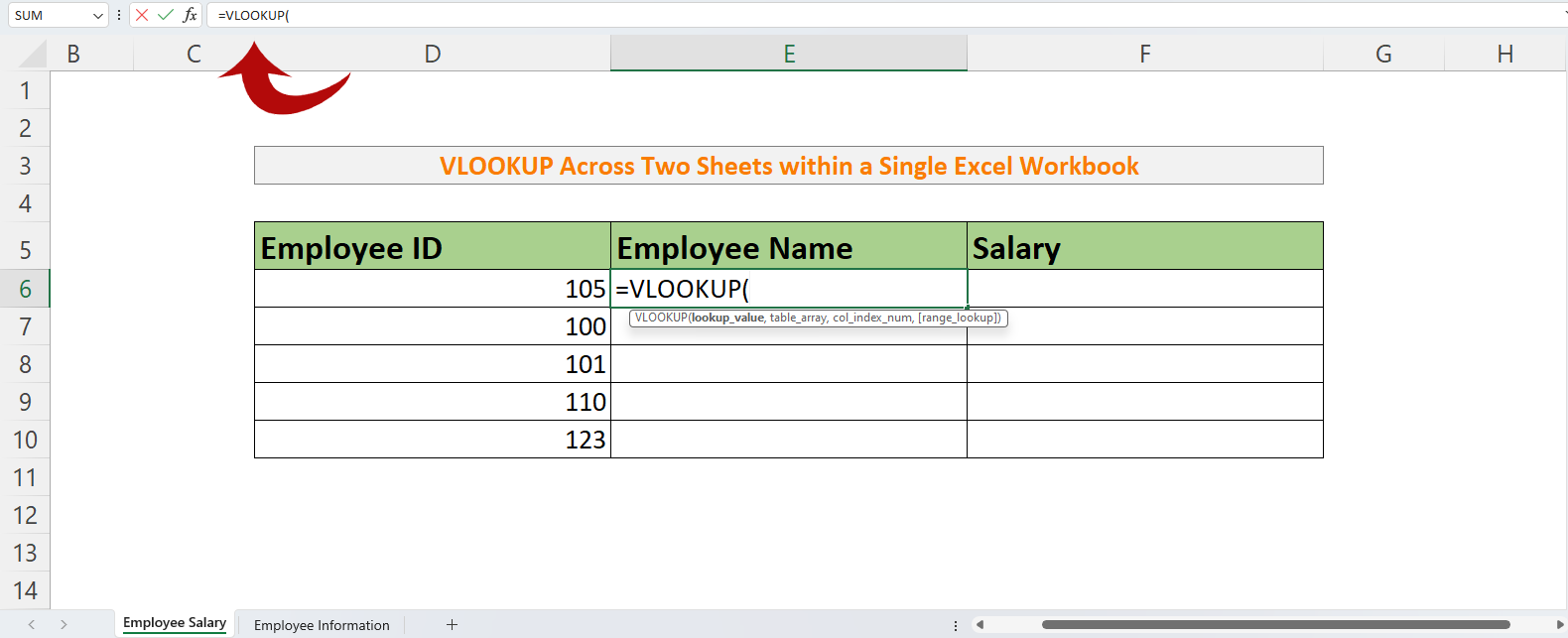
VLOOKUP is not obsolete. Keep it when you maintain files that others edit, share formulas with people on older spreadsheet versions, or work with small tables where the column index never changes. The VLOOKUP formula below stays readable when the data layout is stable:
Excel VLOOKUP function syntax example
The Best Free Alternative: WPS Office
WPS Spreadsheet runs XLOOKUP, VLOOKUP, and every other lookup formula with full .xlsx compatibility, so you can modernize old files without changing the format your team uses. It opens Excel workbooks directly, includes over 100 built-in functions, and adds a PDF toolkit for exporting reports. For a complete walkthrough of the classic function across sheets, see how to use VLOOKUP between two spreadsheets.
WPS Spreadsheet supported file formats
FAQs
What is the main difference between XLOOKUP and VLOOKUP?
XLOOKUP references a lookup array and a return array directly, works in any direction, and defaults to exact match. VLOOKUP only searches the first column, returns from columns to the right, and defaults to approximate match.
Does WPS Spreadsheet support XLOOKUP?
Yes. WPS Spreadsheet supports XLOOKUP with the same syntax as Excel, so formulas are interchangeable between the two apps.
Can I replace VLOOKUP with XLOOKUP in my existing files?
Yes. In most cases you can rewrite the formula, but keep VLOOKUP when other users on older spreadsheet versions must edit the file or when the data layout never changes.
Why does VLOOKUP return #N/A?
#N/A means the lookup value was not found in the first column, or the text does not match exactly. Check for extra spaces and number-vs-text formatting, and use FALSE for exact match.
Is XLOOKUP faster than VLOOKUP on large tables?
XLOOKUP can be noticeably faster on very large tables because it scans only the lookup array, while VLOOKUP reads the whole table range. On small sheets the difference is negligible.


'%3e%3cpath%20d='M19.9911%204.11386V6.471H18.5894C18.0775%206.471%2017.7322%206.57814%2017.5536%206.79243C17.3751%207.00671%2017.2858%207.32814%2017.2858%207.75671V9.44421H19.9019L19.5536%2012.0871H17.2858V18.8639H14.5536V12.0871H12.2769V9.44421H14.5536V7.49779C14.5536%206.39064%2014.8632%205.53201%2015.4822%204.92189C16.1013%204.31177%2016.9257%204.00671%2017.9554%204.00671C18.8304%204.00671%2019.509%204.04243%2019.9911%204.11386Z'%20fill='%23333333'/%3e%3c/g%3e%3cdefs%3e%3cclipPath%20id='clip0_2938_8199'%3e%3crect%20width='16'%20height='16'%20fill='white'%20transform='translate(8%204.00671)'/%3e%3c/clipPath%3e%3c/defs%3e%3c/svg%3e)
'%3e%3cpath%20d='M17.5237%2010.7813L23.4811%204H22.0699L16.8949%209.88693L12.7648%204H8L14.2469%2012.9029L8%2020.0133H9.4112L14.8725%2013.7952L19.2352%2020.0133H24M9.92053%205.04213H12.0885L22.0688%2019.0224H19.9003'%20fill='%23333333'/%3e%3c/g%3e%3cdefs%3e%3cclipPath%20id='clip0_2938_8200'%3e%3crect%20width='16'%20height='16.0134'%20fill='white'%20transform='translate(8%204)'/%3e%3c/clipPath%3e%3c/defs%3e%3c/svg%3e)


