

'%3e%3cpath%20d='M8%200C12.4183%200%2016%203.58172%2016%208C16%2012.4183%2012.4183%2016%208%2016C3.58172%2016%200%2012.4183%200%208C0%203.58172%203.58172%200%208%200ZM11.6162%204.38379C11.2257%203.99337%2010.5927%203.99338%2010.2021%204.38379L8%206.58594L5.79785%204.38379C5.40732%203.99334%204.77429%203.99329%204.38379%204.38379C3.99331%204.77429%203.99335%205.40733%204.38379%205.79785L6.58594%208L4.38379%2010.2021C3.99348%2010.5927%203.99341%2011.2257%204.38379%2011.6162C4.77426%2012.0066%205.40734%2012.0065%205.79785%2011.6162L8%209.41406L10.2021%2011.6162C10.5927%2012.0066%2011.2257%2012.0067%2011.6162%2011.6162C12.0067%2011.2257%2012.0066%2010.5927%2011.6162%2010.2021L9.41406%208L11.6162%205.79785C12.0066%205.40735%2012.0066%204.77429%2011.6162%204.38379Z'%20fill='%23080E17'%20fill-opacity='0.46'/%3e%3c/g%3e%3cdefs%3e%3cclipPath%20id='clip0_3761_713'%3e%3crect%20width='16'%20height='16'%20fill='white'/%3e%3c/clipPath%3e%3c/defs%3e%3c/svg%3e)




'%3e%3cpath%20fill-rule='evenodd'%20clip-rule='evenodd'%20d='M21.4999%2010.9993C21.4999%205.20009%2016.7986%200.498901%2010.9993%200.498901C5.19994%200.498901%200.498657%205.20009%200.498657%2010.9993C0.498657%2016.2404%204.33858%2020.5844%209.35855%2021.3722V14.0346H6.69238V10.9993H9.35855V8.68594C9.35855%206.05427%2010.9262%204.60062%2013.3248%204.60062C14.4736%204.60062%2015.6753%204.80571%2015.6753%204.80571V7.38979H14.3512C13.0468%207.38979%2012.64%208.19921%2012.64%209.0296V10.9993H15.5523L15.0867%2014.0346H12.64V21.3722C17.66%2020.5844%2021.4999%2016.2404%2021.4999%2010.9993Z'%20fill='%231568EA'/%3e%3c/g%3e%3c/svg%3e)


'%3e%3cpath%20d='M2.42045%2022.1876H6.31818V12.7217L0.75%208.54553V20.5171C0.75%2021.4414%201.49892%2022.1876%202.42045%2022.1876Z'%20fill='%234285F4'/%3e%3cpath%20d='M19.682%2022.1876H23.5797C24.5041%2022.1876%2025.2502%2021.4387%2025.2502%2020.5171V8.54553L19.682%2012.7217'%20fill='%2334A853'/%3e%3cpath%20d='M19.682%205.48293V12.7216L25.2502%208.54543V6.31816C25.2502%204.25236%2022.8921%203.07469%2021.2411%204.31361'%20fill='%23FBBC04'/%3e%3cpath%20d='M6.31824%2012.7217V5.48303L13.0001%2010.4944L19.6819%205.48303V12.7217L13.0001%2017.733'%20fill='%23EA4335'/%3e%3cpath%20d='M0.75%206.31816V8.54543L6.31818%2012.7216V5.48293L4.75909%204.31361C3.10534%203.07469%200.75%204.25236%200.75%206.31816Z'%20fill='%23C5221F'/%3e%3c/g%3e%3cdefs%3e%3cclipPath%20id='clip0_2954_7305'%3e%3crect%20width='24.5'%20height='18.375'%20fill='white'%20transform='translate(0.75%203.8125)'/%3e%3c/clipPath%3e%3c/defs%3e%3c/svg%3e)


PNG files are everywhere: screenshots, scanned receipts, design mockups, and photos saved from the web. When you need to submit, print, or archive them, a single PDF is usually the required format because it keeps pages in order and looks the same on every device.
The internet is full of converters, but many online tools add watermarks, limit file size, or upload your images to a server you do not control. This guide compares the options and shows why a desktop tool is often the smarter pick, then walks you through the whole process step by step.
Best PNG to PDF Converter: Free WPS Alternative and How to Convert PNG to PDF
The Best Online PNG to PDF Converters
If you only convert images once in a while, a browser-based tool is the quickest route: no installation, works on any system, and most services are free for small files. Here are five reliable online PNG to PDF converters, each with a slightly different strength.
WPS Office
WPS Office is a free desktop suite with a built-in Image to PDF tool, so it works offline without uploading your PNG files to any server. You can convert a single image or merge multiple PNGs into one PDF, keep the original resolution and page order, and there is no watermark, file size cap, or account sign-up. It runs on Windows and Mac, and the same free download also includes Writer, Spreadsheet, Presentation, and PDF tools.
Png2PDF
Png2PDF is a dedicated image-to-PDF service, so the workflow could not be simpler: upload one or more PNG files, set the page size and orientation, and download the merged document. It keeps uploads for only a short time before deleting them.
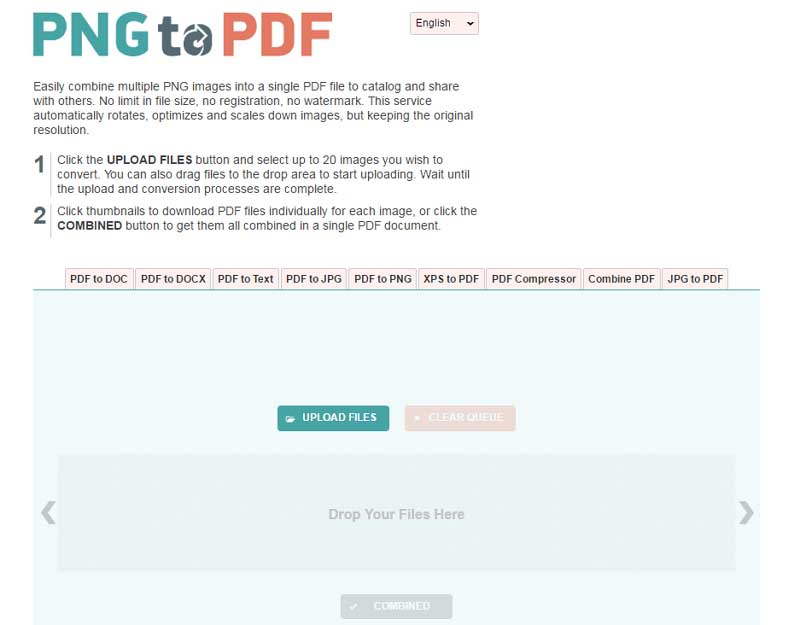
Png2PDF online converter homepage
Smallpdf
Smallpdf offers a polished JPG-to-PDF tool that also handles PNG files. The drag-and-drop interface is beginner-friendly, the free tier covers basic conversions, and the same site provides compression and merging if you need extra processing afterwards.
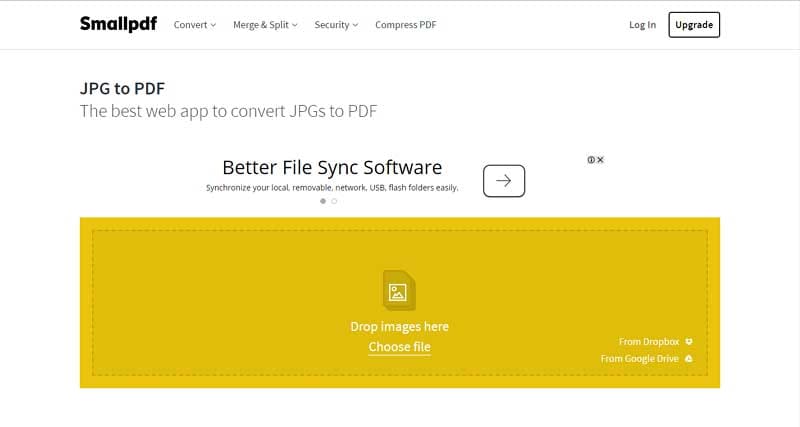
Smallpdf image to PDF tool
Online2PDF
Online2PDF is the choice for control enthusiasts: it exposes detailed options for page size, margins, image quality, and batch limits, and it can merge up to a generous number of files in one job — all without registration.
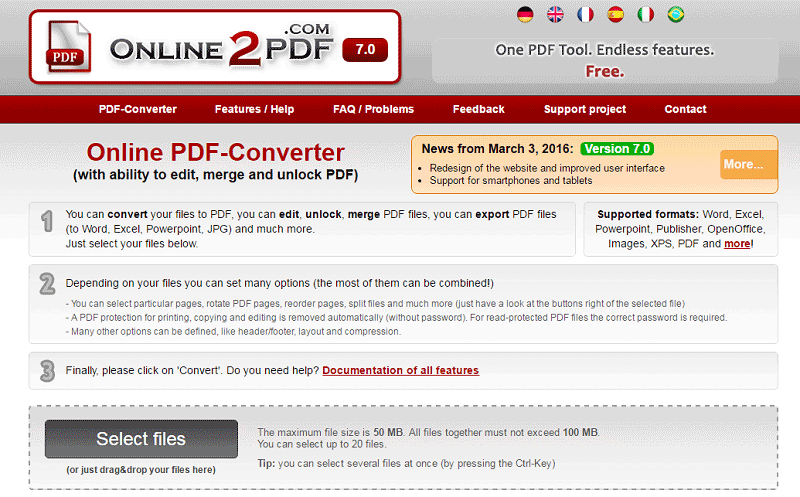
Online2PDF conversion options page
Zamzar
Zamzar is one of the oldest online file converters and supports hundreds of format pairs, including PNG to PDF. You upload, choose PDF as the output, and receive a download link by email or directly in the browser.
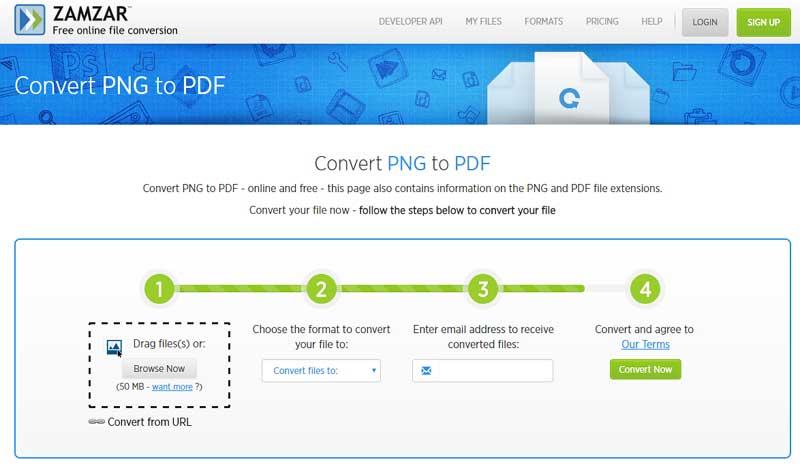
Zamzar PNG to PDF converter
PDF Convert Online
PDF Convert Online rounds out the list with a clean, ad-light interface for turning images into PDFs. It supports common image formats and keeps the steps to upload, convert, and download.
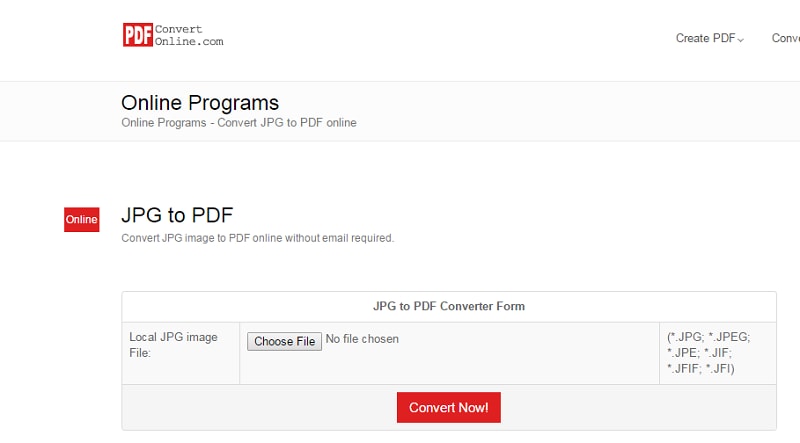
PDF Convert online tool page
Online converters share a few trade-offs: file size caps on free plans, slower processing for large batches, and the fact that your images are uploaded to a third-party server. If you convert PNGs regularly or handle sensitive scans, a desktop tool is the better long-term answer.


The Best Free Alternative: WPS Office PNG to PDF Converter
Most "top converter" lists rank browser tools first, yet they share the same weaknesses: file size caps, slower queues at peak times, privacy concerns when uploading sensitive scans, and paywalls on batch jobs. For anyone converting images regularly, a desktop converter avoids all of these limits.
WPS Office is our top pick for the best free alternative. Its built-in Image to PDF tool converts PNG files offline on Windows and Mac, keeps the original resolution, supports multi-image merging, and requires no account or upload. You also get the full office suite — Writer, Spreadsheet, Presentation, and PDF tools — in the same free download.
For a broader look at every conversion route, including online and mobile options, see the guide on how to convert PNG to PDF in four easy methods.
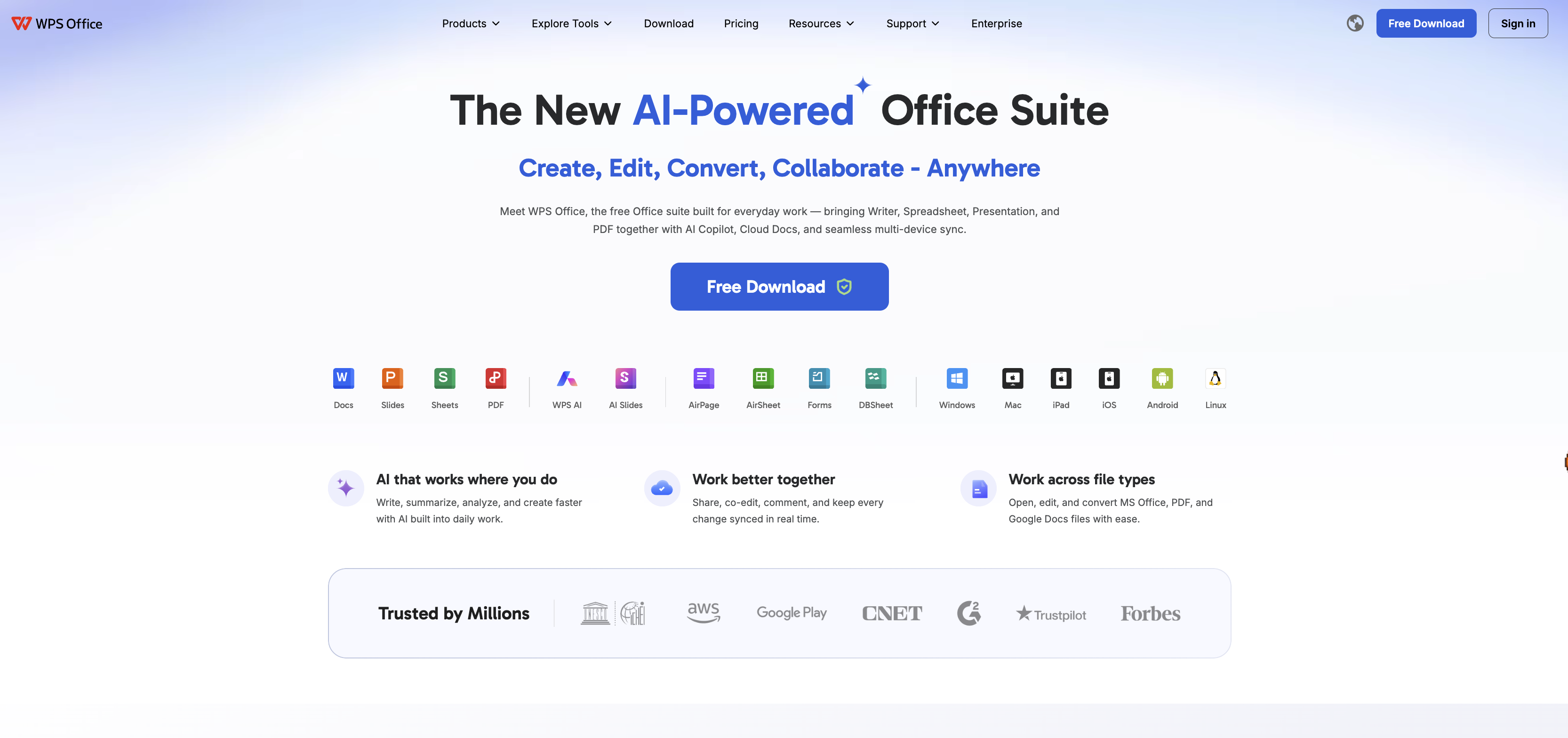
WPS Office tools home screen
How to Convert a PNG to PDF in WPS Office
The desktop method keeps the image and the PDF on your computer. WPS Writer can insert PNG files, arrange them in one document, and export the result as a PDF.
Insert the PNG: open WPS Writer, go to Insert → Picture, and choose your PNG file.
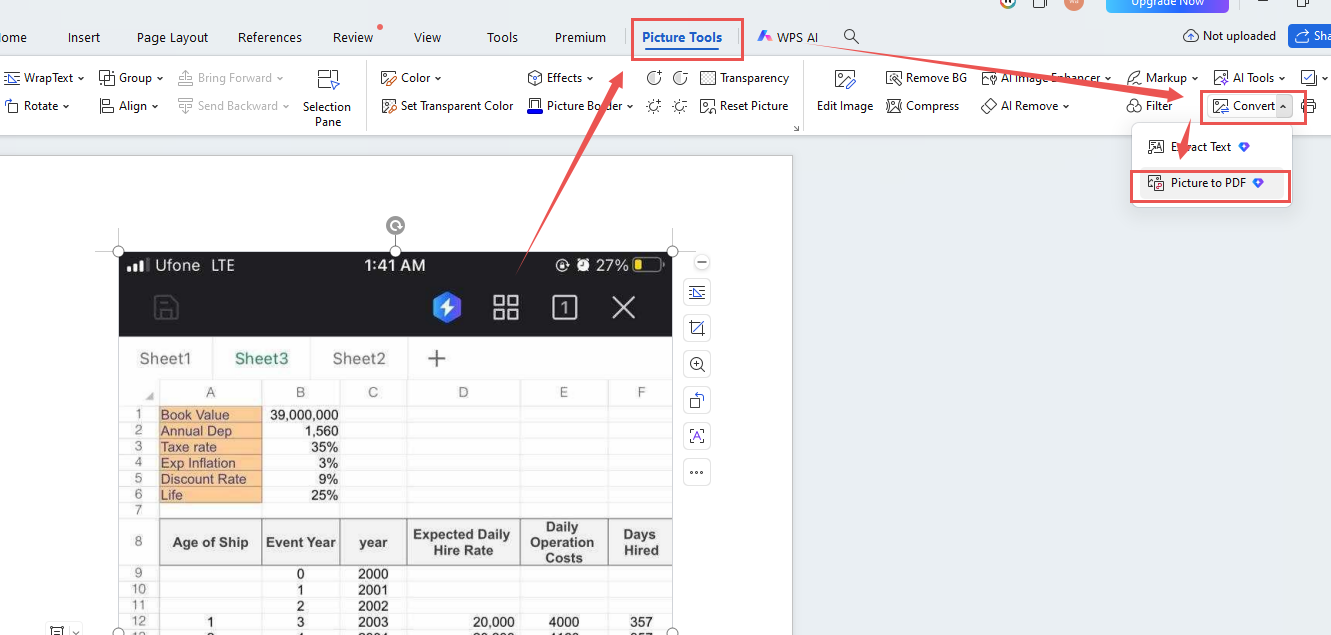
Insert PNG into WPS document
Open the conversion tool: select the image, go to Picture Tools, and click Convert.
Add more images: in the Image to PDF panel, use Add Image to combine several PNG files or change their order.
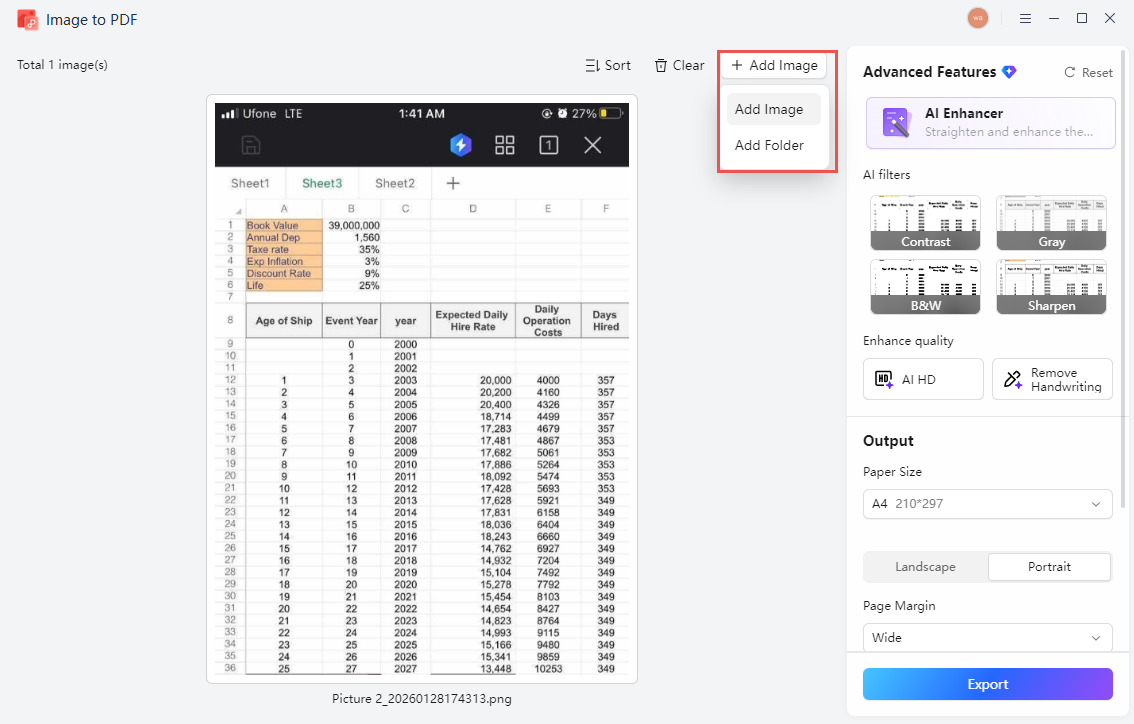
WPS image to PDF panel
Adjust the output: choose page size, orientation, margin, and quality for the final document.
Export the PDF: click Export, choose a destination, and confirm the conversion.
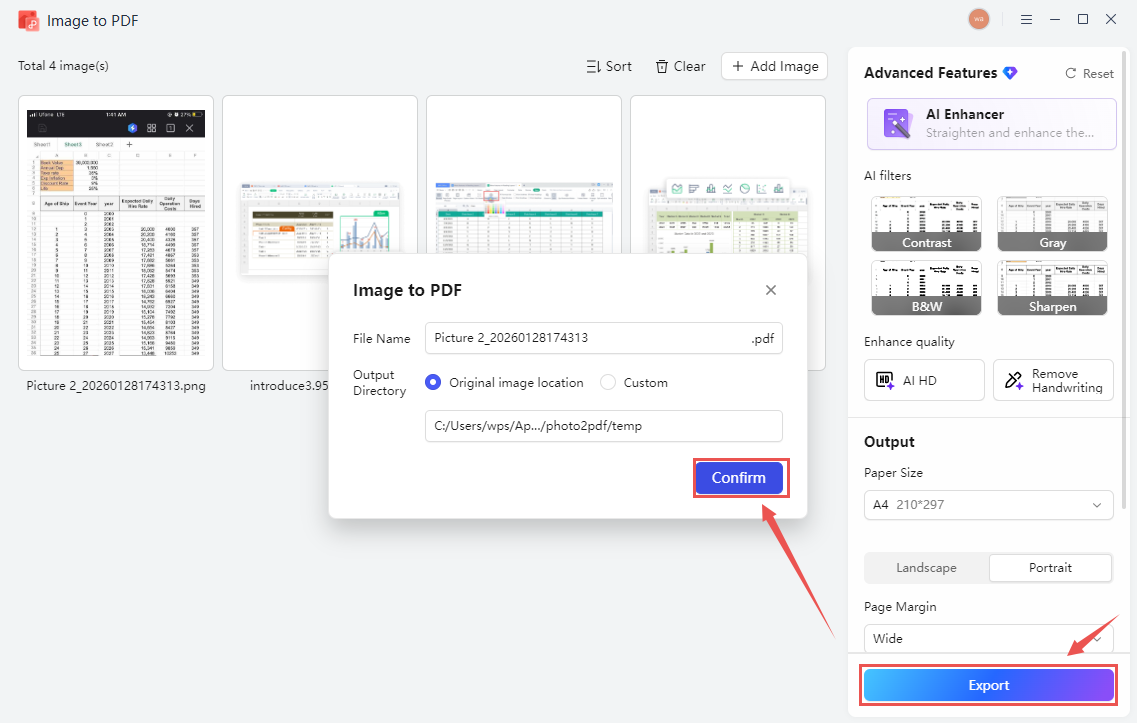
Export PNG as PDF in WPS
For the complete illustrated walkthrough, see the WPS Academy guide to image-to-PDF conversion using WPS Office.
FAQs
What is the best PNG to PDF converter?
For regular use, WPS Office is the best free option because it converts offline, preserves image quality, and merges multiple PNGs without file size limits or watermarks. Online converters remain handy for one-off jobs on devices where you cannot install software.
Is the WPS PNG to PDF converter free?
Yes. The Image to PDF tool is included in the free version of WPS Office for Windows and Mac, and no account or upload is required for the basic conversion.
Does converting PNG to PDF reduce image quality?
Not by default. PDF is a container format, so the image is embedded at its original resolution. Quality loss only happens if you choose a compression option during export.
How many PNG files can I merge into one PDF?
A practical limit comes from your system memory rather than the tool. WPS handles typical batches of dozens of scanned pages without problems; for very large jobs, convert in groups and combine the PDFs afterwards.
Is it safe to convert PNG to PDF online?
It depends on the service and the sensitivity of your files. Reputable converters delete uploads after a short period, but if your images contain personal or business data, an offline desktop converter such as WPS keeps the files on your own device.


'%3e%3cpath%20d='M19.9911%204.11386V6.471H18.5894C18.0775%206.471%2017.7322%206.57814%2017.5536%206.79243C17.3751%207.00671%2017.2858%207.32814%2017.2858%207.75671V9.44421H19.9019L19.5536%2012.0871H17.2858V18.8639H14.5536V12.0871H12.2769V9.44421H14.5536V7.49779C14.5536%206.39064%2014.8632%205.53201%2015.4822%204.92189C16.1013%204.31177%2016.9257%204.00671%2017.9554%204.00671C18.8304%204.00671%2019.509%204.04243%2019.9911%204.11386Z'%20fill='%23333333'/%3e%3c/g%3e%3cdefs%3e%3cclipPath%20id='clip0_2938_8199'%3e%3crect%20width='16'%20height='16'%20fill='white'%20transform='translate(8%204.00671)'/%3e%3c/clipPath%3e%3c/defs%3e%3c/svg%3e)
'%3e%3cpath%20d='M17.5237%2010.7813L23.4811%204H22.0699L16.8949%209.88693L12.7648%204H8L14.2469%2012.9029L8%2020.0133H9.4112L14.8725%2013.7952L19.2352%2020.0133H24M9.92053%205.04213H12.0885L22.0688%2019.0224H19.9003'%20fill='%23333333'/%3e%3c/g%3e%3cdefs%3e%3cclipPath%20id='clip0_2938_8200'%3e%3crect%20width='16'%20height='16.0134'%20fill='white'%20transform='translate(8%204)'/%3e%3c/clipPath%3e%3c/defs%3e%3c/svg%3e)


