A CBZ file opens in a comic reader and almost nowhere else: the laptop preview refuses it, the office printer refuses it, and the person you emailed it to replies asking what it is. The fix is three moves, and it takes about two minutes for a 200-page volume: copy the archive, rename the copy from .cbz to .zip, extract the page images in numeric order, then combine them into one PDF in WPS PDF.
CBZ to PDF: Turn a Comic Archive Into One Printable PDF
100% secure
Convert CBZ to PDF Without Installing a Comic Converter
You do not need a dedicated CBZ to PDF converter. A CBZ is a ZIP archive holding one image per page plus a small info file, so the pages are already in the format every PDF tool understands. Extract them once and the conversion becomes an ordinary image to PDF job.
Duplicate the .cbz file first. Right-click it and copy. Renaming the original leaves you with an archive your comic reader no longer recognizes, and you will want that reader again later.
Turn on file extensions, then rename the copy. In Windows File Explorer open View and switch on File name extensions; on macOS open Finder settings, Advanced, and enable Show all filename extensions. Without that switch you change the label, not the file type, and the rename does nothing.
Extract the archive. Right-click the .zip and choose Extract All on Windows, or double-click it on macOS. The pages land in a folder next to the archive.
Move every page into a single folder. Chapter folders, a nested Images directory, and stray ComicInfo.xml files are the usual reason a conversion produces half a book. One flat folder, images only.
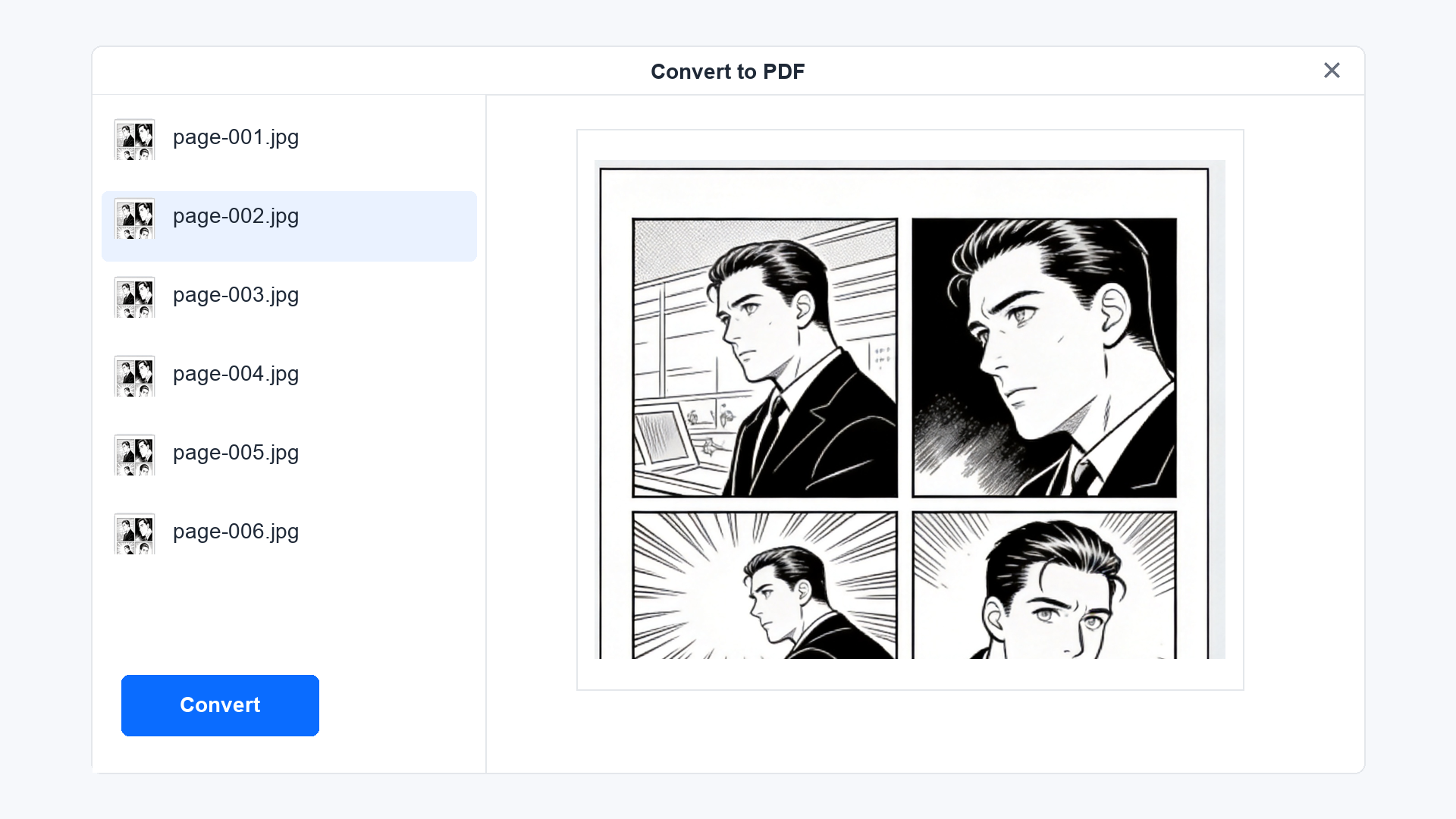
Open WPS PDF, go to Tools, and choose Convert to PDF. Add the images, set A4 portrait for a standard comic page, and convert. WPS accepts JPG, PNG, BMP and TIFF, batches an entire folder in one pass, and runs the job locally instead of uploading your archive to a website.
WPS PDF convert images to PDF
Name the result after the volume, not the archive. Volume 03 - The Long Road.pdf sorts correctly in a folder of PDFs; a filename inherited from a download like 8f2c1a.cbz does not.
If the archive will not extract at all, the download is usually truncated. Check the file size against the source page before you spend time on the conversion.
Use Word, Excel, and PPT for FREE
Keep Comic Pages in Reading Order During the CBZ to PDF Conversion
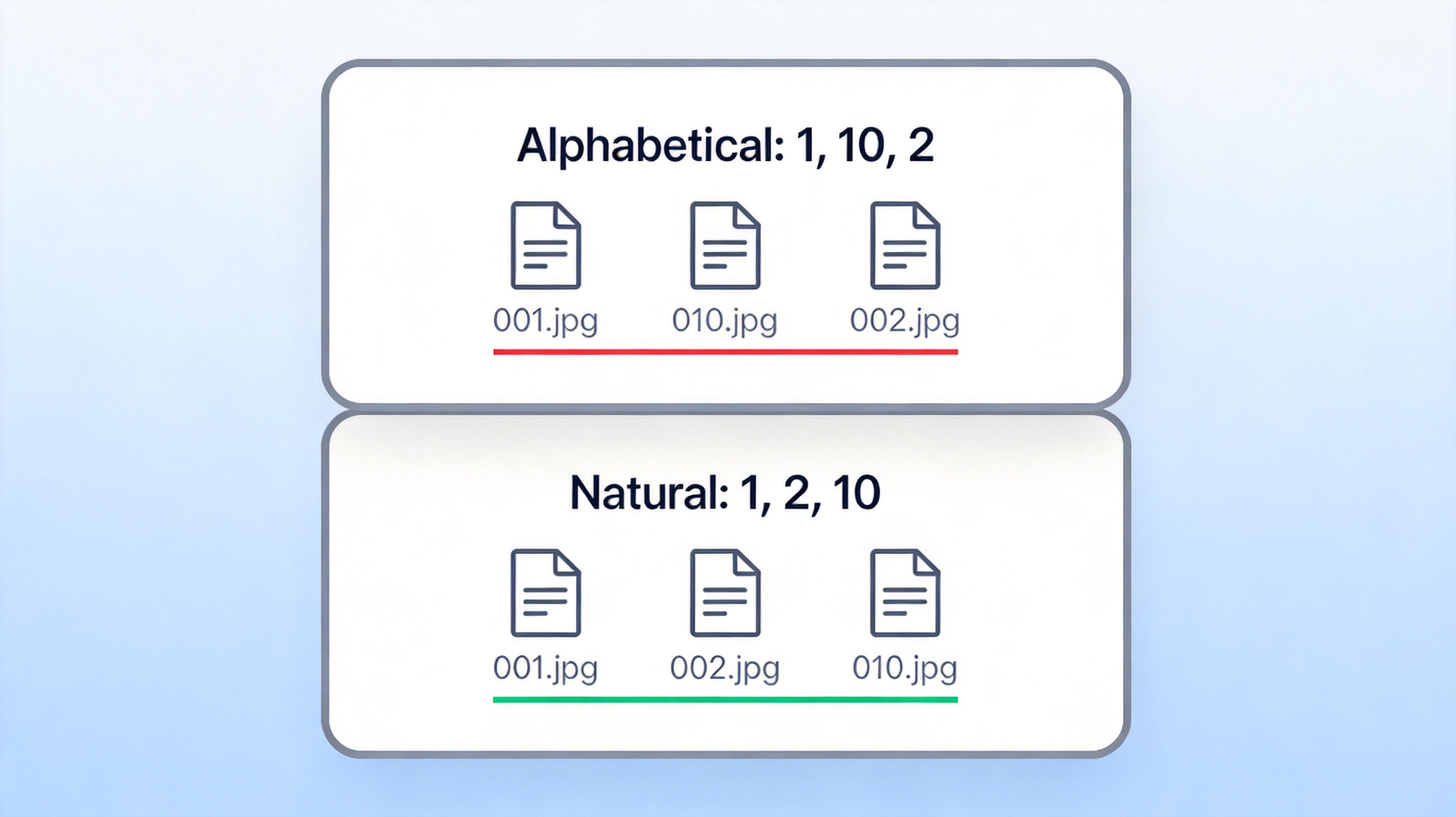
Page order is where most CBZ to PDF attempts quietly fail. Scanners and downloaders rarely zero-pad filenames, so a folder holds 1.jpg, 2.jpg, 10.jpg, and 11.jpg, and every alphabetical sort puts page 10 directly after page 1. The PDF is valid, the comic is unreadable.
Pad the numbers before converting. Rename the run so pages read 001, 002, 010 rather than 1, 2, 10. A batch rename tool or a single command over the folder fixes a whole volume in seconds.
Sort by name, never by date modified. Extracted files often share one timestamp to the second, so date sorting falls back to whatever order the archive happened to store, which is not the reading order.
Check the last page number against the comic. If the highest filename is 187 but the volume advertises 192 pages, a chapter file was extracted twice or a page range is missing. Find it now, not after the PDF is exported.
Re-sort the preview list before you convert. The file list in the converter is the page order of the finished PDF; drag a misplaced page there rather than editing the PDF afterwards.
Comic page numbering natural sort order
100% secure
Fix Page Size and Reading Direction After the CBZ to PDF Export
Two cosmetic problems survive a clean conversion, and both come from the archive rather than the tool. Covers are often scanned at a different size than interior pages, and manga released in Japan is meant to be read right to left, which a left-to-right PDF viewer gets exactly backwards.
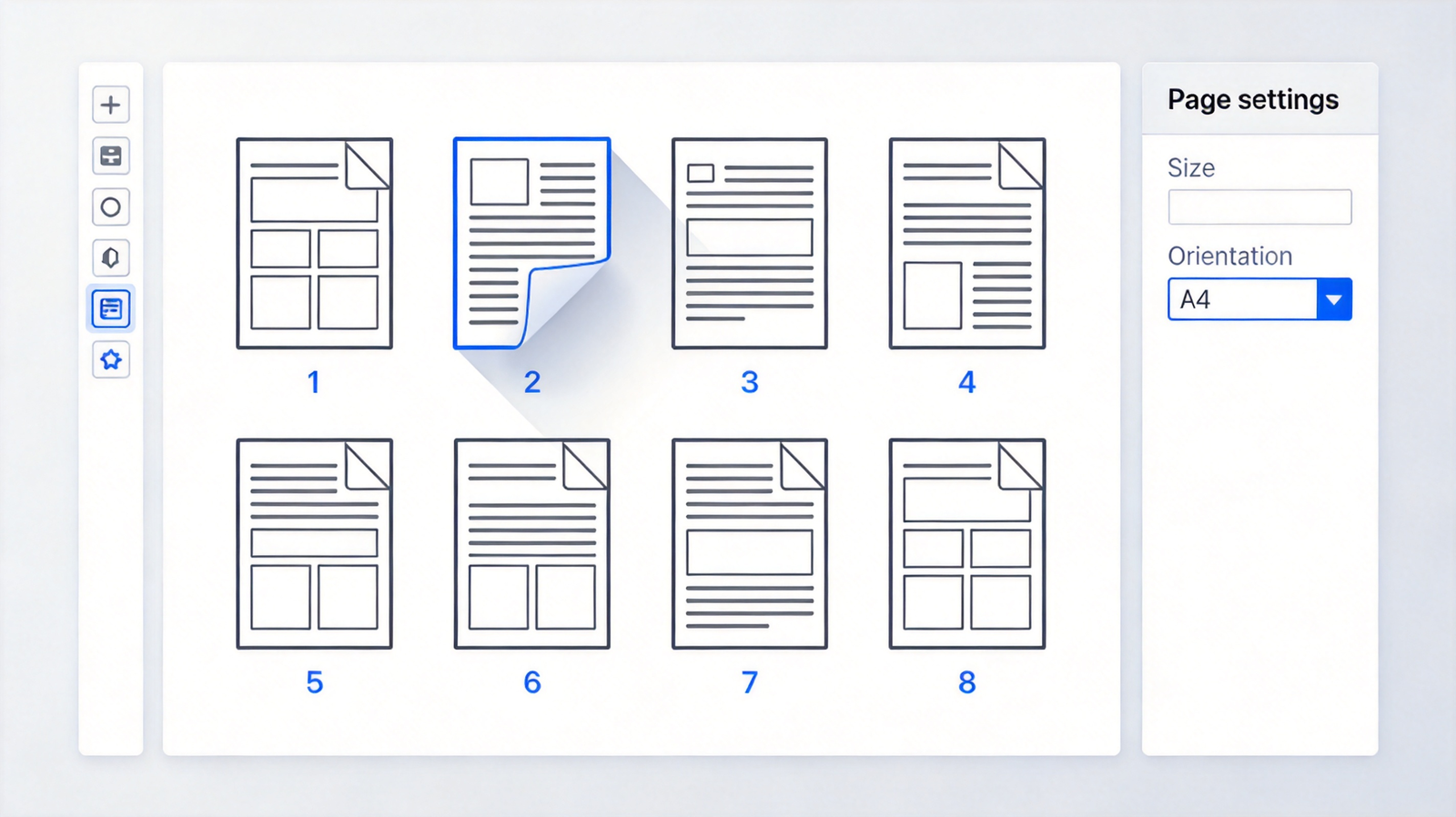
Open the exported PDF in WPS PDF and switch to the page organizer. Every page appears as a thumbnail, which is the fastest way to spot the one cover that is 40 percent taller than its neighbours.
Rotate the pages that arrived as spreads. A two-page scan stored sideways prints as a landscape sheet in the middle of a portrait book; rotate it before you set a single page size for the document.
Set one page size for the whole file. A4 portrait matches most printed comic volumes. If you are only reading on a tablet, keep the original page ratio instead and let the reader scale it.
Delete the filler pages. Credits, adverts and the back cover are fine in a reader and awkward in a print job. Removing three pages takes one selection.
WPS PDF page organizer reorder pages
For a manga volume, decide the direction before you send the file anywhere: anyone who opens it on a left-to-right viewer will read the panels in the wrong order and assume the scan is bad.
Use Word, Excel, and PPT for FREE
Shrink a Large CBZ to PDF File Without Blurring the Line Art
Comic pages are line art on flat colour, and line art is the first thing that turns muddy when a file is compressed the way a photograph is. A 300-page volume that arrives at 400 MB only needs to lose the duplicate colour data, not the edges.
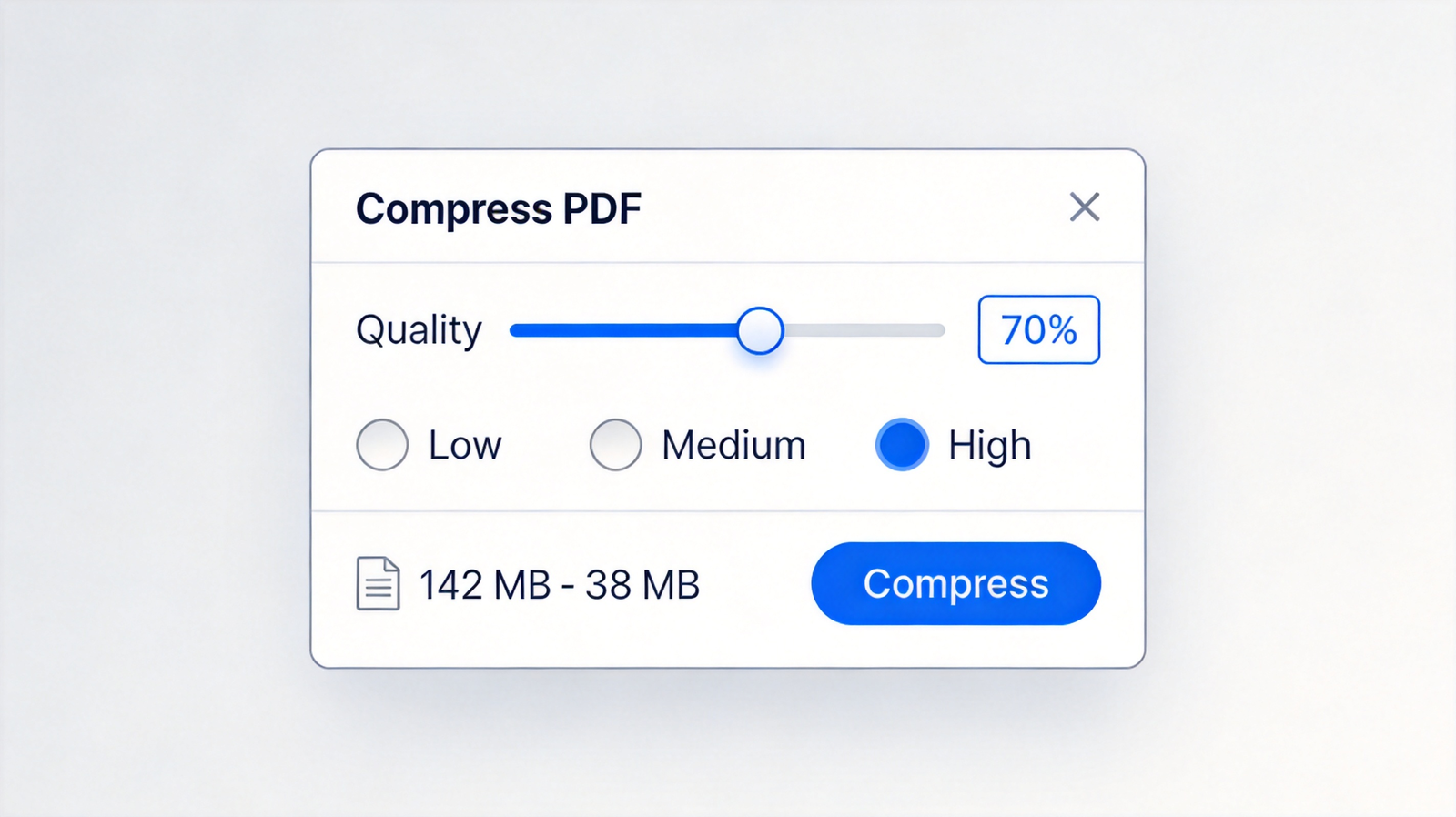
Compress before you resample. Open the PDF in WPS PDF and run compression first. If the result is still too heavy for email, drop the image resolution in a second pass rather than doing both at once.
Watch the thin lines, not the file size. Zoom to 100 percent on a page with fine hatching. If the hatching has turned grey and patchy, your compression setting went too far, whatever the megabyte count says.
Split by volume instead of degrading one file. Two 60 MB volumes read better than one 90 MB volume that looks washed out on every page.
Keep the extracted images until the PDF is approved. Re-exporting from the original pages takes a minute; repairing an over-compressed PDF does not work.
WPS PDF compress dialog quality slider
100% secure
The Best Free PDF Alternative: WPS Office
Most CBZ to PDF routes end on a website that wants the archive uploaded before it will show you a result, which is awkward when the file is a 400 MB scan you do not own the rights to redistribute. WPS PDF keeps the whole route on your own machine: extract, convert, organize, compress.
Image to PDF in one pass. JPG, PNG, BMP and TIFF pages go in as a folder and come out as a single document with the order you set.
A page organizer that behaves like a thumbnail wall. Reorder, rotate, delete and set one paper size without exporting and re-importing the file.
Compression and OCR in the same window. A scanned comic can get a searchable text layer, and a print-ready file can be trimmed to an email-friendly size.
Offline by default on desktop. Your archive is not uploaded anywhere, which matters for licensed and out-of-print volumes.
Free for personal use across desktop, web and mobile, with a Microsoft-like interface that opens the same .docx, .xlsx and .pptx files your other tools produce.
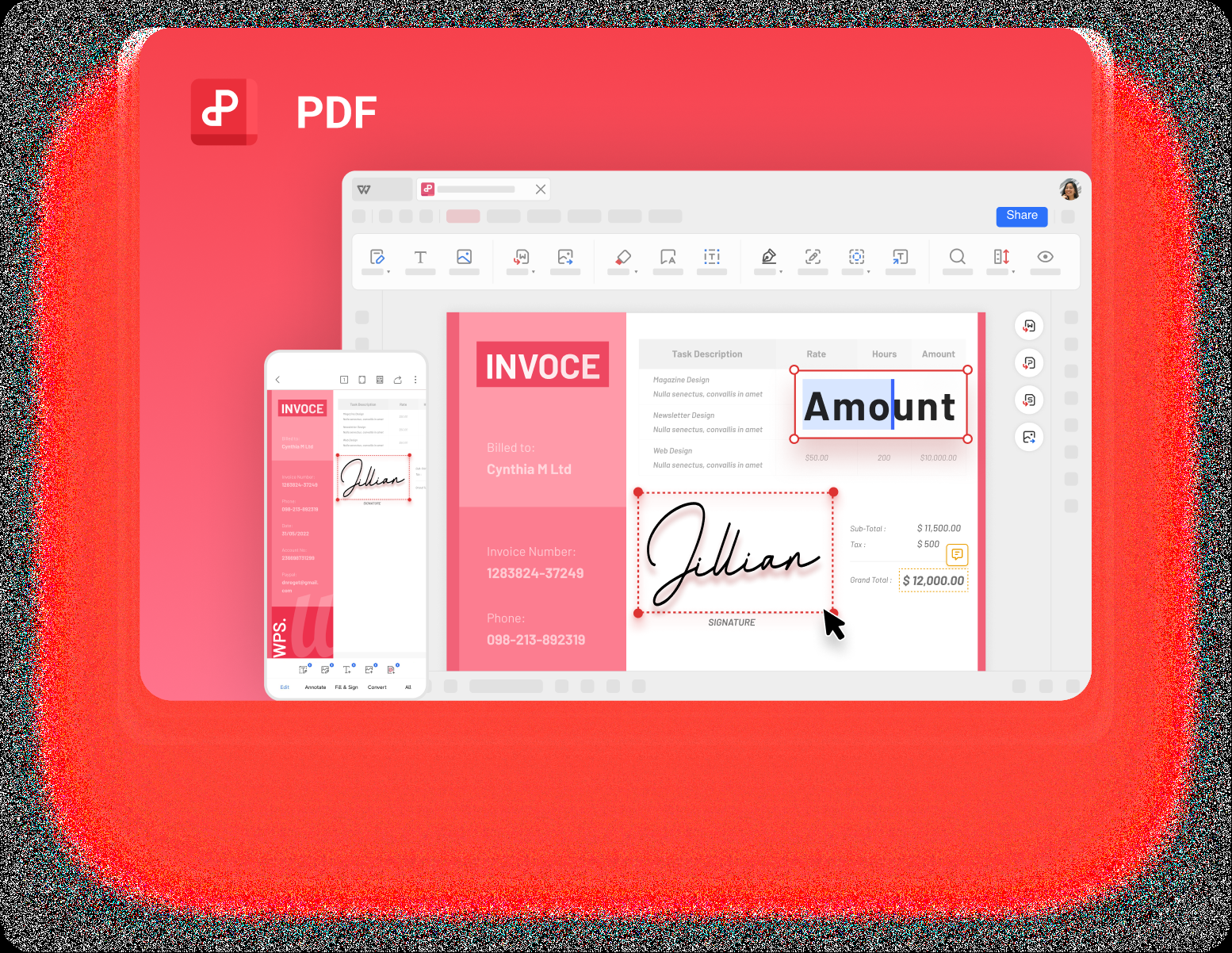
WPS PDF editor all in one interface
Use Word, Excel, and PPT for FREE
FAQs
Can WPS open a CBZ file directly?
No. A CBZ is a ZIP archive, so WPS opens the pages inside it, not the archive itself. Rename it to .zip, extract the images, then convert them to PDF in WPS PDF.
Does converting CBZ to PDF reduce image quality?
Not by itself. The conversion keeps the original page images at their own resolution. Quality only drops when you compress the finished PDF or resample the images, and both steps are optional.
Why is my comic PDF in the wrong order?
The filenames were sorted alphabetically, so page 10 landed after page 1. Rename the images with zero padding (001, 002, 010) and convert again, or drag the pages into place in the page organizer.
How many pages can I convert at once?
WPS batches a full folder, and a normal 200-page volume converts comfortably in one pass. For omnibus files above roughly 600 pages, convert one chapter per PDF and merge afterwards, which is faster and easier to fix.
Can I convert CBZ to PDF on a phone?
Yes, in two steps. Use a file manager to extract the archive on the phone, then open WPS Office, choose the image to PDF tool, and select the extracted pages in order.
Free Office Download
Use Word, Excel, and PPT for FREE, No Ads.
Edit PDF files with the powerful PDF toolkit.
Microsoft-like interface. Easy to learn. 100% Compatibility.
Boost your productivity with WPS's abundant free Word, Excel, PPT, and CV templates.
100% secure
Algirdas Jasaitis
Summary
CBZ to PDF is a three-step job: copy the archive, rename it to .zip, extract the pages into one folder, then convert that folder to a single PDF in WPS PDF.
Order and line quality are the two things worth checking before you share the file. Pad the page numbers so 10 does not follow 1, and compress only after you have confirmed the page order and size.
Download WPS Office free, convert your first volume, and keep the extracted images until the PDF looks right on screen.
15 years of office industry experience, tech lover and copywriter. Follow me for product reviews, comparisons, and recommendations for new apps and software.


'%3e%3cpath%20d='M8%200C12.4183%200%2016%203.58172%2016%208C16%2012.4183%2012.4183%2016%208%2016C3.58172%2016%200%2012.4183%200%208C0%203.58172%203.58172%200%208%200ZM11.6162%204.38379C11.2257%203.99337%2010.5927%203.99338%2010.2021%204.38379L8%206.58594L5.79785%204.38379C5.40732%203.99334%204.77429%203.99329%204.38379%204.38379C3.99331%204.77429%203.99335%205.40733%204.38379%205.79785L6.58594%208L4.38379%2010.2021C3.99348%2010.5927%203.99341%2011.2257%204.38379%2011.6162C4.77426%2012.0066%205.40734%2012.0065%205.79785%2011.6162L8%209.41406L10.2021%2011.6162C10.5927%2012.0066%2011.2257%2012.0067%2011.6162%2011.6162C12.0067%2011.2257%2012.0066%2010.5927%2011.6162%2010.2021L9.41406%208L11.6162%205.79785C12.0066%205.40735%2012.0066%204.77429%2011.6162%204.38379Z'%20fill='%23080E17'%20fill-opacity='0.46'/%3e%3c/g%3e%3cdefs%3e%3cclipPath%20id='clip0_3761_713'%3e%3crect%20width='16'%20height='16'%20fill='white'/%3e%3c/clipPath%3e%3c/defs%3e%3c/svg%3e)




'%3e%3cpath%20fill-rule='evenodd'%20clip-rule='evenodd'%20d='M21.4999%2010.9993C21.4999%205.20009%2016.7986%200.498901%2010.9993%200.498901C5.19994%200.498901%200.498657%205.20009%200.498657%2010.9993C0.498657%2016.2404%204.33858%2020.5844%209.35855%2021.3722V14.0346H6.69238V10.9993H9.35855V8.68594C9.35855%206.05427%2010.9262%204.60062%2013.3248%204.60062C14.4736%204.60062%2015.6753%204.80571%2015.6753%204.80571V7.38979H14.3512C13.0468%207.38979%2012.64%208.19921%2012.64%209.0296V10.9993H15.5523L15.0867%2014.0346H12.64V21.3722C17.66%2020.5844%2021.4999%2016.2404%2021.4999%2010.9993Z'%20fill='%231568EA'/%3e%3c/g%3e%3c/svg%3e)


'%3e%3cpath%20d='M2.42045%2022.1876H6.31818V12.7217L0.75%208.54553V20.5171C0.75%2021.4414%201.49892%2022.1876%202.42045%2022.1876Z'%20fill='%234285F4'/%3e%3cpath%20d='M19.682%2022.1876H23.5797C24.5041%2022.1876%2025.2502%2021.4387%2025.2502%2020.5171V8.54553L19.682%2012.7217'%20fill='%2334A853'/%3e%3cpath%20d='M19.682%205.48293V12.7216L25.2502%208.54543V6.31816C25.2502%204.25236%2022.8921%203.07469%2021.2411%204.31361'%20fill='%23FBBC04'/%3e%3cpath%20d='M6.31824%2012.7217V5.48303L13.0001%2010.4944L19.6819%205.48303V12.7217L13.0001%2017.733'%20fill='%23EA4335'/%3e%3cpath%20d='M0.75%206.31816V8.54543L6.31818%2012.7216V5.48293L4.75909%204.31361C3.10534%203.07469%200.75%204.25236%200.75%206.31816Z'%20fill='%23C5221F'/%3e%3c/g%3e%3cdefs%3e%3cclipPath%20id='clip0_2954_7305'%3e%3crect%20width='24.5'%20height='18.375'%20fill='white'%20transform='translate(0.75%203.8125)'/%3e%3c/clipPath%3e%3c/defs%3e%3c/svg%3e)






'%3e%3cpath%20d='M19.9911%204.11386V6.471H18.5894C18.0775%206.471%2017.7322%206.57814%2017.5536%206.79243C17.3751%207.00671%2017.2858%207.32814%2017.2858%207.75671V9.44421H19.9019L19.5536%2012.0871H17.2858V18.8639H14.5536V12.0871H12.2769V9.44421H14.5536V7.49779C14.5536%206.39064%2014.8632%205.53201%2015.4822%204.92189C16.1013%204.31177%2016.9257%204.00671%2017.9554%204.00671C18.8304%204.00671%2019.509%204.04243%2019.9911%204.11386Z'%20fill='%23333333'/%3e%3c/g%3e%3cdefs%3e%3cclipPath%20id='clip0_2938_8199'%3e%3crect%20width='16'%20height='16'%20fill='white'%20transform='translate(8%204.00671)'/%3e%3c/clipPath%3e%3c/defs%3e%3c/svg%3e)
'%3e%3cpath%20d='M17.5237%2010.7813L23.4811%204H22.0699L16.8949%209.88693L12.7648%204H8L14.2469%2012.9029L8%2020.0133H9.4112L14.8725%2013.7952L19.2352%2020.0133H24M9.92053%205.04213H12.0885L22.0688%2019.0224H19.9003'%20fill='%23333333'/%3e%3c/g%3e%3cdefs%3e%3cclipPath%20id='clip0_2938_8200'%3e%3crect%20width='16'%20height='16.0134'%20fill='white'%20transform='translate(8%204)'/%3e%3c/clipPath%3e%3c/defs%3e%3c/svg%3e)


