

'%3e%3cpath%20d='M8%200C12.4183%200%2016%203.58172%2016%208C16%2012.4183%2012.4183%2016%208%2016C3.58172%2016%200%2012.4183%200%208C0%203.58172%203.58172%200%208%200ZM11.6162%204.38379C11.2257%203.99337%2010.5927%203.99338%2010.2021%204.38379L8%206.58594L5.79785%204.38379C5.40732%203.99334%204.77429%203.99329%204.38379%204.38379C3.99331%204.77429%203.99335%205.40733%204.38379%205.79785L6.58594%208L4.38379%2010.2021C3.99348%2010.5927%203.99341%2011.2257%204.38379%2011.6162C4.77426%2012.0066%205.40734%2012.0065%205.79785%2011.6162L8%209.41406L10.2021%2011.6162C10.5927%2012.0066%2011.2257%2012.0067%2011.6162%2011.6162C12.0067%2011.2257%2012.0066%2010.5927%2011.6162%2010.2021L9.41406%208L11.6162%205.79785C12.0066%205.40735%2012.0066%204.77429%2011.6162%204.38379Z'%20fill='%23080E17'%20fill-opacity='0.46'/%3e%3c/g%3e%3cdefs%3e%3cclipPath%20id='clip0_3761_713'%3e%3crect%20width='16'%20height='16'%20fill='white'/%3e%3c/clipPath%3e%3c/defs%3e%3c/svg%3e)




'%3e%3cpath%20fill-rule='evenodd'%20clip-rule='evenodd'%20d='M21.4999%2010.9993C21.4999%205.20009%2016.7986%200.498901%2010.9993%200.498901C5.19994%200.498901%200.498657%205.20009%200.498657%2010.9993C0.498657%2016.2404%204.33858%2020.5844%209.35855%2021.3722V14.0346H6.69238V10.9993H9.35855V8.68594C9.35855%206.05427%2010.9262%204.60062%2013.3248%204.60062C14.4736%204.60062%2015.6753%204.80571%2015.6753%204.80571V7.38979H14.3512C13.0468%207.38979%2012.64%208.19921%2012.64%209.0296V10.9993H15.5523L15.0867%2014.0346H12.64V21.3722C17.66%2020.5844%2021.4999%2016.2404%2021.4999%2010.9993Z'%20fill='%231568EA'/%3e%3c/g%3e%3c/svg%3e)


'%3e%3cpath%20d='M2.42045%2022.1876H6.31818V12.7217L0.75%208.54553V20.5171C0.75%2021.4414%201.49892%2022.1876%202.42045%2022.1876Z'%20fill='%234285F4'/%3e%3cpath%20d='M19.682%2022.1876H23.5797C24.5041%2022.1876%2025.2502%2021.4387%2025.2502%2020.5171V8.54553L19.682%2012.7217'%20fill='%2334A853'/%3e%3cpath%20d='M19.682%205.48293V12.7216L25.2502%208.54543V6.31816C25.2502%204.25236%2022.8921%203.07469%2021.2411%204.31361'%20fill='%23FBBC04'/%3e%3cpath%20d='M6.31824%2012.7217V5.48303L13.0001%2010.4944L19.6819%205.48303V12.7217L13.0001%2017.733'%20fill='%23EA4335'/%3e%3cpath%20d='M0.75%206.31816V8.54543L6.31818%2012.7216V5.48293L4.75909%204.31361C3.10534%203.07469%200.75%204.25236%200.75%206.31816Z'%20fill='%23C5221F'/%3e%3c/g%3e%3cdefs%3e%3cclipPath%20id='clip0_2954_7305'%3e%3crect%20width='24.5'%20height='18.375'%20fill='white'%20transform='translate(0.75%203.8125)'/%3e%3c/clipPath%3e%3c/defs%3e%3c/svg%3e)


A special power of attorney (SPA) is the narrow version of a power of attorney: it names one agent for one job — sell a single property, collect one document, sign one contract — and it stops there. Below is a field-by-field SPA sample you can copy, the clauses that make it enforceable, and the fill-and-sign steps that skip the printer.
Every SPA sample needs these six fields:
Principal: your full legal name and address, exactly as it appears on your ID.
Agent (attorney-in-fact): one named person, with a backup only if your state allows it.
Specific powers: one act per line, described so a clerk can match it to a document.
Effective date or trigger: the date it starts, or the event that starts it.
Duration: an end date, the completion of the act, or “until revoked”.
Signature and notary block: principal’s signature, date, and a jurat if your state requires one.

SPA Sample: A Special Power of Attorney Form You Can Fill Today
What a Complete SPA Sample Must Contain
A sample form is only useful if it names the act precisely. “All matters relating to my property” is a general power of attorney in disguise, and banks reject it when they expect a limited one.
In practice, the powers line should read like a task list: sell the property at 14 Oak Street, parcel 023-114-07; collect the deed recorded in Book 4421, Page 118; sign the closing statement for that sale. Each entry points to a document or a parcel, so the third party can verify the authority in front of them.
Two more details decide whether the form works. The agent’s authority is only as wide as the words on the page, so incidental acts — paying the transfer tax, delivering the deed — should be listed explicitly. And if you want the SPA to survive your own incapacity, that has to be stated; a plain SPA usually ends when you lose capacity, which is the opposite of what most families expect.
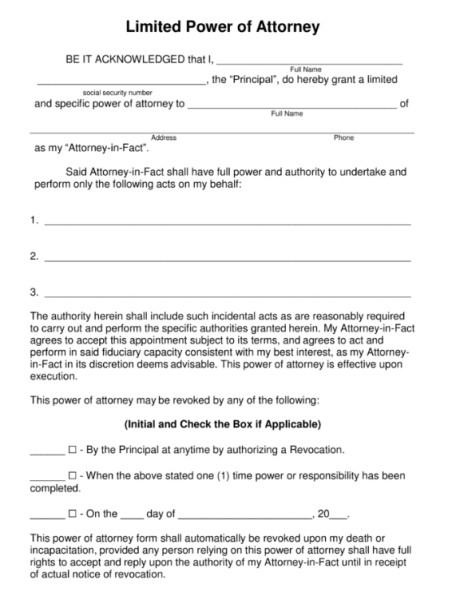
Special power of attorney sample form
SPA Sample Clauses You Can Paste Into the Form
These four clauses cover the structure of a standard SPA. Replace the bracketed text, delete what does not apply, and have the result checked against your state’s form requirements before anyone signs.
Appointment. “I, [principal name], of [address], appoint [agent name], of [address], as my attorney-in-fact for the limited purposes stated below.”
Powers granted. “My attorney-in-fact may act only to [specific act], including signing the documents and paying the fees required to complete that act. No other authority is granted.”
Effective date. “This power of attorney takes effect on [date], or on the date [event] is confirmed in writing by [person or office].”
Revocation and duration. “This power of attorney ends when [act] is completed, on [date], or when I revoke it in writing, whichever comes first. I may revoke it at any time.”
Add a governing-law line and a signature block with the date, then stop. Clauses copied from another state’s form are the most common reason a clerk sends a perfectly good SPA back.
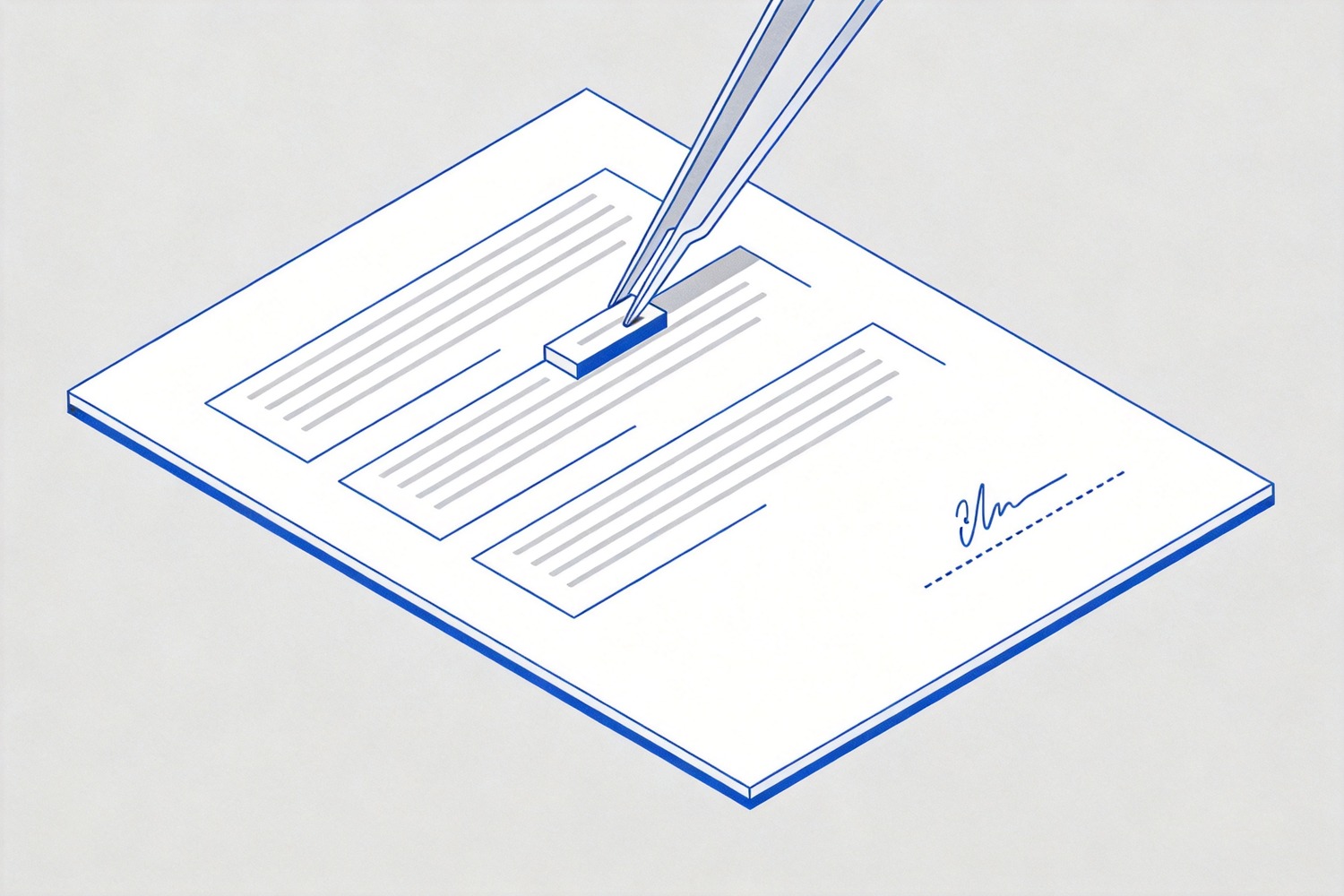
SPA clauses ready to paste


How to Fill the SPA Sample in WPS PDF
Fill the form on screen and the text stays legible; print, sign, and scan it and you add three chances for a blurry page or a signature that looks pasted on.
Open the sample in WPS PDF. From the WPS Office home screen, choose PDF in the left panel, then Open, and pick the file.
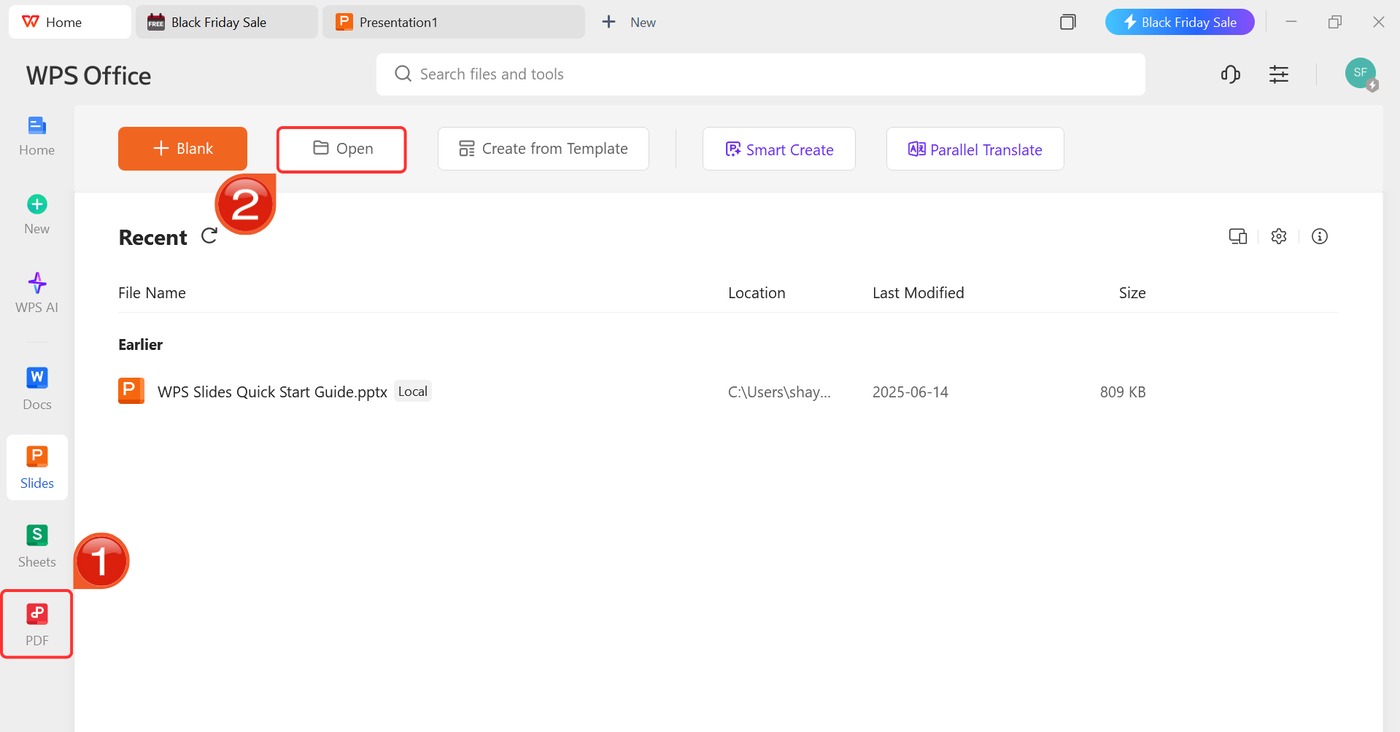
Open PDF form in WPS Office
Type into the fields. Use Fill & Sign for form fields, or a text box on flat forms that were exported without them.
Keep the powers narrow. Copy each act from your notes exactly as written; do not paraphrase a parcel number or an account reference.
Add the signature last, then export a flattened PDF so the fields cannot shift on another computer.
Save two copies with File > Save As: one flattened PDF to send, one editable copy for your records.
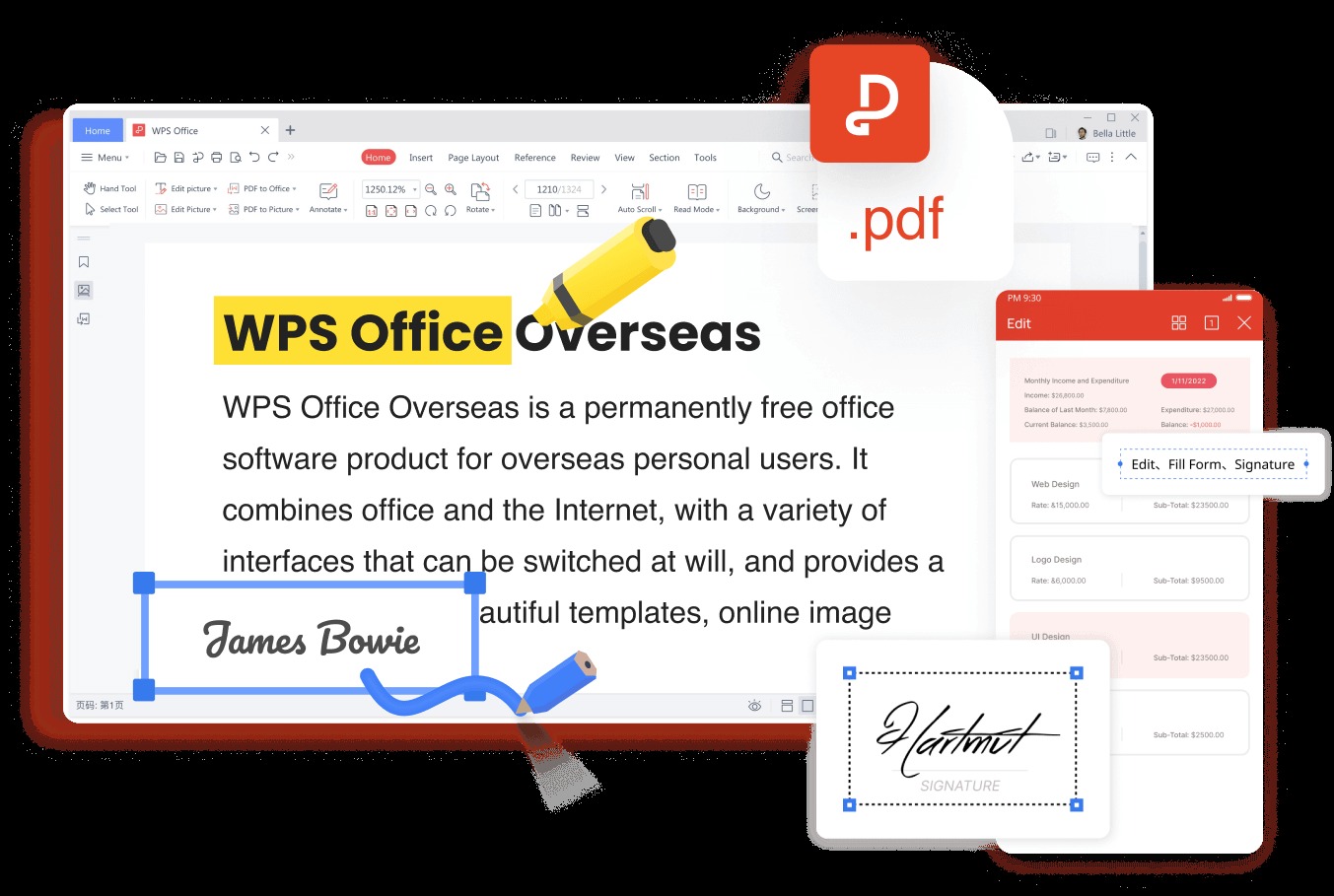
Filling a SPA form in WPS
How to Sign and Notarize Without Printing Twice
Signing is the part that still needs a human in the room, or a camera. Many states require a notary for a power of attorney that touches real estate, and a growing number accept remote online notarization, where the notary watches you sign on video and applies an electronic seal.
Before you book anything, ask the receiving office what it accepts: a wet-ink original, a notarized PDF, or an e-signed copy. Banks and county recorders set their own rules, and a document that satisfies one will still bounce at the other. Keep the signed original unscanned until the transaction closes — some offices ask to see it after they have accepted the copy.

Signing and notarizing an SPA
SPA vs General POA vs Durable POA
The three forms differ in scope and in what happens when you lose capacity, which is the detail people miss.
| Form | Scope | Ends when |
|---|---|---|
| SPA (special or limited) | One act, one transaction, one asset | The act is done, the date passes, or you revoke it |
| General POA | Broad financial and legal authority | You revoke it, or you lose capacity unless made durable |
| Durable POA | Broad or limited, stated to survive incapacity | You revoke it, or you die |
If the job is one closing, use an SPA. If you need someone to manage accounts over years, a durable POA is the right instrument, and a medical directive is a separate document again. This is general information, not legal advice — state forms and notary rules differ.

SPA versus general and durable POA
The Best Free PDF Alternative: WPS Office
An SPA lives as a PDF: it arrives as a form, it leaves as a signed copy, and it gets archived as a flattened file. Handling all three in one app is what keeps the paperwork consistent.
Fill and sign: type into form fields, place a saved signature, and flatten the result for the receiving office.
Fix what the sample got wrong: add a clause, delete a page, or merge the notary acknowledgment onto the signed form.
Free and cross-platform: the same file opens on Windows, macOS, Android, and iOS, so the agent can review it before signing.
Open the sample you already downloaded, fill the six fields, and see how much of the notary appointment you can finish at your desk. For other forms in the same family, the power of attorney template collection covers the general, medical, and real estate versions.
WPS PDF Fill and Sign tools
FAQs
What does SPA stand for in a legal document?
Special power of attorney, also called a limited power of attorney. It grants one named agent authority for one specific act, unlike a general POA that covers broad financial matters.
Is a special power of attorney the same as a limited power of attorney?
Yes. The two names describe the same document, and state statutes usually use “limited” while banks and title companies say “special”. Either label works as long as the powers are specific.
Does an SPA need to be notarized?
It depends on your state and on the office receiving it. Real estate recordings and bank transactions usually require notarization, while some internal business uses do not. Ask the recipient before you sign.
How long does a special power of attorney last?
Until the act is completed, the end date passes, or you revoke it. A plain SPA usually ends if you become incapacitated, so state that it is durable if you need it to continue.
Can I revoke an SPA after signing it?
Yes, in writing, and you should tell the agent and every office that received the document. If the SPA was recorded with a county, record the revocation the same way so the public record matches.



'%3e%3cpath%20d='M19.9911%204.11386V6.471H18.5894C18.0775%206.471%2017.7322%206.57814%2017.5536%206.79243C17.3751%207.00671%2017.2858%207.32814%2017.2858%207.75671V9.44421H19.9019L19.5536%2012.0871H17.2858V18.8639H14.5536V12.0871H12.2769V9.44421H14.5536V7.49779C14.5536%206.39064%2014.8632%205.53201%2015.4822%204.92189C16.1013%204.31177%2016.9257%204.00671%2017.9554%204.00671C18.8304%204.00671%2019.509%204.04243%2019.9911%204.11386Z'%20fill='%23333333'/%3e%3c/g%3e%3cdefs%3e%3cclipPath%20id='clip0_2938_8199'%3e%3crect%20width='16'%20height='16'%20fill='white'%20transform='translate(8%204.00671)'/%3e%3c/clipPath%3e%3c/defs%3e%3c/svg%3e)
'%3e%3cpath%20d='M17.5237%2010.7813L23.4811%204H22.0699L16.8949%209.88693L12.7648%204H8L14.2469%2012.9029L8%2020.0133H9.4112L14.8725%2013.7952L19.2352%2020.0133H24M9.92053%205.04213H12.0885L22.0688%2019.0224H19.9003'%20fill='%23333333'/%3e%3c/g%3e%3cdefs%3e%3cclipPath%20id='clip0_2938_8200'%3e%3crect%20width='16'%20height='16.0134'%20fill='white'%20transform='translate(8%204)'/%3e%3c/clipPath%3e%3c/defs%3e%3c/svg%3e)


