

'%3e%3cpath%20d='M8%200C12.4183%200%2016%203.58172%2016%208C16%2012.4183%2012.4183%2016%208%2016C3.58172%2016%200%2012.4183%200%208C0%203.58172%203.58172%200%208%200ZM11.6162%204.38379C11.2257%203.99337%2010.5927%203.99338%2010.2021%204.38379L8%206.58594L5.79785%204.38379C5.40732%203.99334%204.77429%203.99329%204.38379%204.38379C3.99331%204.77429%203.99335%205.40733%204.38379%205.79785L6.58594%208L4.38379%2010.2021C3.99348%2010.5927%203.99341%2011.2257%204.38379%2011.6162C4.77426%2012.0066%205.40734%2012.0065%205.79785%2011.6162L8%209.41406L10.2021%2011.6162C10.5927%2012.0066%2011.2257%2012.0067%2011.6162%2011.6162C12.0067%2011.2257%2012.0066%2010.5927%2011.6162%2010.2021L9.41406%208L11.6162%205.79785C12.0066%205.40735%2012.0066%204.77429%2011.6162%204.38379Z'%20fill='%23080E17'%20fill-opacity='0.46'/%3e%3c/g%3e%3cdefs%3e%3cclipPath%20id='clip0_3761_713'%3e%3crect%20width='16'%20height='16'%20fill='white'/%3e%3c/clipPath%3e%3c/defs%3e%3c/svg%3e)




'%3e%3cpath%20fill-rule='evenodd'%20clip-rule='evenodd'%20d='M21.4999%2010.9993C21.4999%205.20009%2016.7986%200.498901%2010.9993%200.498901C5.19994%200.498901%200.498657%205.20009%200.498657%2010.9993C0.498657%2016.2404%204.33858%2020.5844%209.35855%2021.3722V14.0346H6.69238V10.9993H9.35855V8.68594C9.35855%206.05427%2010.9262%204.60062%2013.3248%204.60062C14.4736%204.60062%2015.6753%204.80571%2015.6753%204.80571V7.38979H14.3512C13.0468%207.38979%2012.64%208.19921%2012.64%209.0296V10.9993H15.5523L15.0867%2014.0346H12.64V21.3722C17.66%2020.5844%2021.4999%2016.2404%2021.4999%2010.9993Z'%20fill='%231568EA'/%3e%3c/g%3e%3c/svg%3e)


'%3e%3cpath%20d='M2.42045%2022.1876H6.31818V12.7217L0.75%208.54553V20.5171C0.75%2021.4414%201.49892%2022.1876%202.42045%2022.1876Z'%20fill='%234285F4'/%3e%3cpath%20d='M19.682%2022.1876H23.5797C24.5041%2022.1876%2025.2502%2021.4387%2025.2502%2020.5171V8.54553L19.682%2012.7217'%20fill='%2334A853'/%3e%3cpath%20d='M19.682%205.48293V12.7216L25.2502%208.54543V6.31816C25.2502%204.25236%2022.8921%203.07469%2021.2411%204.31361'%20fill='%23FBBC04'/%3e%3cpath%20d='M6.31824%2012.7217V5.48303L13.0001%2010.4944L19.6819%205.48303V12.7217L13.0001%2017.733'%20fill='%23EA4335'/%3e%3cpath%20d='M0.75%206.31816V8.54543L6.31818%2012.7216V5.48293L4.75909%204.31361C3.10534%203.07469%200.75%204.25236%200.75%206.31816Z'%20fill='%23C5221F'/%3e%3c/g%3e%3cdefs%3e%3cclipPath%20id='clip0_2954_7305'%3e%3crect%20width='24.5'%20height='18.375'%20fill='white'%20transform='translate(0.75%203.8125)'/%3e%3c/clipPath%3e%3c/defs%3e%3c/svg%3e)


Aesthetic Google Slides templates have gained popularity among students and creators looking for clean and stylish presentations with minimal effort. However, designing visually appealing slides from scratch can be time-consuming, and the default templates are often too boring. So, where can you find free Google Slides templates that are easy to customize? In this guide, I’ll be highlighting you through 10 effective Google Slides templates aesthetic free download to elevate your presentations.



Top 10 Google Slides Templates Aesthetic
Creating fancy and visually attractive presentations takes a lot of time and design skills, which most people lack. Users often resort to the default templates to save time, but they tend to be incredibly boring and plain, resulting in uninteresting presentations. In this section, I’ll show you 10 professionally designed Google Slides templates that are aesthetic and fully customizable, helping you choose the right option for your needs.
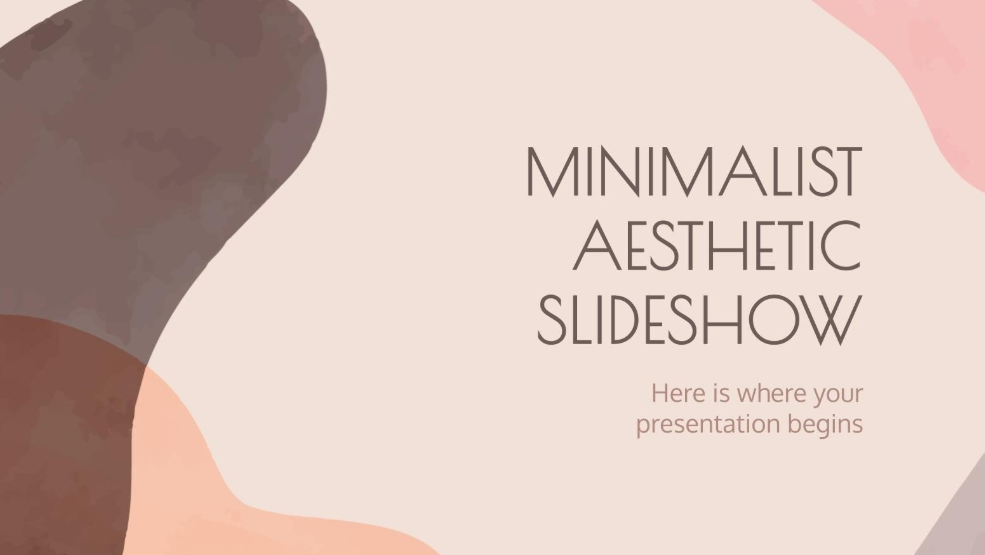
1. Minimalist Aesthetic Slideshow Presentation
The Minimalist Aesthetic Slideshow Presentation template is a clean and stylish option designed specifically for creators who are looking for simplicity in their presentations. It features soft, neutral colors for the palette, providing a professional yet modern look to your presentations.
2. Cottagecore Aesthetic Style Thesis
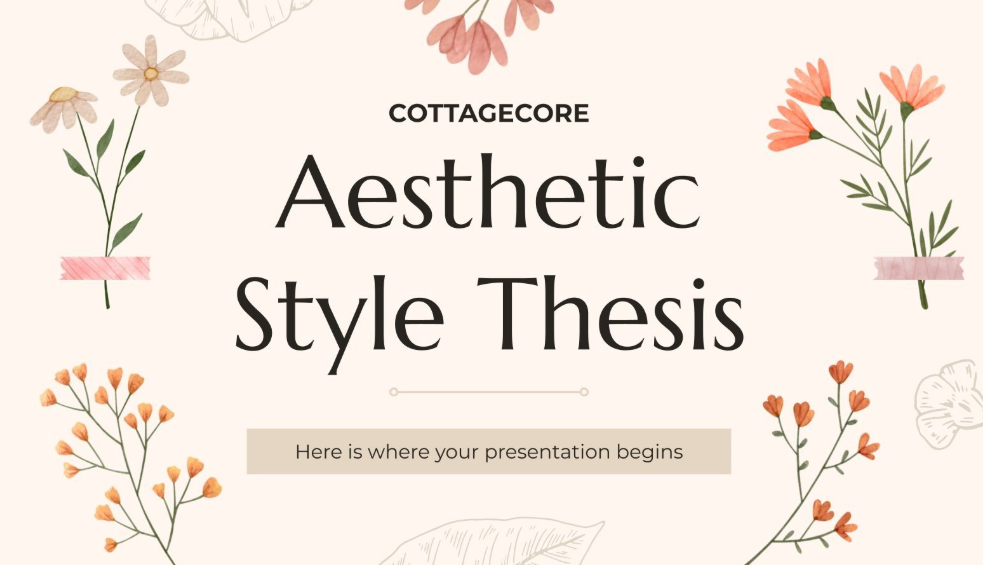
The Cottagecore Aesthetic Style Thesis template offers a warm and inviting feel to your presentations, making it a decent option for students presenting a final project or research. The design is marked by floral illustrations and elegant typography surrounding the central title slide, making sure everything stays polished while also maintaining a visually appealing aesthetic.
3. Pretty Aesthetic Notes for School
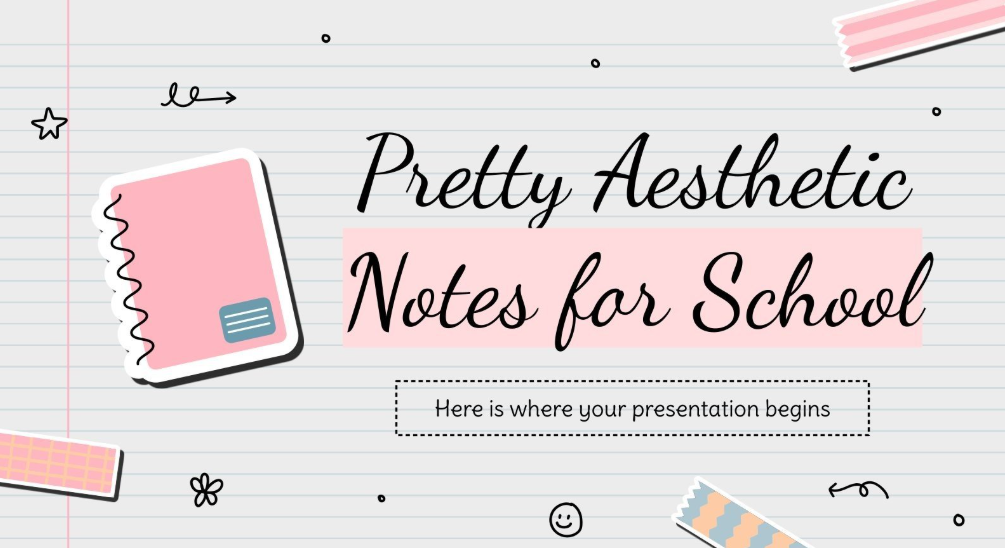
The Pretty Aesthetic Notes for School template is an effective choice for students looking to turn their academic notes into a visually appealing presentation. Utilizing a lined-paper background and playful pen-based illustrations, it creates a familiar and clean school-themed layout for your presentations.
4. Aged Texture Backgrounds Aesthetic MK Campaign
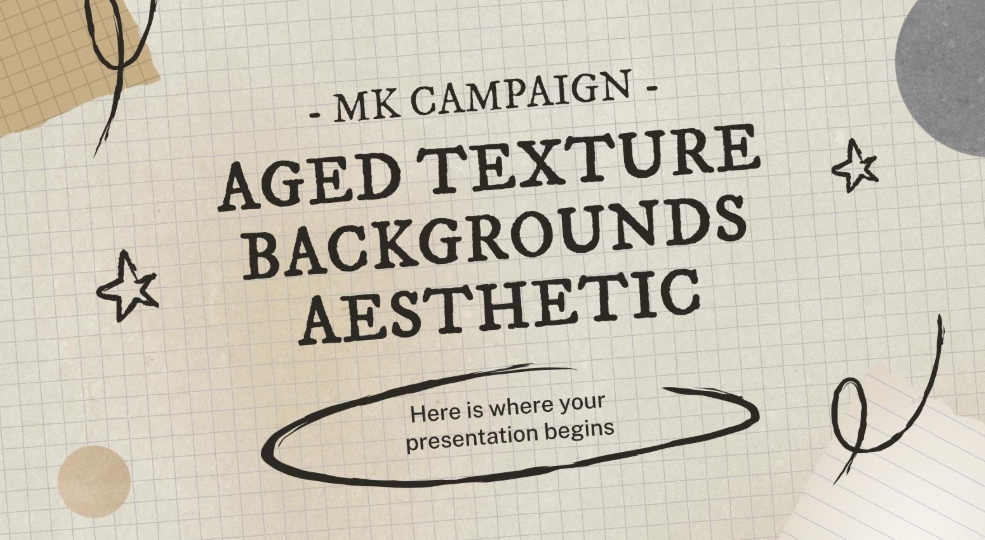
The Aged Texture Backgrounds Aesthetic MK Campaign is a professionally designed and fully customizable option that uses an old-school, paper-based Google Slides templates aesthetic vintage. It features creative illustrations of hand-drawn scribbles, stars, and bold typography to make the content of your slides clear and prominent for history-themed presentations.
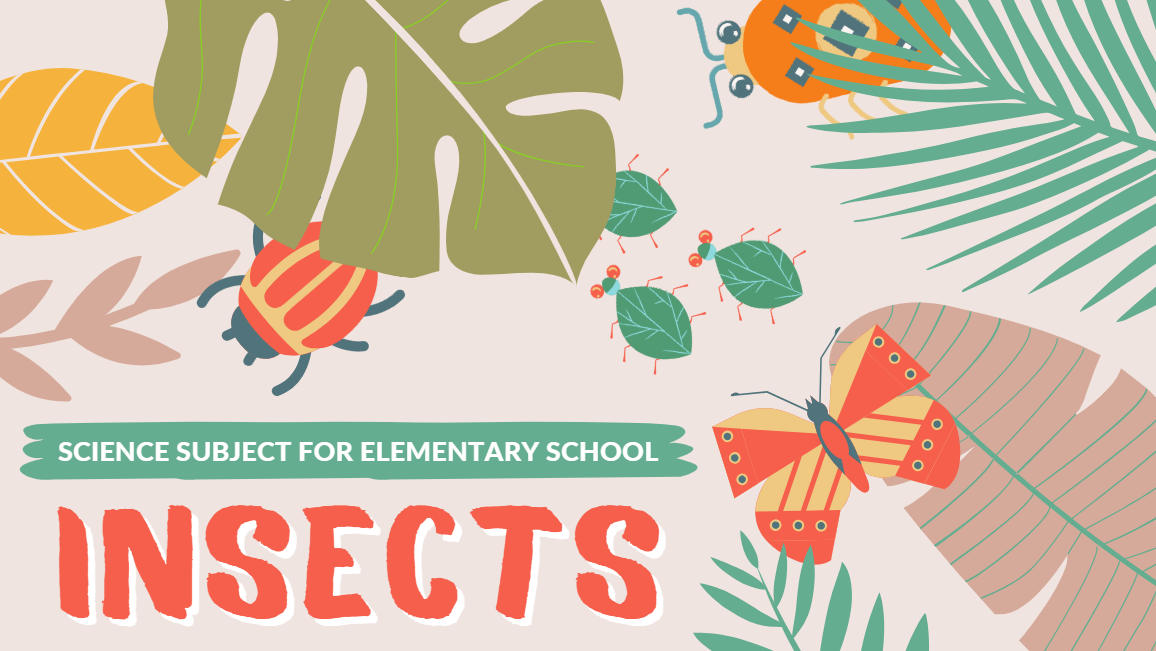
5. Pastel Illustrative Botanical Science Subject for Elementary School Insects Slides
The Pastel Illustrative Botanical Science Subject for Elementary School Insects Slides template provides a bright and engaging aesthetic for young students. It is filled with colorful illustrations of insects, butterflies, and tropical leaves, designed specifically to present elementary science topics in a fun and visually rich manner.
6. Retro Zine Publication Business Slides
For those looking for a unique and artistic vibe, the Retro Zine Publication Business Slides template stands out with its bold and collage-based design. It utilizes imagery such as eyes and mouths, paired with a structured grid layout that mimics the DIY aesthetic to add an element of excitement to your presentations.

7. Animated Diagrams for Education Beige Creative Fun School Slides
The Animated Diagrams for Education Beige Creative Fun School Slides is a creative and playful option, which is specifically designed to make educational presentations more exciting and accessible. It features a beige grid-based background with charming character illustrations and colorful shapes to help in concept visualization.

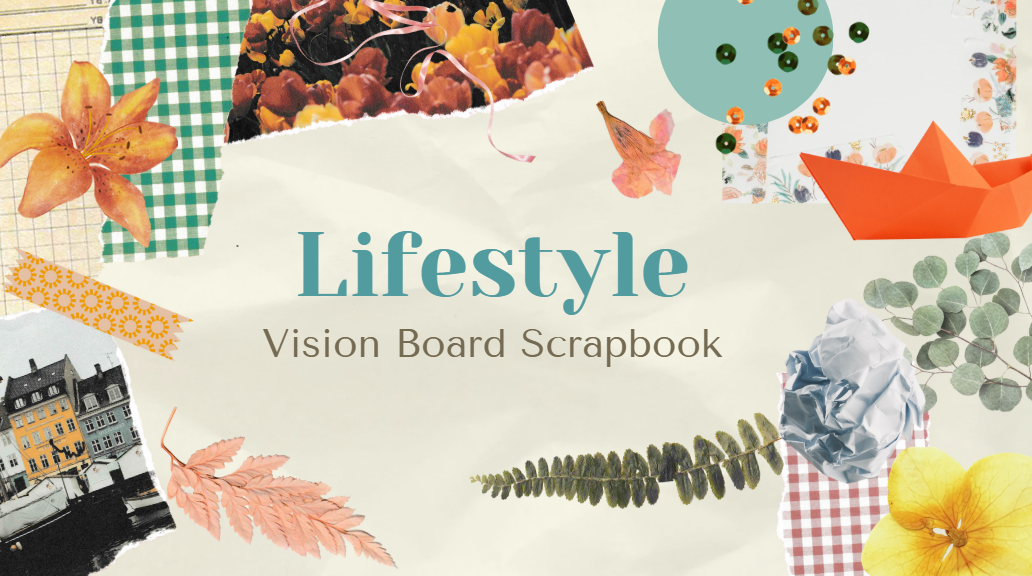
8. Lifestyle Vision Board Scrapbook Collage Slides
The Lifestyle Vision Board Scrapbook Collage Slides is a visually diverse option that mimics the feel of a physical scrapbook. It combines various elements like flowers, photos of buildings, and green checkered patterns to create a personalized lifestyle-based theme for your presentations.
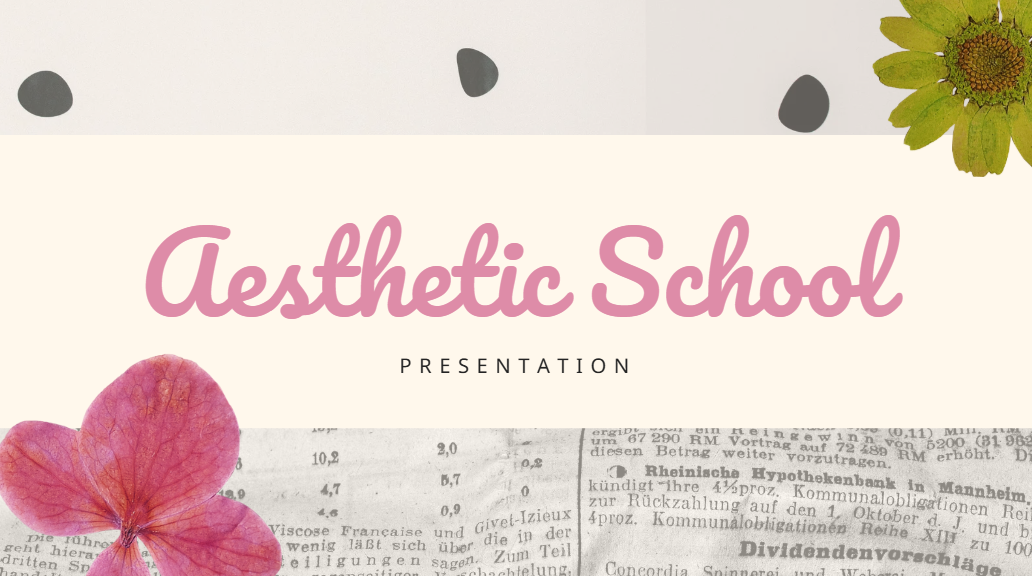
9. Pink and Green Aesthetic School Slides
The Pink and Green Aesthetic School Slides template offers a trendy and soft look for classroom or personal presentations. The design uses a mix of modern typography, vibrant pink floral accents, and vintage newspaper images to create a sophisticated yet visually appealing academic aesthetic for any presentation.
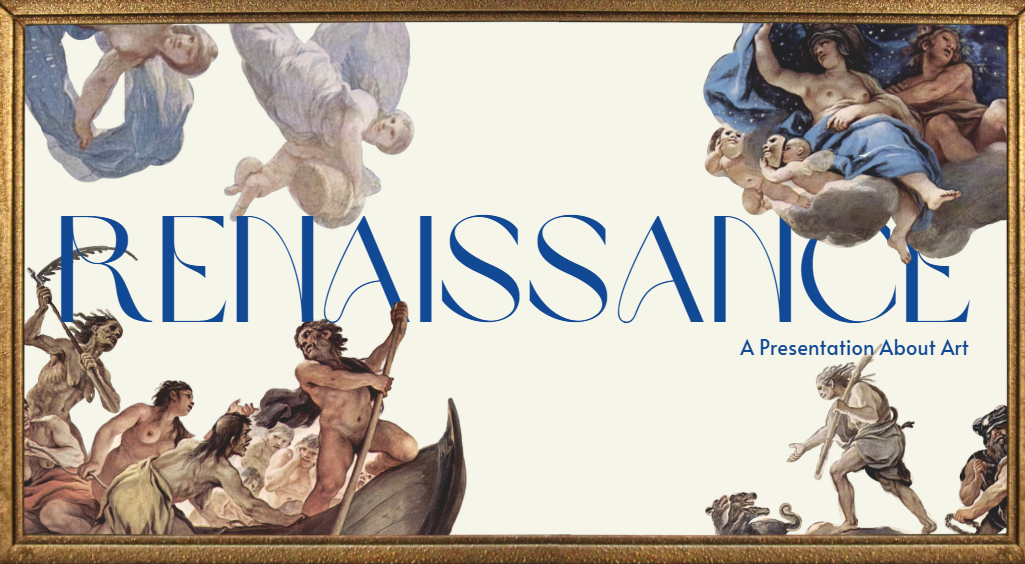
10. Greco-Roman Renaissance Art Slides
The Greco-Roman Renaissance Art Slides template is a professionally designed Google Slides templates aesthetic for students perfect for making presentations on art history or classical studies. It features iconic classical paintings and sculptures framed in gold, paired with elegant blue fonts to create sophisticated yet clean presentations.
How to Further Edit and Print Optimized Aesthetic PowerPoint
When you’ve decided on the template you’ll be using for your Google Slides presentation, the next step is actually editing and printing your presentation. There are many tools available to use for customizing your templates, but I’ve found most of them to be unreliable and ineffective, which is why I rely on WPS Office to ensure a hassle-free process. In this section, I’ll be walking you through the steps you need to follow to ensure complete personalization for your templates.
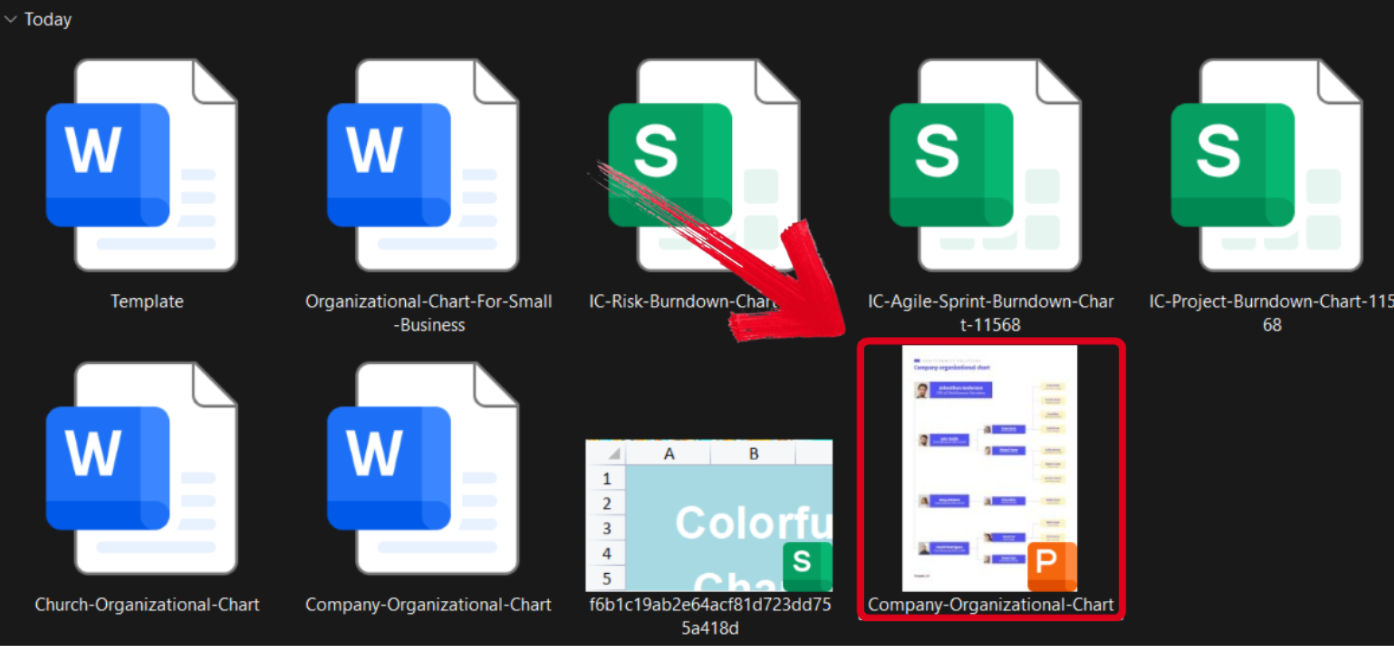
Step 1: Open your PPT-formatted template using WPS Office to get started.
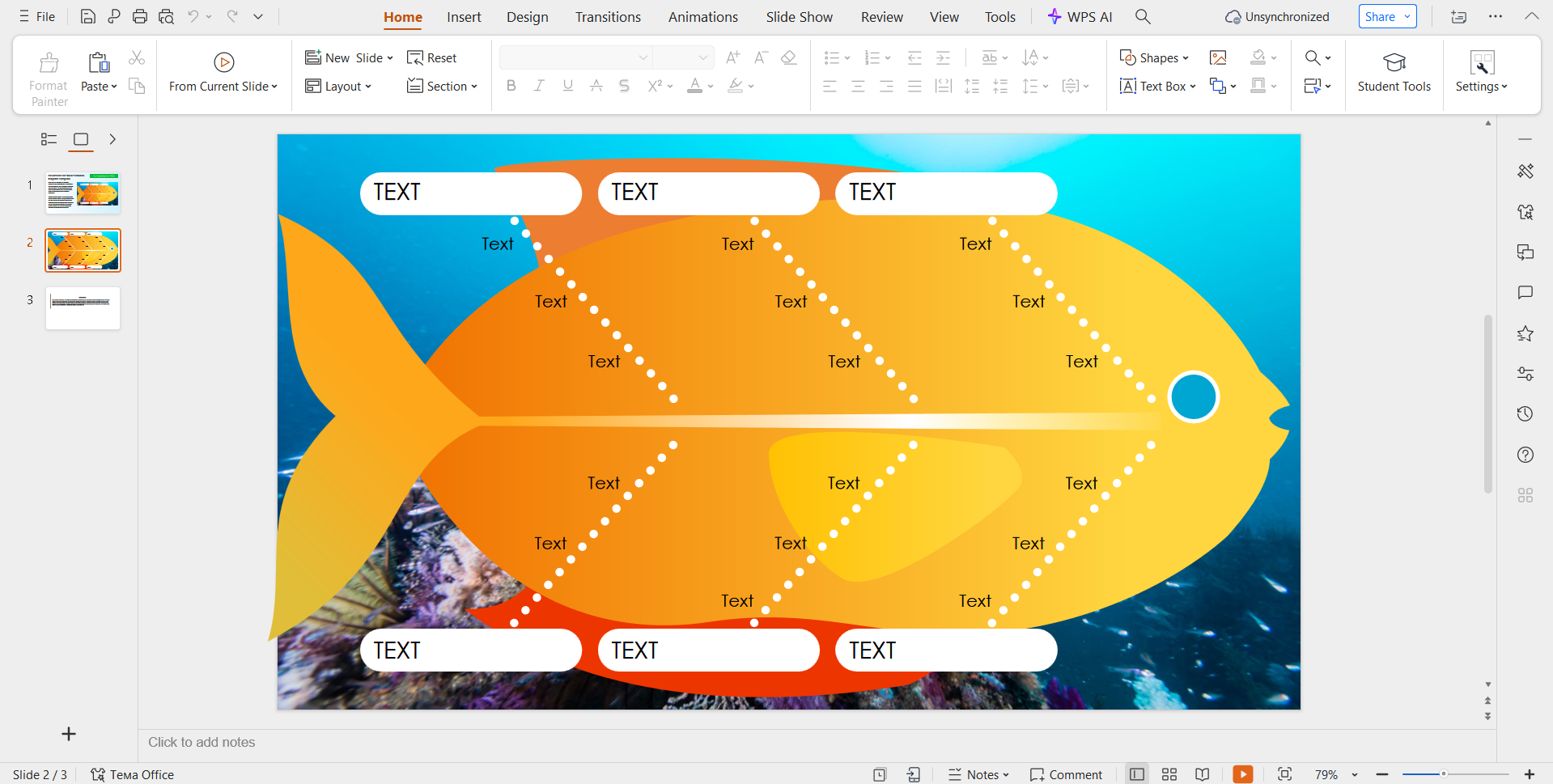
Step 2: Customize the template to add the details of your issue and contributing factors. You can even change the colours and add more text boxes.
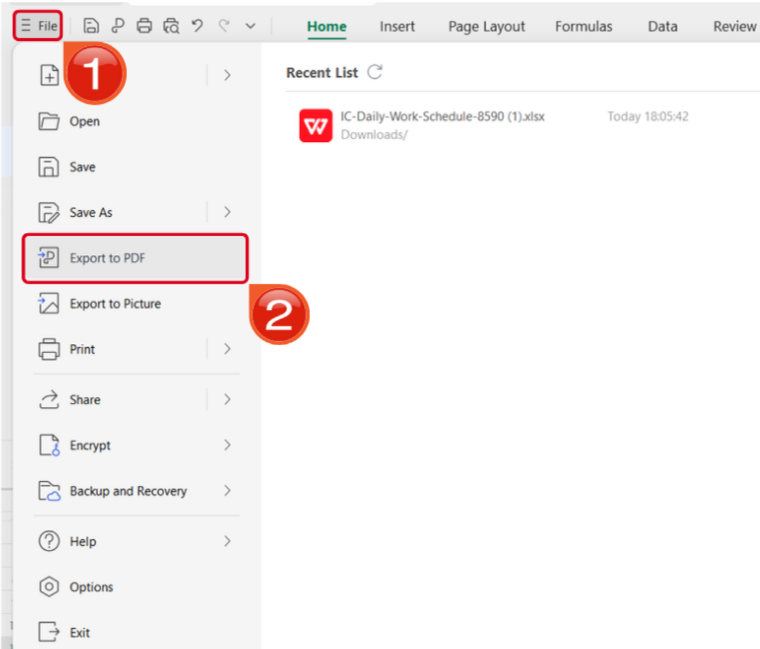
Step 3: Open the Files menu and select Export to PDF to convert your template to a PDF document.
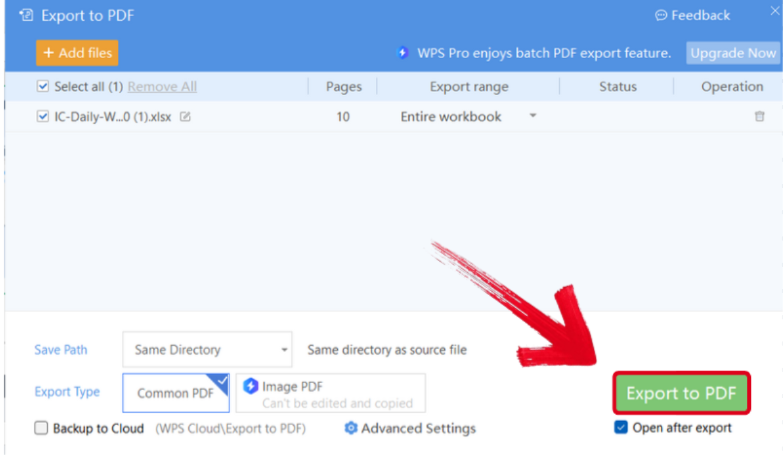
Step 4: Your PPT file will now start conversion into a PDF file. Press Export to PDF to save it to your device.
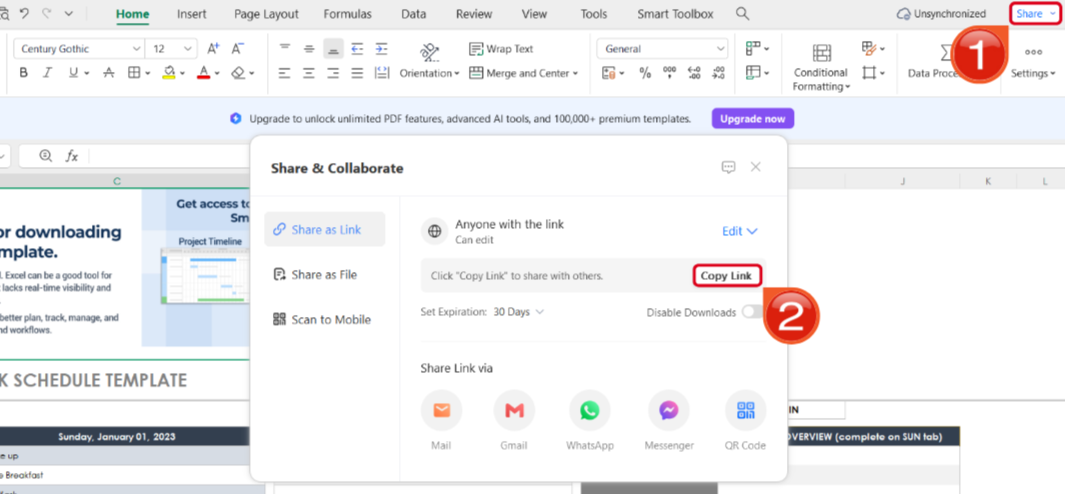
Step 5: Once you’re done saving it as a PDF, press Share to generate an online link for your file. Then press Copy Link to copy it to your clipboard and share it with others.
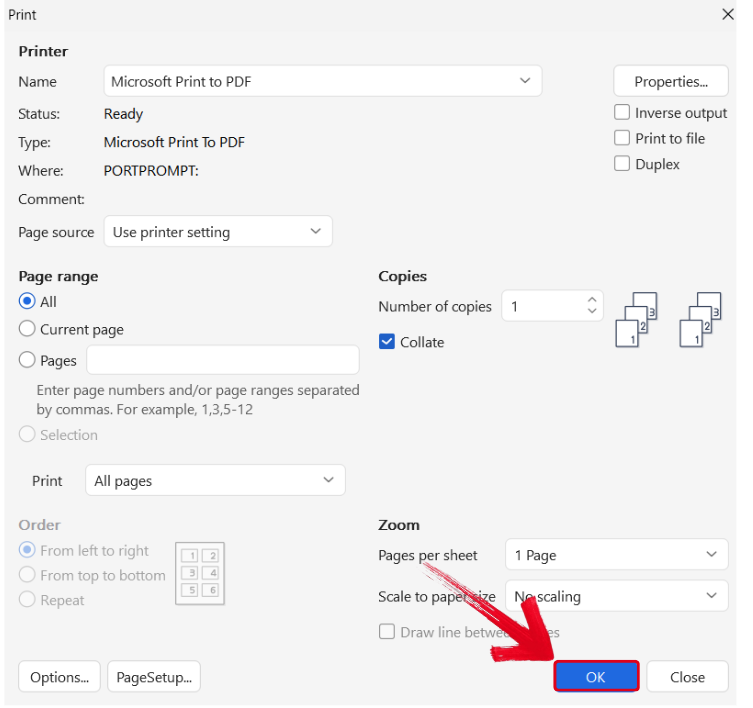
Step 6: Press Ctrl + P to open the printing window. Then, select your printing device and press OK to start printing.
Free Office Suite with Editable Templates
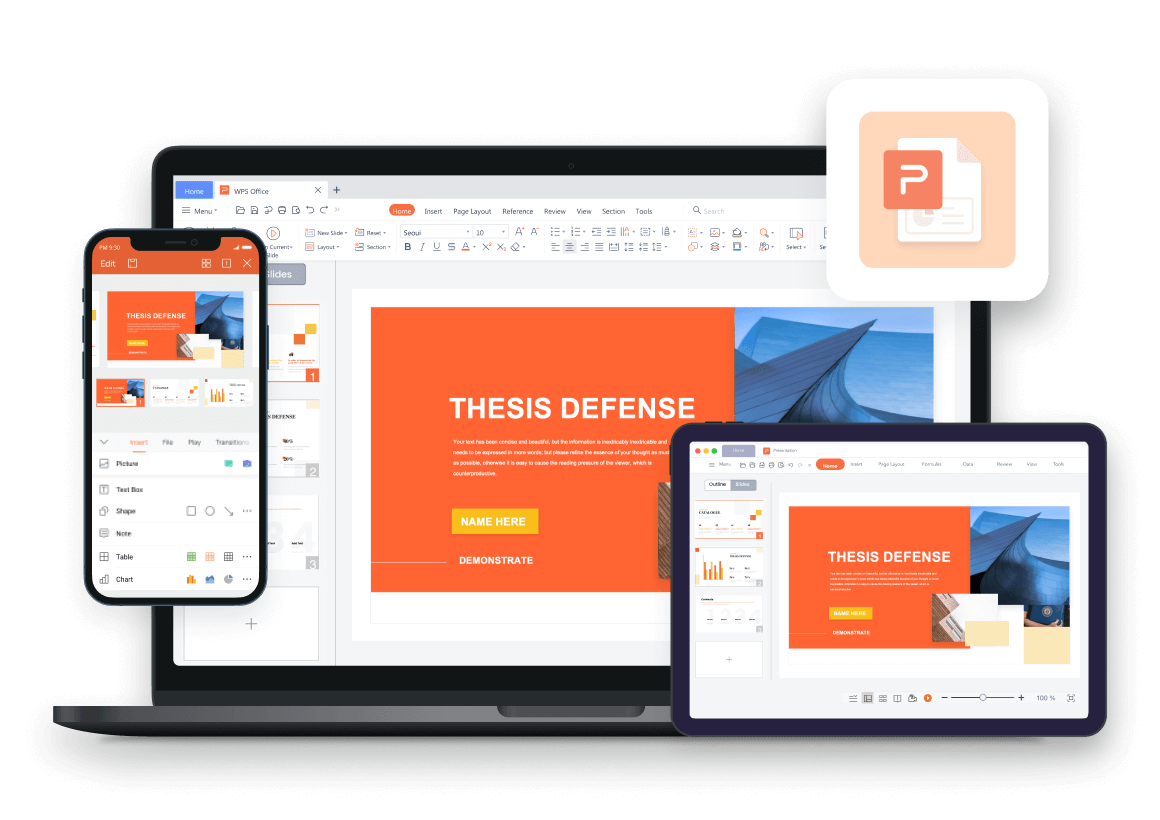
If you’re a professional dealing with presentations and templates regularly, having fast and efficient tools by your side is crucial to save time and maintain a hassle-free workflow. This is why I rely on WPS Office for all my productivity needs. It’s completely free and powered by smart AI features, making sure I have all the tools I need for a streamlined and productive workflow without going through any extra hassle.
FAQs
Q1: What are aesthetic Google Slides templates?
They are pre-designed slide templates with clean layouts, soft colors, and visually pleasing styles such as minimalist or vintage designs.
Q2: What elements or objects can I insert for an aesthetic slideshow presentation to make it more relevant?
For an aesthetic slideshow, consider incorporating soft pastel color palettes, minimalistic fonts, abstract shapes, subtle gradients, vintage-style illustrations, botanical elements, textured backgrounds, gentle transitions, and ambient background music. These elements cultivate a serene and cohesive visual experience, enhancing the aesthetic appeal and engagement of your presentation.
Q3: Can I customize aesthetic templates in Google Slides?
Yes. You can easily edit text, colors, images, and backgrounds directly in Google Slides.
Q4: Do these templates work for school presentations?
Yes. They are widely used by students for class projects, reports, and creative assignments.
Q5. Do I need design skills to use aesthetic templates?
No. These templates are made to look polished with minimal effort, even for beginners.
Q6. Do animations and transitions work in WPS?
Basic animations, slide transitions, and click-to-reveal answers usually work well. Complex macros may not.
Q7. Is WPS free for using aesthetic Google Slides templates?
Yes. The free version of WPS is enough for opening, editing, and presenting trivia templates.

'%3e%3cpath%20d='M19.9911%204.11386V6.471H18.5894C18.0775%206.471%2017.7322%206.57814%2017.5536%206.79243C17.3751%207.00671%2017.2858%207.32814%2017.2858%207.75671V9.44421H19.9019L19.5536%2012.0871H17.2858V18.8639H14.5536V12.0871H12.2769V9.44421H14.5536V7.49779C14.5536%206.39064%2014.8632%205.53201%2015.4822%204.92189C16.1013%204.31177%2016.9257%204.00671%2017.9554%204.00671C18.8304%204.00671%2019.509%204.04243%2019.9911%204.11386Z'%20fill='%23333333'/%3e%3c/g%3e%3cdefs%3e%3cclipPath%20id='clip0_2938_8199'%3e%3crect%20width='16'%20height='16'%20fill='white'%20transform='translate(8%204.00671)'/%3e%3c/clipPath%3e%3c/defs%3e%3c/svg%3e)
'%3e%3cpath%20d='M17.5237%2010.7813L23.4811%204H22.0699L16.8949%209.88693L12.7648%204H8L14.2469%2012.9029L8%2020.0133H9.4112L14.8725%2013.7952L19.2352%2020.0133H24M9.92053%205.04213H12.0885L22.0688%2019.0224H19.9003'%20fill='%23333333'/%3e%3c/g%3e%3cdefs%3e%3cclipPath%20id='clip0_2938_8200'%3e%3crect%20width='16'%20height='16.0134'%20fill='white'%20transform='translate(8%204)'/%3e%3c/clipPath%3e%3c/defs%3e%3c/svg%3e)


