The catering business requires creativity, coordination, and long
hours to deliver memorable events. Many catering professionals,
especially small or growing businesses, find it challenging to prepare a
professional and accurate catering invoice template that reflects their
services clearly.
How can you streamline your billing process to improve accuracy,
maintain professionalism, and get paid faster without building each
invoice from scratch? In this guide, you will find a catering invoice
template, free resources, and learn how to create a free catering
invoice template options effectively.
Use Word, Excel, and PPT for FREE
Noticeable Catering Invoice Templates
Part 1. What Is a
Catering Invoice Template?
A catering invoice template is a pre-designed billing document that
helps catering businesses list services provided, itemize costs, and
request payment from clients in a clear and professional format. It
saves time, maintains consistency, and ensures important details are
never missed. Whether you handle weddings, corporate events, private
dinners, or large-scale functions, using a structured template helps
streamline your billing process and reduce errors.
What are Catering Invoice Templates
A standard catering invoice should include the following
information:
Business name, logo, and contact details
Client name and event details
Menu items and quantity served
Labor, staffing, and service fees
Equipment or rental charges
Taxes, discounts, and final total
Payment terms, methods, and due date
Why
Your Catering Business Should Use Professional Invoices
Using a professional invoice builds trust with clients and reflects
the quality of your service. A clear and well-organized invoice ensures
transparency in pricing, which prevents disputes and increases the
likelihood of timely payment. It also helps maintain accurate financial
records for budgeting, tax filing, and business reporting.
When caterers use a simple catering bill format or an advanced
template, it helps them present services in a structured manner so
clients can easily understand what they are being charged for. This
level of clarity strengthens your brand and encourages repeat
business.
How to Create a Catering
Invoice
You can create a catering invoice manually or through digital tools,
depending on your business size and preference. If you prefer to build
one from scratch, start with a Free catering invoice template Word file
or spreadsheet. Add your branding elements, pricing categories, and
standard terms so that every invoice remains consistent.
Steps to create an invoice more efficiently include:
Step 1: Choose your preferred layout (Word,
Excel, PDF, or online generator).
Step 2: Add your business details, client
information, and event specifics.
Step 3: Itemize food, beverages, services, and
any additional charges.
Step 4: Apply taxes, discounts, and calculate
the total.
Step 5: Define payment terms, due date, and
preferred payment method.
From personal experience, I find that starting with a template speeds
up the process significantly. It also ensures accuracy, especially when
preparing invoices for multiple events in a single month. Templates
offer a repeatable structure, so you do not need to redesign a free invoice template pdf for every client.
Part
2. 10 Noticeable Catering Invoice Templates [Free Download]
Finding the right catering invoice template can save hours of
formatting and help you present charges professionally. Below are 10
noticeable templates you can download and edit immediately. I will also
share my personal experience on when each one works best, so you can
choose the most suitable option for your catering business.
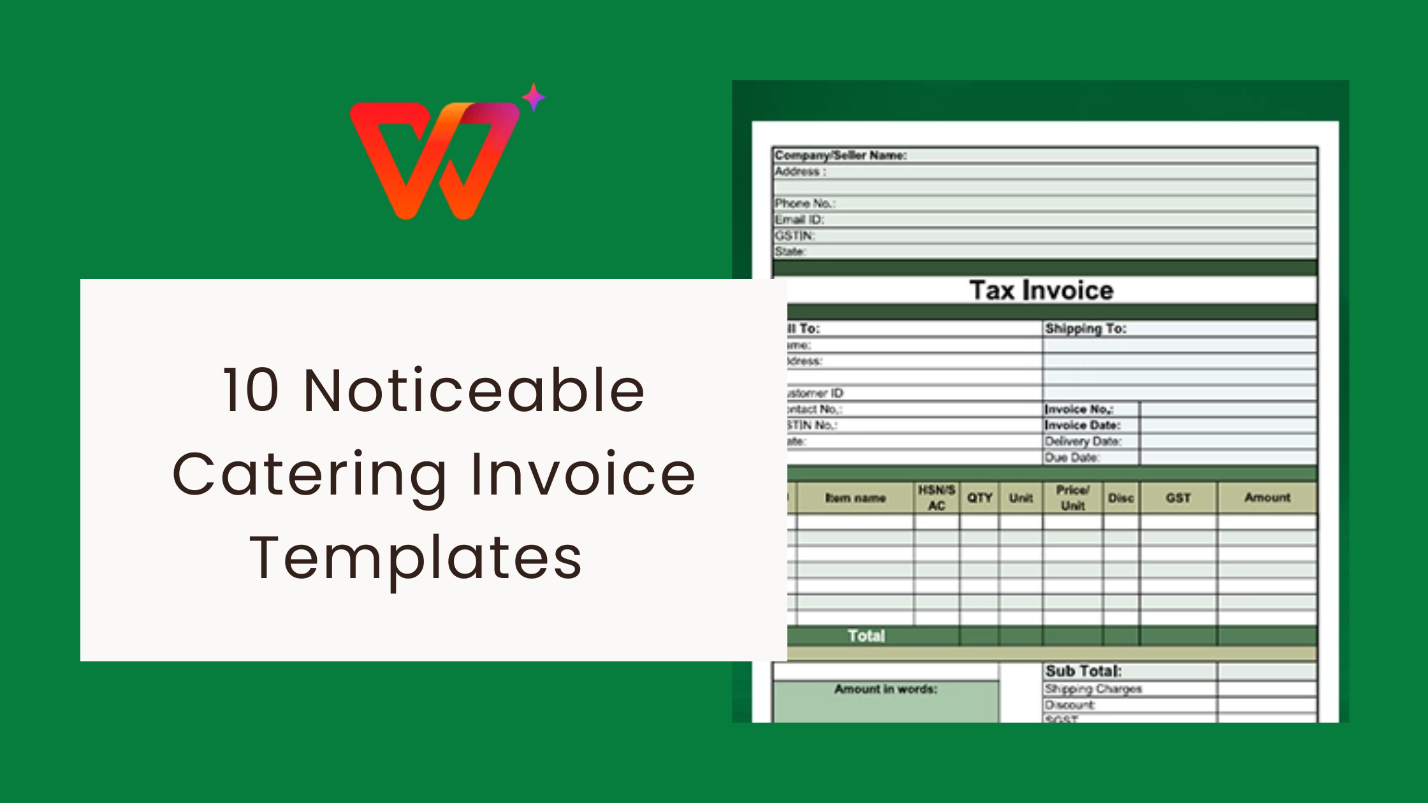
1. Catering Invoice Template
[PDF]
This ready-to-use PDF is ideal for quick invoicing when you need a
clean, structured layout without heavy customization. It includes fields
for food items, service fees, and payment terms, making it suitable for
small and mid-sized catering jobs.
From experience, PDF templates are great when you want to send
invoices directly without edits. I find this one useful for one-time
events or when dealing with clients who prefer non-editable invoices for
record-keeping.
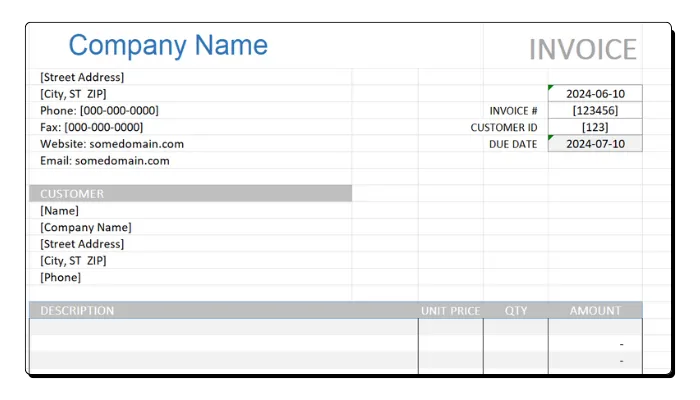
2. Catering Invoice Template USA [PDF]
If you’re catering within the USA, this template follows a
US-friendly billing format, including local tax fields and standard
payment terminology. It’s clear, simple, and tailored for US-based
corporate and private catering services.
I recommend this for caterers serving corporate clients, as the
structure aligns well with professional accounting expectations in the
US. It reduces back-and-forth clarifications regarding tax and billing
terms.
3. Catering Invoice Template [Word, Excel]
This versatile option provides both Word and Excel formats, allowing
you to edit content freely. Word is perfect for branding and formatting,
while Excel offers automatic calculations for totals and taxes, making
billing faster and more accurate.
If you want flexibility, this is one of the best options. I
personally use Excel more often because calculations auto-update when
quantities or prices change, which avoids manual calculation errors.
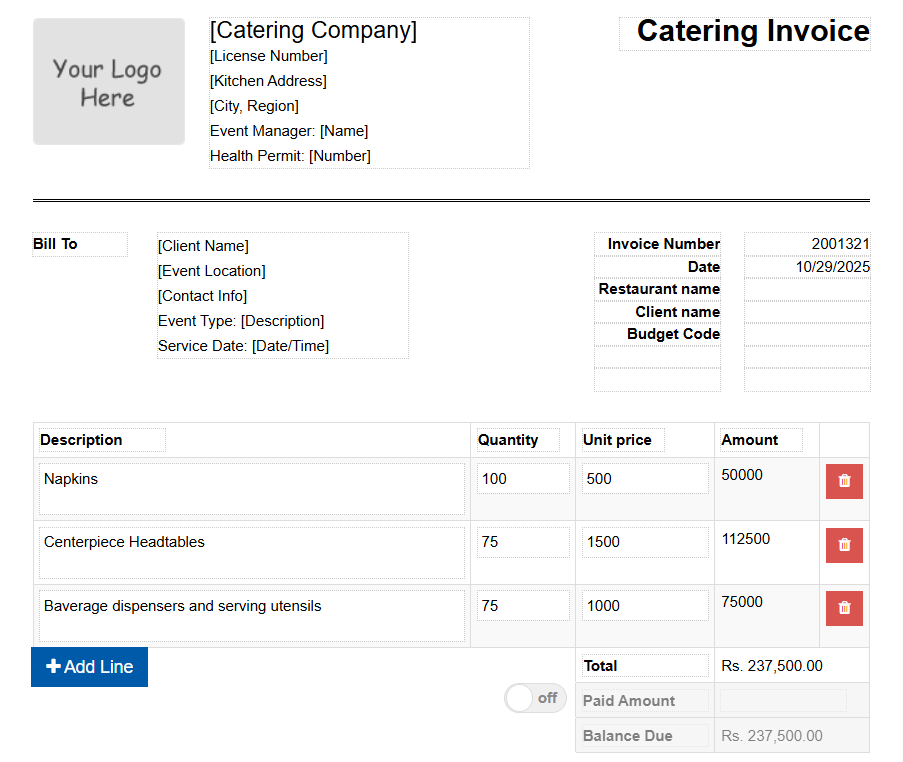
4. Sample Catering
Invoice Template [Word, Excel]
This sample layout is ideal if you are new to catering invoices and
need a clear guide to follow. It includes pre-filled sample details,
making it easier to understand how to structure your own invoice before
customizing.
I find sample templates helpful for beginners because they show what
information to include and how to present pricing logically, especially
when building your first few invoices.
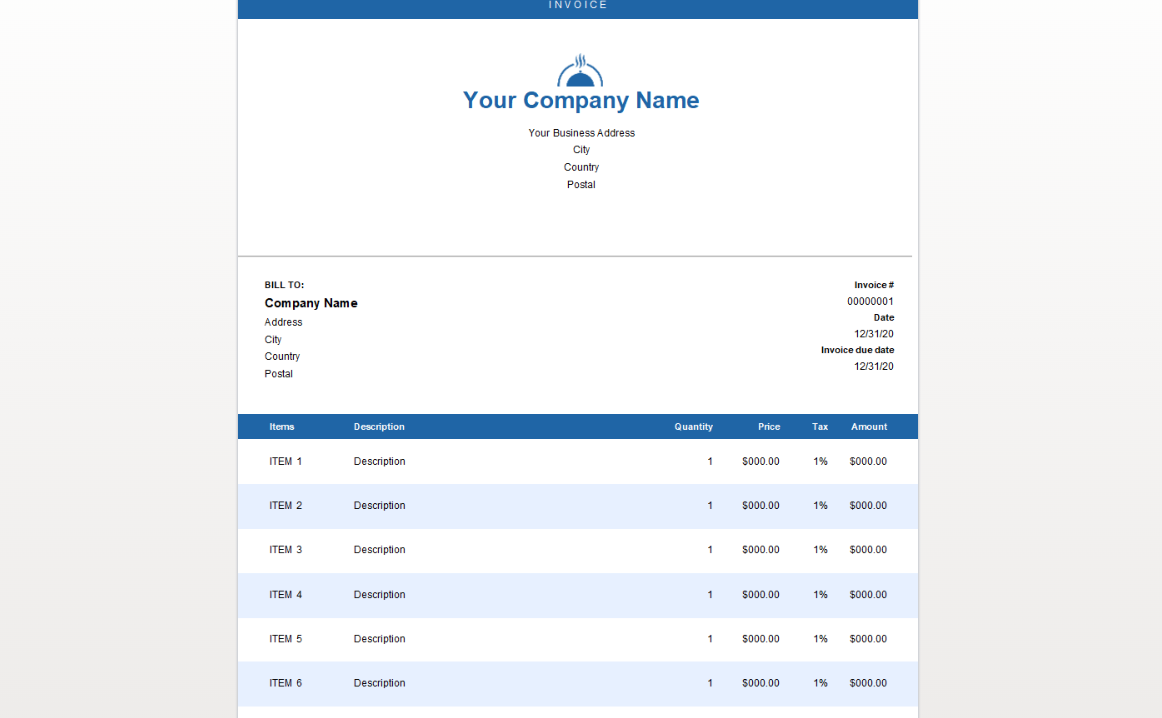
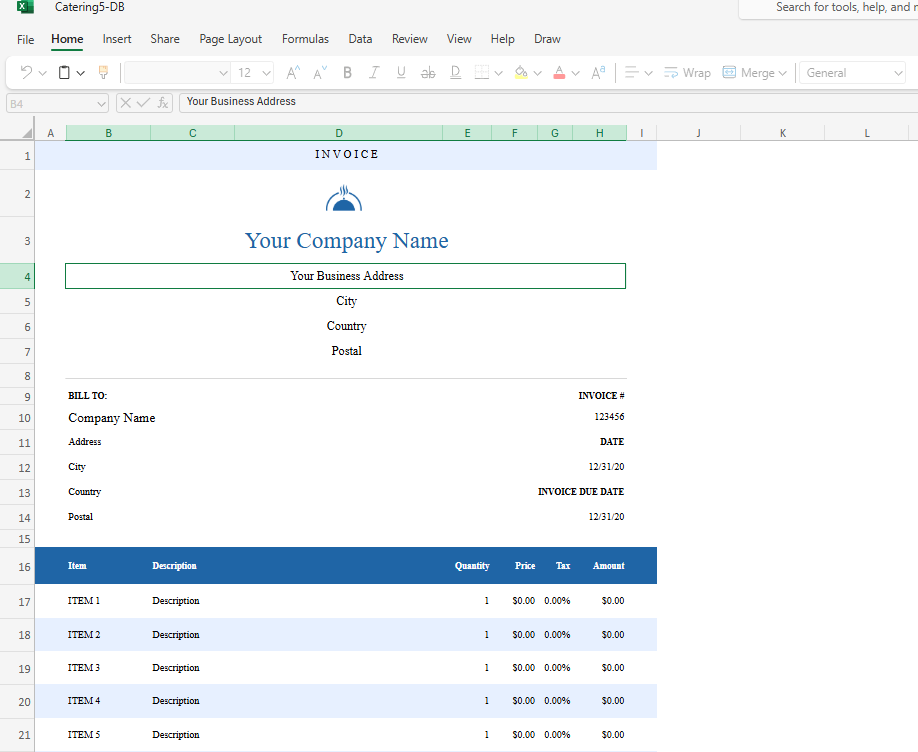
5. Catering Invoice Template
[Excel]
This Excel-based template is best suited for caterers who want
automatic calculations for food cost, staffing, and additional service
charges. It provides a structured table format to handle multiple line
items professionally.
Excel templates are great when managing medium to large events that
require detailed breakdowns. I often recommend this for weekly or
monthly recurring catering clients due to its calculation
efficiency.
6. Free Catering Invoice
Template [Word]
A fully editable catering invoice template free option that is simple
yet professional. It offers clean sections for event details, menu
pricing, and payment terms, making it suitable for freelancers and small
catering businesses.
This template is a great starting point if you are not ready to
invest in paid tools. I like that it keeps fields minimal and avoids
unnecessary complexity.
7. Catering Invoice
Template [Word, Excel, PDF]
This template provides three formats, giving full flexibility based
on client needs. It covers food pricing, staff fees, service charges,
and equipment rentals, making it suitable for most event types.
From experience, having all three formats in one set is extremely
convenient because some clients prefer PDFs for approval, while others
request an editable file for internal reimbursement.
Designed for corporate events, this template includes detailed
sections for multiple menu types, service tiers, and additional
corporate charges. It is well-structured for larger events requiring
breakdowns by department or cost center.
I recommend this for caterers serving corporate meetings,
conferences, and executive events. It projects professionalism and
supports more complex billing needs.
This template suits restaurants that also offer catering services. It
allows you to bill clients for dishes, beverages, add-ons, and staff
services while keeping the familiar restaurant-style pricing format.
Many restaurants find this format helpful when adding catering as an
expansion service. It aligns well with standard restaurant billing and
makes the transition smooth.
A refined template created for formal dining events such as weddings,
seated dinners, and banquets. It includes space for multi-course meal
pricing and package-based billing.
If your catering business focuses on fine dining or plated service
events, this template provides the detailed structure needed to justify
pricing per course and per guest.
Part
3: The Best Catering Invoice Helper: WPS Invoice Generator
After exploring different templates, one thing becomes clear: while
templates make invoicing more structured, they still require manual
editing, formatting, and calculations for every new event. For busy
catering professionals managing multiple clients, switching to a digital
tool can significantly streamline the process. This is where the WPS Invoice
Generator becomes a powerful solution.
WPS Invoice Generator
The WPS Invoice Generator allows you to create professional invoices
in minutes, without the repetitive work that comes with manual
templates. It offers automatic formatting, calculation, and smart
features that reduce time spent on administrative tasks. Compared to
traditional catering invoice template formats, the
digital approach provides more accuracy and efficiency, especially when
handling multiple events per month.
Why
Go Digital? The Easiest Way to Create a Catering Invoice
A Free catering invoice template, Word file, or PDF is helpful for
basic use, but editing them repeatedly can become time-consuming. With a
digital tool like WPS, you can generate a new invoice in seconds
directly from your phone or computer. It simplifies invoicing,
eliminates formatting issues, and helps maintain a consistent brand
image across all client documents.
Key Benefits of WPS Invoice Generator
Ease of Use: The tool is designed for simplicity, allowing users to create invoices with just a few clicks.
Automation: Automatic calculations remove the risk of manual errors when updating quantities, pricing, or taxes.
Efficiency: Manage multiple invoices across clients, events, and service types without searching through old files.
Error Reduction: Built-in structures ensure no sections are missed and keep invoices professional.
Smart AI Features: Helpful when dealing with detailed billing, such as restaurant invoices or catering packages with multiple pricing tiers.
How
to Create a Catering Invoice Template Using the WPS Invoice
Generator
Step 1: Visit the WPS Invoice Generator page
through your browser.
WPS Invoice Generator
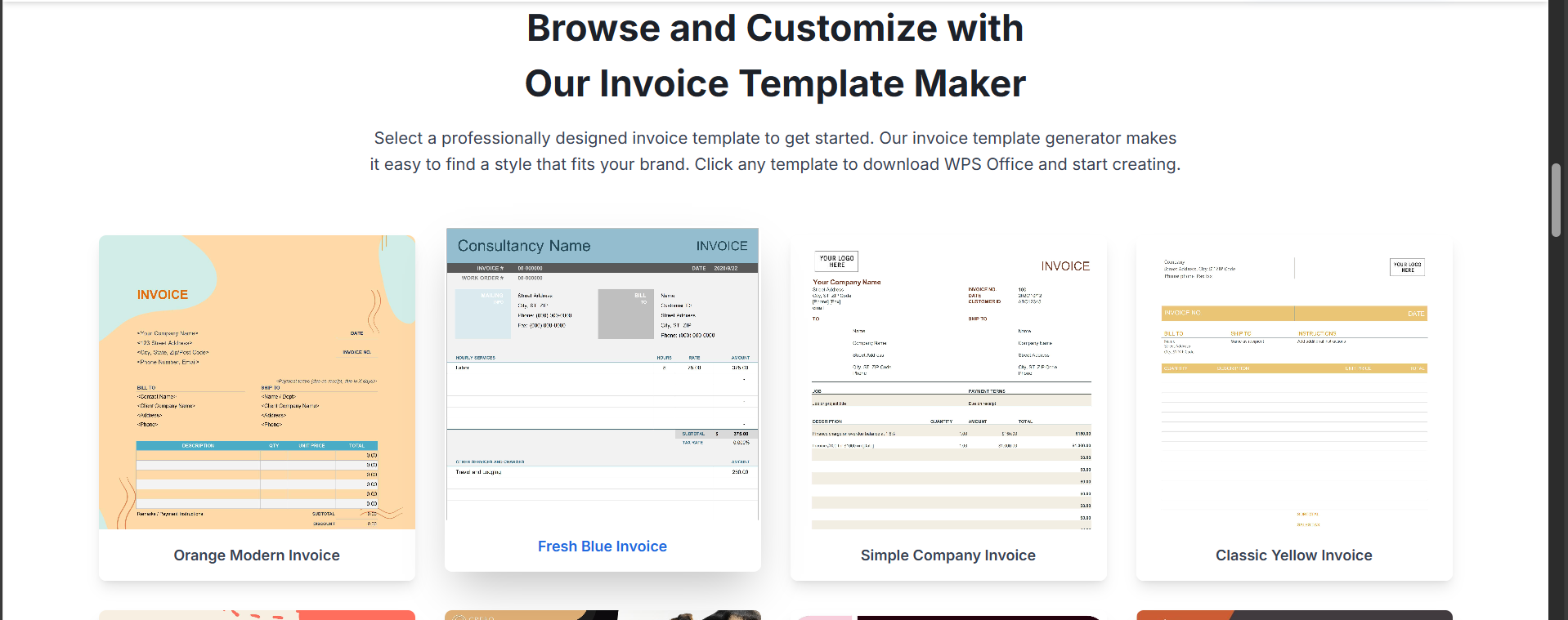
Step 2: Choose a pre-designed layout or start
with a blank invoice.
Choose a template from WPS Invoice Generator
Step 3: Add your business name, logo, and
contact information.
Step 4: Fill in client details, event type, and
service date.
Edit the template
Step 5: Itemize food, beverages, staffing,
equipment, and additional service fees.
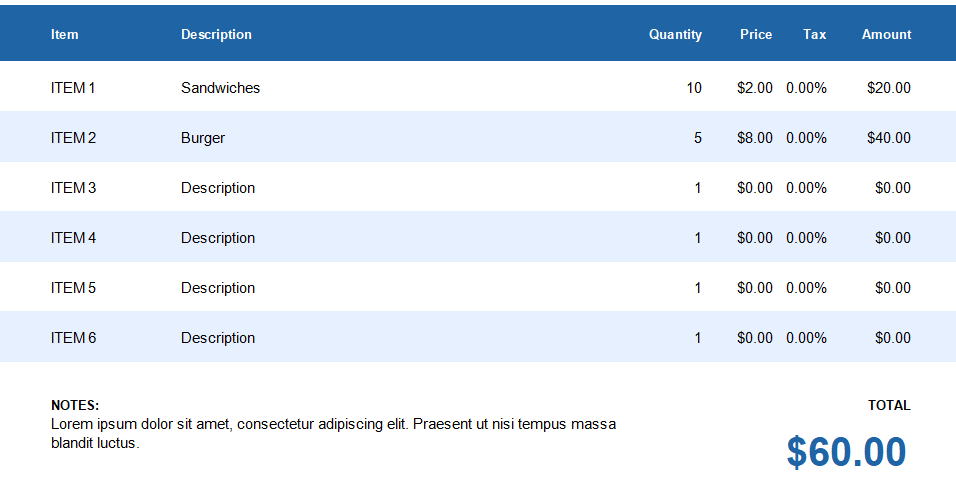
Step 6: Review the automated total and apply
taxes or discounts if needed.
Check the total
Step 7: Save, export, or share the invoice
directly with your client.
Save the template
From my experience, the tool makes the invoicing process noticeably
faster. I tried creating an invoice for a full-service event with
multiple menu items and different charges, and the automated calculation
saved considerable time. The interface is intuitive, and I appreciated
how clean and professional the final invoice looked without spending
extra time formatting it.
If you have been relying heavily on manual templates or spreadsheets,
I recommend trying the WPS Invoice Generator at least once. It can
easily become a long-term invoicing solution for your catering
business.
100% secure
FAQs
1. How do I handle late payments?
To reduce late payments, clearly outline your payment terms on every
invoice, including the due date and any late fees if applicable. If a
payment becomes overdue, start with a polite reminder email and attach
the original invoice for reference. Most clients respond quickly when
expectations and consequences are stated in advance.
2. When should I send a catering invoice?
For catering services, it is best to send the invoice immediately
after the event to maintain momentum and ensure prompt payment. For
larger events such as weddings or corporate functions, consider
splitting the payment into two parts: a deposit before the event and the
remaining balance after the service is completed. This approach helps
manage cash flow and secures your booking in advance.
Summary
Creating accurate and professional invoices is essential for every catering business, whether you handle small private events or large corporate functions. Using the right catering invoice template helps you present your services clearly, avoid pricing misunderstandings, and get paid on time. The free templates shared in this guide offer a simple starting point, with various formats to suit different billing needs and event types.
While templates are useful, managing multiple events and clients can make manual editing time-consuming. This is where going digital becomes more effective. The WPS Invoice Generator offers a streamlined way to create, customize, and send invoices within minutes, helping you save time, reduce errors, and maintain a consistent professional image. If you want a faster and more efficient invoicing process, exploring WPS Office tools can offer long-term value for your catering business.
With over 13 years of hands-on experience in office software and tech, I help users navigate the digital world with ease. From mastering Excel to exploring cutting-edge productivity tools, I break down complex features into simple, actionable steps.


'%3e%3cpath%20d='M8%200C12.4183%200%2016%203.58172%2016%208C16%2012.4183%2012.4183%2016%208%2016C3.58172%2016%200%2012.4183%200%208C0%203.58172%203.58172%200%208%200ZM11.6162%204.38379C11.2257%203.99337%2010.5927%203.99338%2010.2021%204.38379L8%206.58594L5.79785%204.38379C5.40732%203.99334%204.77429%203.99329%204.38379%204.38379C3.99331%204.77429%203.99335%205.40733%204.38379%205.79785L6.58594%208L4.38379%2010.2021C3.99348%2010.5927%203.99341%2011.2257%204.38379%2011.6162C4.77426%2012.0066%205.40734%2012.0065%205.79785%2011.6162L8%209.41406L10.2021%2011.6162C10.5927%2012.0066%2011.2257%2012.0067%2011.6162%2011.6162C12.0067%2011.2257%2012.0066%2010.5927%2011.6162%2010.2021L9.41406%208L11.6162%205.79785C12.0066%205.40735%2012.0066%204.77429%2011.6162%204.38379Z'%20fill='%23080E17'%20fill-opacity='0.46'/%3e%3c/g%3e%3cdefs%3e%3cclipPath%20id='clip0_3761_713'%3e%3crect%20width='16'%20height='16'%20fill='white'/%3e%3c/clipPath%3e%3c/defs%3e%3c/svg%3e)




'%3e%3cpath%20fill-rule='evenodd'%20clip-rule='evenodd'%20d='M21.4999%2010.9993C21.4999%205.20009%2016.7986%200.498901%2010.9993%200.498901C5.19994%200.498901%200.498657%205.20009%200.498657%2010.9993C0.498657%2016.2404%204.33858%2020.5844%209.35855%2021.3722V14.0346H6.69238V10.9993H9.35855V8.68594C9.35855%206.05427%2010.9262%204.60062%2013.3248%204.60062C14.4736%204.60062%2015.6753%204.80571%2015.6753%204.80571V7.38979H14.3512C13.0468%207.38979%2012.64%208.19921%2012.64%209.0296V10.9993H15.5523L15.0867%2014.0346H12.64V21.3722C17.66%2020.5844%2021.4999%2016.2404%2021.4999%2010.9993Z'%20fill='%231568EA'/%3e%3c/g%3e%3c/svg%3e)


'%3e%3cpath%20d='M2.42045%2022.1876H6.31818V12.7217L0.75%208.54553V20.5171C0.75%2021.4414%201.49892%2022.1876%202.42045%2022.1876Z'%20fill='%234285F4'/%3e%3cpath%20d='M19.682%2022.1876H23.5797C24.5041%2022.1876%2025.2502%2021.4387%2025.2502%2020.5171V8.54553L19.682%2012.7217'%20fill='%2334A853'/%3e%3cpath%20d='M19.682%205.48293V12.7216L25.2502%208.54543V6.31816C25.2502%204.25236%2022.8921%203.07469%2021.2411%204.31361'%20fill='%23FBBC04'/%3e%3cpath%20d='M6.31824%2012.7217V5.48303L13.0001%2010.4944L19.6819%205.48303V12.7217L13.0001%2017.733'%20fill='%23EA4335'/%3e%3cpath%20d='M0.75%206.31816V8.54543L6.31818%2012.7216V5.48293L4.75909%204.31361C3.10534%203.07469%200.75%204.25236%200.75%206.31816Z'%20fill='%23C5221F'/%3e%3c/g%3e%3cdefs%3e%3cclipPath%20id='clip0_2954_7305'%3e%3crect%20width='24.5'%20height='18.375'%20fill='white'%20transform='translate(0.75%203.8125)'/%3e%3c/clipPath%3e%3c/defs%3e%3c/svg%3e)


![Catering Invoice Template USA [PDF]](https://res-academy.cache.wpscdn.com/upload/seo-engine-admin/2025-11-03/db6064d4f90397b6c0a3b47c0e2f37a9.png "Catering Invoice Template USA [PDF]")
![Catering Invoice Template [Word, Excel]](https://res-academy.cache.wpscdn.com/upload/seo-engine-admin/2025-11-03/93aea295081e95ca31eadf60d4bb0f89.png "Catering Invoice Template [Word, Excel]")
![Sample Catering Invoice Template [Word, Excel]](https://res-academy.cache.wpscdn.com/upload/seo-engine-admin/2025-11-03/f09fde812582ae8fcd8d3c4b85366346.png "Sample Catering Invoice Template [Word, Excel]")
![Catering Invoice Template [Excel]](https://res-academy.cache.wpscdn.com/upload/seo-engine-admin/2025-11-03/a562dd07a0d3a191f48a83a727bb2821.png "Catering Invoice Template [Excel]")
![Free Catering Invoice Template [Word]](https://res-academy.cache.wpscdn.com/upload/seo-engine-admin/2025-11-03/6c8fe0a4c453c6f192267d407f706d2c.png "Free Catering Invoice Template [Word]")
![Catering Invoice Template [Word, Excel, PDF]](https://res-academy.cache.wpscdn.com/upload/seo-engine-admin/2025-11-03/c60e40d2ab1169c142d20e0e2d8eff9e.png "Catering Invoice Template [Word, Excel, PDF]")
![Corporate Catering Invoice Template [Word, Excel, PDF]](https://res-academy.cache.wpscdn.com/upload/seo-engine-admin/2025-11-03/69d5bb43767ec712d6163aae048807ca.png "Corporate Catering Invoice Template [Word, Excel, PDF]")
![Restaurant Catering Invoice Template [Word, Excel, PDF]](https://res-academy.cache.wpscdn.com/upload/seo-engine-admin/2025-11-03/f5ea098811e6abf676bb45c985414fb9.png "Restaurant Catering Invoice Template [Word, Excel, PDF]")

'%3e%3cpath%20d='M19.9911%204.11386V6.471H18.5894C18.0775%206.471%2017.7322%206.57814%2017.5536%206.79243C17.3751%207.00671%2017.2858%207.32814%2017.2858%207.75671V9.44421H19.9019L19.5536%2012.0871H17.2858V18.8639H14.5536V12.0871H12.2769V9.44421H14.5536V7.49779C14.5536%206.39064%2014.8632%205.53201%2015.4822%204.92189C16.1013%204.31177%2016.9257%204.00671%2017.9554%204.00671C18.8304%204.00671%2019.509%204.04243%2019.9911%204.11386Z'%20fill='%23333333'/%3e%3c/g%3e%3cdefs%3e%3cclipPath%20id='clip0_2938_8199'%3e%3crect%20width='16'%20height='16'%20fill='white'%20transform='translate(8%204.00671)'/%3e%3c/clipPath%3e%3c/defs%3e%3c/svg%3e)
'%3e%3cpath%20d='M17.5237%2010.7813L23.4811%204H22.0699L16.8949%209.88693L12.7648%204H8L14.2469%2012.9029L8%2020.0133H9.4112L14.8725%2013.7952L19.2352%2020.0133H24M9.92053%205.04213H12.0885L22.0688%2019.0224H19.9003'%20fill='%23333333'/%3e%3c/g%3e%3cdefs%3e%3cclipPath%20id='clip0_2938_8200'%3e%3crect%20width='16'%20height='16.0134'%20fill='white'%20transform='translate(8%204)'/%3e%3c/clipPath%3e%3c/defs%3e%3c/svg%3e)


