

'%3e%3cpath%20d='M8%200C12.4183%200%2016%203.58172%2016%208C16%2012.4183%2012.4183%2016%208%2016C3.58172%2016%200%2012.4183%200%208C0%203.58172%203.58172%200%208%200ZM11.6162%204.38379C11.2257%203.99337%2010.5927%203.99338%2010.2021%204.38379L8%206.58594L5.79785%204.38379C5.40732%203.99334%204.77429%203.99329%204.38379%204.38379C3.99331%204.77429%203.99335%205.40733%204.38379%205.79785L6.58594%208L4.38379%2010.2021C3.99348%2010.5927%203.99341%2011.2257%204.38379%2011.6162C4.77426%2012.0066%205.40734%2012.0065%205.79785%2011.6162L8%209.41406L10.2021%2011.6162C10.5927%2012.0066%2011.2257%2012.0067%2011.6162%2011.6162C12.0067%2011.2257%2012.0066%2010.5927%2011.6162%2010.2021L9.41406%208L11.6162%205.79785C12.0066%205.40735%2012.0066%204.77429%2011.6162%204.38379Z'%20fill='%23080E17'%20fill-opacity='0.46'/%3e%3c/g%3e%3cdefs%3e%3cclipPath%20id='clip0_3761_713'%3e%3crect%20width='16'%20height='16'%20fill='white'/%3e%3c/clipPath%3e%3c/defs%3e%3c/svg%3e)




'%3e%3cpath%20fill-rule='evenodd'%20clip-rule='evenodd'%20d='M21.4999%2010.9993C21.4999%205.20009%2016.7986%200.498901%2010.9993%200.498901C5.19994%200.498901%200.498657%205.20009%200.498657%2010.9993C0.498657%2016.2404%204.33858%2020.5844%209.35855%2021.3722V14.0346H6.69238V10.9993H9.35855V8.68594C9.35855%206.05427%2010.9262%204.60062%2013.3248%204.60062C14.4736%204.60062%2015.6753%204.80571%2015.6753%204.80571V7.38979H14.3512C13.0468%207.38979%2012.64%208.19921%2012.64%209.0296V10.9993H15.5523L15.0867%2014.0346H12.64V21.3722C17.66%2020.5844%2021.4999%2016.2404%2021.4999%2010.9993Z'%20fill='%231568EA'/%3e%3c/g%3e%3c/svg%3e)


'%3e%3cpath%20d='M2.42045%2022.1876H6.31818V12.7217L0.75%208.54553V20.5171C0.75%2021.4414%201.49892%2022.1876%202.42045%2022.1876Z'%20fill='%234285F4'/%3e%3cpath%20d='M19.682%2022.1876H23.5797C24.5041%2022.1876%2025.2502%2021.4387%2025.2502%2020.5171V8.54553L19.682%2012.7217'%20fill='%2334A853'/%3e%3cpath%20d='M19.682%205.48293V12.7216L25.2502%208.54543V6.31816C25.2502%204.25236%2022.8921%203.07469%2021.2411%204.31361'%20fill='%23FBBC04'/%3e%3cpath%20d='M6.31824%2012.7217V5.48303L13.0001%2010.4944L19.6819%205.48303V12.7217L13.0001%2017.733'%20fill='%23EA4335'/%3e%3cpath%20d='M0.75%206.31816V8.54543L6.31818%2012.7216V5.48293L4.75909%204.31361C3.10534%203.07469%200.75%204.25236%200.75%206.31816Z'%20fill='%23C5221F'/%3e%3c/g%3e%3cdefs%3e%3cclipPath%20id='clip0_2954_7305'%3e%3crect%20width='24.5'%20height='18.375'%20fill='white'%20transform='translate(0.75%203.8125)'/%3e%3c/clipPath%3e%3c/defs%3e%3c/svg%3e)


Landing a job isn’t just about having a polished resume, it’s also about the people who can vouch for you. References can make or break that final call from a hiring manager, giving them a glimpse into how you actually perform beyond the paper. Yet, so many job seekers freeze when it’s time to format or include them, unsure what info to add or which templates look legit. I’ve seen this confusion firsthand, and that’s exactly why I made this guide. Here, I’ll walk you through how to craft a clean, professional resume references template list, share real examples, and hook you up with editable templates you can download and use right away.
How to Write a Resume Reference List
A resume reference list is like your professional stamp of credibility, it shows hiring managers the real people who can vouch for your skills, work ethic, and attitude. It’s not just about dropping names; it’s about choosing the right voices who can back your story. Think of it as the final touch that adds trust and authenticity to your resume. In this section, we’ll also cover how to list references on a resume the right way, so your reference page complements your application instead of cluttering it.
What is a Resume Reference List
A resume reference list is a separate document that includes the contact information of people who can vouch for your qualifications. It typically contains their names, job titles, company names, phone numbers, and email addresses. You attach this list to your resume or provide it upon request.
Why Resume References Matter
A strong set of references can reinforce your credibility. Employers use references to validate your skillsand past experiences. Including a polished reference page shows professionalism and confidence in your track record.
What to Include
When creating your resume reference list, make sure you add the following details for each person:
Full Name and Title: Clearly mention your reference’s full name and their professional title.
Company and Relationship: Include where they work and how they know you.
Contact Details: Add phone and email, ensuring the information is current.
Brief Context: You may also include one line summarizing your relationship or project together.
Example:
Reference:
Dr. Sarah Johnson
Professor, Department of Computer Science, University of Chicago
Email: sarah.johnson@uchicago.edu | Phone: (312) 555-9821
Relationship: Former academic advisor for my senior project
When I first built my reference list, I didn’t realize how crucial it was to confirm details with my referees. Once I reached out to each of them, not only did I get updated info, but they appreciated the professional courtesy, too.
10 Free Resume References Templates [Download]
Choosing the right resume references template makes your document look polished and organized. These resume references examples are designed to match different career needs, from education and healthcareto management roles.
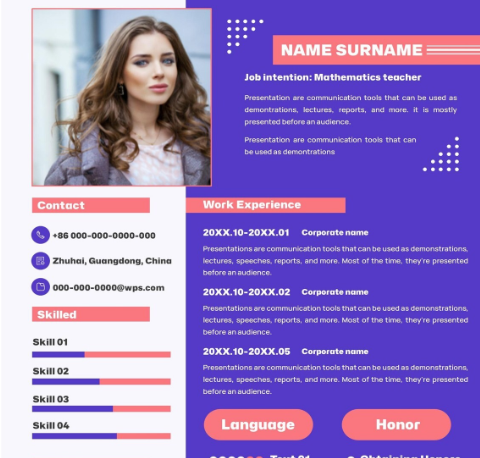
1. Education Resume
The Education Resume Template is perfect for academic or teaching positions. It uses clear sections to separate education, experience, and references, making your list easy to read. The clean layout ensures your reference information stands out without clutter. Ideal for students or teachers looking for an organized and minimal format.
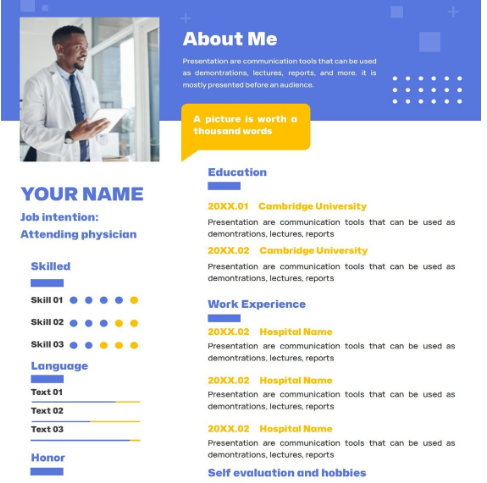
2. Medical Resume
The Medical Resume Template offers a professional look tailored to healthcare professionals. It balances clarity and structure while maintaining a clean medical aesthetic. Designed to emphasize credentials and certifications, this layout also leaves space for detailed references. It’s suitable for nurses, doctors, and specialists in any medical field.
3. Classic Resume
The Classic Resume Template brings a timeless structure ideal for traditional corporate roles. It maintains a formal tone while keeping references neatly organized at the bottom. The design is ATS-friendly, ensuring compatibility with online job platforms. Perfect for candidates who value simplicity and clarity.
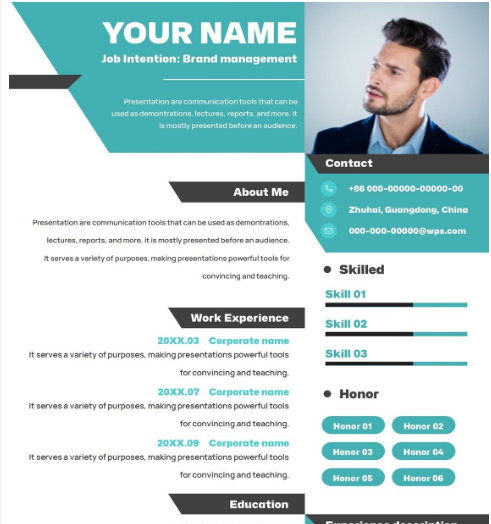
4. Branded Resume
The Branded Resume Template combines personality with professionalism. It’s ideal for marketing or creative professionals looking to express individuality. The layout integrates your personal brand colors and design identity while maintaining structured reference placement. This balance keeps your document stylish yet business-appropriate.
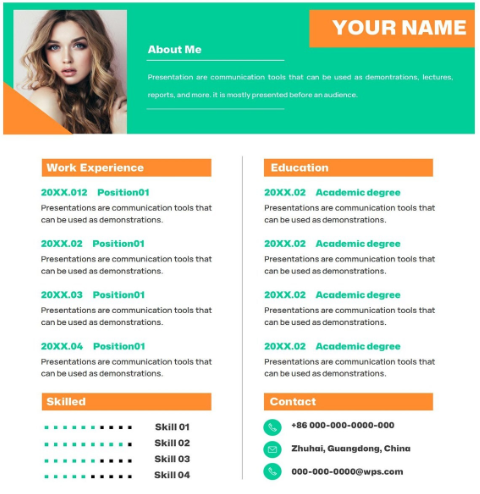
5. Blue & Red Education Resume
The Blue & Red Education Resume Template uses subtle color contrasts to enhance readability. It’s particularly effective for educators and academic professionals who want a modern yet formal design. The red and blue tones help highlight key sections like references, making it visually appealing without being overwhelming.
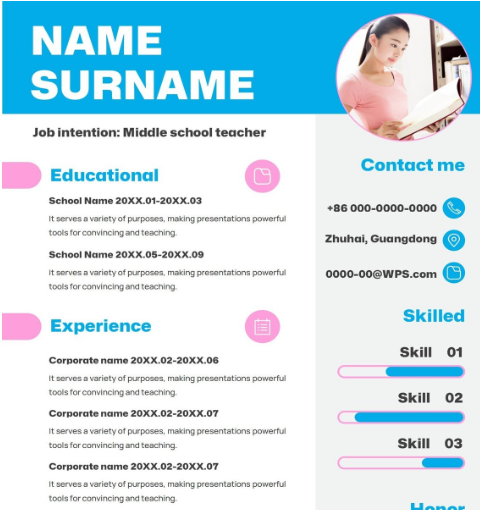
6. Color Block Resume
The Color Block Resume Template stands out with its bold layout and structured color segments. This modern design helps separate experience, education, and references visually. It’s great for creative professionals aiming to make a strong first impression while keeping information organized.
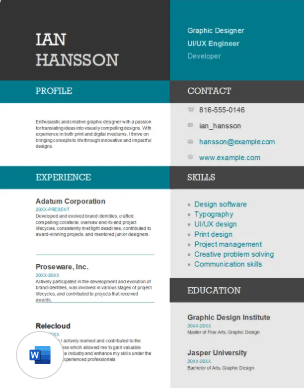
7. ATS Classic HR Resume
The ATS Classic HR Resume Template is perfect for HR specialists and recruiters. It emphasizes readability, keyword optimization, and clean formatting. The template is designed for applicant tracking systems, ensuring your references and content are parsed correctly by hiring tools.
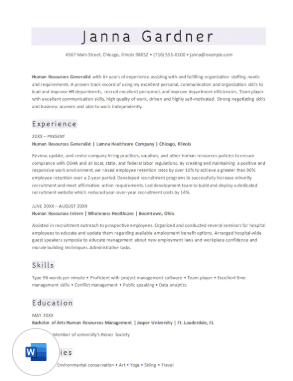
8. Industry Manager Resume
The Industry Manager Resume Template offers a refined and polished format. Built for management roles, it highlights achievements and team leadership details. The reference section sits neatly at the end, maintaining a formal, structured appeal that resonates with executive recruiters.
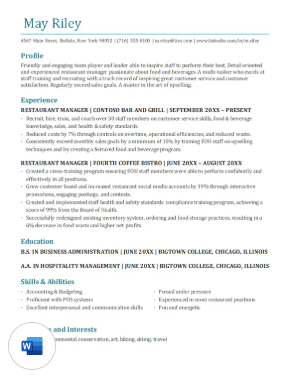
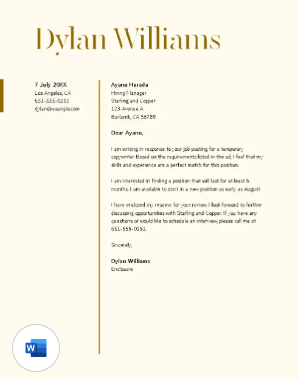
9. Resume + Cover Letter (Temporary Position)
The Temporary Position Resume Template combines a cohesive resume and cover letter design. This integrated layout ensures your references stay consistent across both documents. It’s ideal for short-term contracts, internships, or seasonal jobs where first impressions count.
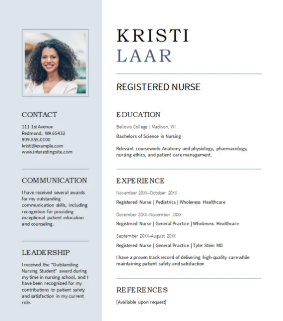
10. Modern Nursing Resume
The Modern Nursing Resume Template brings an updated look for healthcare professionals. With clear structure and smart use of spacing, it keeps references visible and well-organized. It’s ideal for those applying to modern hospitals or clinics looking for a clean, professional touch.
I’ve personally found that picking a design matching your career field instantly boosts professionalism. When my students used a matching format for resumes and reference lists, they noticed better recruiter engagement.
How to Edit and Print Resume References Template
After downloading your preferred resume reference page template, the next step is customizing it properly. Here’s how you can do that using WPS Writer.
Step 1: Launch WPS Writer and open the downloaded template file. The tool automatically recognizes Word formats.
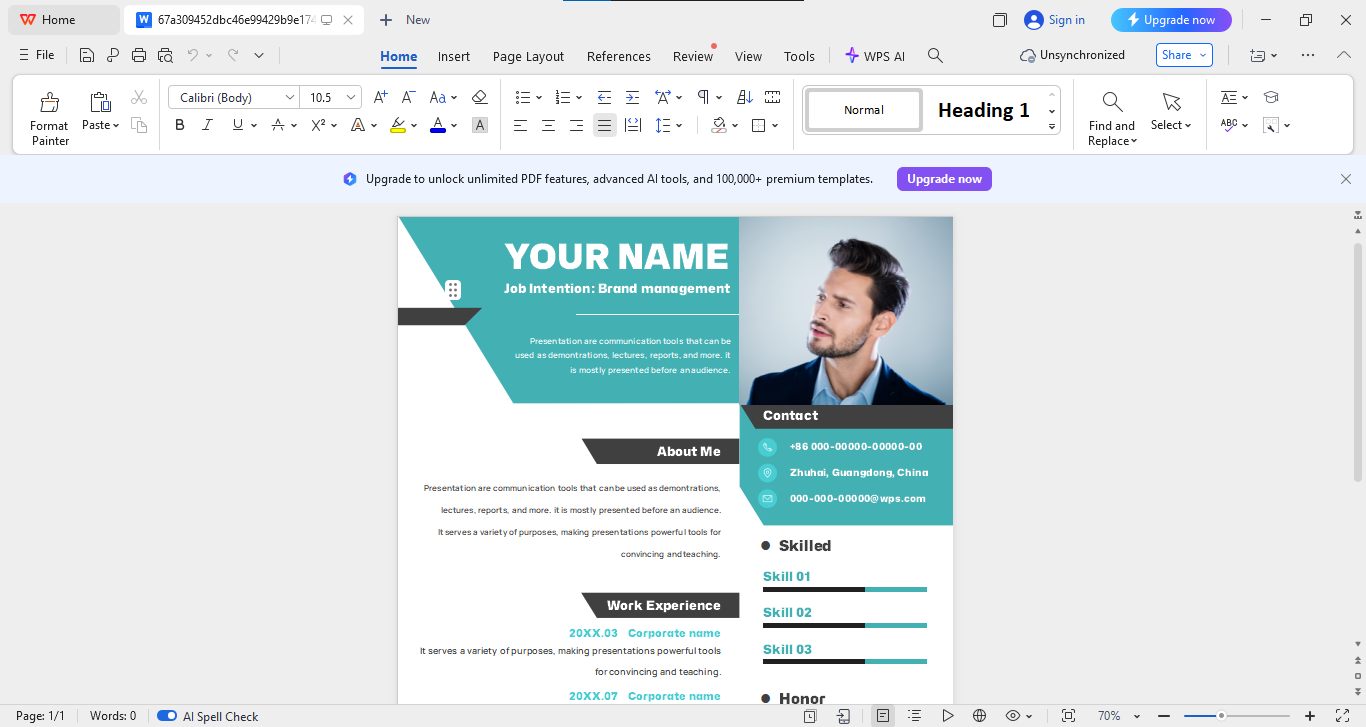
Step 2: Swap out dummy text with your reference details. Make sure each name and contact is verified.
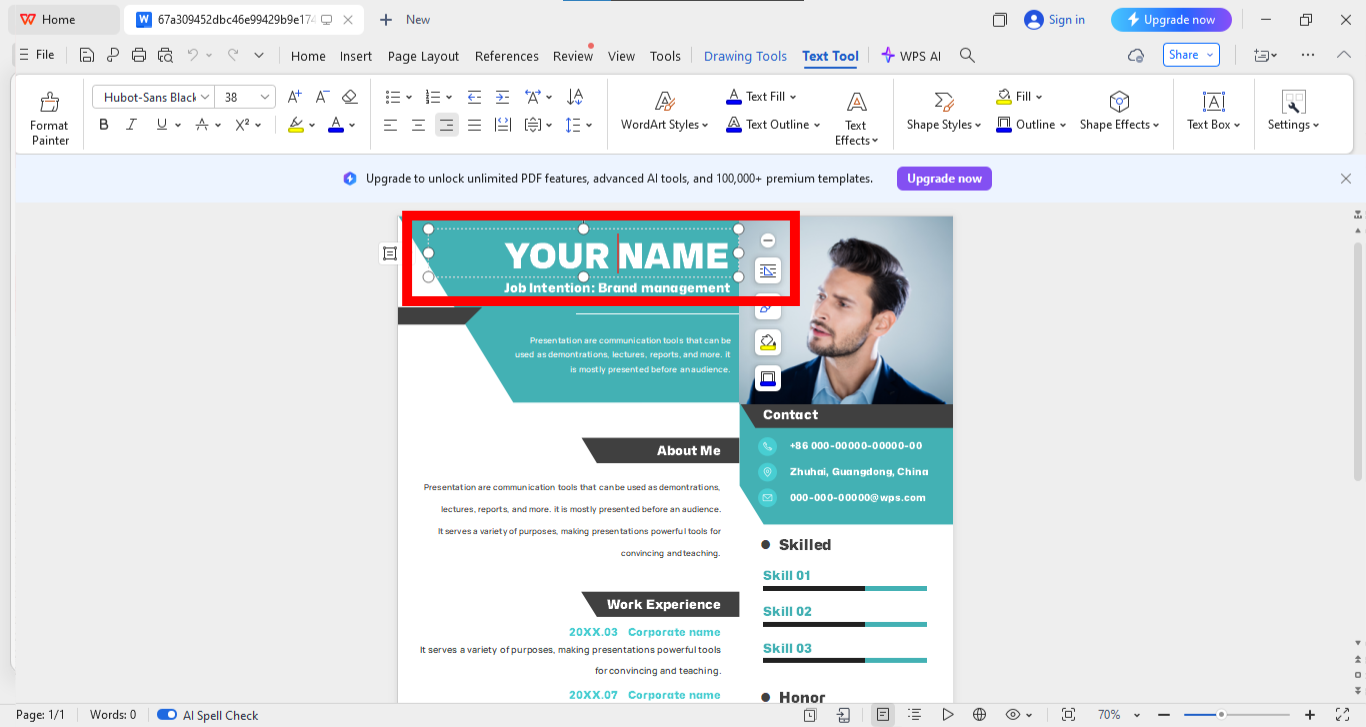
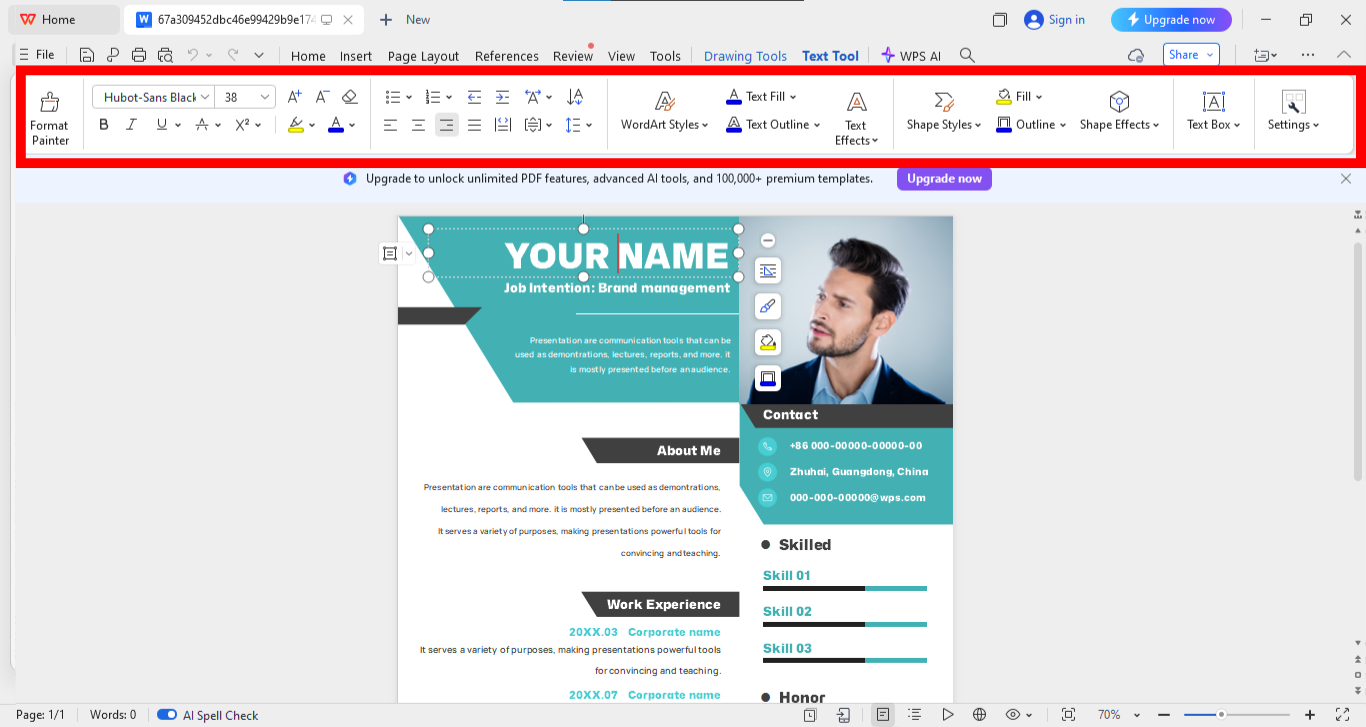
Step 3: Ensure your font, spacing, and alignment match the rest of your resume from the panel above the template. Small tweaks make a huge difference.
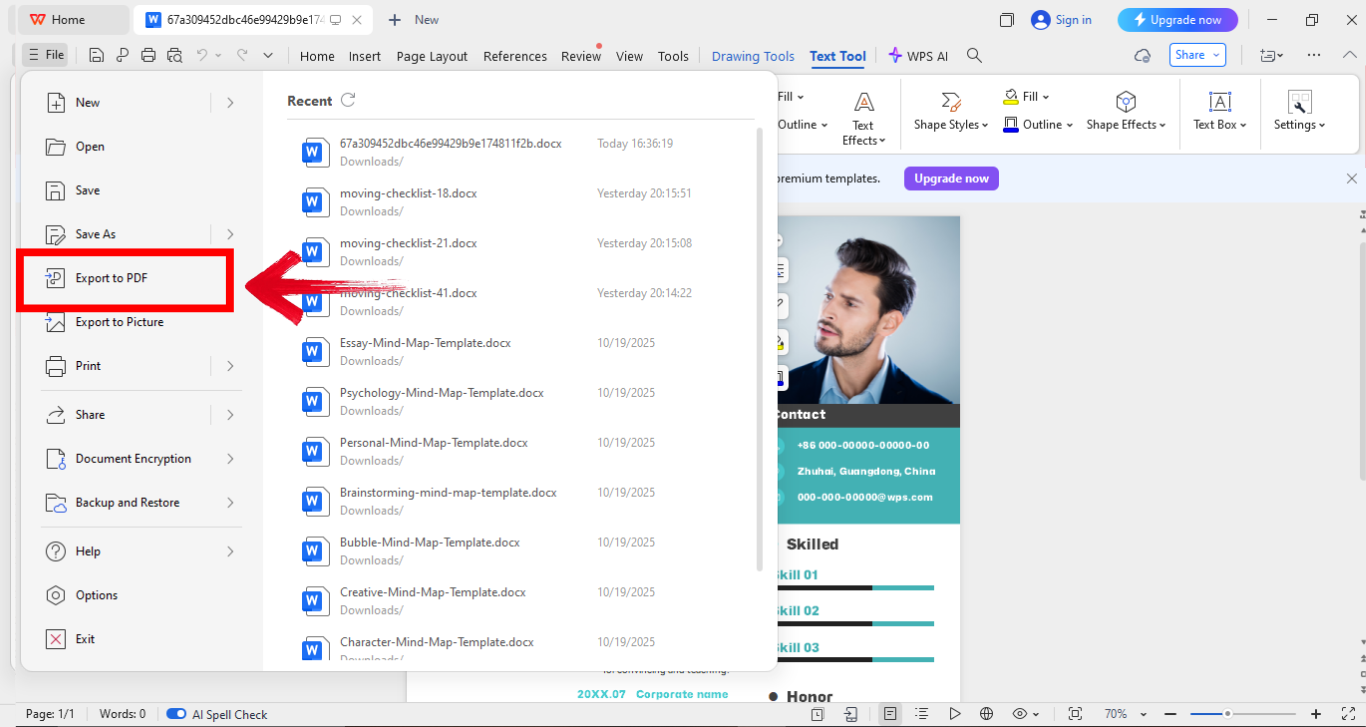
Step 4: Once you’re done customizing your resume, go ahead and save it as a Word or PDF file. Simply click“File” in the top-left corner of your screen, then choose “Export to PDF” to finalize your resume template.
Once I printed my references page using WPS Writer, I realized how professional paper quality and spacing could elevate the entire document. It really adds a tangible layer of credibility.
Free Office Suite with Abundant Resume Templates
WPS Office is an all-in-one office suite that combines Word, Excel, and PowerPoint functionalities into one lightweight platform. It’s a great alternative to Microsoft Office and comes with tons of free templates, including resumes, flyers, and reference lists. I’ve used it personally for editing both academic and professional documents, and it’s surprisingly smooth.
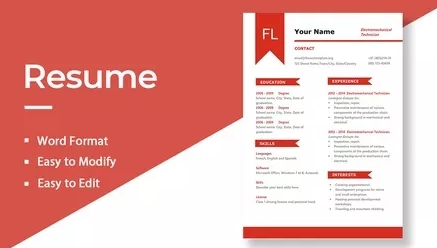
Plus, it supports cloud syncing, so you can edit your documents anytime across devices without losing progress. The interface feels super clean and modern, making it beginner-friendly yet powerful enough for advanced users. Honestly, for anyone who wants professional tools without the heavy subscription cost, WPS Office is a total win.
Key Advantages
Free and Lightweight: Takes up less space and loads faster than many paid office suites.
Supports Multiple Formats: Works with DOC, PPT, PDF, and JPG files.
Built-In Template Library: You can browse and download templates directly within the app.
Online & Offline Access: Edit from anywhere, even without an internet connection.
User-Friendly Interface: Simple menus and quick shortcuts make navigation easy.
Pros:
Clean interface with quick access to templates.
Perfect compatibility with Microsoft Office files.
Free to use with optional premium features.
Cons:
Some advanced tools are locked behind a paywall.
Requires updates for full template library access.
Cloud sync might be slow on older devices.
I switched to WPS Office during my college years, and it became my go-to for document editing. Its resume templates saved me hours of formatting work. Plus, the references templates were a bonus that made my applications look complete and polished.
FAQs
Q1: How many references should I include on a resume reference list?
Include 3 to 5 professional references. That’s typically enough for employers to understand your qualifications.
Q2: Should I put references directly on my resume or on a separate page?
Keep your reference list on a separate page to maintain a clean resume layout.
Q3: Who makes the best references for a resume?
Former supervisors, professors, or colleagues who can genuinely speak about your professional strengths.
Q4: Do employers actually check references?
Yes. Many recruiters confirm references before making a final hiring decision.
Q5: Can I use family or friends as references?
Avoid personal references. Always choose professional contacts.
Q6: When should I provide my reference list?
Usually after an interview or when specifically requested by the employer.
Q7: Should I notify my references before listing them?
Yes, always. It’s respectful and ensures they’re prepared if contacted.
Your Takeaway from This Powerhouse Tool
Building a strong resume reference list isn’t just about filling in names, it’s about presenting your professional story with structure and confidence. A good resume references template helps you stay organized, keeps your layout sharp, and saves you hours of formatting stress. Plus, it makes your application look polished and ready for serious consideration. And here’s where WPS Office steps in as a total game-changer. I’ve used it myself to edit, format, and print reference templates, and honestly, it just makes the process effortless. It’s smooth, lightweight, and comes packed with free professional templates that give your resume that final, confident touch. At the end of the day, your references deserve the same level of detail and design you put into your resume, and WPS Office makes that ridiculously easy.

'%3e%3cpath%20d='M19.9911%204.11386V6.471H18.5894C18.0775%206.471%2017.7322%206.57814%2017.5536%206.79243C17.3751%207.00671%2017.2858%207.32814%2017.2858%207.75671V9.44421H19.9019L19.5536%2012.0871H17.2858V18.8639H14.5536V12.0871H12.2769V9.44421H14.5536V7.49779C14.5536%206.39064%2014.8632%205.53201%2015.4822%204.92189C16.1013%204.31177%2016.9257%204.00671%2017.9554%204.00671C18.8304%204.00671%2019.509%204.04243%2019.9911%204.11386Z'%20fill='%23333333'/%3e%3c/g%3e%3cdefs%3e%3cclipPath%20id='clip0_2938_8199'%3e%3crect%20width='16'%20height='16'%20fill='white'%20transform='translate(8%204.00671)'/%3e%3c/clipPath%3e%3c/defs%3e%3c/svg%3e)
'%3e%3cpath%20d='M17.5237%2010.7813L23.4811%204H22.0699L16.8949%209.88693L12.7648%204H8L14.2469%2012.9029L8%2020.0133H9.4112L14.8725%2013.7952L19.2352%2020.0133H24M9.92053%205.04213H12.0885L22.0688%2019.0224H19.9003'%20fill='%23333333'/%3e%3c/g%3e%3cdefs%3e%3cclipPath%20id='clip0_2938_8200'%3e%3crect%20width='16'%20height='16.0134'%20fill='white'%20transform='translate(8%204)'/%3e%3c/clipPath%3e%3c/defs%3e%3c/svg%3e)


