

'%3e%3cpath%20d='M8%200C12.4183%200%2016%203.58172%2016%208C16%2012.4183%2012.4183%2016%208%2016C3.58172%2016%200%2012.4183%200%208C0%203.58172%203.58172%200%208%200ZM11.6162%204.38379C11.2257%203.99337%2010.5927%203.99338%2010.2021%204.38379L8%206.58594L5.79785%204.38379C5.40732%203.99334%204.77429%203.99329%204.38379%204.38379C3.99331%204.77429%203.99335%205.40733%204.38379%205.79785L6.58594%208L4.38379%2010.2021C3.99348%2010.5927%203.99341%2011.2257%204.38379%2011.6162C4.77426%2012.0066%205.40734%2012.0065%205.79785%2011.6162L8%209.41406L10.2021%2011.6162C10.5927%2012.0066%2011.2257%2012.0067%2011.6162%2011.6162C12.0067%2011.2257%2012.0066%2010.5927%2011.6162%2010.2021L9.41406%208L11.6162%205.79785C12.0066%205.40735%2012.0066%204.77429%2011.6162%204.38379Z'%20fill='%23080E17'%20fill-opacity='0.46'/%3e%3c/g%3e%3cdefs%3e%3cclipPath%20id='clip0_3761_713'%3e%3crect%20width='16'%20height='16'%20fill='white'/%3e%3c/clipPath%3e%3c/defs%3e%3c/svg%3e)




'%3e%3cpath%20fill-rule='evenodd'%20clip-rule='evenodd'%20d='M21.4999%2010.9993C21.4999%205.20009%2016.7986%200.498901%2010.9993%200.498901C5.19994%200.498901%200.498657%205.20009%200.498657%2010.9993C0.498657%2016.2404%204.33858%2020.5844%209.35855%2021.3722V14.0346H6.69238V10.9993H9.35855V8.68594C9.35855%206.05427%2010.9262%204.60062%2013.3248%204.60062C14.4736%204.60062%2015.6753%204.80571%2015.6753%204.80571V7.38979H14.3512C13.0468%207.38979%2012.64%208.19921%2012.64%209.0296V10.9993H15.5523L15.0867%2014.0346H12.64V21.3722C17.66%2020.5844%2021.4999%2016.2404%2021.4999%2010.9993Z'%20fill='%231568EA'/%3e%3c/g%3e%3c/svg%3e)


'%3e%3cpath%20d='M2.42045%2022.1876H6.31818V12.7217L0.75%208.54553V20.5171C0.75%2021.4414%201.49892%2022.1876%202.42045%2022.1876Z'%20fill='%234285F4'/%3e%3cpath%20d='M19.682%2022.1876H23.5797C24.5041%2022.1876%2025.2502%2021.4387%2025.2502%2020.5171V8.54553L19.682%2012.7217'%20fill='%2334A853'/%3e%3cpath%20d='M19.682%205.48293V12.7216L25.2502%208.54543V6.31816C25.2502%204.25236%2022.8921%203.07469%2021.2411%204.31361'%20fill='%23FBBC04'/%3e%3cpath%20d='M6.31824%2012.7217V5.48303L13.0001%2010.4944L19.6819%205.48303V12.7217L13.0001%2017.733'%20fill='%23EA4335'/%3e%3cpath%20d='M0.75%206.31816V8.54543L6.31818%2012.7216V5.48293L4.75909%204.31361C3.10534%203.07469%200.75%204.25236%200.75%206.31816Z'%20fill='%23C5221F'/%3e%3c/g%3e%3cdefs%3e%3cclipPath%20id='clip0_2954_7305'%3e%3crect%20width='24.5'%20height='18.375'%20fill='white'%20transform='translate(0.75%203.8125)'/%3e%3c/clipPath%3e%3c/defs%3e%3c/svg%3e)


Your iPhone ships with a handful of built-in alert sounds, but they get old fast. Downloading free ringtones for iPhone is one of the easiest ways to personalize your device — and you don't need to pay for them. The catch is that iPhones only accept ringtones in Apple's M4R format, so you need sites that either offer M4R files directly or make conversion easy.
In this guide, you'll find the top free ringtone sites that still work in 2026, a step-by-step walkthrough for setting a ringtone on your iPhone, and how to create your own ringtone from any song for free.
Free Ringtones for iPhone: Top Sites & How to Set Them
100% secure
Top Sites to Download Free Ringtones for iPhone
Not every ringtone site works well with iPhones. Some only deliver MP3 files, which iOS won't accept as ringtones until they are converted to M4R. The sites below either provide iPhone-ready files or are popular enough that converting their downloads is a well-trodden path.
1. Zedge. The most popular ringtone destination on the web. Zedge offers free ringtones, wallpapers, and themes, requires no registration to download, and has a dedicated iOS app that simplifies getting sounds onto your phone.
2. Mobile9. A long-running community site with ringtones, wallpapers, and games. It requires a free account, and its compatibility checker helps you pick files that actually work on your iPhone model.
3. Ringophone. A library of more than 450,000 licensed ringtones. You can grab free picks or pay once for unlimited downloads — a good option if you want licensed, higher-quality audio.
4. Freetone. No registration needed. Search by artist or browse categories, and download M4R-format ringtones plus notification sounds and alarm tones made for iOS.
5. My TinyPhone. Free downloads without an account, plus ringtones, wallpapers, and themes. It can send ringtones to your phone via SMS or email and includes a ringtone maker — though expect more ads than on other sites.
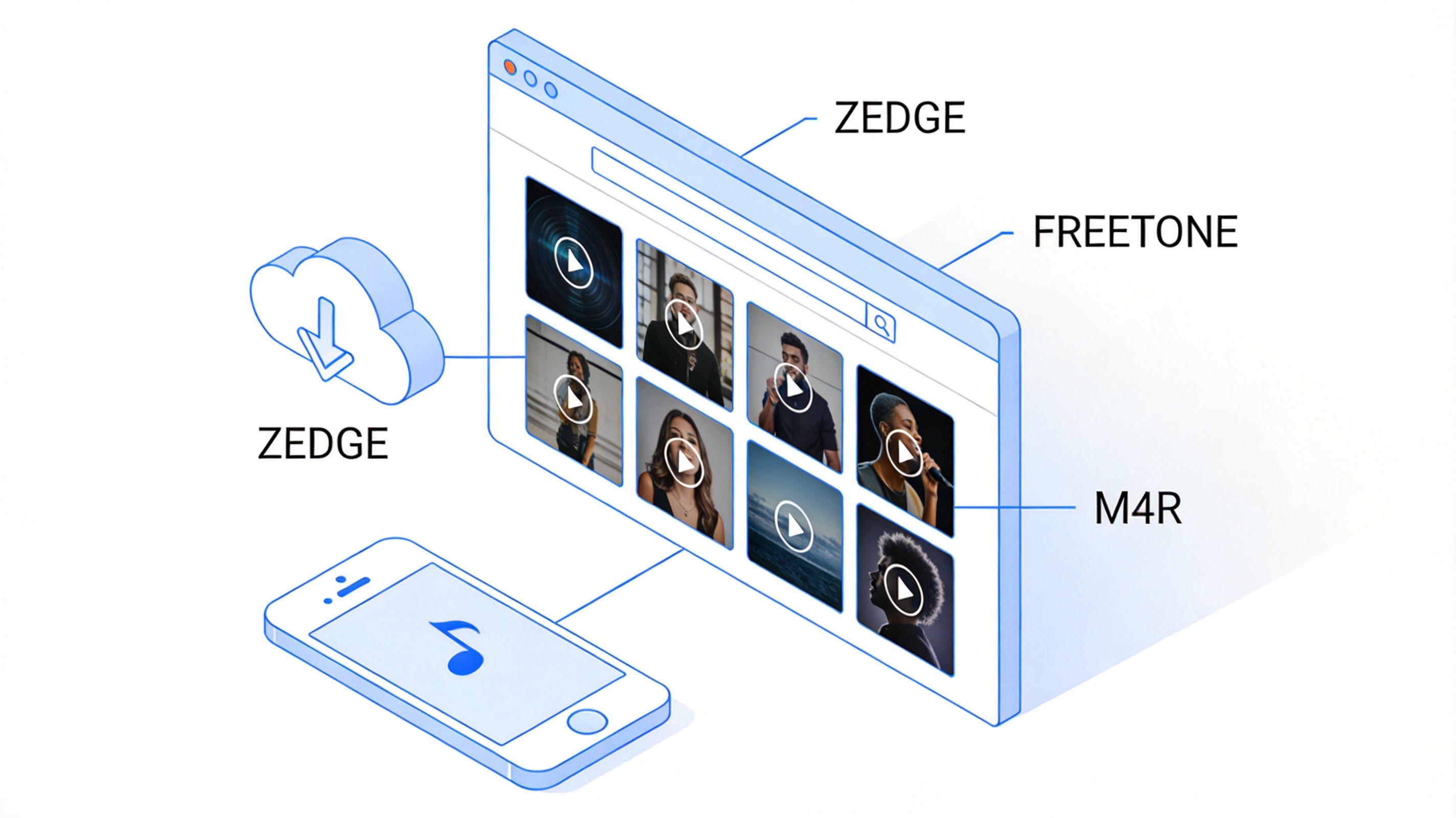
Browse ringtone sites to download free ringtones for iPhone


How to Set Free Ringtones on iPhone
Once you've downloaded a ringtone in M4R format, setting it takes less than a minute:
Download the M4R file to your iPhone (via Safari or the Files app) or to your computer.
Open Settings and tap Sounds & Haptics.
Tap Ringtone. Your downloaded tones appear under the CUSTOM section at the top of the list.
Select your new ringtone to preview it and set it as default.
If you downloaded the file on a computer, add it to your iPhone with Finder (macOS) or iTunes (Windows): connect your phone, drag the M4R file into the device's tone list, and sync. The tone then shows up in Settings automatically.
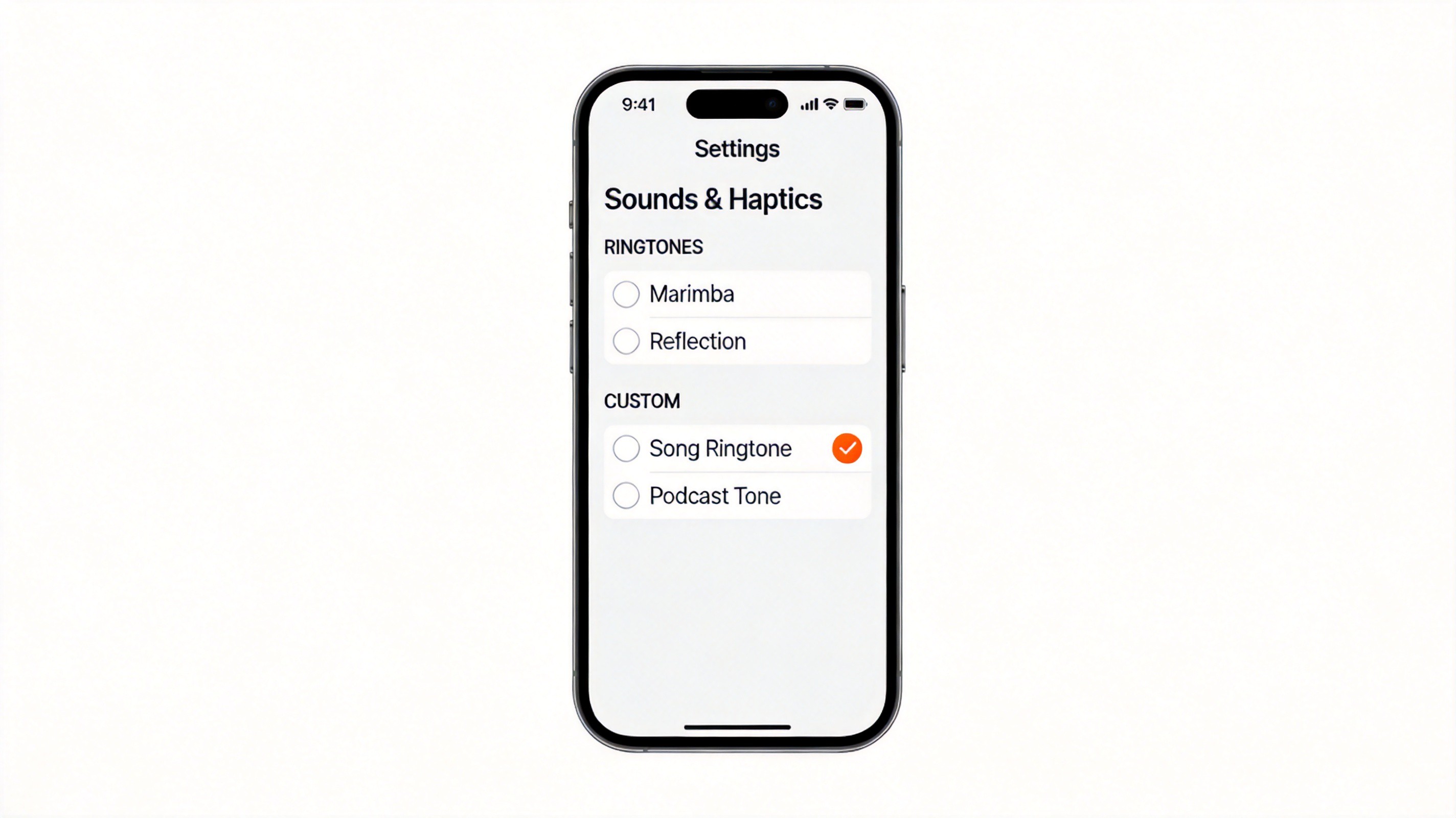
Set custom ringtone in iPhone Sounds settings
How to Make Your Own Free Ringtone for iPhone
If none of the free ringtones for iPhone you find online feel right, make your own from any song — free, using GarageBand on your iPhone:
Get GarageBand free from the App Store (it's pre-installed on many iPhones).
Import the song you want into a GarageBand project, and trim it to the 30-second (or shorter) section you want to hear.
Share the project via Ringtone — GarageBand exports it as an M4R file automatically.
Name it and tap Export. The new ringtone appears in Settings > Sounds & Haptics > Ringtone under CUSTOM.
This route gives you total control: any clip, any length up to 30 seconds, no third-party sites at all.
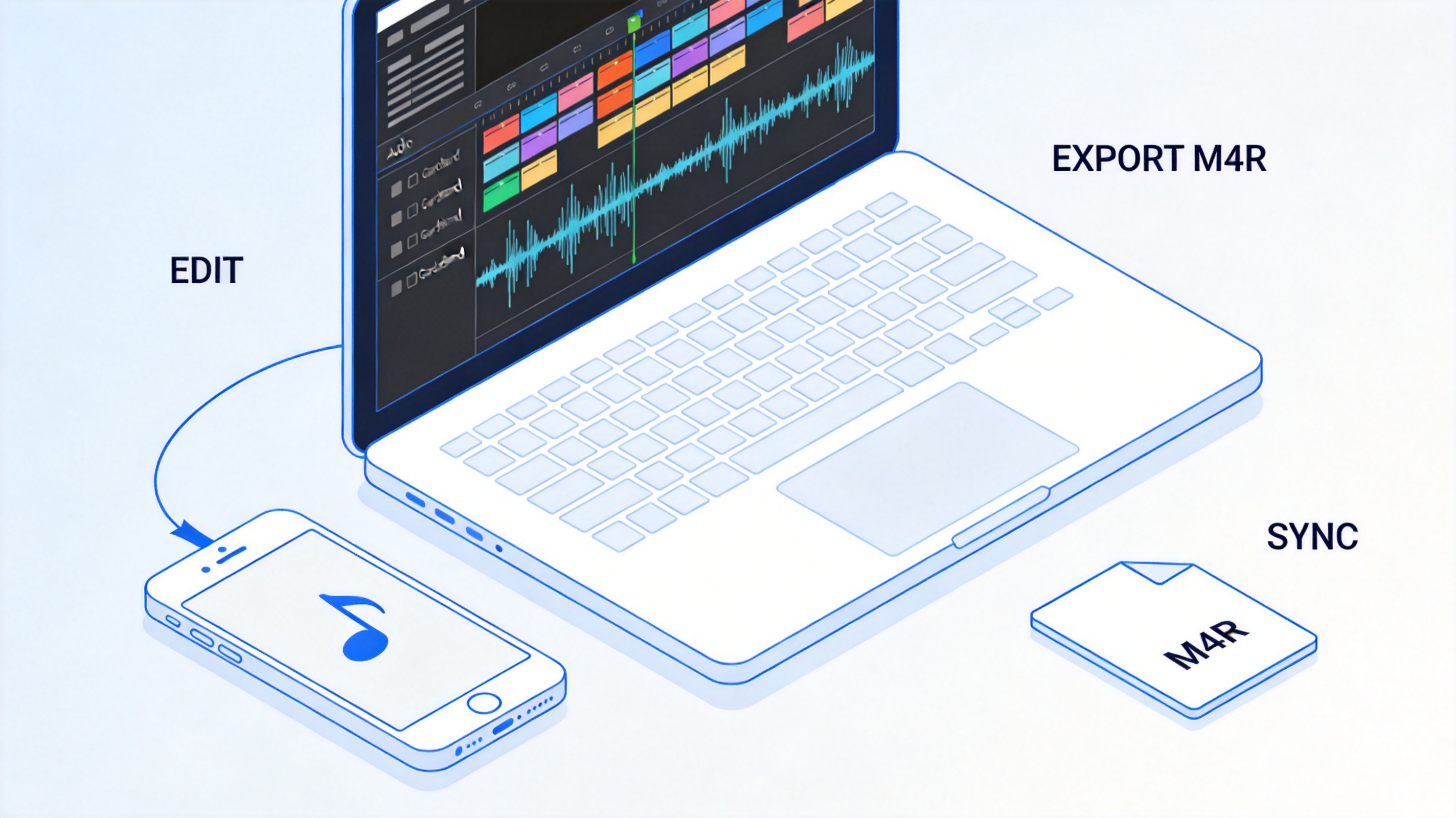
Edit audio and export M4R ringtone for iPhone
100% secure
FAQs
Q: Are free ringtones for iPhone legal to download?
A: Downloading ringtones from legitimate sites like Zedge or Freetone is fine for personal use. Avoid sites that distribute pirated commercial tracks.
Q: Why won't my downloaded ringtone show up on iPhone?
A: The file is most likely in MP3 format. iPhones only accept M4R ringtones — convert the MP3 to M4R (rename after converting with an audio tool, or re-export from GarageBand) and sync it again.
Q: How long can an iPhone ringtone be?
A: Ringtones can be up to 30 seconds; alert tones up to 5 seconds. Longer files are rejected by iOS.
Q: Do I need iTunes to add ringtones?
A: Not always. Files downloaded directly on the iPhone can be set from the Files app or via GarageBand. iTunes (or Finder on Mac) is only needed when transferring M4R files from a computer.
Q: Is Zedge safe for iPhone?
A: Yes. Zedge is one of the most established ringtone platforms, offers a dedicated iOS app, and doesn't require suspicious permissions to download free sounds.

Summary
Free ringtones for iPhone are easy to get from trusted sites like Zedge, Mobile9, Ringophone, Freetone, and My TinyPhone — just make sure the file is in M4R format before setting it.
Setting a tone takes a minute in Settings > Sounds & Haptics > Ringtone, and GarageBand lets you craft a custom 30-second ringtone from any song for free.
While you're personalizing your device, keep your everyday tools free too: WPS Office bundles Writer, Spreadsheet, Presentation, and PDF editing at no cost.
100% secure
'%3e%3cpath%20d='M19.9911%204.11386V6.471H18.5894C18.0775%206.471%2017.7322%206.57814%2017.5536%206.79243C17.3751%207.00671%2017.2858%207.32814%2017.2858%207.75671V9.44421H19.9019L19.5536%2012.0871H17.2858V18.8639H14.5536V12.0871H12.2769V9.44421H14.5536V7.49779C14.5536%206.39064%2014.8632%205.53201%2015.4822%204.92189C16.1013%204.31177%2016.9257%204.00671%2017.9554%204.00671C18.8304%204.00671%2019.509%204.04243%2019.9911%204.11386Z'%20fill='%23333333'/%3e%3c/g%3e%3cdefs%3e%3cclipPath%20id='clip0_2938_8199'%3e%3crect%20width='16'%20height='16'%20fill='white'%20transform='translate(8%204.00671)'/%3e%3c/clipPath%3e%3c/defs%3e%3c/svg%3e)
'%3e%3cpath%20d='M17.5237%2010.7813L23.4811%204H22.0699L16.8949%209.88693L12.7648%204H8L14.2469%2012.9029L8%2020.0133H9.4112L14.8725%2013.7952L19.2352%2020.0133H24M9.92053%205.04213H12.0885L22.0688%2019.0224H19.9003'%20fill='%23333333'/%3e%3c/g%3e%3cdefs%3e%3cclipPath%20id='clip0_2938_8200'%3e%3crect%20width='16'%20height='16.0134'%20fill='white'%20transform='translate(8%204)'/%3e%3c/clipPath%3e%3c/defs%3e%3c/svg%3e)


