

'%3e%3cpath%20d='M8%200C12.4183%200%2016%203.58172%2016%208C16%2012.4183%2012.4183%2016%208%2016C3.58172%2016%200%2012.4183%200%208C0%203.58172%203.58172%200%208%200ZM11.6162%204.38379C11.2257%203.99337%2010.5927%203.99338%2010.2021%204.38379L8%206.58594L5.79785%204.38379C5.40732%203.99334%204.77429%203.99329%204.38379%204.38379C3.99331%204.77429%203.99335%205.40733%204.38379%205.79785L6.58594%208L4.38379%2010.2021C3.99348%2010.5927%203.99341%2011.2257%204.38379%2011.6162C4.77426%2012.0066%205.40734%2012.0065%205.79785%2011.6162L8%209.41406L10.2021%2011.6162C10.5927%2012.0066%2011.2257%2012.0067%2011.6162%2011.6162C12.0067%2011.2257%2012.0066%2010.5927%2011.6162%2010.2021L9.41406%208L11.6162%205.79785C12.0066%205.40735%2012.0066%204.77429%2011.6162%204.38379Z'%20fill='%23080E17'%20fill-opacity='0.46'/%3e%3c/g%3e%3cdefs%3e%3cclipPath%20id='clip0_3761_713'%3e%3crect%20width='16'%20height='16'%20fill='white'/%3e%3c/clipPath%3e%3c/defs%3e%3c/svg%3e)




'%3e%3cpath%20fill-rule='evenodd'%20clip-rule='evenodd'%20d='M21.4999%2010.9993C21.4999%205.20009%2016.7986%200.498901%2010.9993%200.498901C5.19994%200.498901%200.498657%205.20009%200.498657%2010.9993C0.498657%2016.2404%204.33858%2020.5844%209.35855%2021.3722V14.0346H6.69238V10.9993H9.35855V8.68594C9.35855%206.05427%2010.9262%204.60062%2013.3248%204.60062C14.4736%204.60062%2015.6753%204.80571%2015.6753%204.80571V7.38979H14.3512C13.0468%207.38979%2012.64%208.19921%2012.64%209.0296V10.9993H15.5523L15.0867%2014.0346H12.64V21.3722C17.66%2020.5844%2021.4999%2016.2404%2021.4999%2010.9993Z'%20fill='%231568EA'/%3e%3c/g%3e%3c/svg%3e)


'%3e%3cpath%20d='M2.42045%2022.1876H6.31818V12.7217L0.75%208.54553V20.5171C0.75%2021.4414%201.49892%2022.1876%202.42045%2022.1876Z'%20fill='%234285F4'/%3e%3cpath%20d='M19.682%2022.1876H23.5797C24.5041%2022.1876%2025.2502%2021.4387%2025.2502%2020.5171V8.54553L19.682%2012.7217'%20fill='%2334A853'/%3e%3cpath%20d='M19.682%205.48293V12.7216L25.2502%208.54543V6.31816C25.2502%204.25236%2022.8921%203.07469%2021.2411%204.31361'%20fill='%23FBBC04'/%3e%3cpath%20d='M6.31824%2012.7217V5.48303L13.0001%2010.4944L19.6819%205.48303V12.7217L13.0001%2017.733'%20fill='%23EA4335'/%3e%3cpath%20d='M0.75%206.31816V8.54543L6.31818%2012.7216V5.48293L4.75909%204.31361C3.10534%203.07469%200.75%204.25236%200.75%206.31816Z'%20fill='%23C5221F'/%3e%3c/g%3e%3cdefs%3e%3cclipPath%20id='clip0_2954_7305'%3e%3crect%20width='24.5'%20height='18.375'%20fill='white'%20transform='translate(0.75%203.8125)'/%3e%3c/clipPath%3e%3c/defs%3e%3c/svg%3e)


A 1000KB limit is one of the most common upload caps you will meet: online application forms, exam portals, and many email attachment rules treat 1MB as the cutoff. If your PDF is several megabytes, the upload fails before it starts.
This guide shows how to compress PDF to 1000KB using WPS PDF online, how to do it offline in WPS Office on Windows and Mac, and what to adjust when the first pass is not small enough.
How to Compress PDF to 1000KB
Why compress PDF to 1000KB?
Many platforms set 1000KB (1MB) as the maximum size for a single upload. Scanned contracts, stamped forms, and image-heavy reports easily reach 5–20MB, so hitting a 1MB ceiling means removing most of that extra weight. Compression works by re-encoding the images inside the PDF and stripping redundant data, while the text layer stays sharp.
A smaller file also uploads and downloads faster, opens more smoothly on phones, and takes less space in cloud storage. If your target limit is slightly larger, the same workflow applies—see how to compress a PDF to 2MB or less for the next size up.
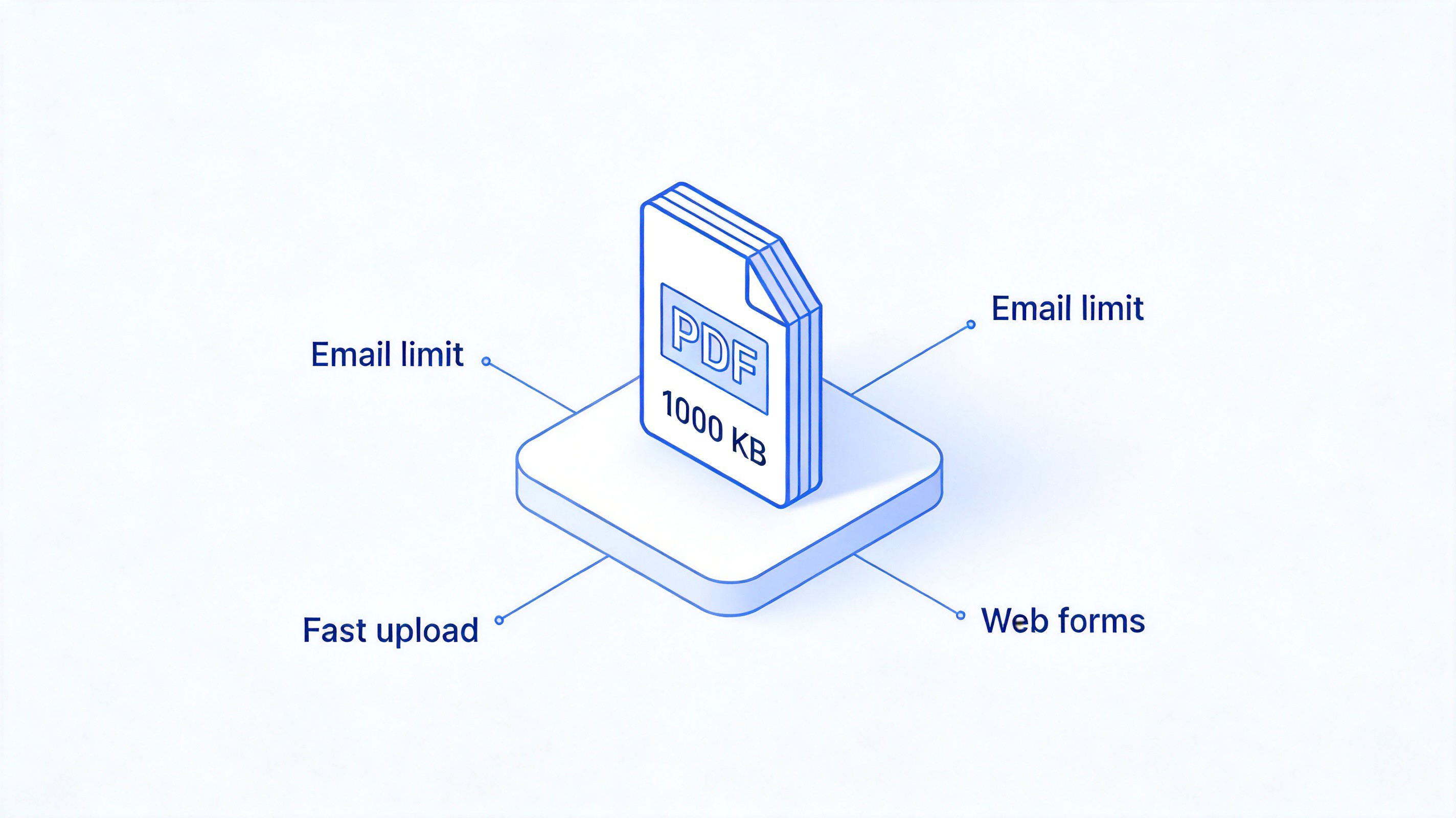
PDF under 1000KB upload benefits


How to compress PDF to 1000KB online with WPS PDF
The fastest route is the WPS PDF online compressor. It runs in the browser, needs no install, and works the same on Windows, Mac, and mobile.
Open the WPS PDF compressor in your browser and click the upload area.
Select your PDF from your device, or drag the file into the page.
Choose a compression level. Start with the recommended level; pick a stronger level if the file must land under 1000KB.
Click Compress and wait for the process to finish.
Download the result and check its size. If it is still above 1000KB, run it again with a stronger level.
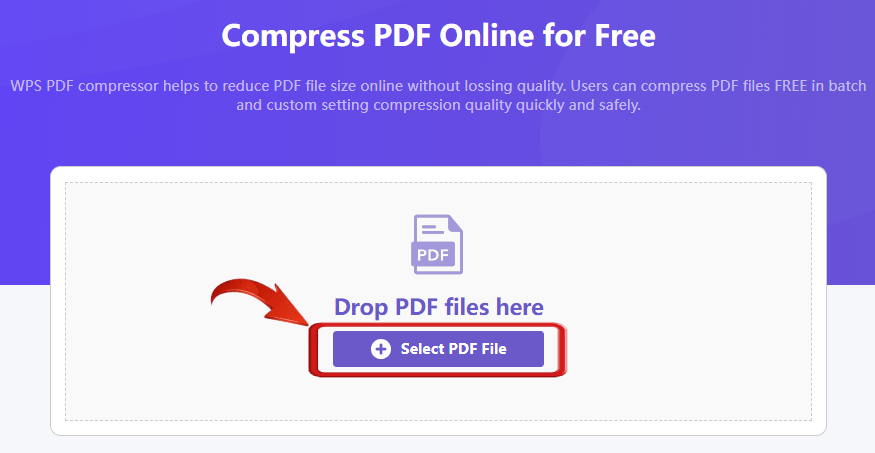
WPS PDF Compressor online
How to compress PDF to 1000KB offline in WPS Office
If you work with sensitive documents, compressing locally keeps the file on your device. WPS Office includes a built-in PDF compressor with three quality levels, which gives you enough control to reach a 1000KB target.
Open the PDF in WPS Office and go to the Home tab.
Click Compress in the toolbar to open the compression dialog.
Pick a compression level: HD keeps quality close to the original, Standard balances size and clarity, and Extreme produces the smallest file.
Click Compress and save the output to a folder you can find.
Check the file size in File Explorer or Finder. If it is still over 1000KB, compress the output again with Extreme, or follow the tips in the next section.
Each compression level trades image quality for size. For a scanned application form, Standard is usually enough to pass a 1000KB check while keeping stamps and signatures readable; use Extreme only when the portal rejects the Standard output.
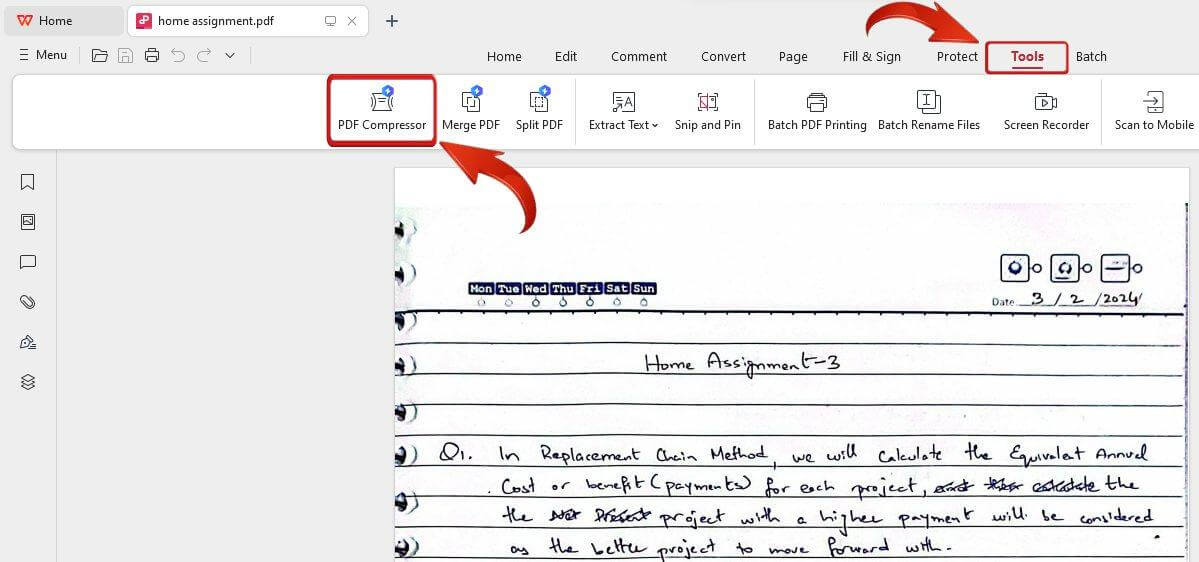
WPS PDF compression
How to compress PDF to 1000KB without losing quality
Compression is not only about pressing harder. A few adjustments help the file drop under 1000KB while keeping the text crisp:
Check what makes the file large. In most oversized PDFs, high-resolution scanned images are the main culprit, not the text.
Lower the scan resolution at the source. If the PDF came from a scanner, rescan at 150 dpi instead of 300–600 dpi, or export from Word with images set to screen quality.
Compress in two passes. Run Standard first, check the size, then apply Extreme only to the part still above 1000KB.
Split very long files. A 100-page scan may still exceed 1000KB after compression; split it into parts and upload the required section.
Keep an original backup. Compression is lossy for images, so always retain the source file before you compress PDF to 1000KB.
The Best Free Alternative: WPS Office for PDF compression
WPS Office combines the online compressor and the offline desktop tool in one package, so you can compress PDF to 1000KB wherever the file is. Beyond compression, the suite opens, edits, annotates, and converts PDFs, and handles Word, Excel, and PowerPoint files with a familiar Microsoft-like interface—all free to download on Windows, Mac, iOS, and Android.
WPS PDF Editor free
FAQs
Can every PDF be compressed to 1000KB?
Most files can, but a text-only PDF that is already 900KB has little to compress, and a 200-page high-resolution scan may stay above 1000KB even at the strongest level. In that case, split the file or reduce the scan resolution first.
Does compressing a PDF to 1000KB reduce quality?
The text layer stays sharp because compression mainly re-encodes images. Photos and scanned pages may look softer at stronger levels, so choose Standard for forms that need readable stamps and signatures, and keep the original as a backup.
Is 1000KB the same as 1MB?
Yes. 1000KB equals 1MB in everyday usage, and most upload portals treat them identically. Aim slightly under the limit, for example 950KB, so a portal that measures with binary units (1024KB = 1MiB) still accepts the file.
Can I compress a PDF to 1000KB on my phone?
Yes. Open the file in the WPS Office mobile app, tap Tools, and use the compress or document slimming option. The same three-level workflow applies, and the compressed copy saves to your phone storage.
Is it safe to upload a PDF to an online compressor?
Reputable services encrypt transfers and delete files after processing, but for contracts and ID documents, offline compression in WPS Office is the safer choice because the file never leaves your device.


'%3e%3cpath%20d='M19.9911%204.11386V6.471H18.5894C18.0775%206.471%2017.7322%206.57814%2017.5536%206.79243C17.3751%207.00671%2017.2858%207.32814%2017.2858%207.75671V9.44421H19.9019L19.5536%2012.0871H17.2858V18.8639H14.5536V12.0871H12.2769V9.44421H14.5536V7.49779C14.5536%206.39064%2014.8632%205.53201%2015.4822%204.92189C16.1013%204.31177%2016.9257%204.00671%2017.9554%204.00671C18.8304%204.00671%2019.509%204.04243%2019.9911%204.11386Z'%20fill='%23333333'/%3e%3c/g%3e%3cdefs%3e%3cclipPath%20id='clip0_2938_8199'%3e%3crect%20width='16'%20height='16'%20fill='white'%20transform='translate(8%204.00671)'/%3e%3c/clipPath%3e%3c/defs%3e%3c/svg%3e)
'%3e%3cpath%20d='M17.5237%2010.7813L23.4811%204H22.0699L16.8949%209.88693L12.7648%204H8L14.2469%2012.9029L8%2020.0133H9.4112L14.8725%2013.7952L19.2352%2020.0133H24M9.92053%205.04213H12.0885L22.0688%2019.0224H19.9003'%20fill='%23333333'/%3e%3c/g%3e%3cdefs%3e%3cclipPath%20id='clip0_2938_8200'%3e%3crect%20width='16'%20height='16.0134'%20fill='white'%20transform='translate(8%204)'/%3e%3c/clipPath%3e%3c/defs%3e%3c/svg%3e)


