

'%3e%3cpath%20d='M8%200C12.4183%200%2016%203.58172%2016%208C16%2012.4183%2012.4183%2016%208%2016C3.58172%2016%200%2012.4183%200%208C0%203.58172%203.58172%200%208%200ZM11.6162%204.38379C11.2257%203.99337%2010.5927%203.99338%2010.2021%204.38379L8%206.58594L5.79785%204.38379C5.40732%203.99334%204.77429%203.99329%204.38379%204.38379C3.99331%204.77429%203.99335%205.40733%204.38379%205.79785L6.58594%208L4.38379%2010.2021C3.99348%2010.5927%203.99341%2011.2257%204.38379%2011.6162C4.77426%2012.0066%205.40734%2012.0065%205.79785%2011.6162L8%209.41406L10.2021%2011.6162C10.5927%2012.0066%2011.2257%2012.0067%2011.6162%2011.6162C12.0067%2011.2257%2012.0066%2010.5927%2011.6162%2010.2021L9.41406%208L11.6162%205.79785C12.0066%205.40735%2012.0066%204.77429%2011.6162%204.38379Z'%20fill='%23080E17'%20fill-opacity='0.46'/%3e%3c/g%3e%3cdefs%3e%3cclipPath%20id='clip0_3761_713'%3e%3crect%20width='16'%20height='16'%20fill='white'/%3e%3c/clipPath%3e%3c/defs%3e%3c/svg%3e)




'%3e%3cpath%20fill-rule='evenodd'%20clip-rule='evenodd'%20d='M21.4999%2010.9993C21.4999%205.20009%2016.7986%200.498901%2010.9993%200.498901C5.19994%200.498901%200.498657%205.20009%200.498657%2010.9993C0.498657%2016.2404%204.33858%2020.5844%209.35855%2021.3722V14.0346H6.69238V10.9993H9.35855V8.68594C9.35855%206.05427%2010.9262%204.60062%2013.3248%204.60062C14.4736%204.60062%2015.6753%204.80571%2015.6753%204.80571V7.38979H14.3512C13.0468%207.38979%2012.64%208.19921%2012.64%209.0296V10.9993H15.5523L15.0867%2014.0346H12.64V21.3722C17.66%2020.5844%2021.4999%2016.2404%2021.4999%2010.9993Z'%20fill='%231568EA'/%3e%3c/g%3e%3c/svg%3e)


'%3e%3cpath%20d='M2.42045%2022.1876H6.31818V12.7217L0.75%208.54553V20.5171C0.75%2021.4414%201.49892%2022.1876%202.42045%2022.1876Z'%20fill='%234285F4'/%3e%3cpath%20d='M19.682%2022.1876H23.5797C24.5041%2022.1876%2025.2502%2021.4387%2025.2502%2020.5171V8.54553L19.682%2012.7217'%20fill='%2334A853'/%3e%3cpath%20d='M19.682%205.48293V12.7216L25.2502%208.54543V6.31816C25.2502%204.25236%2022.8921%203.07469%2021.2411%204.31361'%20fill='%23FBBC04'/%3e%3cpath%20d='M6.31824%2012.7217V5.48303L13.0001%2010.4944L19.6819%205.48303V12.7217L13.0001%2017.733'%20fill='%23EA4335'/%3e%3cpath%20d='M0.75%206.31816V8.54543L6.31818%2012.7216V5.48293L4.75909%204.31361C3.10534%203.07469%200.75%204.25236%200.75%206.31816Z'%20fill='%23C5221F'/%3e%3c/g%3e%3cdefs%3e%3cclipPath%20id='clip0_2954_7305'%3e%3crect%20width='24.5'%20height='18.375'%20fill='white'%20transform='translate(0.75%203.8125)'/%3e%3c/clipPath%3e%3c/defs%3e%3c/svg%3e)


A PDF you want to read on a Kindle, Kobo, or phone almost always fights back. The text is locked to a fixed page, so every line keeps its exact position while the screen shrinks it until you are pinching and zooming. EPUB solves this by letting the content reflow to any screen size.
The catch is that converting a PDF to EPUB is not a rename. The converter has to pull the content out of the fixed layout and rebuild it as flowing text, and how well that works depends on the file you start with.
This guide walks through the two reliable routes: the free desktop tool Calibre for files you convert often, and a browser converter for a one-off book. It also covers the fixes for the layout problems that show up most often.
How to Convert PDF to EPUB Without Losing Formatting
Why PDF to EPUB Conversion Loses Formatting
A PDF stores every character at a fixed coordinate on a fixed page. An EPUB stores paragraphs, headings, and images in a flexible order that a reader app repaginates for the screen. Moving from one to the other means the converter has to guess where paragraphs start and end, and that guess breaks on complicated pages.
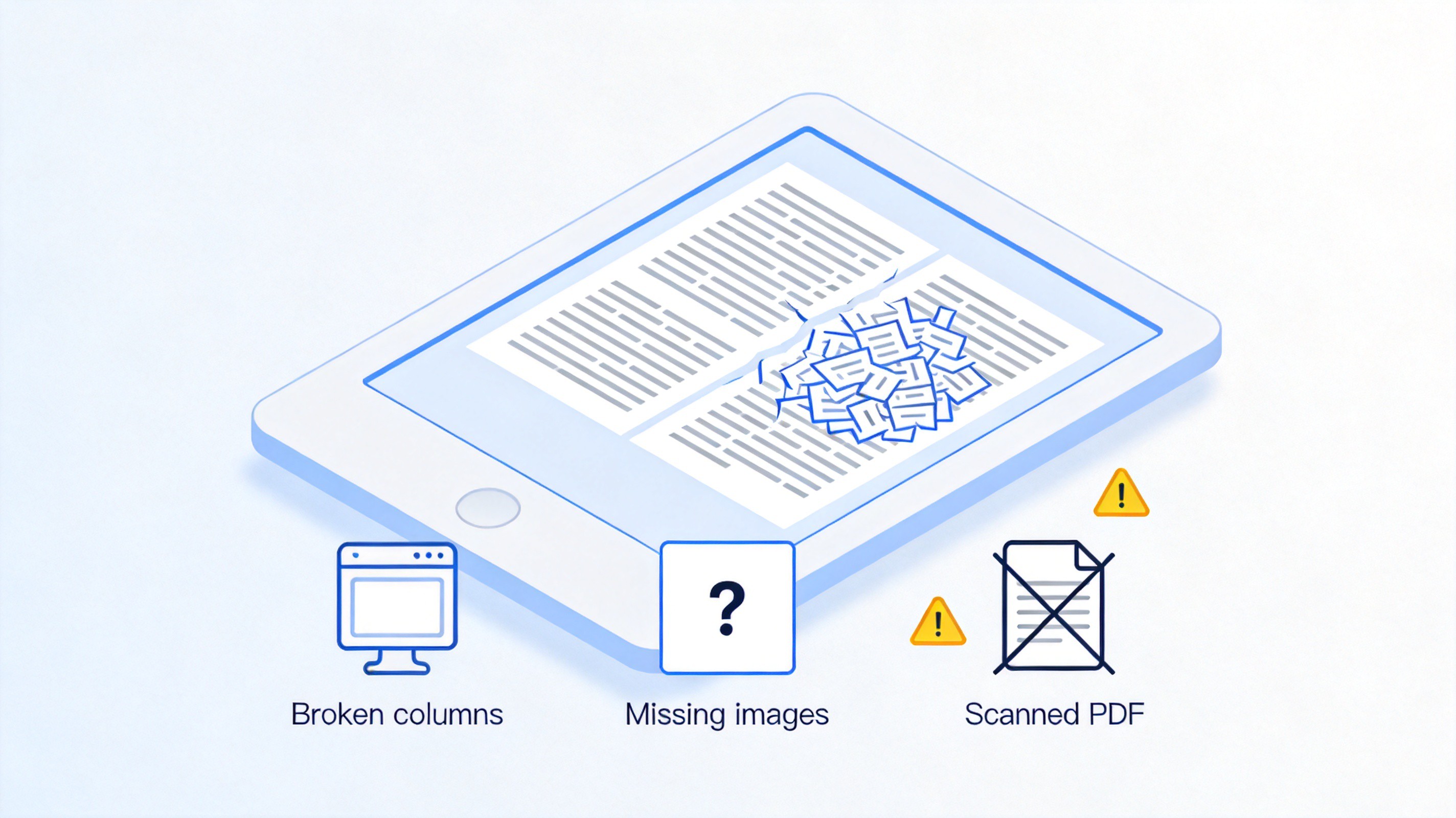
Two-column layouts merge badly. The converter reads across both columns line by line unless you set the reading order first.
Headers, footers, and page numbers leak in. The same line repeats at the top of every converted page.
Scanned pages have no text at all. A scan is a picture of a page; it needs OCR before any conversion can work.
Tables and formulas rarely survive. Complex tables usually convert better as images or as a re-exported document.
The practical rule: text-heavy books, essays, and reports convert well; forms, slides, and design-heavy documents are better left as PDFs or rebuilt in a word processor first.
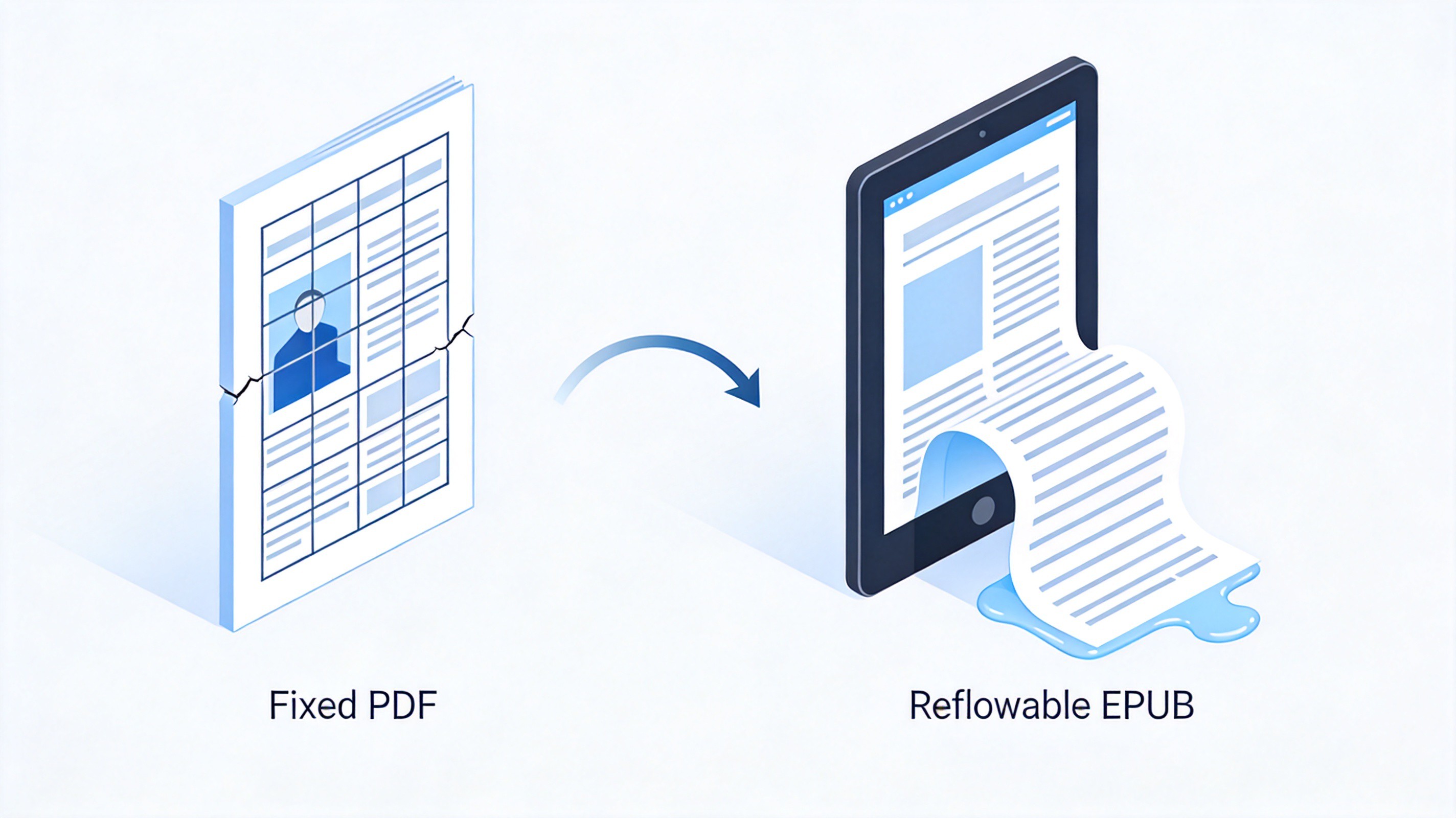
Fixed PDF page versus reflowable EPUB


How to Convert PDF to EPUB with Calibre
Calibre is the free, open-source desktop tool most people settle on. It runs on Windows, Mac, and Linux, keeps files on your own machine, and gives you control over the settings that decide the output quality. Download it from the official site calibre-ebook.com.
Add your PDF to the library. Open Calibre and click Add books, or drag the PDF into the window.
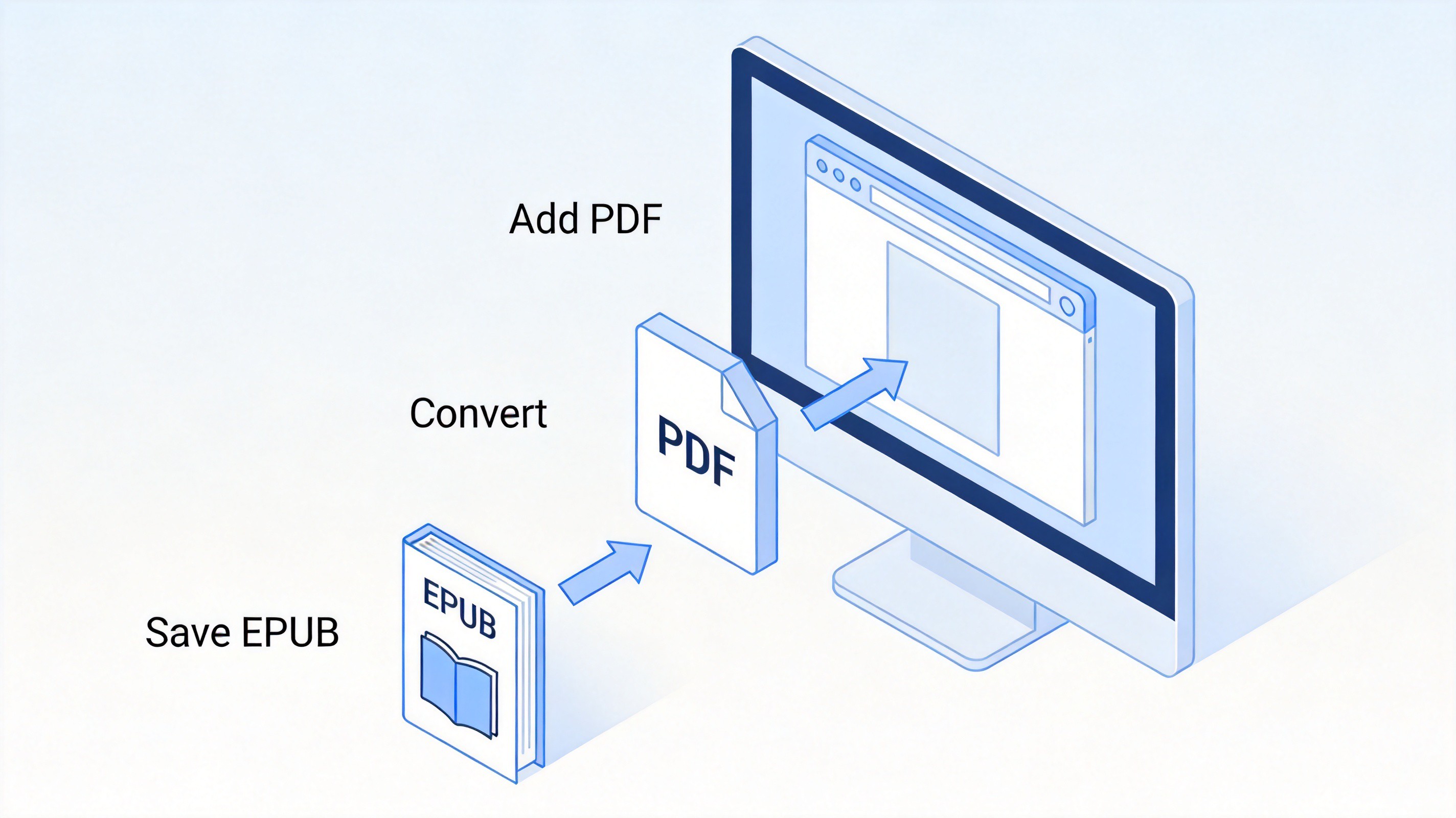
Calibre PDF to EPUB conversion steps
Select the book and click Convert books. The conversion dialog opens with the input format detected automatically.
Set the output format to EPUB. Pick EPUB in the top-right format menu of the dialog.
Open the PDF input settings. Turn on the options that discard page furniture, and enable Heuristic processing under Structure detection so Calibre can rebuild paragraphs and chapter headings.
Convert and check the result. Click OK, wait for the Jobs indicator to finish, then open the EPUB in Calibre’s built-in viewer or send it to your e-reader.
If the output looks tangled, re-run the conversion after fixing the source file rather than stacking settings on a bad input. The guide to converting PDF to Word offline for free shows how to get an editable version first.
How to Convert a PDF to EPUB Online for Free
For a book you convert once, a browser tool avoids the install. Free services usually cap file size or daily conversions, and the file does leave your machine, so keep confidential documents on the desktop route instead.
Choose a converter that lists EPUB. Not every PDF tool outputs e-book formats; check the format menu before uploading.
Upload the PDF. Drag the file in or browse for it, and confirm the file size is inside the free limit, often 50 to 100 MB.
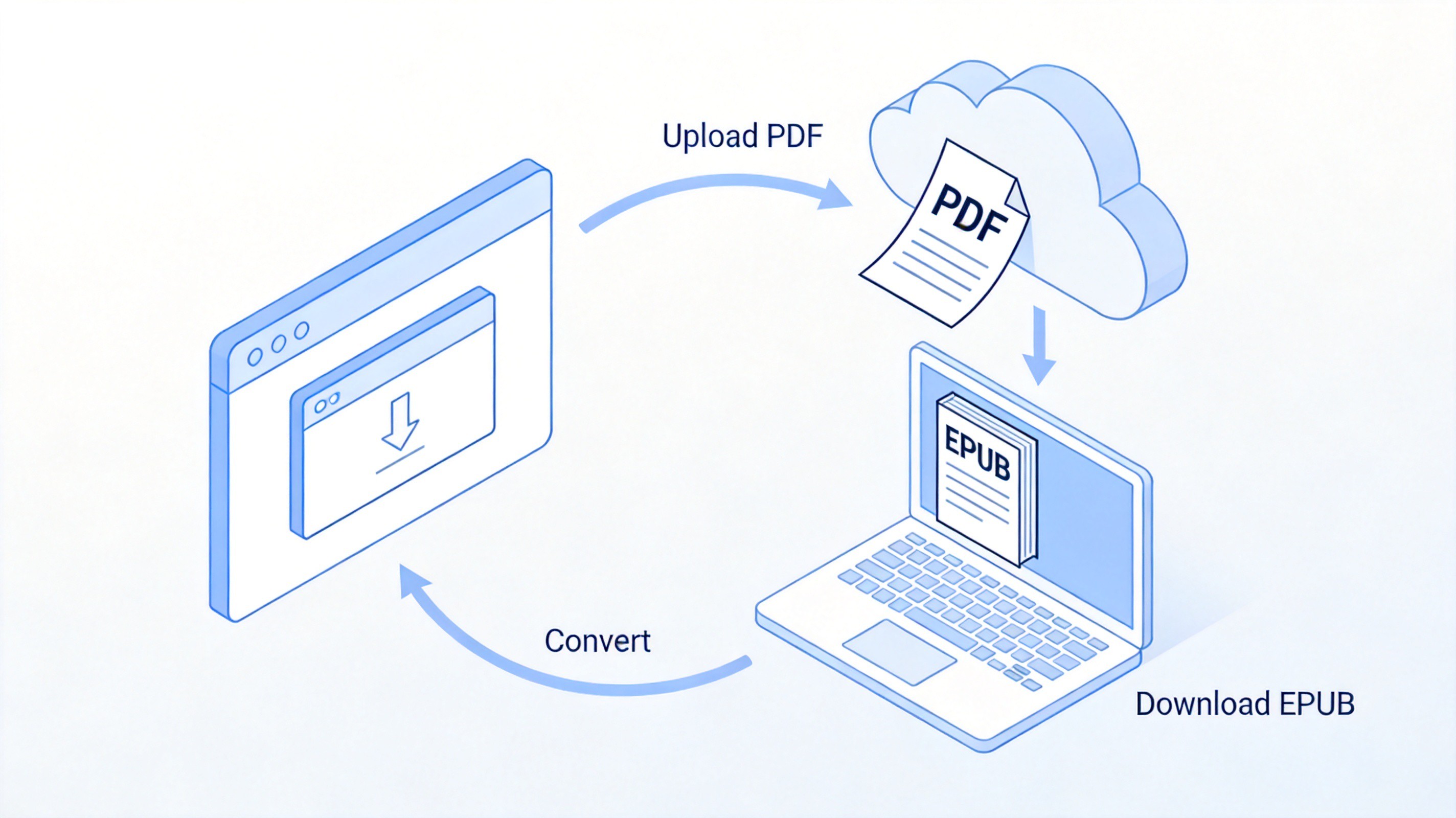
Online PDF to EPUB converter workflow
Start the conversion and wait for the download. Small books finish in seconds; anything over a hundred pages may take a minute.
Open the EPUB on a real reader. Check the table of contents, spot-check a few chapters, and confirm images landed where they should. The roundup of the best EPUB readers for Windows lists apps that open the file instantly.
Delete the file from the service if the site offers it. Reputable tools auto-delete after an hour, but manual removal costs nothing.
How to Fix Common PDF to EPUB Problems
Most bad conversions trace back to one of a handful of causes, and each has a fix at the source rather than in the converter.
Columns merged into one block. Re-export the source with a single-column layout, or run the conversion with structure detection on and a narrower page-width setting.
Repeated headers on every page. Crop the header and footer in the PDF, or remove them from an editable copy before converting.
Gibberish from a scanned book. Run OCR first so the pages carry real text, then convert. Acrobat, ABBYY FineReader, and Google Drive all do this.
Missing images. Some converters drop images below a size threshold. Turn image extraction on in Calibre’s PDF input options, or raise the resolution setting.
Wrong chapter breaks. Set chapter detection to the heading style your document uses, or insert page breaks at known points before converting.
Common PDF to EPUB conversion problems
The Best Free Alternative: WPS Office for PDF to EPUB Preparation
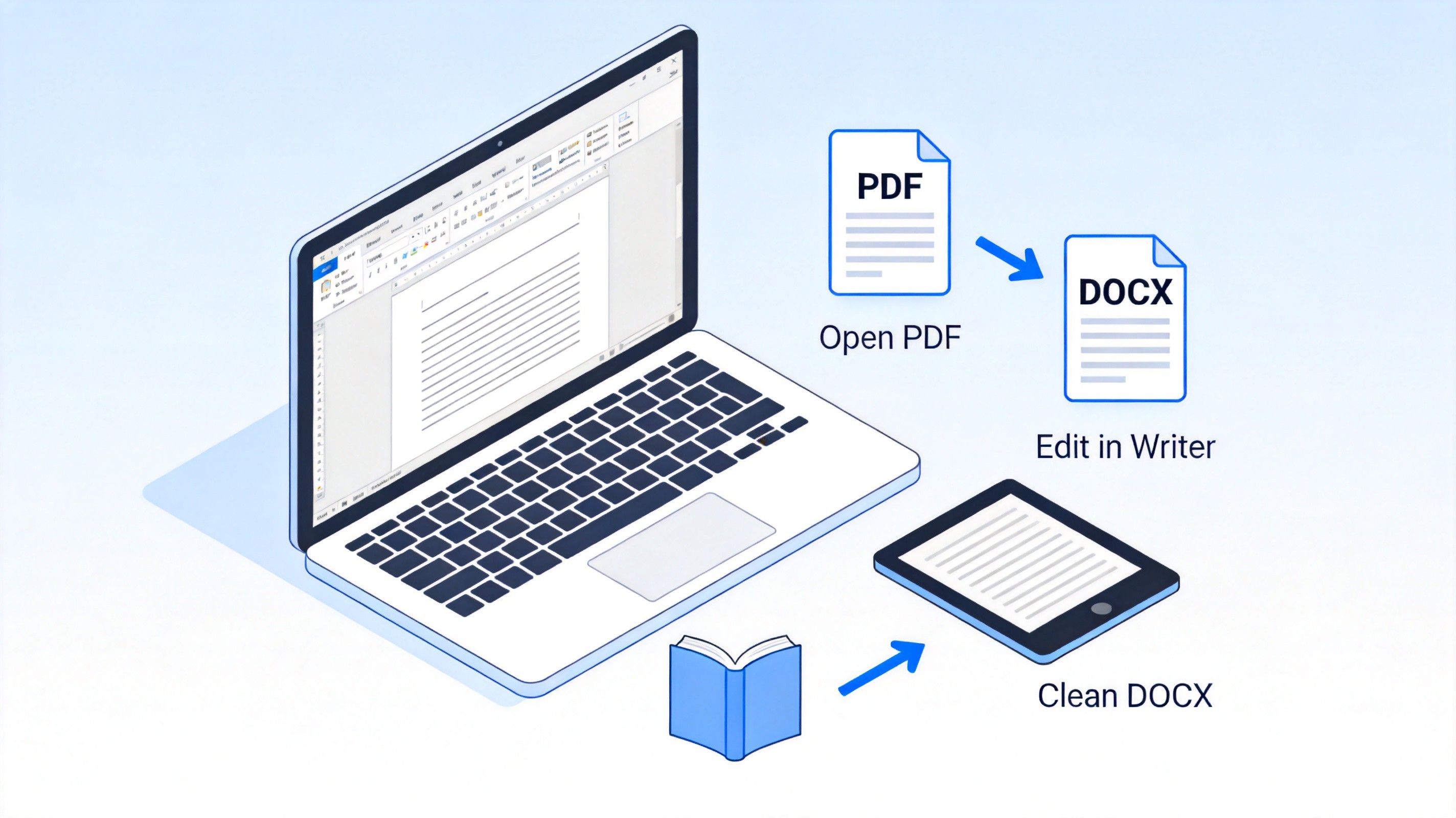
When the PDF itself is the problem, the fastest fix is to rebuild the content in an editor before it ever reaches a converter. WPS Office opens a PDF directly and converts it into an editable document, which you then feed to Calibre for a much cleaner EPUB.
Open the PDF in WPS Office. The file loads in the PDF component with the conversion tools on the Home tab.
Convert it to Word. Choose PDF to Word and save the result as a DOCX you can edit.
Clean the document in WPS Writer. Delete repeated headers, fix broken paragraphs, and apply real heading styles to chapter titles.
Convert the DOCX to EPUB in Calibre. A document with real headings converts far more cleanly than a raw PDF, because the structure is already correct.
Prepare PDF files in WPS Writer before EPUB conversion
FAQs
Can I convert a PDF to EPUB for free?
Yes. Calibre converts without limits on Windows, Mac, and Linux, and browser tools handle a one-off file for free. Both routes cost nothing for ordinary books.
Why does my converted EPUB look messy?
The source PDF most likely has columns, headers, or a scan-based layout. Fix those at the source, or convert an editable copy instead of the raw PDF.
Do I need OCR before converting a PDF to EPUB?
If you cannot select and highlight the text with a mouse, the PDF is a scan and needs OCR first. After OCR produces selectable text, the conversion works normally.
Can Kindle read EPUB files?
Yes. Amazon accepts EPUB through Send to Kindle, and converts it internally. Older Kindle models that only took MOBI are no longer the norm.
Will images and tables survive the conversion?
Photographs usually carry over. Complex tables and formulas often break; keeping them as images in the source, or rebuilding the document in a word processor, gives the cleanest result.


'%3e%3cpath%20d='M19.9911%204.11386V6.471H18.5894C18.0775%206.471%2017.7322%206.57814%2017.5536%206.79243C17.3751%207.00671%2017.2858%207.32814%2017.2858%207.75671V9.44421H19.9019L19.5536%2012.0871H17.2858V18.8639H14.5536V12.0871H12.2769V9.44421H14.5536V7.49779C14.5536%206.39064%2014.8632%205.53201%2015.4822%204.92189C16.1013%204.31177%2016.9257%204.00671%2017.9554%204.00671C18.8304%204.00671%2019.509%204.04243%2019.9911%204.11386Z'%20fill='%23333333'/%3e%3c/g%3e%3cdefs%3e%3cclipPath%20id='clip0_2938_8199'%3e%3crect%20width='16'%20height='16'%20fill='white'%20transform='translate(8%204.00671)'/%3e%3c/clipPath%3e%3c/defs%3e%3c/svg%3e)
'%3e%3cpath%20d='M17.5237%2010.7813L23.4811%204H22.0699L16.8949%209.88693L12.7648%204H8L14.2469%2012.9029L8%2020.0133H9.4112L14.8725%2013.7952L19.2352%2020.0133H24M9.92053%205.04213H12.0885L22.0688%2019.0224H19.9003'%20fill='%23333333'/%3e%3c/g%3e%3cdefs%3e%3cclipPath%20id='clip0_2938_8200'%3e%3crect%20width='16'%20height='16.0134'%20fill='white'%20transform='translate(8%204)'/%3e%3c/clipPath%3e%3c/defs%3e%3c/svg%3e)


