

'%3e%3cpath%20d='M8%200C12.4183%200%2016%203.58172%2016%208C16%2012.4183%2012.4183%2016%208%2016C3.58172%2016%200%2012.4183%200%208C0%203.58172%203.58172%200%208%200ZM11.6162%204.38379C11.2257%203.99337%2010.5927%203.99338%2010.2021%204.38379L8%206.58594L5.79785%204.38379C5.40732%203.99334%204.77429%203.99329%204.38379%204.38379C3.99331%204.77429%203.99335%205.40733%204.38379%205.79785L6.58594%208L4.38379%2010.2021C3.99348%2010.5927%203.99341%2011.2257%204.38379%2011.6162C4.77426%2012.0066%205.40734%2012.0065%205.79785%2011.6162L8%209.41406L10.2021%2011.6162C10.5927%2012.0066%2011.2257%2012.0067%2011.6162%2011.6162C12.0067%2011.2257%2012.0066%2010.5927%2011.6162%2010.2021L9.41406%208L11.6162%205.79785C12.0066%205.40735%2012.0066%204.77429%2011.6162%204.38379Z'%20fill='%23080E17'%20fill-opacity='0.46'/%3e%3c/g%3e%3cdefs%3e%3cclipPath%20id='clip0_3761_713'%3e%3crect%20width='16'%20height='16'%20fill='white'/%3e%3c/clipPath%3e%3c/defs%3e%3c/svg%3e)




'%3e%3cpath%20fill-rule='evenodd'%20clip-rule='evenodd'%20d='M21.4999%2010.9993C21.4999%205.20009%2016.7986%200.498901%2010.9993%200.498901C5.19994%200.498901%200.498657%205.20009%200.498657%2010.9993C0.498657%2016.2404%204.33858%2020.5844%209.35855%2021.3722V14.0346H6.69238V10.9993H9.35855V8.68594C9.35855%206.05427%2010.9262%204.60062%2013.3248%204.60062C14.4736%204.60062%2015.6753%204.80571%2015.6753%204.80571V7.38979H14.3512C13.0468%207.38979%2012.64%208.19921%2012.64%209.0296V10.9993H15.5523L15.0867%2014.0346H12.64V21.3722C17.66%2020.5844%2021.4999%2016.2404%2021.4999%2010.9993Z'%20fill='%231568EA'/%3e%3c/g%3e%3c/svg%3e)


'%3e%3cpath%20d='M2.42045%2022.1876H6.31818V12.7217L0.75%208.54553V20.5171C0.75%2021.4414%201.49892%2022.1876%202.42045%2022.1876Z'%20fill='%234285F4'/%3e%3cpath%20d='M19.682%2022.1876H23.5797C24.5041%2022.1876%2025.2502%2021.4387%2025.2502%2020.5171V8.54553L19.682%2012.7217'%20fill='%2334A853'/%3e%3cpath%20d='M19.682%205.48293V12.7216L25.2502%208.54543V6.31816C25.2502%204.25236%2022.8921%203.07469%2021.2411%204.31361'%20fill='%23FBBC04'/%3e%3cpath%20d='M6.31824%2012.7217V5.48303L13.0001%2010.4944L19.6819%205.48303V12.7217L13.0001%2017.733'%20fill='%23EA4335'/%3e%3cpath%20d='M0.75%206.31816V8.54543L6.31818%2012.7216V5.48293L4.75909%204.31361C3.10534%203.07469%200.75%204.25236%200.75%206.31816Z'%20fill='%23C5221F'/%3e%3c/g%3e%3cdefs%3e%3cclipPath%20id='clip0_2954_7305'%3e%3crect%20width='24.5'%20height='18.375'%20fill='white'%20transform='translate(0.75%203.8125)'/%3e%3c/clipPath%3e%3c/defs%3e%3c/svg%3e)


With only 5 minutes left before your boss or client's deadline, you finally finish editing your PDF and contentedly click "Download"-only for a massive pop-up to flash on screen the very next second: "Sign up for an account to save your file."
Anyone who's been there knows the sheer frustration. Just to fix a single word, you have to fill in your email, set up a password, check for a verification code, and then deal with a barrage of marketing spam and privacy risks down the road. Spending time editing a document on a "free online editor" only to get stuck at the sign-up step is deeply annoying.
Stop wasting your time on tedious registrations and endless marketing traps! Below, we'll introduce several truly free, no-login ways to edit PDF online free without Login that require zero personal information-letting you edit instantly and finish your document modifications in seconds.
Practical Tips Before You Edit PDF Online Free Without Login
Confirm export works without an account early, not after you finish editing, so you can truly Edit PDF Online Free Without Login.
Match method to PDF type: native text vs scanned image vs form.
Avoid uploading sensitive files to unknown sites; prefer known products such as WPS when the document contains personal or work data.
Keep a copy of the original until you verify the edited download.
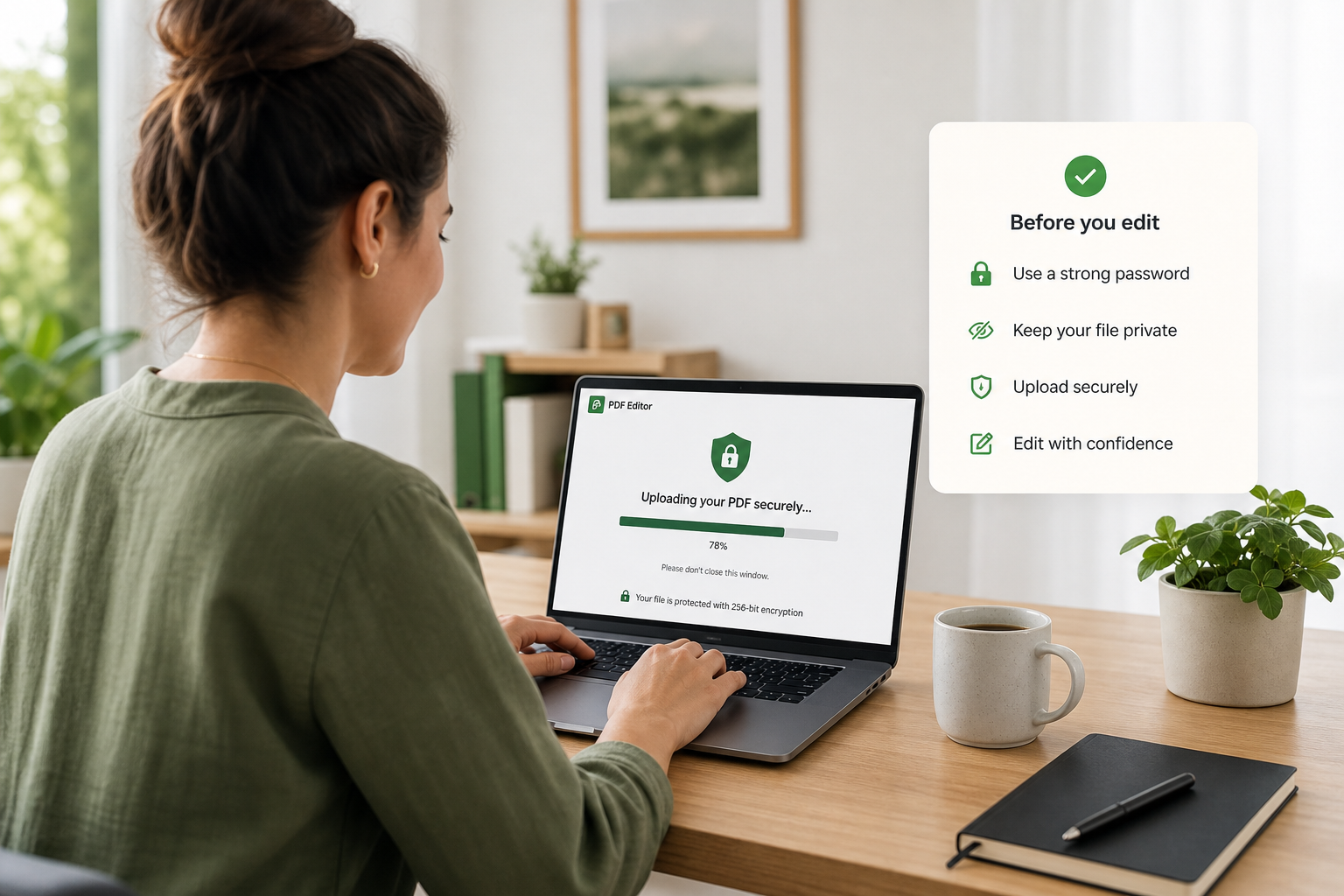
Tips before uploading PDF files
Method 1: Edit PDF Online Free Without Login in a Browser Editor
Use a browser PDF editor when you need speed more than perfect typography and want to Edit PDF Online Free Without Login. Tools like iLovePDF Edit PDF let you add text, shapes, comments, and highlights in the browser without installing software.
Open the online editor: Go to ilovepdf.com/edit-pdf in your browser.
Upload your PDF: Click Select PDF file or drag and drop the document onto the page, then choose the file from your device.

Edit in the browser: Use the toolbar to add text, images, comments, shapes, or highlights. Keep changes light so you can still Edit PDF Online Free Without Login without hitting a login wall.

Download immediately: Click Edit PDF to process, then download the finished file and confirm the layout still looks right.

Watch for: mid-edit login walls, file size limits, and "text edits" that are really floating text boxes (alignment can drift). If a wall appears, switch tools so you can still Edit PDF Online Free Without Login.
Method 2: Convert to an Editable Format, Then Edit PDF Online Free Without Login
Use this when you must change real wording, not just add notes. Convert the PDF to a Word-like format, edit the text, then export back to PDF. This is another reliable way to Edit PDF Online Free Without Login when browser text tools feel limited.
Convert the PDF with an online converter or WPS conversion tools.
Edit the text carefully in the editable file.
Export to PDF and compare page breaks, fonts, and spacing against the original.
Trade-off: You get true text control, but complex layouts can shift. Always proof the exported PDF after you Edit PDF Online Free Without Login via conversion.
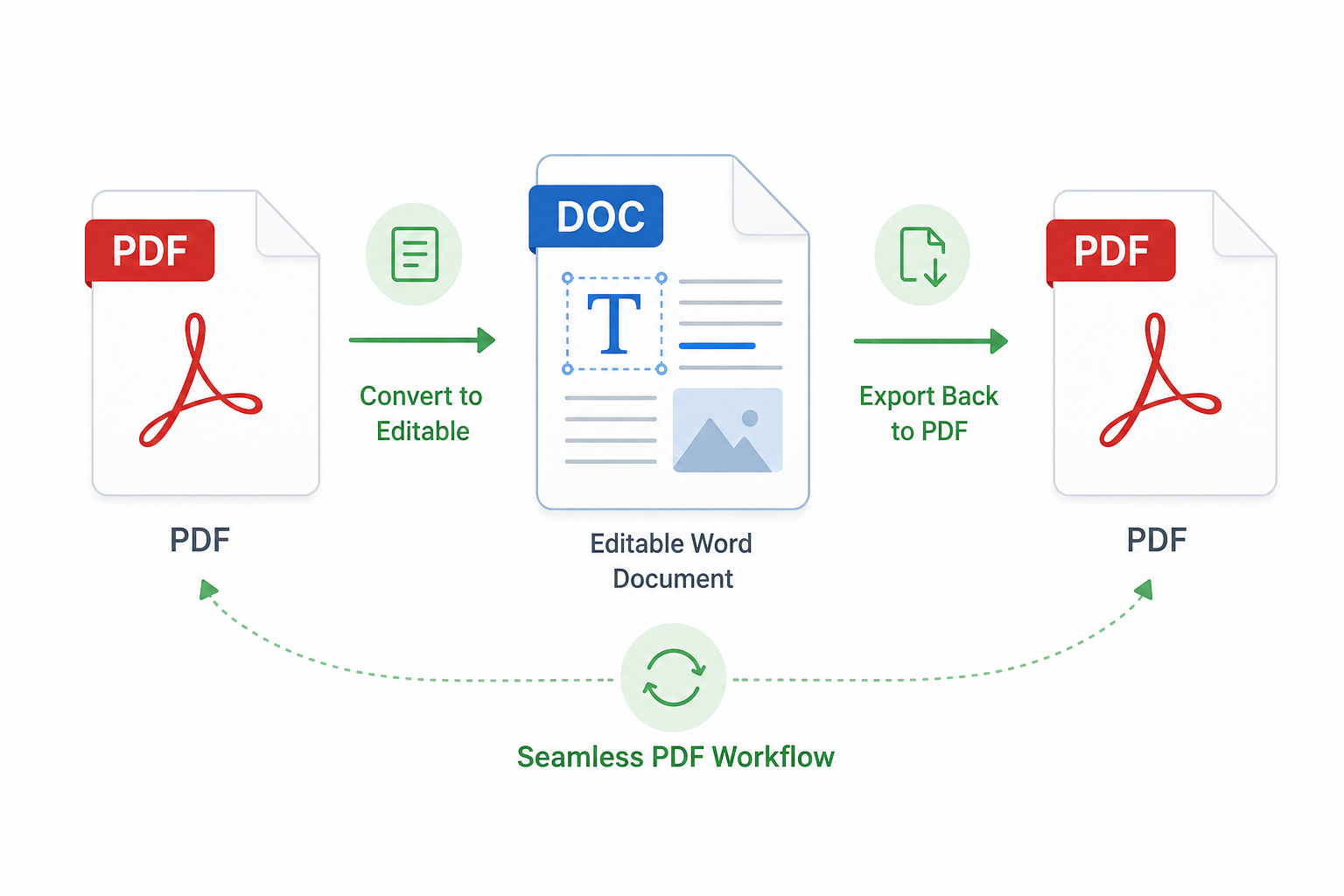
Method 3: Use WPS to Edit PDF Online Free Without Login
When browser editors feel limited-or you need more stable layout control-use WPS to Edit PDF Online Free Without Login for common tasks, then move to the desktop editor when quality matters.
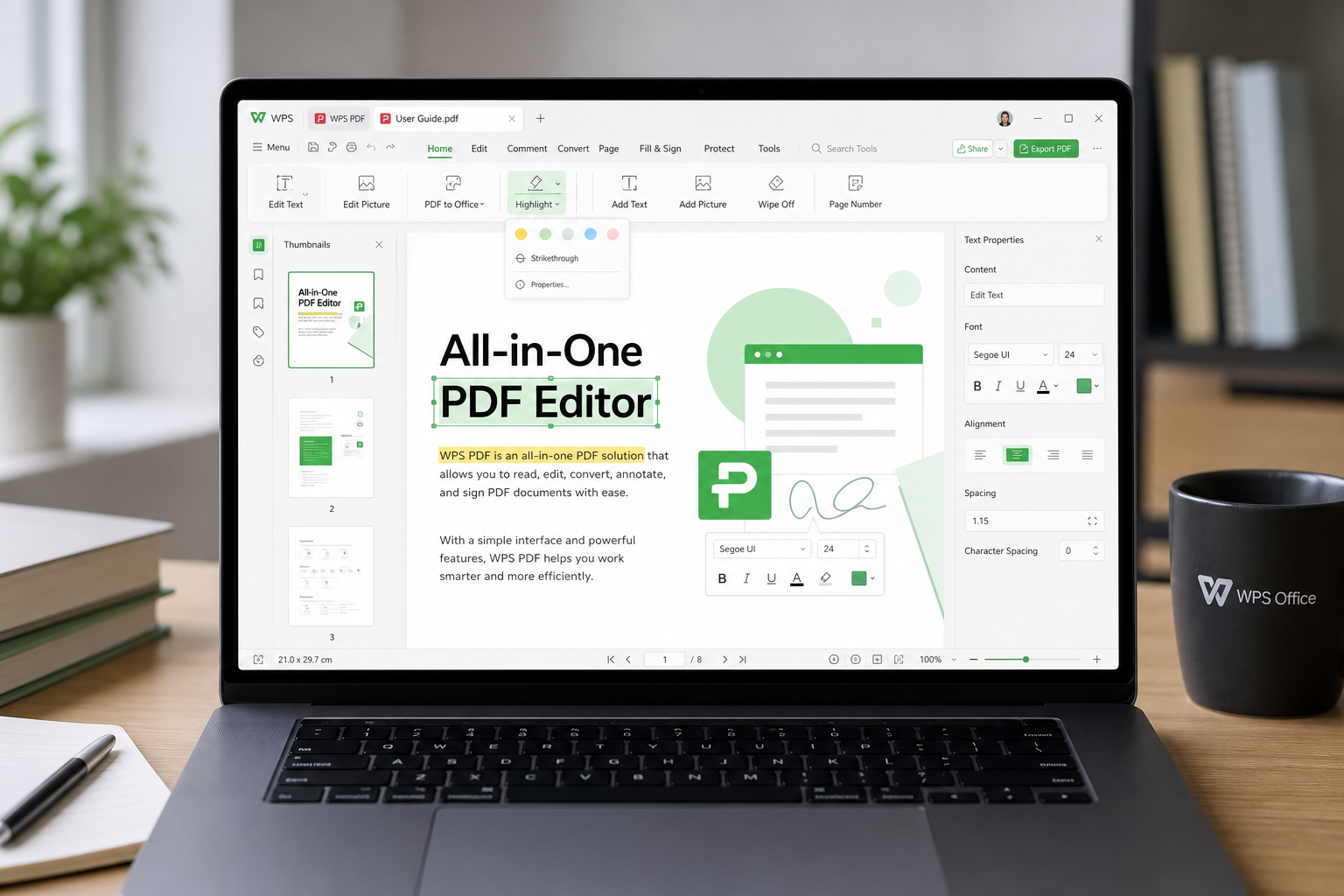
Open the online editor: Go to pdf.wps.com and choose Edit PDF (or Sign / Convert if that matches your task).
Upload your file: Add the PDF from your device or cloud storage so you can Edit PDF Online Free Without Login right away.
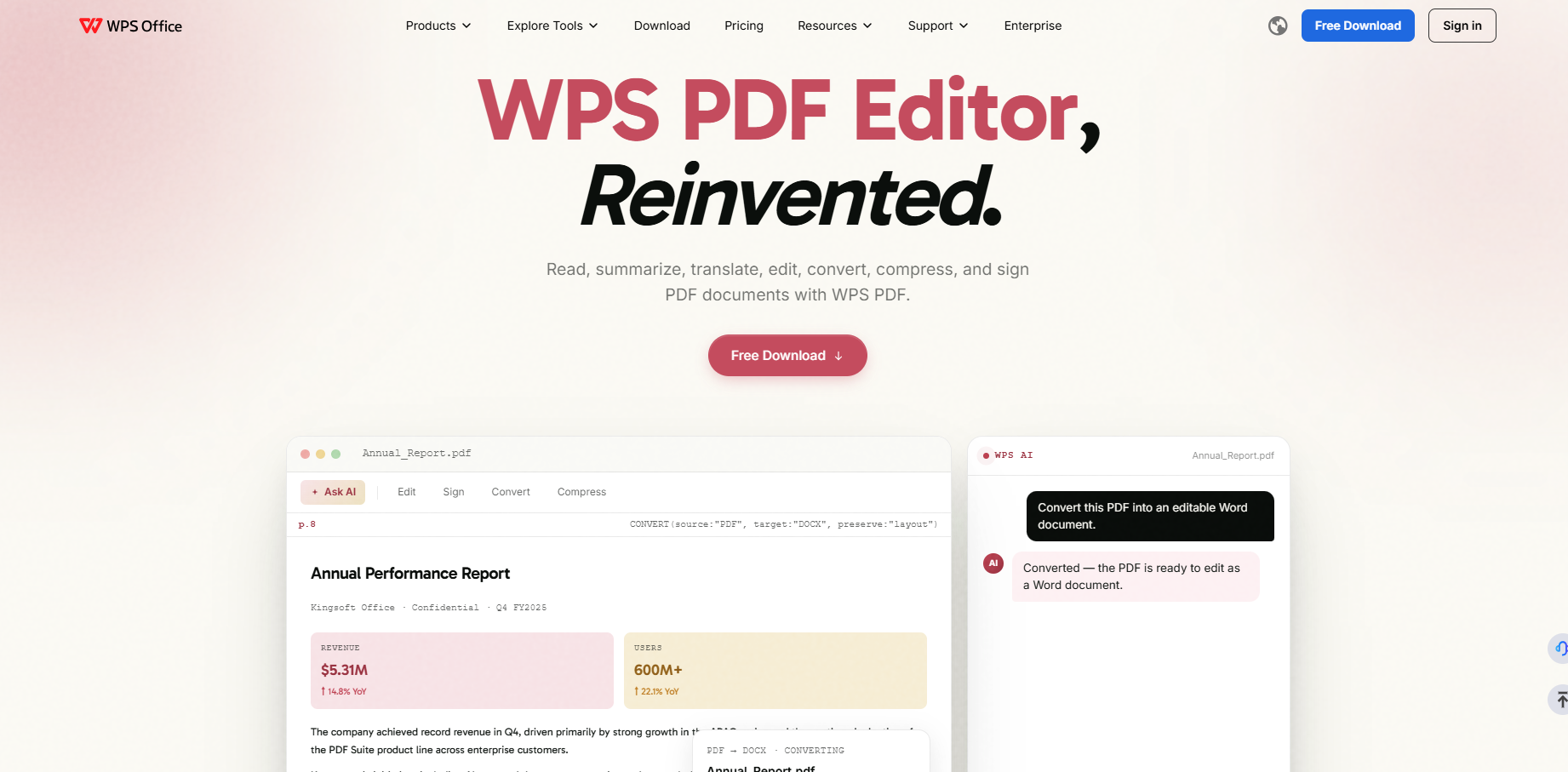
Make the edit: Change text, add comments or highlights, fill fields, insert a signature, or adjust pages as needed.

Download before any forced sign-up: Export the finished PDF. If an account prompt blocks a basic task, try a lighter annotation path or conversion first.
Continue in desktop WPS when needed: For long documents, scanned files, or repeated edits, open WPS PDF Editor for stronger layout control and OCR.
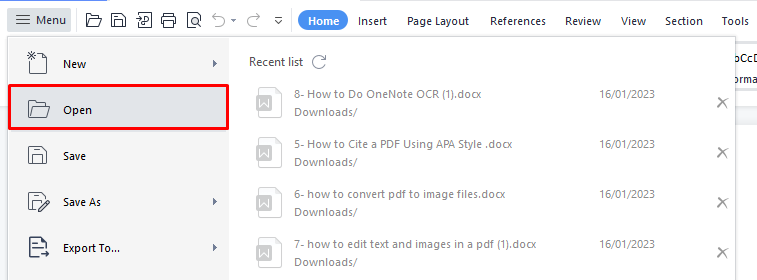
Need a deeper walkthrough of the online editor UI? See How to Use WPS PDF Editor Online. That guide complements this Method 3 path to Edit PDF Online Free Without Login.
Compare Three Methods to Edit PDF Online Free Without Login
After you try the steps above, use this table to choose the best way to Edit PDF Online Free Without Login for your file:
| Method | Best for | Advantages | Disadvantages |
|---|---|---|---|
| Method 1: Browser editor | Markup, forms, light fixes | Fast; usually high no-login friendliness | Weak for deep text rewrites; login walls and floating text boxes are common |
| Method 2: Convert, then export | Rewriting sentences or paragraphs | True text control in a Word-like file | Layouts can shift; you must proof the final PDF |
| Method 3: WPS edit | Everyday edits plus harder files | Online speed plus desktop OCR and layout tools when needed | Advanced or batch work may benefit from desktop WPS |
Why Choose WPS Office to Edit PDF Online Free Without Login
Looking at the comparison above, Method 1 is fast but limited for deep text changes, and Method 2 gives real wording control but can shift layouts. Method 3 with WPS balances both needs, which is why WPS Office is the practical next step when you want to Edit PDF Online Free Without Login with fewer trade-offs.
Start on WPS PDF online tools for quick browser edits, then move to the full WPS PDF Editor when you need dependable text edits, signatures, conversion, or OCR on longer or scanned files. That path keeps simple tasks free of forced sign-up friction, while giving you a clear upgrade when the document demands more control. If Method 1 or Method 2 already got you partway there, finish in WPS so you can still Edit PDF Online Free Without Login without restarting from scratch.


FAQ
Can I Edit a PDF Online Free With No Sign Up?
Yes for many basic tasks such as annotations, form filling, and light markup. Advanced text rewriting or batch AI features may ask for login. Always test download before investing time if your goal is to Edit PDF Online Free Without Login.
Why Did My PDF Layout Change After Editing?
Layout shifts usually come from conversion workflows that rebuild pages. Annotation and stamp tools keep the original look more often because they place overlays on top of existing pages when you Edit PDF Online Free Without Login.
What Should I Do if My PDF Is Scanned?
Use OCR first-especially in desktop WPS-then edit the extracted text. If scan quality is poor, clean up names and numbers manually after recognition. For speed with low risk, annotate instead of rewriting unless you truly need editable text to Edit PDF Online Free Without Login.
When Should I Switch From Online Tools to WPS PDF?
Switch when the file is long, layout-sensitive, scanned, or part of a repeat workflow. Online tools are great for quick no-login fixes when you Edit PDF Online Free Without Login; WPS PDF Editor is better when consistency matters across many files.

'%3e%3cpath%20d='M19.9911%204.11386V6.471H18.5894C18.0775%206.471%2017.7322%206.57814%2017.5536%206.79243C17.3751%207.00671%2017.2858%207.32814%2017.2858%207.75671V9.44421H19.9019L19.5536%2012.0871H17.2858V18.8639H14.5536V12.0871H12.2769V9.44421H14.5536V7.49779C14.5536%206.39064%2014.8632%205.53201%2015.4822%204.92189C16.1013%204.31177%2016.9257%204.00671%2017.9554%204.00671C18.8304%204.00671%2019.509%204.04243%2019.9911%204.11386Z'%20fill='%23333333'/%3e%3c/g%3e%3cdefs%3e%3cclipPath%20id='clip0_2938_8199'%3e%3crect%20width='16'%20height='16'%20fill='white'%20transform='translate(8%204.00671)'/%3e%3c/clipPath%3e%3c/defs%3e%3c/svg%3e)
'%3e%3cpath%20d='M17.5237%2010.7813L23.4811%204H22.0699L16.8949%209.88693L12.7648%204H8L14.2469%2012.9029L8%2020.0133H9.4112L14.8725%2013.7952L19.2352%2020.0133H24M9.92053%205.04213H12.0885L22.0688%2019.0224H19.9003'%20fill='%23333333'/%3e%3c/g%3e%3cdefs%3e%3cclipPath%20id='clip0_2938_8200'%3e%3crect%20width='16'%20height='16.0134'%20fill='white'%20transform='translate(8%204)'/%3e%3c/clipPath%3e%3c/defs%3e%3c/svg%3e)


